/ Kontakt Instrument / Symphonic Destruction
Heavyocity

Symphonic Destruction

4.8 (51 Reviews)
$224.50 $449.00

50% off until Dec 12

Heavyocity Symphonic Destruction
Heavyocity Symphonic Destruction - Trailer gallery thumbnail
Heavyocity Symphonic Destruction - Content Overview gallery thumbnail
Heavyocity Symphonic Destruction - Demo Walkthrough gallery thumbnail
Heavyocity Symphonic Destruction - Preset Playthrough gallery thumbnail
Heavyocity Symphonic Destruction x Damage 2 gallery thumbnail
Heavyocity Symphonic Destruction - UI
Heavyocity Symphonic Destruction - Designer View
Heavyocity Symphonic Destruction - Cycle View
Buy Now
Product information

The Damaged Orchestra

Heavyocity has deconstructed the orchestra—rebuilding it from the ground up to push the bounds of power, creativity, and aggression in modern scoring. Thrilling traditional combinations, visceral sound design and the gnarliest Braams you've ever heard.

More to Damage

This is what it sounds like when Heavyocity apply the epic approach of Damage 2 to the orchestra. A collection of hybrid DAMAGED elements—like Full Orchestra Portatos saturated with analog gear—that attack your cues with the same energy and vigour that you do.

Design Your Score

The heart of Symphonic Destruction (the SD Designer) is all about POWER. Heavyocity rebuilt the orchestra to combine creative organic, inspiring rhythmic, and signature sound design elements, unleashing a new generation of epic, cinematic scores.

Brutalist Braams

The Braams in SD haven't just been created, they've been unearthed from the ground and violently destroyed. Coupled with the innovative Braam Designer—deconstructing each Braam to its unique components—and the endless combinations will ensure your Braam well never runs dry.

Rhythmic Pedals

Whether you're scoring an intense chase scene or a nail-biting thriller, you're going to need dynamic rhythmic elements to drive your scene forward. Good thing SD includes nearly 100 inspiring rhythmic pedals, ranging from the sweet to the severe, the delicate to the destroyed.

Melodic Motifs

Heavyocity know you use 'em (it's okay, they do too). And if you're gonna use loops, you might as well use the best ones out there. And here comes SD to refill your tonal loop tank, complete with the most thrilling, the most inspiring, and the MOST EPIC melodic motif loops you've got in your arsenal.

Sonic Deconstruction

It's an all-new approach to orchestral scoring, combining traditional, hybrid, synth, heavy guitars—anything to level up the epic of your composition. One thing's for sure...the orchestra will never be the same.
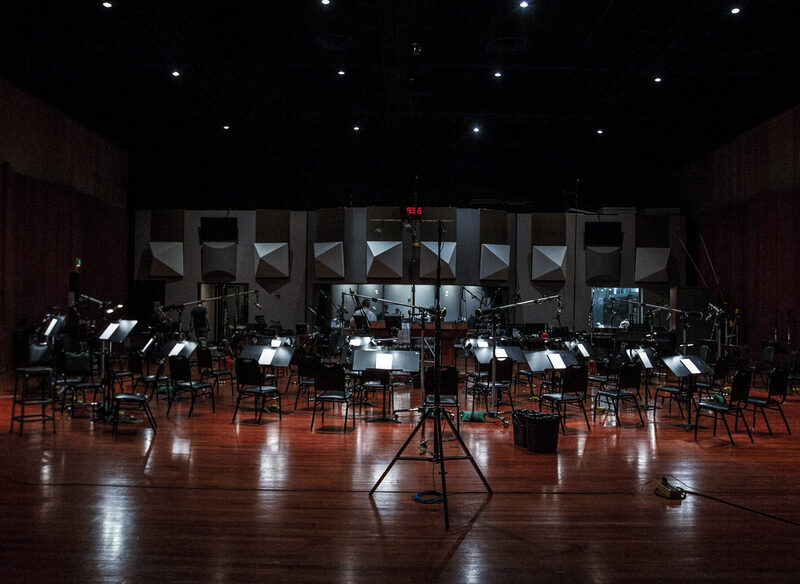
Endless Content

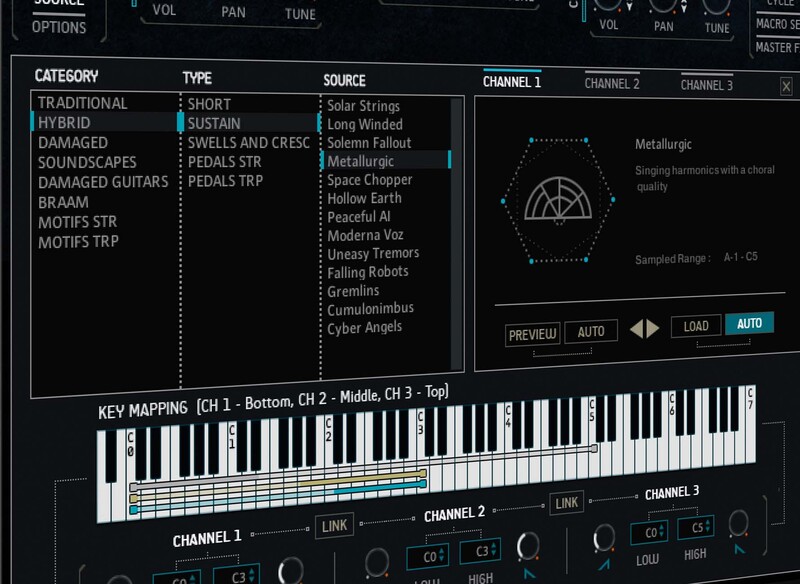
It's not just that Symphonic Destruction contains an insane amount of incredibly usable hybrid cinematic content. It's that the powerful SD Engine also contains the sound-shaping capabilities to never stop making that content new.
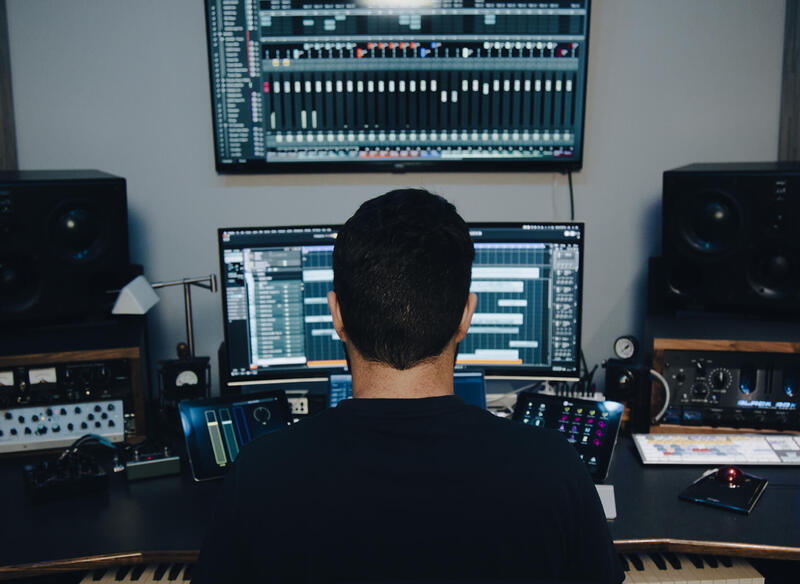
Instant Cue

True inspiration in an instrument comes from the power to move, challenge, and inspire the composer. Symphonic Destruction is up to the task. Fire it up, and you'll see: In preset after preset, patch after patch, there's a film cue laid out across the 88 keys.
Features

  • Over 11,800 Samples
  • 445 Sources (Full Content Breakdown)
  • 210 Custom-Designed Presets
  • 4 Unique Engines:
    • SD Designer
      • Intuitive Browser to load in 400+ sources in 3 banks
      • CYCLE page for advanced granular & rhythmic playback
      • MACRO knob for dynamic multi-parameter control
  • Braam Designer
    • 108 unique Tonal Hits (36 with 3 stems – Subs, Mids, Tails)
  • Loop Designer
    • 216 Loops (144 Motifs and 72 Rhythmic Pedals)
  • Performers
    • Traditional – 30 articulations
    • Hybrid – 25 articulations
    • Damaged – 16 articulations
    • Soundscapes – 26 articulations
    • Traditional Pedals – 24 (tempo-synced, multi-sampled)
    • Hybrid Pedals – 24 (tempo-synced, multi-sampled)
    • Damaged Pedals – 24 (tempo-synced, multi-sampled)
    • Damaged Guitars – 24 (tempo-synced, multi-sampled)

System Requirements

Minimum Requirements

  • macOS 10.13, 10.14, 10.15, or 11 (latest update) (Intel only)
  • Windows 7, Windows 8, or Windows 10 (latest Service Pack), Intel Core i5 or equivalent CPU, 2 GB RAM
  • Graphics hardware support for OpenGL 2.1 or higher
  • 4 GB RAM (6 GB recommended for large KONTAKT Instruments)

Technical Specifications

  • 26.71 GB uncompressed (17.4 GB on Disk with NI lossless compression)
  • FREE Kontakt 6.6.1 Player (or later)
  • Komplete Kontrol integrated (NKS-ready)
  • Available as direct download only
  • Plugin Formats: Standalone, VST, AU and AAX

   

Installation Instructions

Notes: 

  • This product requires a Native Instruments Account and a free copy of Native Instruments Kontakt Player, which you can download here.
  • NOVO Essentials is used as the example.

Mac

Registration

1. Visit https://heavyocity.com/my-account/  and fill out the account registration form > Click 'Register'.

Installation

1. Download the Heavyocity Product Portal Installer from within your Plugin Boutique User Account

2. Double-click the .pkg file to begin the installation > Click 'Continue'.

3. Click 'Continue'.

4. Click 'Agree'.

5. Click 'Install'.

6. Enter your computer Username and Password > Click 'Install Software'.

7. Click 'Close'.

8. Open the Heavyocity Portal and enter your Heavyocity-registered Username (Email Address) and Password > Click 'Login'.

9. Click 'Register Now', located at the bottom of the Product Portal.

10. Complete the form and enter the serial number found in your Plugin Boutique User Account > Click 'Register'.

11. Click 'Install' on the far right of the portal.

12. Select an installation location for your Heavyocity product > Click 'Install'.

Activation

1. Log in to Native Access.

2. Click 'Add a serial' in the top left corner of Native Access.

3. Enter the serial number found in your Plugin Boutique User Account > Click 'Add Serial'.

4. Click 'Close'.

5. Click the 'Not Installed' tab on the left-hand side of Native Access.

6. Locate NOVO Essentials > Click 'Add Library'.

7. Click 'browse' and locate the recently installed product > Click 'Install'.

Your product is now activated and ready to use.

Windows

Registration

1. Visit https://heavyocity.com/my-account/  and fill out the account registration form > Click 'Register'.

Installation

1. Download the Heavyocity Product Portal Installer from within your Plugin Boutique User Account > Double-click the .zip file to extract the contents.

2. Double-click the .exe file to begin the installation > Click 'Next'.

3. Select 'I accept the terms in the license agreement' > Click 'Next'.

4. Click 'Next'.

5. Click 'Install'.

6. Click 'Finish'.

7. Enter your Heavyocity-registered Username (Email Address) and Password > Click 'Login'.

8. Click 'Register Now', located at the bottom of the Product Portal.

9. Complete the form and enter the serial number found in your Plugin Boutique User Account > Click 'Register'.

10. Click 'Install' on the far right of the portal.

11. Select the installation location for your Heavyocity product > Click 'Ok'.

12. Click 'Install'.

Activation

1. Log in to Native Access.

2. Click 'Add a serial' in the top left corner of Native Access.

3. Enter the serial number found in your Plugin Boutique User Account > Click 'Add Serial'.

4. Click 'Close'.

5. Click the 'Not Installed' tab on the left-hand side of Native Access.

6. Locate NOVO Essentials > Click 'Add Library'.

7. Click 'browse' and locate the recently installed product > Click 'Install'.

Your product is now activated and ready to use.

Plugin Boutique Rewards

Discover the most rewarding loyalty programme among all plugin retailers.

  • Free Loopmasters Samplepacks
  • Discounts on products and courses
  • Extra Virtual Cash claimed immediately at checkout
Find out more

Follow us:

X (Twitter) Facebook YouTube Instagram
Logo Logo

Plugin Boutique Limited, Part of the Beatport Group LLC.

Copyright © 2011-2025 Plugin Boutique. All rights reserved















