/ Kontakt Instrument / Vintage Horns
Big Fish Audio

Vintage Horns

4.5 (20 Reviews)
$199.95
Vintage Horns UI 001
Vintage Horns
Big Fish Audio Vintage Horns Video review at Sounds and Gear.com gallery thumbnail
Vintage Horns UI 002
Buy Now
Product information

Emulate the sounds of classic horn sections from the 60s and 70s

Vintage Horns is a horn section virtual instrument that gives you every instrument you need to emulate the classic horn section sounds of R&B, Soul, and Funk bands from the 60's and 70s. It is available for Kontakt Player 5 and as a ReFill for Reason 6.

As with its sister product, Vintage VI, the goal for Vintage Horns was not to create a shiny, perfect-sounding virtual instrument. Instead, we tried to capture the way horn sections sounded back in the 60s and 70s, including the minor imperfections that added character to those sections and made them sound so good.

With Vintage Horns you can recreate the most popular horn section sounds of the 60's and 70s, including:

  • The Memphis Soul horn section, which typically used a single trumpet  with one  tenor sax and occasionally a bari sax
  • The famous horn section sound of the JBs, which featured trombone, trumpet, alto sax, tenor sax, and bari sax
  • The classic big production sound of Detroit Soul
  • The Philly Soul sound, with flutes and flugel horn
  • And the powerful Oakland Soul sound, with bari sax, 2 tenor saxes, trombone, and two trumpet switching to flugel horns on ballads.

The Vintage Horns Kontakt Player version contains nine instruments patches, each with keyswitches to control Long notes, Short notes, Stabs, Falls, and Swells. For brass and reeds, we also included Sforzando samples. Also included are sixteen multis that give you access to pre-made sections to emulate the sound of classic horn sections and a few basic sections as well.

Vintage Horns features nine multi-sampled brass and wood wind instruments:

  • Instruments - Alto Flute / Alto Sax / Baritone Sax / Flugelhorn / Soparano Flute / Tenor Sax / Soprano Sax / Tenor Sax / Trombone / Trumpet Mute / Trumpet Open
  • Multis - All Brass Section / All Flute Section / All Sax Section / Big Band Section / BS&T Jazz Rock Section / Detroit Soul Big Section / Detroit Soul Small Section / JBs Section / Memphis Soul Section / Oakland Soul Ballad Section / Oakland Soul Big Section / Philly Soul Ballad Section / Philly Soul Big Section / Retro Latin Big Band Section / Soul Jazz Section #1 / Soul Jazz Section #2

The Vintage Horns reFill includes 53 NN-XT sampler patches, with five different articulations for all instruments: Long notes, Short notes, Stabs, Falls, and Swells. For brass and reeds, we also included Sforzando samples.

System Requirements

  • Refill download = 1.97GB
  • Kontakt Player 5 / Plugin Download - 3.5GB
  • This product is compatible with... AU / Cubase / Digital Performer / GarageBand / Intel Mac / Kontakt 5 / Logic / Mac / Nuendo / PC / Pro Tools 7 / Reason 6 / RTAS / VSTi
Installation Instructions

Note: Ambient Minimalism is used as the example.

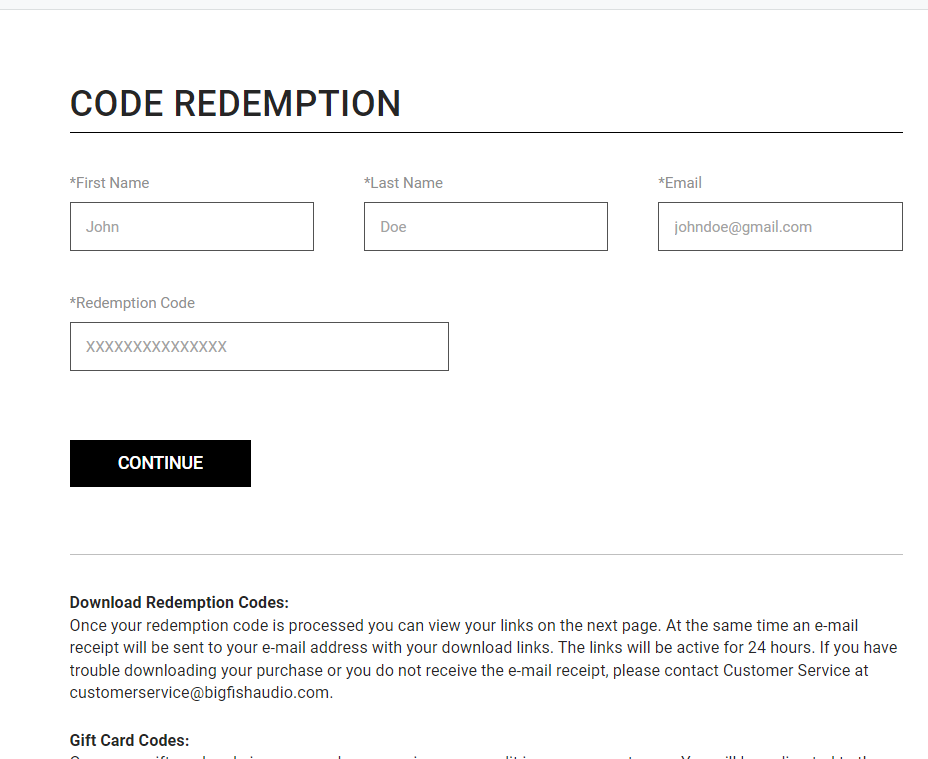
Redemption 

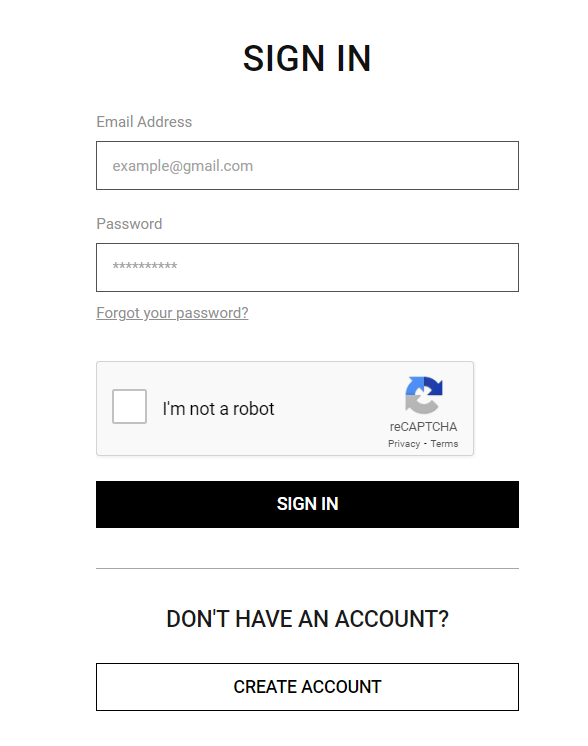
1.  Go to https://www.bigfishaudio.com/redemption.html > Enter your Name, Email Address, and Redemption Code, found in the Serial Number section of your Plugin Boutique User Account > Click 'CONTINUE'.

2. Sign into your existing Big Fish Audio account, or if you don't have one, click "CREATE ACCOUNT" and fill in your details to create an account. 

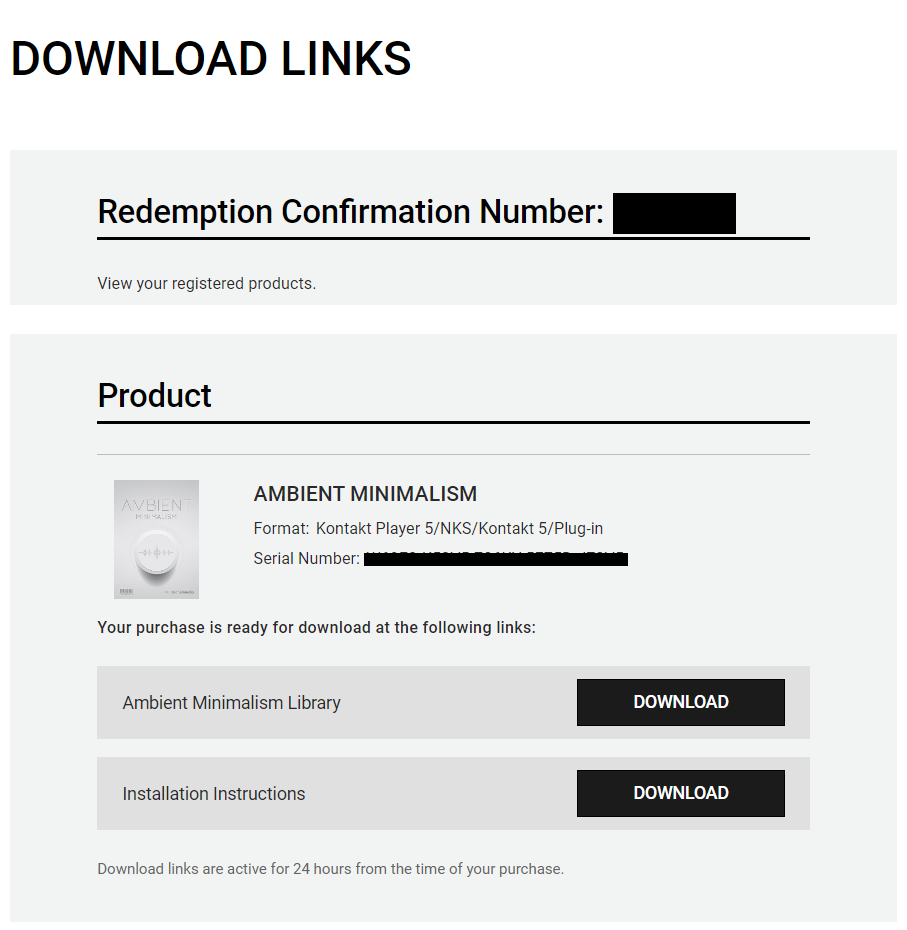
3. Your product is now redeemed. Please make note of the serial provided here > Click "DOWNLOAD" to download the plugin.

4. Unzip the downloaded installer.

Mac

Installation / Activation

1. Download and install the FREE Kontakt Player from the Native Instruments website.

2. Download and install the FREE Native Access application.

3. Open Native Access and enter your Native Instruments-registered email address and password > Click 'LOG IN'.

4. Click 'Add a serial' in the top left corner of the application window.

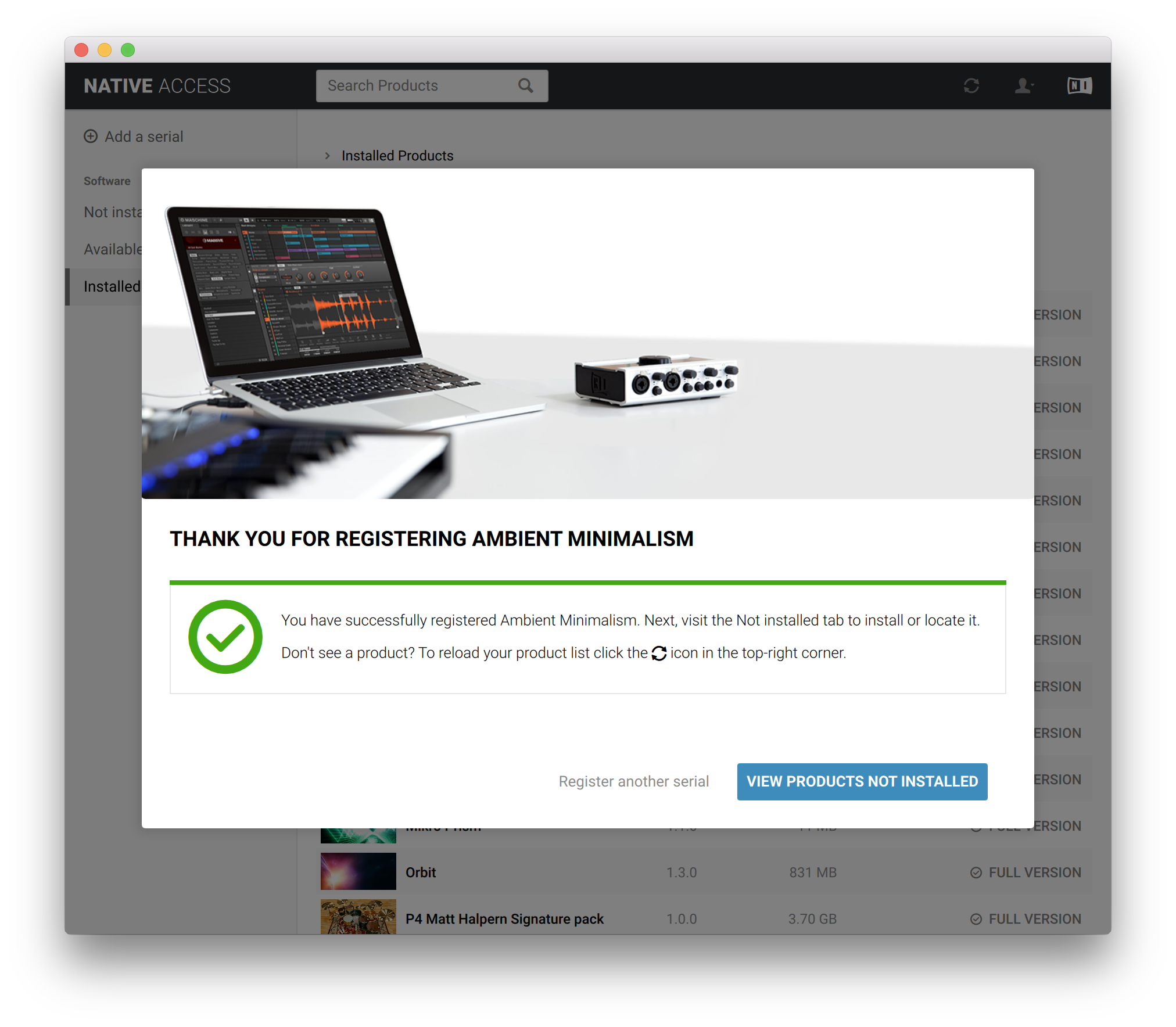
5. Enter the Serial Number found in your email > Click 'Add Serial'.

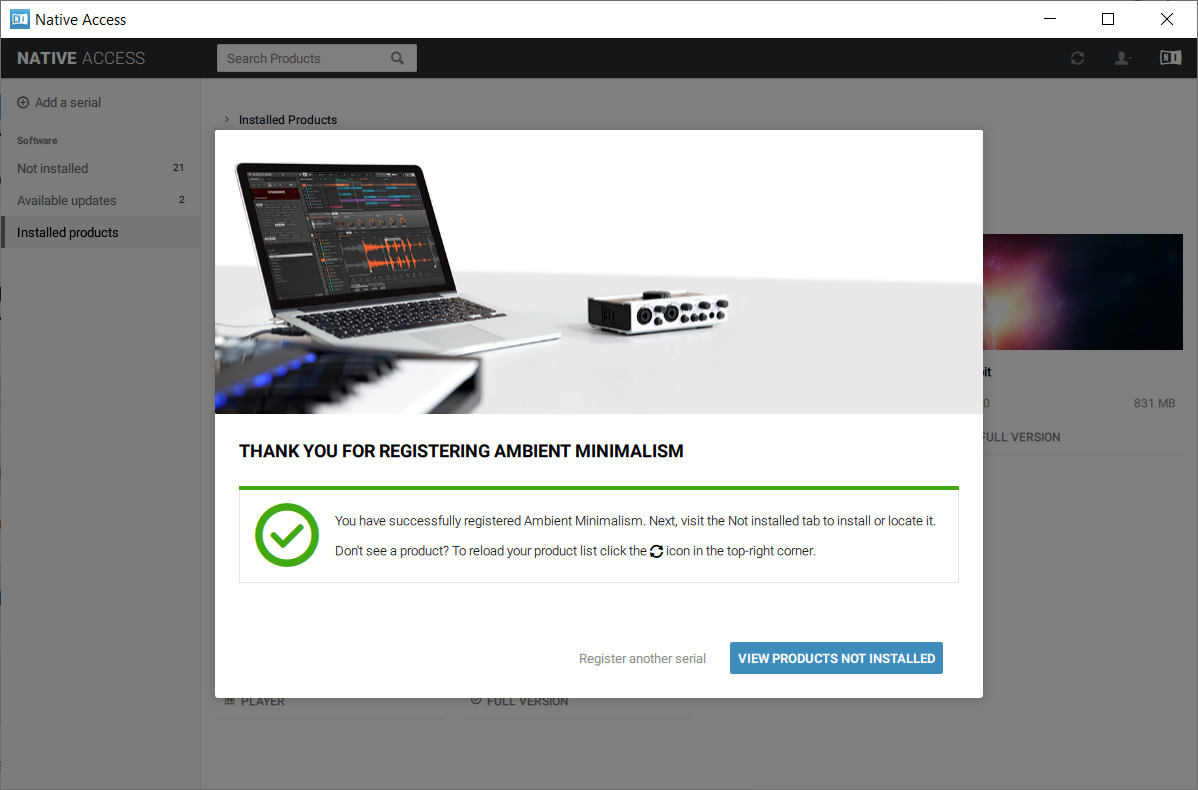
6. Click 'View products not installed'.

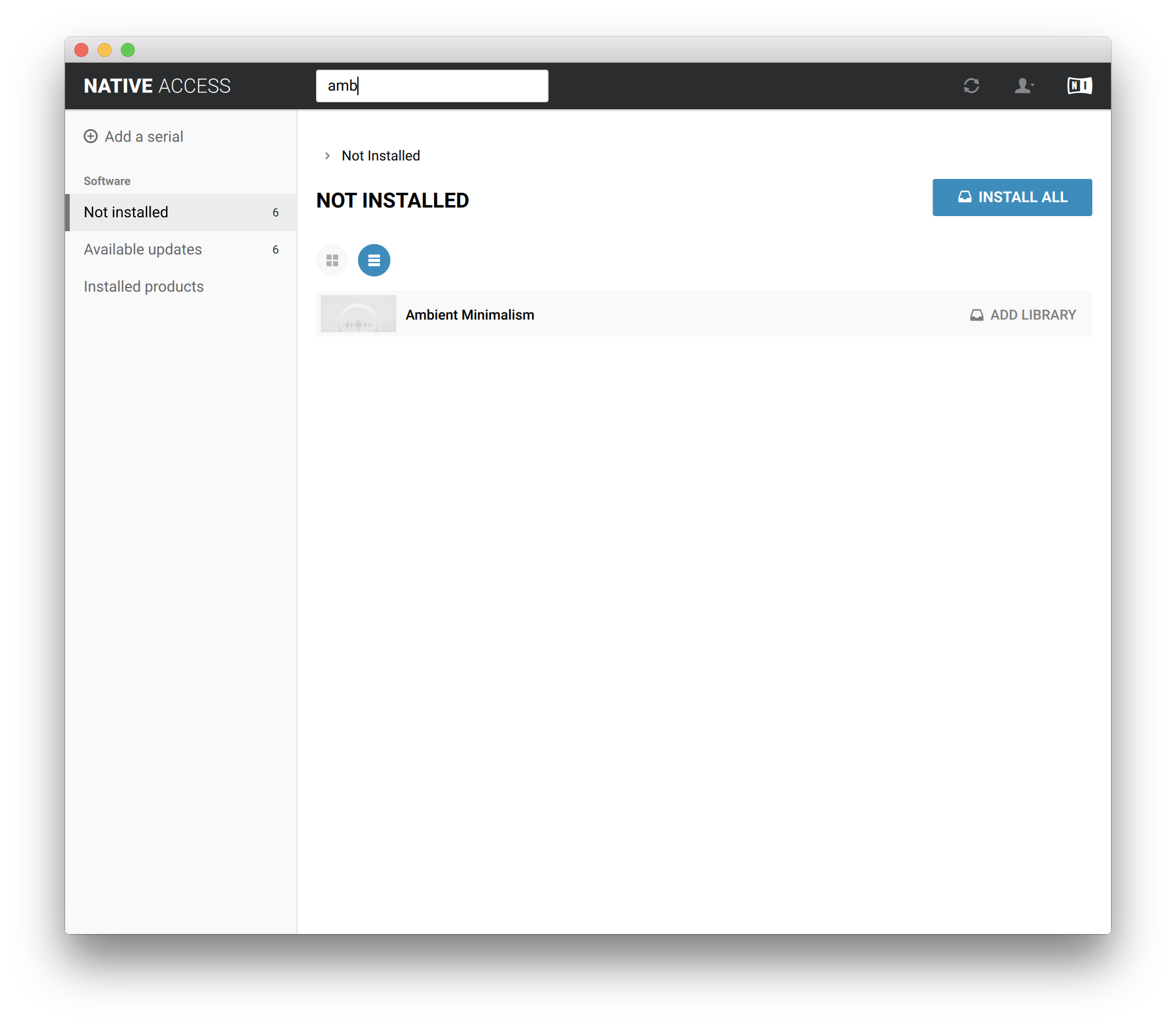
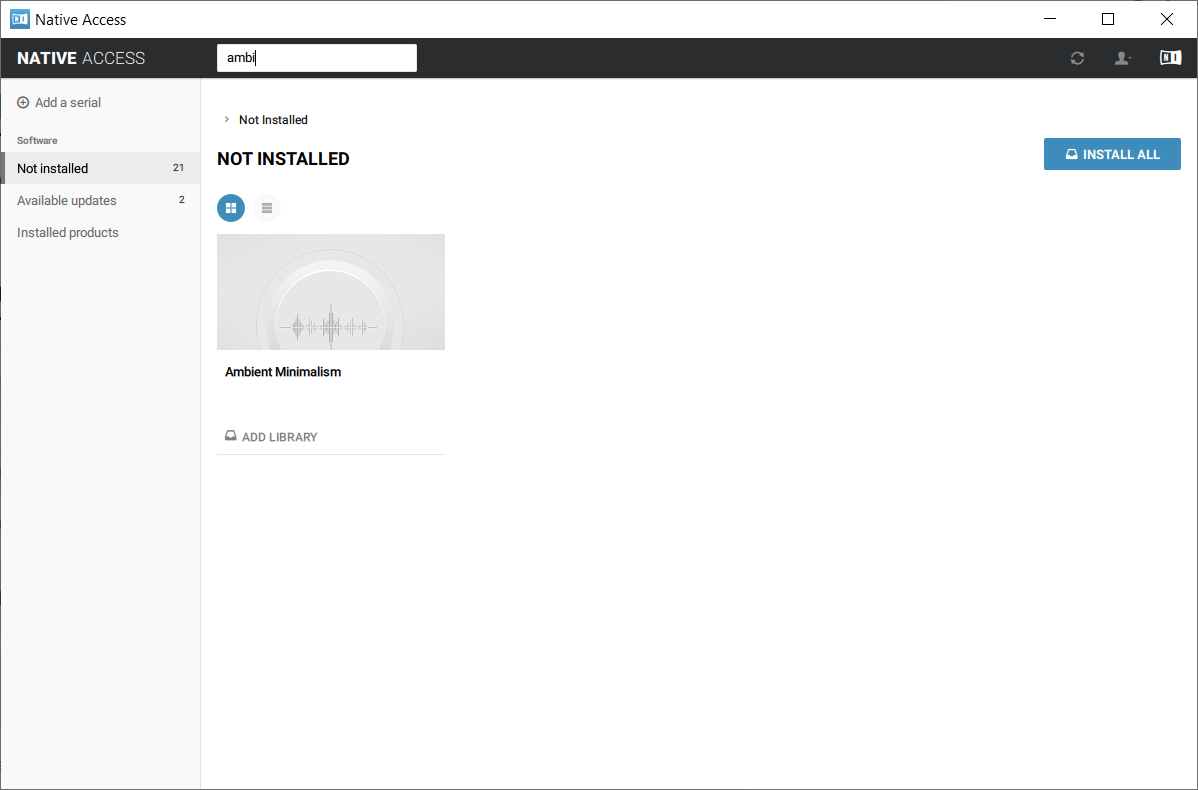
7. Navigate to Ambient Minimalism >  Click 'ADD LIBRARY'.

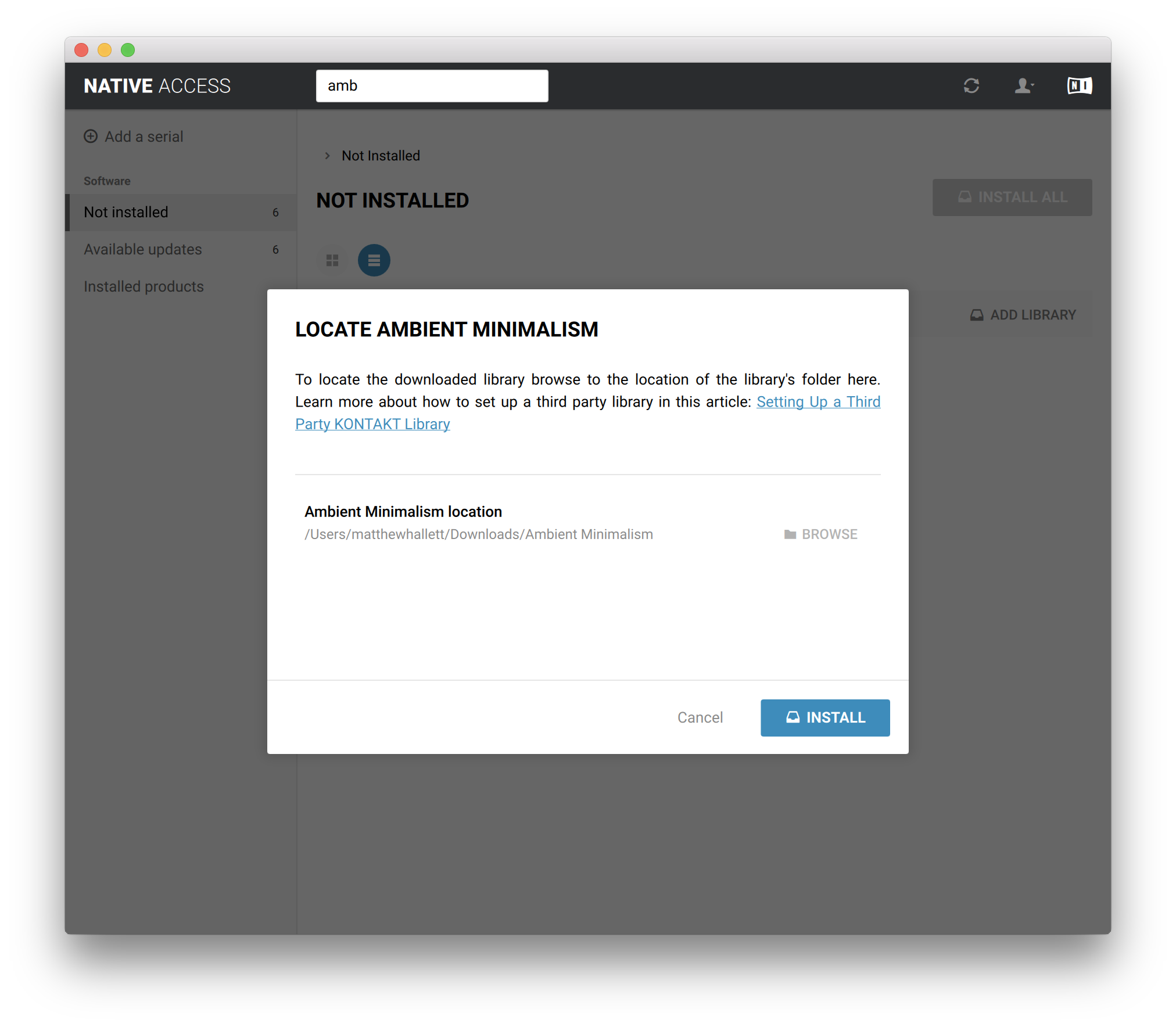
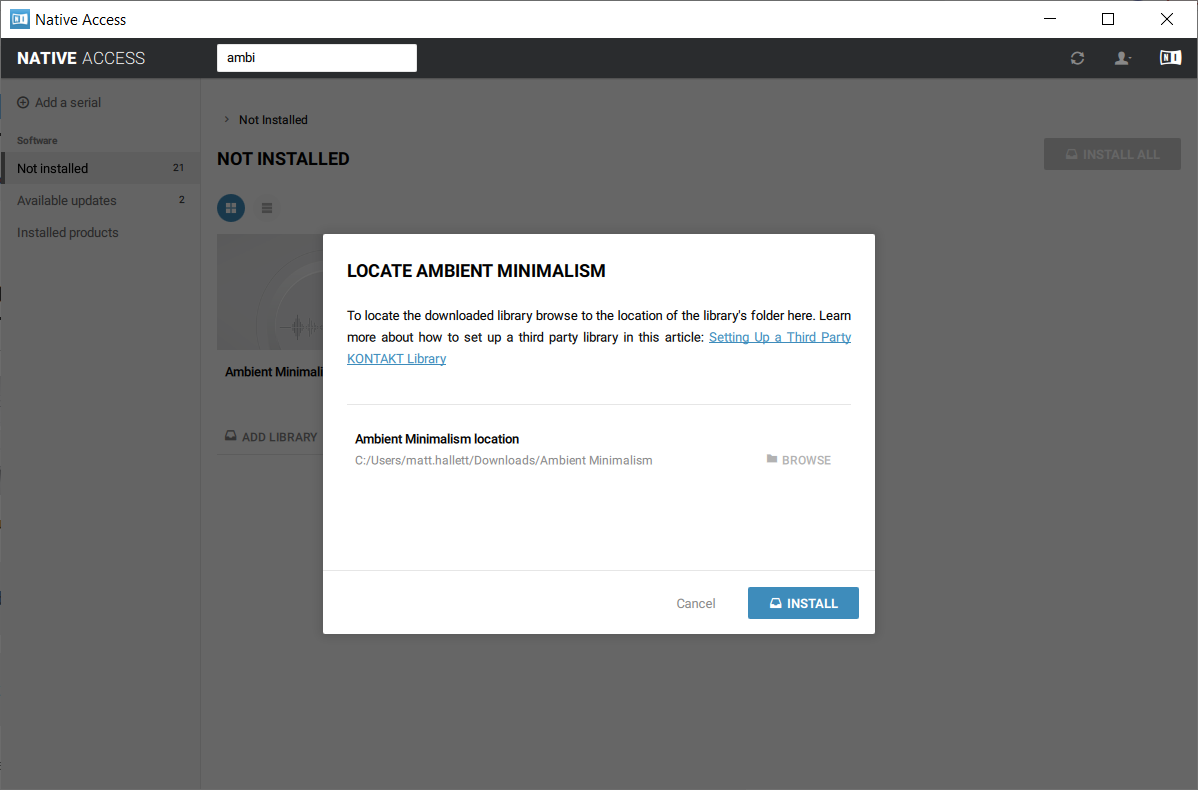
8. Click 'BROWSE' > Navigate to where you downloaded and unzipped Ambient Minimalism too > Once selected, click 'INSTALL'.

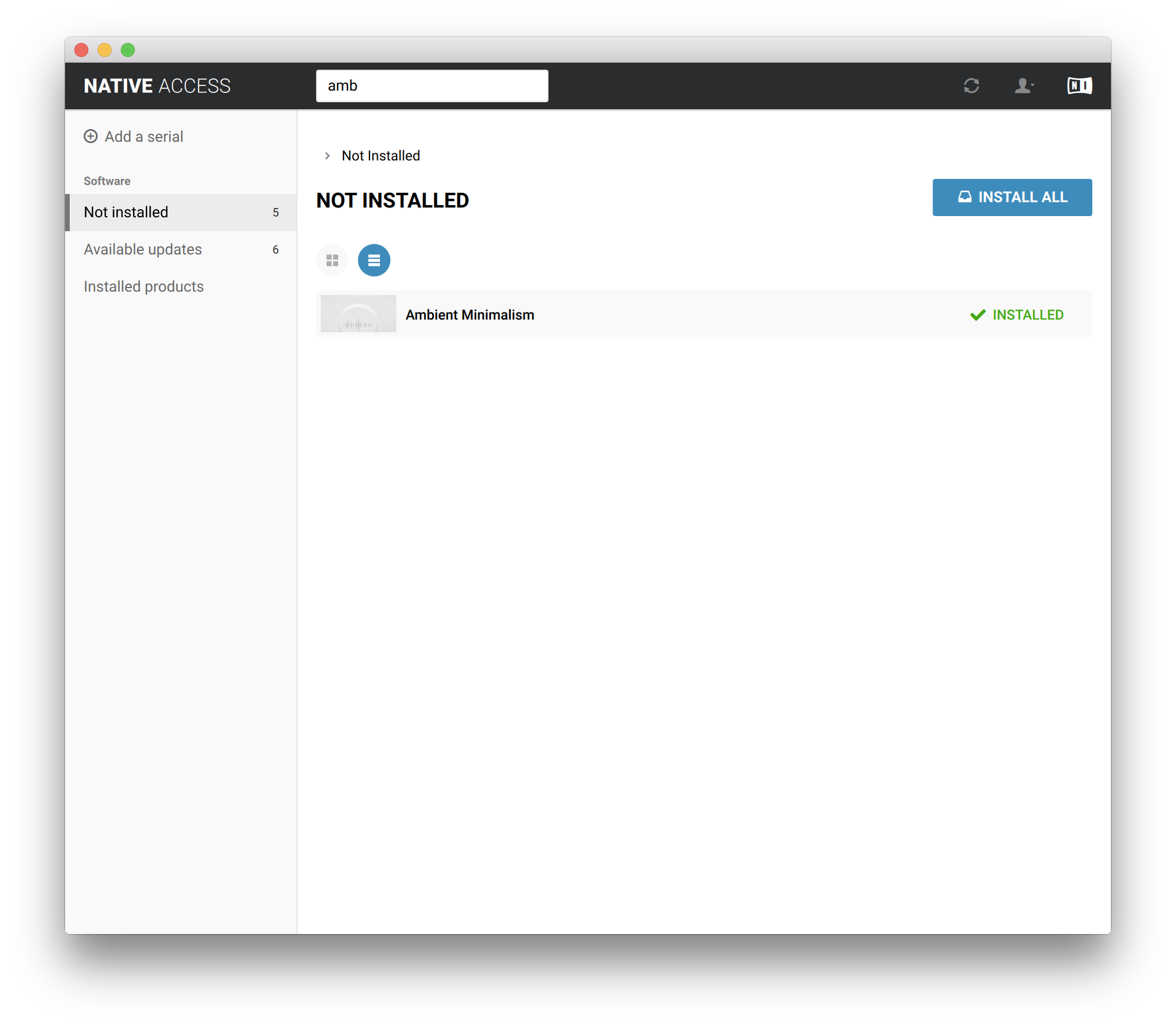
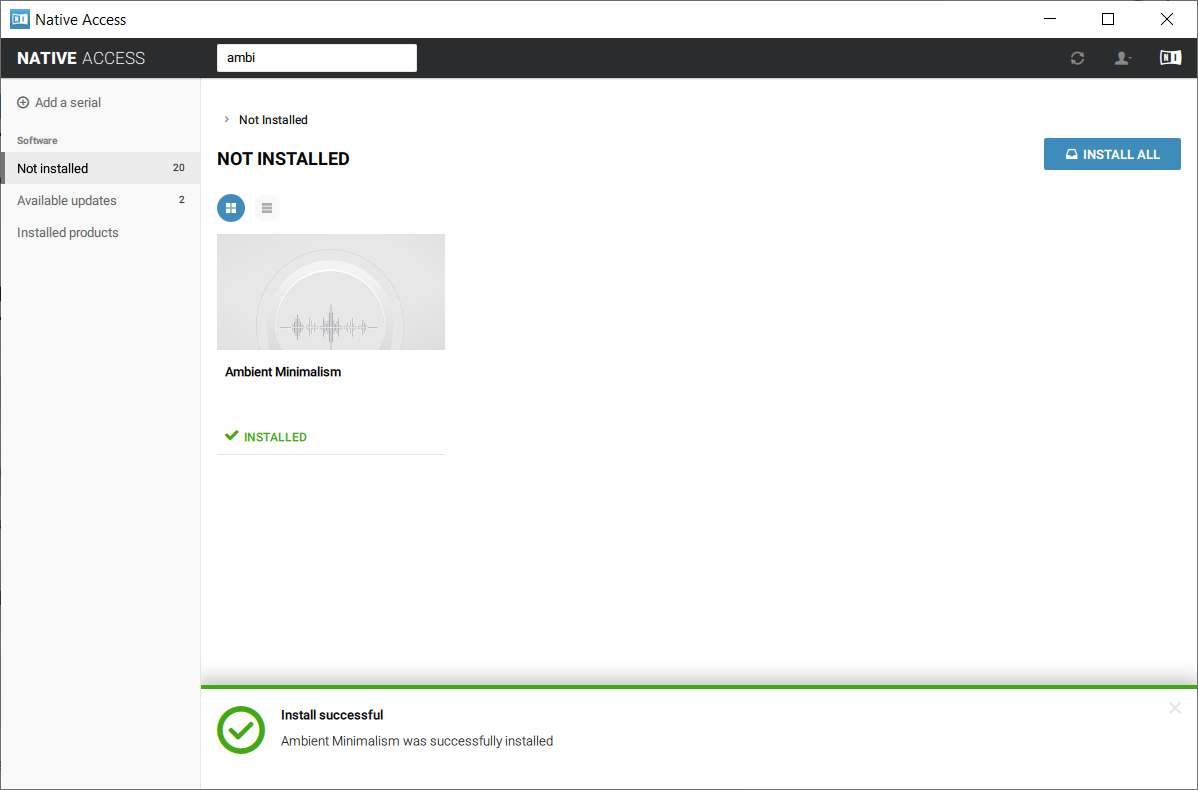
9. Ambient Minimalism is now installed.

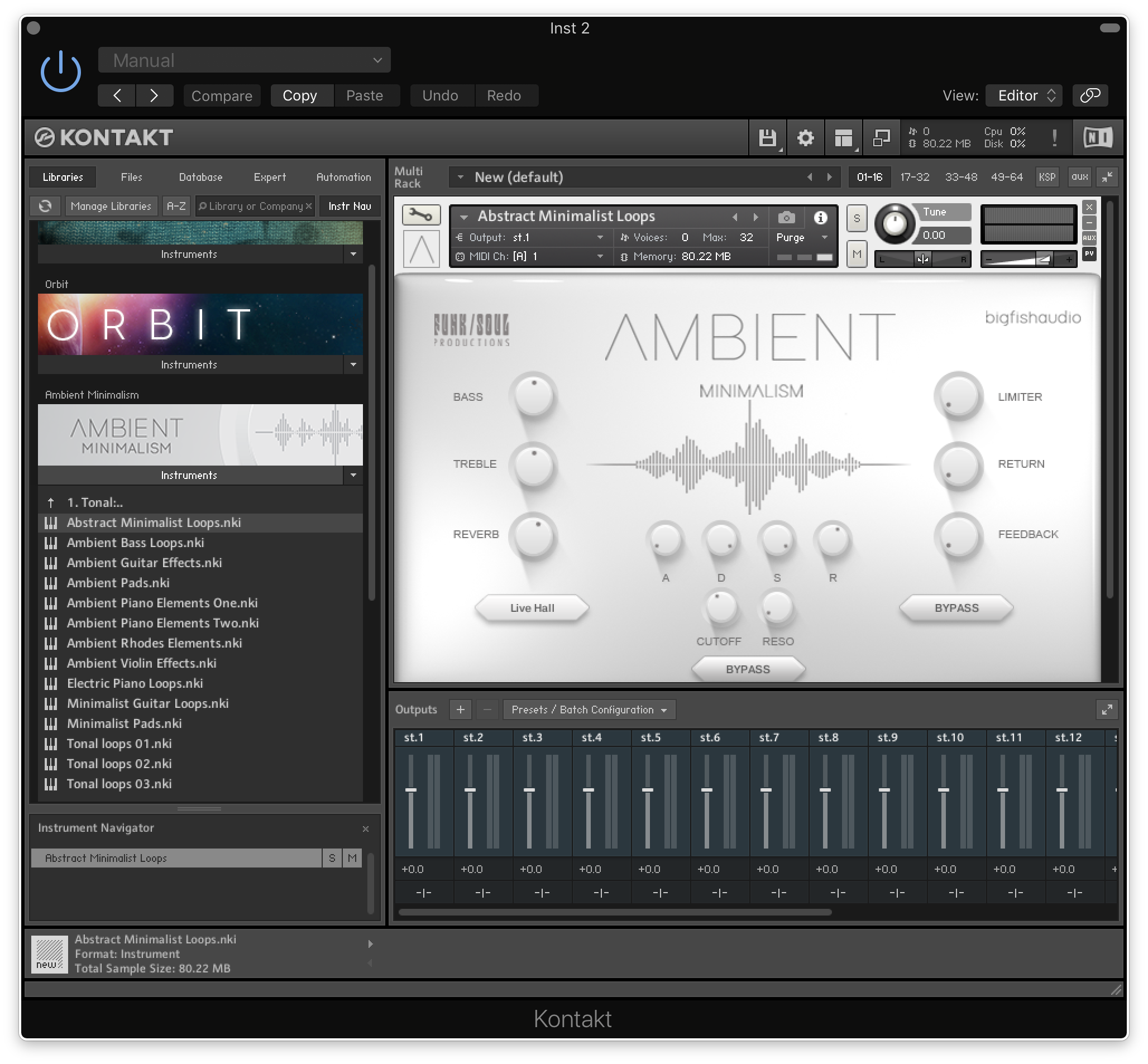
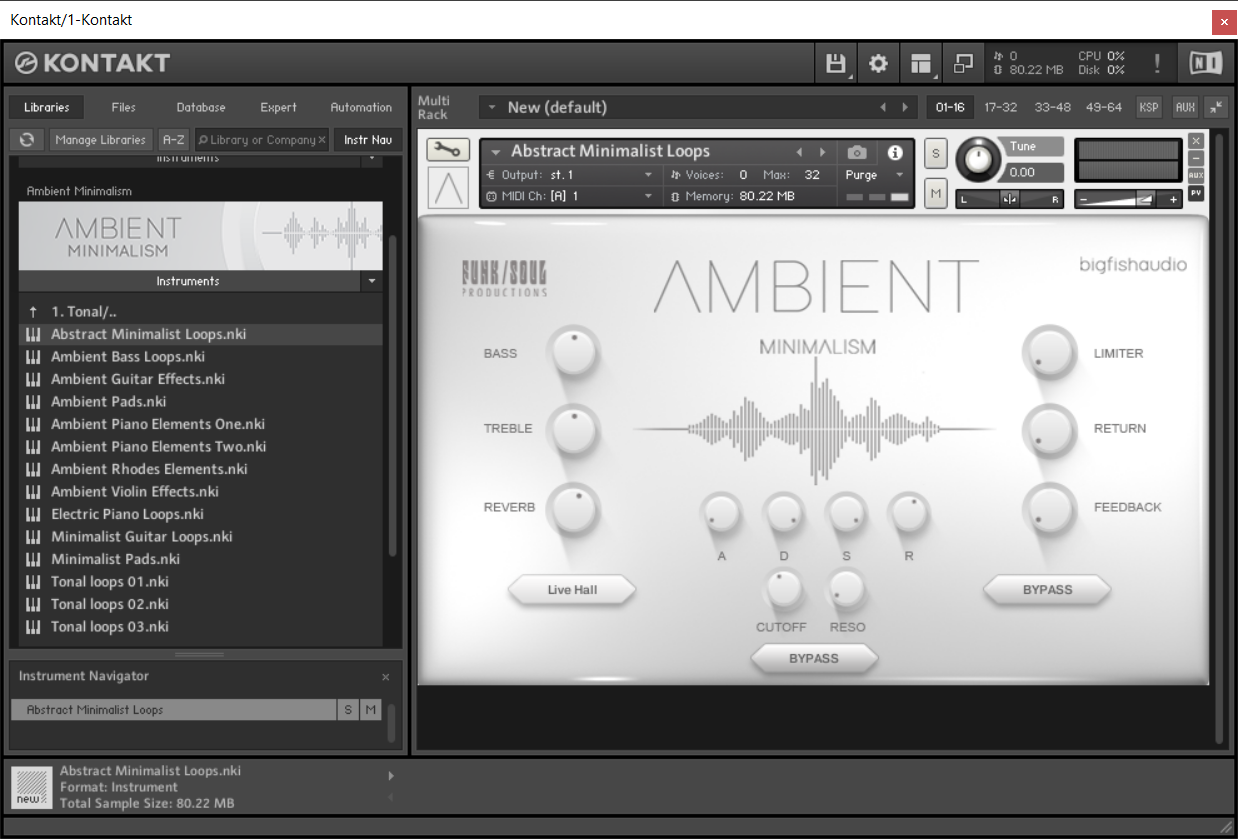
10. Open Kontakt and go to the 'Libraries' tab.

Your Library is now activated and ready to use in standalone or within your DAW.

PC

Installation / Activation

1. Download and install the FREE Kontakt Player from the Native Instruments website.

2. Download and install the FREE Native Access application.

3. Open Native Access and enter your Native Instruments-registered email address and password > Click 'LOG IN'.

4. Click 'Add a serial' in the top left corner of the application window.

5. Enter the previously acquired Serial Code from Big Fish Audio > Click 'Add Serial'.

6. Click 'View products not installed'.

7. Navigate to Ambient Minimalism >  Click 'ADD LIBRARY'.

8. Click 'BROWSE' > Navigate to where you downloaded and unzipped Ambient Minimalism too > Once selected, click 'INSTALL'.

9. Ambient Minimalism is now installed.

10. Open Kontakt and go to the 'Libraries' tab.

Your Library is now activated and ready to use in standalone or within your DAW.

Bundle & Save

The Vintage Bundle
$499.95
The Ultimate Vintage Bundle
$999.95

Plugin Boutique Rewards

Discover the most rewarding loyalty programme among all plugin retailers.

  • Free Loopmasters Samplepacks
  • Discounts on products and courses
  • Extra Virtual Cash claimed immediately at checkout
Find out more

Follow us:

X (Twitter) Facebook YouTube Instagram
Logo Logo

Plugin Boutique Limited, Part of the Beatport Group LLC.

Copyright © 2011-2025 Plugin Boutique. All rights reserved