Buy Motion (Rift Expansion Pack), get a free gift with purchase:
Expressive Presets for Rift
Motion harnesses Rift's powerful sequencing to unite harmonic movement, tuned feedback, and mutating filters - infusing static sounds with unparalleled groove, energy, and musicality.
Motion offers 120 beautifully crafted presets made to transform your sounds into immersive sequences.
Pushing Rift's Limits
Included in Motion are four stylized sub-packs: Energy, Nuance, Harmony, and Data. Each one provides fresh inspiration, and together, they offer a huge variety of modern sounds that work for all styles of music - Drum & Bass, Dubstep, Lo-fi Hip-Hop, Techno, and beyond.
The perfect companion to Rift's factory presets, Motion pushes the boundaries of movement and rhythm in a way that will immediately get you in the groove.
Features
120 Presets
- 30 High-Energy Grooves
- 30 Lush Textural Movements
- 30 Tuned Melodic Sequences
- 30 Futuristic Rhythms
- 30 Rift Curve Shapes
System Requirements.
- Rift is required in order to use the included presets in this expansion pack.
Registration
1. Go to your Plugin Boutique User Account and click 'DOWNLOAD'.

2. Enter your email address, password and 'Redeem Code' found in your Plugin Boutique User Account > click 'Apply'. If you already have a Minimal Audio account, simply Log In.

3. Within your Minimal Audio account, go to 'Expansion Packs' > click 'Mac Installer'.

Installation
1. Double-click the downloaded 'Motion.pkg' file to begin the installation process.

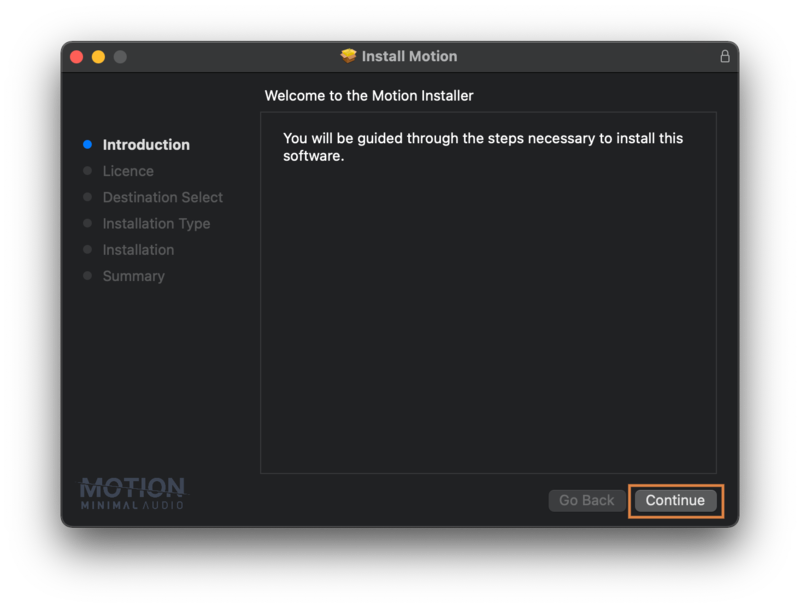
2. Click 'Continue'.

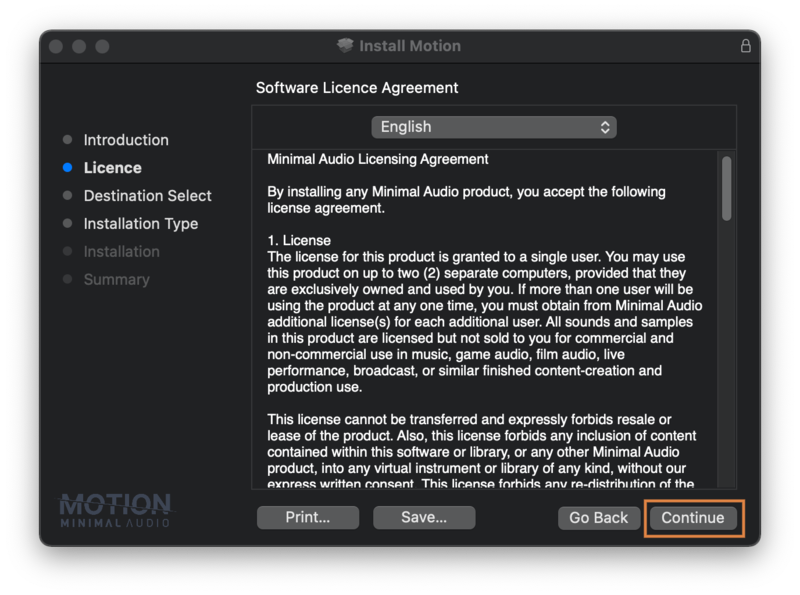
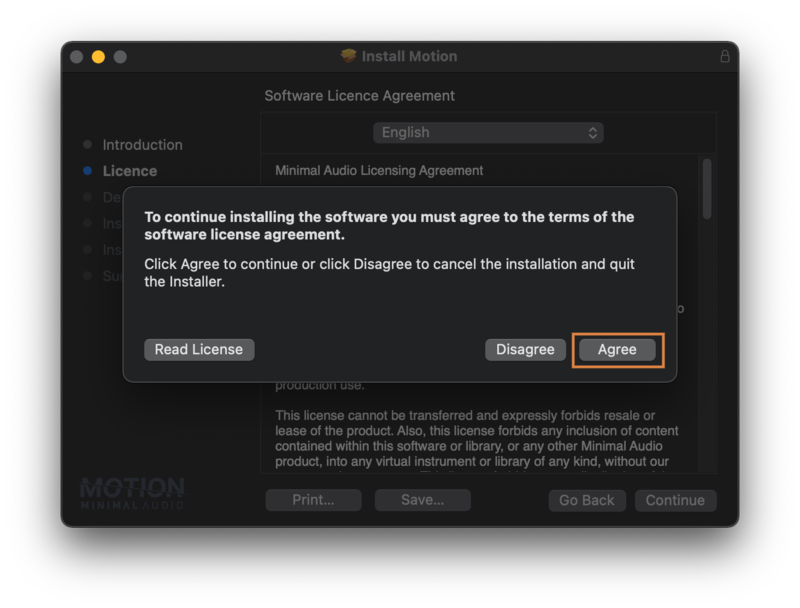
3. Read through the software license agreement, select 'Continue' > click 'Agree'.


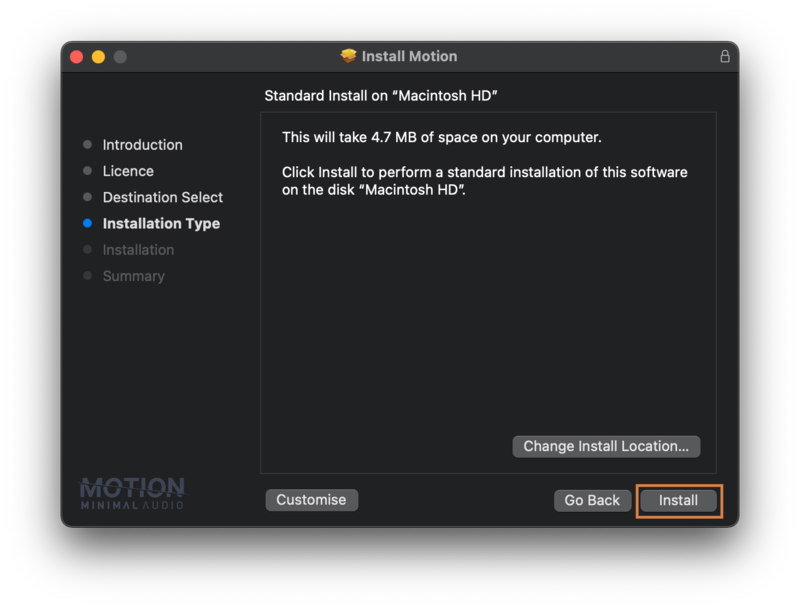
4. Select your preferred install location > click 'Install'.

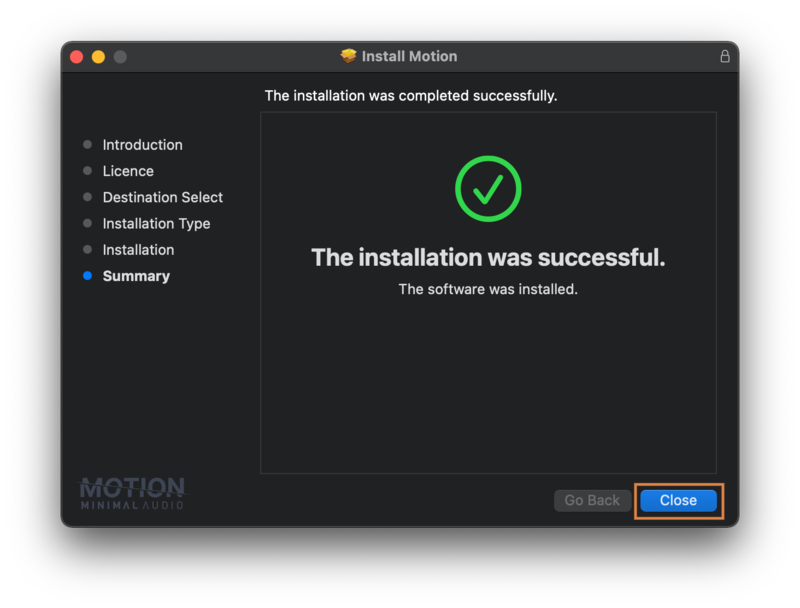
5. Click 'Close' to exit the setup window.

6. Open your DAW and launch 'Rift'.

Your new Expansion Pack Presets are now ready for you to use!
Windows
Registration
1. Go to your Plugin Boutique User Account and click 'DOWNLOAD'.

2. Enter your email address, password and 'Redeem Code' found in your Plugin Boutique User Account > click 'Apply'. If you already have a Minimal Audio account, simply log in.

3. Within your Minimal Audio account, go to 'Expansion Packs' > click 'Windows Installer'.

Installation
1. Double-click the 'Motion.exe' file to begin the installation process.

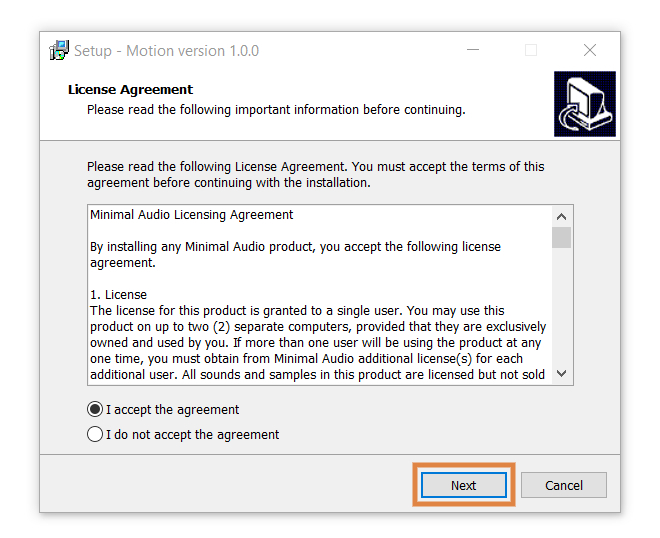
2. Read through the license agreement, select 'I accept the agreement' > click 'Next'.

3. Click 'Install'.

4. Click 'Finish' to exit the setup window.

5. Open your DAW and launch 'Rift'.

Your new Expansion Pack Presets are now ready for you to use!