/ Kontakt Instrument / Vintage Big Band
Big Fish Audio

Vintage Big Band

5.0 (4 Reviews)
$299.95
Big Fish Audio Vintage Big Band - GUI
Big Fish Audio Vintage Big Band - Walkthrough gallery thumbnail
Big Fish Audio Vintage Big Band - GUI 2
Big Fish Audio Vintage Big Band - Box
Buy Now
Product information

A complete set of 30s to 70s big band virtual instruments

Funk/Soul Productions and Big Fish Audio are proud to present Vintage Big Band, a massive collection of sampled instruments designed for writers, arrangers, and producers of Big Band and small combo Jazz.

Vintage Big Band features over 75 instruments designed and performed to emulate the playing styles of Jazz musicians from the 1930s to the 1970s. This library captures the sound of Jazz greats such as Duke Ellington, Count Basie, Frank Sinatra, Buddy Rich, Stan Kenton, and Mel Lewis.

VBB is easy and intuitive to use with a single page interface and dozens of features designed for beginners, students, and teachers, as well as professional composers and arrangers.

This library features a huge selection of brass and woodwinds, a complete set of rhythm section instruments, as well as Multis for small and large ensembles. For quickly creating arrangements, included, are performance loop patches and chord patches.

This timeless collection of instruments includes everything you need to faithfully recreate the sounds of the golden era of Jazz and Big Band.

Komplete Kontrol & Maschine Integration

Vintage Big Band has been designed for seamless integration with Komplete Kontrol and Maschine, offering you a unique hands-on experience. Easily manipulate the interface using the controls of all NKS compatible hardware.

Features

  • 33 Brass & Woodwind Instruments
  • 9 Keyboards & Vibes Instruments
  • 4 Bass & Guitar Instruments
  • 7 Drum & Percussion Instruments
  • 7 Arranger Tools Instruments
  • 12 Multi patches
  • Full Komplete Kontrol & Maschine integration
  • Total Size: 17.8GB (Uncompressed)

System Requirements

  • 22GB of free disk Space to install and 11GB once installed
  • Kontakt 6 Player or Kontakt 6 (Version 6.6.0)
  • 6GB RAM or more

Mac

  • OS X 10.12 or higher
  • 64 bit compatible
  • Intel Core i5 or later

PC

  • Windows 7 or higher
  • 32 or 64 bit compatible
  • Intel Core i5 or equivalent CPU

Note: This software is compatible with the FREE Kontakt Player.

Installation Instructions

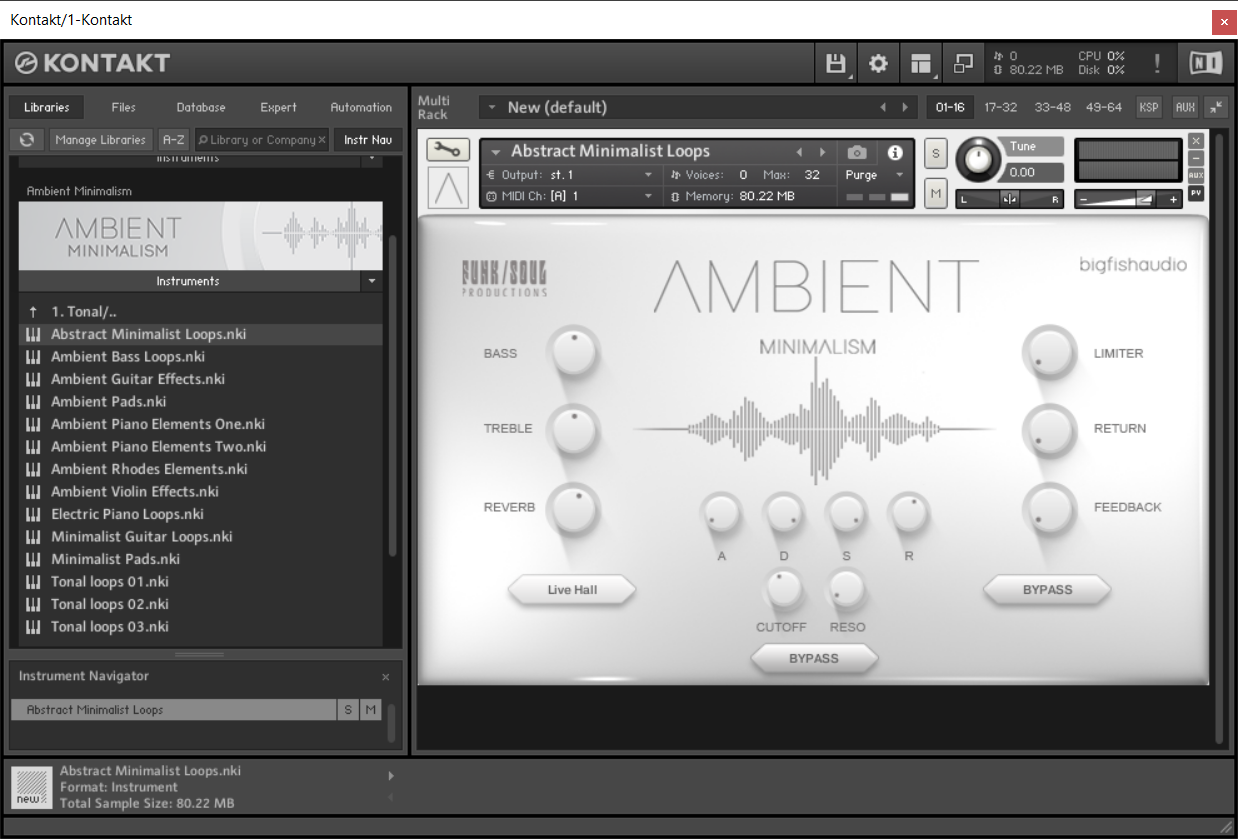
Note: Ambient Minimalism is used as the example.

Redemption 

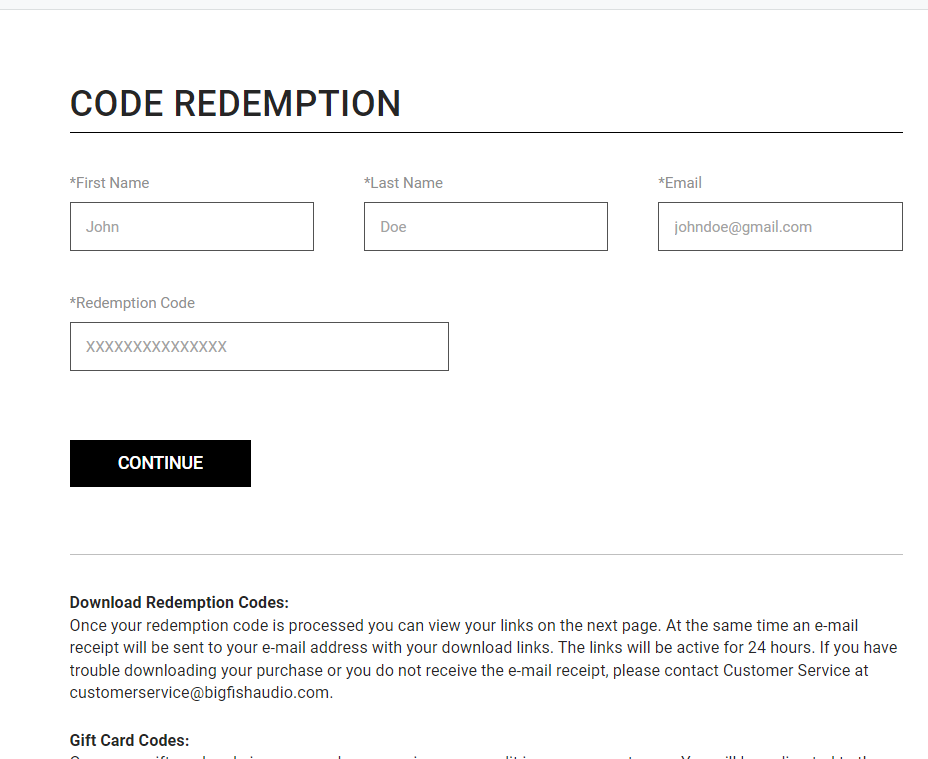
1.  Go to https://www.bigfishaudio.com/redemption.html > Enter your Name, Email Address, and Redemption Code, found in the Serial Number section of your Plugin Boutique User Account > Click 'CONTINUE'.

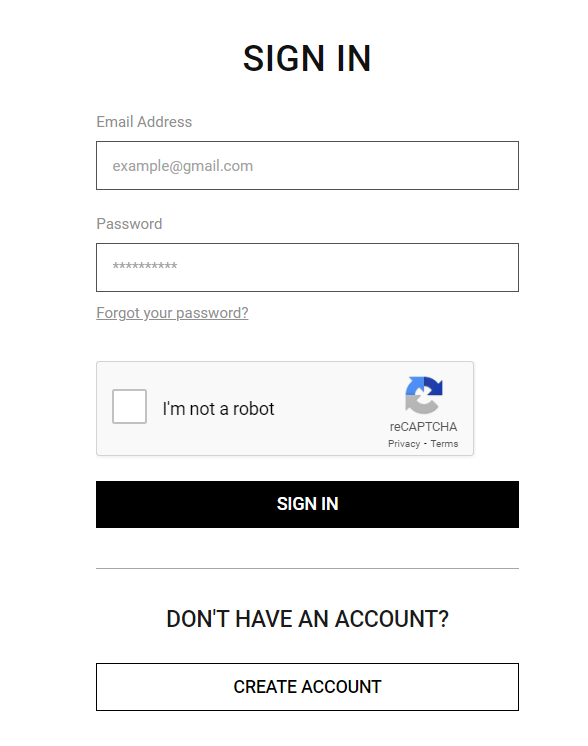
2. Sign into your existing Big Fish Audio account, or if you don't have one, click "CREATE ACCOUNT" and fill in your details to create an account. 

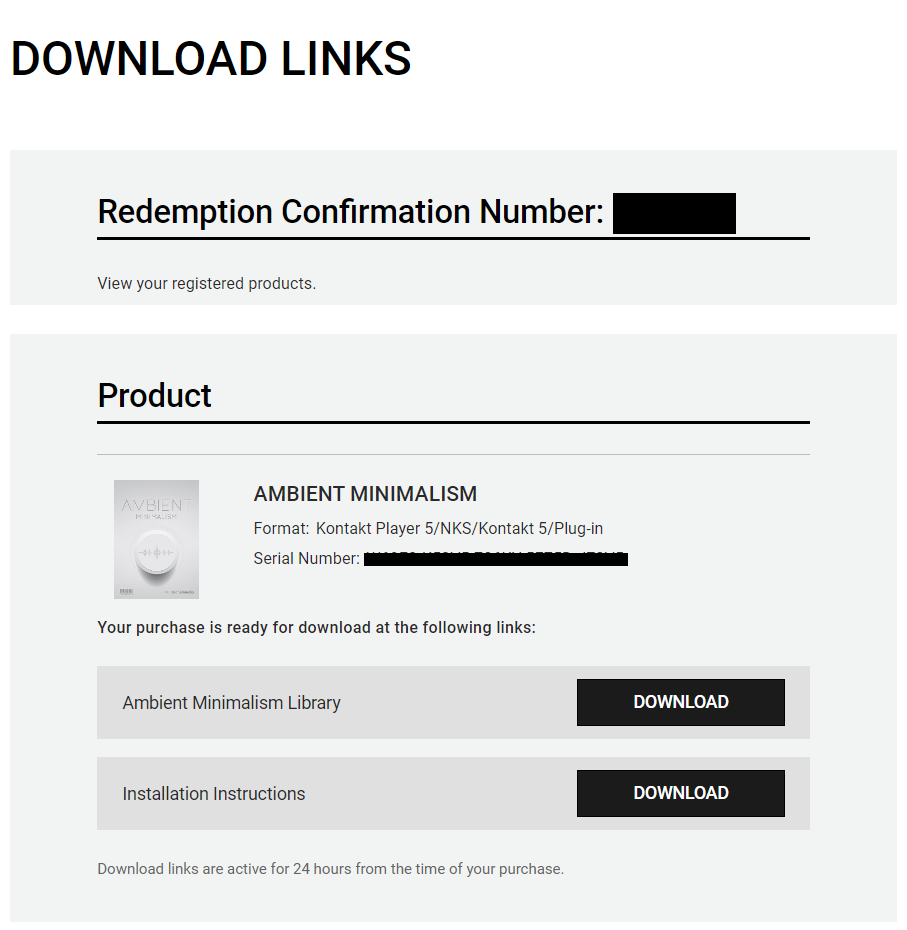
3. Your product is now redeemed. Please make note of the serial provided here > Click "DOWNLOAD" to download the plugin.

4. Unzip the downloaded installer.

Mac

Installation / Activation

1. Download and install the FREE Kontakt Player from the Native Instruments website.

2. Download and install the FREE Native Access application.

3. Open Native Access and enter your Native Instruments-registered email address and password > Click 'LOG IN'.

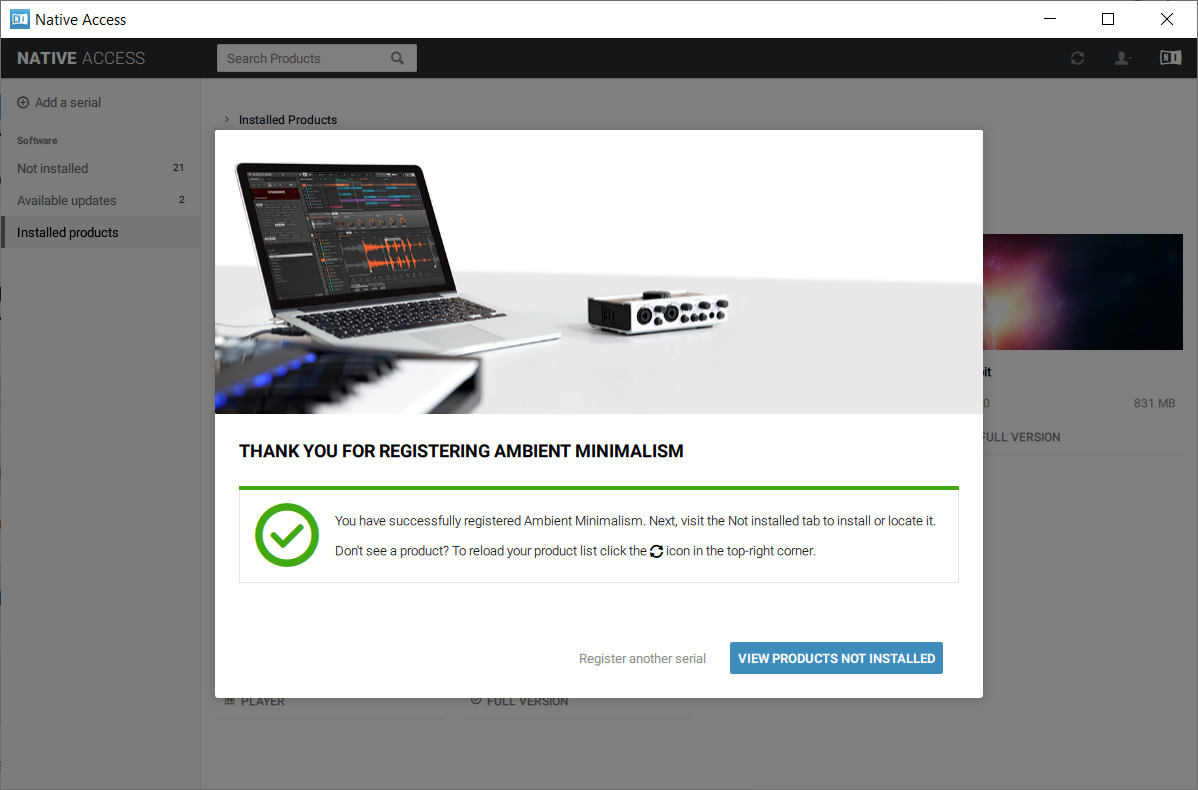
4. Click 'Add a serial' in the top left corner of the application window.

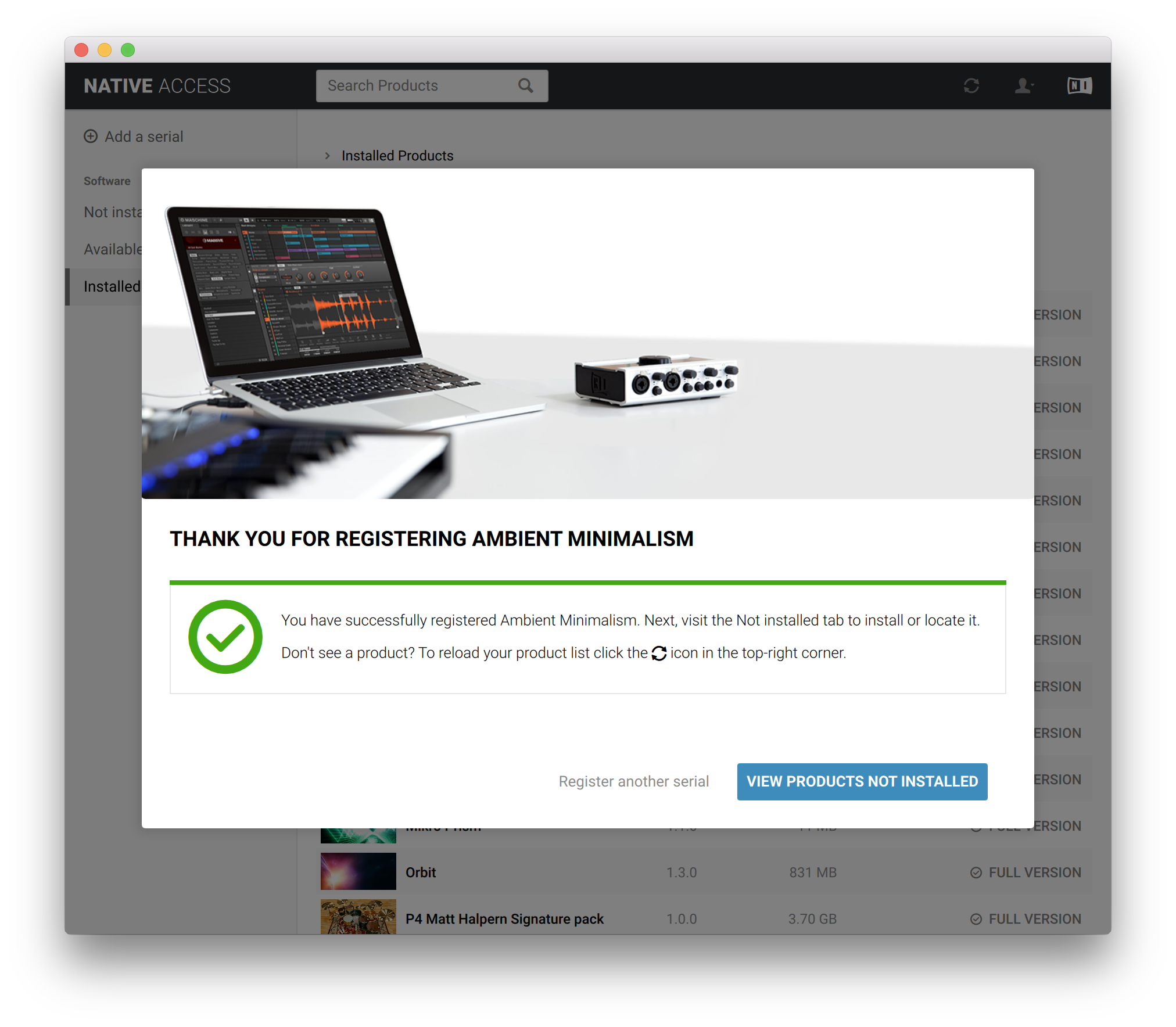
5. Enter the Serial Number found in your email > Click 'Add Serial'.

6. Click 'View products not installed'.

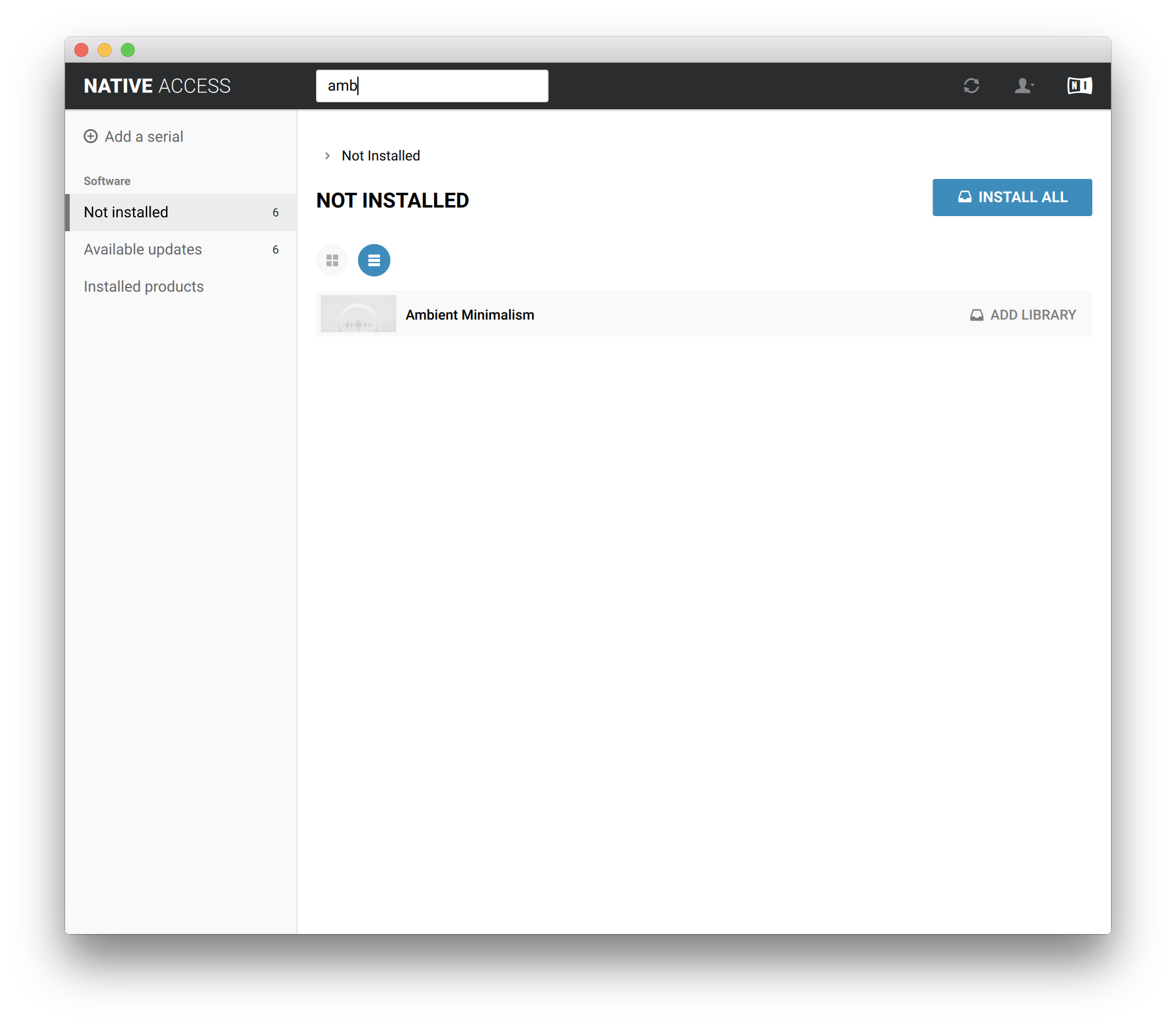
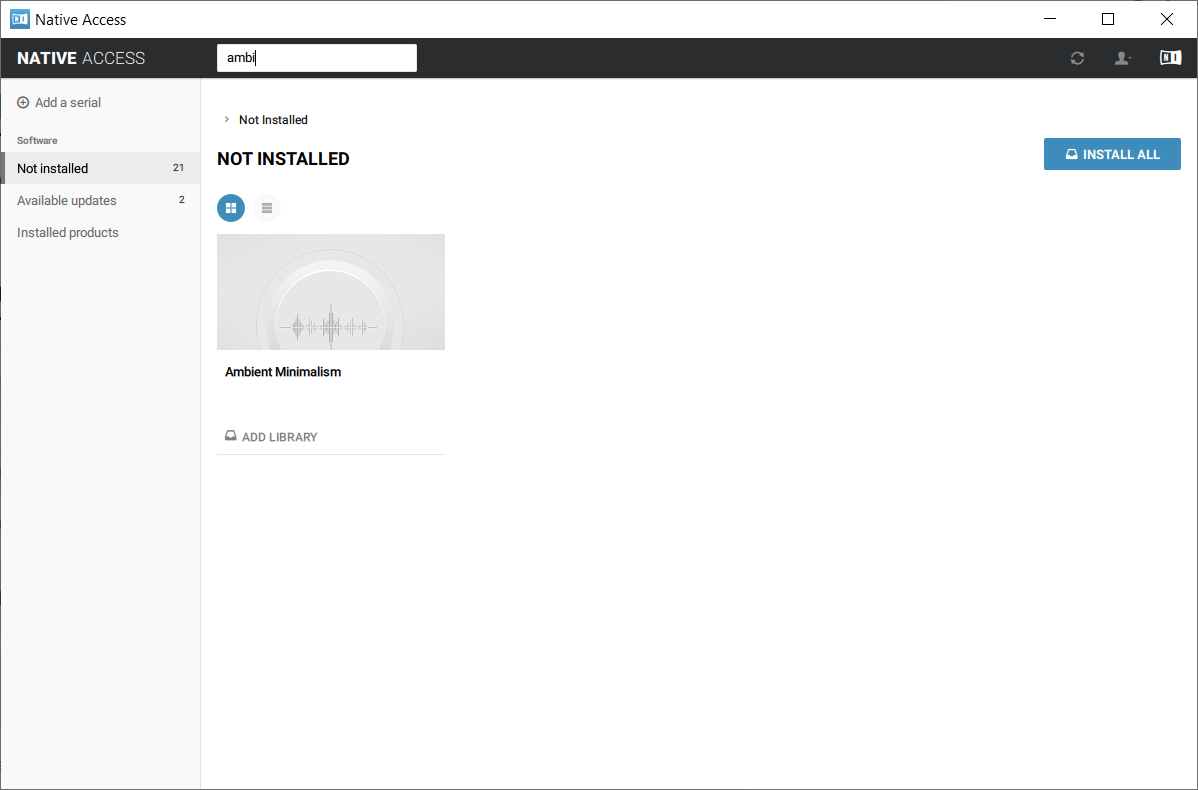
7. Navigate to Ambient Minimalism >  Click 'ADD LIBRARY'.

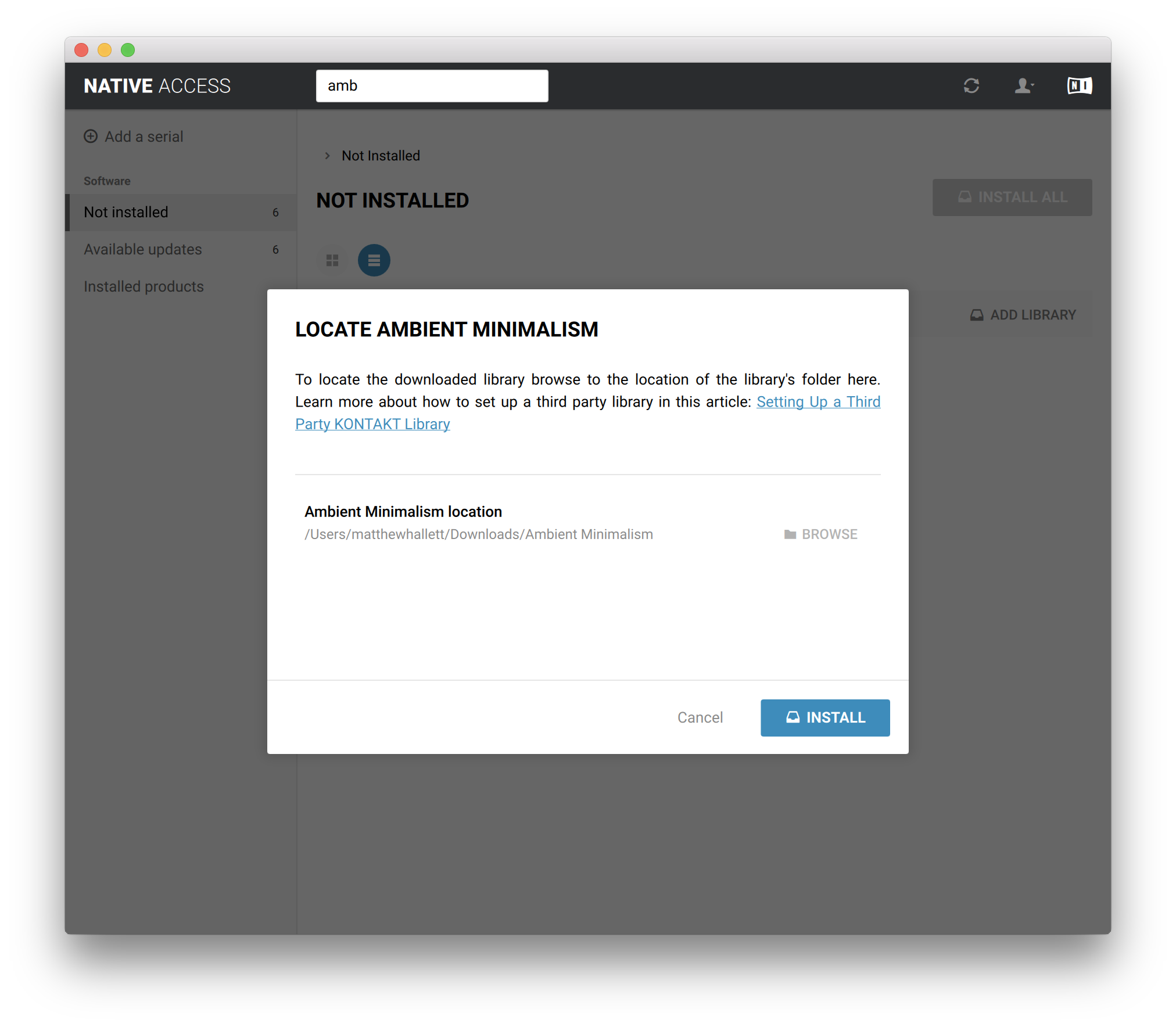
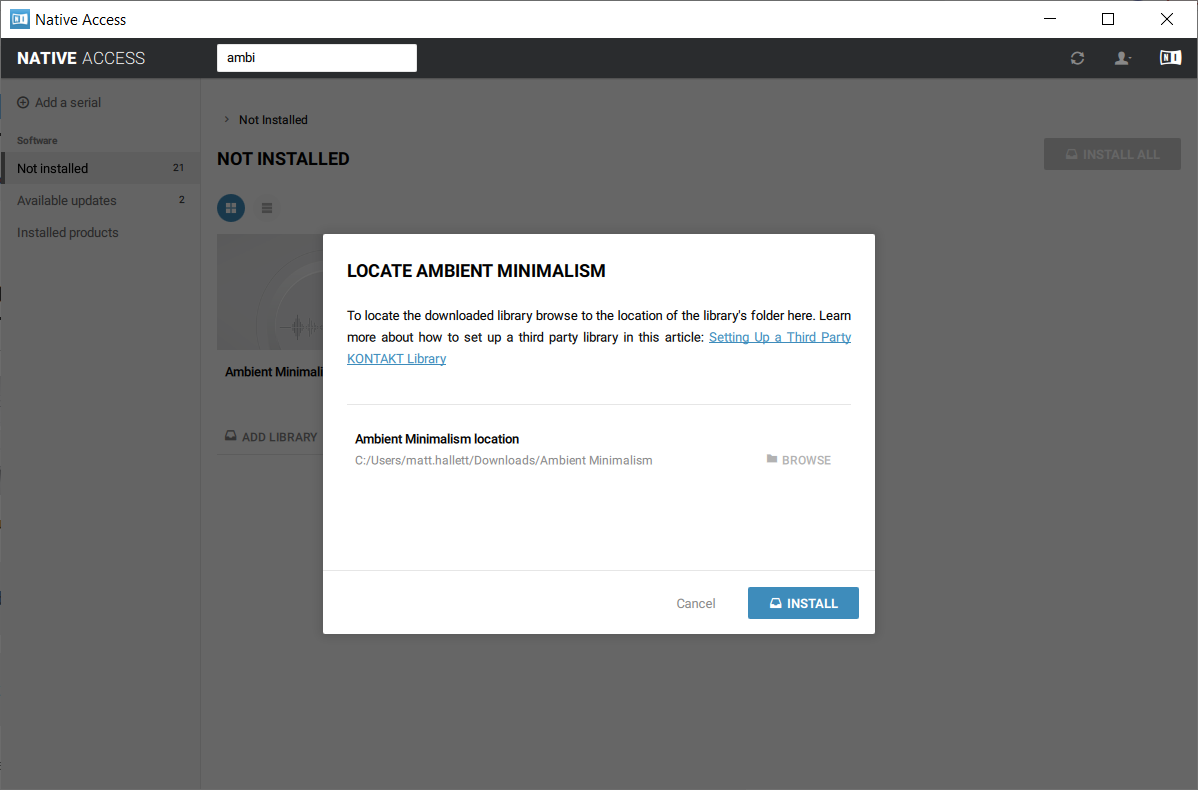
8. Click 'BROWSE' > Navigate to where you downloaded and unzipped Ambient Minimalism too > Once selected, click 'INSTALL'.

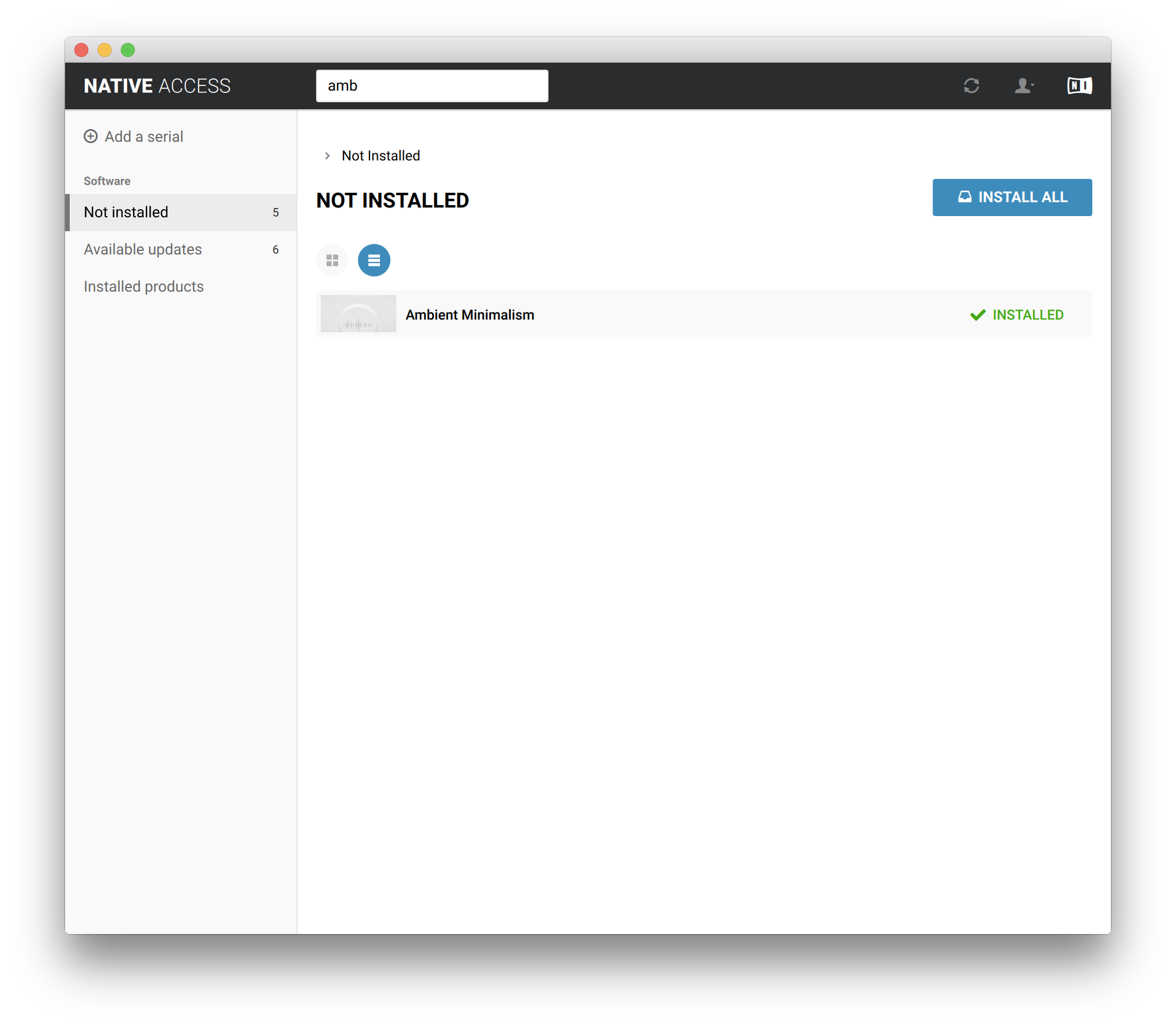
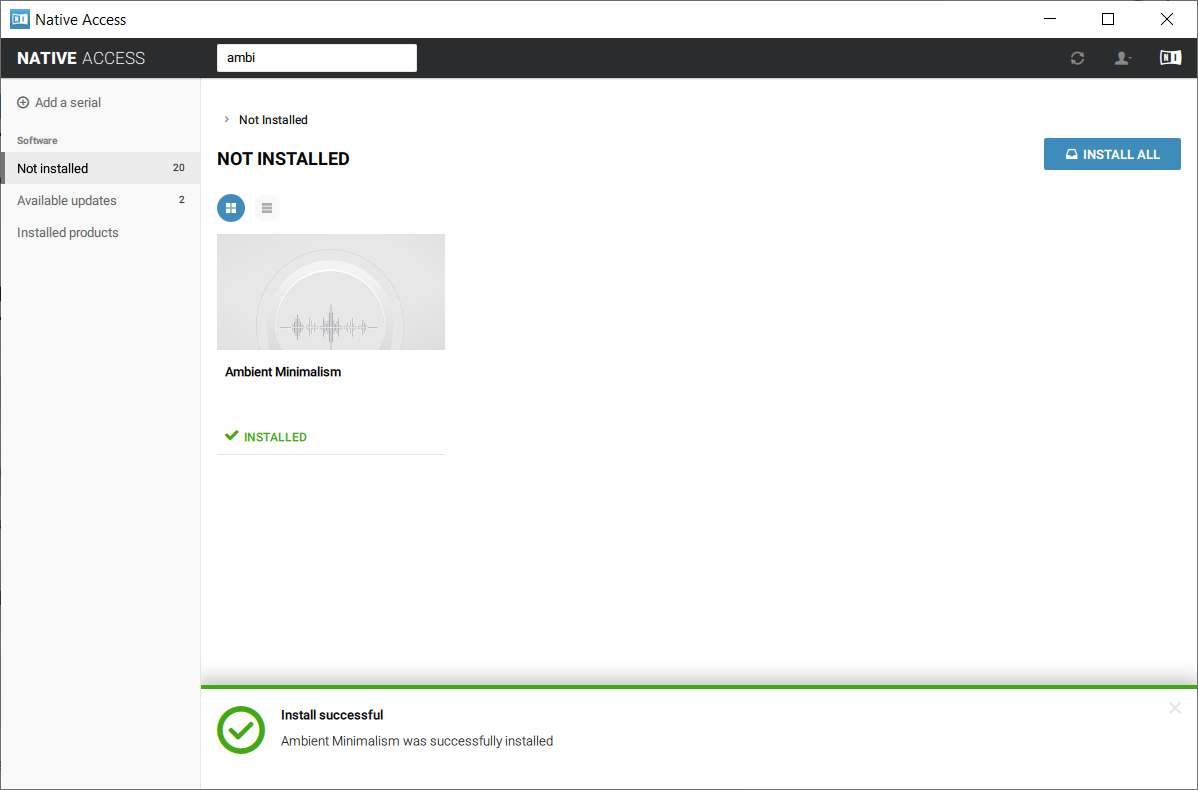
9. Ambient Minimalism is now installed.

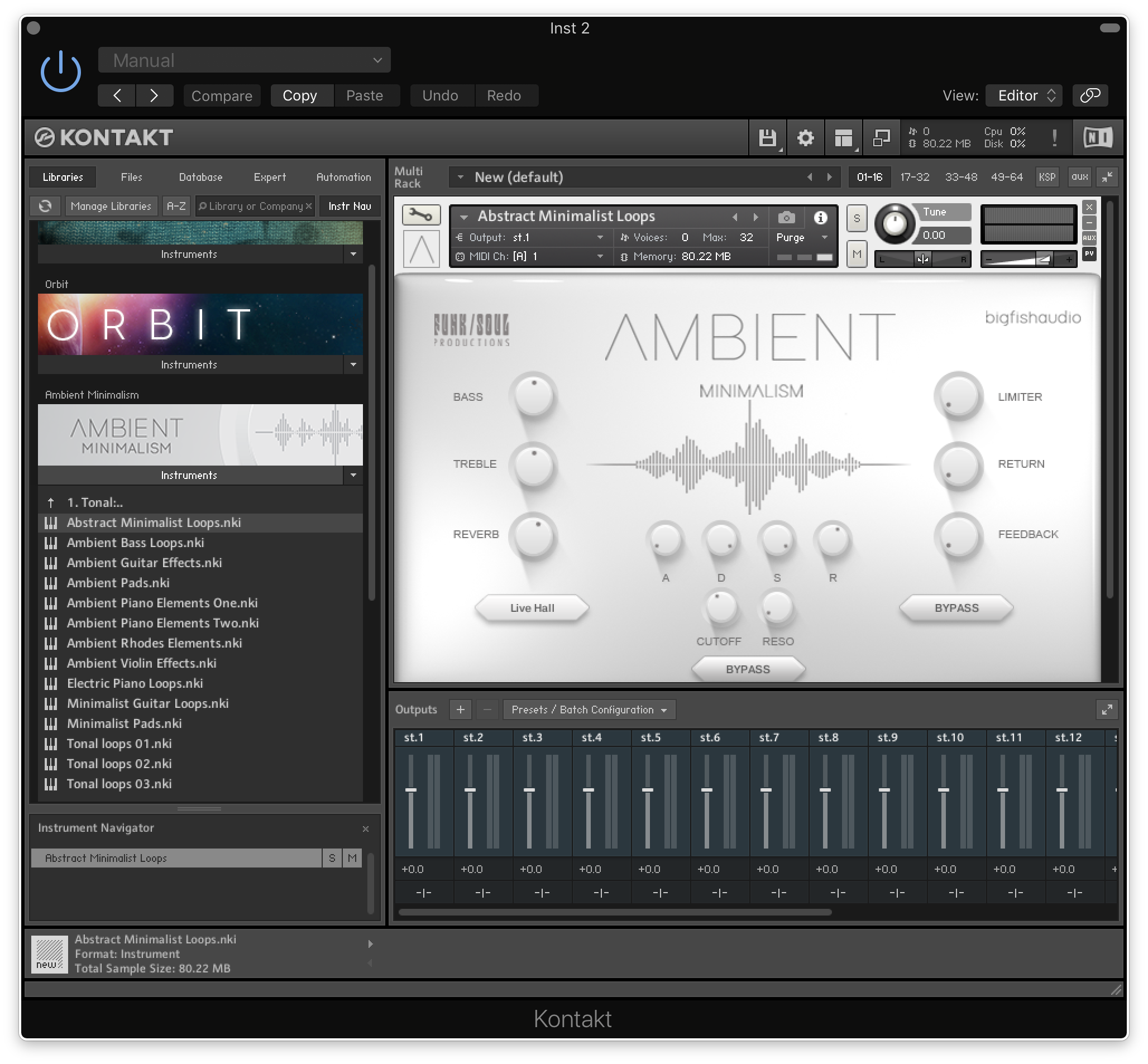
10. Open Kontakt and go to the 'Libraries' tab.

Your Library is now activated and ready to use in standalone or within your DAW.

PC

Installation / Activation

1. Download and install the FREE Kontakt Player from the Native Instruments website.

2. Download and install the FREE Native Access application.

3. Open Native Access and enter your Native Instruments-registered email address and password > Click 'LOG IN'.

4. Click 'Add a serial' in the top left corner of the application window.

5. Enter the previously acquired Serial Code from Big Fish Audio > Click 'Add Serial'.

6. Click 'View products not installed'.

7. Navigate to Ambient Minimalism >  Click 'ADD LIBRARY'.

8. Click 'BROWSE' > Navigate to where you downloaded and unzipped Ambient Minimalism too > Once selected, click 'INSTALL'.

9. Ambient Minimalism is now installed.

10. Open Kontakt and go to the 'Libraries' tab.

Your Library is now activated and ready to use in standalone or within your DAW.

Bundle & Save

The Ultimate Vintage Bundle
$999.95

Plugin Boutique Rewards

Discover the most rewarding loyalty programme among all plugin retailers.

  • Free Loopmasters Samplepacks
  • Discounts on products and courses
  • Extra Virtual Cash claimed immediately at checkout
Find out more

Follow us:

X (Twitter) Facebook YouTube Instagram
Logo Logo

Plugin Boutique Limited, Part of the Beatport Group LLC.

Copyright © 2011-2025 Plugin Boutique. All rights reserved