/ Enhancer / UBERLOUD
Boom

UBERLOUD

4.8 (64 Reviews)
$63.65 $95.00

33% off until Dec 04

Boom UBERLOUD - GUI 1
Boom UBERLOUD - GUI 2
Boom UBERLOUD - Trailer Video gallery thumbnail
Buy Now
Product information

Make Your Sound Go Boom!

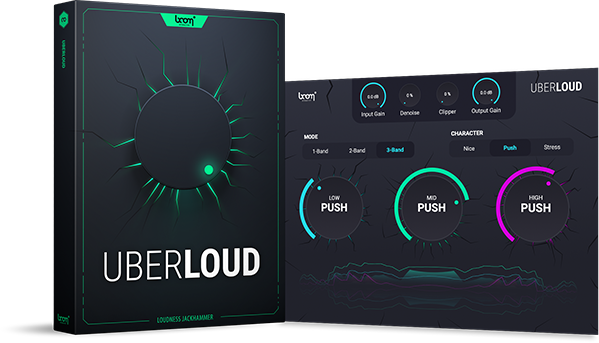
UBERLOUD makes your sounds go loud, insanely loud. The VST plug-in is a true beast with sharp edges and extraordinary character. Using a clipper to add harmonics while a denoiser gets rid of floor noise, UBERLOUD will maximize your sound with minimal effort. So the next time your sound just doesn’t sound loud enough, make it UBERLOUD.

What is UBERLOUD?

Does your sound seem thin or weak, no matter how loud it reads on the volume meter? Is it drowned out by other material? Usually, to make a sound truly big and shine through, it often takes layers of highly compressed and distorted material. But Boom has developed its own dynamic approach. Using high-end algorithms in an easy-to-use interface, you’re able to pump up your sounds with quick and maximum results.

With just a few knobs, UBERLOUD pushes your sound to a greater perceived loudness. It uses a clipper to add harmonics and includes a denoiser to get rid of floor noise that might be raised with everything else – making it a great option for voiceovers and guitar solos. And best of all? It’s all with a few clicks.

Your Loudness Jackhammer

UBERLOUD is designed to make your sounds really shine through your mix in the simplest possible way. You have one knob that pushes your signal. Use a clipper to add harmonics and a denoiser to get rid of floor noise. It’s that simple.

  • Simple User Interface - One Knob to Push Your Signal
  • Tame UBERLOUD with 3 Different Character Types
  • Control up to 3 Bands Separately

Does Your Sound Seem Thin or Weak?

Make It UBERLOUD!

No matter how loud it reads on the volume meter, your sound is drowned out by other material? Usually, to make a sound truly big and shine through, it often takes layers of highly compressed and distorted material. But we developed our own dynamic approach. Using high-end algorithms in an easy-to-use interface, you're able to pump up your sounds with quick and maximum results.

Perfect Results - With Just One Knob

With just one knob per band, UBERLOUD pushes your sound to a greater perceived loudness. It uses a clipper to add harmonics and includes a denoiser to get rid of noise floor that might be raised with everything else – making it a great option for voiceovers and guitar solos. And best of all? It’s all with a few clicks.

Features

  • Control up to three bands separately
  • Dial-in the knob to control the impact
  • Dynamic single and multi-band processor
  • Easy-to-use volume plugin

Use Cases

  • Add power and volume to your mix
  • Give specific sounds the space they need
  • Make stuff very loud and shine through

System Requirements

Mac

  • macOS 10.13 and later (64-bit only)
  • 8 GB RAM, M1 Apple Silicon or Intel® Core™ i5
  • OpenGL 2.1 capable GPU
  • VST2, VST3, AU, AAX

Windows

  • Windows 8 and later (64-bit only)
  • 8 GB Ram, Intel® Core™ i5
  • OpenGL 2.1 capable GPU
  • VST2, VST3, AAX

Important Notes:  

  • A FREE account at ilok.com is required (a physical USB iLok is not required)
  • UBERLOUD requires audio host software. It does not work as a standalone application.

DAW Compatibility

UBERLOUD works with the most common audio host software apps that support VST 2.4 and VST 3, AU or AAX plugins:

  • Logic Pro
  • Pro Tools (11+)
  • Cubase
  • Nuendo
  • Ableton Live
  • Reaper
Installation Instructions

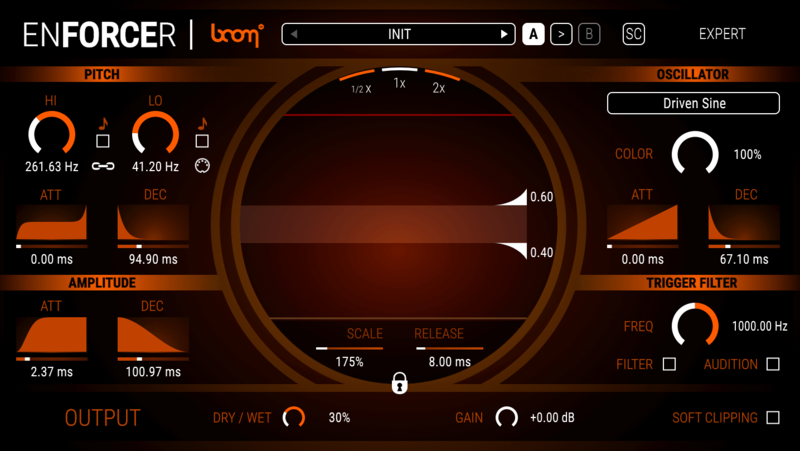
Important Note: ENFORCER is used as an example.

Mac

iLok Registration

1. Go to the iLok website and create a new account if you are not currently registered and do not have the iLok Licence Manager installed on your computer.

Note: Skip to the 'Activation' procedure if you are already an iLok registered user.

2. Download and install the iLok License Manager.

Mac Software Installation

1. Download the installer file from your Plugin Boutique User Account, double click it to extract the contents, and open the .pkg file to begin the installation.

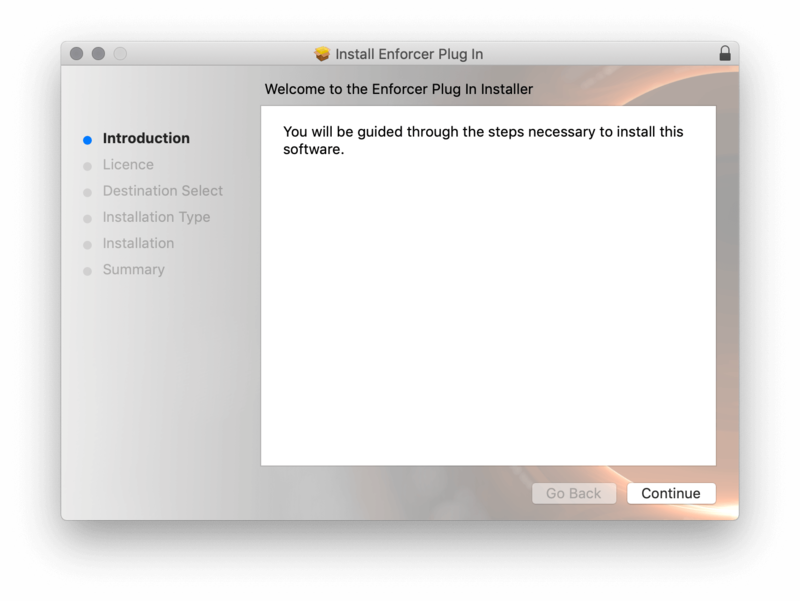
2.Click 'Continue'.

2. Click 'Continue'.

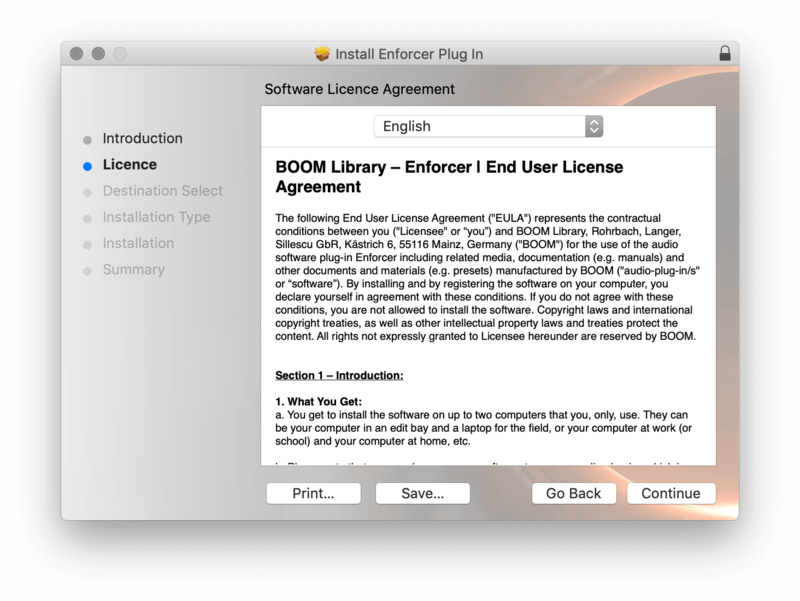
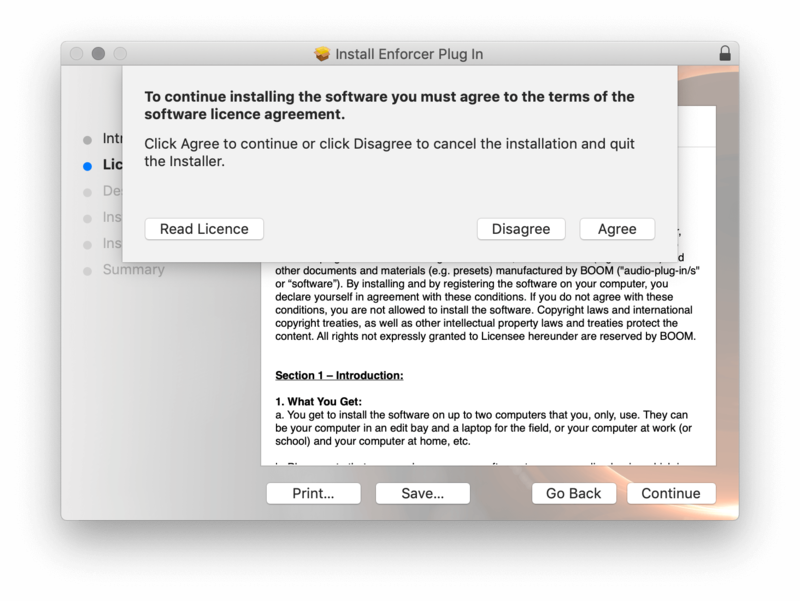
3. Click 'Agree'.

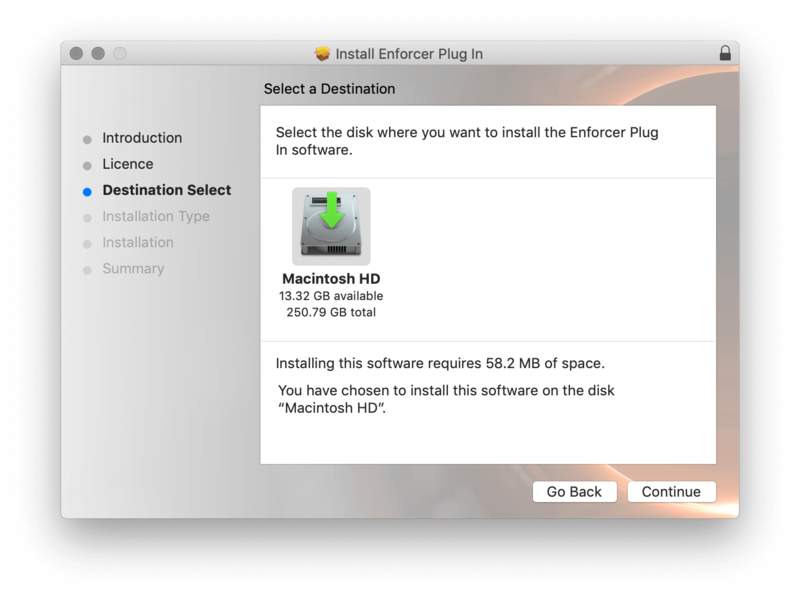
4. Select the disk you wish to install the plugin to and then click 'Continue'.

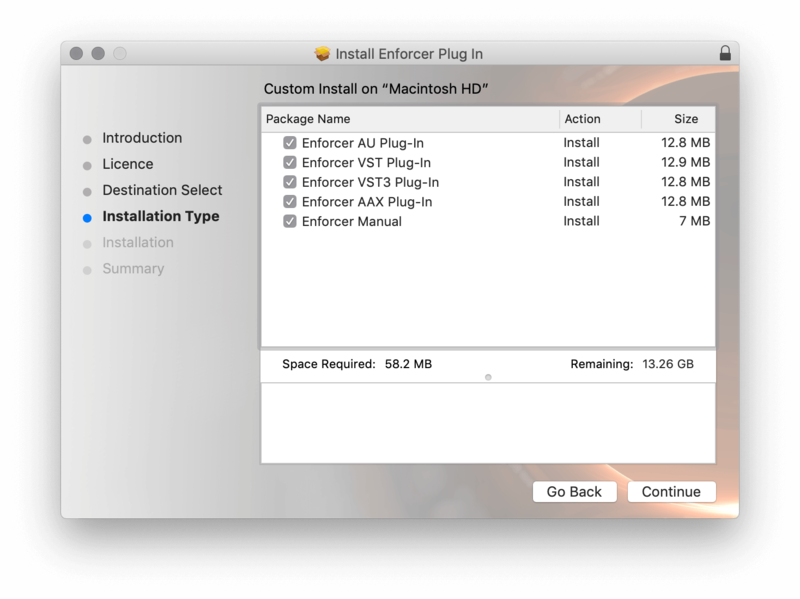
5. Select the plugin formats you wish to install and then click 'Continue'.

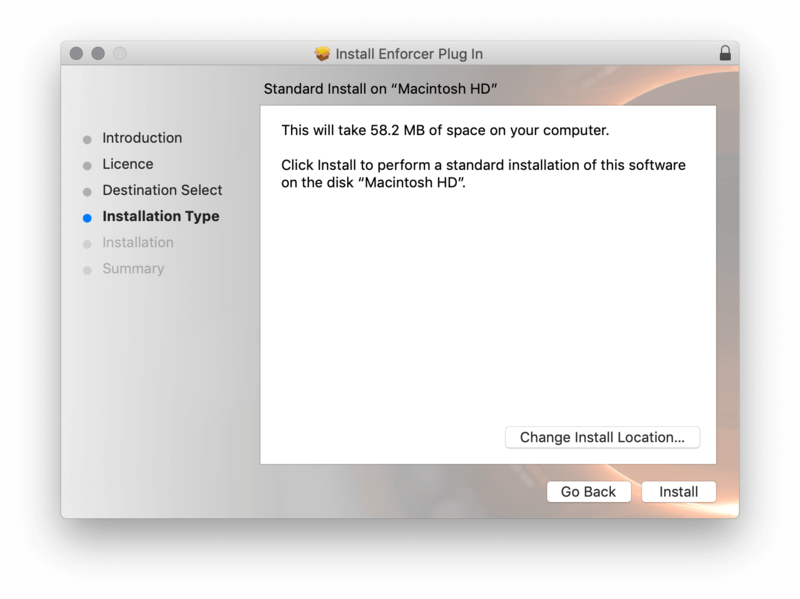
6. Select the destination you wish to install the plugin to and then click 'Install'.

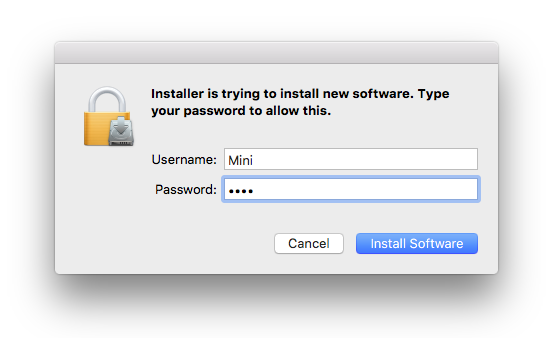
7. Click 'Install Software'.

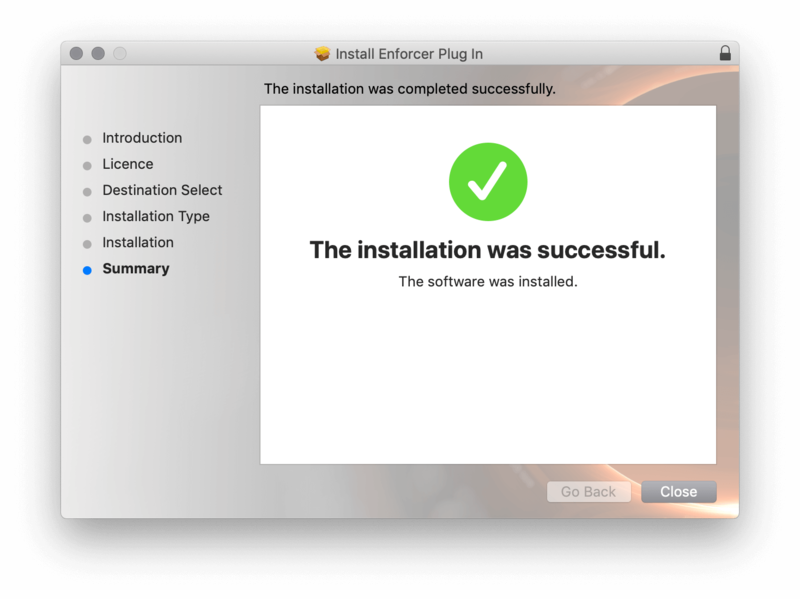
8. Click 'Close'.

Activation

1. Open your iLok license manager application > click 'Sign In'.

2. Enter your iLok registered User ID and password > click ‘Sign In'.

3. Once you are signed in, click the ‘Redeem’ icon which is located at the top-right corner of the iLok Licence Manager’s interface.

4. Copy and paste/manually enter the 30-digit code from your Plugin Boutique User Account into the available Activation Code boxes, and then click ‘Next'.

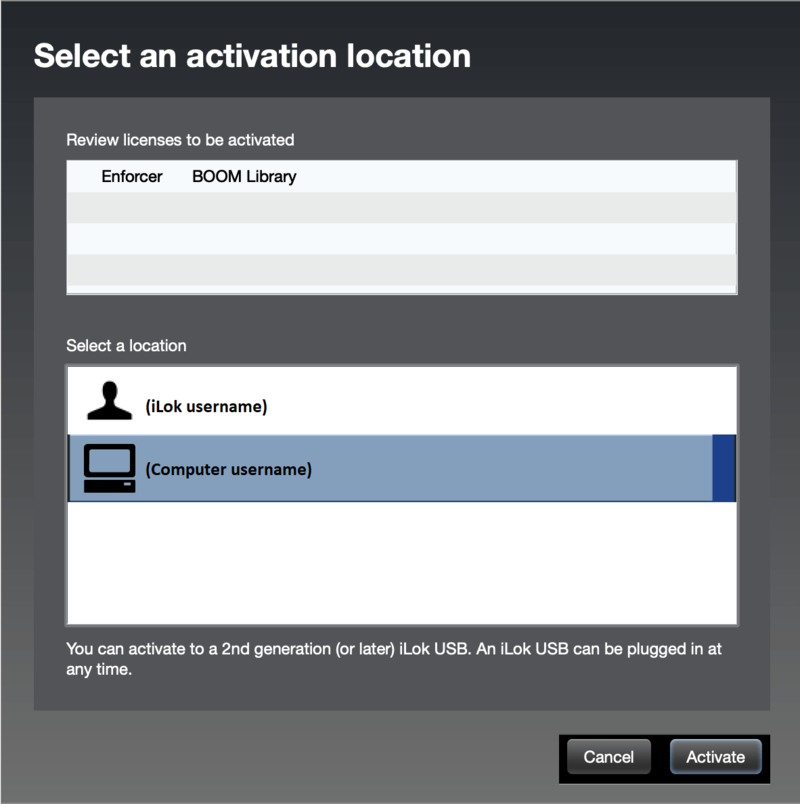
5. Select your activation destination > Click 'Activate'.

6. Click 'Ok'.

7. Open your newly installed software in your DAW.


Windows

iLok Registration

1. Go to the iLok website and create a new account if you are not currently registered and do not have the iLok Licence Manager installed on your computer.

Note: Skip to the 'Exponential Audio Software Installation' procedure if you are already an iLok registered user.

2. Download and install the iLok License Manager.

Windows Software Installation

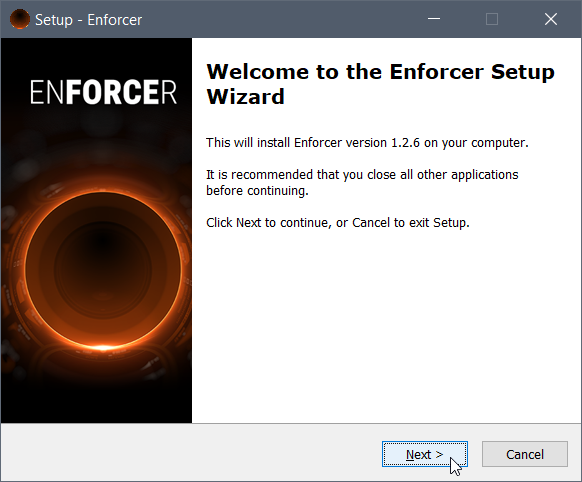
1. Download the installer file from your Plugin Boutique User Account > Double click it to extract the contents and open the .exe file to begin the installation. Click 'Next' to begin the setup. 

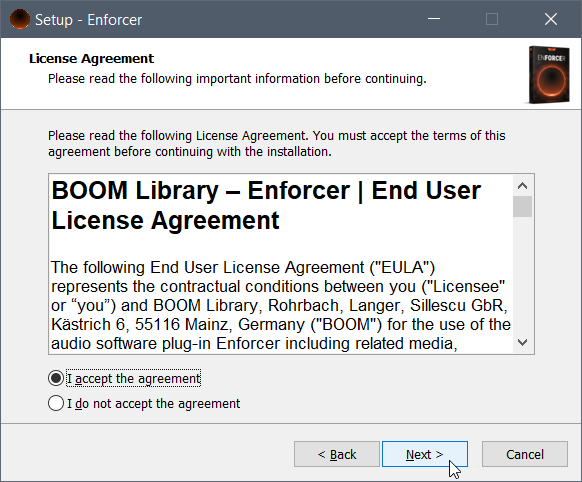
2. Select 'I Accept the Agreement' and then click 'Next'.

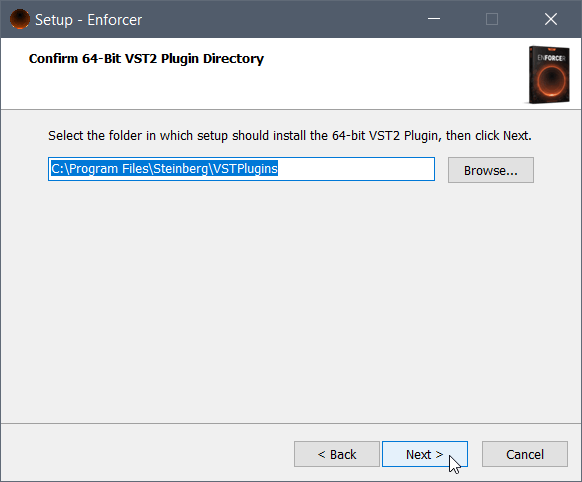
3. Select the directory you wish to install the plugin to 'Next'.

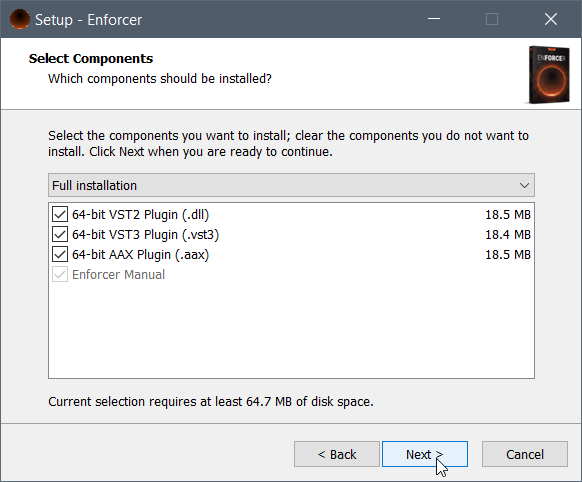
4. Select the plugin formats you wish to install and then click 'Next'.

5. Click 'Next'.

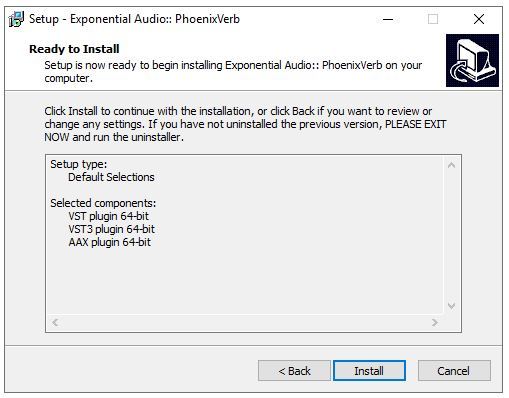
6. Click 'Install'.

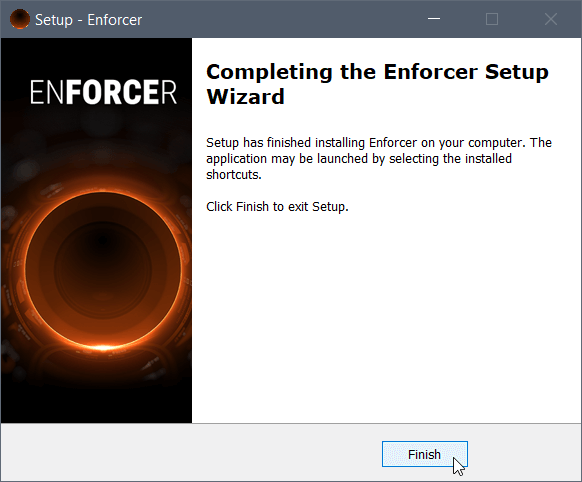
7. Click 'Finish'.

Activation

1. Open your iLok license manager application > click 'Sign In'.

2. Enter your iLok registered User ID and password > click ‘Sign In'.

3. Once you are signed in, click the ‘Redeem’ icon which is located at the top-right corner of the iLok Licence Manager’s interface.

4. Copy and paste/manually enter the 30-digit code from your Plugin Boutique User Account into the available Activation Code boxes, and then click ‘Next'.

5. Select your activation destination > Click 'Activate'.

6. Click 'Ok'.

7. Open your newly installed software in your DAW.

Plugin Boutique Rewards

Discover the most rewarding loyalty programme among all plugin retailers.

  • Free Loopmasters Samplepacks
  • Discounts on products and courses
  • Extra Virtual Cash claimed immediately at checkout
Find out more

Follow us:

X (Twitter) Facebook YouTube Instagram
Logo Logo

Plugin Boutique Limited, Part of the Beatport Group LLC.

Copyright © 2011-2025 Plugin Boutique. All rights reserved