Log In

Free gifts available with your purchase

Turn your DAW into a 4-track cassette tape loop synthesizer — record, loop, and mangle your sounds with real lofi sound and FX!
Portatron Tape Synthesizer brings the aesthetic of vintage 4-track tape recording to modern music production. Use the instant lofi sound to breathe new life into your samples, capture the vibe and character of a classic cassette recorder — and now, record straight onto the tape yourself.
New in version 2.0: record audio from your DAW directly onto Portatron's tape tracks, map any hardware controller to any knob or fader with MIDI Learn, and manage your growing sound library with the new Portapack manager.
Features
Tape Loop Instrument
Play looping samples synchronized to your DAW's transport, or trigger them as a monophonic keyboard instrument. Mix four independent tracks using built-in EQ, delay, and reverb effects.
Playback Modes
- Drone playing along to your DAW transport
- Semi-synced loops that restart every 1, 2, or 4 bars
- Monophonic Mellotron-style MIDI keyboard control
Record Straight to Tape
Feed any audio signal into Portatron and record it directly onto its tape tracks — up to all four at once, depending on your DAW. Arming, monitoring, and recording all happen right inside the plugin, and Portatron keeps up even if your DAW's transport jumps around mid-take. Every take is automatically saved to disk as its own file, so nothing is lost even when you record over it.
Lofi Sound Control
Complete control over the cassette sound, including Tape Speed, Noise, Dropouts, Wobble, and start/stop Lag. Choose between Normal or Chrome tape types, and dial in Drive to recreate authentic tape saturation.
Sample Library Included
Includes hundreds of pre-recorded samples — instruments like piano, vibraphone, vocals and synths, plus unconventional sources like hydrophones and shortwave radio. Combine samples across tracks with shared tape effects for cohesive, lo-fi soundscapes. Or record your own material straight onto the tape.
Expand your sound
Expand your palette with Portapacks — downloadable sound bank collections of unique tape loops and samples. The new Portapack manager lets you see what's installed, download free Portapacks in a click, and point Portatron at folders on an external drive if you like to keep your sound libraries elsewhere.
Technical Specifications
- Four sample playback tracks
- Record audio from your DAW onto up to 4 tape tracks at once
- Tape effects: Noise, Dropouts, Wobble, Tape Speed (0–200%)
- Per-track controls: Drive, EQ, Level, Pan
- Tape Editor (Resize, Move, Loop, Repitch, Fade, Reverse samples)
- Three locators and Return To Zero (RTZ) functionality
- Auto-RTZ trigger options (On Key or On Bar)
- Delay and Reverb send effects
- Multitrack and effects audio outputs
- Included Library Sound Bank with patches and samples
- Portapack manager: browse, download, and add expansions
- MIDI Learn for all knobs and faders
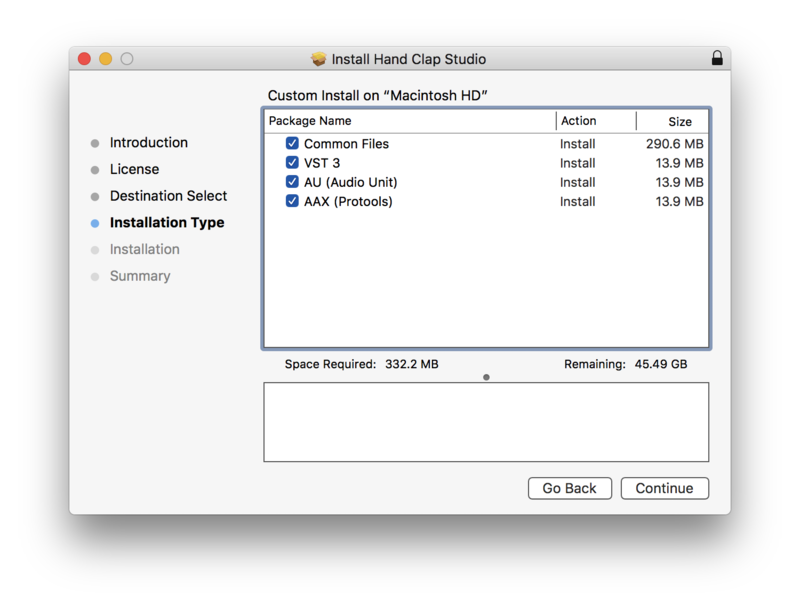
- Formats: VST3, AU, AAX
- System Requirements
- VST3, AU, or AAX-compatible host
- Windows 10+ or macOS 10.13+
- 500MB disk space
- Pro Tools 11.3+ for AAX