Log In

Free gifts available with your purchase

Modern Modular Hybrid Synth
Go Ahead... Turn The Knob - DV8 to Discover
Introducing - The Modern Modular Hybrid Synth
There’s something to be said for mastering the amazing sounds and complex programming of modular synths. In fact, to become a true master, you’ve got to hone your chops and dedicate beaucoup hours (and cash) to building and mastering your rig. All in an effort to be able to punch up that sweet spot instantly.
Naaah… Skip all that
That’s where DV8 shines. DV8 delivers the sound, power, and creativity of modular (and more), without the budget-breaking price tag and time-consuming programming.
With DV8, it’s as easy as turning a single knob
And when you do, it sounds like you’ve become an all-knowing, iconic analog synth programmer in the likes of Emerson, Wakeman, Jordan Rudess, Jean-Michel Jarre, and Patrick Moraz. For those that doubt it can be so simple, just take a listen. All we can tell you… “If it sounds like you’re a master… You are!”
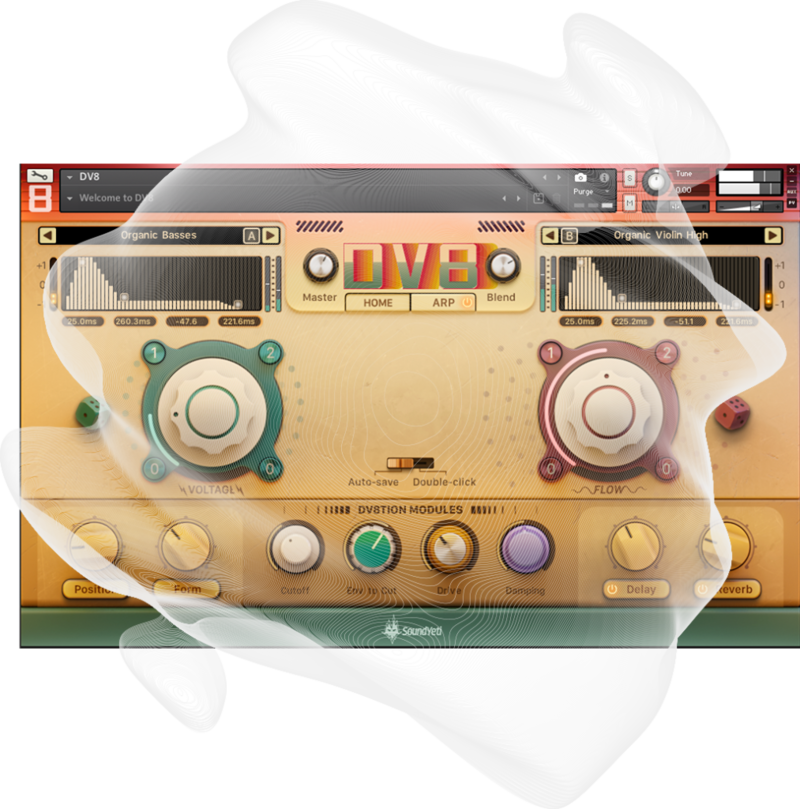
DV8 to Discover
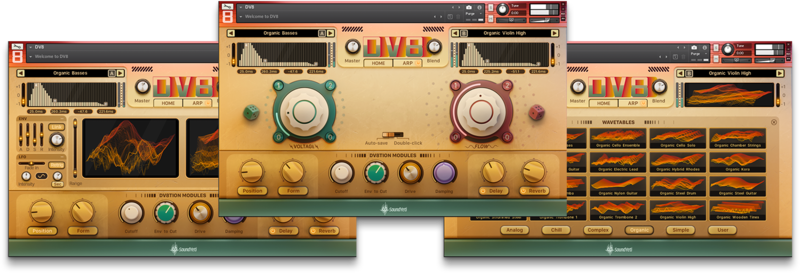
Behind the deceptively simple, neu-vintage UI of DV8 is a powerhouse of trailblazing sound design and discovery. It’s the new starting point for those on a journey to explore uncharted territory in sound, with the turn of a single knob.
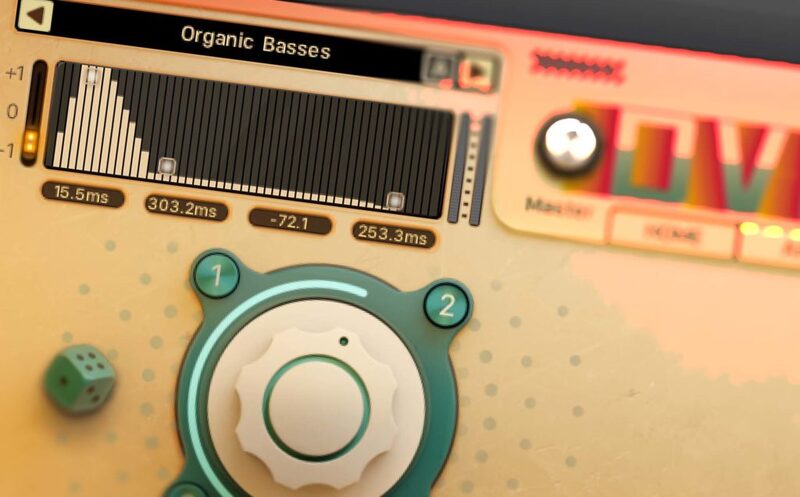
Meet Voltage and Flow
You are going to love these guys! DV8’s big and friendly Macro Automated Sound-shaping Control system (MASC). The focal point of DV8’s fully automated frontend can modify 10 dimensions of sound (DV8tions) simultaneously. Together, Voltage and Flow give you the power of modular/analog sound design with the instantly gratifying and sound satisfying user experience of simply turning a single dial.
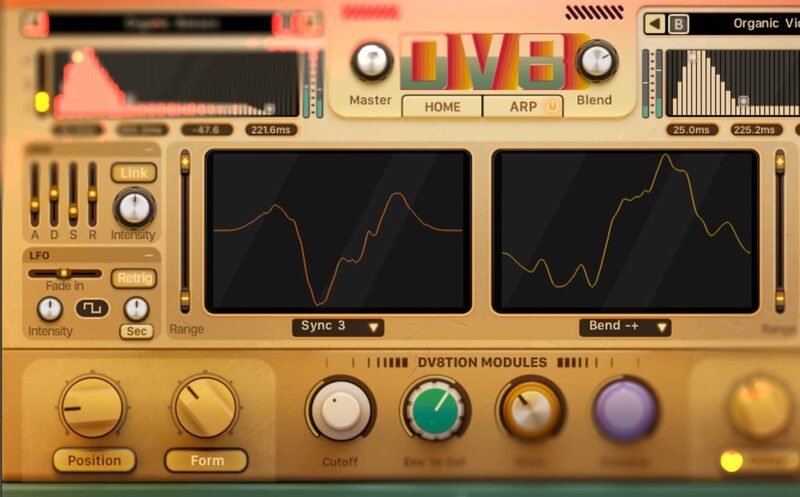
Sparks at Your Fingertips
The sparks of spontaneous invention await. 215 ear-crafted Sound Yeti curated presets – the trailhead of your audio discovery. Start your explorations with the boldest, baddest basses, the loudest lyrical leads, a bevvy of electronic keys, lo-fi vibes, beautiful Sound Yeti signature pads, modular and analog synth foundations, and experimental electronica. All complemented with a persuasive assortment of presets built on DV8’s dual arpeggi8ors for instant rhythmic underscores, ambient textures, modular style sequences, and experimental and atmospheric sound beds.
Sound Fuel Sources
DV8’s engine is fueled by 100 synthetic and organic source wavetable sounds, organized by intuitive categories; Analog, Chill, Complex, Organic, Simple and instantly selectable from the wavetable browser. Plus, DV8 invites the expansion of sonic options with the ability to add up to 20 of your own sound files – your one-of-a-kind DV8tions. And that’s only the beginning. DV8 is engineered with future sound expansions in mind.
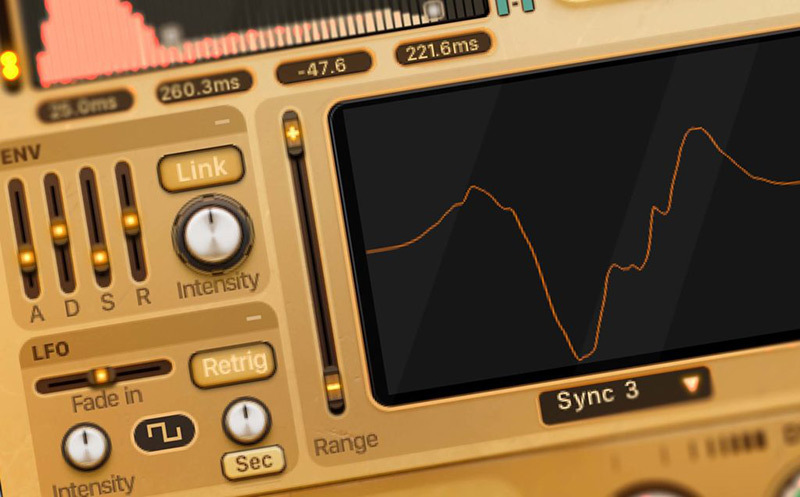
DV8tion Modules
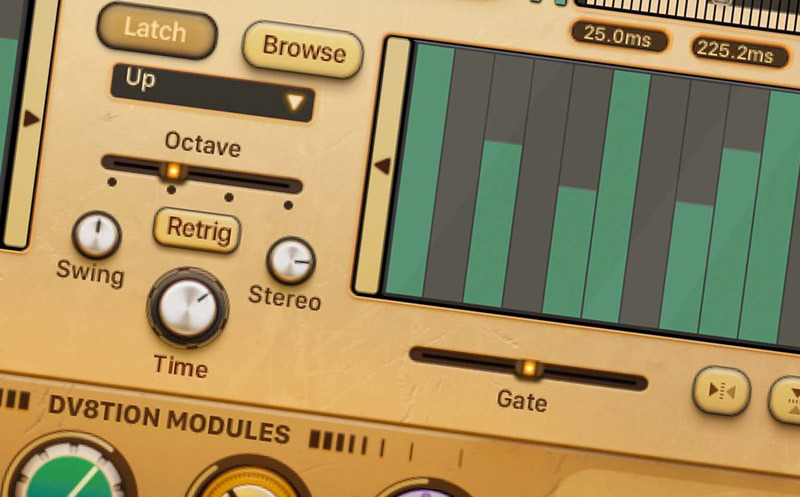
If DV8 has a superpower, DV8tion Modules are it. The first thing you’ll notice using DV8 is that with every preset change, the DV8tion Modules section changes. That’s because every preset can utilize a custom signal chain. DV8tion Modules can be connected to 100+ different parameters of a multitude of different processors such as filter cutoff freq, distortion drive, LFO speed, resonance, sample rate, filter env, chorus depth and too many more to list here. With DV8tion Modules easily conquer the mystery of modular synth styles and discover fresh new territory in the sound of your own.
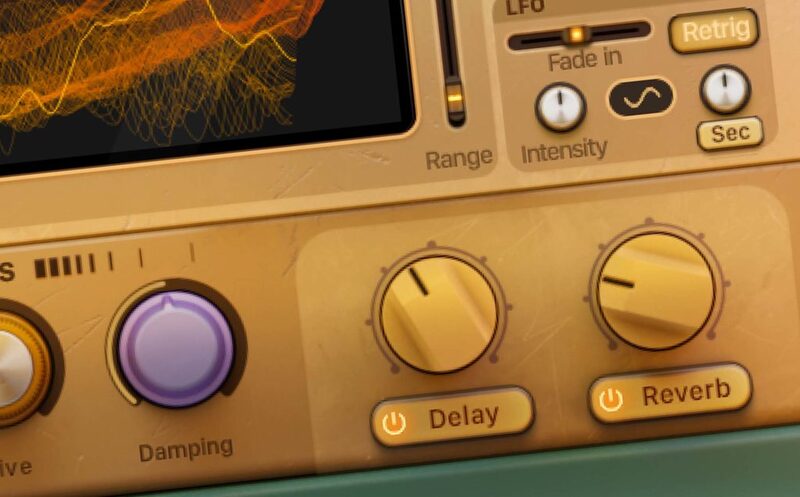
Fast with Effects
DV8 is fast with effects. Just one click away from applying dynamic delay and reverb signal processing to your sounds. Choose from DV8’s 20 diverse reverbs, all with room/hall variations. The delay effects unit commands five style types; modern, analog, tape, vintage, and diffusion. Easily modify any of the 58 delay effects presets and you’re on your way to finding the sweet spot of your sounds in no time at all.
Intentional Randomizations
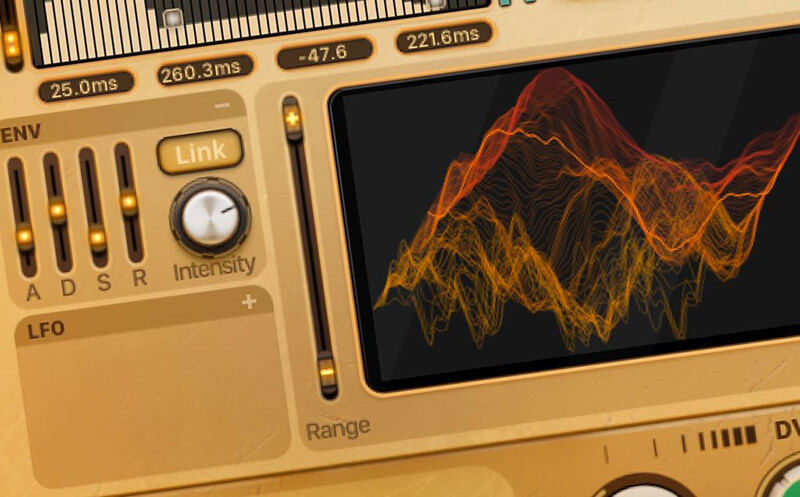
It’s well known that intentional randomness can lead to exciting discovery and exploration. There’s something inherently creative about it. That’s why we built DV8 with Sound Yeti’s proprietary Automated Guided Discovery (AGD) system. Empowering users with randomization options for any of 20 parameters like; sound sources, arpeggiation patterns, DV8tion Mods, ADSR. Simply randomize parameters to quickly discover unique settings and master the evolving sounds of DV8.
DV8 Dual Arpeggi8ors - An endless flow of ideas and creativity
Perhaps you’re inclined to Tangerine Dream or maybe you are an ardent proponent of the Berlin School, hardcore, trance, dub or just groovy pop music. Whatever your creative musical persuasion, you’ll find the DV8 Arpeggi8or a compelling source of rhythmic (and poly-rhythmic) inspiration.
It’s easy to get a jump start with the Arpeggi8or too, just select from the 39 preset patterns and press play. Or, try randomising patterns to experience the ultimate in exploratory rhythms.
That’s because DV8s dual Arpeggi8ors are an endless pathway to musical discovery. From simplistic pulsing grooves to arrhythmic experimentations. Most importantly you’ll be generating patterns that you’d never discover on your own, left to your own devices.
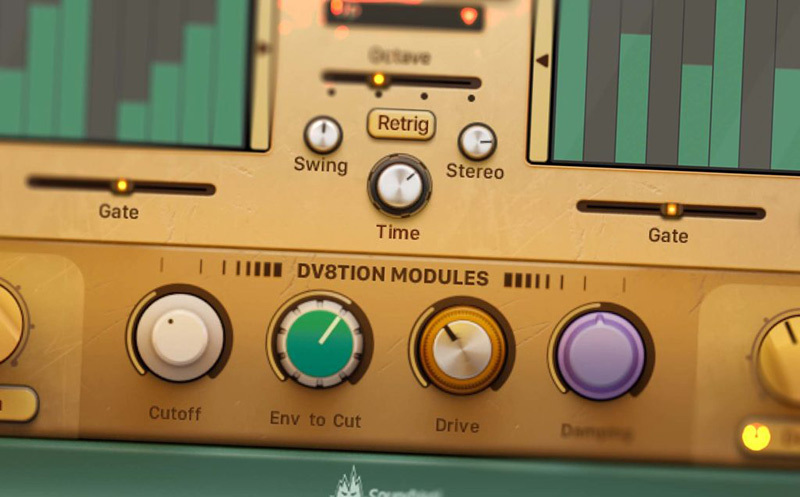
DV8’s dual Arpeggi8ors feature fully independent editable patterns with programmable step velocity, independent number of steps per pattern (1 to 16), independent gate slider; for setting relative note length and of course, dual Arpeggi8ors are easily mixed to your liking with DV8’s master blend and gain controls.
And for added creativity and control, the dual Arpeggi8ors are coupled with advanced master controls like; Stereo – random note placement within the stereo field, Swing – note timing offsets for different feels, Latch – arp keeps playing after key release, Octave – sets the range in which to repeat the patterns, from -3 to +3. And for even more arp deviations, explore DV8’s 10 Arp Pattern settings like Up, Up & Down, Zig Zag Up & Down and As Played and Random for beautiful and unexpected musical results.
Features
- Modular concept hybrid synth built on Native Instruments Kontakt 6
- MAWC system – Macro Automated Wave-shaping Control
- 215 Sound Yeti designed and curated presets/snapshots
- Custom DV8tion Modules for each preset
- 100 wavetable source sounds – easy to use browser with categories
- 20 drag and drop user sound slots
- Automated Structured Discovery (ASD) – sound design randomization
- Voltage – automation control for 10 sound-shaping parameters simultaneously
- Flow – macro automation for ADSR shape change
- Wavetable Position and Form editing with LFO and ENV modulation
- 13 Form Type options for deviant wave-shaping
- Dual Arpeggiators with independent patterns, steps, velocity, gate,
- 39 fully editable preset arp patterns plus one randomized
- Custom reverb with 20 environments plus room/hall for each
- 58 delay effects presets, 5 delay types
- Sound Yeti Preset Recall System for delay and reverb effects
- Advanced Devi8tion preset design – avail with Kontakt Full version only
- Nothing else to buy – Licensed for NI Kontakt 6 Free Player
- Qualifies for crossgrade discounts from Native Instruments
What's Included?
- 1 Master NKI template
- 215 snapshots / presets, designed by Sound Yeti
- 181.4 MB of uncompressed .wav files
- 100 dynamic synthetic and organic wavetable sample sources
- Custom reverb with 20 environments plus room/hall for each
- 58 delay effects presets, 5 delay types
- Unlimited user snapshots
- 1 Advanced Sound Design template (for use with the FULL version of Kontakt only)
System Requirements
- Powered by KONTAKT 6 ver 6.6.1 or later
- Includes KONTAKT 6 Player – Nothing else to buy
- Native Instruments NKS Ready with KOMPLETE KONTROL & MASCHINE
- Full integration with Komplete S-Series keyboards and hardware
- Use as a standalone virtual instrument plugin VST-AU-AAX plugin or with popular DAWs like Ableton, Logic, Pro Tools, Cubase, etc.
Minimum Requirements
- KONTAKT Player Or KONTAKT 6 Full Version 6.6.1 or higher
- MacOS 10.12, 10.13, 10.14 or 10.15 (latest update), i5, 4 GB RAM
- Windows 7, Windows 8, or Windows 10 (latest Service Pack), Intel Core i5 or equivalent CPU, 4 GB RAM
Recommended Requirements
- KONTAKT Player Or KONTAKT 6 Full Version 6.2.2 or higher
- Mac OS X 10.12 and higher (latest update), 8 GB RAM Intel Core i5 or i7, i9
- Windows 7, Windows 8, or Windows 10 (latest Service Pack), Intel Core i5 or equivalent CPU, 8 GB RAM

Note: This product is compatible with the FREE Kontakt Player.