Log In

Free gifts available with your purchase
Note: This product is the Native version. The HD version for AAX DSP users is also available.
Dialog. The focal point of any movie, television show, documentary, or for that matter, any creative media production involving the spoken word. Add to the mix a sweeping musical score, dozens of foley effects, and plenty more – and it becomes clear the job of dialog mixing is a tall order. After all, if you can’t hear what the actors are saying, why watch it at all!
The SA-2 Dialog Processor is based on hardware originally conceived by Academy Award winning re-recording mixer Mike Minkler and used on over 100 major motion pictures. The SA-2 is designed to improve the overall sound of recorded speech. But the SA-2 is not just for dialog. It’s equally useful for vocals, and is a great tool for adjusting the timbre of any track, a reliable de-esser, and a fine multi-frequency compressor, in our completely biased opinion.
The SA-2 Dialog Processor is made up of 5 bands of strategic active equalization, configured in a variety of modes to best address common issues of dialog. Each band of active equalization has a threshold control to determine at what signal level the active equalizer begins to effect the signal. There are also enable buttons for each band to quickly audition the effect of any given band. Two mode selectors – one for controlling the ballistics of the active equalization, and a second for placing the five bands at strategic locations in the frequency spectrum. Finally, there are input and output gain controls for overall adjustment.
Features
- Optimization for Apple Silicon and Latest Intel Processors
- Two activations per license / subscription
- High definition updated user interfaces
- New presets
- Zero Latency Algorithms
- Double Precision Processing
- New Frequency Shift Control
- Five independent bands of strategic active equalization
- Multiple process modes for a variety of applications
- Unique signal reduction metering
- New Range and Monitor control
- Mono and stereo versions
System Requirements
Mac
- macOS 10.13 or higher (64-bit only) (macOS 12 Monterey compatible)
- McDSP plugins run natively on Intel and M1 Apple Silicon processors
- McDSP HD plugins support AAX DSP plugin format, AAX Native, AU, and VST3 plugin formats
- McDSP plugins support Mac OS 10.13.x (High Sierra), 10.14.x (Mojave), 10.15.x (Catalina), 11.x (Big Sur), 12.x (Monterey), and Windows 10
- Mac OS version 10.12.x (Sierra) may work but is not officially supported. Earlier Mac OS versions are not officially supported
Windows
- Windows 7, 8 & 10 (64-bit only)
HD v7 Software Support
- AAX DSP
- AAX Native
- Audio Units (AU)
- VST3
Compatible DAW's
- McDSP HD and Native plugins are compatible with Pro Tools, Logic Pro, Cubase, Nuendo, Ableton Live, LUNA, Reaper, Sonar, Studio One, and other DAWs that support AAX, AU, and/or VST3 plugin formats
- As of v7.0, VST is no longer supported. VST versions of v6 McDSP plugins will no longer be updated and will be uninstalled
- McDSP HD plugins also support the VENUE S6L systems. McDSP VENUE plugins are packaged in a VENUE specific installer available on the McDSP website.
Activation:
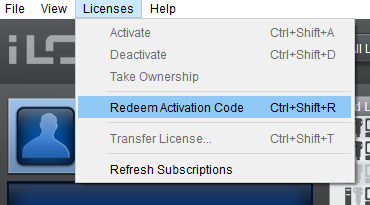
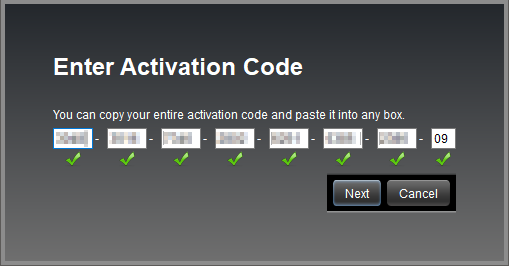
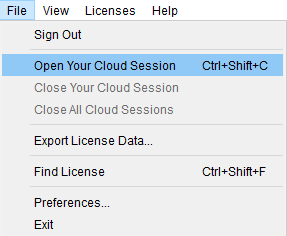
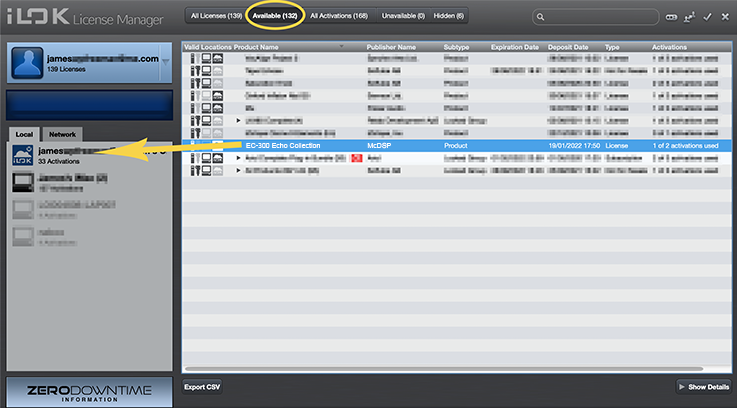
- McDSP plugins require an iLok2 or iLok3 USB Smart Key, or an iLok License Manager account and iLok Cloud for activation.
Important note: McDSP plugins require an iLok2 or iLok3 USB Smart Key, or a FREE iLok License Manager account and iLok Cloud session for authorisation. Each McDSP v7 plugin contains two activations per authorisation.
Audio Media
Audio Media International delivers invaluable information to the entire pro-audio industry.
“I was so impressed that I am now off exploring other McDSP plug-ins, which somehow I seem to have passed by in my mixing travels.”
Studio One Expert
Offering tips, tricks and news for PreSonus Studio One users.
“After taking the SA-2 for a test drive, I can see myself using this quite often, and not only for dialog, but for instruments as well.”
Pro Tools Expert
The number one independent Pro Tools user site in the world.
“It did act as a really nice high frequency catcher on my dialog group. It worked very well for me.”