Log In
.jpg)
Free gifts available with your purchase
Note: This product is the HD version for AAX DSP users. The Native version is also available.
The 6030 Ultimate Compressor is the next generation of dynamic range control technology. Building from the entire McDSP compression algorithm code base, the 6030 adds new sonic capabilities, stunning new interfaces, and quality only McDSP could deliver. Using the popular module format, the 6030 Ultimate Compressor offers ten different compressors. All of these designs are by McDSP - some completely from the ground up, while others are emulations of existing gear with unique variations created by McDSP.
Each 6030 Ultimate Compressor module is easy to operate, and yet has enough sophistication for the most discerning professional. Whatever your style, from smooth tube emulations to aggressive solid-state designs, the 6030 Ultimate Compressor has a custom-made dynamic range control module that is just right for you.
6030 Compressor Modules
U670
Based on the acclaimed Fairchild 670, a new set of attack ballistics was created to accommodate modern production styles, the ‘warmth’ factor was tweaked, and the U670 was born.
Moo Tube
An all-tube design emulation, with some unique twists. Mid-range sensitivity, attack and recovery time ranges, and output frequency response characteristics were all re-worked by McDSP engineering.
iComp
Attack and release times are not adjustable but are instead automatically updated based on user-selected threshold and ratio control values. Good on songs headed to iTunes.
Opto-C/Opto-L
These Opto models use McDSP designed key signal circuits for an improved response from the originals. The Opto models also use a different release characteristic, because we like to tweak!
British-C
The British-C model offers the standard compressor control set, but McDSP added internal smarts to prevent unwanted distortion, even at extreme compression settings – not unlike other high-end analogue compressors from this part of the world.
Over EZ
The Over EZ module incorporates a smooth knee response with a flexible control configuration, making it useful in a variety of situations.
SST'76
The SST’76 is a fast reactive design that sounds great on drums and other percussive sources. The solid-state (SST) circuit model uses a McDSP designed key circuit to boot.
FRG444
Referred to as ‘The Frog’, the FRG444 uses a moderately aggressive compression design for a more, well, aggressive kind of sound. The FRG444 will give you goosebumps, especially on big rock drum kits.
D357
The D357 is the most aggressive compressor in the 6030 collections. An LED style gain reduction meter is used to display the rapid dynamic range control changes the D357 is capable of enacting on unsuspecting audio.
Features
- Optimization for Apple Silicon and Latest Intel Processors
- Two activations per license / subscription
- High definition updated user interfaces
- New presets
- Zero Latency Algorithms
- Anti-Clip Output Stage Topology
- 10 compressor modules in a single interface
- Sidechain support
- Analog Saturation modelling
- Double precision processing
- Mono and stereo versions
System Requirements
Mac
- macOS 10.13 or higher (64-bit only) (macOS 12 Monterey compatible)
- McDSP plugins run natively on Intel and M1 Apple Silicon processors
- McDSP HD plugins support AAX DSP plugin format, AAX Native, AU, and VST3 plugin formats
- McDSP plugins support Mac OS 10.13.x (High Sierra), 10.14.x (Mojave), 10.15.x (Catalina), 11.x (Big Sur), 12.x (Monterey), and Windows 10
- Mac OS version 10.12.x (Sierra) may work but is not officially supported. Earlier Mac OS versions are not officially supported
Windows
- Windows 7, 8 & 10 (64-bit only)
HD v7 Software Support
- AAX DSP
- AAX Native
- Audio Units (AU)
- VST3
Compatible DAW's
- McDSP HD and Native plugins are compatible with Pro Tools, Logic Pro, Cubase, Nuendo, Ableton Live, LUNA, Reaper, Sonar, Studio One, and other DAWs that support AAX, AU, and/or VST3 plugin formats
- As of v7.0, VST is no longer supported. VST versions of v6 McDSP plugins will no longer be updated and will be uninstalled
- McDSP HD plugins also support the VENUE S6L systems. McDSP VENUE plugins are packaged in a VENUE specific installer available on the McDSP website.
Activation:
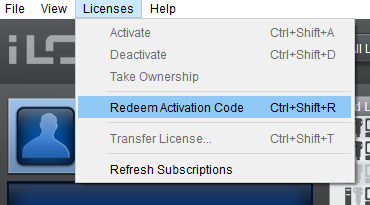
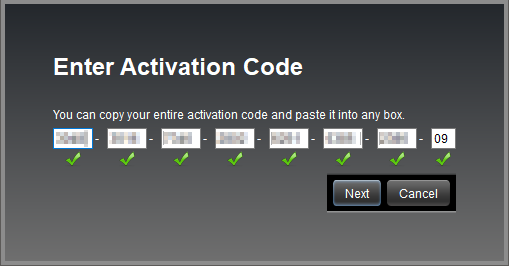
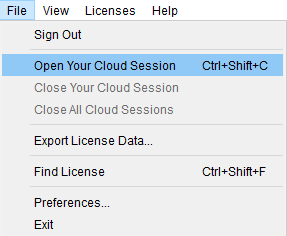
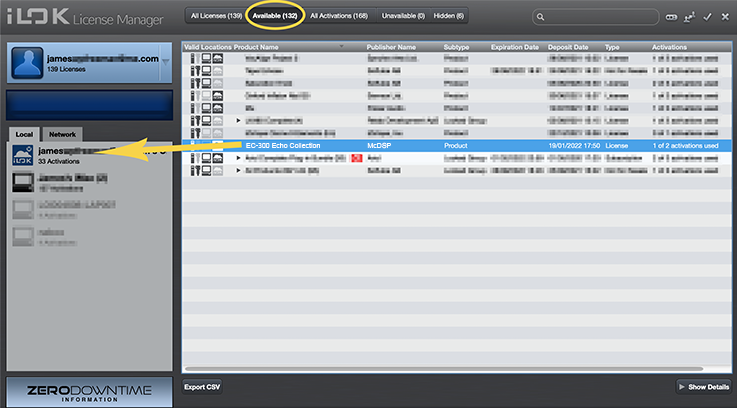
- McDSP plugins require an iLok2 or iLok3 USB Smart Key, or an iLok License Manager account and iLok Cloud for activation.
Important note: McDSP plugins require an iLok2 or iLok3 USB Smart Key, or a FREE iLok License Manager account and iLok Cloud session for authorisation. Each McDSP v7 plugin contains two activations per authorisation.
Sonic Scoop
Creative Techniques & Technology for Music & Audio Production.
“McDSP has put together one of the most comprehensive, unique and remarkable sounding compressor plug-ins I’ve ever used."
Tape Op
“If you’re looking for an easy-to-use, wonderful-sounding, versatile-as-hell compressor plug-in, look no further than 6030 Ultimate Compressor."
Is McDSP 6030 the Best Compressor Plugin? I don’t know about you, but sometimes I feel that we mix engineers have more than enough compressor emulation plug-ins to choose from. When a new one comes out, it really has to blow me away in order to add it to my arsenal. In this case, the McDSP 603...
Read More