


 Log In

Free gifts available with your purchase

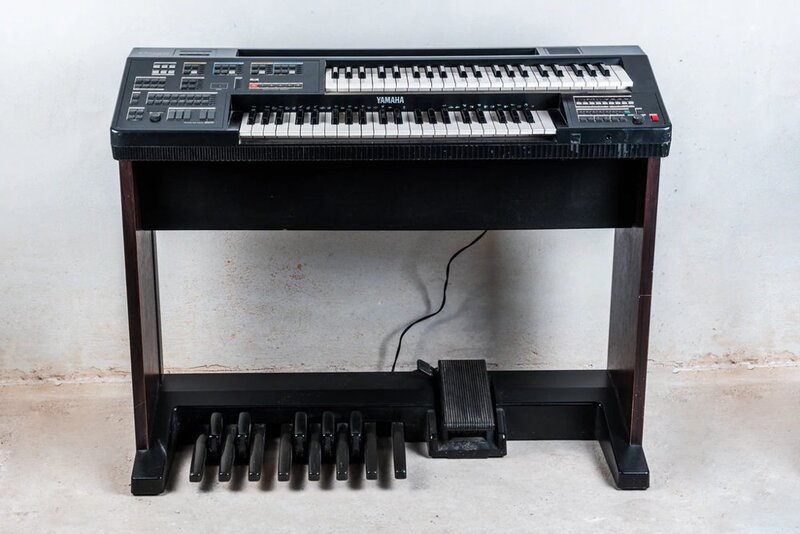
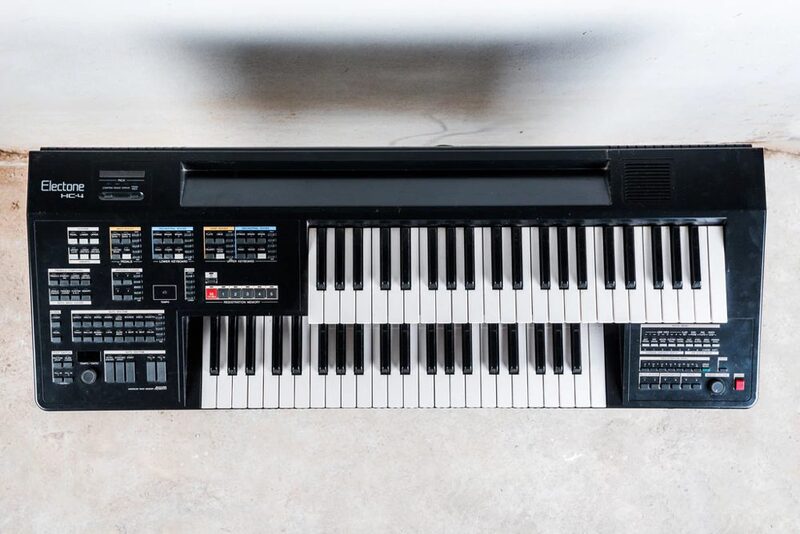
Yumtone H4 is pure digital magic. This Japanese FM synthesizer called the Electone HC-4 was introduced to the market by Yamaha in 1987. It featured two 44-note keyboards, a foot pedal system, drum/rhythm machine, velocity sensitivity, 16-operator FM voices, and a variety of buttons to control volume, instrument type, auto-accompaniment, and tempo. The Electone series started as organs in the late 1950s but transitioned to digital synthesis in the 1980s with advances in integrated circuit technology. This library includes synth sustains, staccatos, piano, vibraphone, bells, tempo-sync-able drum machine loops, hits, and key SFX. Soundiron recorded the instrument articulations in wide stereo and direct line-in. After that, Soundiron crafted 20 evolving ambient pads from the source content to boost usability, and 20 custom FX presets to ignite your next composition. Yumtone H4 presents a delicious digital sampler platter of a classic FM synthesizer, complete with piping hot tonal flavours ready to complement any genre of music.
Soundiron packed the GUI with lots of great sound-shaping controls that give you the flexibility to warp the sound in many ways. You have control over Volume, Attack, Release, Transient Offset, Vibrato and Octave layering. The "Glide" control slider allows you to play legato and portamento leads. You’ll also find an adaptable LFO system, with selectable LFO shape, modulation target parameter, speed, intensity, tempo-syncing and fade-in time. You can also apply your choice of 13 lowpasses, high-pass and FX filters, with assignable modulation control options, including velocity, mod-wheel, expression, after-touch, key position and step-sequencer table control. You can also use the customizable arpeggiator, with a built-in velocity sequencer table and control over arp direction, note timing, swing, randomization and duration.
Artist - John Valasis
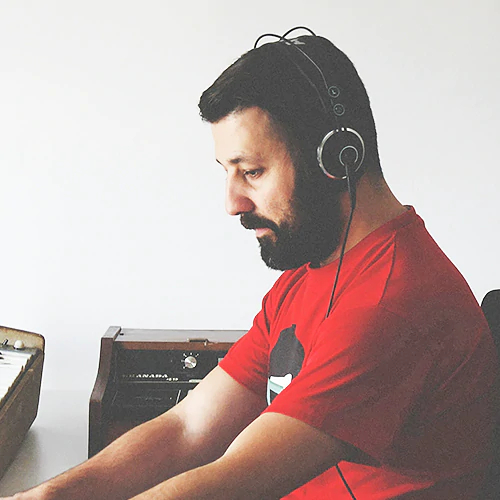
Yumtone H4 was recorded by John Valasis. John is a Greek-born composer, producer and sound designer. From his Athens based studio, he delivers scoring, foley and sound design services for many local and international clients. John's clientele includes prestigious brands like Native Instruments, Ableton, Soundiron, Virgin, Amazon Prime Video, Vice Magazine and BBC. John is also on the roster of Ninja Tune's imprint Just Isn't Music, alongside artists like Amon Tobin, Bonobo, Flying Lotus and The Cinematic Orchestra.
John's professional experience began in the 90s as a composer and producer for popular music and gradually expanded his skill-set across a large variety of genres. With the abilities he acquired through his 20-year professional career, as well as his genuine love for soulful music, he has crafted a strong, personal and diverse musical identity. When not working on tight deadlines, John uses Poordream as a vehicle to freely express his emotions and influences and to explore sound and composition beyond the boundaries of conventional electronic music.
Contents
Yumtone H4 was recorded in a dry studio using a pair of Neumann TLM 103 large-diaphragm microphones and a direct line in. Soundiron recorded many stock presets with sustains, staccato, and drum loop samples. The included octave, vibrato and FX rack give you an easy-to-use interface to completely customize and shape its fat analog sound to fit a variety of creative styles.
The library comes equipped with flexible control features, like Swell, pitch Glide, Attack, Release, Vibrato, and Octave. There’s also a complete DSP effects rack, including convolution reverb with dozens of unique spaces, such as cathedrals, churches, halls, bunkers, garages, tunnels, chambers, rooms and plenty of otherworldly FX impulses to fully explore and an endless variety of strange and unexpected sonic manipulations.
- Advanced performance controls, vibrato, glide speed, LFO, Filter, Arp and full FX rack.
- Synth Sustains, Staccatos, Piano, Vibraphone, Bells, Vintage Drum Loops, Hits, and Key SFX
- Turn the Glide slider up for monophonic legato functionality, or turn it down to 0 for standard polyphonic mode.
- The Octave knob gradually adds a lower and higher octave doubling effect for more body and power.
- Convolution Reverb with 119 different cathedrals, churches, chambers, rooms, halls and special effect impulses.
- A full multi-effects rack, with EQ, filter, phaser, flanger, delay, distortion, amp & speaker simulation and more.
Features
- 3 main powerful open-format Kontakt .nki instruments
- 20 Ambience patches created from the source content
- Synth Sustains, Staccatos, Piano, Vibraphone, Bells, Vintage Drum Loops, Hits, and Key SFX
- 20 Custom Sound-Designed FX and Ambient presets
- 8.62 GB Installed
- 7,226 Stereo Samples
- 24 bit / 48kHz Stereo uncompressed PCM wav audio
- Unlocked wav samples can be directly imported into almost any wav-compatible plugin or DAW.
System Requirements
- Windows 7 or higher.
- Mac OS X 10.9 or higher.
- Dual-Core CPU, 2 GB System RAM, SATA or SSD hard drive recommended for this library.

Important Notes:
- The FULL version of Native Instruments Kontakt 5.5 or above is required to run this software.
- This software will not function in full within the FREE Kontakt Player engine and will only be available in DEMO mode.
- This software is delivered as a digital download, so a broadband connection is required.




















