Log In

Free gifts available with your purchase
BLEASS Filter

Responsive Filter With Rich Visual Feedback
Whether sculpting a synth sound, adding depth and bite to drums, or exploring new sonic territory with vocals and guitars, BLEASS Filter is the perfect solution.
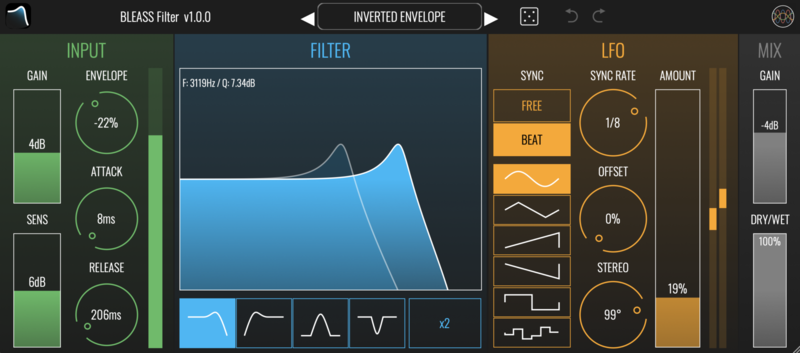
Inspired by the vintage analogue filters found on the world’s most renowned classic synths, and wrapped in our trademark super-modern interface design, BLEASS Filter delivers a great sound along with an intuitive and tactile user experience. The plugin also provides detailed visual feedback that can be read and understood at a glance.
A static filter can be as dull as no filter at all, which is why we have included both an envelope follower and an LFO (Low Frequency Oscillator) in BLEASS Filter. The envelope follower can be tuned to perfectly match your audio, adding dynamic interest to your music, whilst the LFO creates repeating sweeps and movement that can run freely or sync to the beat.
With superb versatility, ultra-efficient processing, and a great price, BLEASS Filter is guaranteed to bring new character and interest to your audio, and a smile to your face!
Features
Input Section
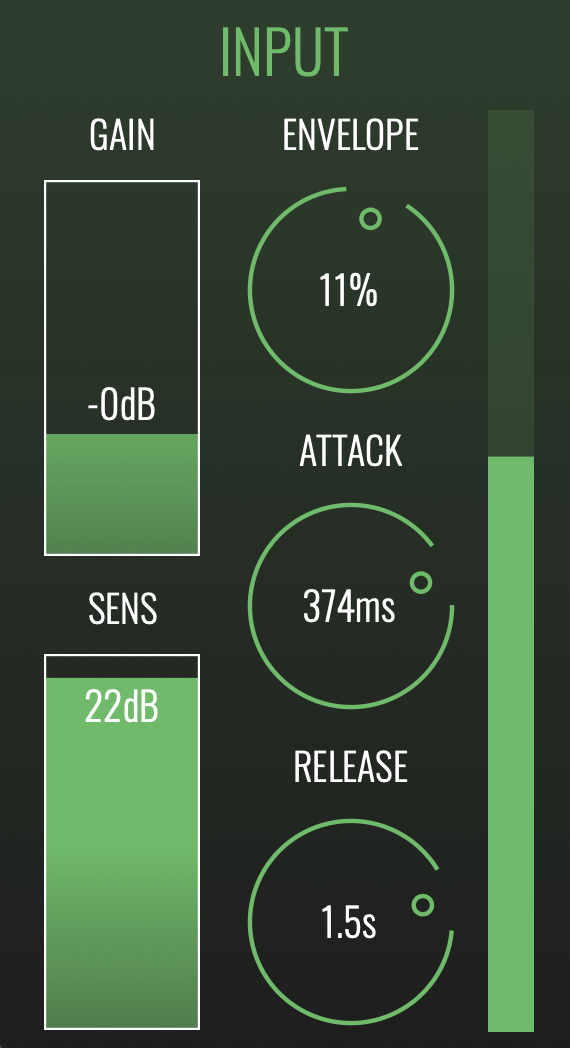
- Gain - Sets the volume of the incoming signal. This also impacts on the sensitivity of the envelope follower.
- Sens - Controls the sensitivity of the envelope follower. This works in conjunction with the Gain setting to determine when, and host strongly, a new envelope cycle will be triggered.
- Attack - Determines how quickly the envelope responds to peaks and transients
- Release - Determines how quickly the envelope closes after the attack phase is complete.
- Envelope - Controls the strength and polarity of the envelope’s impact on the filter’s cutoff frequency. Positive settings cause the envelope to increase the filter’s cutoff frequency, whilst negative settings will reduce the cutoff.
- Meter - Visualises the activity of the envelope follower, making it easier to understand how it is responding to the input signal.
Filter Section
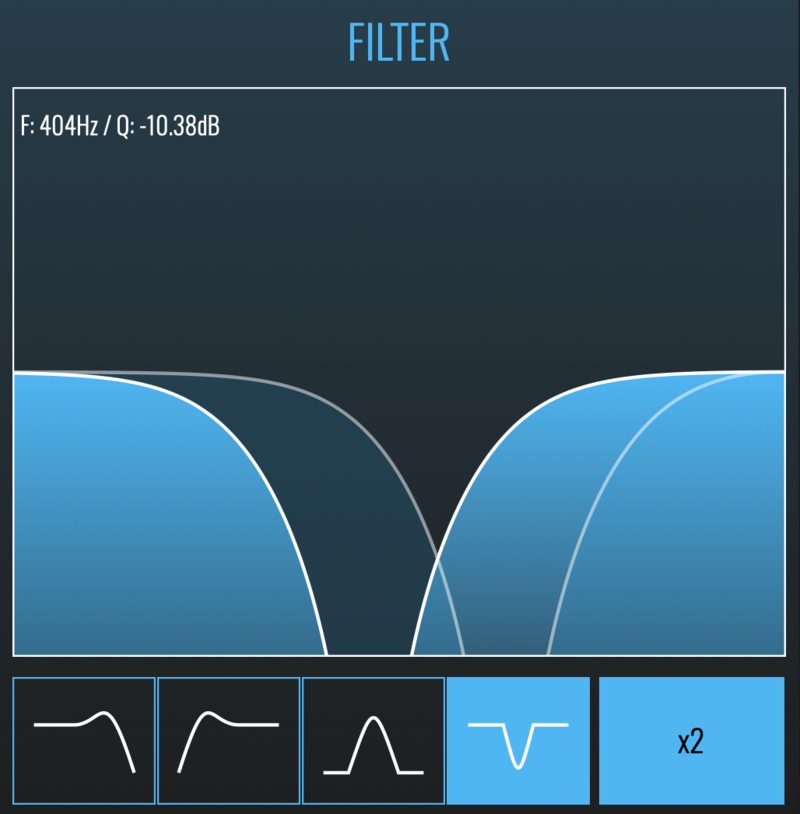
- Filter Graph - The large on-screen graph gives an accurate readout of the filter’s current setup, and also allows you to change that setup: drag left and right to alter the cutoff frequency; drag up-and-down to increase or decrease the filter resonance.
- Mode Selection Buttons - BLEASS Filter’s versatile multi-mode design offers a choice of low-pass, high-pass, band-pass and notch filtering.
- X2 Button - Doubles-up the filter, accentuating the resonant frequencies and creating a sharper cutoff slope or, in the case of the notch filter, a wider notch.
LFO Section
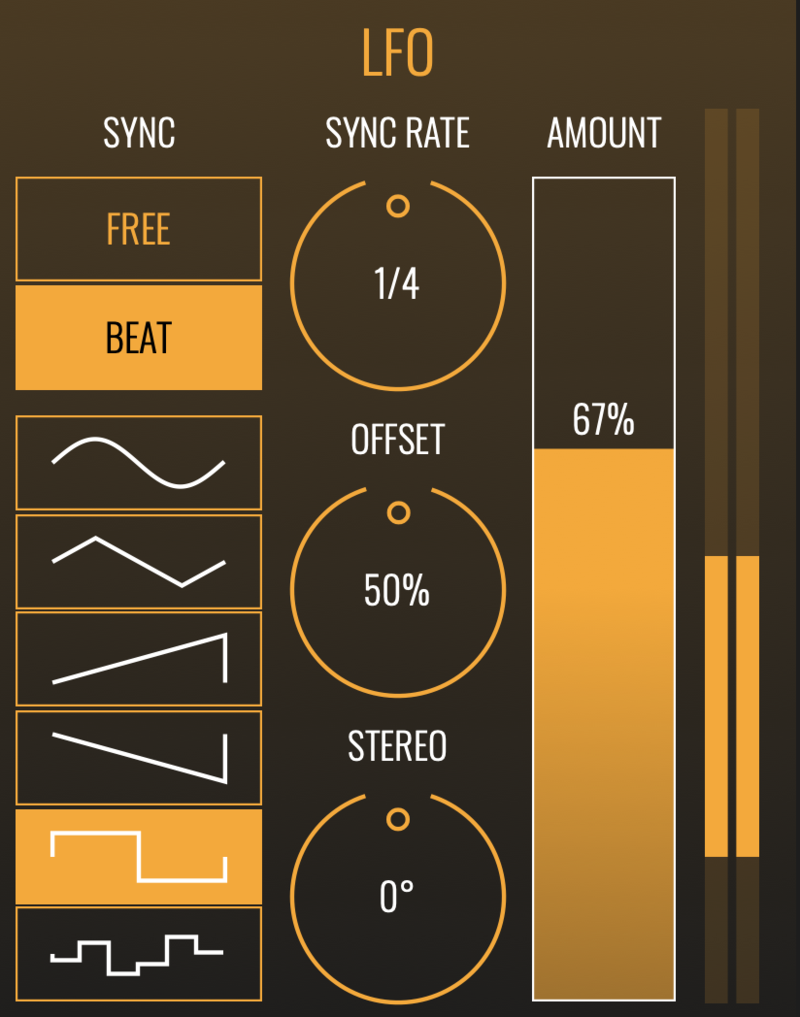
- Sync - Chose between a free-running LFO, or one that is synced to the beat of your host DAW.
- Waveform - Select the shape of the LFO. From top to bottom: sine, triangle, saw-tooth up, saw-tooth down, square, and sample-and-hold.
- Rate - When running in FREE sync mode, sets the length of one LFO cycle in terms of seconds, from 16 seconds down to 50 milliseconds.
- Sync Rate - When running in BEAT sync mode, sets the the length of one LFO cycle in terms of beat-and-note length, from 4 bars down to 1/32 note (that is, a demisemiquaver).
- Offset - When running in BEAT sync mode, offsets the LFO’s phase, or starting point, in relation to the beat.
- Stereo - Creates a phase offset between left and right channels of the LFO signal. At ±100%, the channels are fully offset, with one channel hitting its maximum value when the other reaches its minimum. At 0% the two channels remain locked together.
- Amount - Determines how strongly the LFO signal impacts on the filter’s cutoff frequency.
- Meter - The two-part bar meter provides an intuitive visualisation of how strongly the LFO is impacting on the filter’s cutoff frequency.
System Requirements
PC
- Windows 8 and later (64-bit)
- VST3
Mac
- macOS 10.9 and later (64-bit only) (including macOS 11 Big Sur and M1 processors)
- VST3 / Audio Unit