Log In

Free gifts available with your purchase
Plug your audience into a more compelling experience
FiDef® by FideliQuest is a very low amplitude, psychoacoustic stimulus designed specifically for audio engineers. It makes a receptive brain relax and pay closer attention to an incoming audio stimulus. In brain physiology laboratory tests using functional neuroimaging techniques, FiDef has proven to excite brain activity related to perception and attention, and to enhance the subjective processes of listening and engagement.
The FiDef process, developed in the US by FideliQuest LLC, was first licensed by MAAT for their thEQblue. That same algorithm is now available standalone for all major plug-in formats, including VST 2, VST 3 and AAX native for macOS and Windows plus Audio Units for macOS. FiDef is a patented, 64 bit audio processor like no other. Brain science takes the lead in this subconscious signal generator that compels the listening to lean in and…engage!
The Quest
Since Edison’s first wax cylinders, the history of audio capture and playback can be summarized as the increasingly technical pursuit of a seemingly impossible goal: lifelike replication of the actual listening experience…The advent of digital technology, while solving many of the problems inherent in analog recording and playback, brought with it other challenges.
At the same time, new enabling formats such as DXD (Digital eXtreme Definition) and MQA (Master Quality Authenticated), along with consumer trends toward uncompressed HRA or High Resolution Audio releases of music catalogs have brought new levels of fidelity to the home. Yet, even the highest fidelity digital playback still exhibits a level of reserve that keeps the music at arm’s length, not always allowing it to embrace and move us. Low fidelity or hi–fi, analog or digital, FiDef makes for a deeper, more satisfying connection.
The Solution
While listening to a vaiety of recordings, an audio professional thought to himself, “Why do some recordings sound better than others?” He recruited an audio physicist and a musical neuroscientist while analyzing arrays of audio recordings to identify elements of sound that psychoacoustically engage the listener. Isolating the mechanism allowed them to develop a unique solution that synthesizes essential content from the material itself, inserting that dynamic information at low amplitude into the content.
After years of development by a team of engineers with decades of industry experience, early in 2016 FideliQuest introduced FiDef™ audio processing, the first and only technology that restores what all recording and playback systems take away, whether analog or digital.
Think of a common, non–harmonic, sub–audible signal all good engineers use to linearize digital audio; dither. The FiDef system also generates an anharmonic, sub–audible broadband signal. The difference is that FiDef does not modify the music itself in any way but instead is added to the music. Also unlike dither, it is correlated to the source audio. This is not noise for noise’s sake. This is a dynamic, correlated and spectrally shaped signal.
The signal, based on FideliQuest research into the human auditory system, is customized to directly stimulate the brain, bypassing cognitive processing. The manifold results include less brain activity required to process incoming stimuli, with a resulting increase in perceived nuance and tactility from music, speech and effects. FiDef informs your brain of the subtle potentials within a recording. Hear more of how the song was played, not recorded.
The Science
Supported by sophisticated research into how the human brain processes sound, FiDef informs the listener’s auditory system of music’s full potential. Independent research has shown that the brain response between FiDef and untreated audio is significant to 99%. The subtle effects of sub–audible supplementation are modeled in the brain over time.
With familiarization, ears unaccustomed to FiDef might not hear the difference immediately. Studies indicate that the brain uses inverse effectiveness to process FiDef’d music with less effort, in effect hearing more by struggling less. Essentially, hear more than you think.
Grounded firmly in experimentation and analysis, FiDef technology can increase definition, detail, intelligibility, soundstage width and depth and, most important, the emotional engagement of the listener. In short, with FiDef processing, your audio sounds better, without any change to workflows or delivery methods, even on data–compressed file types and older or low–fi playback gear.
Better By Design
FiDef is a wholly new tool for your audio toolbox. FiDef’d audio doesn’t measure louder and the power spectrum is not changed. In fact, there’s only the addition of what seems to be a veil of added noise. That noise is what’s special, it’s the FiDef signal massaging your subconscious.
Think Again
You may think you “know” how FiDef works, but you’re probably wrong. It’s simple if baffling in concept, complex in execution, and surprising in its results.
What FiDef Is Not…
- analog emulation, simulation or modeling
- chorusing
- data or frequency repacking
- distortion generation or manipulation
- dithering
- dynamics processing
- echo
- encoding/decoding
- equalization
- flanging
- frequency or amplitude modulation
- masking
- vocoded noise
- noise cancellation or control
- resampling
- resynthesis
- time domain modification
- vocoded noise, signal or anything else
- wave field synthesis
Applications
Your audience will feel their music like never before, but that’s not all…
- Mixing: improve definition of individual mix elements
- Mastering: bring out the best of each project
- Broadcast: production & post
- Games: enhance envelopment
- Forensics: improve intelligibility
- Sound design: “spotlight” individual elements
- Restoration: broaden spatiality
Profiles
FiDef JENtwo provide five profiles, each for a different effect. To make it easier to mentally map each Profile to something less abstract and more intuitive, you can rename them to taste…
- TRUCKN: subtle sweetening (the default)
- TRUCKN HUSH: a lower perceived amplitude version of TRUCKN for widely dynamic content
- SUTRO: draws your attention to frequencies above 8 kHz, resulting in a widened soundstage with accentuation of transient detail
- RESNO: points the listener toward the upper mids, resulting in added texture to vocals and other instruments
- EVOSE: with warm forwardness, this Profile builds on RESNO and turns it up to 11
A Caveat
FiDef triggers cerebral activity necessary for humans to respond to recorded sound in the same manner as the brain would respond to a live performance. This is provided by introducing additional, sub–audible signals into the recording that trigger specific brain activity in the listener. The supplementing content is sub-audible because it is essentially below the level of audibility when played at a normal volume level, or is masked by the content when a recording is played at an elevated volume level.
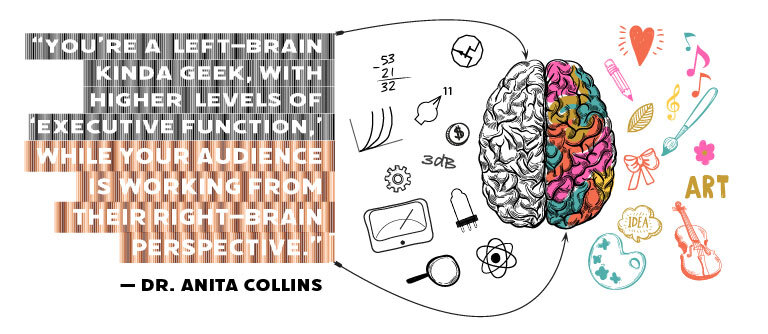
Because FiDef is a psychoacoustic process, it may not have any impact if the listener resists its charms. We’re talking full–on Jedi mind tricks, folks. If you are like many of us audio engineers, you are very much a “left–brain” person and discount what you cannot understand or explain. You are used to dissecting what you hear, you simply can’t help it. Unfortunately, your conscious higher level brain function will suppress your unconscious brain, and FiDef acts subconsciously. Result? If you try too hard to hear it, you probably won’t!
Though this is in direct opposition to the “impostor syndrome” you’ve worked so hard to overcome, there will be no noticeable effect if you “listen hard.” That is; analytically. Most folks don’t listen analytically, they listen casually and, in the case of music or dialog, for entertainment, education and enjoyment. However, your clients, your spouse and most likely your second engineer will notice “something different” about FiDef’d content. That something is usually a subtle and positive improvement in engagement and enjoyment. Remember, most folks don’t listen rationally, they listen because it’s fun!
Sounds like this whole FiDef thing is snake oil? Read below what some heavy hitting and highly respected engineers think of FiDef, and then drop your anti–B.S. bias into bypass and simply try it on your clients. After all, they are the final judge.
System Requirements
- macOS 10.9 and newer, Universal Binary 2 (64-bit only)
- Windows 7 and newer (32 & 64 bit)
- AAX Native (Pro Tools 10.3.10 and newer)
- AU, VST 2, VST 3
- Sample rates from 44.1 to 384kHz
- FiDef processing from 44.1 to 192kHz
.jpg?t=1792261339)
Paul Blakemore
Grammy-winning (and 7x nominee) chief mastering engineer at the Concord Music Group
"FiDef is a mysterious but wonderful product. It works on virtually every style of music and every style of mastering, from the gentlest touch to the most aggressive dynamic range processing."
.jpg?t=1792261339)
Elliot Scheiner
Multi-Grammy award winning producer & engineer
“(FiDef) brings better quality to music…It just sounds better”
.jpg?t=1792261339)
Hugh Padgham
Multi-Grammy award winning producer & engineer
“It just sounds better…like 3 dimensional.”