


 Log In
.jpg)
Free gifts available with your purchase
Please Note: This product requires the full version of Kontakt. It will not work with the free version of Kontakt Player.
A Bandoneón By Renowned Composer Guillermo Guareschi
The Bandoneón is a type of concertina popular in Argentina and Uruguay. It plays an essential role in the orquesta típica, the tango orchestra.
This particular Bandoneón was recorded in Buenos Aires, Argentina by the renowned composer Guillermo Guareschi.
Recording Process
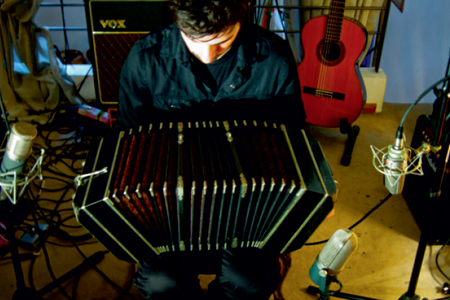
It is a "Premier" Bandoneón with a sweet and expressive sound. One Neumann microphone was in charge of register for the left hand where all the bass notes are generated plus an additional ribbon microphone that handled the very low frequencies.
The right hand was captured by a modified SE A5600 II tube microphone and an AKG was set to record the natural high roof ambience of the recording space.
All the microphones were connected to vintage Telefunken preamplifiers that delivered the signal directly without any console or black box in the chain.
The recordings were all made at 24 bits 48Khz and each note was sampled with 3 velocity levels (piano, mezzo-forte, forte) across 9 different articulations.
Features
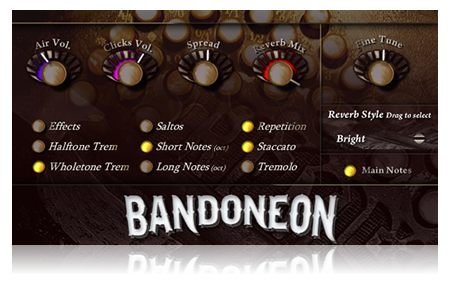
- The volume of the air sound (3x Round Robin)
- The volume of the keyclick (7x Round Robin)
- Fine Tuning from -100 to +100 cent
- Drag and select interface control for 5 different convolution reverbs
- The volume of the reverb mix from zero to drenched
- Switch buttons to toggle various articulations on or off
- Spread control to dynamically adjust the stereo spread
System Requirements
- 810MB of disk space
- Full Kontakt 4.2.2 and above

Important Note: Full version of NI Kontakt 4.2.2 and above is required.










