


 Log In

Free gifts available with your purchase
Important Note: This is an HDX plugin bundle that is intended for use with the DSPs of an Avid HDX system to prevent the software from taxing your host processor. There is no difference in sound quality between the Standard and HDX versions. If you do not own an Avid HDX system, you can purchase the native version of the Essential Plugin Bundle.
Transparent
Whatever your taste in music, you’re guaranteed to have heard Sonnox plug-ins hard at work on countless hit records already - perhaps without even knowing it! Their pure and transparent characteristics ensure a supremely clean yet punchy mix that exudes class. The Sonnox Essential Collection has all the essential ingredients to polish your mix to perfection.
Widely accepted by professional mixers as their ‘go to’ EQ and compression plug-ins, the Oxford EQ and Dynamics plug-ins have become a much-loved industry standard. Their clean sound and precision control put them in a class of their own. Joining this classic duo are the highly flexible Oxford Reverb and the SuprEsser – an amazingly natural sounding de-esser plug-in.
Oxford Dynamics
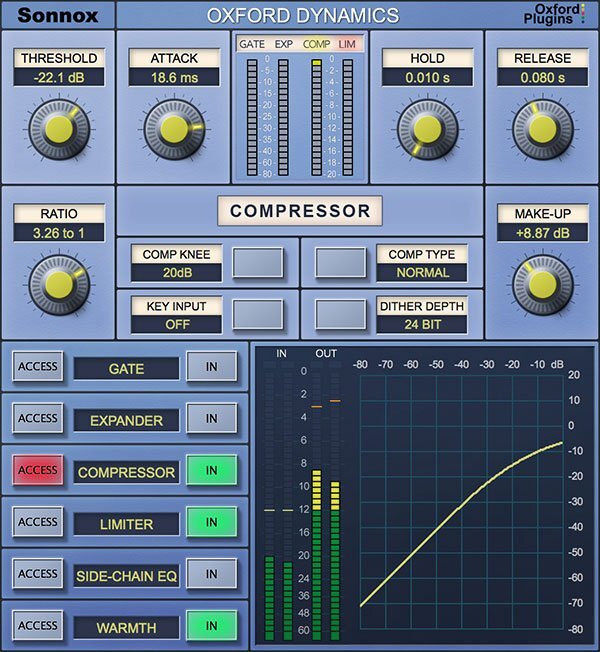
A powerful all-in-one dynamics control plugin
A powerhouse of dynamic control in a single plugin that features six independent processes for precision dynamic sculpting of your tracks.
From subtle control of a vocal, to a pumping side-chained effect; from lightning-fast gating and precision expansion to peak level limiting of single tracks and buses alike. Sonic clarity at all times – with the option of tube-like harmonic saturation when you need it.
Features
- Gate, Expander, Compressor, Limiter & 2-band side-chain EQ
- Warmth for extra presence and tube-like saturation
- 3 different compressor types; Normal, Classic and Linear
- Variable soft knee; 0 dBr to –20 dBr in 5 dB steps
- Surround bus compressor & limiter (HD-HDX only)
- Ultra low noise and distortion
- The dynamics section from the acclaimed Sony OXF-R3 console
Learn more about Oxford Dynamics.
Oxford EQ
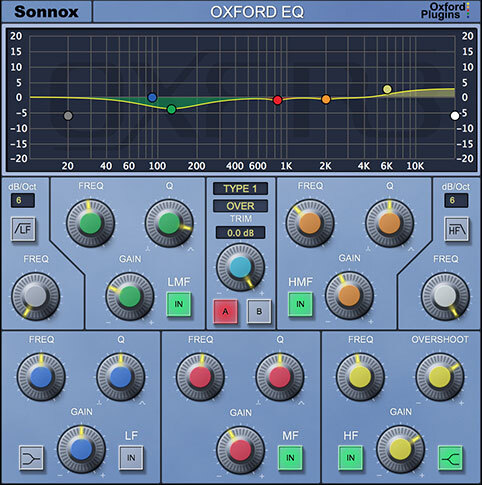
Versatility & quality in one EQ plugin
A powerful EQ is essential to any mix. If you mix music, film sound or live shows, you need an EQ plugin that's up to the task. Enter Sonnox's flagship Oxford EQ.
This versatile parametric EQ plugin traces its heritage back to the revered, million-dollar Sony OXF-R3 digital console. Now, you can unleash the power of the Sony OXF-R3 from your DAW.
The Oxford EQ features an easy-to-use interface and four distinct EQ types. Whether you’re using it for deep, surgical cuts or broad, gentle mastering curves, the results are always musical and always transparent.
Features
- 5-band parametric EQ with variable-slope HP/LP filters
- Four completely different sounding EQ types
- Clinical EQ similar to the SSL4000 E series
- Tighter ‘cut’ for removing problem frequencies
- Classic EQ similar to Neve and SSL G series curves
- Wide and gentle curves perfect for mastering
- Automatable A/B compare button toggles EQ settings
- Ultra-low noise and distortion
Learn more about Oxford EQ.
Oxford Reverb
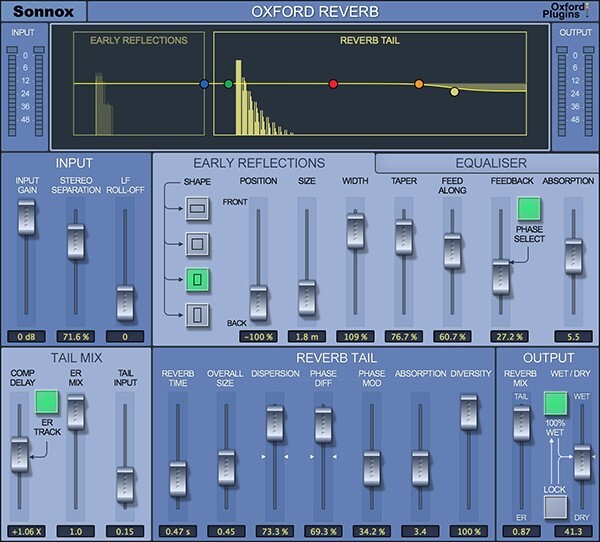
Create space for your sound
Reverb should sound natural and enveloping, sitting in, rather than on a mix. To achieve this, you need a reverb plugin that can adapt to your requirements. Enter the Oxford Reverb.
The Oxford Reverb is a versatile reverb plugin that allows you to create real space for your sound. With 120 presets as standard, the Oxford Reverb gives you a solid foundation on which to build. From drier ambiences and open reverberant spaces, to sound effects and settings inspired by classic hardware. With so much control to hand, it’s easy to design your own spaces from scratch too.
Designed with the highest technical and sonic performance in mind, the Oxford Reverb is a class-leading stereo reverb plugin with hallmark Sonnox clarity and ease of use. The comprehensive yet intuitive GUI features flexible Early Reflection, Reverb Tail and 5-band Oxford EQ sections, giving you all the tools you need to craft a rich sound space.
Features
- Extremely flexible stereo modeling reverb
- Independent paths for Early Reflections and Reverb Tail
- Paths can be combined or used separately
- Integrated 5-band Oxford EQ
- Separation control alters stereo width of input signal
- Over 120 presets - including Halls, Chambers, Rooms, Ambience and more
Learn more about Oxford Reverb.
Oxford SuprEsser
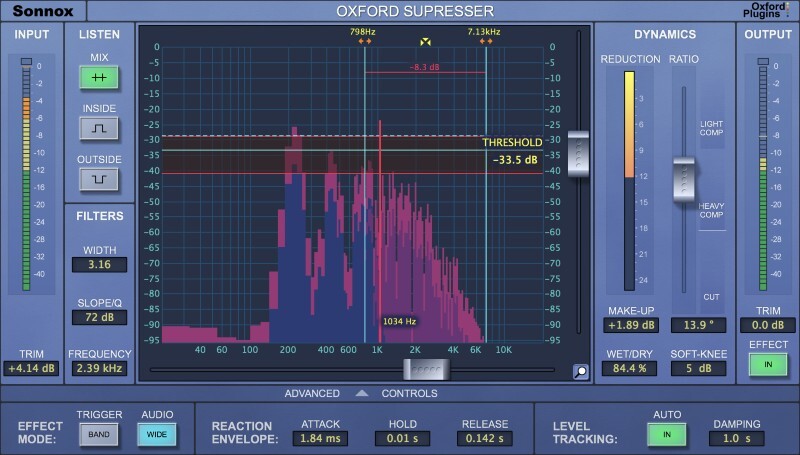
An intuitive de-esser plugin
Reduce problematic frequencies with ease using the Oxford SuprEsser.
Whether you need to remove harshness from an electric guitar, or simply remove sibilance from a vocal track, the Oxford SuprEsser is the solution.
Operating between 20hz - 20kHz, this plugin goes deeper than your standard de-esser, letting you hear and see problematic frequencies across the full audio spectrum before dialling them out.
Choose between a simple mode, for quick fixes, or the advanced mode for increased functionality.
When you're sick of sibilant sounds, fire up your SuprEsser.
Features
- An award-winning Linear Phase Dynamic EQ
- Transparent and accurate control of aggressive frequencies
- Auto Level Tracking follows the energy of the input and applies same relative gain reduction as signal level changes perfect to de-ess a vocal that's quieter in verse than chorus
- Wet/Dry control for quick parallel processing
- Full audio spectrum operation (20Hz - 20KHz)
Learn more about Oxford SuprEsser.
System Requirements
macOS
- macOS 10.13 High Sierra or later (Intel / M1 Apple Silicon supported) (64-bit only)
- Pro Tools 11 or above (AAX Native & AAX DSP)
Windows
- Windows 10 or later
- Pro Tools 11 or above (AAX Native & AAX DSP)
Activation
The Toolbox range offers 2 activations for each product licence you buy.
Providing you have an iLok account, each activation will allow you to authorise your plugin on one of these devices:
- Machine
- iLok device, iLok2 / iLok3 required with latest drivers OR
- iLok Cloud (Active internet connection required)
DSP Compatibility
- Pro Tools AAX DSP
- Avid VENUE S3L-X
- Avid S6L
Important Note: This is an HDX plug-in that is intended for use with the DSPs of an Avid HDX system to prevent the software from taxing your host processor. There is no difference in sound quality between the Standard and HDX versions. If you do not own an Avid HDX system, we recommend the native versions.


