


 Log In

Free gifts available with your purchase

AutoTune Vocal EQ is the only dynamic equalizer with patented Auto-Tune pitch tracking technology built in. Engineered specifically for vocals, AutoTune Vocal EQ allows you to isolate and accentuate precise frequencies to make vocals sound smoother and shine in the mix. Powerful dynamic nodes combined with proprietary Auto-Tune pitch metering makes it easy to find the optimum place in the frequency spectrum to work in for any vocalist. Auto-Tune Vocal EQ is the fastest and easiest way to EQ vocals as well as instruments and other audio tracks.
Pitch Metering
Watch a vocalist’s pitch move across the frequency spectrum in real-time to visualize range and thresholds.
Pitch Tracking
Lock an EQ band to a vocalist’s pitch to focus on fundamental pitch or harmonics.
Vocal Learning
Automatically determine input type and highlight the average vocal range (alto, tenor, soprano) for a quick start to EQing.
AutoTune Vocal EQ comes complete with a range of powerful tools to give you an extensive range of control over every aspect of a track to get the right mix every time.
- 6 Full Parametric Bands
- Low-Pass and High-Pass Filters
- Air Band for adding a smooth high-end presence
- Tilt EQ Filter to balance the high and low end of the spectrum
- Spectrum Analyzer
- External Sidechain for adding dynamic filters
- Band/Solo Mode
- Dry/Wet

Every great song starts with a great vocal. AutoTune Unlimited delivers the complete set of tools you need to make any vocal performance a perfect performance.
Take your music to the next level and start producing vocals without limits.
Auto-Tune Unlimited delivers:
The Industry-Standard Tools for Pitch Correction
Used on countless recordings, Auto-Tune is recognized as the leading tool for tuning vocals.
The Classic “Auto-Tune Effect”
Often copied but never equalled, it’s the sound of modern music.
An Essential Toolkit for Vocal Production
Beyond just tuning, it’s a comprehensive collection of plug-ins for creating radio-ready vocal tracks.
Compatibility
Compatible with every major DAW and every current version of Auto-Tune. Collaboration is easy when you’re working with industry-standard tools.
Studio Quality Recordings at an Affordable Price
Get access to the entire collection of AutoTune and AVOX plug-ins at the lowest cost of entry.
The End of Paid Upgrades
Receive free upgrades to new versions of all the plug-ins included with Auto-Tune Unlimited for as long as you subscribe.
The Education You Need to Succeed
Free access to tech support, product tutorials, and tips from industry pros give you the skills to put your tools to work.
New Vocal Effects as They’re Released
Automatically receive licenses for select Antares plug-ins as they’re added to Auto-Tune Unlimited.
Auto-Tune Unlimited Includes
- AutoTune Pro
- AutoTune Artist
- AutoTune EFX+
- AutoTune Access
- Auto-Key
- AutoTune Hybrid
- AutoTune Slice
- AutoTune Vocodist
- Harmony Engine
- Mic Mod EFX
- ARTICULATOR
- WARM
- DUO
- CHOIR
- ASPIRE
- SYBIL
- THROAT
- PUNCH
- MUTATOR
Learn more about AutoTune Unlimited.
System Requirements
Mac
AAX Native
- Pro Tools 2018.1 or later.
- macOS 11.x as required by your version of Pro Tools.
VST3
- A compatible VST host program that supports the VST3 format.
- macOS 11.x as required by your host.
Audio Units
- A compatible DAW that supports the AU format.
- macOS 11.x as required by your host.
Windows
AAX Native
- Pro Tools 2018.1 or later.
- Windows 10
VST3
- A compatible DAW that supports the VST3 format.
- Windows 10
Important Note
- No iLok dongle is required to run this software - only a FREE iLok account/Manager is required for authorisation.
Note: Before starting the installation, you are required to create a FREE iLok user ID and install the iLok License Manager.
Please take a look at this Help Centre Guide for more information.
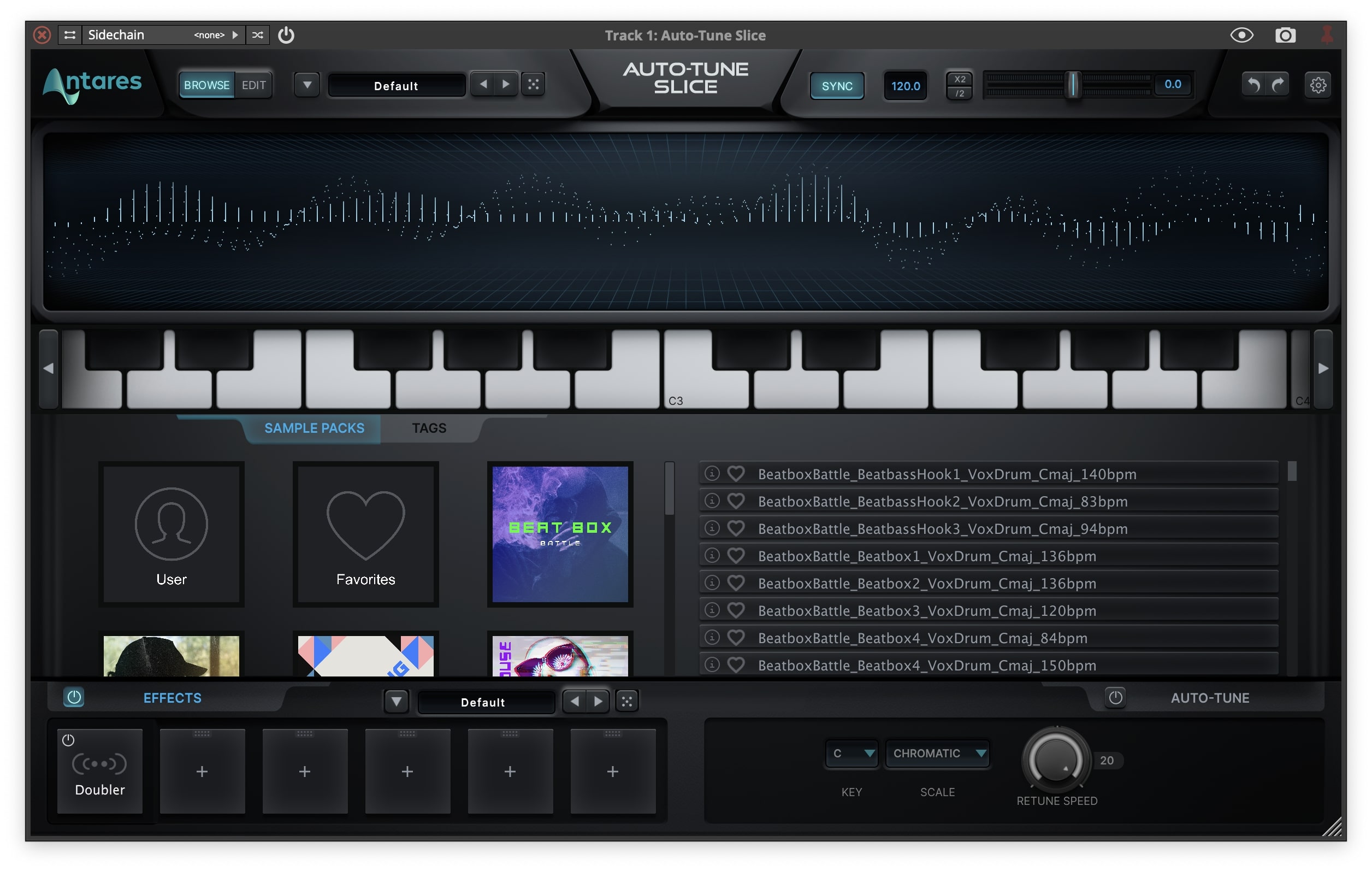
Note: Auto-Tune Slice is used as an example.
Mac
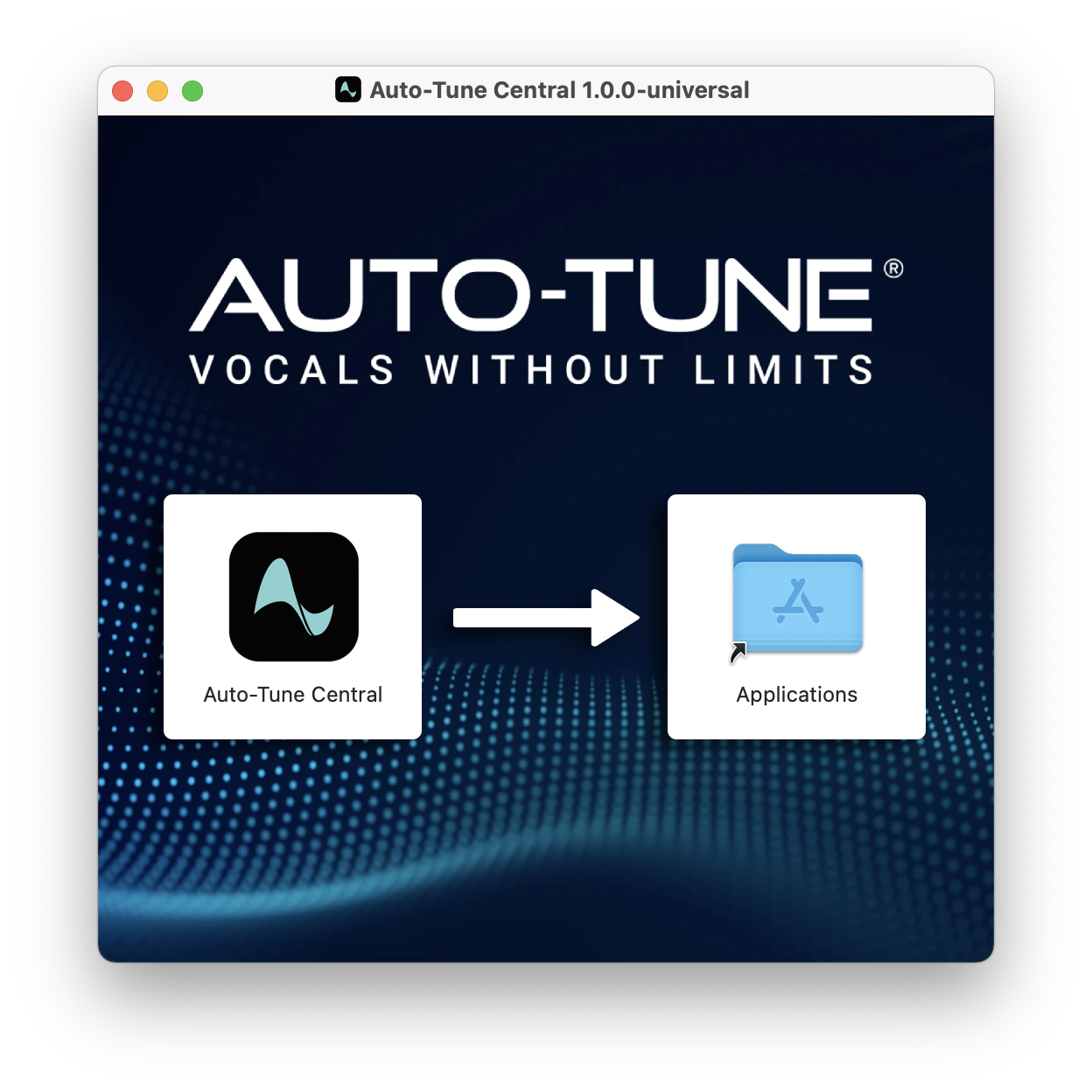
1. Download the .zip file from within your Plugin Boutique account and double-click it to extract the contents > Double-click the .dmg file to launch the installer > Drag Auto-Tune Central into your Applications folder > Auto-Tune Central will now automatically install.
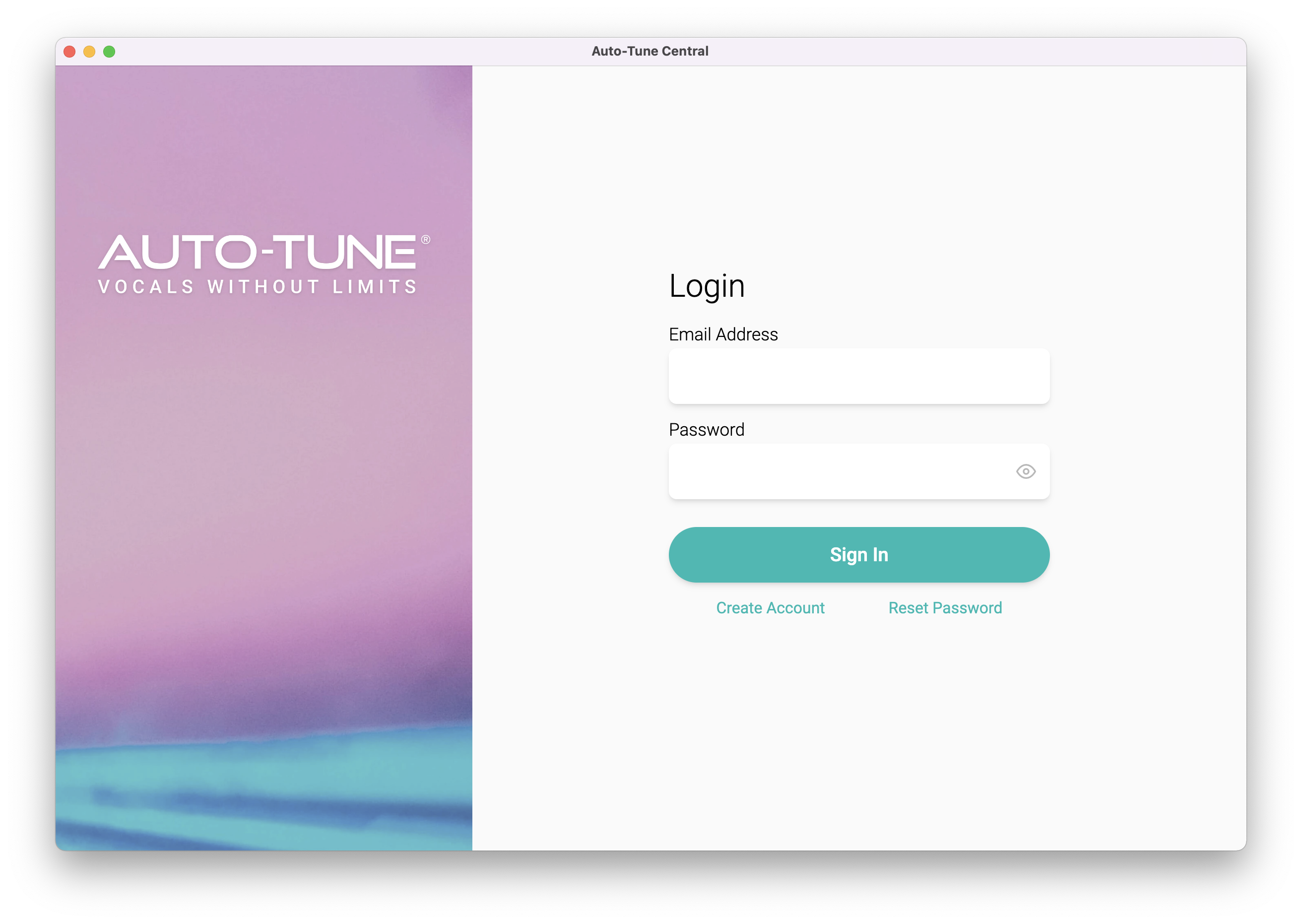
2. Launch Auto-Tune Central > Either create a new account by clicking 'Create Account' or if you already have an account, enter your Antares registered Email Address and Password > Click 'Sign In'.
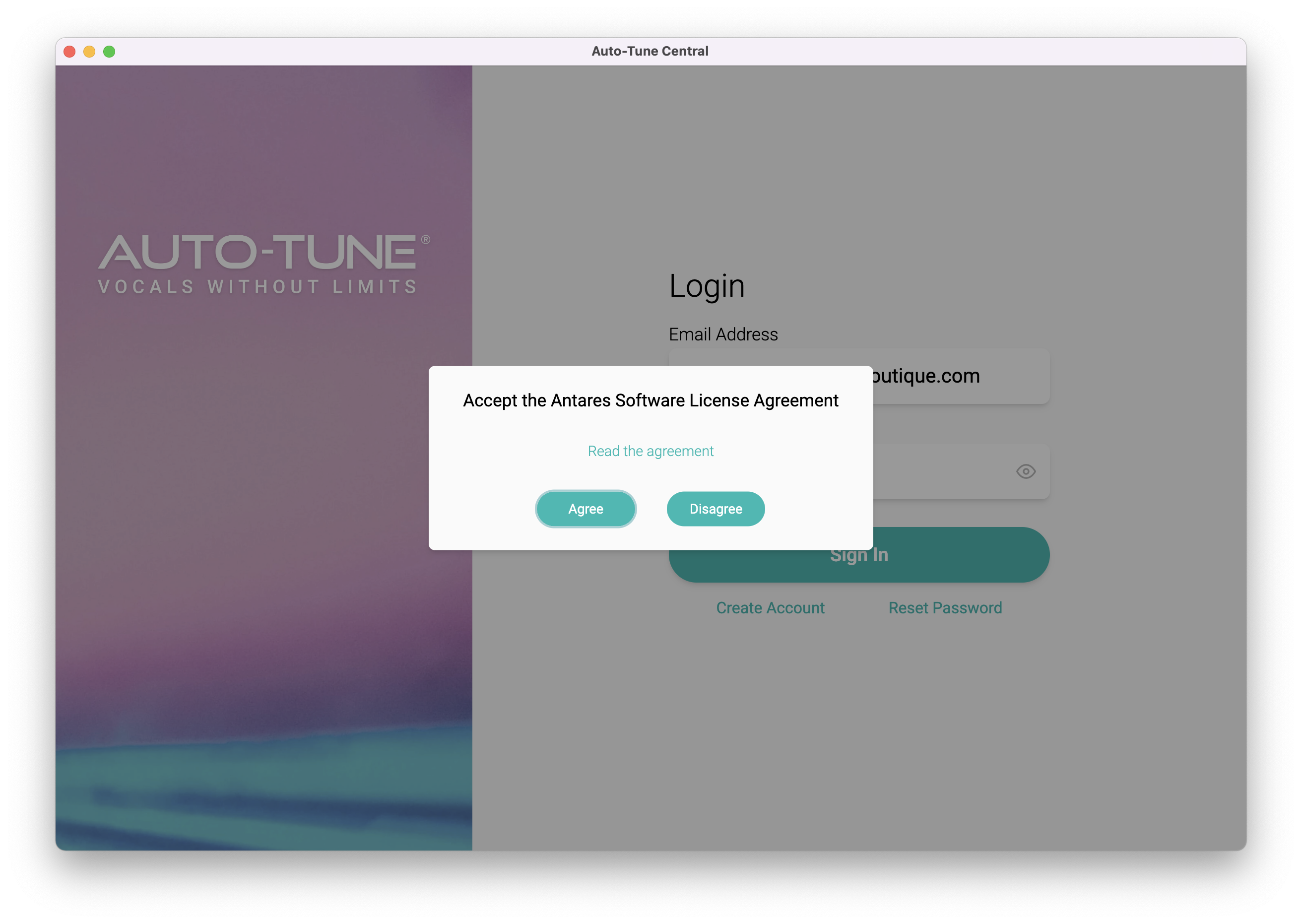
3. Click 'Agree'.
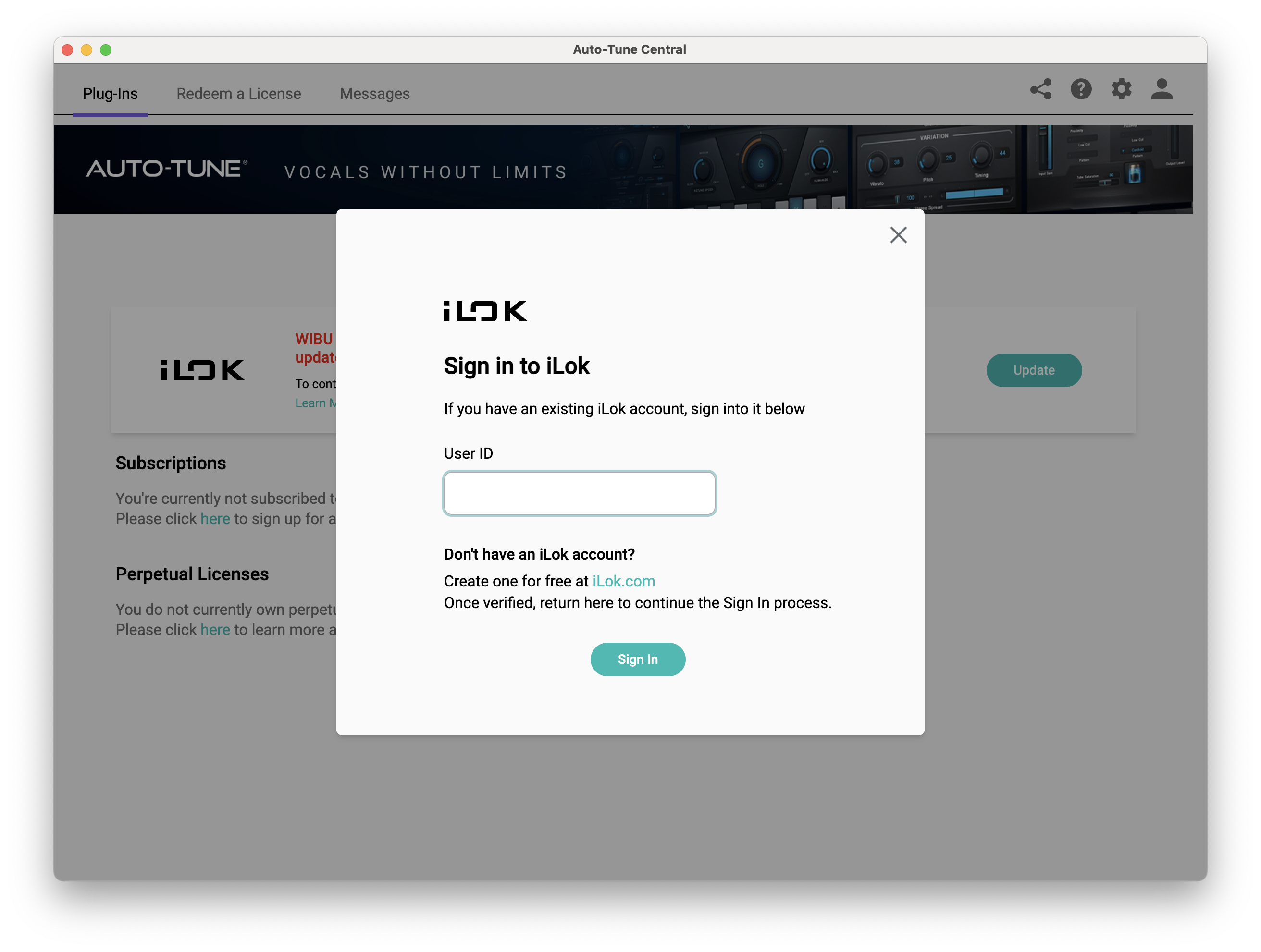
4. Enter your iLok User ID and click 'Sign In'.
5. Click 'Continue to iLok'.
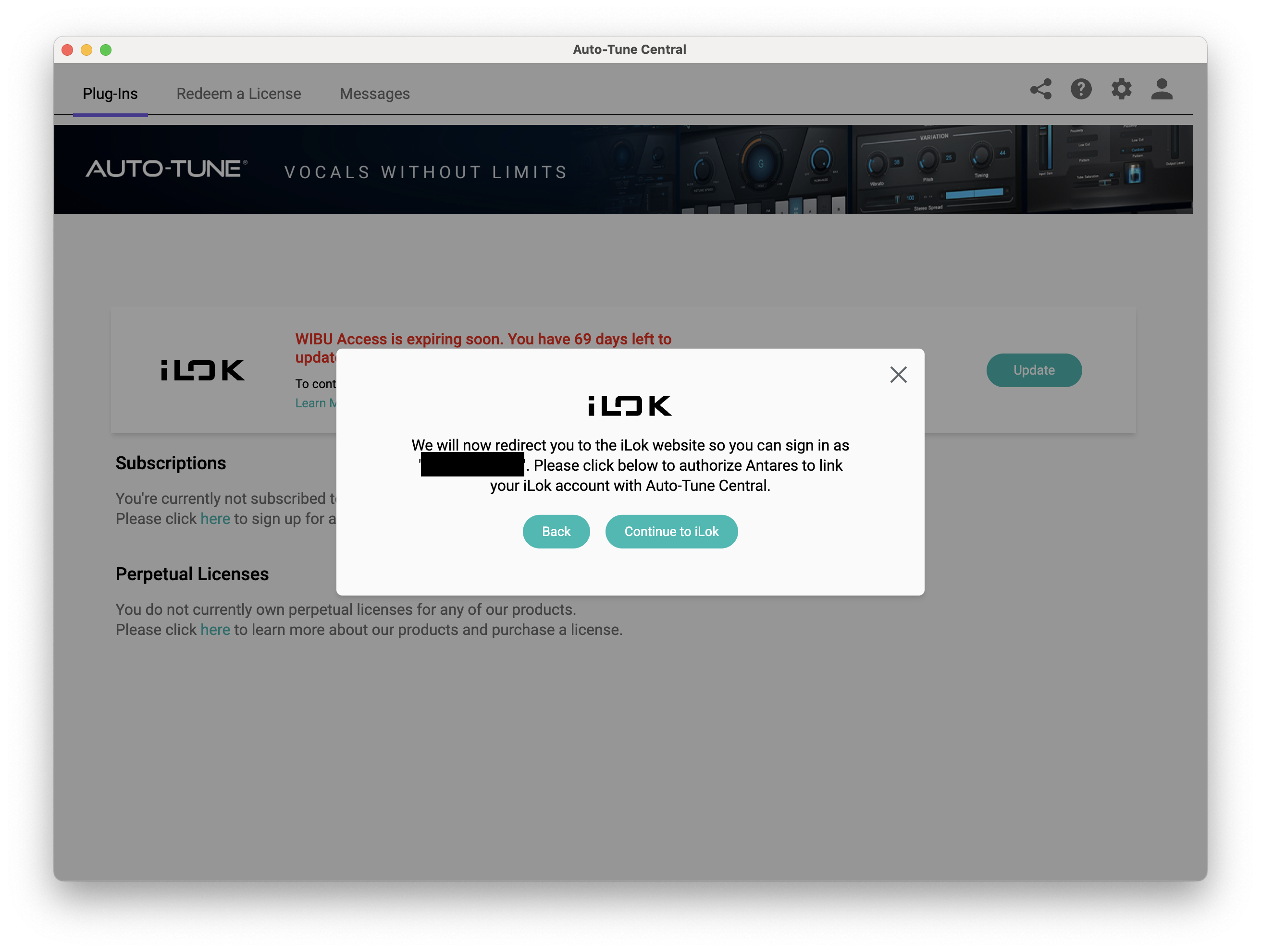
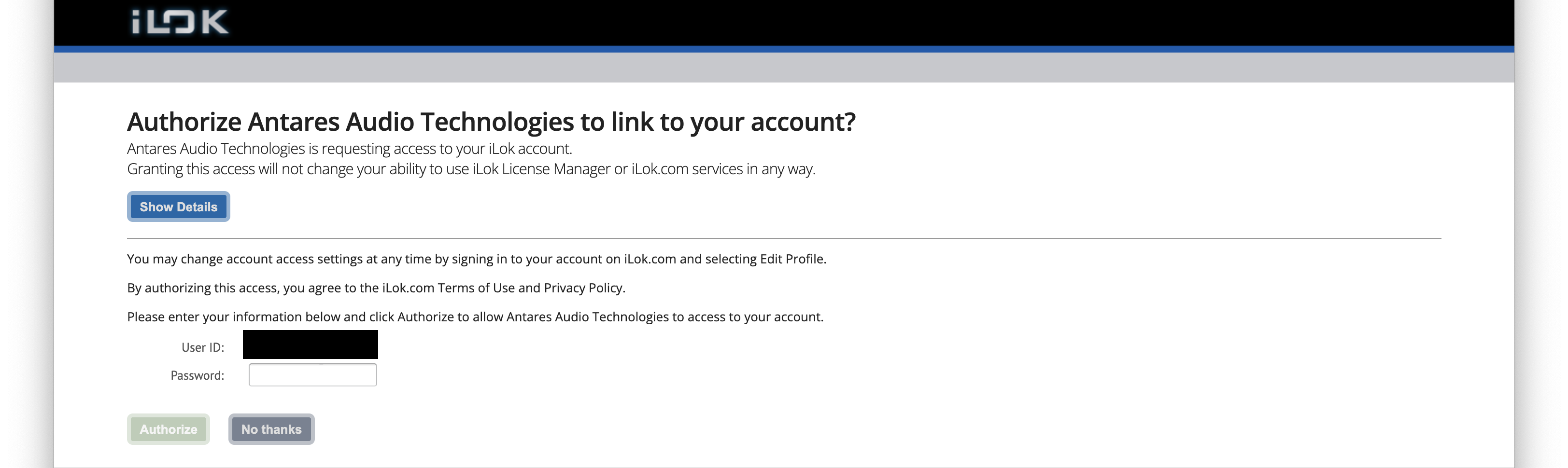
6. Enter your iLok User ID and Password then click 'Authorize'.
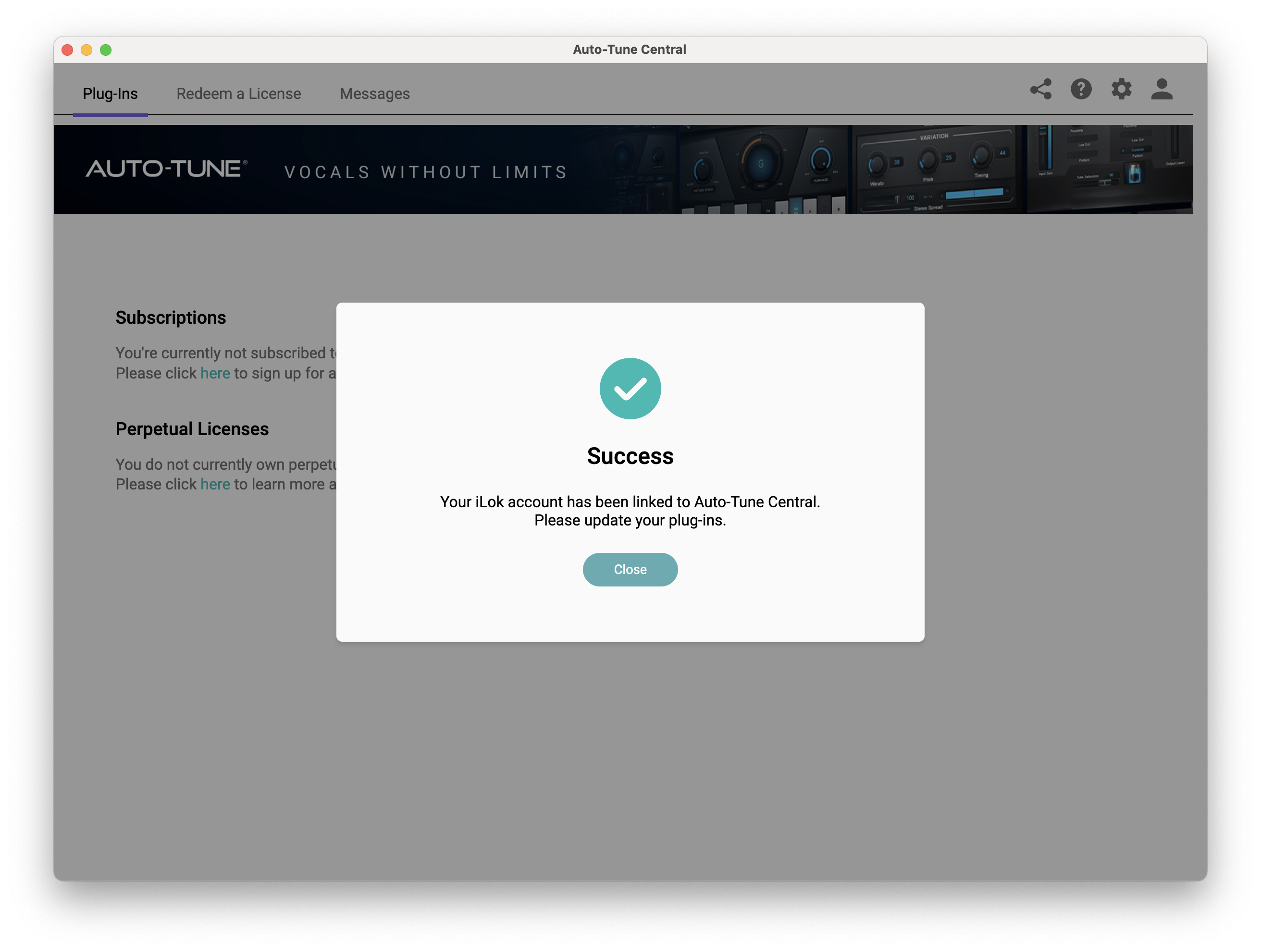
7. Your iLok account is now linked > Click 'Close'.
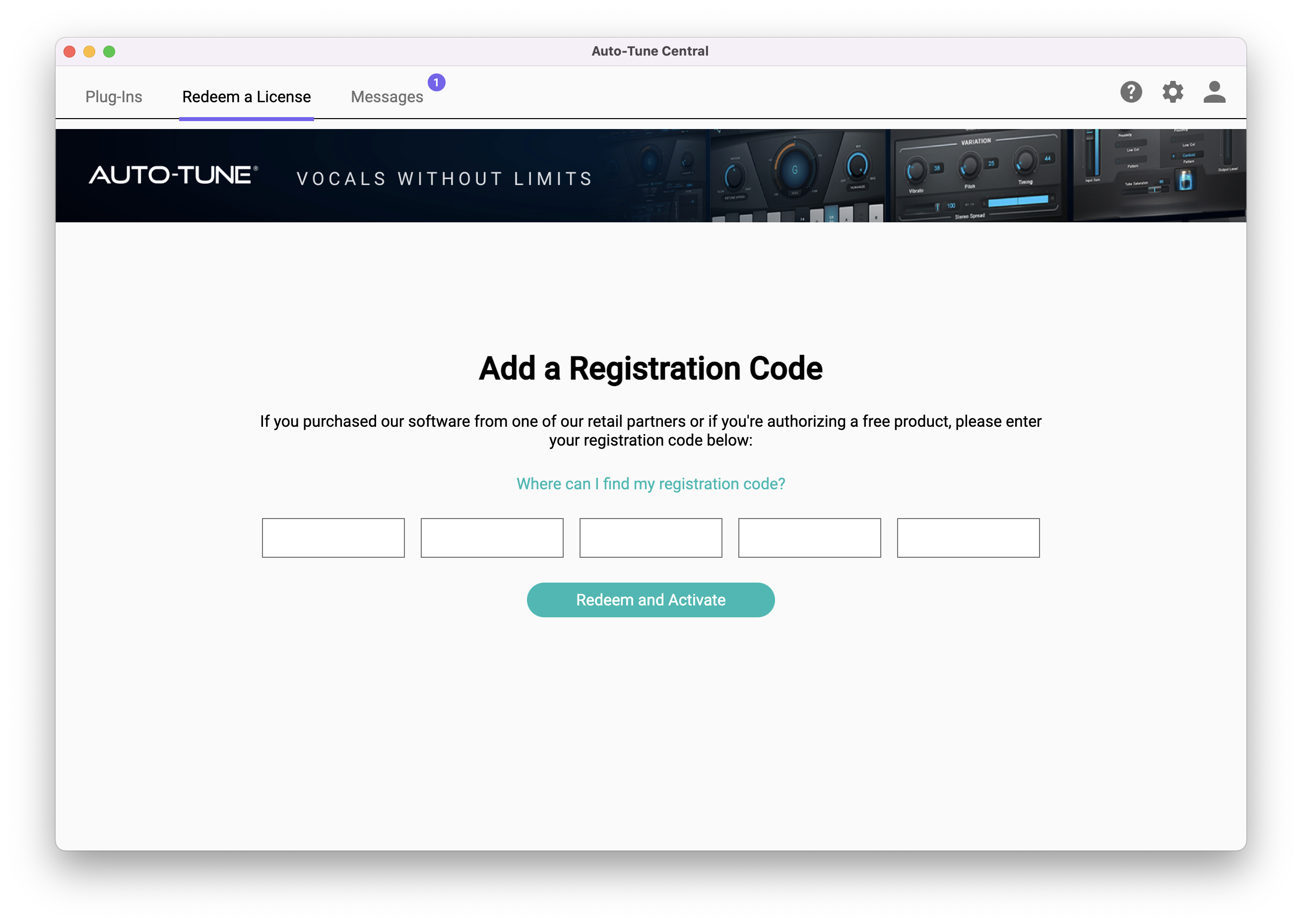
8. Click on the 'Redeem a License' tab > Enter the 25-digit Registration Code, found in the serial number section of your Plugin Boutique account > Click 'Redeem and Activate'.
9. Navigate back to the 'Plug-Ins' tab > Click 'Install' to install your plugin.
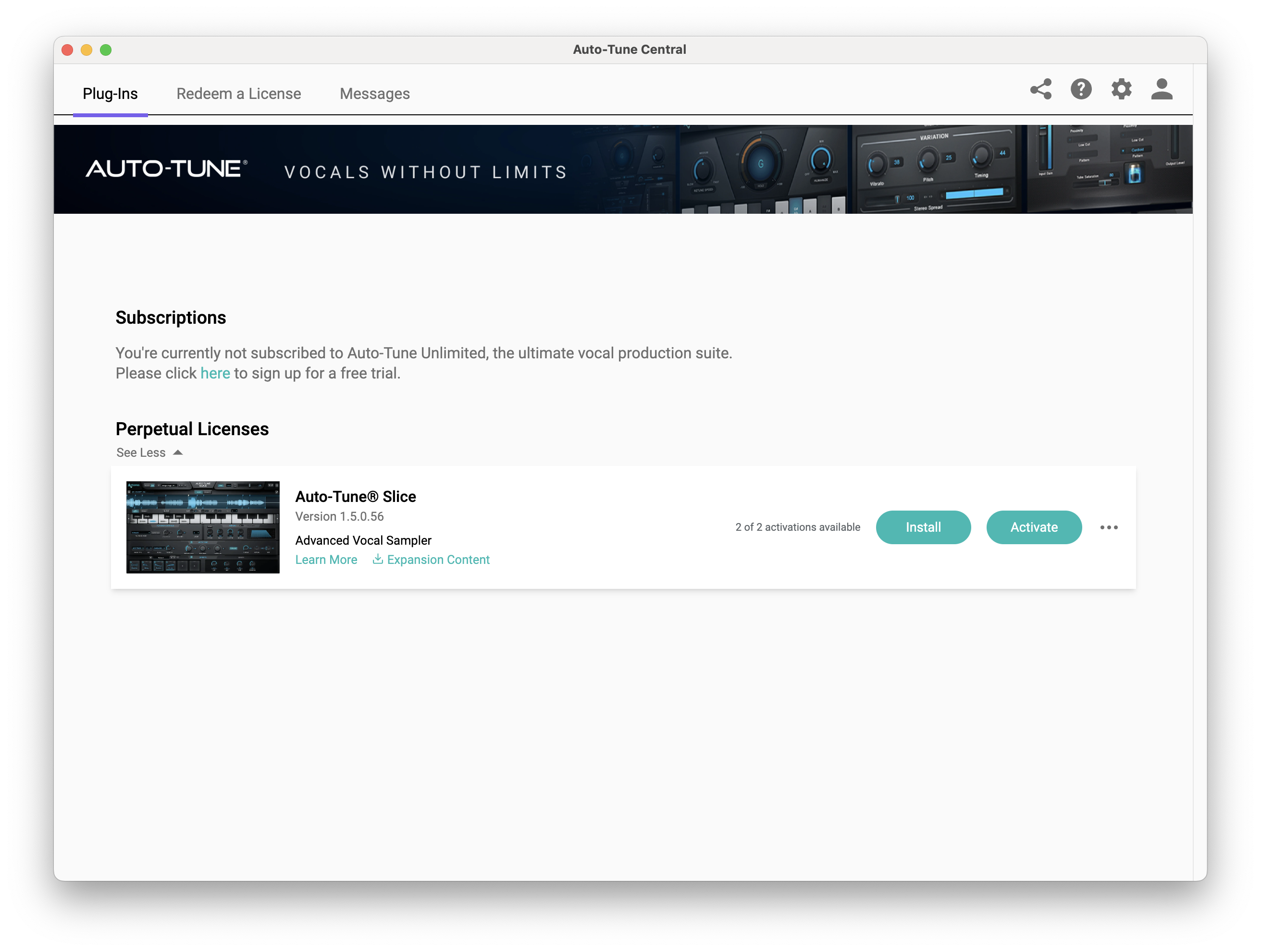
10. Click 'Activate'.
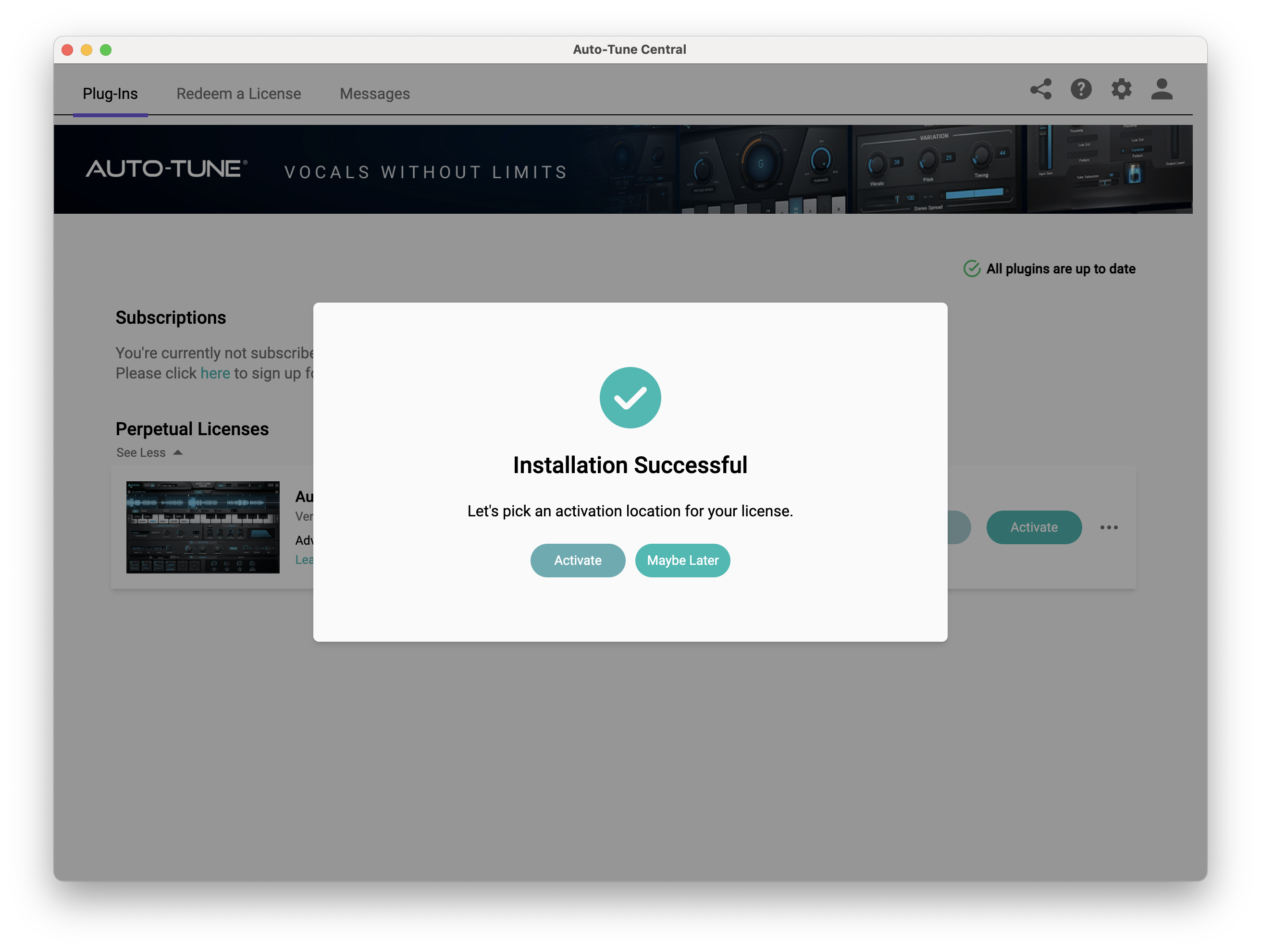
11. Select whether you want to activate the license to your Computer or iLok USB > Click 'Activate'.
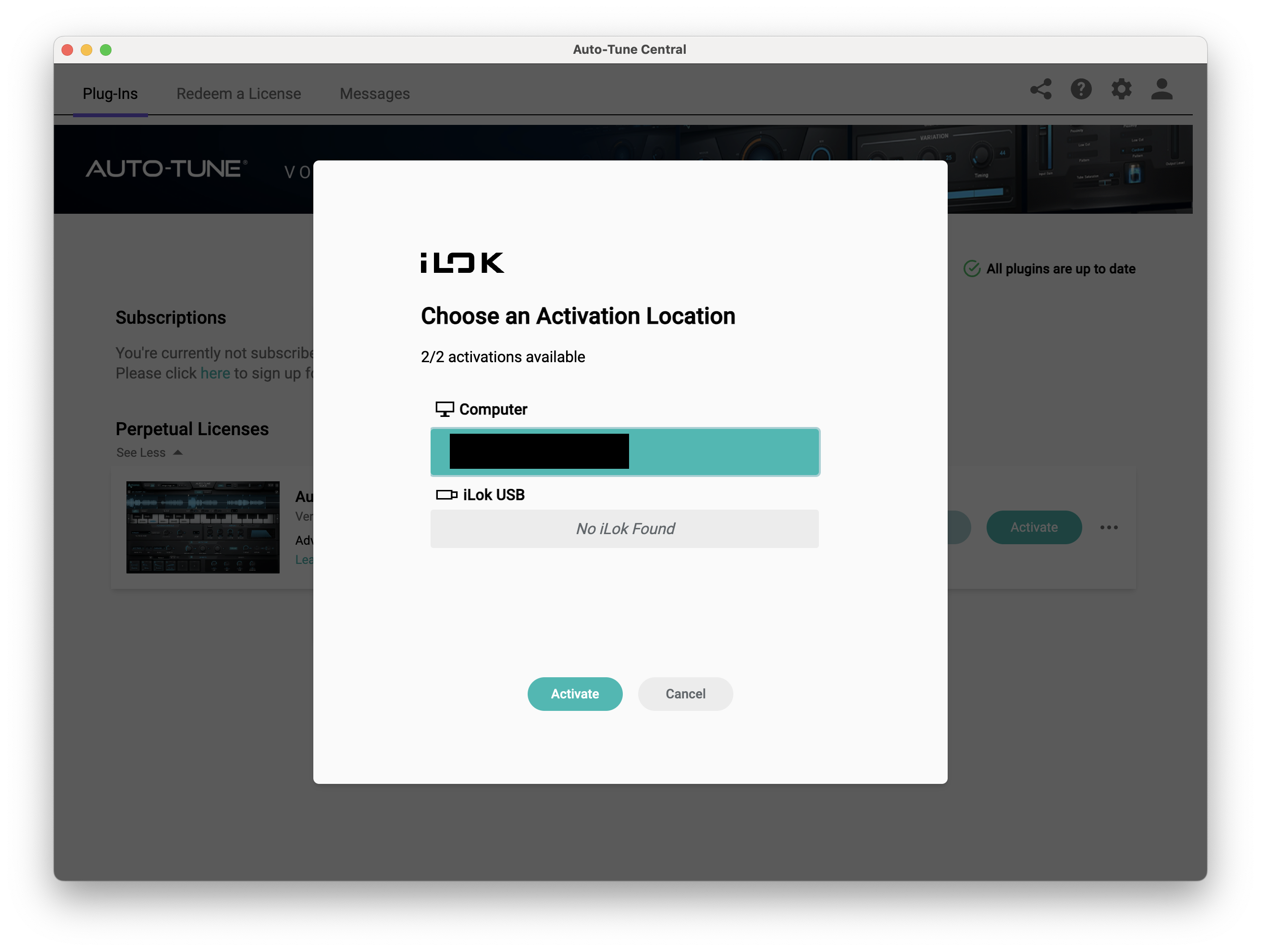
12. Click 'Close'.
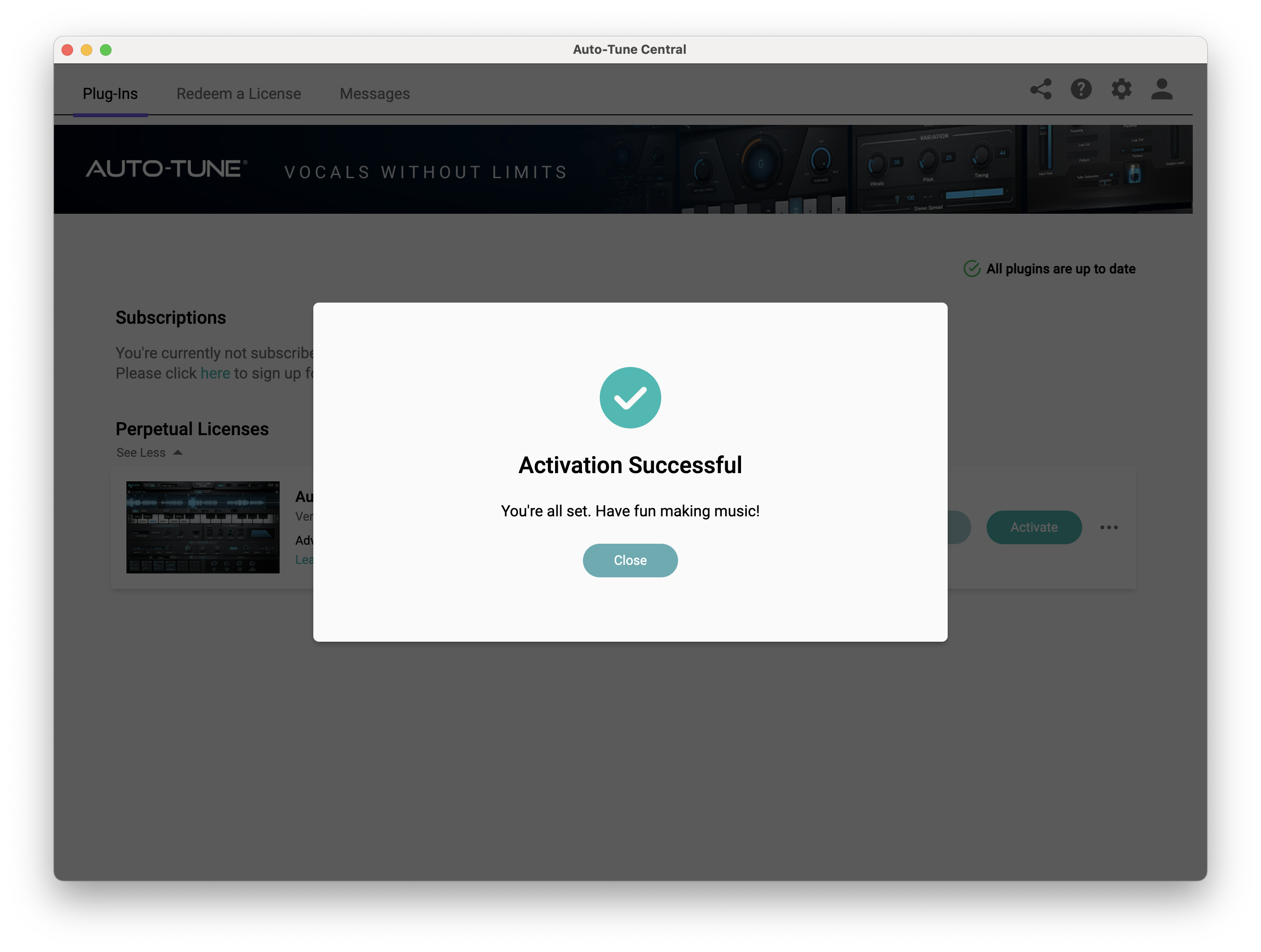
Your software is now activated and ready to use within your DAW.
PC
Windows
1. Download the .zip file from within your Plugin Boutique account and double-click it to extract the contents > Open the .exe file > Auto-Tune Central will now automatically install.
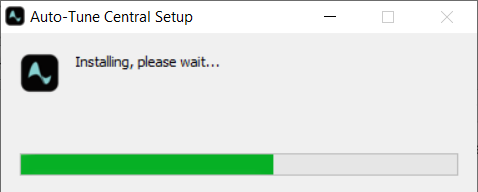
2. Launch Auto-Tune Central > Either create a new account by clicking 'Create Account' or if you already have an account, enter your Antares registered Email Address and Password > Click 'Sign In'.
3. Click 'Agree'.
4. Enter your iLok User ID and click 'Sign In'.
5. Click 'Continue to iLok'.
6. Enter your iLok User ID and Password then click 'Authorize'.
7. Your iLok account is now linked > Click 'Close'.
8. Click on the 'Redeem a License' tab > Enter the 25-digit Registration Code, found in the serial number section of your Plugin Boutique account > Click 'Redeem and Activate'.
9. Navigate back to the 'Plug-Ins' tab > Click 'Install' to install your plugin.
10. Click 'Activate'.
11. Select whether you want to activate the license to your Computer or iLok USB > Click 'Activate'.
12. Click 'Close'.
Your software is now activated and ready to use within your DAW.


