Buy Serum Expansion Pack: Deep Tech, get a free gift with purchase:
Please note: These presets are compatible with Serum v1 and v2
Introducing Serum Expansion Pack: Deep Tech, a complete selection of patches for creating Deep Tech with Serum.
This pack of 64 presets is all you need to create your next Deep Tech banger! Combining deep and murky basslines and sharp yet funky rhythms, Deep Tech is now a mainstay on dancefloors worldwide and this collection of expertly crafted patches puts the sound right at your fingertips.
This Serum expansion explores the depths traveled by scene heavyweights like Amine Edge & Dance, Dubfire, and Seth Troxler. With a sturdy collection of fathomless bass, you'll soon have those feet shuffling and heads nodding. You can also expect a fine selection of lush and emotive pads, pristine leads and hypnotising plucks to inspire and energise! Deep Tech for Serum will touch your imagination and get you deep into the production workflow.
Features
- 64 presets for Xfer Records Serum
- 20 Basses
- 10 Plucks
- 10 Leads
- 10 Pads
- 9 Sequences
- 5 FX
System Requirements
- The latest version of Xfer Records Serum
Please note: Cinematic Serum is used as an example as the installation process is identical for all expansions.
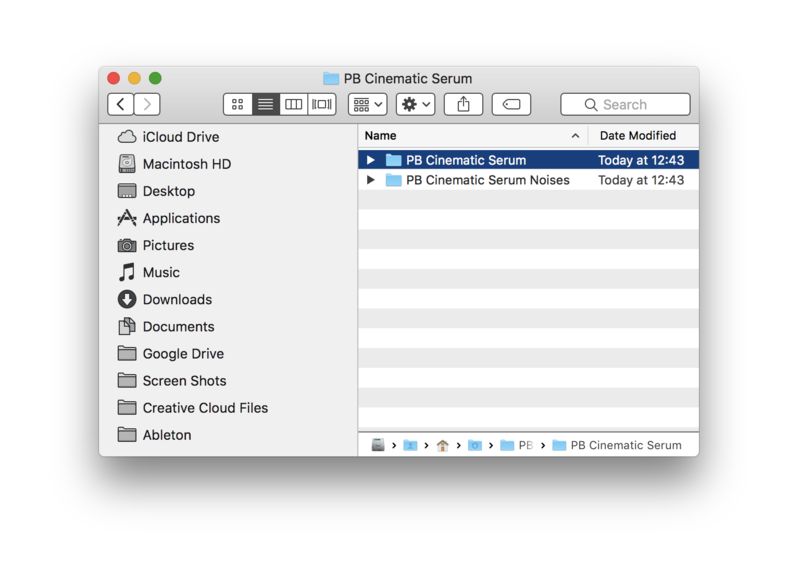
1. Download the .zip folder from within your User Account, and double-click it to reveal its contents.
2. Save the main folder to a computer location of choice, e.g documents or to an external hard drive.
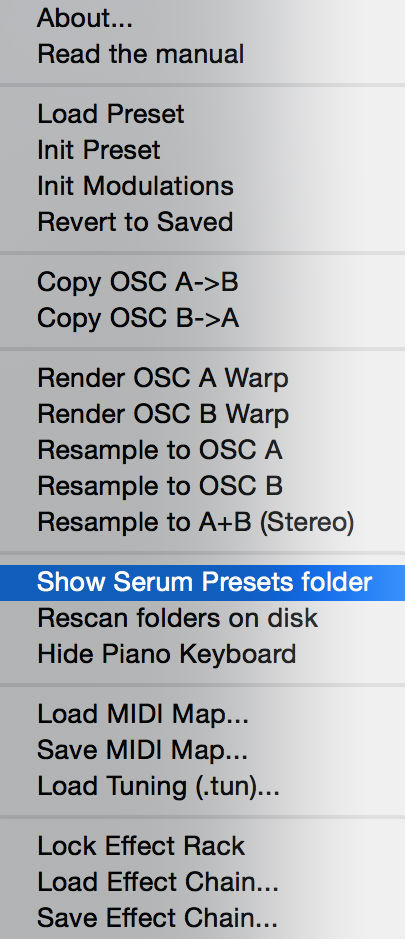
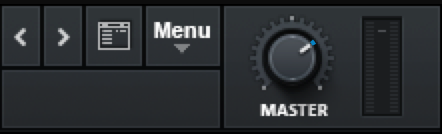
3. Open Serum within your DAW > you need to begin by loading the patches into the ‘Serum Presets’ folder which can be located by clicking ‘Menu’ tab.
Note: The 'Menu' tab is located at the top-right corner of Serum's user interface.

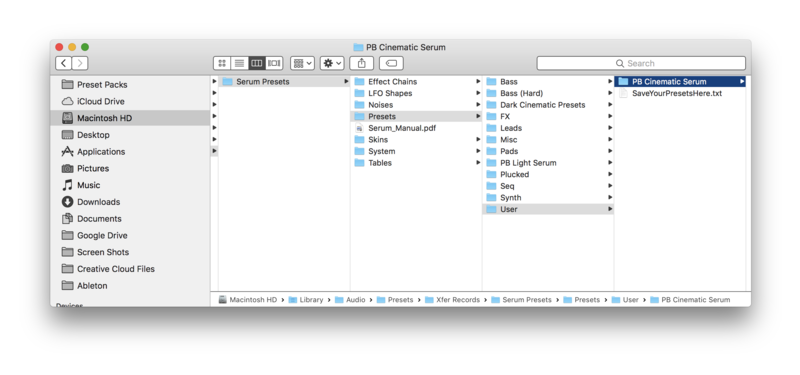
4. Click the ‘Show Serum Presets folder’ option > this will open the location of Serum’s entire available content within the 'Serum Preset' folder directory.

5. Locate the ‘Presets’ folder, then the ‘User’ folder contained within it > Copy and paste the folder titled 'PB Cinematic Serum' into the 'User' folder.


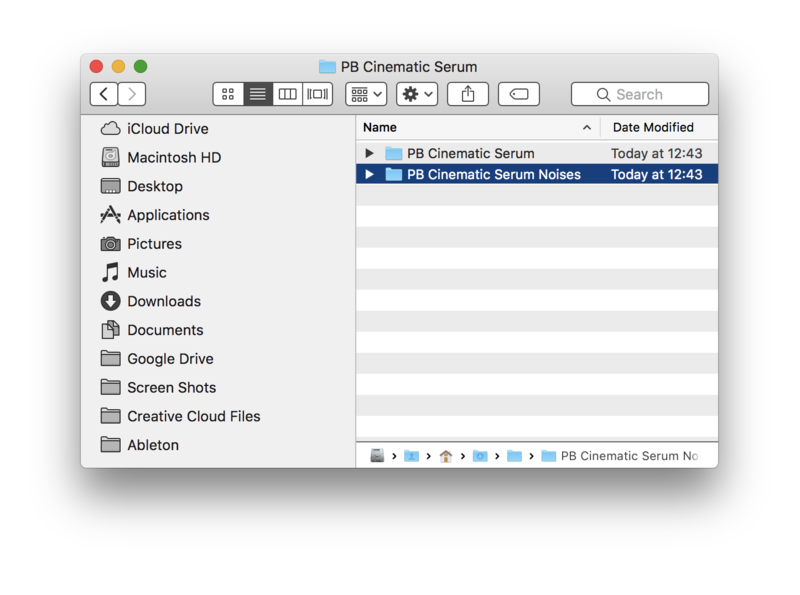
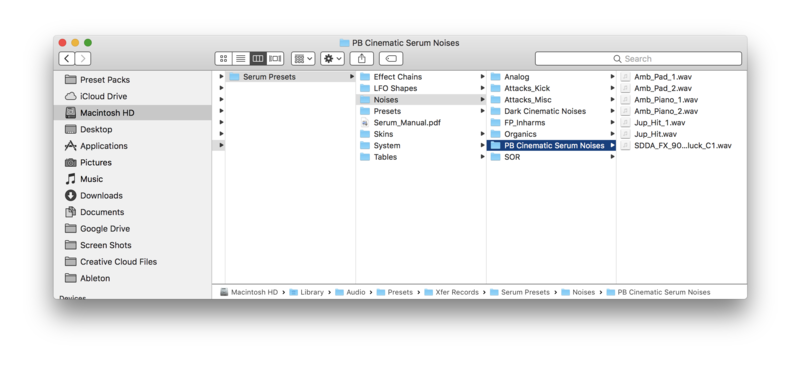
6. Locate the 'Noise' folder > Copy and paste the folder titled 'PB Cinematic Serum Noises' into the 'Noises' folder.


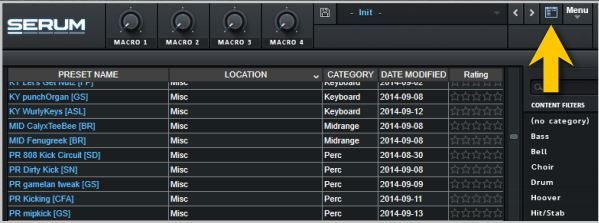
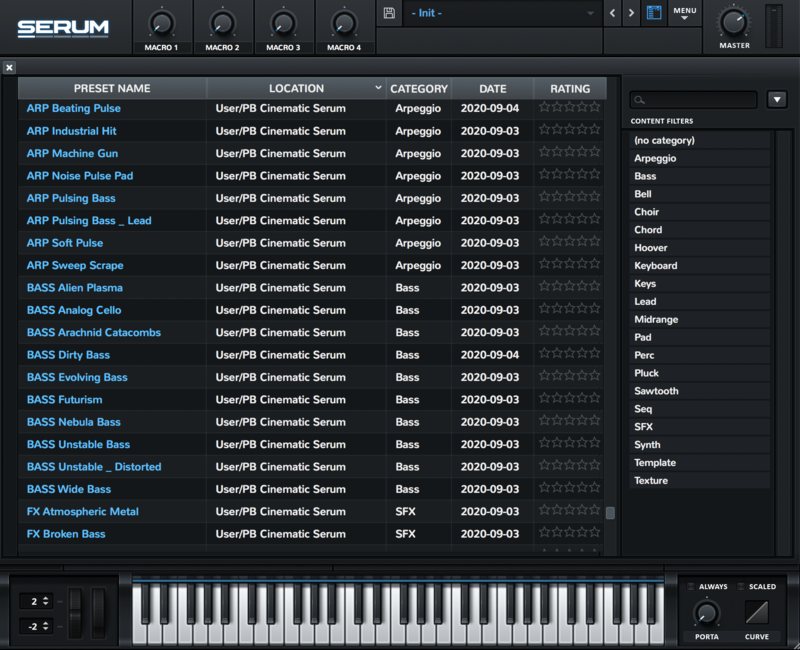
7. Close and reopen Serum before clicking the ‘Browser’ folder icon/tab (as highlighted by the yellow arrow below) on the left-side of the ‘Menu’ tab, and you will then see your presets in the list (as shown below). Double-click your preferred preset to load it into Serum.

The Presets are now Ready for Use Within Serum!