


 Log In
.png)
Free gifts available with your purchase
Light your Fire
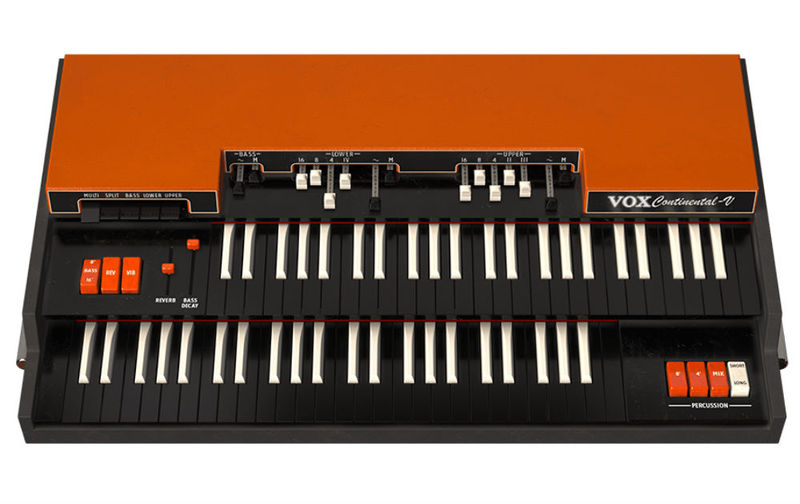
VOX Continental-V brings back the classic sound of the famous VOX Continental 300 through our TAE® physical modeling technology.
The transistor circuitry and drawbars behind this classic organ put it in the forefront on some of the biggest songs by the greatest bands of the ‘60s, ‘70s, ‘80s and beyond. VOX Continental V provides instant access to these hit-making sounds and much more.
It’s Organic
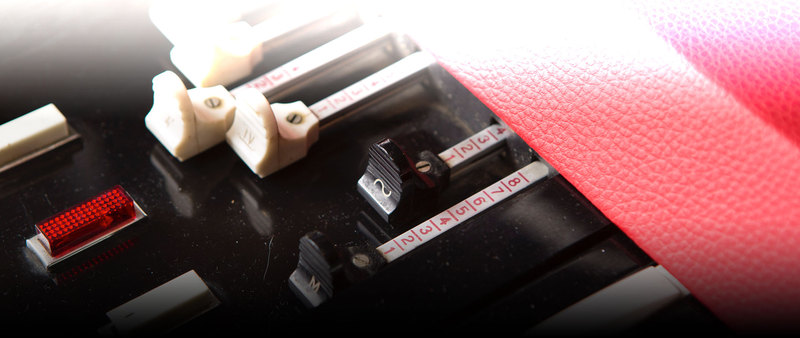
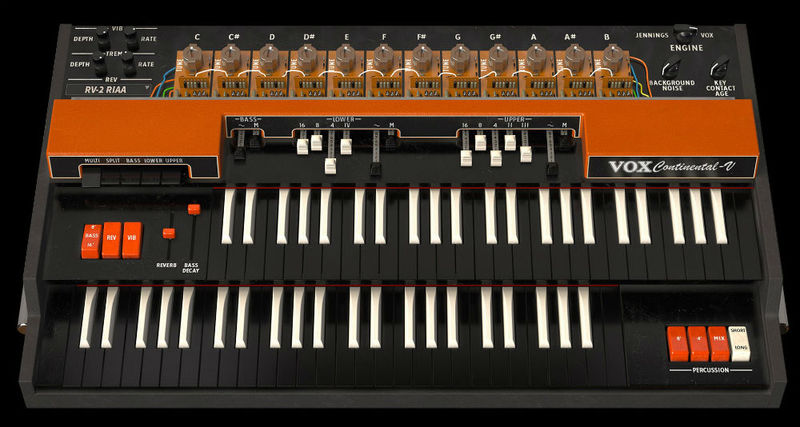
We started with the classic and rare Vox Continental 300 dual manual organ and captured every nuance of the original, right down to the key contact timing and background noises. Beyond this we also modeled the follow up product from Vox inventor Tom Jennings...the J70 organ so you get two products in one.
A Special Kind of Madness
The Vox sound is known for its ability to hang out well with guitars in a mix. From clean single drawbar melodies to grinding full power chords, it is perfect for the indie rock or 'mod' squad sound.

This Years Super Model
While both of these organs will create all the classic sounds, we took them fursther and added Extended modes with even mode drawbards, and extended percussion section.
There is also an impressive collection of vintage stomp boxes to process your sound and output options of a traditional guitar amp, Leslie or direct out. These new options give you access to a much richer pallet of sounds that will help you to define your own sound.
Main Features
- Physical Modeling of the VOX Continental 300.
- Added models of the ultra rare Jennings J70.
- Extended mode allows for more controls and more sound possibilities.
- Includes classic stompbox-type modeled effects.
- Modeled Guitar Tube Amp and Rotary Speaker outputs for vintage live sound.
- Extensive MIDI mapping of pedals, effects and sound engine parameters.
- Modeled amplifiers: *Fender Deluxe Reverb Blackface, Fender Twin Reverb Blackface, Fender Bassman, Marshall Plexi, Leslie Speaker.
- Modeled microphones: *Shure SM57, Sennheiser MD 421, Neumann U 87.
- Convolution reverb with custom classic spring reverbs.
Advanced Features
- Dual manual VOX 300 emulation
- Jennings J70 voice engine mode
- Classic red/orange VOX skin or UK VOX/Jennings grey skin
- Upper manual, lower manual and bass pedal sections
- Complete MIDI mapping
- Multiple output effects processors
- Supports MIDI splits or independent channels per manual
- Tight integration with Arturia Keylab MIDI Controller keyboards
- VST, VST3, AU, AAX and standalone versions.
- EXPANDED mode :
- Adds a full compliment of drawbars for each harmonic
- Adds a new waveform drawbar on each section
- Vibrato, tremolo, reverb, overdrive and more effects
- Leslie™ and guitar amp simulator outputs
- Expanded percussion section with short and long decay times
- OPEN mode :
- Allows for individual tuning of each pitch like a real VOX
- Increase or decrease the key contact timing (simulates older key contacts)
- Switch between the VOX 300 circuit emulation and the updated Jennings J70 engine.
- Increase or decrease the background noise bleed that older VOX/Jennings have.
Arturia Software Center
ASC is the central software that elegantly manages all your Arturia software licenses. It activates your licenses and synchronizes them across multiple devices (you get five instances with each instrument license). ASC also notifies you of updates and downloads them. You can even easily learn about new products, download demos versions and purchase the full products. Simple.
Included in V Collection
This instrument is also part of the V Collection 5 -your complete dream line-up of the legendary synths, organs, pianos and more that made keyboard history. They’re modeled with the most advanced technologies for authentic realism, and enhanced with new creative options. Whether you use it as DAW plugins in the studio or standalone at gigs, V Collection 5 puts the greatest keys of all time at your fingertips for instant inspiration.
TAE® Powered
TAE® "True Analog Emulation" is Arturia's exclusive technology that accurately reproduces the defining sonic qualities of analog synthesizers. It recreates the characteristics of analog oscillators in amazing detail, transparency and clarity, as well as the exact properties of the analog filters that give each classic instrument its unique sound. Soft clipping adds even more punch and presence. TAE® is primarily what makes our virtual instruments indistinguishable from the originals.
Preset Browser
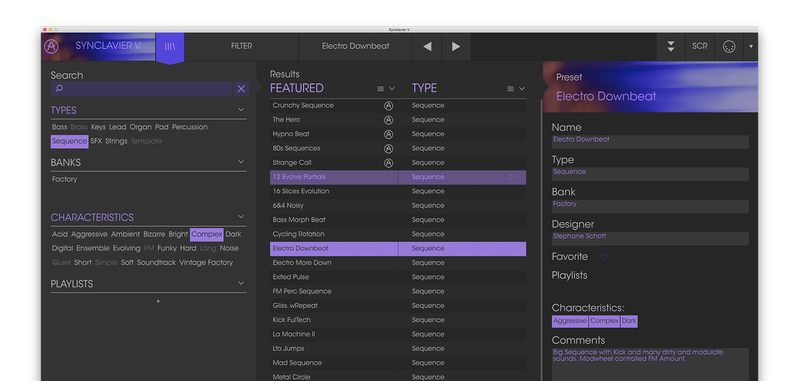
Our redesigned preset browser lets you quickly find just the sound you’re looking for.
Search by name or simply select the appropriate tags to dial in on the exact sonic character you’re looking for. You can mark and recall your own favorites, enter comments, and set up playlists. There’s never been a more intuitive way to manage your library of designer and personal presets.
Resizable GUI
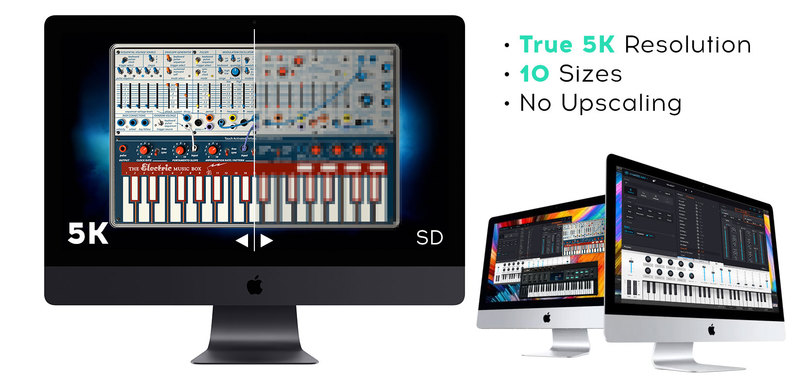
The user interfaces for all your Arturia instruments are now resizable, making it easy to work with any High Resolution screen, UHD or Retina.
You can decide whether you want to fill the screen with awesome graphic reproductions of classic instrument goodness, scale the window down when you’re working in a DAW and screen real estate is at a premium, or even zoom for detailed work.
System Requirements
- Works in Standalone, VST, AAX, Audio Unit, NKS (64-bit DAWs only).
Mac
- Mac OS 10.13+
- 4 GB RAM
- 4 cores CPU, 3.4 GHz (4.0 GHz Turbo-boost) or Apple Silicon CPU
- 3GB free hard disk space
- OpenGL 2.0 compatible GPU
Windows
- Win 10+ (64bit)
- 4 GB RAM
- 4 cores CPU, 3.4 GHz (4.0 GHz Turbo-boost)
- 3GB free hard disk space
- OpenGL 2.0 compatible GPU
- ARM processors not supported on Windows
Protection
All Arturia software is protected by the Arturia Software Center.
Awards

Steve Nieve (Keyboardist)
Steve Nieve is an English musician and composer. In a career spanning more than 30 years, Nieve has been a member of Elvis Costello and the Attractions, the Imposters and Madness.
'I love this V instrument, the Arturia Vox Continental sounds as cool as the original, and moves with you more easily. Killer.'
Matt Berry (Producer/Composer)
Matthew Charles "Matt" Berry is a BAFTA award-winning English actor, writer, comedian, and musician.
'I put the Vox Continental V through an amp bearing a similar name and couldn't tell the difference...'
Tom Furse (The Horrors)
The Horrors are a British rock band formed in Southend-on-Sea in 2005.
'I love the Vox Continental V by Arturia. It's definitely that Vox sound but with so much more plus it won't fall apart like my Vox's do.'
The VOX Continental V is the last faithful reproduction of the classic sound of the famous Vox Continental 300 synthesizer. This organ was used for the recording of some of the most famous songs of bands of the 60 ‘, 70′, 80 ‘and beyond. So, think about The Beatles and their famous S...
Read More


