/ Virtual Instruments / MetaPiano
Sampleson

MetaPiano

4.1 (14 Reviews)
$89.00
MetaPiano
MetaPiano
MetaPiano - UI
MetaPiano 1.5 - New updated version available gallery thumbnail
Buy Now
Product information

Spectral Modelled Grand Piano

MetaPiano is the first Spectral Modeled Grand Piano out there. It was built upon real sound captures from a Japanese Concert Grand Piano, and meticulously rebuilt by math algorithms. It's so realistic you won't believe it is not the real instrument. And so lightweight you can email it :)

The Process 

It all started with the search for the perfect piano to analyze its sound. Sampleson fell in love with a Japanese Concert Grand Piano and deeply recorded it, capturing every nuance to feed our spectral analysis with high-quality audio sources. A peaceful studio located in Patagonia gave them the noiseless scenario they needed to capture crystal-clear waveforms with top industry Mics and Preamps. Then the real process begins. A custom-made algorithm disassembles the audio and extracts the main characteristics for each note and noise. Finally, their Spectral Engine 2.0 generates the sound every time you play it, making every note unique and irreplaceable since it's created on the fly.

Hyper-detailed Spectral Modeled Grand Piano 

MetaPiano was made upon Spectral Modeling, a technique that provides realistic sounds since it's based on real samples and not hypothetical approaches like physical modelling.
It sounds real because it is real: sound is created the same way in nature (stacking simple sinewaves together). This is why it feels organic and warm.

Sampleson mapped more than 64 groups of timbre components (releases, hammer, key noises, main timbre, resonance, etc) and recreated them by Spectral Modeling, archiving a realistic and warm sound in only 60 MB, and with very low CPU usage.

Full Decays (No Loops)

Thanks to the Spectral Engine, MetaPiano reproduces the full length of the real notes without loops. You'll hear decays for a minute and more on lower notes.

No Velocity Sweeping

MetaPiano is built upon the full dynamics of the real instrument. There's no velocity switching because there are no layers or regions or anything that old sampling techniques needs.

Features

  • Spectral modelled 88 notes grand piano.
  • 60MB.
  • Low CPU usage.
  • Based on real samples.
  • No velocity-switching.
  • Scalable HD interface.
  • Impulse response-based Ambient Reverb
  • Master gain
  • Wood resonance
  • Width(stereo to mono) control
  • Dynamic velocity adjustment

System Requirements 

macOS

  • Standalone App, VST3 and AU included.
  • OSX 10.7 or later (Catalina, Big Sur and Monterey ready).
  • Host must support VSTi or AU plugins.
  • 70 MB HDD.
  • 4GB RAM.
  • 64 bits Plugin and Standalone.

Windows

  • Standalone 64 bits App and VST3 included.
  • Windows 7 or later.
  • Host must support VSTi plugins.
  • 70 MB HDD.
  • 4GB RAM.
  • 64 bits Plugin and Standalone.
Installation Instructions

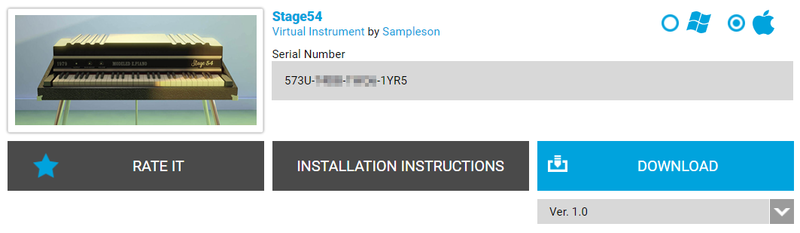
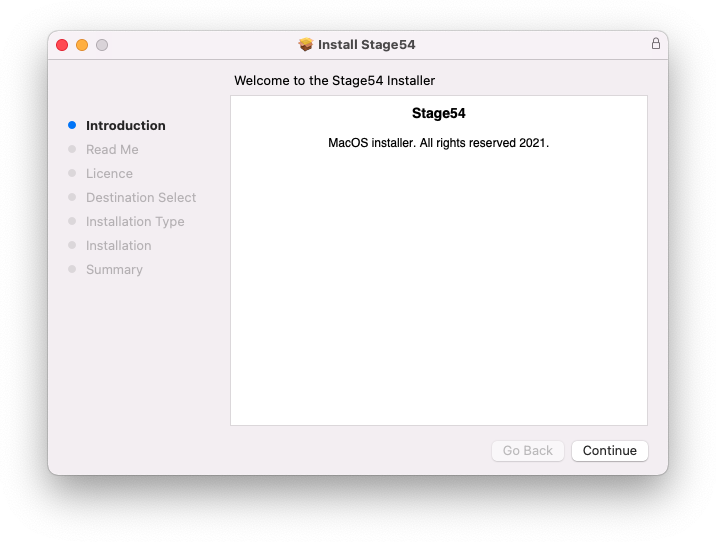
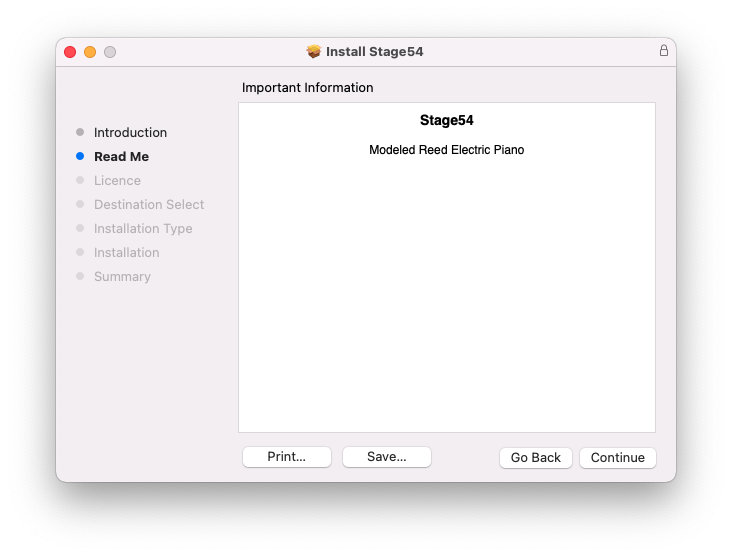
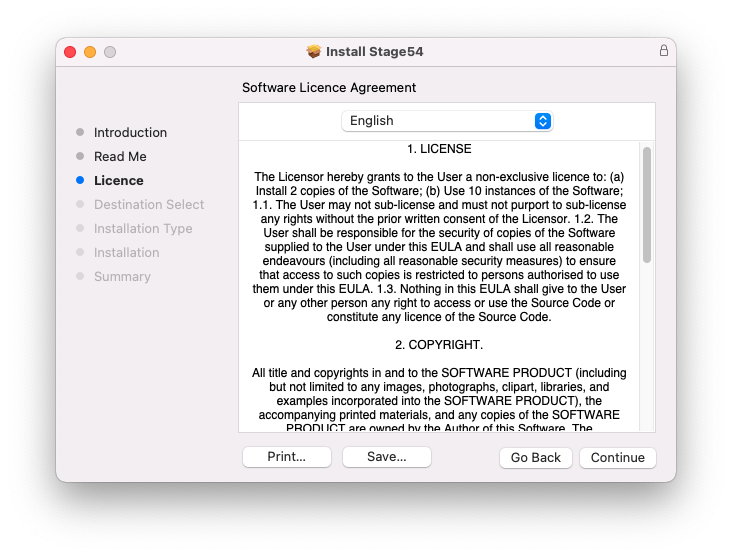
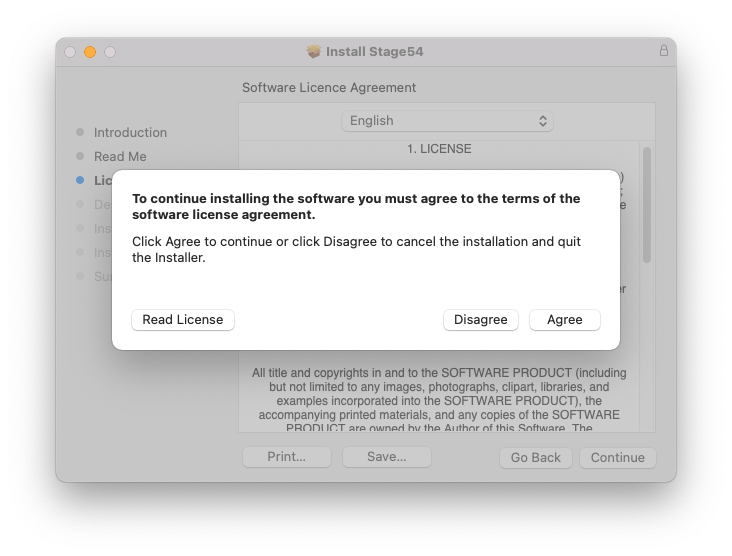
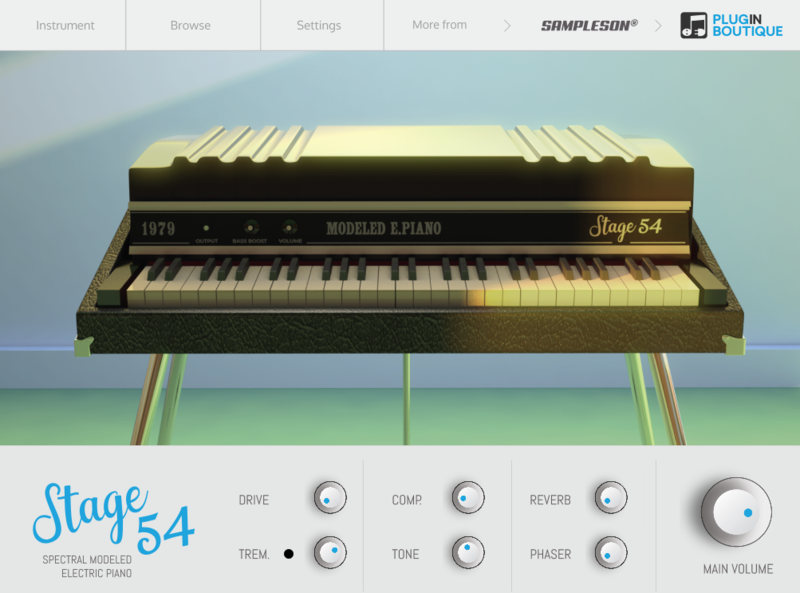
Please Note: Stage54 is used as an example.

Mac

Download Installer

1. Navigate to your Plugin Boutique User Account and locate Stage54 > Click the blue 'DOWNLOAD' button.

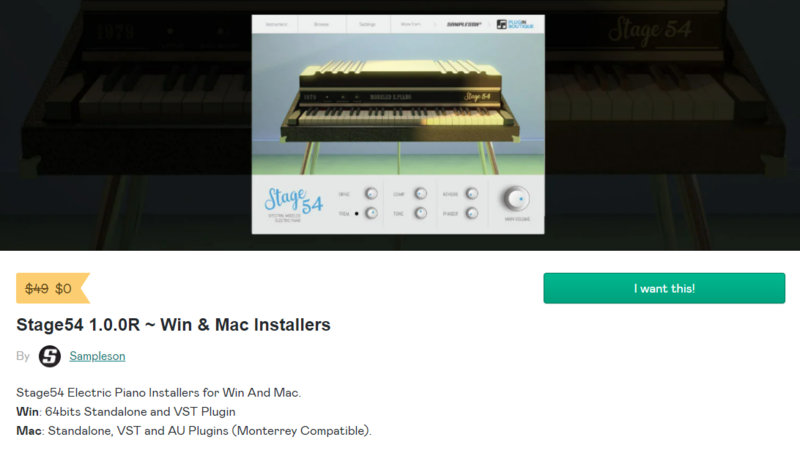
2. Click 'I want this!'.

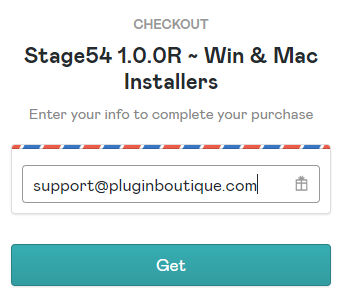
3. Enter your email address > Click 'Get'.

4. Click 'View content' to proceed straight to your downloads > Alternatively, enter a password to create an account for future access to your download > Click 'Sign Up'.

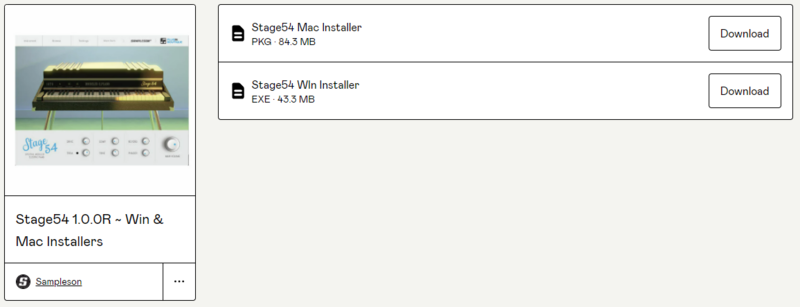
5. Locate the 'Stage54 Mac Installer' > Click 'Download'.

Installation

1. Navigate to your Downloads folder and locate the 'Stage54 Mac Installer.pkg' > Launch the installer.

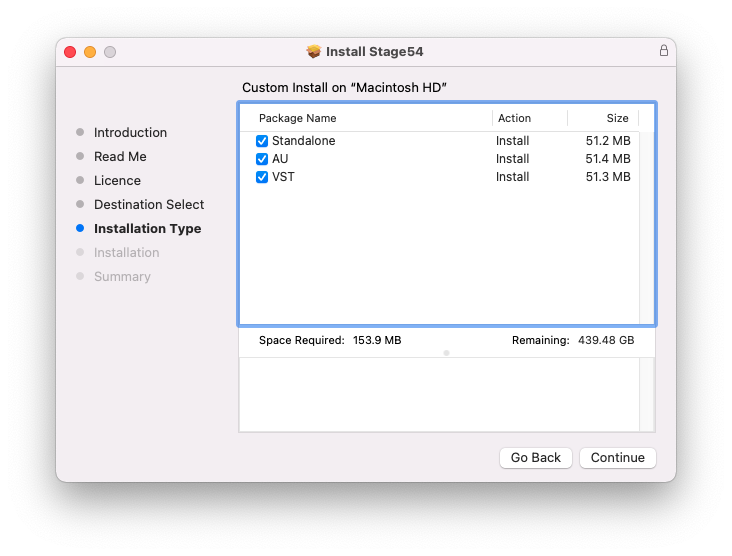
2. Click 'Continue'.

3. Click 'Continue'.

4. Click 'Continue'.

5. Click 'Agree'.

6. Click 'Continue'.

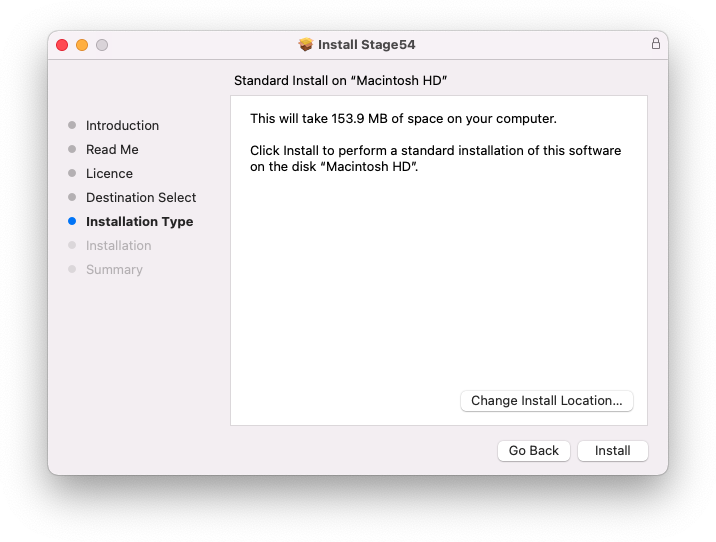
7. Click 'Install'.

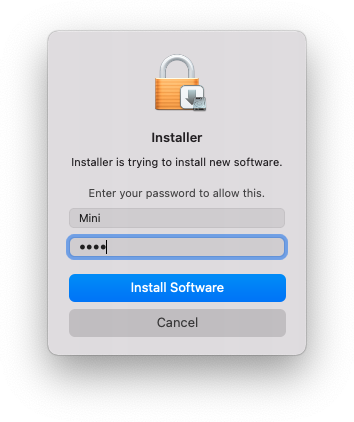
8. Enter your system password > Click 'Install Software'.

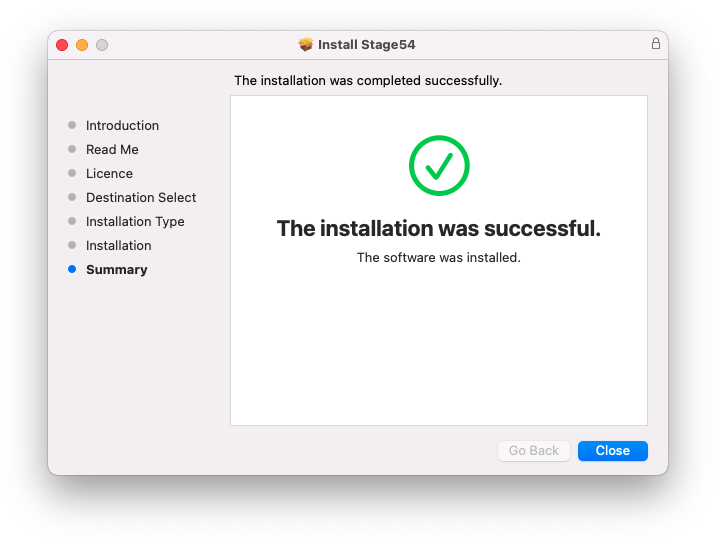
9. Click 'Close'.

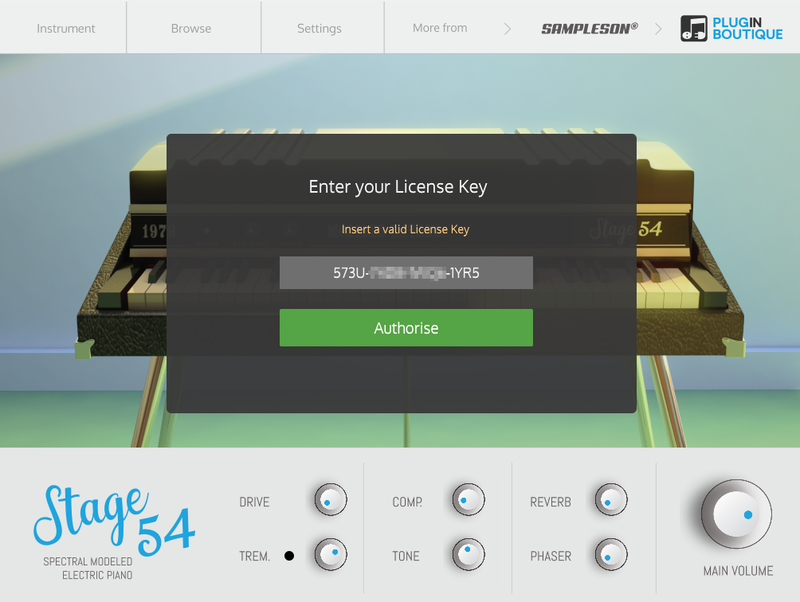
10. Launch your DAW > Create a new Virtual Instrument track > Insert Stage54 onto the channel > Paste your 16 digit serial number found within your Plugin Boutique User Account into the box > Click 'Authorise'.

Stage54 is now installed, activated, and ready to use within your DAW.

Windows

Download Installer

1. Navigate to your Plugin Boutique User Account and locate Stage54 > Click the blue 'DOWNLOAD' button.

2. Click 'I want this!'.

3. Enter your email address > Click 'Get'.

4. Click 'View content' to proceed straight to your downloads > Alternatively, enter a password to create an account for future access to your download > Click 'Sign Up'.

5. Locate the 'Stage54 Win Installer' > Click 'Download'.

Installation

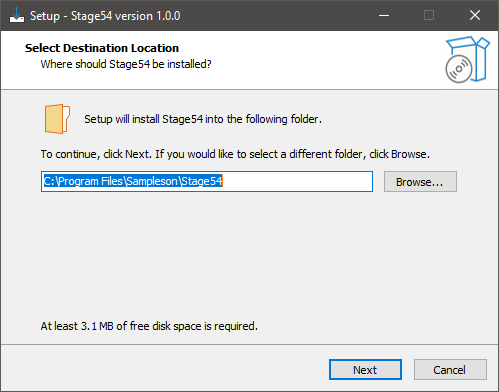
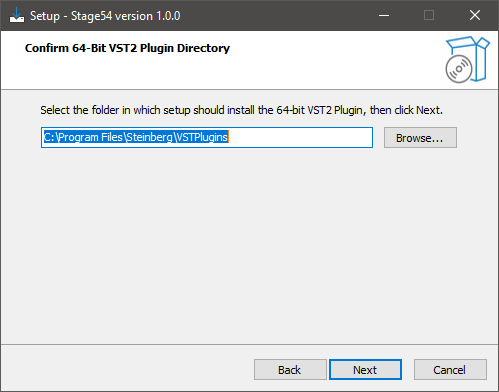
1. Navigate to your Downloads folder and locate the 'Stage54 Win Installer.exe' > Launch the installer.

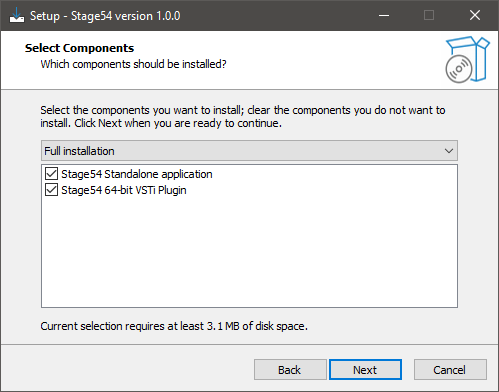
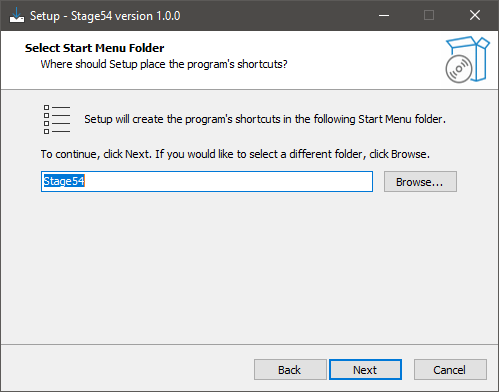
2. Click 'Next'.

3. Click 'Next'.

4. Click 'Next'.

5. Click 'Next'.

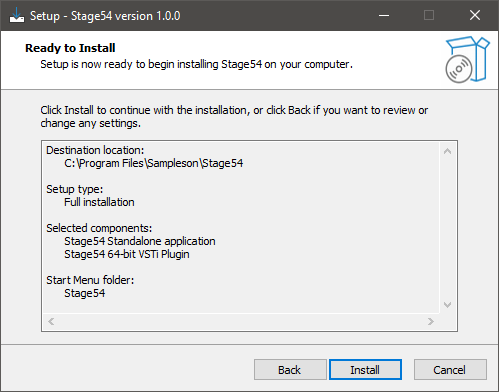
6. Click 'Install'.

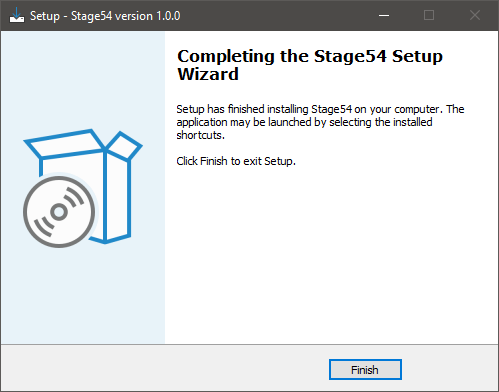
7. Click 'Finish'.

8. Launch your DAW > Create a new Virtual Instrument track > Insert Stage54 onto the channel > Paste your 16 digit serial number found within your Plugin Boutique User Account into the box > Click 'Authorise'.

Stage54 is now installed, activated, and ready to use within your DAW.

Bundle & Save

Sampleson Collection Bundle
$1,200.00

Plugin Boutique Rewards

Discover the most rewarding loyalty programme among all plugin retailers.

  • Free Loopmasters Samplepacks
  • Discounts on products and courses
  • Extra Virtual Cash claimed immediately at checkout
Find out more

Follow us:

X (Twitter) Facebook YouTube Instagram
Logo Logo

Plugin Boutique Limited, Part of the Beatport Group LLC.

Copyright © 2011-2025 Plugin Boutique. All rights reserved