


 Log In
Essential Production Techniques for Lo-Fi Hip Hop
Give your tracks some nostalgic warp and warble with these essential lo-fi hip hop techniques
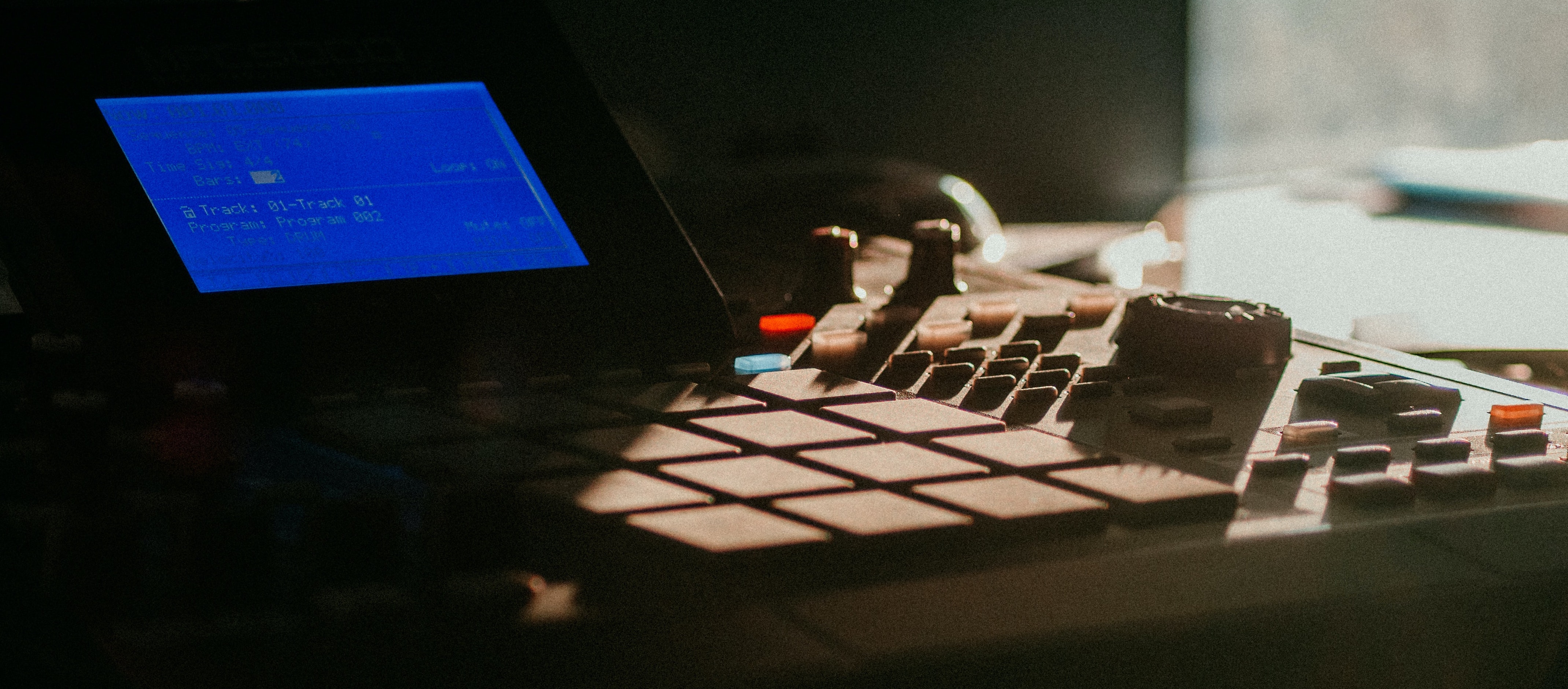
When it comes to lo-fi hip hop, aesthetic is everything. Be it visual or sonic, the general vibe of the music is almost more important than the melodic elements – although strong chords and melodies are, of course, essential.
In this article, we’ll take you through a few techniques that you can use in your lo-fi hip hop productions to elevate your music to the next level. All of these methods can be carried out within your DAW. Though we will be evoking the sounds of old-school hardware, you won’t need anything except your computer to achieve the methods discussed.
Choose your Era Wisely
If you're aping a 60s retro sound, it's all about vinyl crackle, and tape his too. Looking to get a cool, 80s sound? Plugins that emulate cassette tapes are more relvant to this era, and even VHS emulating plugins are useful for the lo-fi sound. Any later, and lots of music was released on CD, but still not necessarily recorded digitally, meaning tape may be your way of getting the 90s retro sound.
Sampling’s a big part of Lo-fi and Hip-hop. Find the sampler that’s right for you on this list of Six of the Best Sampler Plugins.
Emulate an Old-School Sampler with your Drums
The drums are always a good place to start when it comes to lo-fi hip hop. They give you a rhythmic basis around which to construct melodies and chord progressions.
Choosing the perfect drum machine is a surefire way to spruce up your Lo-fi creative process. Try our Drum Machine Matchmaking Guide to find your ideal partner.
In a moment we’ll share a common lo-fi drum pattern that you can use in your productions, but first, let's talk a little bit about sample selection.
Picking the right drum sounds is very important for lo-fi. A hi-res neuro kick or a future garage-style snare would totally destroy the lo-fi aesthetic. Make sure that you’re picking soft, almost muted samples. For extra lo-fi flavour, you can add a little bit of digital grit with a tool such as Aberrant DSP Digitalis.
Digitalis will help you achieve slight digital artefacts which will make your drums sound like they’ve been ripped from a sample CD, and programmed into a pattern on a 16-bit sampler such as an AKAI MPC.

The central Corruption section of Digitalis houses a Bitcrush and Bitrot effect. The Bitcrush effect is a highly controllable bit crusher which will make your audio sound like it’s been put through an old-school sampler. The Bitrot section is a unique effect that simulates how digital audio can degrade when left on a CD for a long time.

Once your drums are sounding nice and lo-fi, it’s time to build a pattern.
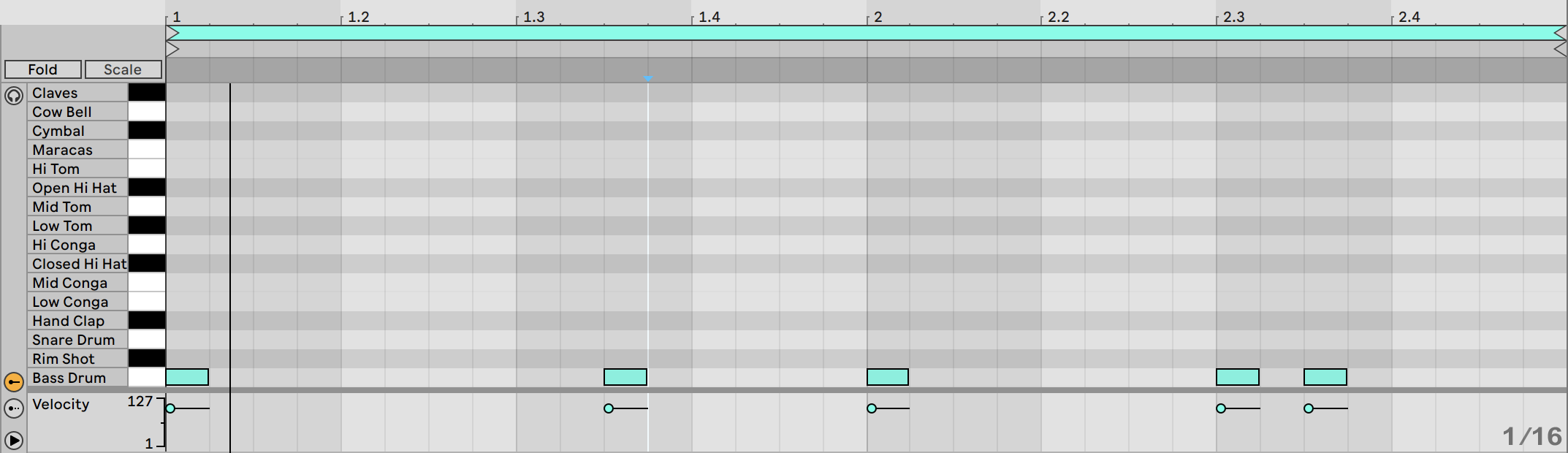
Start with the kick drum.
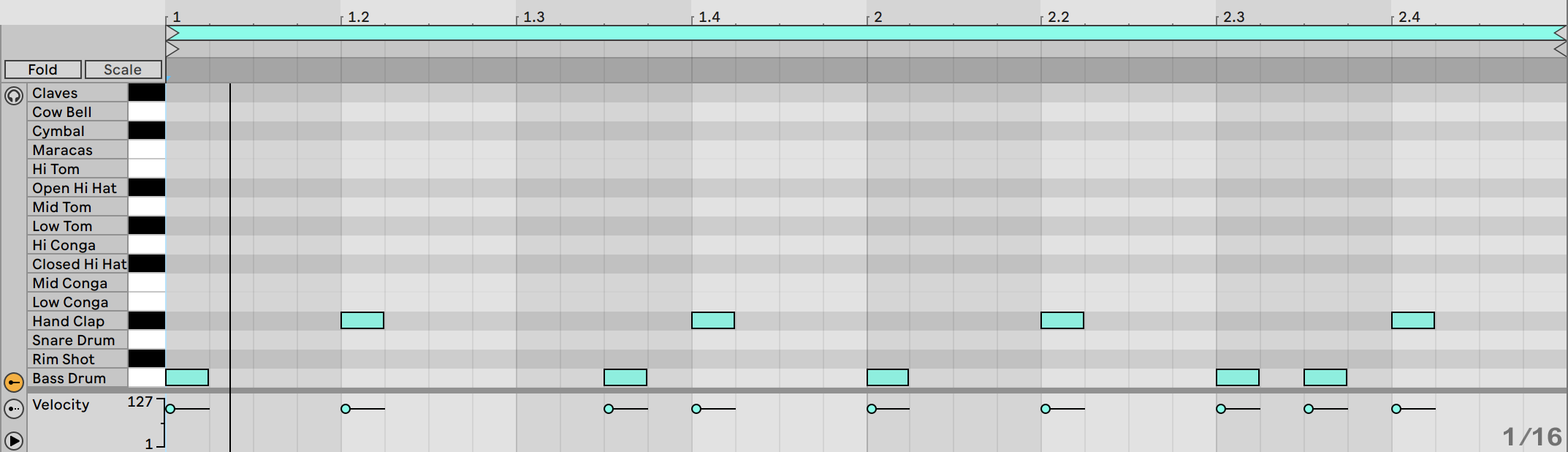
Next, add a snare on the second and fourth beat of each bar.
Finally add a hi-hat on each eighth note, with the occasional additional 16th note for variation.
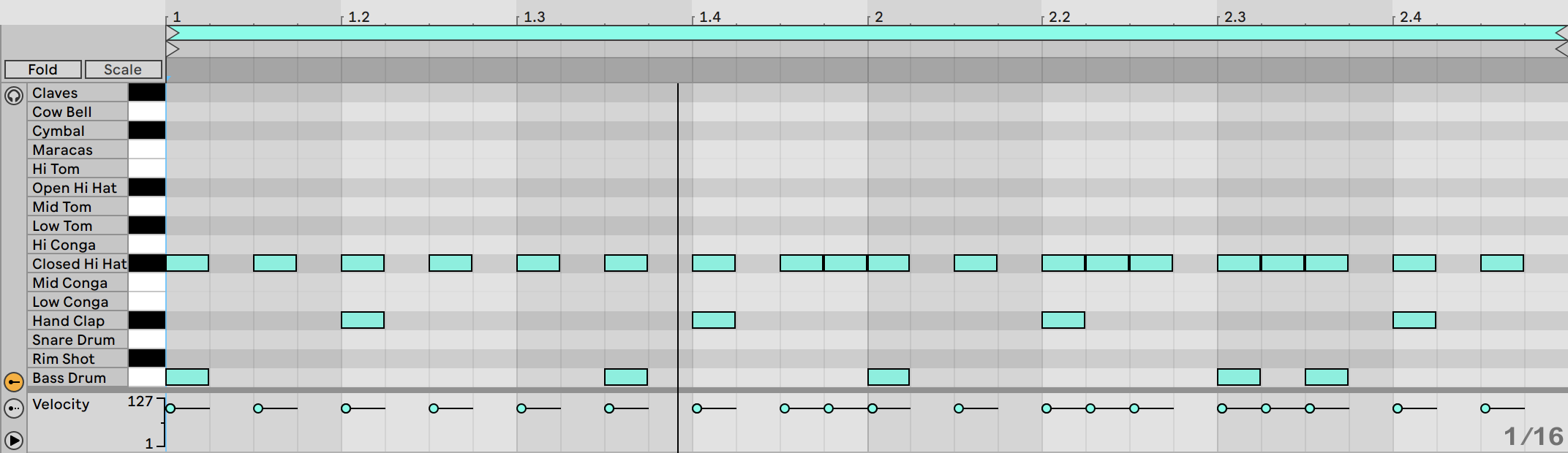
Now, the final step is to make it sound like a human has played the pattern in on the pads of a hardware sampler. To do this you can either manually drag each midi note slightly off grid, or use your DAW’s built in swing or humanizing function.
Make your Samples Sound like they’re from Vinyl
At the core of most lo-fi hip hop are samples. For a truly authentic lo-fi sound, the way to source samples is to go crate-digging in record stores and charity shops for forgotten vinyl gems.
However, sampling old vinyl does have several drawbacks. Firstly, the hunt for the perfect wax-based sample can get expensive, and not everyone has the budget for it. In addition, you need to have decent vinyl merchants near you in order to source records which, again, is not always the case.
The other problem with sampling old records is a legal matter. If you want to release your lo-fi music to the public, using copyrighted samples that belong to other musicians is technically against the law, and could result in your music being taken down from online stores, or potentially even bigger problems.
Fortunately, you can pick up high-quality, royalty-free samples from Plugin Boutique, or from Loopmasters. Though you can find samples designed for lo-fi production, you can make any sample sound like it’s been sampled straight from a 30-year-old record with a little software wizardry.
To make this happen you’ll need a lo-fi plugin. In this example, we’ll use XLN Audio's RC-20, probably the most widely used lo-fi effect amongst producers today. Another great option is Lifeline Console from Excite Audio.

Step 1: Find a Sample
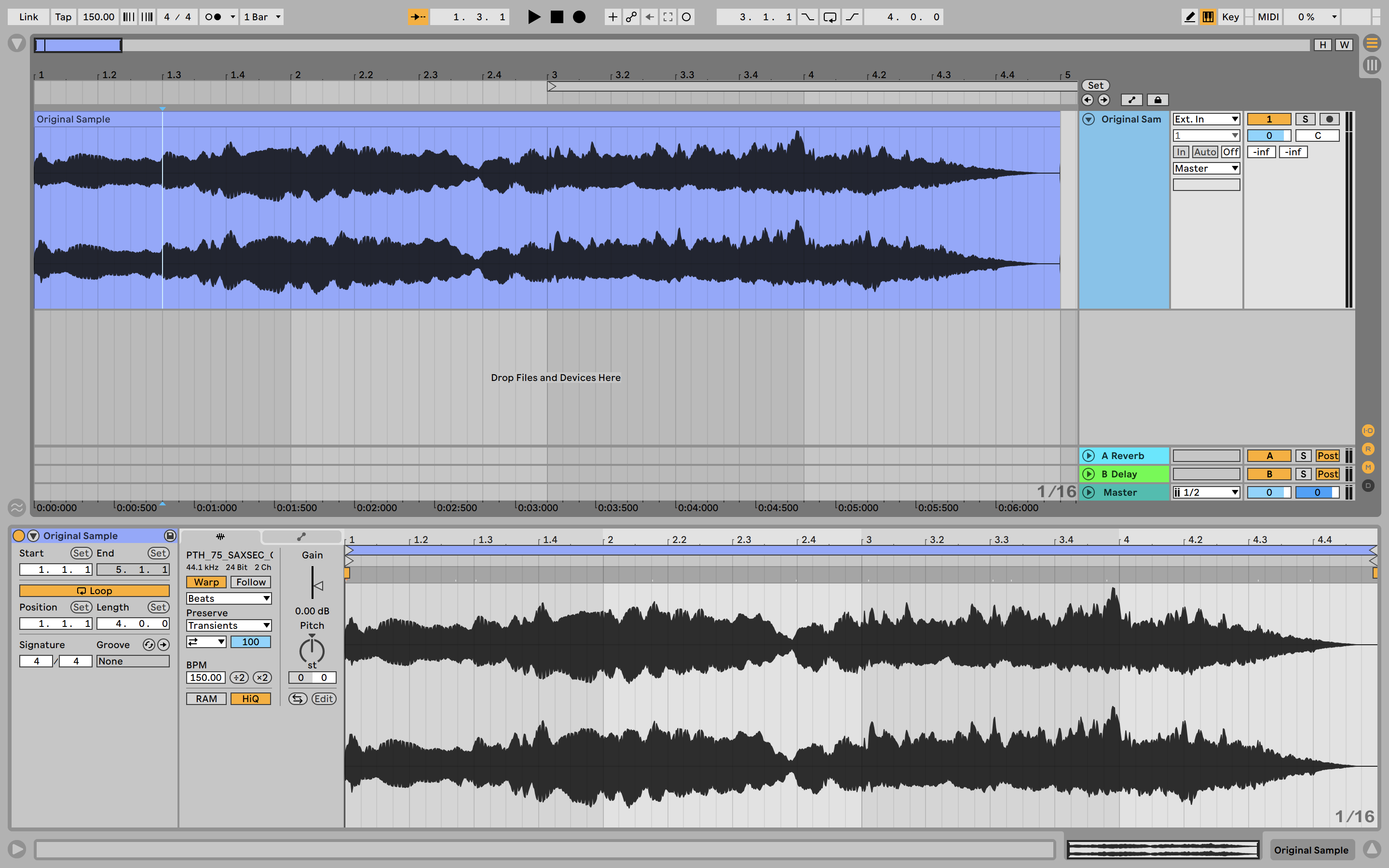
For this technique, you want to find a loop of reasonable length so that it offers a lot of possibilities when you chop it up and flip it. Here a melody, chord progression of vocal sample is probably best.
Step 2: Make It Vinyl
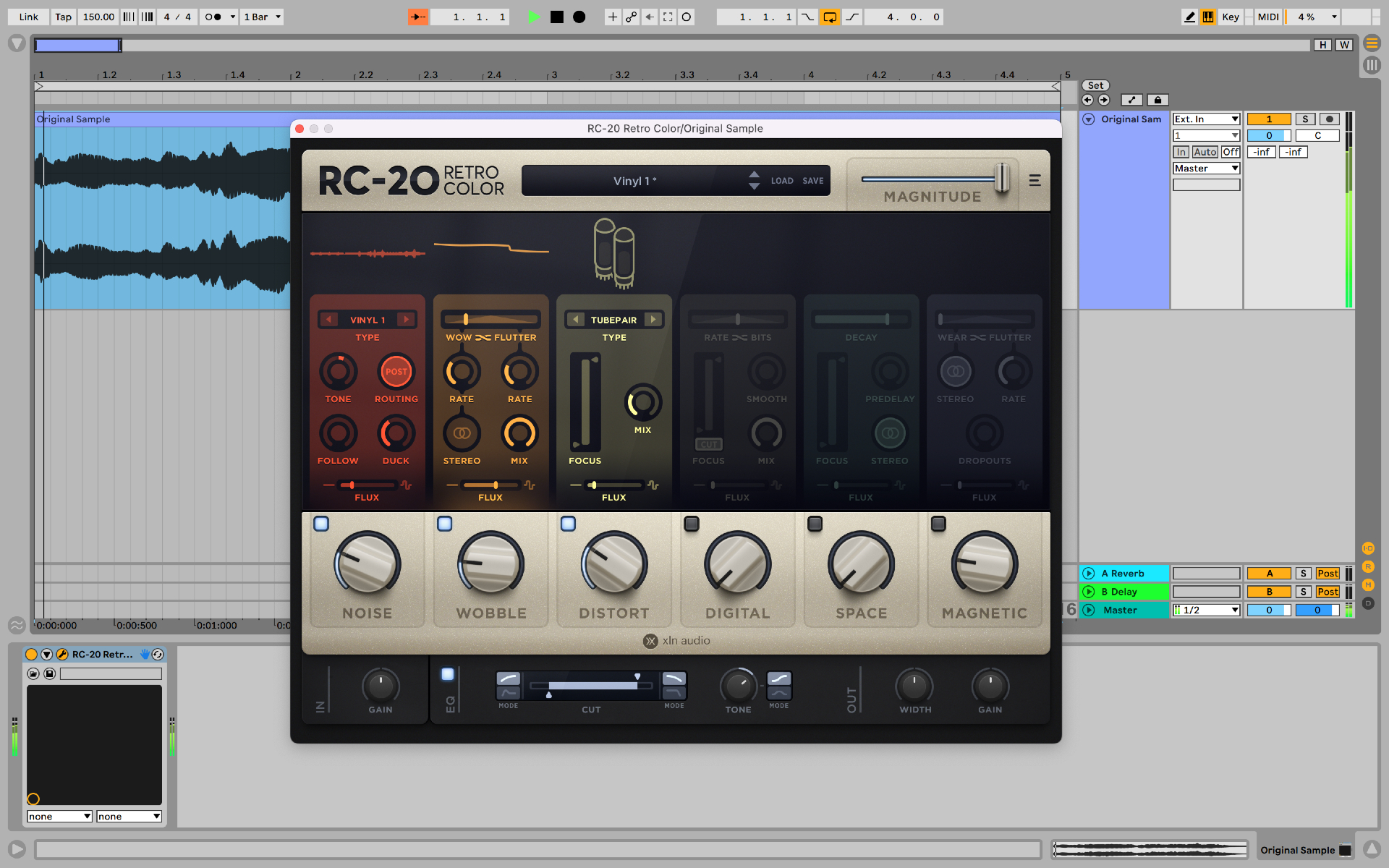
Now load a lo-fi plugin on the track housing your sample. In RC-20 we’ll add some vinyl wobble and a little bit of dust and crackle.
You can make this effect as subtle or as pronounced as you like – it’s totally up to you.
Step 3: Bounce The Audio
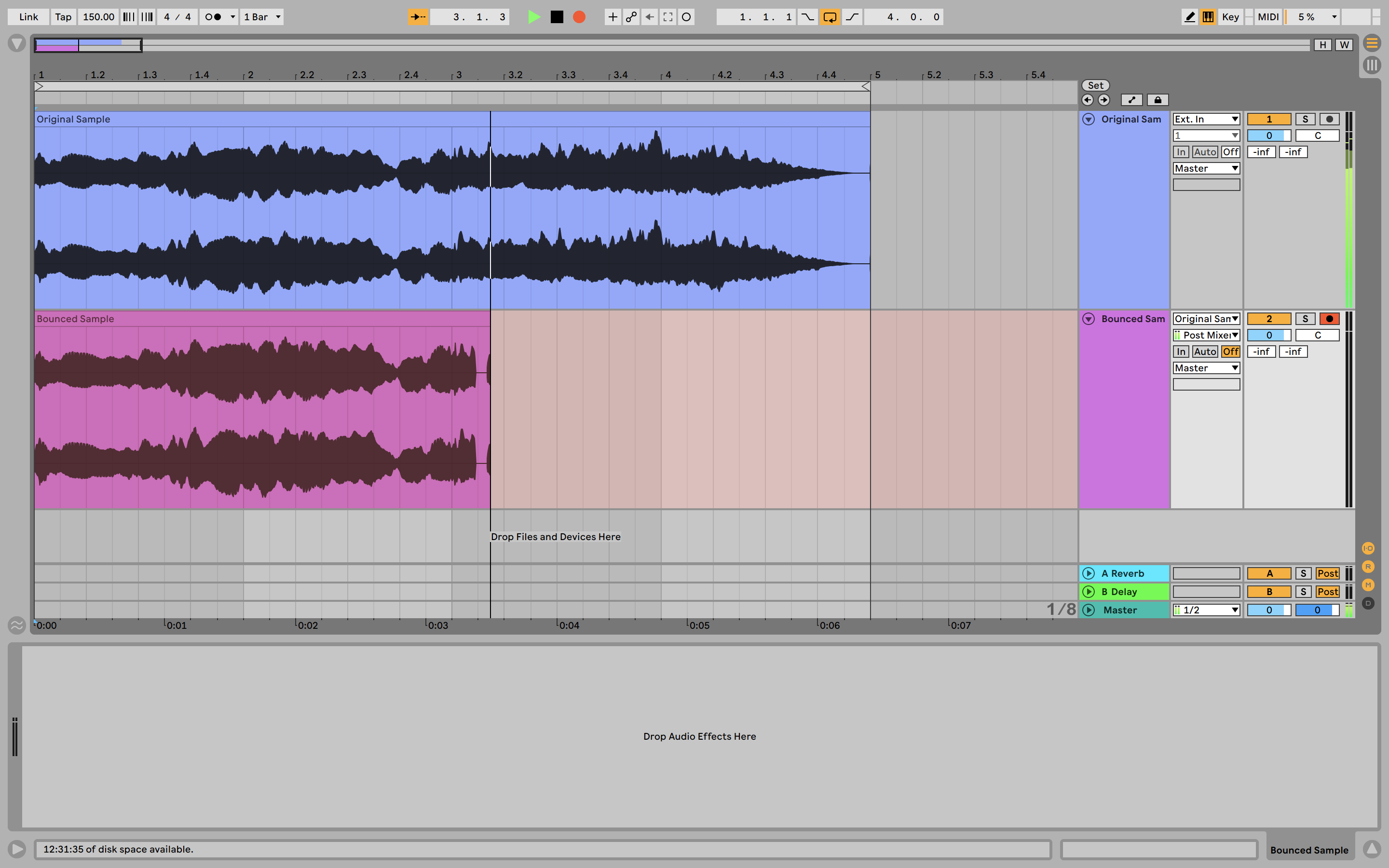
Once you have the vinyl effect sounding how you want it, it’s time to bounce the audio out. By bouncing the audio into a new audio file, the vinyl effect becomes baked into the audio file, exactly how it would be if you sampled your audio directly from a record. This then allows you to resample the audio and maintain the vinyl texture.

Chop up Samples like you’re using an MPC
Lo-fi hip hop takes a lot of inspiration from boom-bap and the early days of hip hop. Producers back in the 80s and 90s didn’t have access to the DAWs of today, and instead used hardware samplers such as AKAI’s MPC series.
Nowadays many lo-fi producers have turned to the Roland SP-404 series as their go-to sampler, but you don’t need to use hardware to get that authentic chopped sample sound.
Almost every DAW comes with its own built-in sampler, and there are many third-party options on the market as well. A great option for in-the-box producers is Serato Sample. This intuitive sampler is designed specifically for slicing up a sample and then playing it into a new melody or chord progression.
Step 1: Load your Sample and Set Slice Points
With Serato Sample open, load the sample you want to flip and set a few slice points. These points will then be mapped to your MIDI or computer keyboard, so you can jump between points with ease.
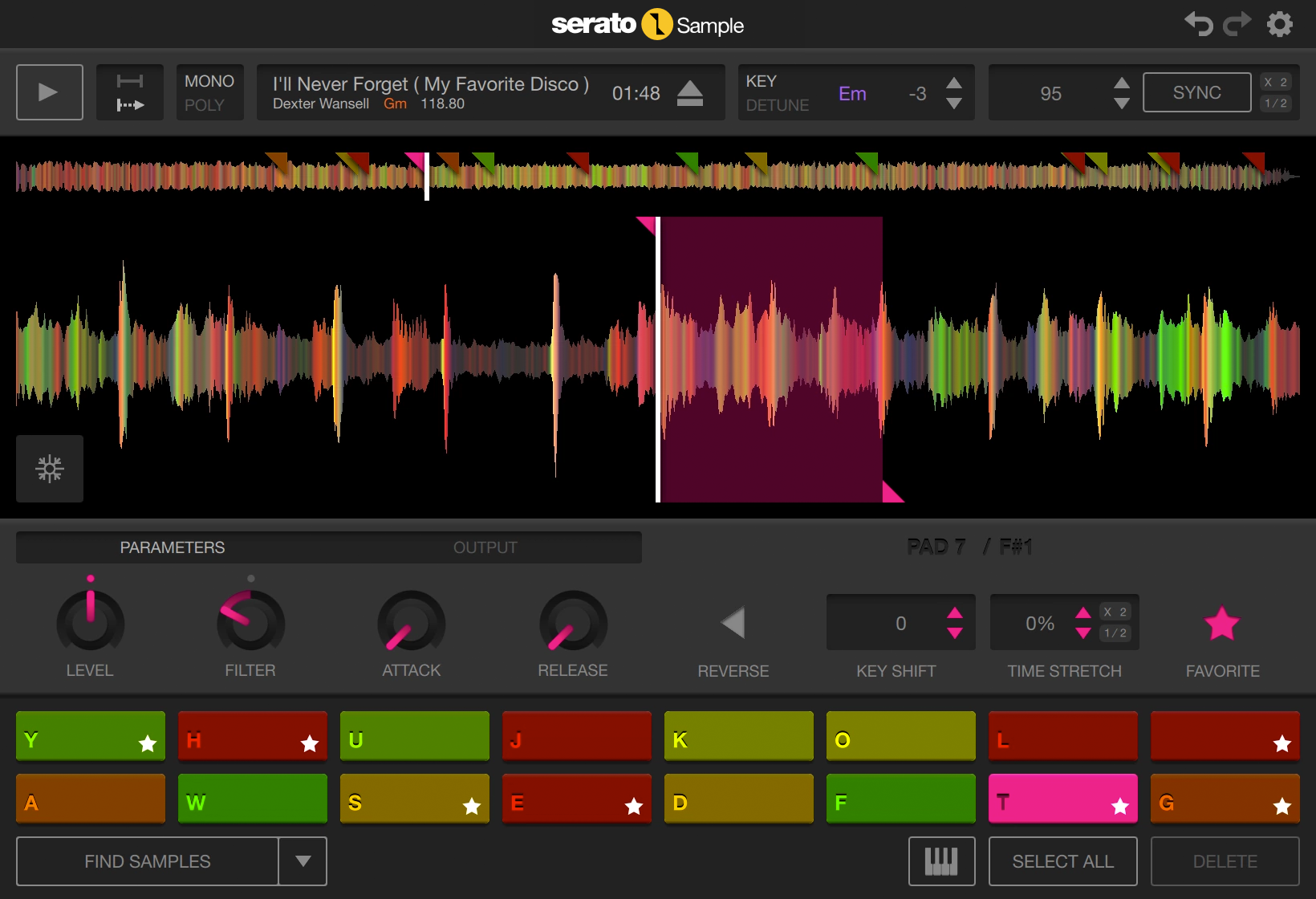
When it comes to selecting slice points it’s usually best to pick the start of transients. This will help your sample flip gel rhythmically with the rest of your track. Alternatively, Serato Sample can automatically select good slice points for you.
Step 2: Work Out a Pattern
With your sample loaded and slice points applied, it’s time to flip the sample into a new melody or chord progression. This is simply a case of messing around with different ideas until you get something that feels right.
The fact that Serato Sample maps splice points to your computer keyboard means you get that authentic MPC feeling, allowing you to channel your inner J Dilla and play patterns with a real human feel.

Add Ambient Texture
The lo-fi sound isn’t just about the musical elements – the textural ambience is also very important. Whether it’s vinyl crackle, tape hiss, digital noise or foley sounds, inputting some kind of texture into your track is essential.
To achieve that lo-fi texture you can either use samples, or dedicated texture tools like the aptly named Devious Machines Texture, or lo-fi staple XLN Audio RC-20.
Step 1: Choose a Sound Source
Let’s start by selecting the type of sound source we want to add to our sound. Any analog or digital artefact-style sound will work. In this example, we’ll select the classic vinyl crackle.
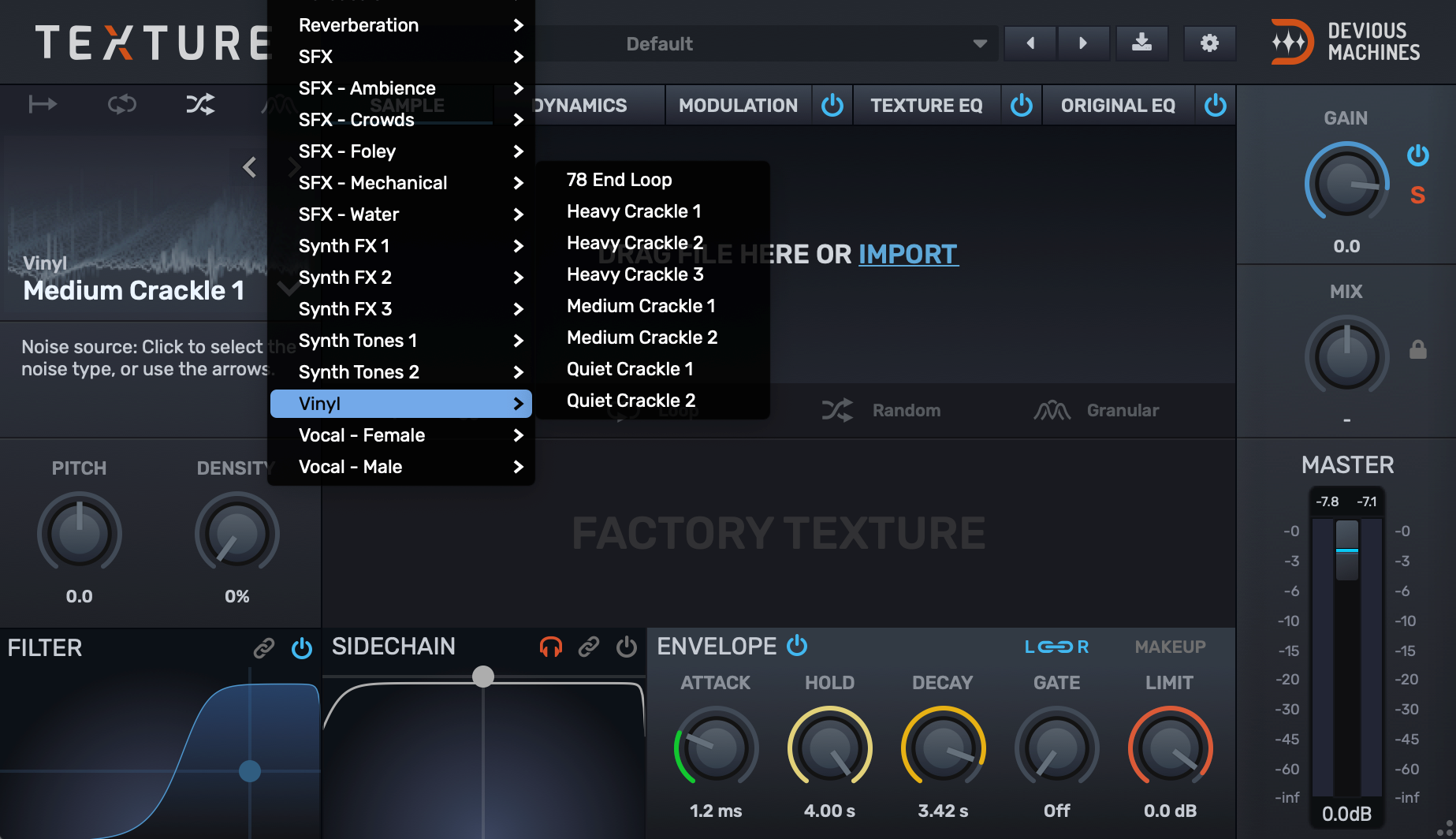
Step 2: Shape the Sound
Devious Machines Texture allows you to tweak the sound source with filtering and modulation. In our example, we’ll remove some of the higher frequencies in the source sample to give an even more lo-fi feel.
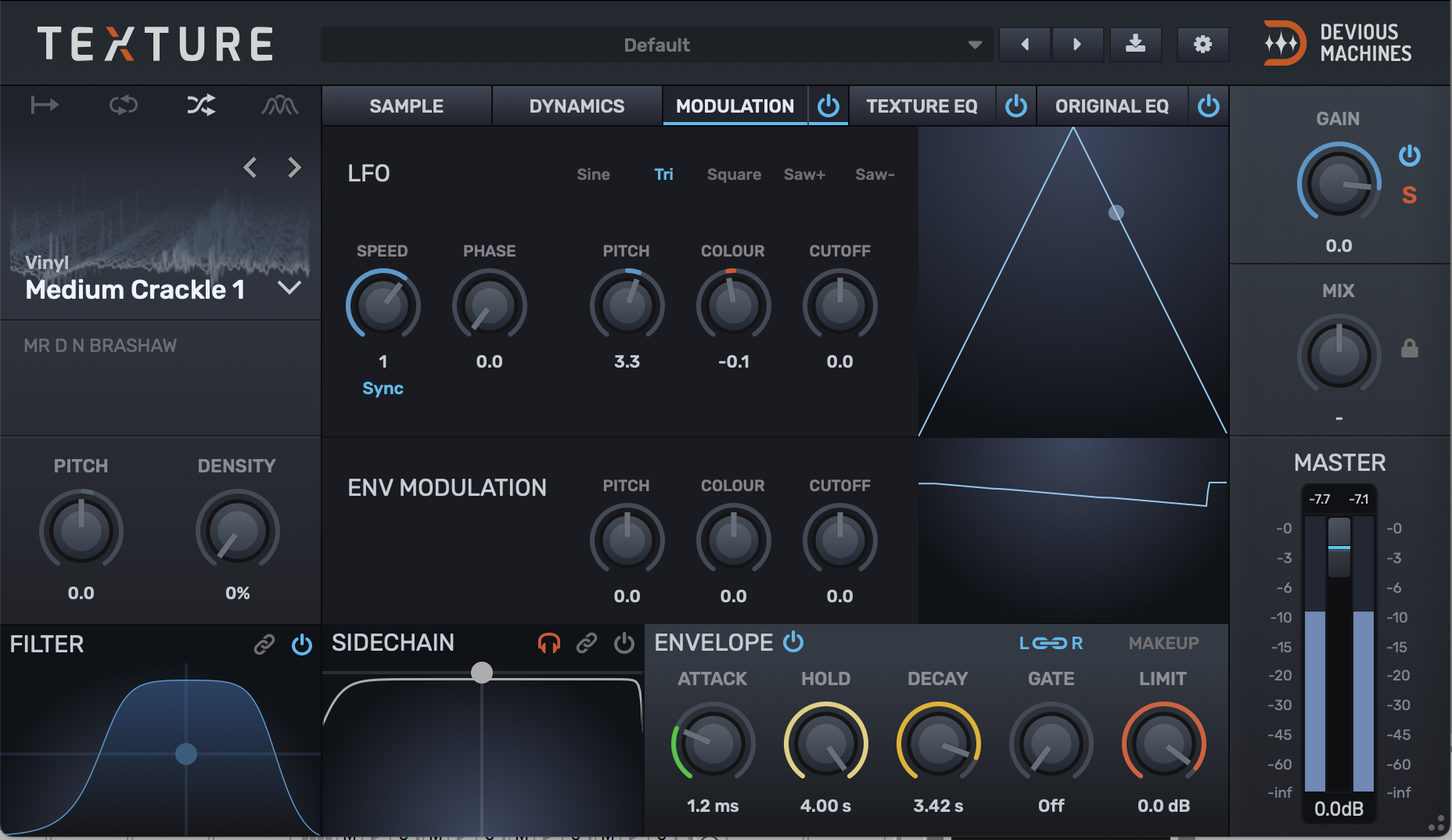
In the modulation tab, we will then set Texture’s LFO to slightly modulate both the pitch and colour of the source sample. This slight movement helps to make the texture sound like it’s really coming from hardware equipment, and not like a sample-based source.

Soften the Sound
Lo-fi music is, by design, muted in its sonic characteristics. Producers go against traditional modern mixing wisdom and don’t endeavour to make each sound pop as much as possible.
That isn’t to say that lo-fi producers don’t display high levels of mixing ability, on the contrary, they are simply displaying a proficiency at mixing with a very particular aesthetic.
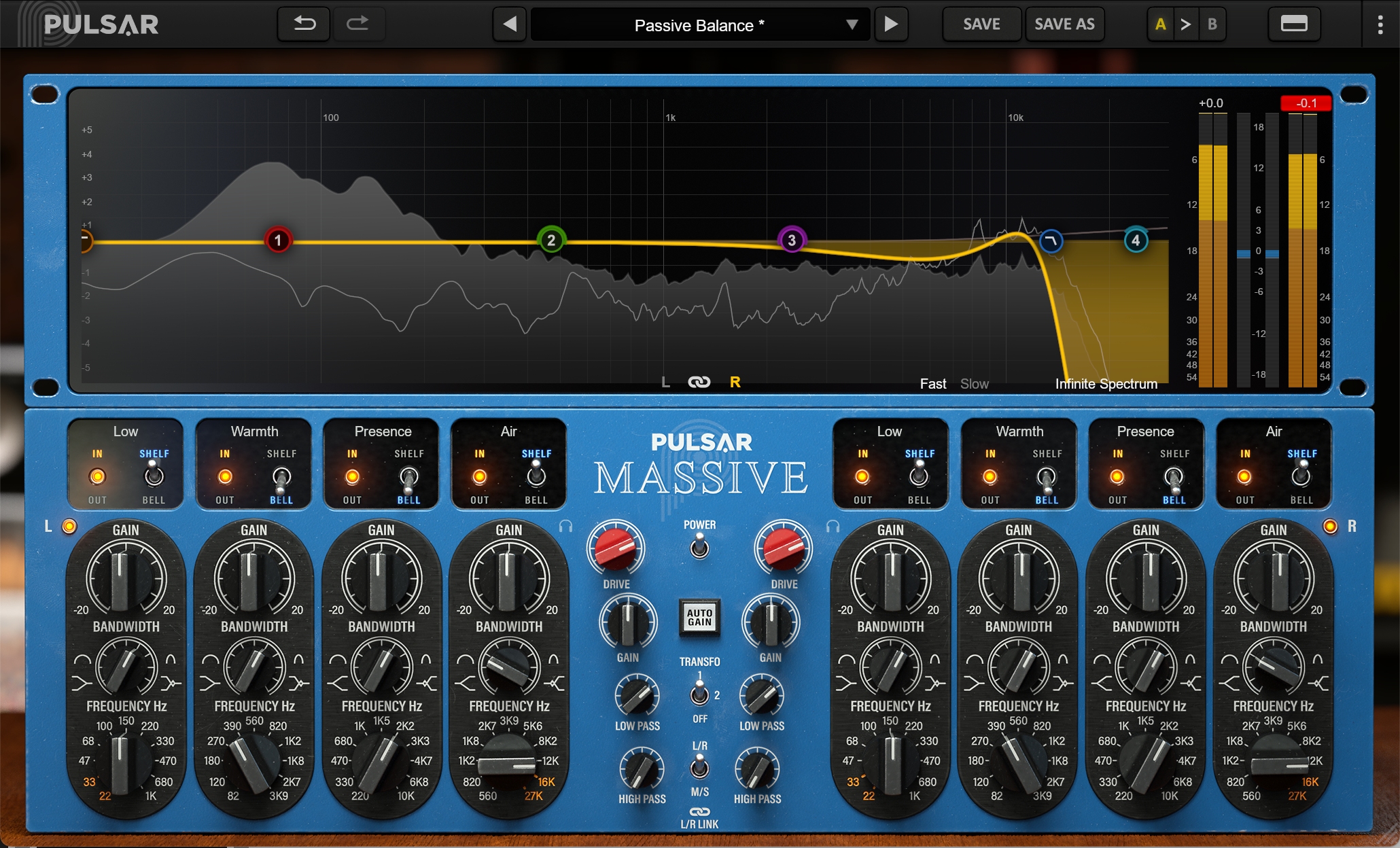
A quick way to achieve this muted sound is to put an EQ on your master channel and roll off the very highest frequencies in your track. You could use any EQ for this; FabFilter Pro-Q 3, SSL Fusion Violet EQ and Pulsar Massive are all fantastic options. Pulsar Massive is particularly nice for the lo-fi sound, as cranking up the drive dial introduces some nice signal irregularities.

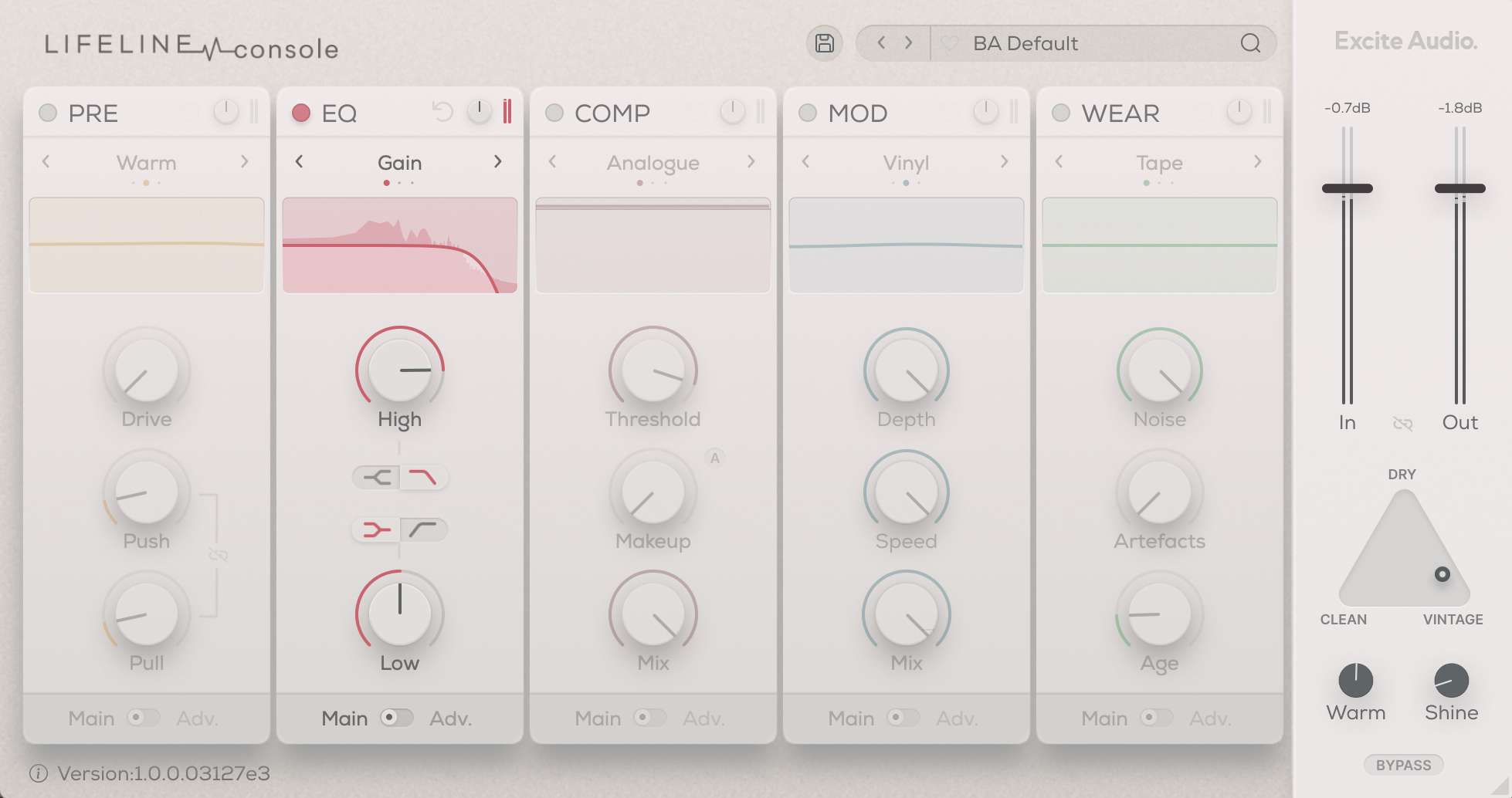
This effect can also be achieved with a channel strip plugin such as Excite Audio Lifeline Console. This multi-module plugin has a dedicated EQ which can be used to dull audio, and the built-in vintage mode is great for even more lo-fi grit.
With these techniques, you should be able to achieve that lo-fi feel from your computer with ease. The key to lo-fi is to root your music in the real world, as you want each element to sound like it was made by real people using physical equipment. Lo-fi is a nostalgic genre and so the human touch is absolutely essential!

Other articles
Unmissable Bundle Deal from Girls Make Beats – Sharing Spotlight
Play it forward with our latest Sharing Spotlight deal – come away with a great deal and give to a good cause while you do so. We are continuing our support for music-making communities with Sharing Spotlight, an initiative that highlights organizations working toward diversifying the music industry. We do this by offering a bespoke bundle of discounted plugins curated by our featured organization. When you purchase through its unique link, 15% of each sale goes towards supporting that comm
Recreating a Classic Analogue Mix Chain with Plugins
Digital audio production is the modern standard, yet it lacks the colour and life of classic analogue hardware. Learn how to breathe life into your mix bus As music production has overwhelmingly shifted to the digital domain over the last few decades, producers and artists now face the reality that working purely in the box often creates cold, dry, harsh, and lifeless recordings. That’s why many producers are turning to analogue-simulating software to breathe life and warmth of classic hardwa
Analogue Emulation Plugins: A Buyer’s Guide for Mixing with Character
These VSTs are some of the top choices to turn your DAW from a cold, sterile piece of software into a warm, colourful, lived-in studio setup Music software has come a long way, and while we used to use technology to remove imperfections and small problems in the real-world studio, today we actively use it to put these things back into our music. The number of analogue emulating plugins that are out there is truly astounding, with each one doing a slightly different thing on your mix channe
The Best Music Software Deals This Week [Live List]
As the music production landscape evolves week by week, so does the opportunity to save on powerful creative tools. New plugin releases, flash sales on VSTs and limited-time deals on music software can appear from any angle, making it harder than ever to keep track of what’s worth your attention. Whether you're looking for the latest bundles on offer, or even deals on exciting virtual instruments, it's as important as ever to stay up to date on what we have to offer. That’s where our live


