


 Log In
FM Synthesis Cookbook - Five Classic FM Sounds and How They Work

Gather your ingredients and get ready for a session in the FM synthesis kitchen.
There are Synths Available at Every Budget, and Synths Available of All Different Types. Frequency modulation (FM) synthesis has a reputation for being intimidating and is certainly a more complex process than other sound design methods like subtractive synthesis, say. However, at its heart, the concept of frequency modulation is very simple, and when used correctly it has a huge amount of sound design potential, whether you want to produce lifelike or abstract tones.
In essence, FM synthesis is about generating complex waveforms from simpler ones. One signal, called the “modulator”, modulates the pitch of another signal, the “carrier”, that’s in the same or a similar audio range. This creates brand new frequency information in the resulting sound, changing the timbre without the use of filters. The more modulators and carriers, the more complex the sound!
As a synthesis method, FM is great for a number of tasks, including creating drums and percussion, inharmonic bell tones, electric pianos and a lot more. In this article, we take a look at the recipes for some classic FM sounds. You can follow the steps in an FM synth of your choice – we’re using Arturia DX7 V and Native Instruments FM8.

Ingredients...
Recipes...
Filthy Bass Patch
FM synths are capable of producing some seriously dirty bass sounds, pushing waveforms to the brink. Aggressive styles of electronic music such as DnB and dubstep often rely on FM synths for their heavy bass lines, with fuller waves like saws and squares used to create thicker sounds due to their increased harmonic content.
Here’s how to create a filthy bass patch using FM synthesis. This patch uses a single carrier and three modulators that affect each other in turn before getting to the carrier. Having more modulators opens up the sonic possibilities and can create richer and dirty waves, perfect for a filthy bass patch.
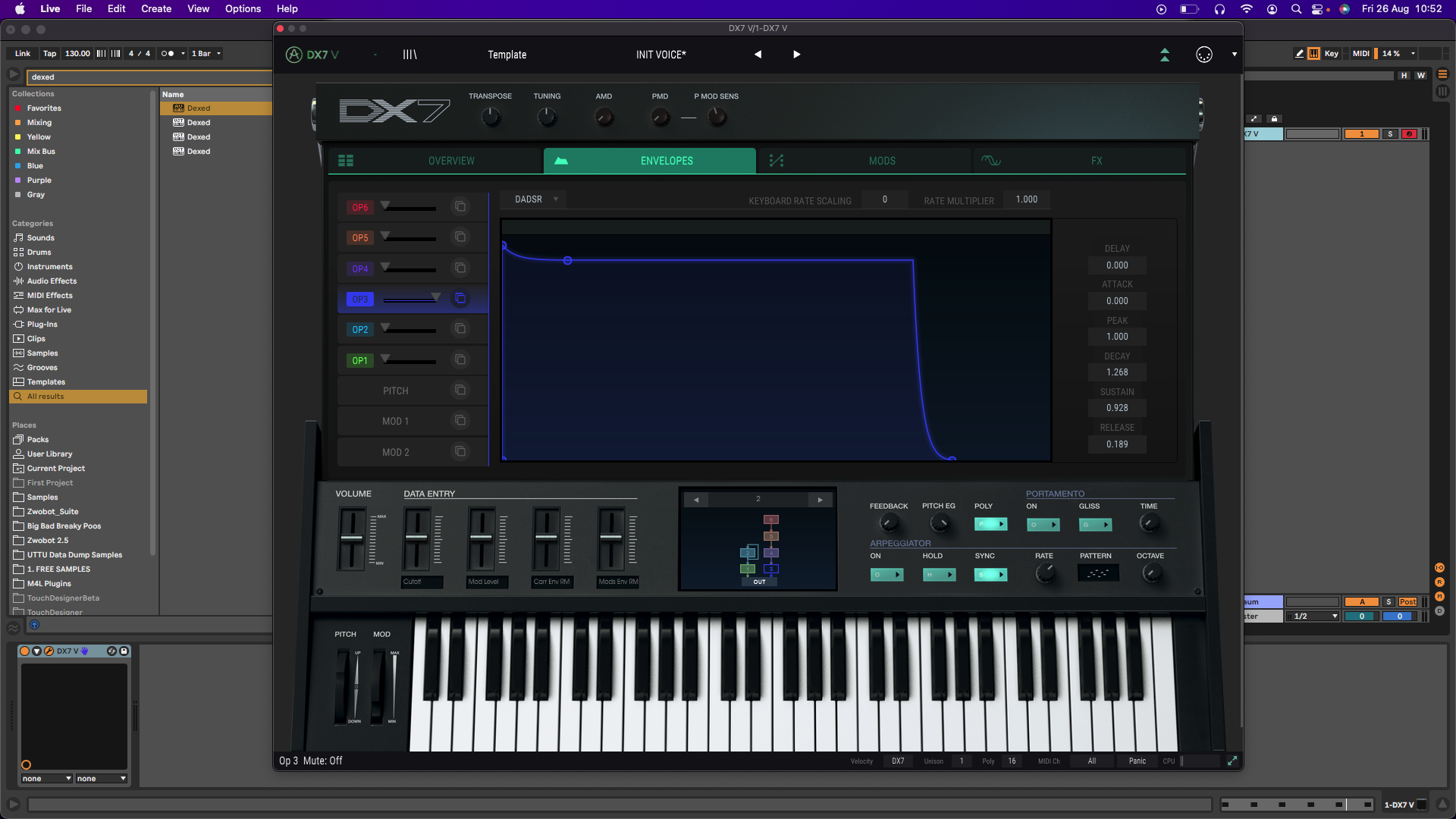
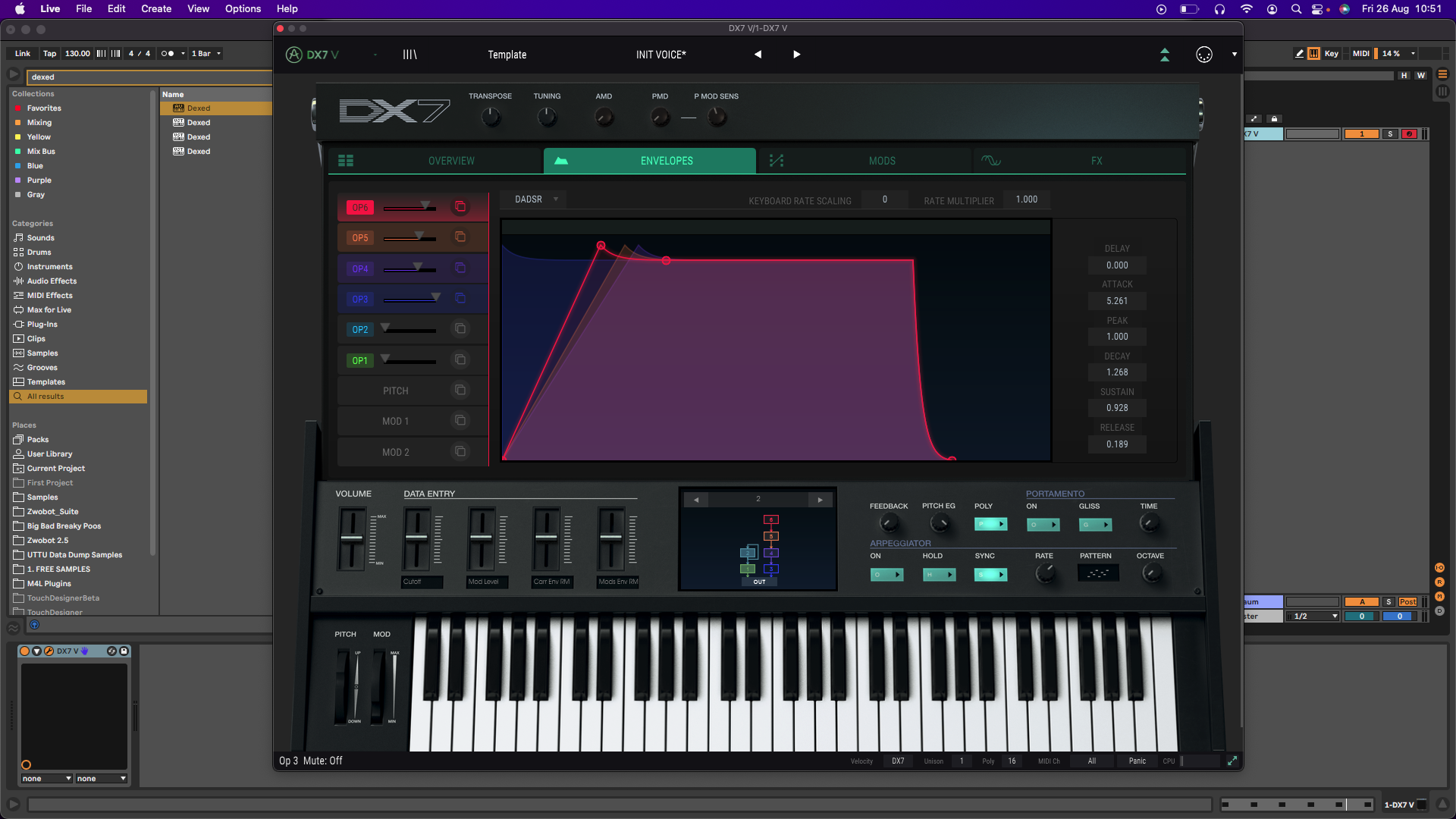
Set your carrier signal to a square wave, with a 0.5:1 Ratio to make it subbier. Add a short pitch envelope drop at the start to get some extra impact. The amplitude envelope should have some Sustain so the sound can be held, with a short Release time.
Modulate this carrier signal with a square wave at Ratio 1:1, which will add some dirt, and use a chorus for spread. You can then introduce the other modulators, varied between squares, saws and triangles for increasingly distorted results. By setting up the modulator envelopes with a slow attack the sound will progress over time.
Next, add a low-pass filter (between 500Hz and 2kHz) and get it moving with an LFO. To get smooth wobbles, choose a sine wave, or if you want more aggressive filtering, try another shape. Tweak the filter’s Cutoff and Rate to dial in the wobble effect.
Add more layers of distortion, filters and phasing or chorus to thicken the sound to your taste. Depending on the number of oscillators available in your synth, you can stack multiple copies of this entire chain at different pitches for even more depth and squelch!
Inharmonic Bell Patch
Another classic patch that you can create is a silvery bell sound, as FM synthesis is perfect for creating convincing emulations of this kind of tonal percussion. Metallic sounds such as bells and gongs are characterized by their high number of inharmonic frequencies, so we need to detune modulator frequencies to inharmonic frequencies to reproduce this sound. Here’s how it’s done.
First, create a sine wave as the carrier operator. The envelope of this signal is the core note of the sound, so like an actual bell, program the amp envelope using a short Attack and long Release and Decay. There’s no need for any Sustain unless you’re going to be holding notes.
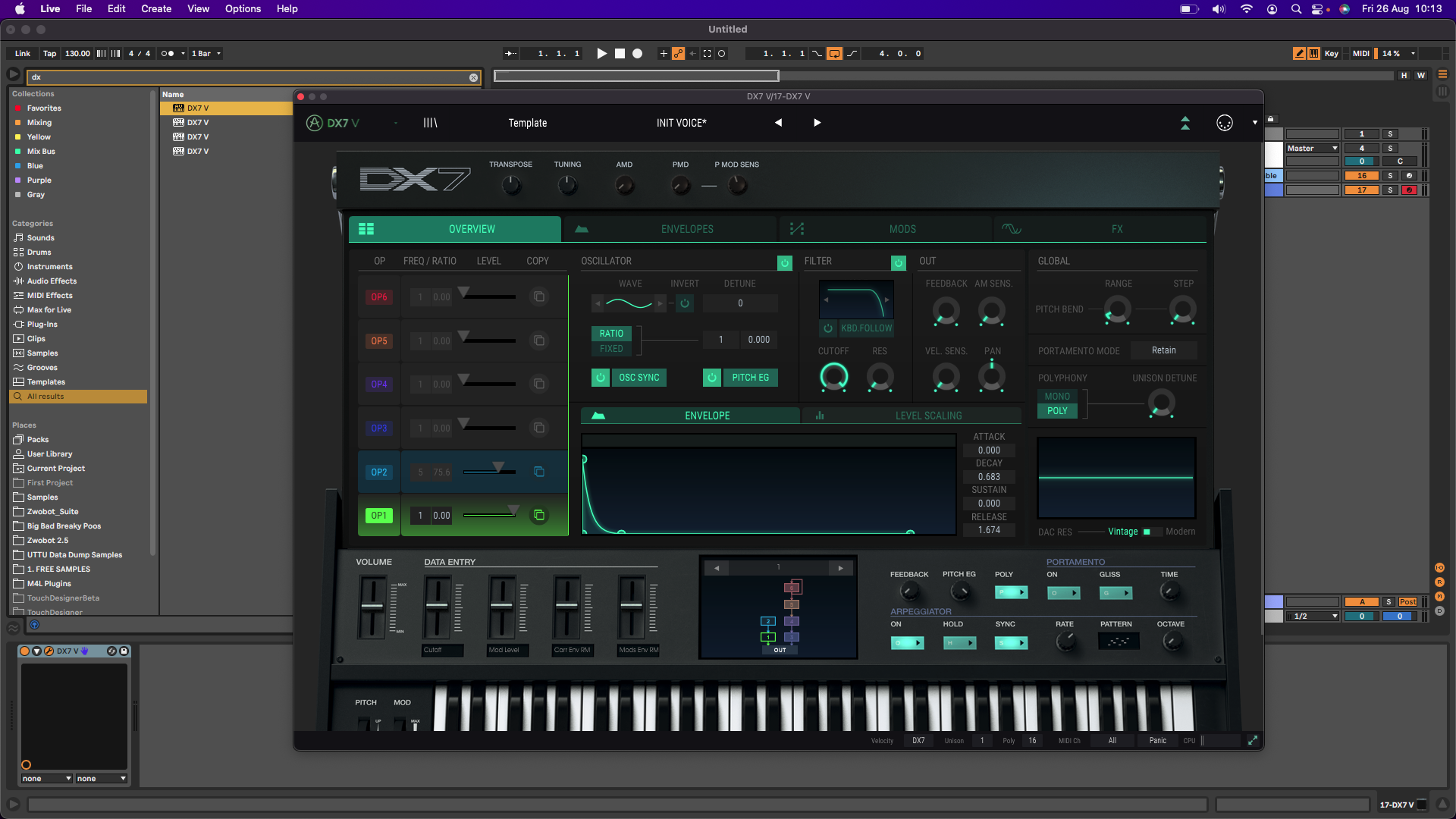
Next, modulate the carrier operator with another operator. Set this modulator to a higher, non-integer ratio (anything that isn’t a whole number), of at least 4-5 or higher. This modulation creates the inharmonic ringing that you’d expect from a bell, and mimics the richness of the sound. Experiment with the coarse and fine-tuning of the modulator to get different bell tones.
Both operators need a fairly long release time (anything over two seconds will do). The modulator should have a shorter decay, so that the high frequencies fade out quickly, leaving the lower tones to ring out like a real bell. Experiment with the pitch ratios to create bigger- or smaller-sounding bells.
Retro Digital Electric Piano Patch
The metallic quality of FM synths, combined with their modulation abilities, mean they are fertile ground for cultivating electric piano sounds. You can use FM synthesis to create authentic-sounding electric tines, or go further and cook up highly exaggerated versions of these same sounds, ending up with something a lot more futuristic.
Set the carrier to a sine wave and give it a decay time similar to that of a piano: between two and four seconds. This operator serves to mimic the fundamental tone of our piano sound, so try to match it to a real piano in terms of its envelope.
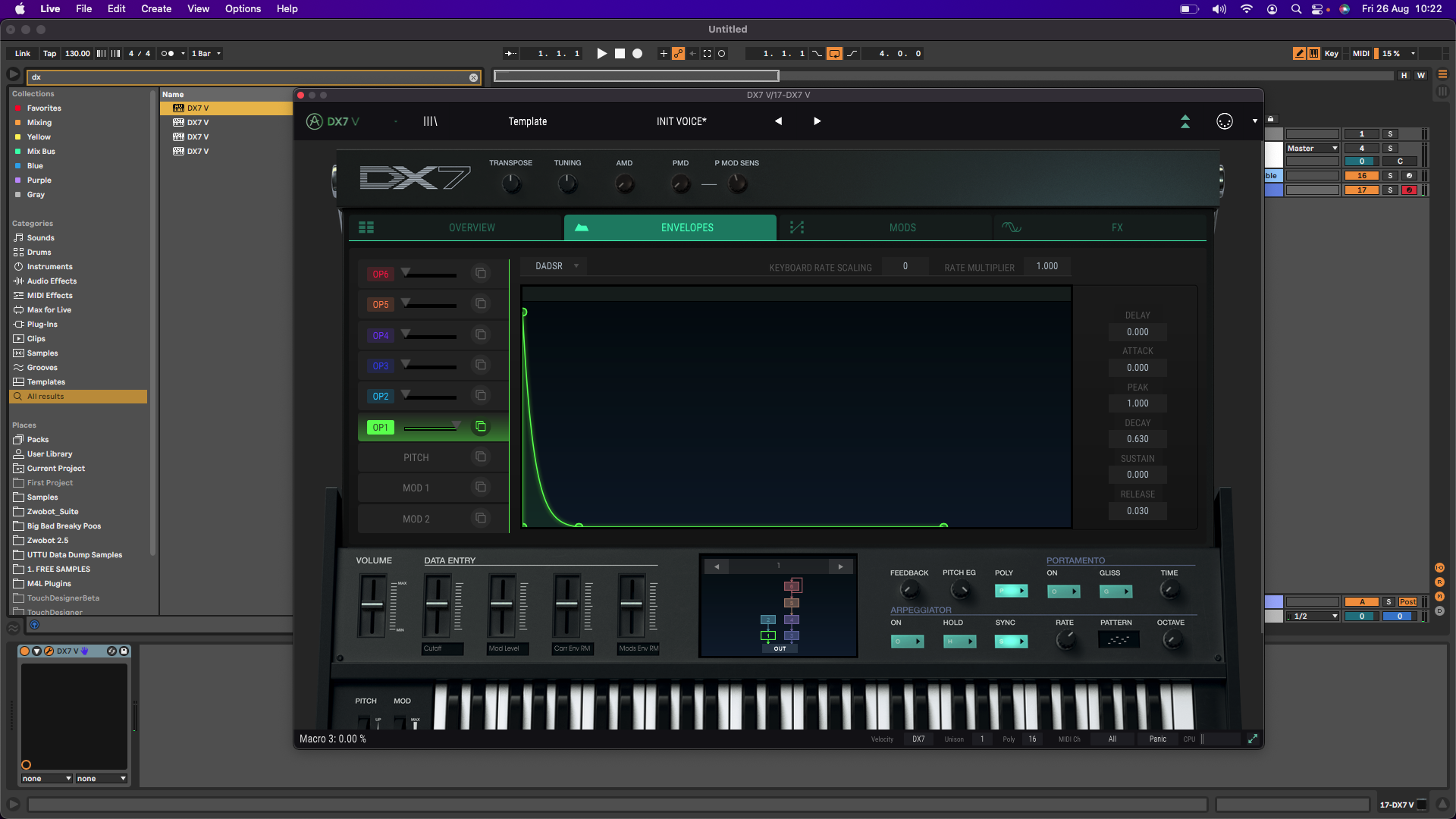
Next, modulate the carrier with another sine wave, set to a Ratio of 14:1. This will brighten the carrier signal and determine how metallic-sounding the patch is. You can set this modulator up with a shorter amp envelope Decay time, mimicking the sound of tines.
Now for a second carrier, the same as the first but detuned a little. This parallel voice widens the patch and replicates some of the natural inconsistencies of the original instrument, with subtle chorusing. You can create some variation in the envelope timings of this carrier compared to the first.
Let’s modulate the second carrier using another modulator – stay with us! Using a ratio of 2:1 or 3:1 will add more presence and thickness in the mids and low mids, with a bit of honk. This modulator should have a much shorter decay (around 500ms) than the carrier.
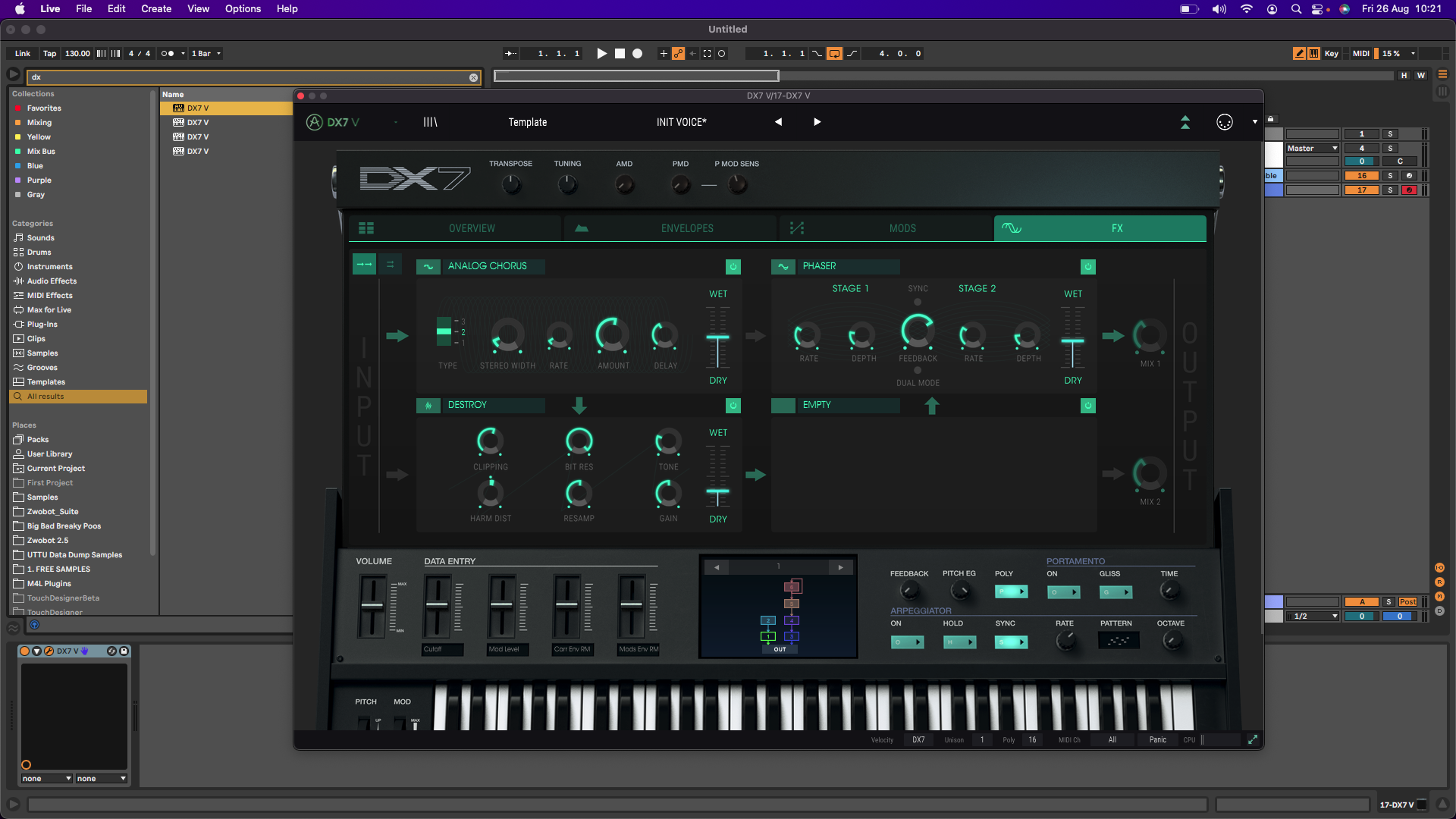
Lastly, add choruses and phasers to make the patch more retro and lo-fi. Follow up with some subtle saturation to fuzz up the sound somewhat, but only use a small amount to enhance, not fully destroy it! Often electric pianos are driven through stage amplifiers, so you could try using Amp Simulation plugins to get a more “live” sound.
80s Brass Patch
Another strength of FM synthesis is synthetic brass sounds. The makeup of a brass sound is a fairly bright waveform that’s softer in volume and darker at low velocity, with vibrato on sustained notes. The sound peaks in volume and brightness during the initial attack, lessening from then on depending on a player’s phrasing and breath capacity. Here’s how to emulate that with an FM synth.
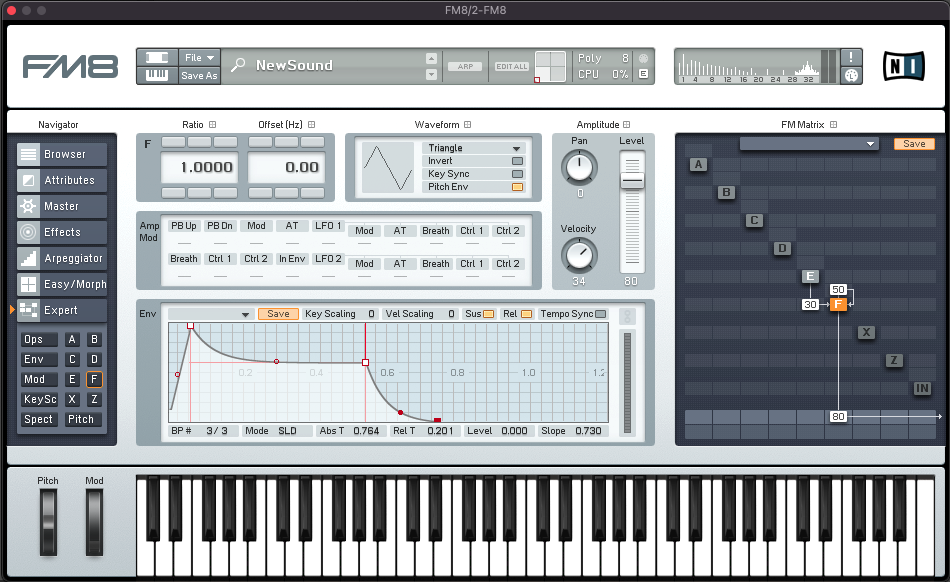
As a solo instrument sound, we only need one carrier signal, set to a triangle wave. Give it a short, sharp Attack and a decent Sustain, mimicking the real-life sound as described above. For a brass sound, the envelope that controls the modulator operator should maximize the modulation amount during the initial attack, reducing it shortly after. This produces the characteristic “wah” sound of synthesized brass.
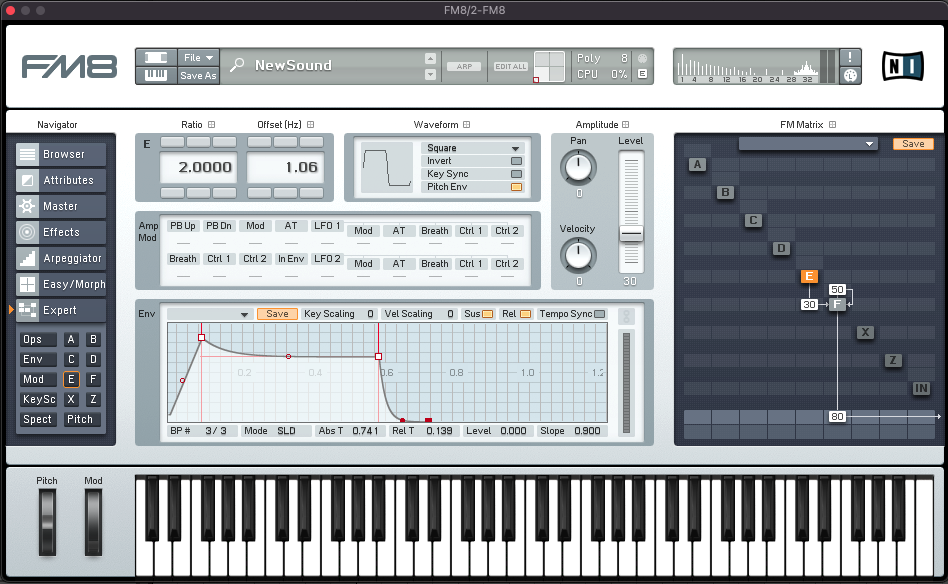
Next, modulate the carrier with a triangle wave. You can add a little bit of detuning using the master effects section of your FM synth, to emulate the breathy, imperfect sound of an instrument. A touch of Offset gives the sound some width.
Classic Solid Bass Patch
The last recipe in the cookbook is for a classic solid bass patch, a sound that was originally featured on the Yamaha DX100 and can be heard in a lot of house music from the late 80s and early 90s. Here’s how it’s made.
Start by creating two parallel carrier operators, choosing sine as the wave shape. Give each a quick attack (20ms) and a very long decay. Set the release of the first carrier to somewhere between 200 and 300ms, and the release of the second carrier between 300 and 400ms.
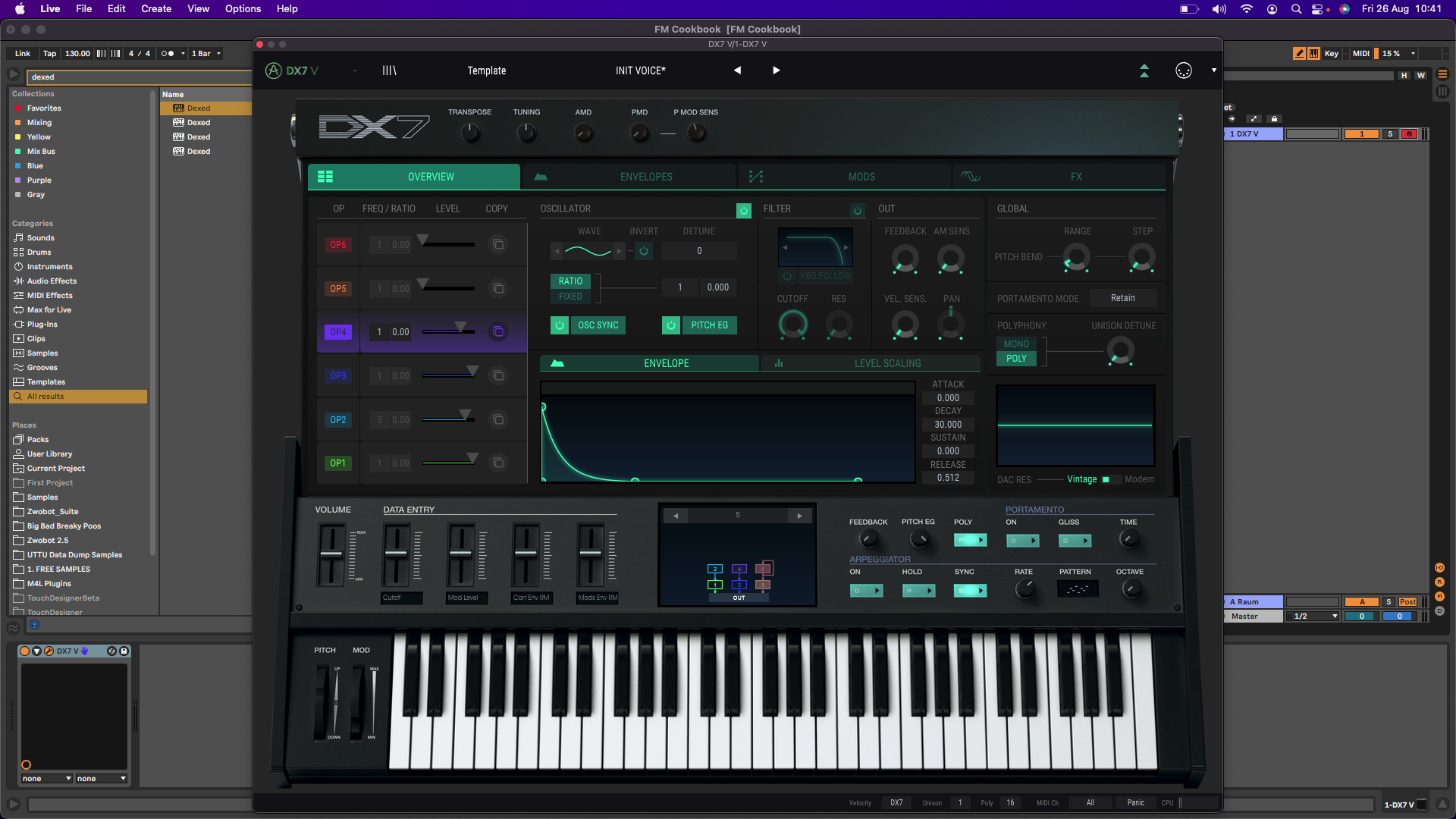
Now create two modulators, one for each of our carrier oscillators. These modulators are used to give a richer, fuller sound by modulating the first two waves and introducing some higher harmonic content, giving the bass some bite.
Set one modulator to a 5:1 ratio while leaving the other modulator at 1:1. Adjust the attack of both modulators to zero. The Release of the first modulator should be shorter than the first carrier, and the same goes for the second modulator and carrier.
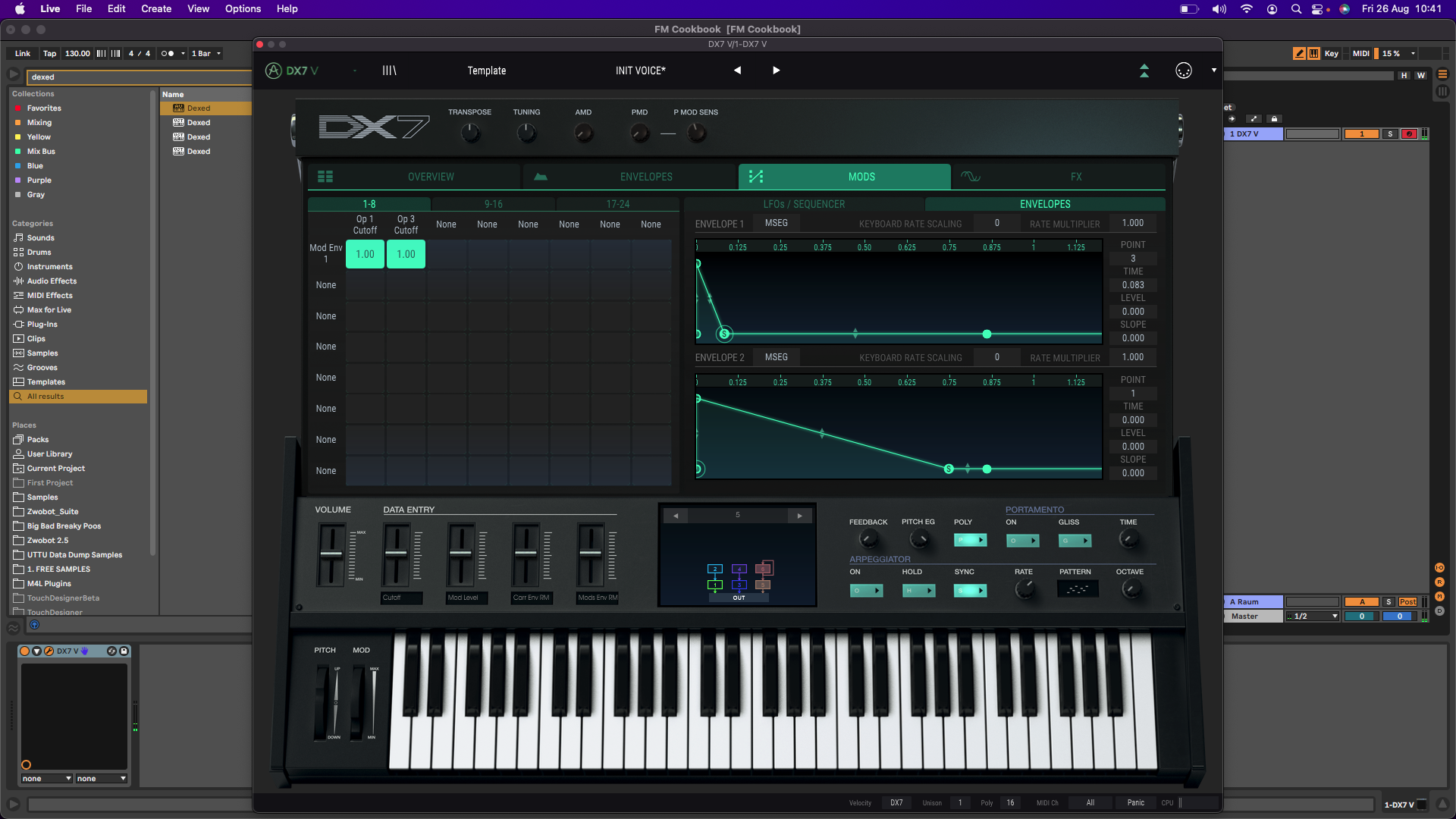
To finish off the patch, add an envelope-controlled low-pass filter using a short envelope with about 30% Resonance. This adds some funky squelch and depth to the bass sound. From here, try mapping the filter to a MIDI controller knob, or automating it for sound progression.
Other articles
Recreating a Classic Analogue Mix Chain with Plugins
Digital audio production is the modern standard, yet it lacks the colour and life of classic analogue hardware. Learn how to breathe life into your mix bus As music production has overwhelmingly shifted to the digital domain over the last few decades, producers and artists now face the reality that working purely in the box often creates cold, dry, harsh, and lifeless recordings. That’s why many producers are turning to analogue-simulating software to breathe life and warmth of classic hardwa
Analogue Emulation Plugins: A Buyer’s Guide for Mixing with Character
These VSTs are some of the top choices to turn your DAW from a cold, sterile piece of software into a warm, colourful, lived-in studio setup Music software has come a long way, and while we used to use technology to remove imperfections and small problems in the real-world studio, today we actively use it to put these things back into our music. The number of analogue emulating plugins that are out there is truly astounding, with each one doing a slightly different thing on your mix channe
The Best Music Software Deals This Week [Live List]
As the music production landscape evolves week by week, so does the opportunity to save on powerful creative tools. New plugin releases, flash sales on VSTs and limited-time deals on music software can appear from any angle, making it harder than ever to keep track of what’s worth your attention. Whether you're looking for the latest bundles on offer, or even deals on exciting virtual instruments, it's as important as ever to stay up to date on what we have to offer. That’s where our live gui
Aaron Suiss Builds Self-Actualization From Diva’s INIT Patch
Presets are a staple in modern music production, and Aaron Suiss is refreshingly open about using them for some of the biggest layers in his latest release, “Self-Actualization,” which recently spent a week in the Beatport Hype Charts. While the bass and pad began as Plug Hugger presets inside u-he Diva, the star of the show is the arpeggiator. After auditioning several options that lacked the emotional depth and power the record needed, Suiss built the arp entirely from scratch using an INIT


