


 Log In
Here’s Why Cubase Could Be Your Next DAW
Compare these top Cubase features to another DAW to see if you would benefit more from Steinberg’s special formula
Cubase has been part of the music production landscape for a long time. Archeologists have identified Steinberg’s DAW as having been used as early as far back as the neolithic period in central Europe, long before the invention of even plugins.
If we had to describe Cubase as a ‘type’ of DAW, it would be as an advanced application for handling both mixing and creation. It’s not necessarily strong for live performance purposes, but Cubase is a trusty and reliable friend for professional production tasks.
Let’s also not forget the fact that Steinberg are the originators of the entire VST format, and this longstanding connection with the world of plugins means that Cubase has always been a great choice of DAW to unlock professional-grade instruments and effects – and these days, MIDI effects too.
How Does Cubase Compare to Other DAWs?
In this article, we’ll take you through some of the key features of Cubase that make it different from other DAWs, and spotlight some of the features that have been added in recent years, which you might not have caught up with already. After reading this article, you should have a better idea of whether Cubase is right for you compared to other digital audio workstations, whether you own one already or not.
Don’t forget to check out our section further down in this article, Should I Choose Cubase Elements, Artist or Pro? The differences may surprise you, and you may find you can choose Cubase without spending as much money to get the same features as found in another DAW.
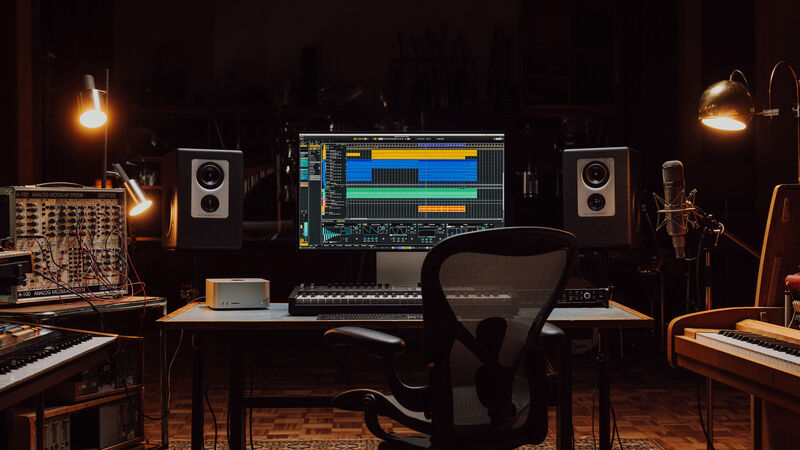
What’s Different About Cubase?
Steinberg’s DAW offers a range of functions that are different from – or completely missing in – other DAWs.
The Cubase Mindset
So what’s Cubase all about? The DAW has always been designed with a deep focus on precision, flexibility, and versatility, aiming to cater to a wide spectrum of music creators. Its workflow is precise and detail-oriented, and it has a commitment to professional quality. Cubase takes the ‘traditional studio’ approach, being firmly rooted in a tried-and-tested music production ethos, but it adds some modern innovations that can only be achieved in the world of digital audio. In general, Cubase offers an all-in-one solution and encourages professional features throughout.
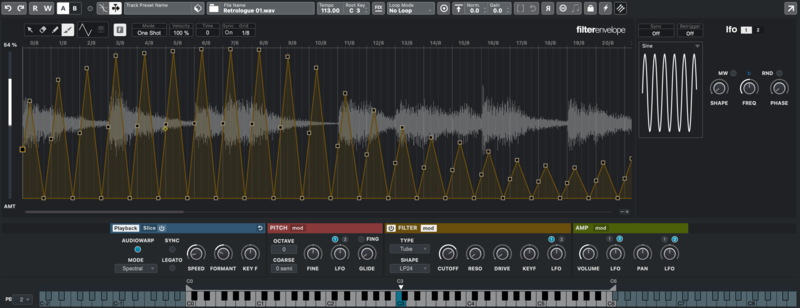
Sampler Tracks
Ever wanted to get sampling straight away in your DAW without any faffing around? Sampler Tracks are tracks in Cubase (Pro, Artist and Elements) that let you drag and drop any audio sample (a drum hit, a vocal, a musical note, and so on) into a built-in sampler. This creates a playable instrument that you can trigger from a MIDI keyboard or program using MIDI notes.
In many ways, it’s “a sampler on a track”, but when you start using a Sampler Track, it’s a very quick way to get creative with an audio region that’s already in your project.
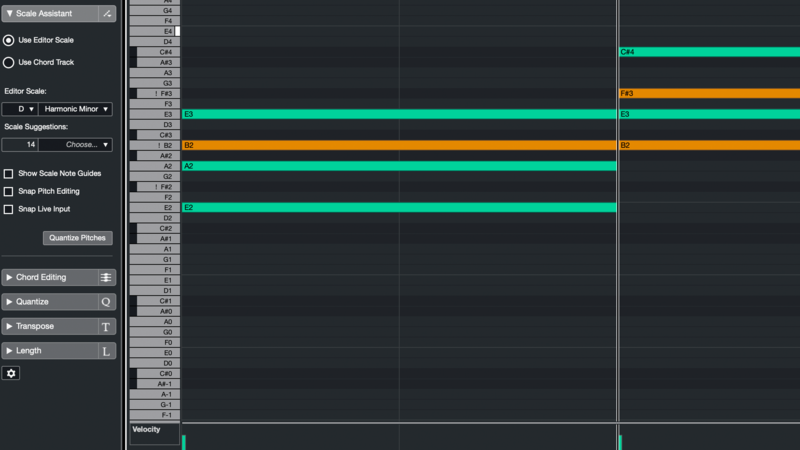
Scale Assistant
Cubase Pro, Artist and Elements users can add a Chord Track to their project, selecting chords and assigning them to the timeline. With a progression active in the Chord Track, and MIDI notes programmed into instruments in the project, you can change chords and the notes of the MIDI regions in the timeline will change to match. The Scale Assistant feature lets you quickly try out new harmonic ideas from a single place, without needing to delve into individual tracks again and again.
What Instruments Come with Cubase?
Cubase 13 features a selection of instruments to make music production easier and more creative. Here are some of the highlights.
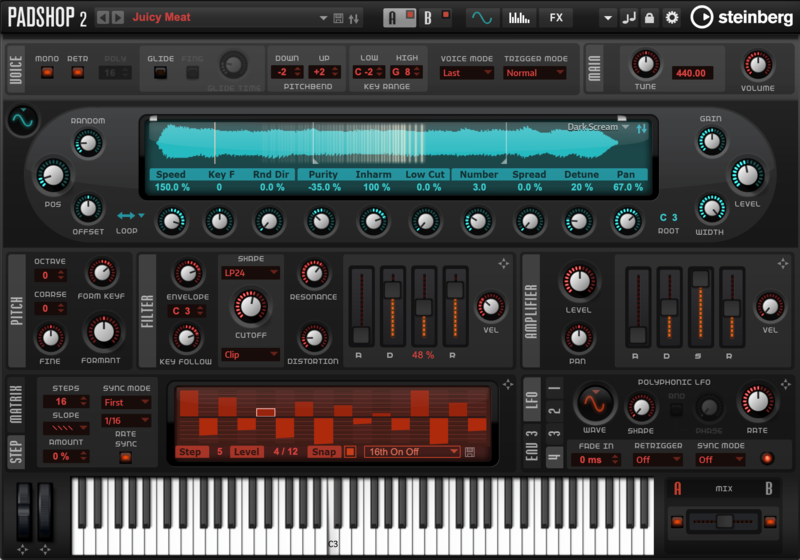
Padshop 2
Available in Cubase Pro and Artist, this instrument is built from the same stuff as the classic Padshop Pro synth. The Padshop philosophy was always to experiment with granular synthesis techniques, layering and repeating small ‘particles’ of a sound over and over again to make smooth, overlapping textures. With the addition of the new spectral oscillator, PadShop 2 is an even more impressive and creative instrument.
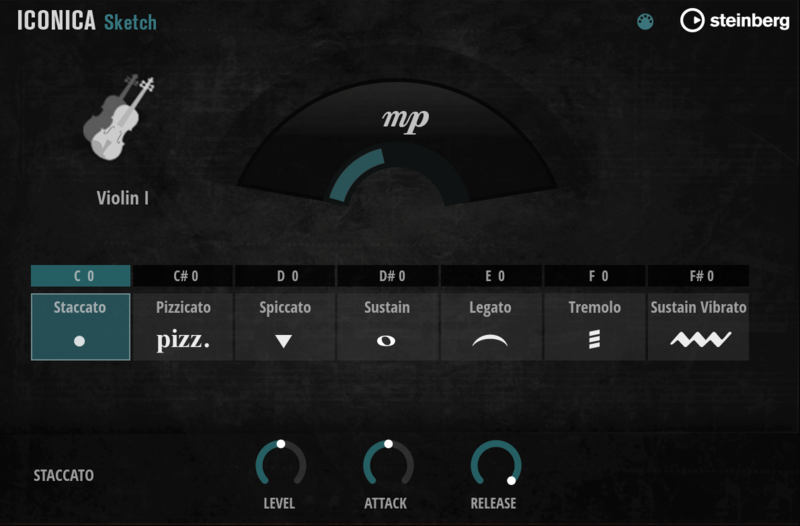
Iconica Sketch
This library puts a whole orchestra in your hands, giving you access to strings, winds and brass with a range of articulations for each (for example, the violins can be bowed or plucked, brass instruments can be muted). Iconica Sketch is an incredibly worthy library for taking your first steps into orchestral arrangement and programming, and it’s a no-brainer given that it comes with a Cubase Elements license!
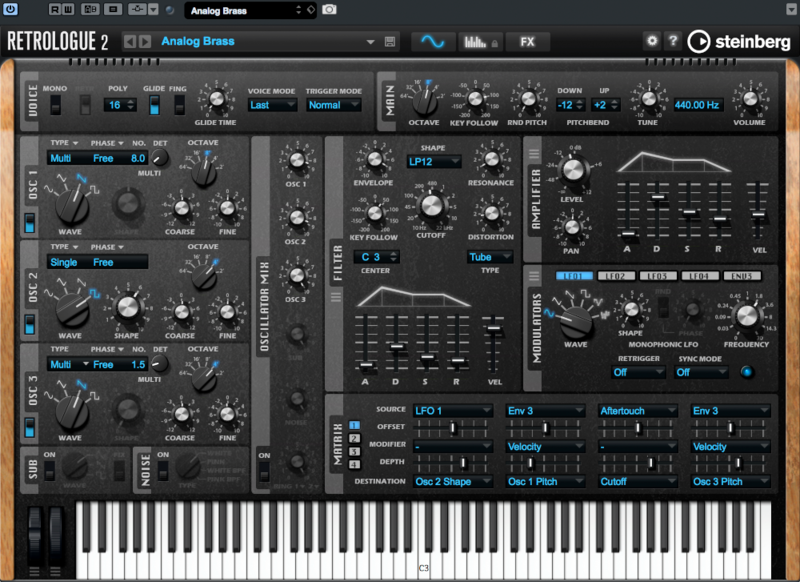
Retrologue 2
Bringing all the simplicity, character and – most importantly – analogue sound of classic synths, Retrologue 2 is a classic Minimoog or Prophet-style synth, but with some modern conveniences added in to sweeten the deal. There are loads of trips down memory lane to take as you scroll through the many presets in Retrologue 2. It’s available for Cubase Pro and Artist tiers.
Flux
A full wavetable synth in Cubase, Flux was built to rival some of the most popular plugins of recent years. The point of Wavetable synthesis is to modulate not just the usual synth parameters like the filter or effects, but to modulate the oscillator shape itself. Here, Flux doesn’t disappoint, and it has further features to bring to the table as well. Flux is available in all versions of Cubase.
What Effects Come With Cubase?
Cubase comes loaded with both instruments and effects to help you make music. Here are some of the highlights and recent additions that help Cubase stand out when compared to other DAWs.
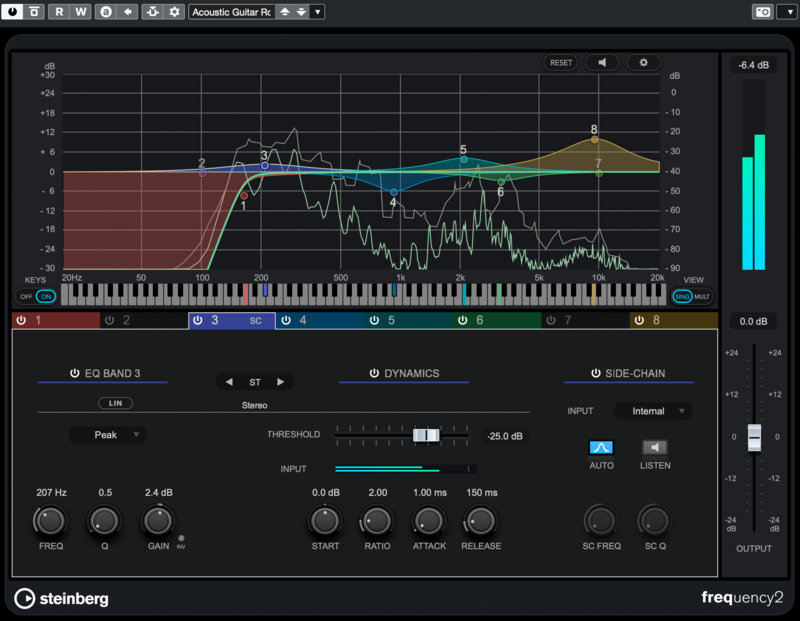
Frequency: The Dynamic EQ
This Cubase Pro plugin can be used as a regular EQ, but the dynamic features introduced in Frequency 2 are the most interesting and useful parts. On any EQ band, flick the Dyn switch and that band will turn into a narrow-band compressor. One killer feature on Frequency is the fact that it can accept a separate sidechain signal for each EQ band, taking full advantage of it being pulled from the same stock as the DAW it’s running in.
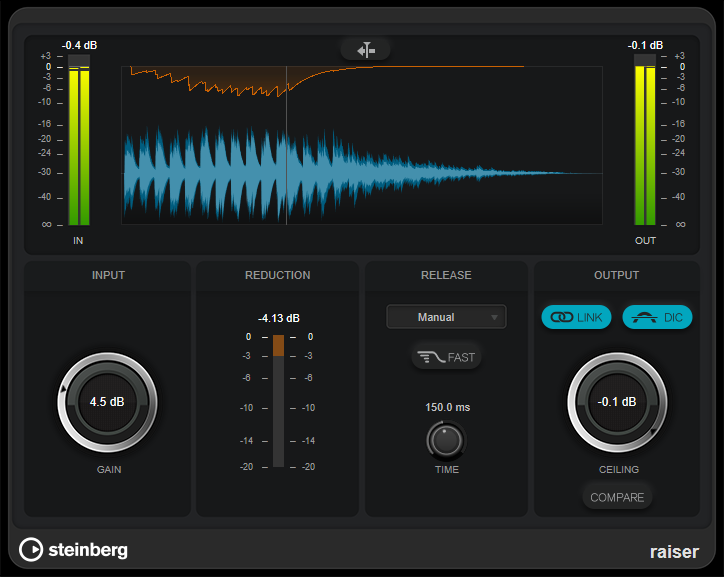
Raiser Limiter
A limiter/maximizer plugin for Cubase Pro that’s built for increasing loudness. Raiser is a professional-grade mastering device that users of other DAWs won’t be able to compete with unless they bring third-party plugins into the picture.
FX Modulators
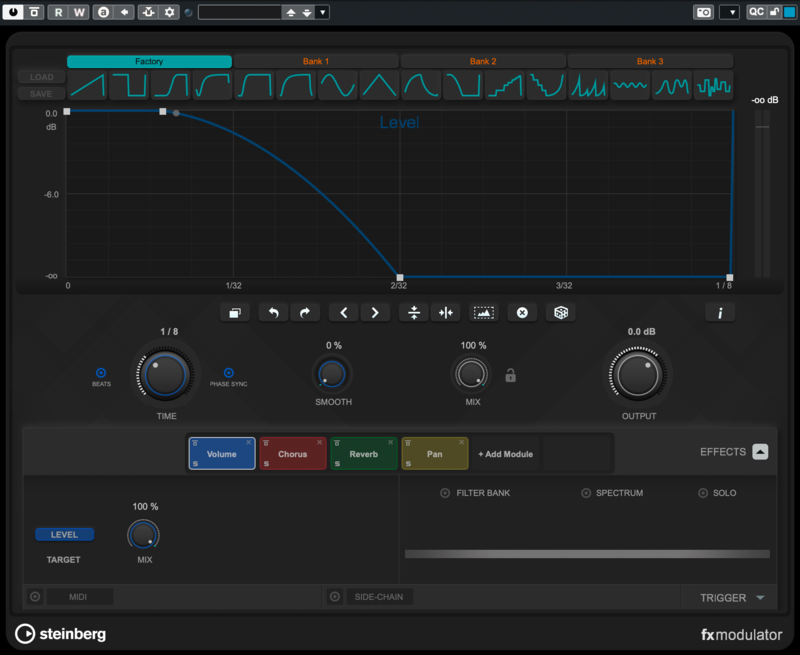
Introduced in Cubase 11, FX Modulators are Cubase Pro and Artist’s take on plugins like Cableguys ShaperBox or Devious Machines Infiltrator 2. At the top, you can draw a custom curve or use one of the curve presets. Below, you add effects from a wide-ranging choice of options (Chorus, Width, Pan, Pitch Shifter, Reverb and more). Your curve modulates the ‘amount’ of each effect rhythmically in line with your track.
Squasher
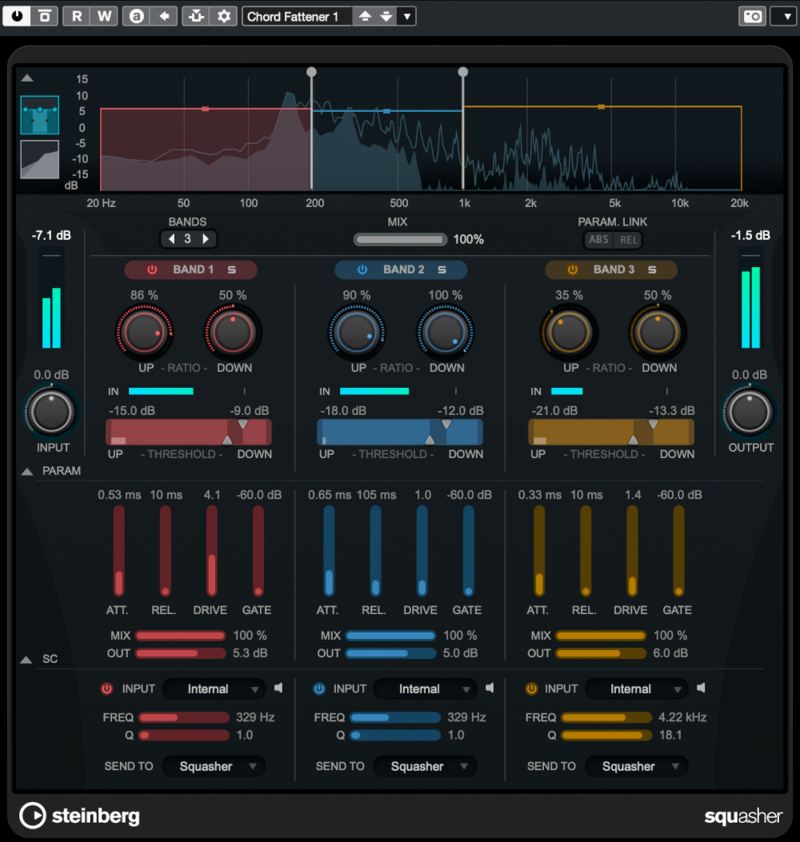
Available since Cubase 11, and for all three versions of the DAW offered here at Plugin Boutique, Squasher is a multiband dynamics device that offers both downwards and upwards compression, bringing a signal’s level down when it’s high or up when it’s low. There are three bands, so Squasher isn’t necessarily about getting the full multiband compressor workflow – it also works as a creative effect, pushing your sounds to the max and squeezing them for all their worth.
VocalChain
Cubase 12’s VocalChain was a significant step up for vocal processing in Steinberg’s DAW (Pro and Artist versions). This plugin contains a huge selection of devices for vocal processing, and allows you to chain many of them together to get your vox sounding exactly how you want.
VocalChain’s different processors are split into three sections: Clean, Character and Send. Clean allows you to fix problems with your vocal (low cut, gating, pitch correction, de-essing, compression, EQ…); Character lets you add more personality (exciter, saturation, more compression and EQ…); and Send brings things further towards professional standards (Imager, Delay, Reverb).
VoxComp
A very simple compressor created just for vocals, VoxComp is a three-knob device at heart, but it could even be as simple as bringing down the threshold before you end up with a vocal that sits perfectly in the mix. It’s available in Cubase’s Pro and Artist tiers.
All in all, VoxComp gives a huge amount of flexibility and precision, truly bringing together all the necessary tools for vocals under one plugin-sized roof.
Should I Choose Cubase Elements, Artist or Pro?
Cubase comes in three editions, each with a different number of features but a different price tag to match. You can find all the available options on our Cubase upgrade and crossgrade options page.
In summary, while most DAWs restrict significant features to their top-tier versions, Cubase’s most advanced version (Cubase Pro) feels full of tools for professionals – ones that you wouldn’t necessarily even use if you weren’t working daily in a recording studio. You might be surprised at how featureful Cubase’s Artist and even Elements editions can be. You can check out Steinberg’s comparison chart to get a better idea of the exact differences.
If you’ve absolutely got to have all the Cubase you can eat, then Cubase Pro 13 is your option. This nets you features that pro engineers would enjoy, such as VCA Tracks, Control Room, more Mixer Views, and so on, as well as Cubase’s very latest effects plugins.
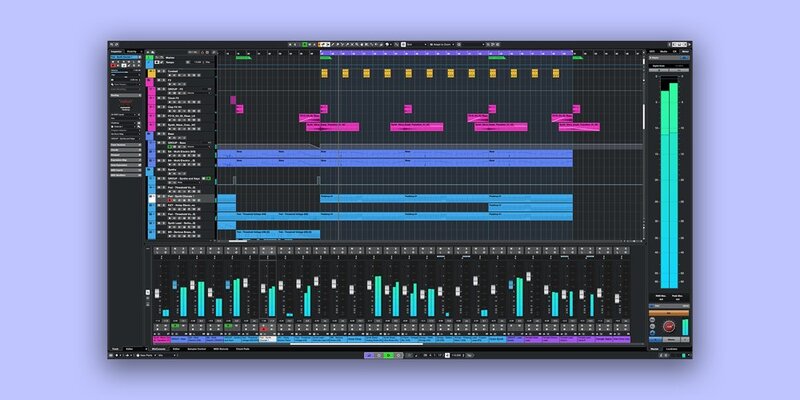
You might find that Cubase Artist 13 is a very featureful version of the DAW, especially given that many mid-tier options for other DAWs remove quite desirable features. Cubase Artist, on the other hand, misses very advanced features that many producers may not even understand, let alone need. Check out Steinberg’s own comparison chart for yourself to get the specifics.
Cubase Elements 13, the cheapest edition available here at Plugin Boutique, is where the limitations start to show for some. Cubase Elements is limited in its number of MIDI tracks (64), audio tracks (48) and instrument tracks (24). It doesn’t include any MIDI effects, and reduces the number of instruments and effects you get included. However, not everyone will find a dealbreaker in the list of what’s ‘missing’ in Cubase Elements. Check out Steinberg’s own comparison chart to get a deeper insight.
Can I Crossgrade to Cubase as Another DAW Owner?
Yes. At our Cubase 13 Crossgrade page, users of FL Studio 11+, Apple Logic 9+, Ableton Live 8+, Reason 6+ and Studio One Professional can get a reduced price on Steinberg’s DAW. You’ll need to show proof of your purchase, such as an original receipt or product registration.
How does Cubase Compare to Ableton Live?
Steinberg Cubase 13 and Ableton Live 12 are both professional DAWS (digital audio workstations), but these two software packages have some differences.
The workflow and interfaces of both DAWs have differences. Cubase is a more traditional, linear approach to music making, resembling classic studio setups with a strong emphasis on detailed track arrangement and advanced MIDI and audio editing, while Ableton Live offers more non-linear approaches too.
Cubase is known for its depth and precision, and it's often favoured by musicians, composers, and producers who work on genres that require complex arrangements, such as orchestral, film scoring, or detailed audio production. It’s also popular among those who come from a traditional recording background. Ableton Live is highly popular with electronic music producers, DJs, and live performers. Its real-time performance capabilities make it a go-to choice for those interested in electronic genres, beat-making, or integrating live sets into their workflow.
Cubase has a steeper learning curve due to its depth and complexity. It’s a powerful tool, but beginners might find it overwhelming initially, especially if they're not familiar with traditional DAW workflows. Ableton Live is generally considered more intuitive for beginners, especially those interested in electronic music production. Its drag-and-drop functionality and Session View are beginner-friendly, allowing users to create without a deep understanding of complex audio concepts.
How does Cubase Compare to Apple Logic Pro?
Cubase offers a traditional DAW interface with a strong focus on a linear, track-based arrangement. It provides advanced MIDI and audio editing capabilities, making it versatile for detailed composition and production. Logic Pro also uses a linear, track-based workflow but is known for its more intuitive and streamlined interface. It’s designed to be user-friendly and efficient, making it easier for beginners to start creating music quickly while still offering depth for advanced users.
Cubase appeals to a wide range of producers, but it's particularly popular among composers, sound designers, and musicians who work on genres that require intricate arrangements, such as film scoring, orchestral music, and complex audio projects. Logic Pro is favoured by many singer-songwriters, electronic music producers, and composers, especially those in the Apple ecosystem. It’s versatile and works well for a range of genres, from pop and rock to EDM and orchestral compositions.
Overall, Cubase is ideal for users who prioritize advanced editing, detailed composition, and cross-platform compatibility, while Logic Pro stands out for its intuitive interface, comprehensive built-in sound library, and seamless integration with Apple hardware. Logic Pro tends to be more accessible for beginners, whereas Cubase offers deeper tools for those looking to delve into more intricate music production.
How Does Cubase Compare to FL Studio?
Cubase features a traditional, linear DAW interface with a strong focus on track arrangement, detailed MIDI editing, and audio recording. FL Studio is known for its pattern-based, non-linear workflow, which is highly visual and intuitive. It uses a step sequencer and piano roll for composition, making it easy to create beats and loops quickly.
In general, Cubase is ideal for producers who prefer a structured, detailed approach to music production and need a DAW with advanced editing and arrangement capabilities. In contrast, FL Studio is perfect for beginners and electronic music enthusiasts who want a quick, intuitive way to create beats and melodies, with a pattern-based workflow that encourages rapid idea generation.
Is Cubase a Good DAW?
Cubase has been around for a long time and is still to this day updated regularly. It has a huge feature set and runs reliably. Cubase is an excellent option for professionals and even its cheaper tier versions come loaded with features for beginners. While Cubase could arguably be overkill to use for simple, singer-songwriter recording projects, the DAW is very much at home running large projects full of audio or MIDI parts. Producers of every genre trust Cubase to contain and develop their music ideas.
Cubase’s developer, Steinberg, is a long-time part of the music technology community, being also the originator and keeper of the VST standard. Steinberg is also owned by Yamaha, a legendary musical instruments manufacturer (amongst other things). Steinberg also develop music software like the post production DAW Nuendo, the notation program Dorico, the mastering suite WaveLab and the audio editor SpectraLayers.
Cubase is a great choice for small artists and music production professionals who make a living working with DAWs.
Other articles
ESEA Heritage Month: 5 Artists You Should Know About
Founded in September 2021 by besea.n (Britain's East and South East Asian Network), ESEA Heritage Month celebrates the culture, history, and contributions of East and Southeast Asian communities across the UK. To mark the month, we’ve partnered with ESEA Music, a UK-based, community-led non-profit founded in 2021 to empower ESEA artists and music professionals, to spotlight five incredible independent artists shaping the UK music landscape. Jeremine Chan Malaysian Chinese • Multi-Genre / E
Aaron Suiss Builds Self-Actualization From Diva’s INIT Patch
Presets are a normal part of modern production, and Aaron Suiss is pretty open about using them for some of the biggest layers in his latest release, “Self-Actualization,” which spent a week in the Hype Charts on Beatport. The bass and pad began with Plug Hugger presets inside u-he Diva. But the star of the show was the arpeggiator, which he created from INIT after the options he auditioned just didn’t bring the emotional depth and power the record needed. Created with Enzo Vood and released
Synth Month Sale: The Best Deals on Synth VSTs & Bundles
It’s September, and that only means one thing for all you producers out there – it’s Plugin Boutique’s Synth Month, the ultimate synth plugins sale! Across the month, you can buy synthesizers at massive discounts. Expect big savings on the best software synths, from characterful vintage synth emulations all the way through to cutting-edge modern sound machines. Not only that, but you’ll be able to pick up some deliciously discounted synth bundles that can’t be missed. To celebrate, we
Free VST Plugins You Should Actually Get
[Article Last updated: 12 September 2026] – There are a lot of free plugins out there, and you can sometimes feel overwhelmed by the paradox of choice. Thankfully, we've done the hard work, so you don't have to. Here’s a carefully curated list of the best free plugins that pretty much any music producer can benefit from. We even update this list approximately weekly to keep you informed of the new free plugins arriving on the scene. We’ve been especially considerate of plugins with a wi


