


 Log In
What's New in Scaler 3?
The world’s favourite music theory plugin is back and better than ever
Scaler has long been a go-to tool for musicians, producers, and composers looking to bring interesting scales and chord progressions in their productions. With Scaler 3, the software takes a massive leap forward, transforming from a highly capable harmonic assistant into a fully fledged music composition and production powerhouse with some new features that any Scaler 2 users will love.
From third-party plugin hosting to multi-track composition in the new Arrange View, Scaler 3 delivers an all-in-one environment for developing harmonic ideas, and then expanding them into fully fledged pieces.
Perfect your lead, pad or bass sounds from within Scaler, add as many third-party effects as you like, layer your composition up with multiple tracks, then mix them with the built-in level and pan and gain controls – who needs a DAW?
You don’t even need a DAW to use Scaler 3 – this latest version runs as a standalone app.
It’s not just the big new features that make Scaler 3 a must-buy, the new release also improves on the basics. The UI is more intuitive and quicker to use. Scaler 2 fans will find it familiar enough to pick up straight away while benefitting from plenty of little workflow-elevating tweaks.
So, whether you’re a Scaler veteran who’s considering upgrading to version three, or a harmonic assistant newbie, read on to discover what’s new in Scaler 3, and how it could fit into your production workflow.

Load third-party plugins within Scaler 3
One of the most powerful new features in Scaler 3 is the ability to host third-party VST and AU instruments and effects directly within the software. This game-changing update allows users to compose and experiment with detailed sound design all from Scaler itself, making your workflow faster and more intuitive.
Scaler 3 has always had stock instrument sounds, but you can now load any third-party instrument from your personal plugin collection, directly from the preset browser in Scaler. This means you can hear how certain chord voicings or progressions sound when played on your favourite synth like Arturia’s Pigments 6, or a sample instrument like the Rhodes V8 Pro – your chosen instrument becomes part of Scaler’s internal environment, no MIDI routing or exporting needed!
And the plugin fun doesn’t stop there. Scaler 3 also introduces third-party effect hosting. Now you can apply reverb, delay, distortion, EQ, and much more using your favourite effect plugins from any developer. Scaler 3 allows infinite plugin stacking, letting you shape your sound however you like. Additionally, effects can be easily copied between instruments, allowing for quick and efficient sound design.
With the power of your favourite instruments and effects, Scaler 3 is elevated beyond a harmonic composition tool and launched into the realms of an all-in-one production powerhouse.
A beautiful new UI that’s a joy to use
Scaler 2 allowed for fast and creative music-making thanks to some super-smart tech and an easy-to-grasp interface. With Scaler 3, Scaler Music has made the UI more intuitive than ever and added some extra features, allowing you to tweak the plugin to fit your workflow in a way that works best for you.
Scaler 3 features three main work pages: Browse, Arrange and Create. We’ll cover the new Arrange Page in more detail later, but for now, let's dig into the Browse and Create windows. Both of these pages will be familiar to Scaler 2 fans, however, they’re now redesigned and improved, with a few extra features to boot.
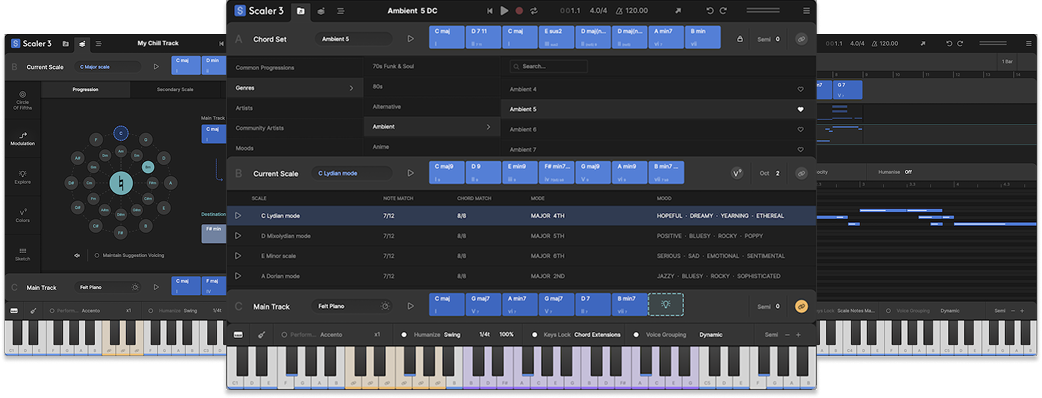
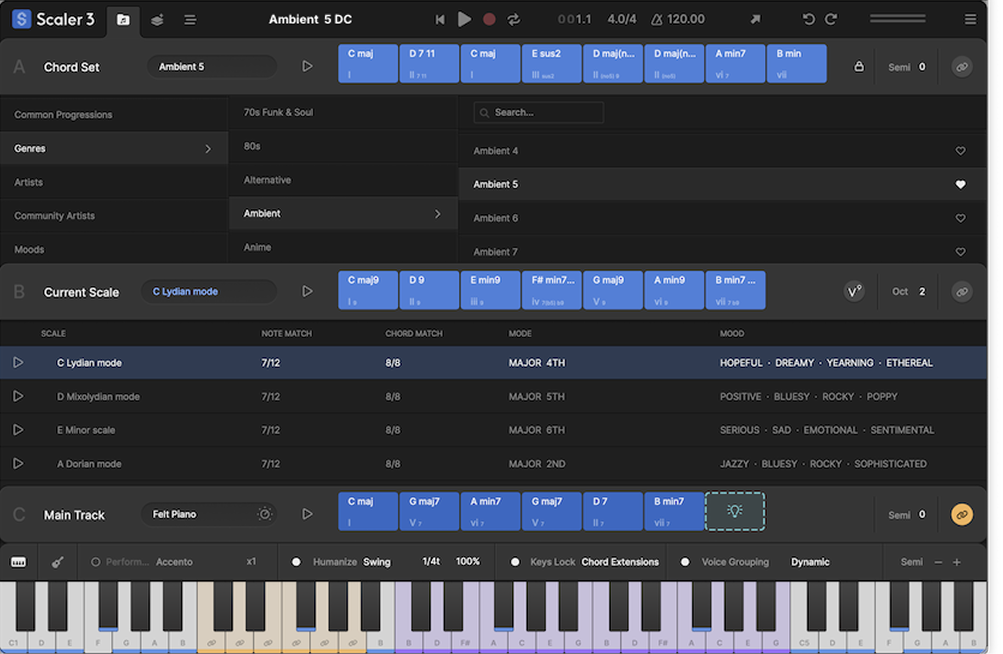
In the Browse page, you can discover scales, chords and chord sets.
One nifty new feature is the ability to search for scales by notes you want it to include. Just click on the keyboard in the UI to select notes, and Scaler 3 will present a list of scales that feature the selected notes.
Chord sets can be filtered by genre mood, and more for easy searching, and if you like the sound of a set, click favourite to make it easily findable in the future.
The main parameters and keyboard are now all grouped at the bottom of the Browse page making the powerful abilities of Scaler 2 quicker to find, and easier to use; expressions, articulations, and phrases can be explored using the new ‘Motions’ browser, add swing, change voice groupings and more, all at the bottom of the Browse window.
The ‘Create Page’ in Scaler 3 offers an intuitive space to craft custom chord progressions from scratch.
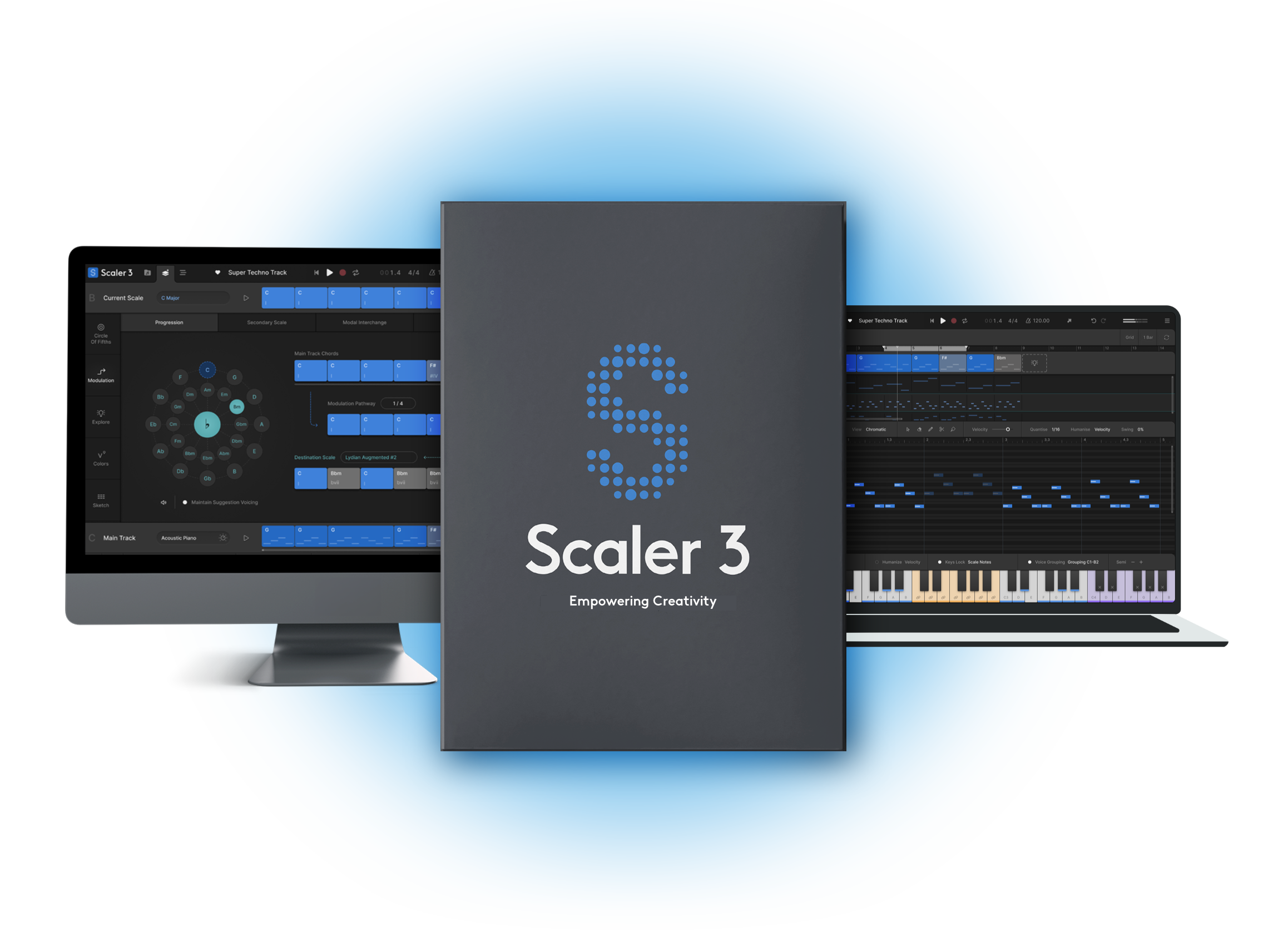
At the heart of the Create Page is the Circle of Fifths, a powerful visual tool for finding and building chords naturally.
One of the most exciting refinements in Scaler 3 is the redesigned Modulation Page. The improved UI makes transitioning between keys and scales more seamless than ever.
Sketch Mode expands on Scaler 2’s Pad Mode, giving you a way to experiment with multiple progressions side by side, assigning different Motions to each progression.
The Colors Page introduces an intuitive approach to chord voicings and inversions. Instead of manually adjusting settings in hidden menus, you can now instantly experiment with inversions, extended chords, and drop voicings, all in one place. This makes it easier to break free from basic triads and explore richer, more expressive harmonies.
Within the Create Page, you’ll also find the Explore Page – but that deserves its own section!
Write emotive chord progressions with the Explore page
The biggest addition to the Create Page is the Explore Page, a tool for discovering new chord progressions.
The Explore Page introduces Chord Constellations, collections of chords organised by genre and mood. These constellations are presented via an intuitive visual layout, making it easier than ever to compose and experiment with harmonic movement.
Each constellation is structured with intentional positioning: the root chord sits at the lowest centre position, while the relative major or minor is placed at the top centre position. Chords in the inner circle remain closely related to the chosen key, while those in the outer circle are more adventurous, allowing users to explore outside the scale.
Scaler 3 also debuts a Dynamic Scale System, which automatically detects and updates the closest scale based on the last played chord. This feature ensures that chord relationships remain clear as progressions evolve. Additionally, the hemispheric layout divides chords into darker, minor-focused options on the left and brighter, major-focused options on the right, providing an intuitive way to build progressions.
For even more flexibility, users can lock their key, automatically transposing presets to match their selected scale, or disable Dynamic Scale Mode to keep everything within a single key.
With multiple presets spanning various genres and moods, the Explore Page transforms Scaler 3 into an inspiring playground for composers looking to push the boundaries of their harmonic knowledge.
Multi-lane timeline lets you understand musical layers like never before
In Scaler 3’s brand new ‘Arrange Page’ you can dive into Scaler’s premade chord sets and progressions like never before.
The Arrange Page acts like a mini DAW within Scaler. From here, you can edit multiple layers of MIDI instruments, allowing for detailed composition without leaving the plugin.
At the top of the Arrange window, you’ll find the Main Track. This contains your primary chord progression. You can then expand your arrangement by adding, bass lines, additional chord tracks, arpeggios and more – each following the chord-by-chord changes of your Main Track.
By default, new tracks play a continuous MIDI clip, adapting to the chord changes as the song progresses. However, you can manually cut MIDI clips using the Scissor Tool to re-trigger patterns at specific points, adding more dynamic movement to your compositions. This level of control allows for precise structuring – perfect for making bass lines punchier, rhythmic parts more varied, or arpeggios more expressive.
Additionally, tweak individual elements on a per lane or per clip basis using Scaler’s bank of Motions, or get creative and write your own MIDI parts.
When writing in Arrange, you can swap out any of Scaler’s stock instruments for third-party instruments in your own plugin collection, and add as many third-party effects to each track as you like, giving you the power to write and compose full songs without ever leaving Scaler 3.
Other articles
Unmissable Bundle Deal from Girls Make Beats – Sharing Spotlight
Play it forward with our latest Sharing Spotlight deal – come away with a great deal and give to a good cause while you do so. We are continuing our support for music-making communities with Sharing Spotlight, an initiative that highlights organizations working toward diversifying the music industry. We do this by offering a bespoke bundle of discounted plugins curated by our featured organization. When you purchase through its unique link, 15% of each sale goes towards supporting that comm
Recreating a Classic Analogue Mix Chain with Plugins
Digital audio production is the modern standard, yet it lacks the colour and life of classic analogue hardware. Learn how to breathe life into your mix bus As music production has overwhelmingly shifted to the digital domain over the last few decades, producers and artists now face the reality that working purely in the box often creates cold, dry, harsh, and lifeless recordings. That’s why many producers are turning to analogue-simulating software to breathe life and warmth of classic hardwa
Analogue Emulation Plugins: A Buyer’s Guide for Mixing with Character
These VSTs are some of the top choices to turn your DAW from a cold, sterile piece of software into a warm, colourful, lived-in studio setup Music software has come a long way, and while we used to use technology to remove imperfections and small problems in the real-world studio, today we actively use it to put these things back into our music. The number of analogue emulating plugins that are out there is truly astounding, with each one doing a slightly different thing on your mix channe
The Best Music Software Deals This Week [Live List]
As the music production landscape evolves week by week, so does the opportunity to save on powerful creative tools. New plugin releases, flash sales on VSTs and limited-time deals on music software can appear from any angle, making it harder than ever to keep track of what’s worth your attention. Whether you're looking for the latest bundles on offer, or even deals on exciting virtual instruments, it's as important as ever to stay up to date on what we have to offer. That’s where our live


