


 Log In

Free gifts available with your purchase

V8 Plugin
The Only Official Rhodes Electric Piano Software
Build Your Ideal Rhodes Sound
For the first time, the hallowed sound and feel of the acclaimed Rhodes MK8 electric piano at your fingertips in any recording studio or live performance. The V8 is a deeply multi-sampled and modelled, hyper-realistic version of the Rhodes MK8, capturing all the nuance and character of the flagship electric piano. The only official software to carry the Rhodes name, the V8 is the final destination for musicians looking to augment their productions with the timeless beauty of ‘The True Rhodes Sound’.
The V8 is a hyper-realistic re-creation of the Rhodes MK8 electric piano and the first official plug-in by Rhodes.
Encompassing 30,000 samples directly sampled from Rhodes’ flagship MK8 piano, including up to 127 velocity layers, 14 articulations and mechanical noise – the V8 additionally employs a hyper-real modelling engine, providing a level of sonic authenticity never before heard in any other electric piano virtual instrument.
Important Note: This listing is for the standard Rhodes V8 Virtual Instrument. The Rhodes V8 Pro is also available HERE.
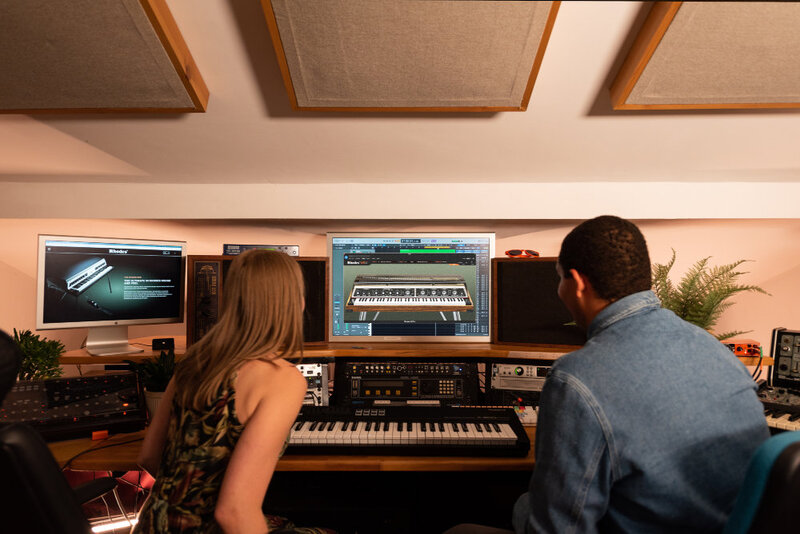
Features
- Parametric EQ featuring Low Gain, Mid Gain, Mid Freq & High Gain
- Diode-based Drive control for crunch and heavy distorted sounds
- Envelope control for auto-wah effects
- Over 30.000 samples recorded at 96 kHZ / 24 Bit
- Up to 127 velocity layers, 14 articulations from sustains to various types of staccatos, portamentos and legatos to note offs, sympathetic resonances, mechanical noises and more.
- 72 factory Presets and 72 factory Profiles.
- Total size original recordings: ca. 60 GB Total size on disk (after lossless data reduction): ca. 22 GB
Main View
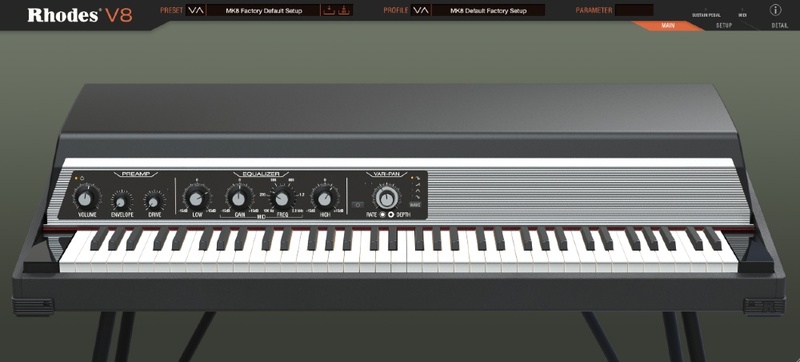
The ‘Main’ view is the place to make broad tone-shaping adjustments to the V8’s pre-amp board. The V8 pre-amp and FX (Pro-edition only) appear in the exact MK8 configuration – making it effortless to dial-in sounds. Taking centre stage is the stereo Vari-Pan effect, featuring four waveforms.
Setup View
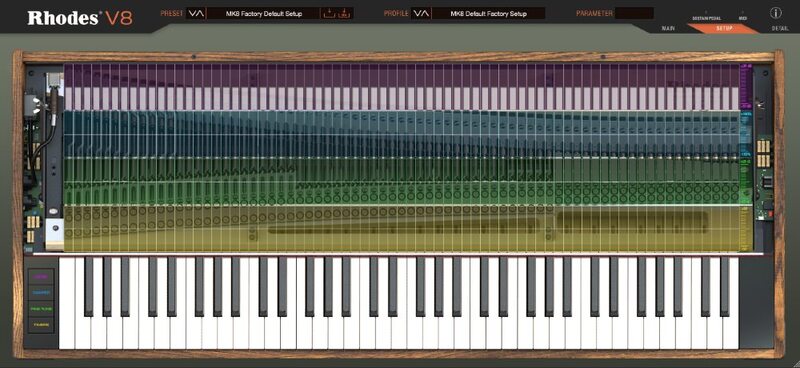
The V8's ‘Setup’ view is a per-note editor for piano setup parameters. Featuring editable Timbre, Damper, Tuning and Level lanes – this view enables a forensic level of control over the characteristics of every single note.
Detail View
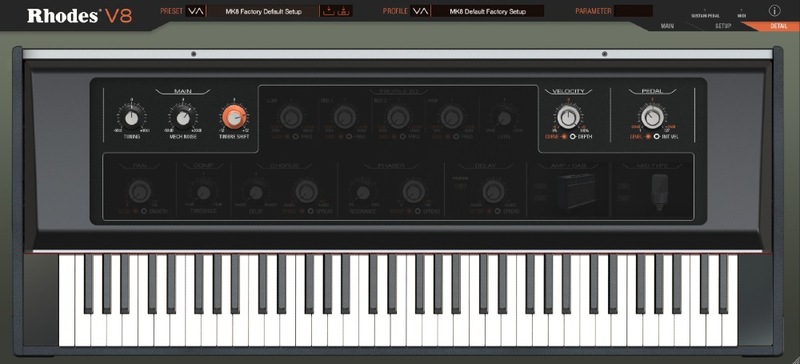
The ‘Detail’ view offers deep adjustments to tuning and timbre, with the option to add ‘mechanical’ and ‘pedal’ noise.
Presets
Created for musicians passionate about the Rhodes sound, the Rhodes V8 plugin features presets designed by an array of industry leading artists and producers.
The Rhodes V8 Plugin, built by Rhodes, defined by you.
System Requirements
- Display: 1280 x 960 minimum, UI resizable
- 8GB minimum RAM
- 25GB of free disk space required
Mac
- MacOS: Big Sur (11) – Sonoma (14) Intel and Apple Silicon supported, Rosetta and Native
- VST2, VST3, AU, AAX
Important note: Rhodes are aware of an issue with their third-party copy protection provider. This means that Rhodes software is currently not working with GarageBand on Macs with Intel processors.
Windows
- Windows 10 – 11
- VST2, VST3, AAX
Please note: An internet connection is required for installation.
Important note: When accessing this software via a Rent to Own plan or the Beatport Studio membership, it's installed and run through the Beatport Access portal. An internet connection is required every 30 days to validate your license.
Doctor Mix
Musician & YouTube Personality
"How beautiful is it!... The ultimate Rhodes plugin."
Sanjay C
Musician & YouTube Personality
"I really like that Rhodes has given us a lot of options to create the Rhodes sound we are looking for and the main controls are simple and familiar."
Bill Laurance
Musician, Composer, and 'Snarky Puppy' Member
"The Rhodes plugin you always wanted. The detail in customisation is a gamechanger and tracking Rhodes on the road is now a whole new world!"


