


 Log In
.jpg)
Free gifts available with your purchase
FM Synth Sounds From Wild To Wow!
Hello Operator, Get me OPx-4!
OPx-4 is a groundbreaking four operator FM synthesizer with advanced sound editing and an easy-to-understand control layout. In addition, the system has one of the most profound FM engines ever built with a 4x4 FM matrix that includes tone shaping and filtering and a 32-slot matrix for modulating your FM tones.
Deep FM Sound Design Functionality
A Groundbreaking FM Synth Engine
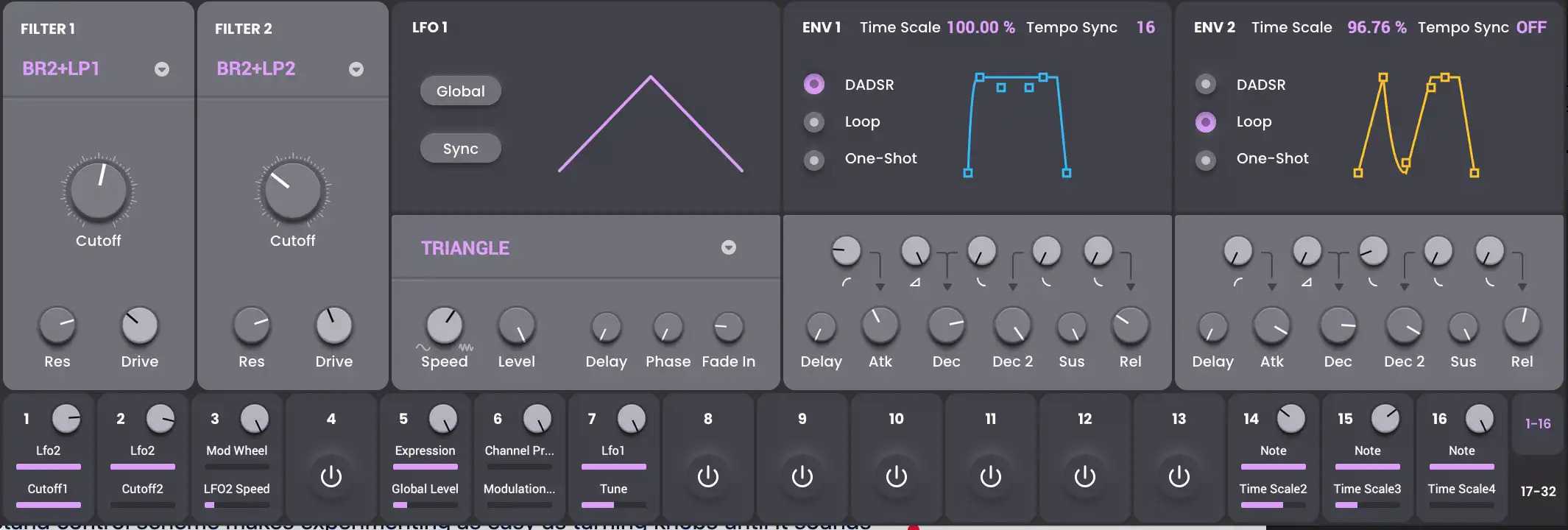
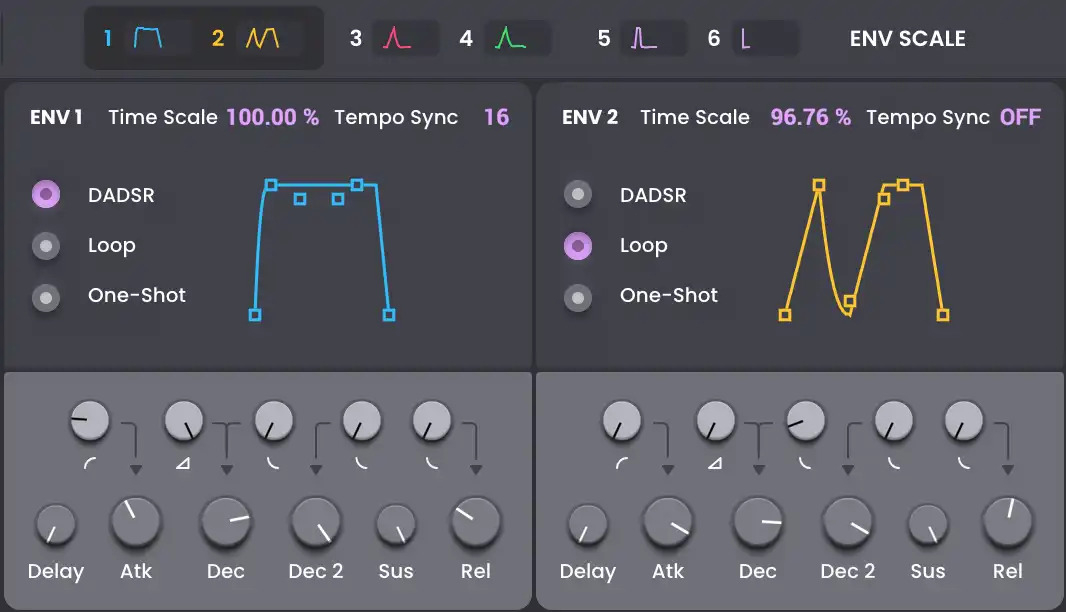
With its flexible wave shaping, dual-mode filter path with 23 different filter types, six envelopes with tempo-synced looping, two LFOs, and two ramps, the OPx-4 will become your go-to FM synth. It includes three insert FX and two global FX for use with 27 included AIR effect plugins, such as reverb, delay, distortion, modulation effects, and more.
Leave Your Sound Design Ph.D. at the Door. OPx-4 Makes FM Synthesis Easy
FM synthesis works by taking classic oscillator waveforms and modulating them until they sound like something brand new. If you’ve ever experimented with FM synthesis, you know it can be complicated to understand how to make great sounds. OPx-4’s simple layout and easy controls make it a breeze to experiment with FM functions without needing a deep understanding of how it works behind the scenes. An easy-to-understand control scheme makes experimenting as easy as turning knobs until it sounds great!
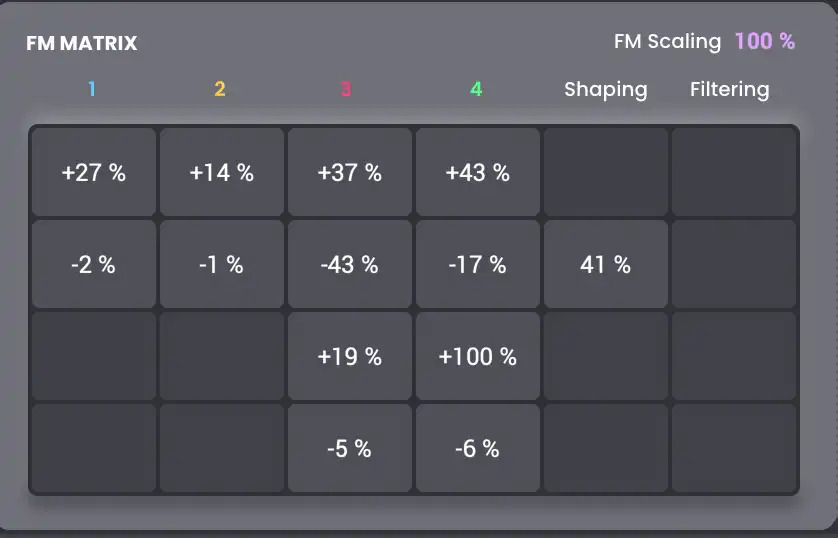
Four Operators, Two Filters, Thirty-Two Mod Sources, ONE Great Sound
Using four FM operators and an FM operator matrix, you can craft almost any FM sound you’ve ever heard—or even those you haven’t heard of yet! You can adjust the values of each operator using specific on-screen controls for pulse width, formant, FM filtering, and FM shaping, as well as specific ADSR and FM oscillator envelope controls.
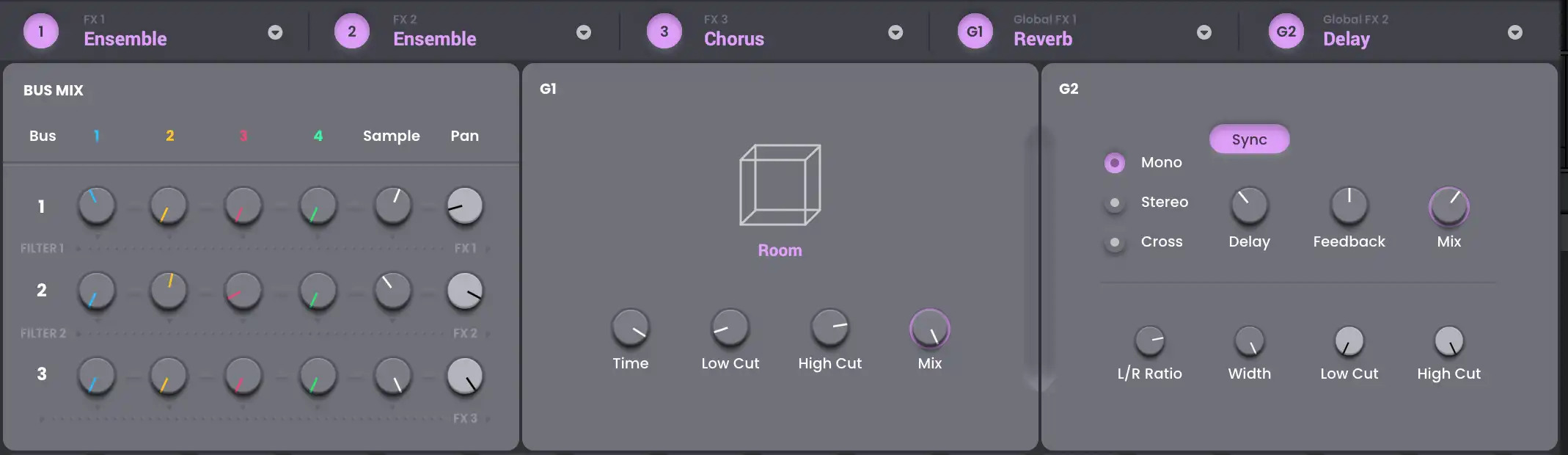
Built-In Effects Engine to Stylize your sounds
OPx-4 includes multiple effects like EQ, amp sims, reverb, delay, and modulation. Create brilliant shimmers, dark haunting echoes, or spacey washed-out DX-style electric pianos with a cutting-edge effects engine built right into the instrument.
Features
- Four-operator FM synth engine with wave looping, sample offset, and multiple filters
- Make deep, evolving sounds with a strong attack, morphing, or filter movement
- Create digital tones like classic EPs, 80s FM synth sounds, or strange FM sound effects
- Built-in effects with compression, EQ, delay, reverb, lo-fi effects, and more
- Eight assignable macro knobs for easy-to-control FM synth effects
- A 32-slot FM modulation matrix for the ultimate in sound design potential
- Multiple preset banks give you easy access to great FM sounds
- Purchase unlocks plug-in on three devices including PC, MAC (VST, AU, AAX) and Standalone (MPC & FORCE)
System Requirements
PC:
- Windows 10 - 11
- Minimum Dual Core 2.5GHz
Mac:
- Mac OS 10.15.7 - macOS 12.4 Monterey (Apple Silicon native compatible)
- Core Duo Processor (Core i5 or i7 Recommended)
Plugin Formats
VST (32 bit and 64 bit) qualified for:
- Ableton Live, Cubase, VIP, MPC
AU (64 bit only) qualified for:
- Logic Pro X
AAX qualified for:
- ProTools 11+ (64 bit)
RTAS qualified for:
- 32-bit ProTools
Please Note:
- Minimum RAM 4GB (8GB or more recommended)
- 2GB free hard drive space (20GB for all content recommended)
- Internet Access (Download and Authorization)



















