Buy Simple Concept, get a free gift with purchase:
Simple Interface, Infinite Sounds
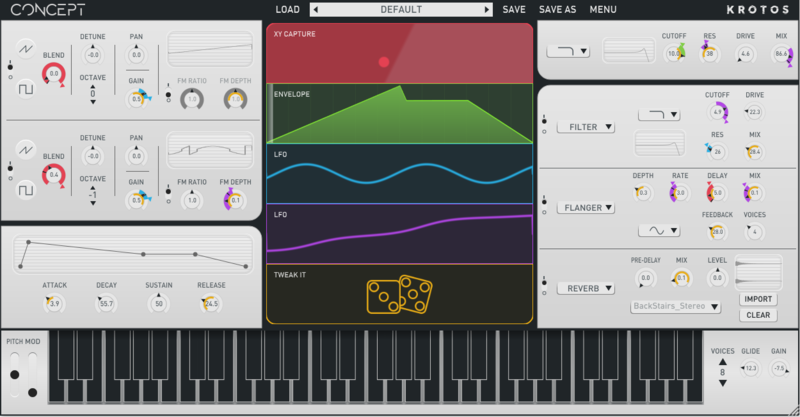
Effortless, quick, and controllable, Simple Concept lets you shape your own synth sounds without a steep learning curve.
Create infinite preset variations with a single click using Tweak It, and create unique basses, leads, pads, keys, textures, and FX in an instant.
Focus on the music and let your inspiration take shape quickly with Simple Concept’s user-friendly set of controls.
About
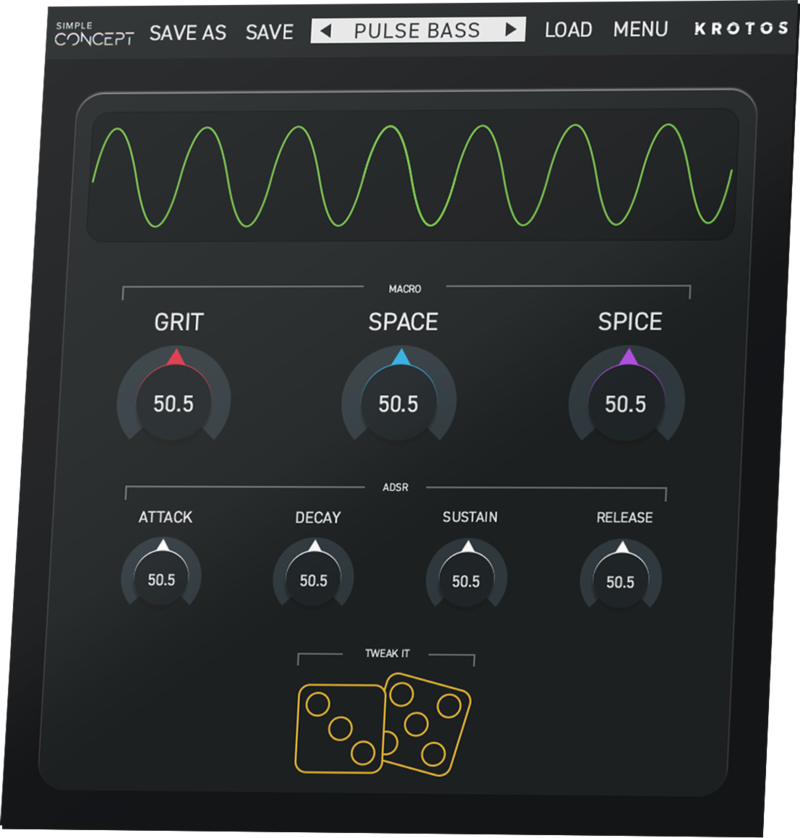
Simple Concept is an interactive and easy-to-use soft-synth powered by Krotos’ Concept synth engine, wrapped into a compact interface. With a simple workflow and a user-friendly set of controls, Simple Concept lets you focus on your music. Dial in your sound quickly with our expertly pre-tuned controls and perform a range of basses, melodic leads, keys, pads, and FX. Shape modulation and effects and choose from a diverse range of 80 presets. Use ‘Tweak It’ to instantly create endless preset variations with just a few clicks. Simple Concept’s Oscilloscope gives you real-time visual feedback based on the master output of the plugin. Effortless, quick, and controllable, Simple Concept allows you to focus on what’s most important: your music.
Features
Presets
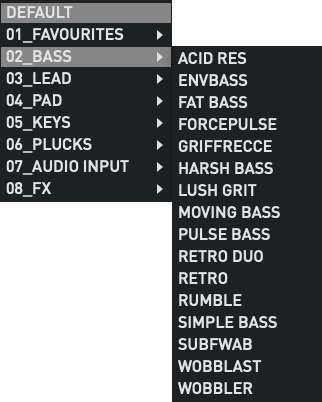
Get started using a range of 80 inspirational presets and create unlimited sounds in an instant.
Macro Controls
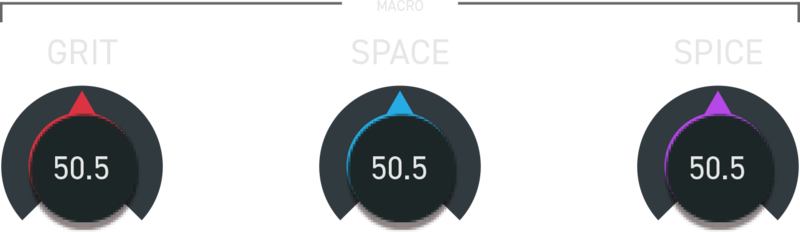
Shape your own unique basses, leads, pads, and FX from a range of flexible adaptable controls.
Tweak It
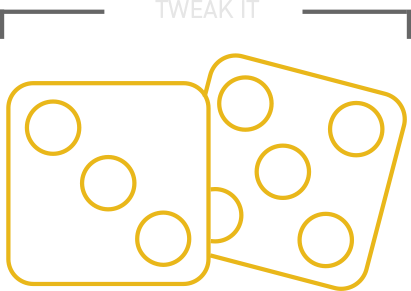
Create infinite preset variations with a few clicks using Tweak It.
ADSR
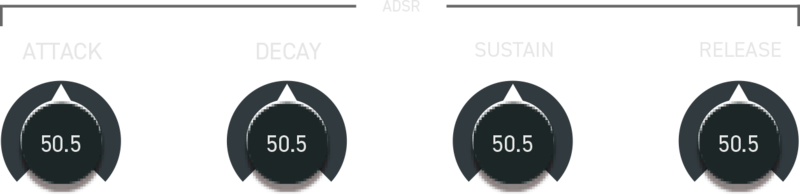
Explore a fast and streamlined workflow and interact with modulation and effects with a few controls to focus on your music.
Looking for more? Try Concept 2, the full version and Simple Concept’s synth engine
Concept 2 is an intuitive and creative soft-synth, that makes the process of creating your own patches fast and inspiring. Concept 2’s flexible synth engine will enable you to create everything from traditional synth sounds to more complex evolving textures and custom sound design elements.
A fresh approach to modulation allows any parameter to be mapped to one of four highly editable multi-mode modulators in the centre of Concept 2’s UI. Choose from a variety of flexible modulation options such as an Envelope/Pitch Follower, an X/Y Capture pad and the unique ‘Tweak It’ customisation system.
System Requirements
Mac
- macOS 10.13 - macOS 11 Big Sur (64-bit only) (M1 Mac not yet supported)
- Intel computer with a minimum of 2.4 GHz Intel Dual Core Processor
- 4 GB of RAM
- VST, VST3, AU, AAX Native
Windows
- Windows 10 and later (64-bit only)
- 2.4 GHz Intel Dual Core Processor
- 4 GB of RAM
- VST, VST3, AAX Native
Additional Information:
- This product does not use iLok
- This product comes with 2 activations
- This software is a digital download
- An internet connection is required at the time of activation
Supported Host Applications:
- Ableton Live 10.1.14 and above
- FL Studio 20.7.1 and above
- Reason 11.3d36 and above
- Pro Tools 11 and above
- Logic Pro X 10.4.6 and above
- Nuendo 10.2.20 or above
- Cubase 10.5.20 and above
- Reaper 6.11 and above
- Studio One 4.6.1 and above
Please Note: The Audio Input feature is not supported on FL Studio or Studio One
Important Notes:
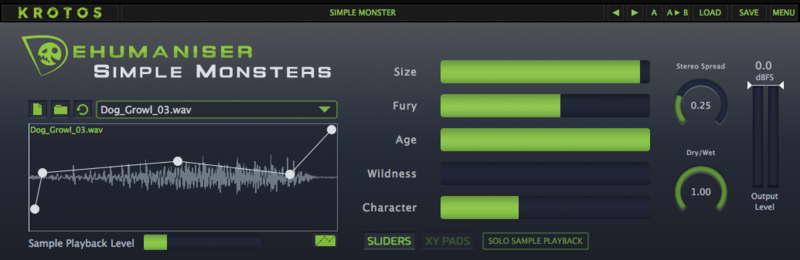
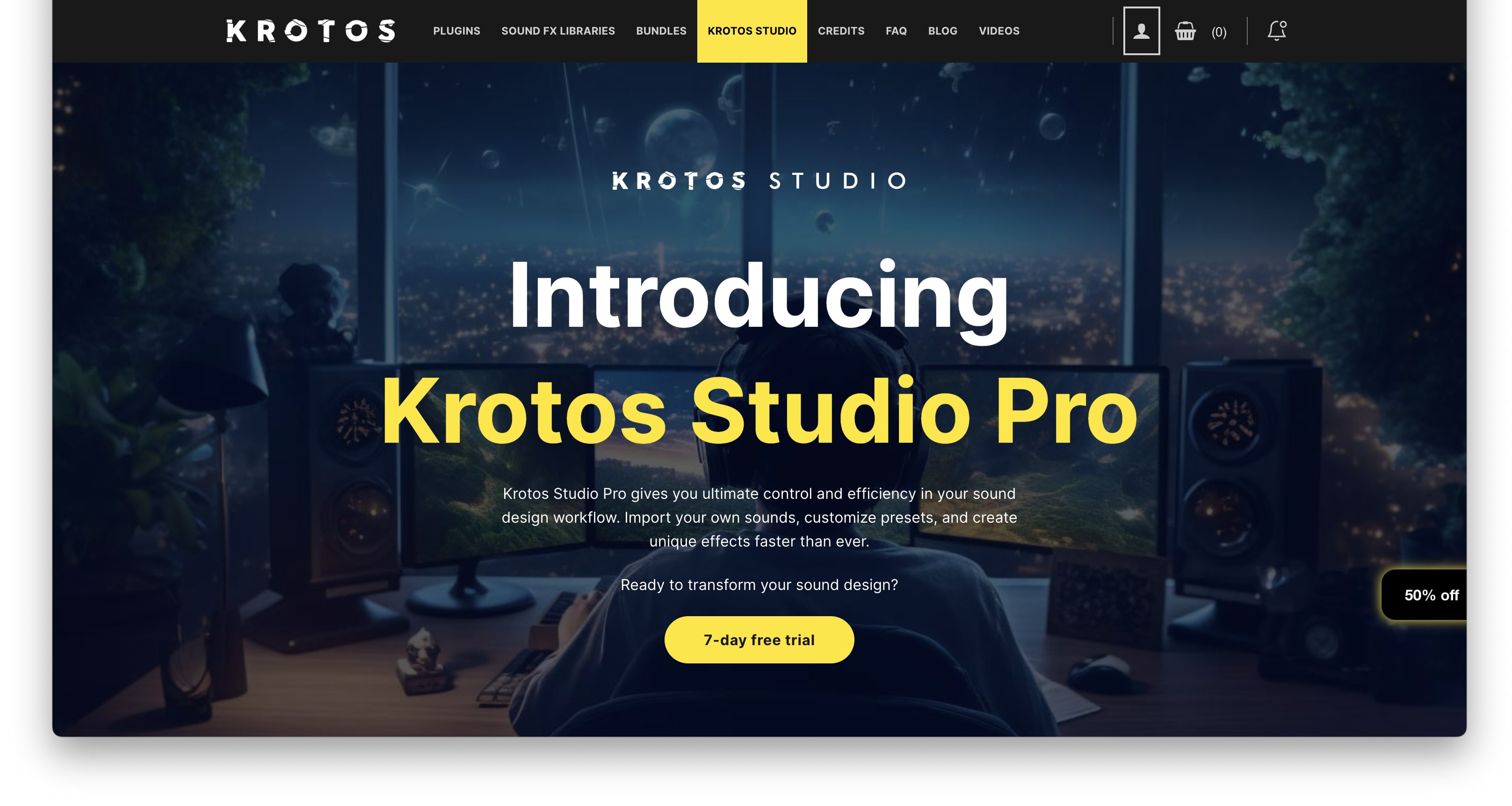
- Dehumaniser Simple Monsters is used as an example.
- This product requires a free iLok account and a copy of iLok license manager to be installed on your computer. A physical iLok USB dongle is NOT required.
- Registering and logging into your Krotos account is required before activating the plugin - please follow the below registration steps before activating.
Registration (Neccessary to complete first)
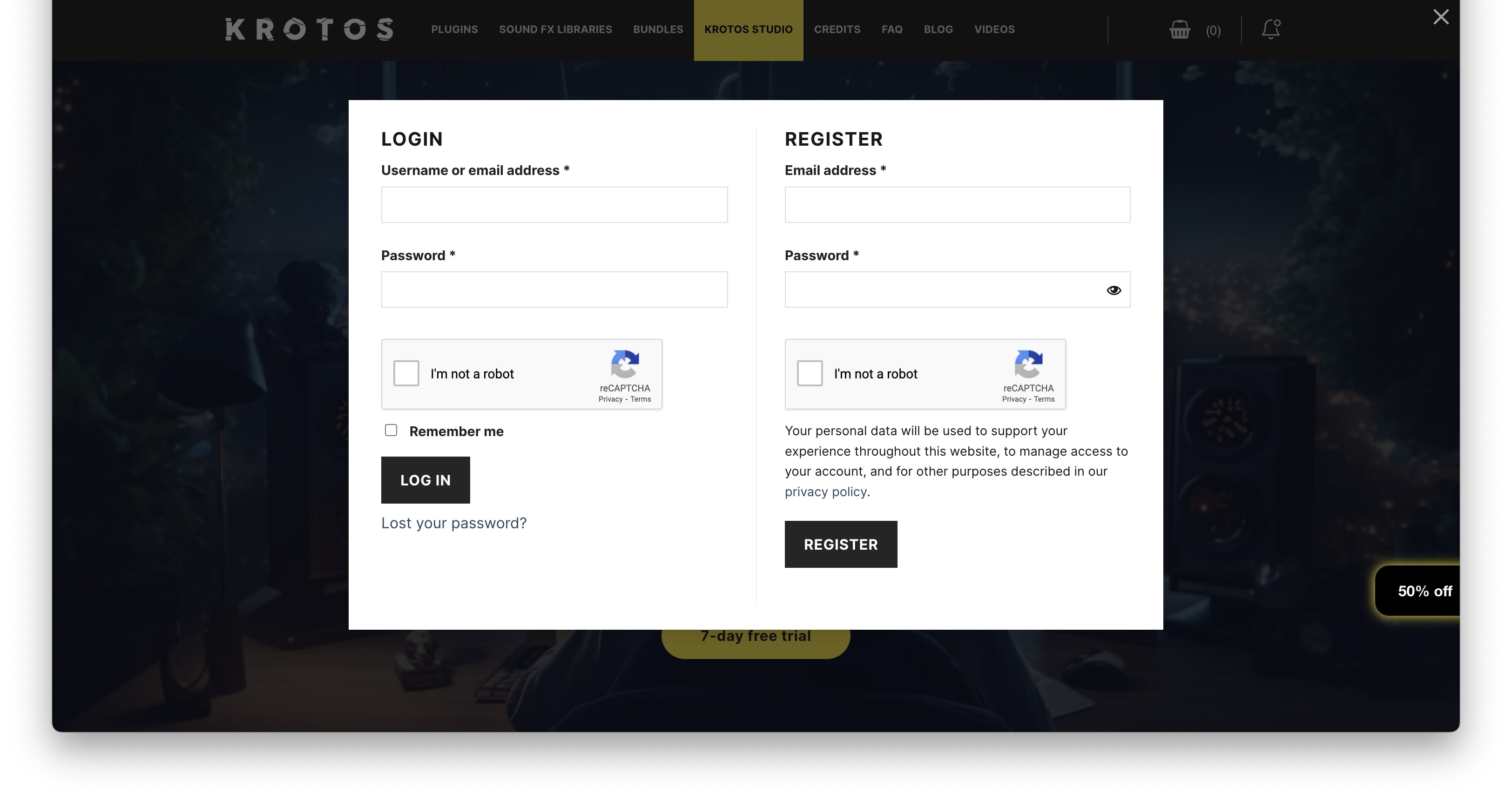
1. Go to https://www.krotosaudio.com/ > Click the 'user' icon in the top right corner.

2. Enter your details and click 'Register' > If you already have a Krotos account, log in as usual.

Activation
Mac
iLok Registration
1. Go to https://www.ilok.com/#!registration > Fill out all of the relevant fields marked with an asterisk (*) and click 'Continue'.
2. Go to https://www.ilok.com/#!license-manager > Download and install the iLok License Manager.
Krotos Registration
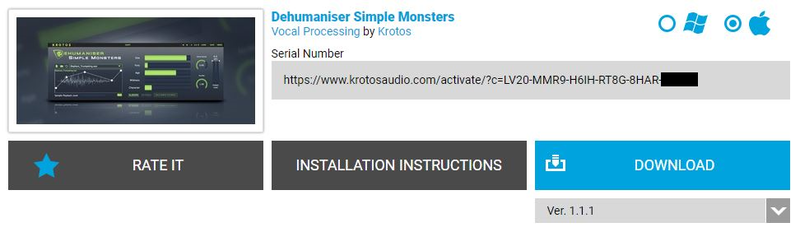
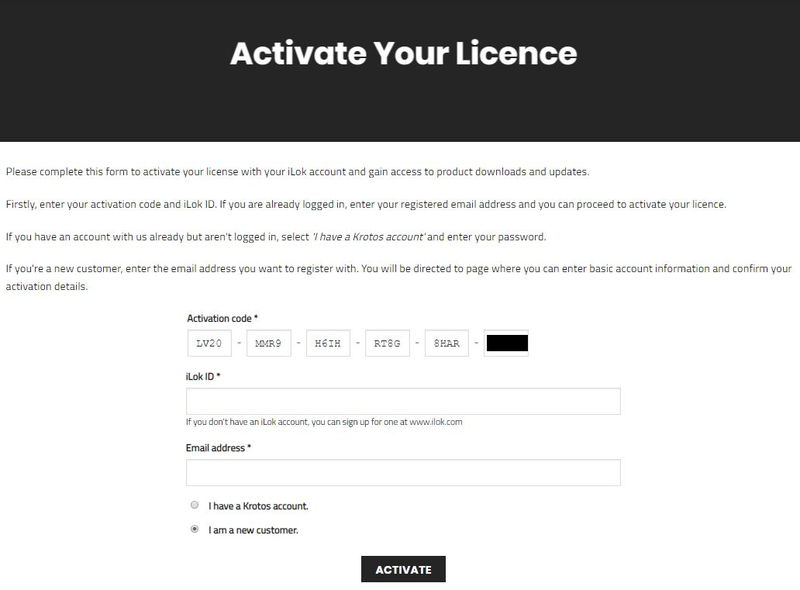
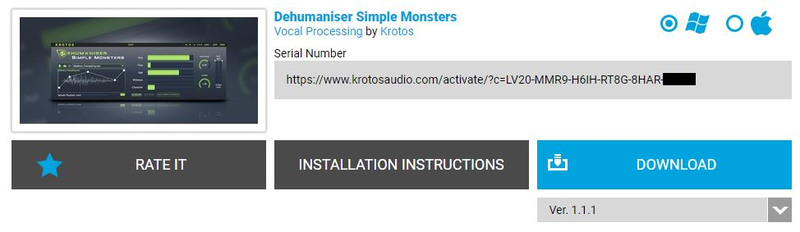
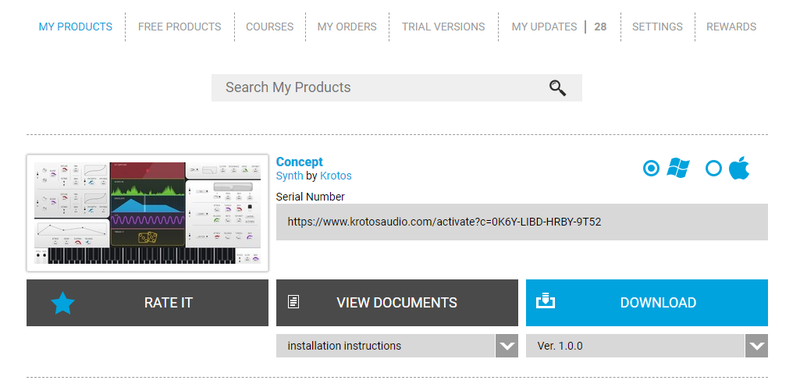
1. Go to your Plugin Boutique User Account and copy the URL found in the serial number section of your purchased product > Paste the URL into your web browser and press enter.

2. Fill out the relevant fields marked with an asterisk (*), including the iLok ID that you chose in step 1 of the iLok Registration instructions > Select 'I am a new customer' and click 'Activate'.

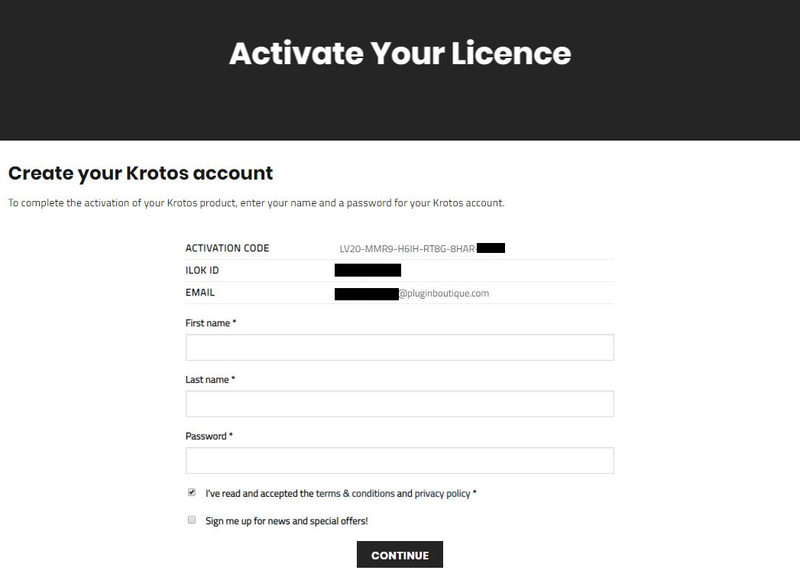
3. Enter your name and password of choice > Select 'I've read and accepted the terms and conditions and privacy policy' and click 'Continue'.

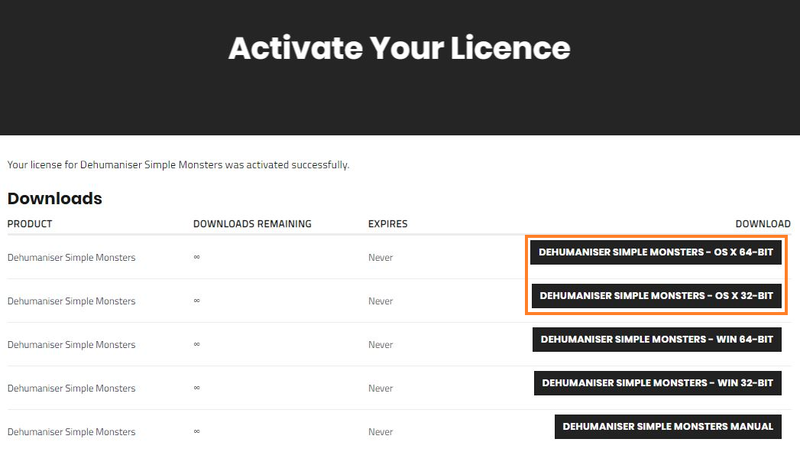
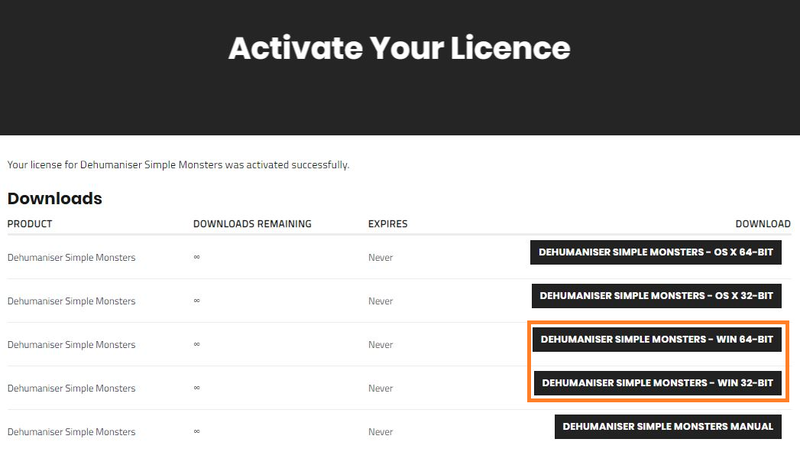
4. Download the Windows installer.

Installation
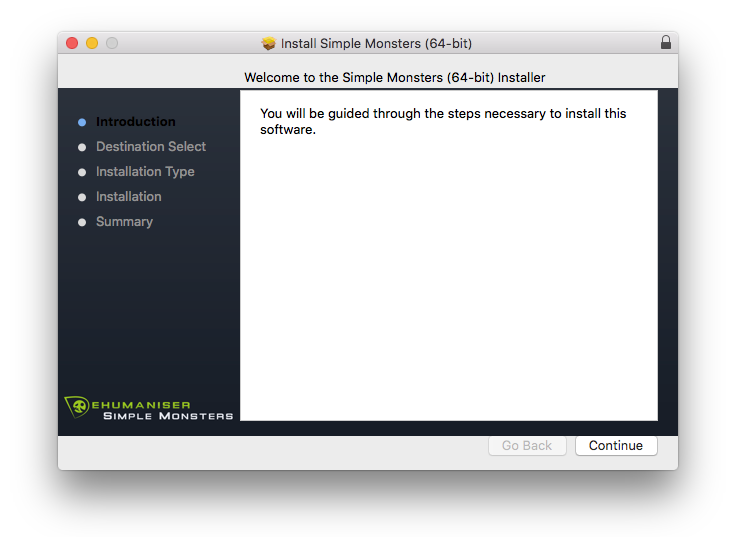
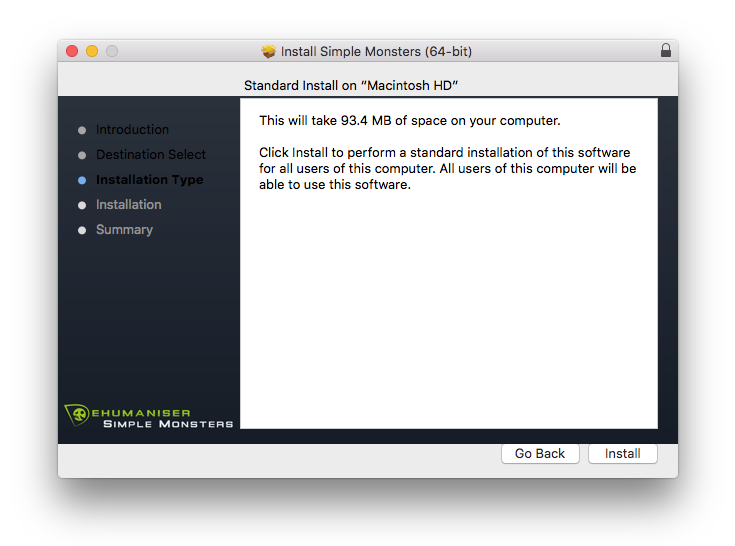
1. Double-click the downloaded .zip file to extract the contents and open the .pkg file to begin the installation > Click 'Continue'.

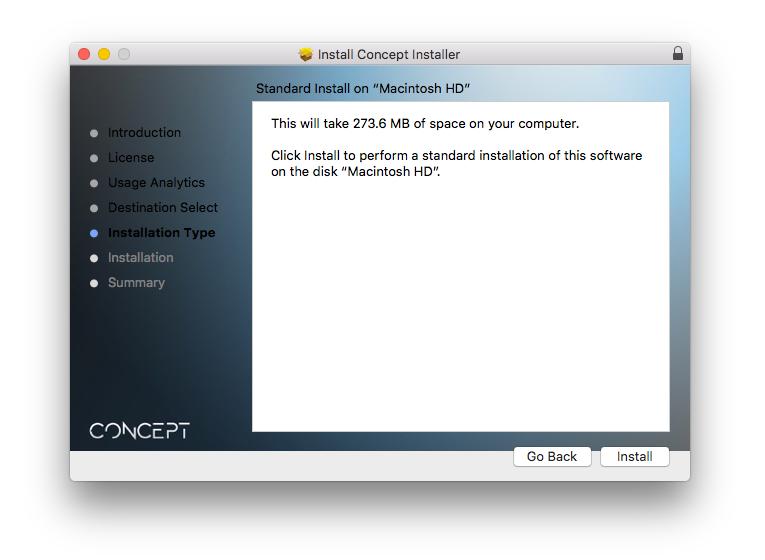
2. Click 'Install'.

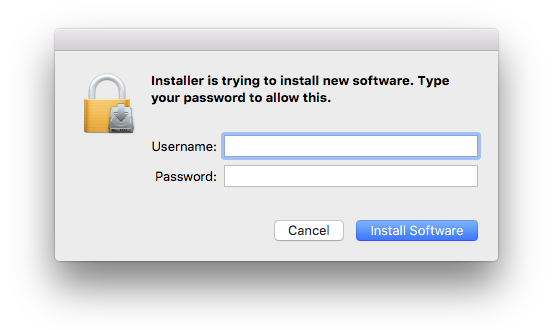
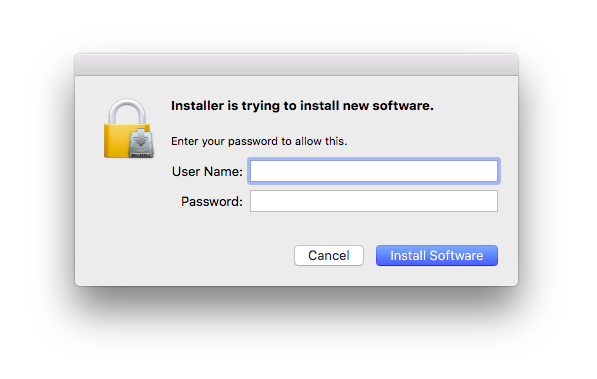
3. Enter your computer Username and Password > Click 'Install Software'.

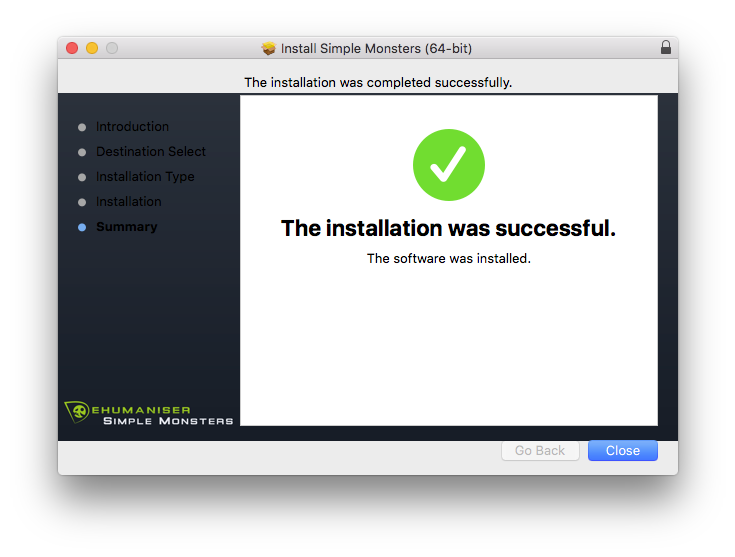
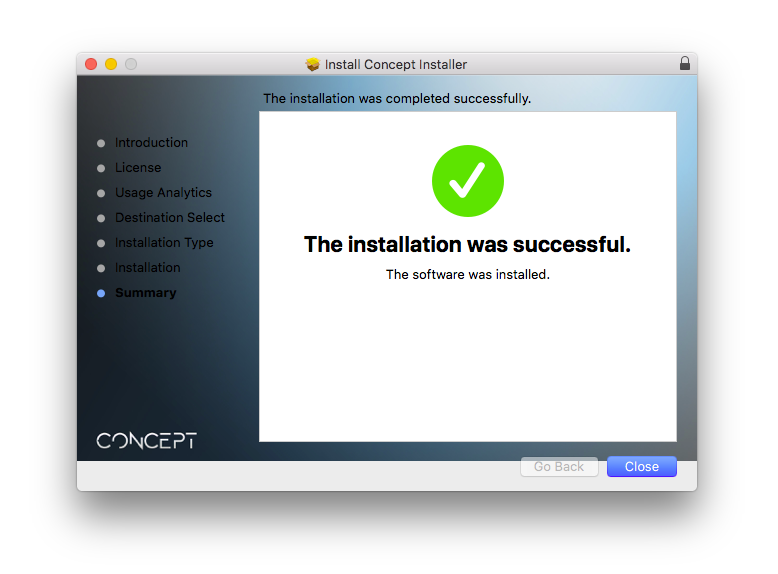
4. Click 'Close'.

Activation
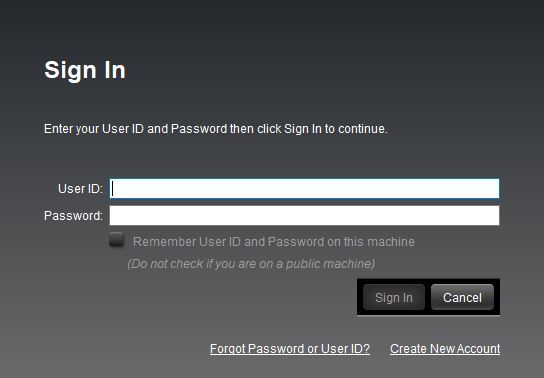
1. Open the iLok License Manager > Click 'Sign In'.

2. Enter your iLok User ID and Password > Click 'Sign In'.

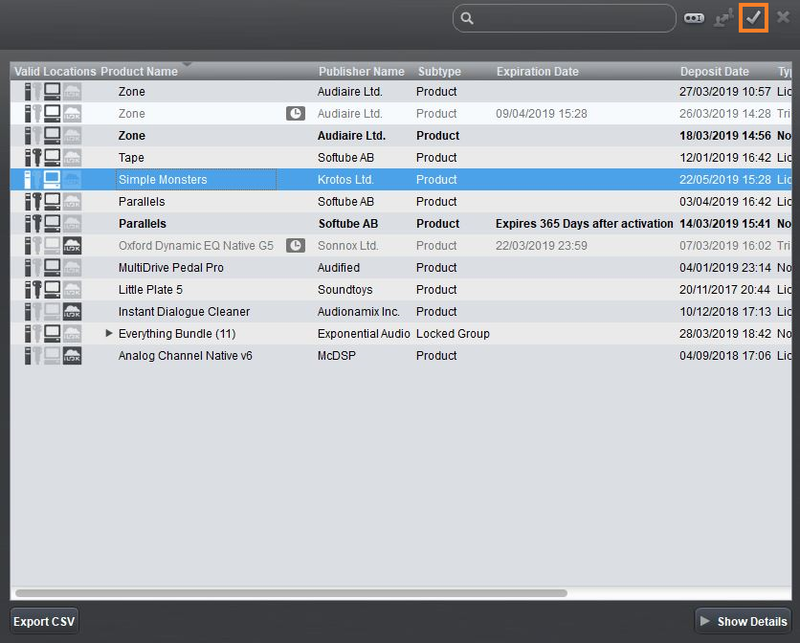
3. Select your recently installed product from the list > Click the tick icon in the top right corner of the application window.

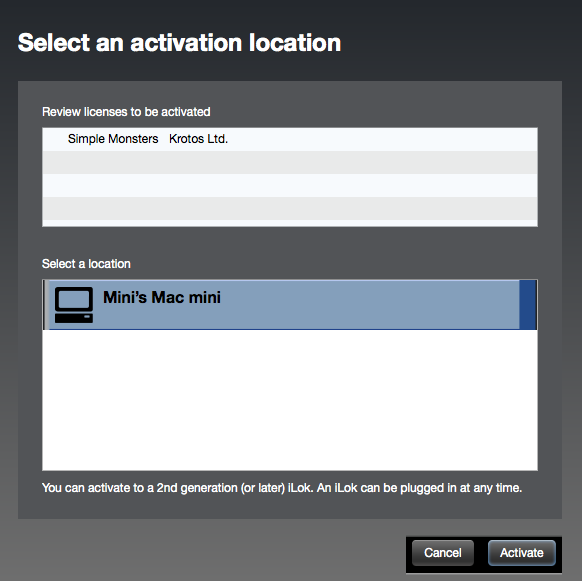
4. Select the location you wish to activate your license - this can be your computer or an iLok USB dongle > Click 'Activate'.

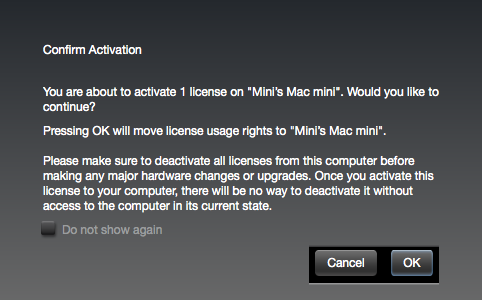
5. Click 'Ok'.

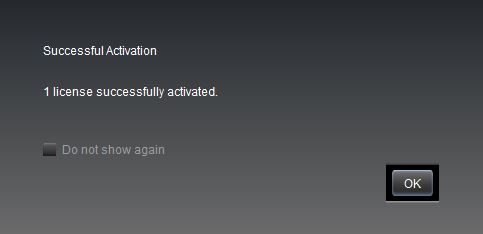
6. Click 'Ok'.

7. Open the recently installed plugin in your DAW.
Note: If your plugin fails to appear, re-scan your plugin selection in your DAW.

Your software is now activated and ready to use.
Windows
iLok Registration
1. Go to https://www.ilok.com/#!registration > Fill out all of the relevant fields marked with an asterisk (*) and click 'Continue'.
2. Go to https://www.ilok.com/#!license-manager > Download and install the iLok License Manager.
Krotos Registration
1. Go to your Plugin Boutique User Account and copy the URL found in the serial number section of your purchased product > Paste the URL into your web browser and press enter.

2. Fill out the relevant fields marked with an asterisk (*), including the iLok ID that you chose in step 1 of the iLok Registration instructions > Select 'I am a new customer' and click 'Activate'.

3. Enter your name and password of choice > Select 'I've read and accepted the terms and conditions and privacy policy' and click 'Continue'.

4. Download the Windows installer.

Installation
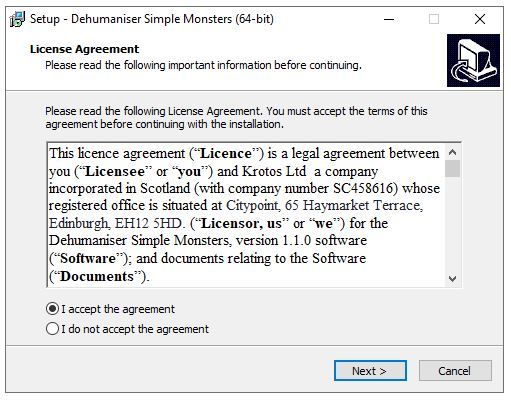
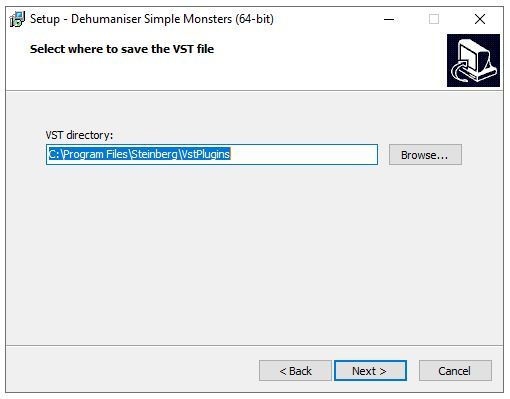
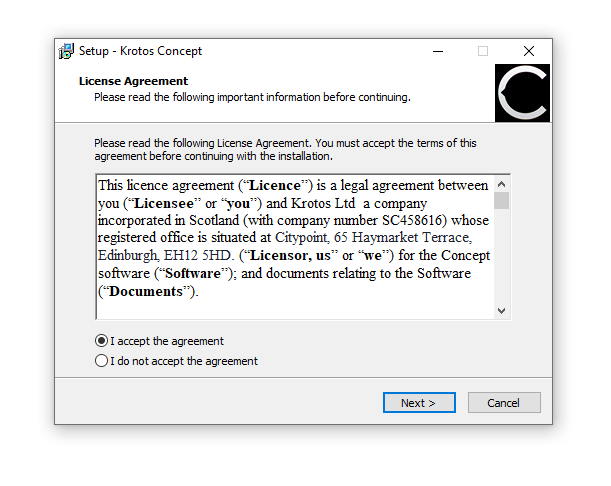
1. Double-click the downloaded .zip file to extract the contents and open the .exe file to begin the installation > Select 'I accept the agreement' and click 'Next'.

2. Click 'Next'.

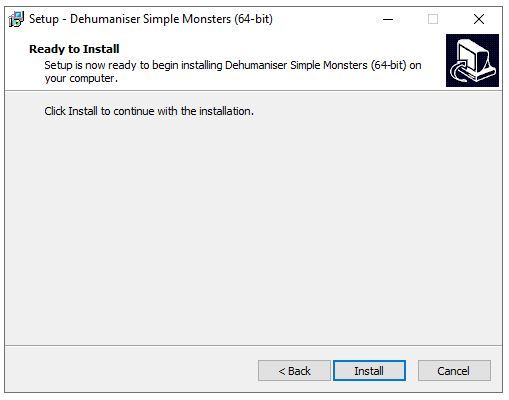
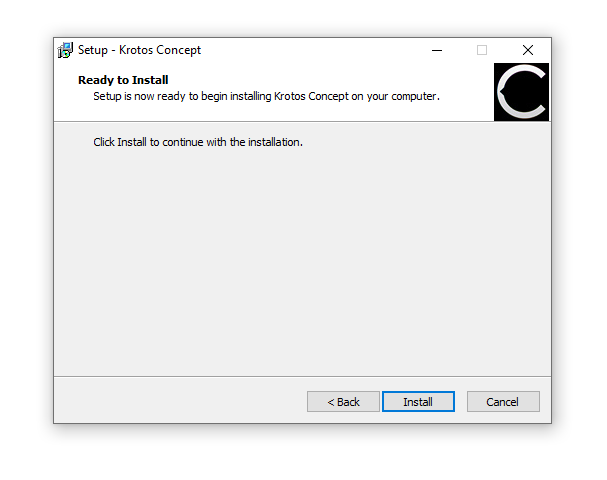
3. Click 'Install'.

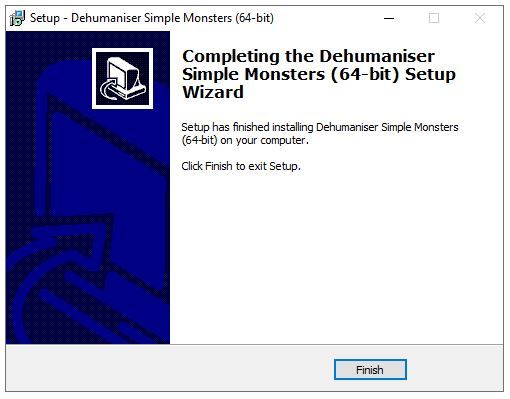
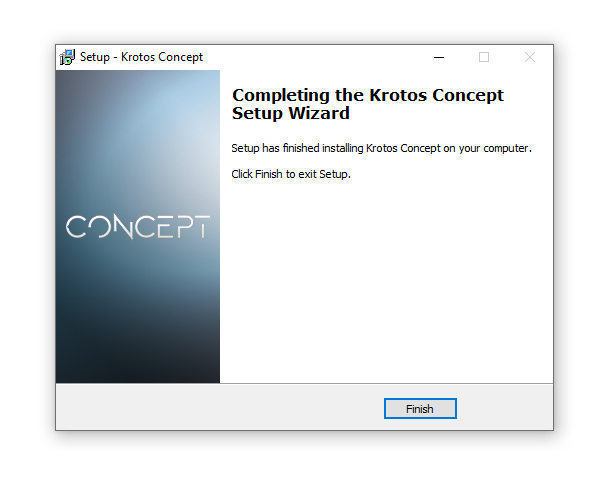
4. Click 'Finish'.

Activation
1. Open the iLok License Manager > Click 'Sign In'.

2. Enter your iLok User ID and Password > Click 'Sign In'.

3. Select your recently installed product from the list > Click the tick icon in the top right corner of the application window.

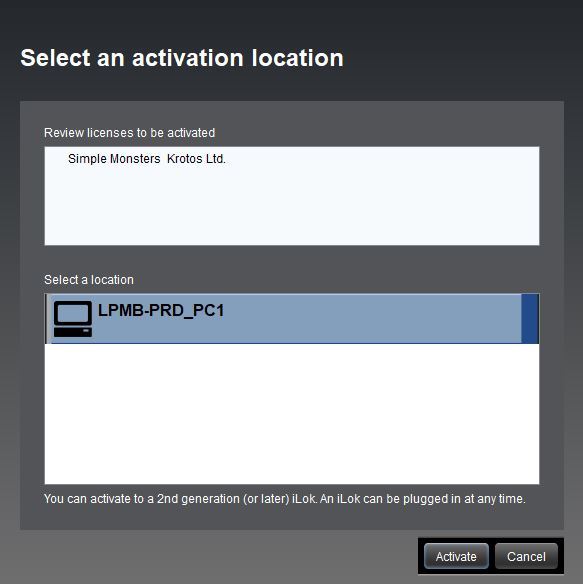
4. Select the location you wish to activate your license - this can be your computer or an iLok USB dongle > Click 'Activate'.

5. Click 'Ok'.

6. Click 'Ok'.

7. Open the recently installed plugin in your DAW.
Note: If your plugin fails to appear, re-scan your plugin selection in your DAW.

Your software is now activated and ready to use.
Krotos Concept Installation Instructions
Mac
Registration
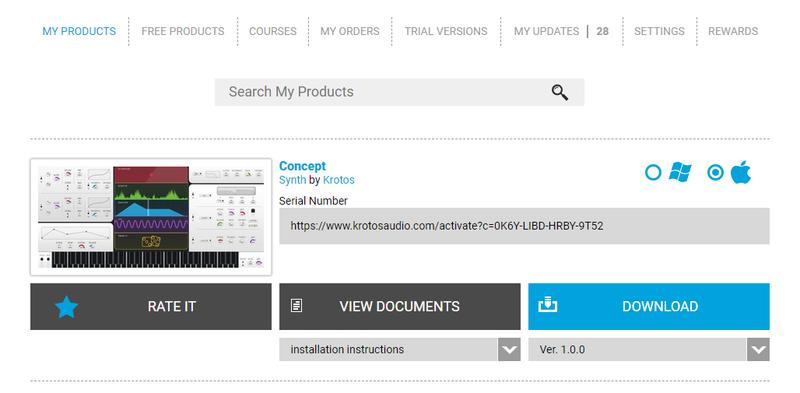
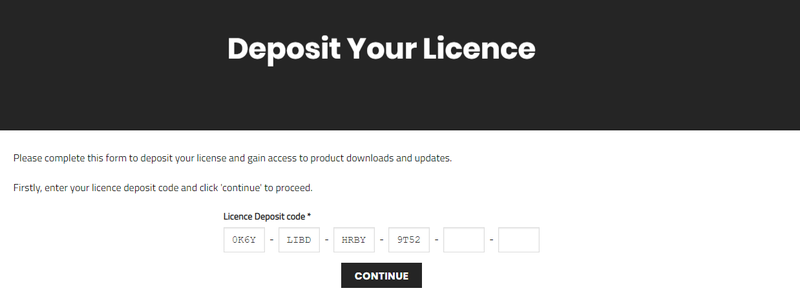
1. Go to your Plugin Boutique User Account > Copy and paste the serial number into your web browser and press enter on your keyboard.

2. Click 'Continue'.

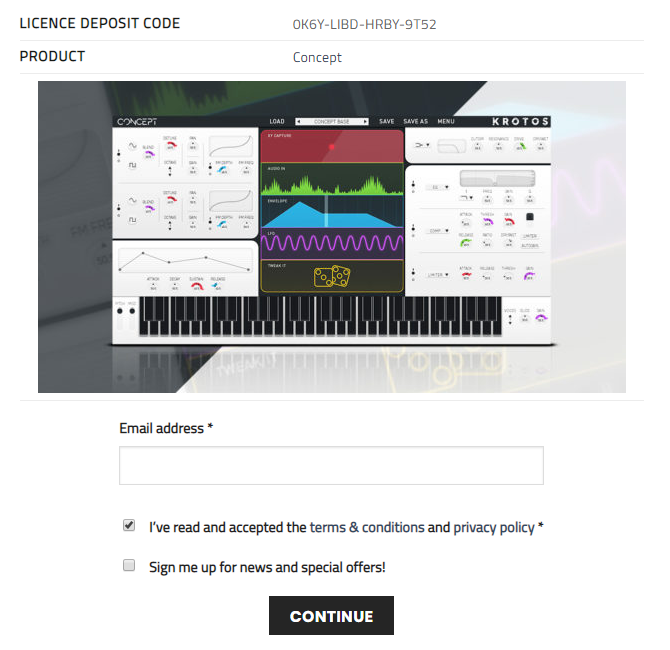
3. Enter your email address and check the box that states 'I've read and accepted the terms & conditions and privacy policy' > Click 'Continue'.

Installation
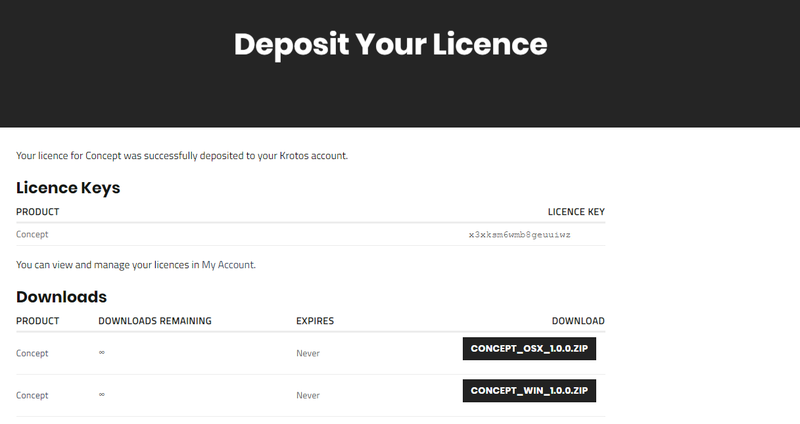
1. Download your Windows installer by clicking the button that reads 'CONCEPT_OSX_1.0.0.ZIP'.
Note: You will need your License Key for step 1 of the activation process.

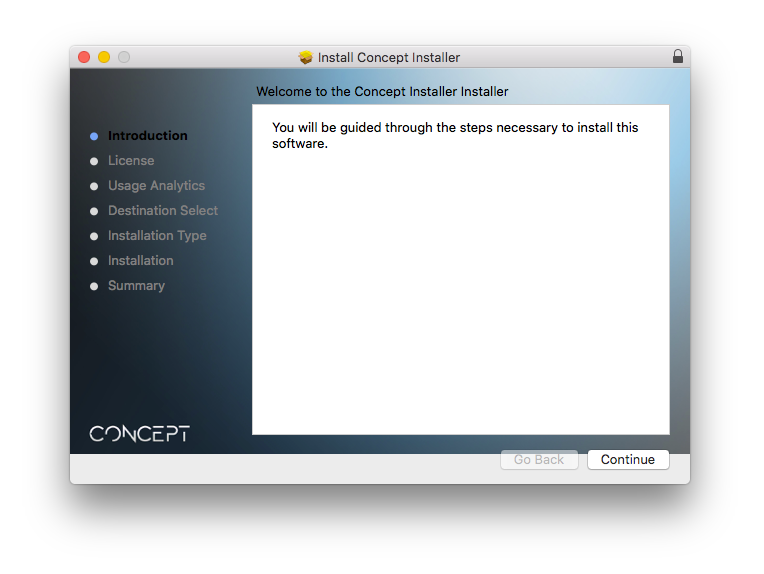
2. Double-click the .zip file to extract the contents > Open the .pkg file to begin the installation and click 'Continue'.

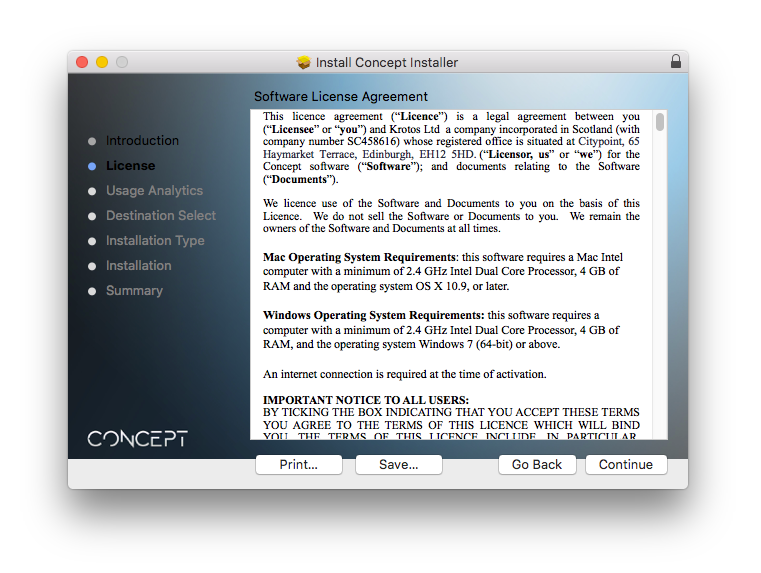
3. Click 'Continue'.

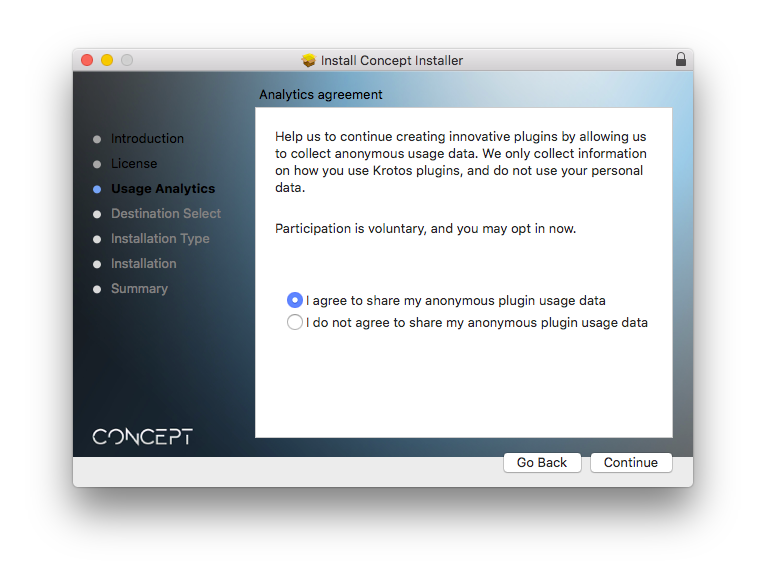
4. Select whether you agree to share your anonymous plugin usage data or not > Click 'Continue'.

5. Click 'Install'.

6. Enter your computer User Name and Password > Click 'Install Software'.

7. Click 'Close'.

Activation
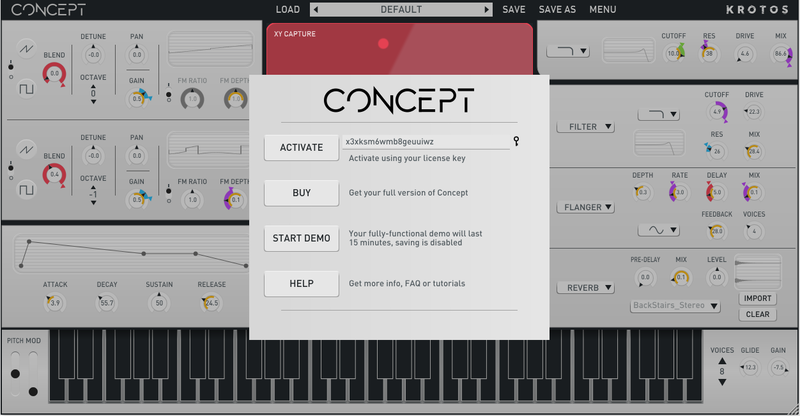
1. Open the newly installed software within your DAW > Copy and paste the License Key from step 1 of the installation process > Click 'Activate'.

Your software is now activated and ready to use within your DAW.

Windows
Registration
1. Go to your Plugin Boutique User Account > Copy and paste the serial number into your web browser and press enter on your keyboard.

2. Click 'Continue'.

3. Enter your email address and check the box that states 'I've read and accepted the terms & conditions and privacy policy' > Click 'Continue'.

Installation
1. Download your Windows installer by clicking the button that reads 'CONCEPT_WIN_1.0.0.ZIP'.
Note: You will need your License Key for step 1 of the activation process.

2. Double-click the .zip file to extract the contents and open the .exe file to begin the installation > Select 'I accept the agreement' and click 'Next >'.

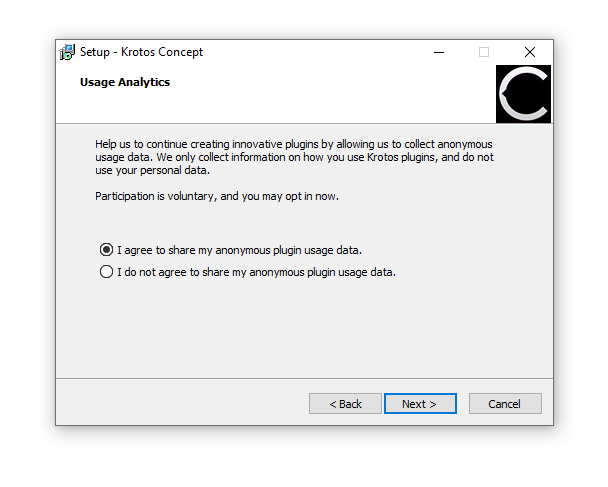
3. Select whether you agree to share your anonymous plugin usage data or not > Click 'Next >'.

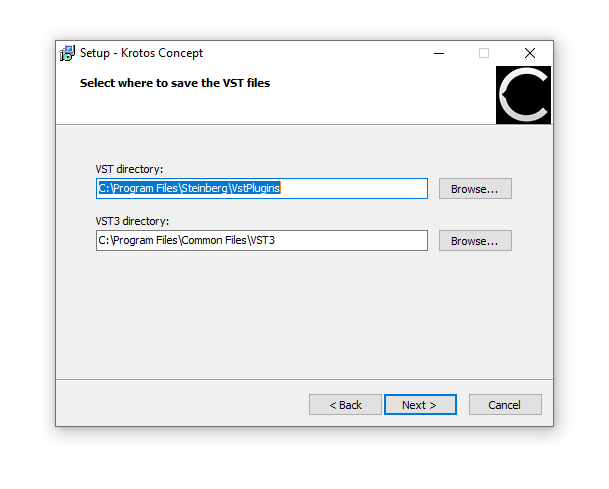
4. Select the installation location for your VST files > Click 'Next >'.

5. Click 'Install'.

6. Click 'Finish'.

Activation
1. Open the newly installed software within your DAW > Copy and paste the License Key from step 1 of the installation process > Click 'Activate'.

Your software is now activated and ready to use within your DAW.