Log In

Free gifts available with your purchase
Interactive Sound Library Player
Multi-Sampler Reimagined
Interakt is a 64 Bits standalone multi-sampler software developed for creating high-quality sound effects for games, apps, films, music & multimedia projects.
A user-friendly tool to create new sounds by combining your sound effects and selecting specific parts of these sounds to blend them together manually. It allows manipulating each source separately to achieve the desired sound. Sounds can be triggered via midi keyboard or computer keys.
Drag & Drop
- Drag & Drop any file from the files browser section into the dropzone and layers sections.
Dropzone
- Select up to 8 audio file regions from the dropzone file.
- Pre-listen.
- Set start & end for each selection. Pitch Bend.
Layers
- 4 Layer sections are available.
- Drag & Drop from the files browser section or selections from the dropzone.
- Panorama.
- Pitch-Shifting & Envelope.
Fades
- Set fade in/out settings to avoid unwanted noises when triggering the audio selections.
Playback
- Assign dropzone selections and layers to MIDI device keys or use the computer keyboard.
Master Plugins
- Add up to 2 VST / AU plugins to master output.
Recording
- Record master output at 192 kHz depending on your soundcard.
- Batch Export audio selections and layers.
Features
- Files Browser Section
- 8 Dropzone Selections
- 4 Layer Sections
- Fade In / Fade Out Settings
- Dropzone Pitch Bend
- MIDI & Computer Keyboard Triggers
- Layers Pitch Shifting & Envelope
- Master Plugins
- Recording
- Batch Exporting
- Presets Manager
Included Soundbanks
General Bank
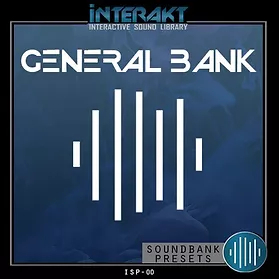
Features
- 275 Sound Files
- 1.9 GB File Size
Included Presets
- Air
- Animals
- Bells
- Boat
- Chains
- Clocks
- Computer
- Creatures
- Doors
- Electricity
- Fight
- Food & Drinks
- Games
- Horns
- Ice
- Machines
- Mechanical
- Metal
- Musical
- Objects
- Paper
- Plastic
- Rocks
- Rope
- Sci-Fi
- Snow
- Sports
- Swooshes
- Tools
- Toys
- Vegetation
- Water
- Wind & Wood
Impacter Vol. 1
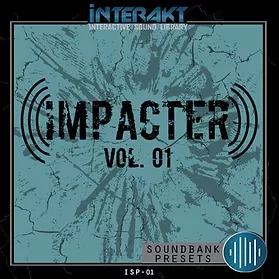
Features
- 24 Presets
- 126 Sound Files
Included Presets
- Dirt
- Rock
- Stone
- Metal
- Wood
- Ice
- Snow
- Plastic
- Rubber
- Water
- Muddy
- Gore
- Sci-Fi
Footsteps Essential Kit
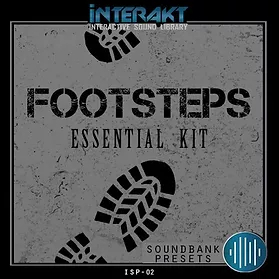
Features
- 67 Presets
- 90 Sound Files
Included Presets
- Barefoot
- Boots
- Shoes & Slipper
- Walk, Run & Scuff
- Asphalt
- Ceramic
- Concrete
- Wood
- Brush
- Cement
- Snow
- Ice Crack
- Hard Ice
- Dirt
- Slush
- Wet
- Eart
- Mud
- Branch
- Grass
System Requirements
Mac
- macOS 10.11.6 or later (Intel / M1 Apple Silicon supported) (64-bit only)
- 4 GB RAM recommended
Please Note: macOS 11 Big Sur or later is required for users on M1 Apple Silicon systems
Windows
- Windows 8 or later
- 4 GB RAM recommended
Important Note: This is a standalone product and will not function as a plugin in a DAW