


 Log In

Free gifts available with your purchase

Demo Signal FREE HERE
Check out the SIGNAL+ Bundle HERE (Plugin Boutique Exclusive)
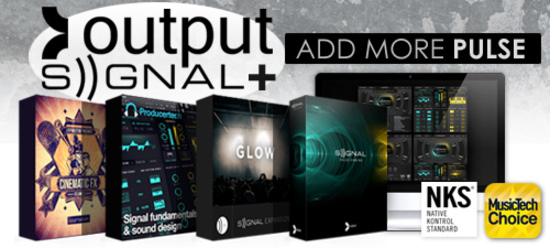
The New Way To PULSE
FAT analog synths and beautifully recorded live instruments combined in a ground breaking way

Features
- 500 Pulse Instruments for instant playability
- A massive array of content
- 40GB including analog synths, digital synths and organic instruments
- Up to 4 separate pulses at one time
- All pulses lock to tempo
- Rhythms: Looper, Step Sequencers, Arpeggiators, LFOs
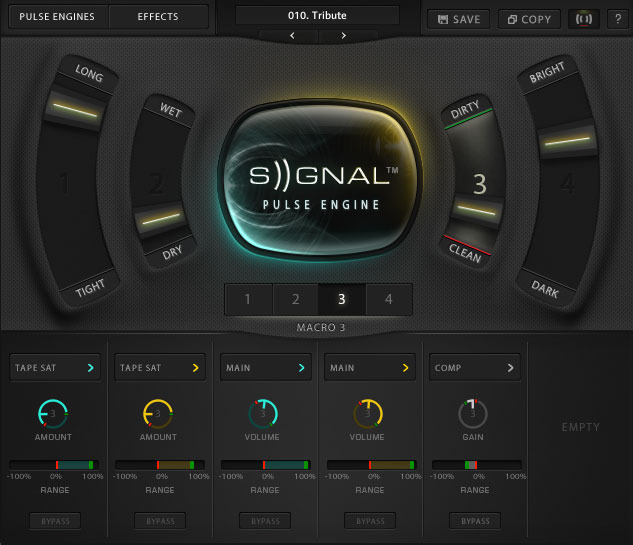
- 4 central MACRO sliders unique to each of the 500 Pulse Instruments
The Engine
- 4 simultaneous rhythms
- Massive - 40GB of content (uncompressed)
- LFOs, Step, Arpeggiator, Looper™
- Basic & Advanced modes
Pulse Instruments
- UNIQUELY CRAFTED STARTING POINTS WITH IMMENSE DEPTH AND VARIETY
- Use SIGNAL’s intuitive tagging system to quickly find the sound you are looking for.
Macros & FX
- PERFORM, Customize, Make it your own.
- Every Pulse Instrument has it’s own unique sliders.
- Built-in Filters, Convolution Reverb, Saturation, Delays & more.
- “WOW! SIGNAL is bloody immense!” - DJ Mag
- “SIGNAL is mind blowing, as you’d expect from Output” - FilmandGameComposers.com
- “SIGNAL is unlike any soft synth I’ve used!” - DJ Time
- “Unique, beautiful, truly a HUGE sound” -Ask Audio Magazine
System Requirements
- Signal runs in Kontakt or Free Kontakt player version 5.8.1 or higher.
- Mac OS X 10.11 or higher.
- Windows 7 or higher.
- At least 4GB of RAM (8GB recommended), and 22GB of free drive space.
- Access to a stable internet connection for digital delivery.
Please Note: This product is compatible with both the FULL Version of Kontakt and the FREE Kontakt Player (5.3.1 or higher)



Awards

Maschine Masters
Maschine Masters is an online music production community which provides sound kits, education and entertainment for aspiring producers using software and hardware instruments including Native Instruments Maschine, AKAI MPC Renaissance, Ableton Push and FL Studio.
"SIGNAL is a firestarter!"
MusicTech
MusicTech is the best place to get all the most up to date news, reviews, features and opinion about the world of music technology and music making in general.
“SIGNAL is a thoroughly inventive virtual instrument packed full of distinctive, musically-focused sounds.”
Film and Game Composers.com
Interviewing composers, providing information on new hardware/software releases, and tutorial and guides.
"SIGNAL is mind blowing."


