Log In

Buy Polyscape 2, get a free gift with purchase:

Hybrid Soundscape Designer
Welcome to the Multiverse
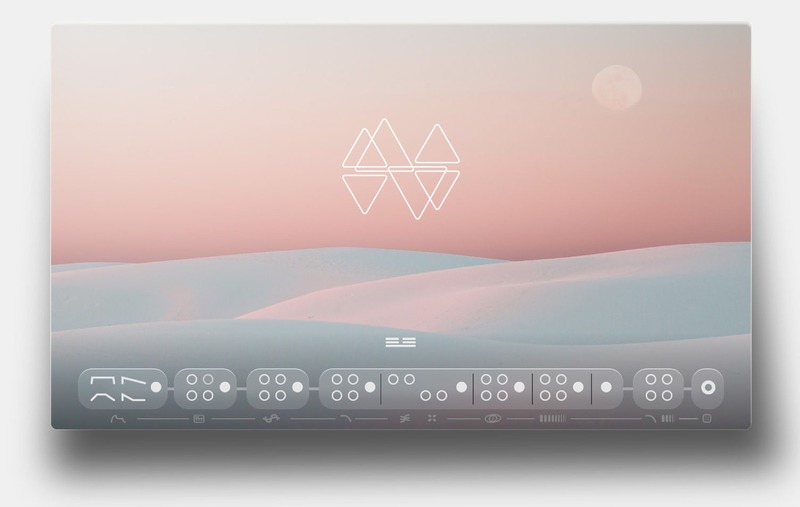
Supermassive soundscapes, heavily processed cellos and modern hybrid pads: this is what Polyscape 2 is all about. The second chapter of Karanyi Sounds all-time best-seller was inspired by the sound of today, so with it, you can create contemporary scores like Dune by Hans Zimmer or Arrival by Johann Johannsson, and it also works perfectly in modern electronic music, especially in sci-fi themed pieces.
Discover Hidden Universes!
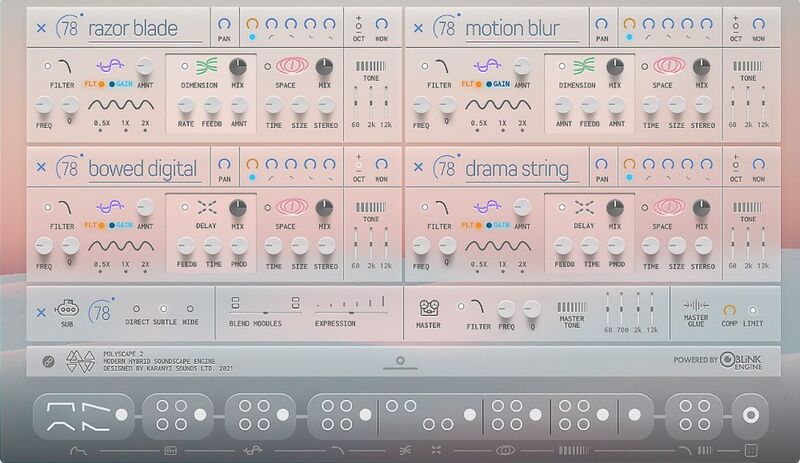
The library features 80 artist presets created from the 18 brand new sound sources of carefully recorded string instruments. It was created in collaboration with UK-based Italian music producer, composer and sound designer Alessandro Mastroianni (Prodigal, Red Winter) with the aim to give you out of this world soundscapes in a blink of an eye.
The New Dimension of Hybrid Soundscapes

Karanyi Sounds faithfully recorded bowed acoustic sounds and then heavily processed them with analogue modular effects to bring you the best of both worlds. Due to this process, all sounds are massive but still remained organic and definitely inspiring.
4+1 Dimensions of Sound
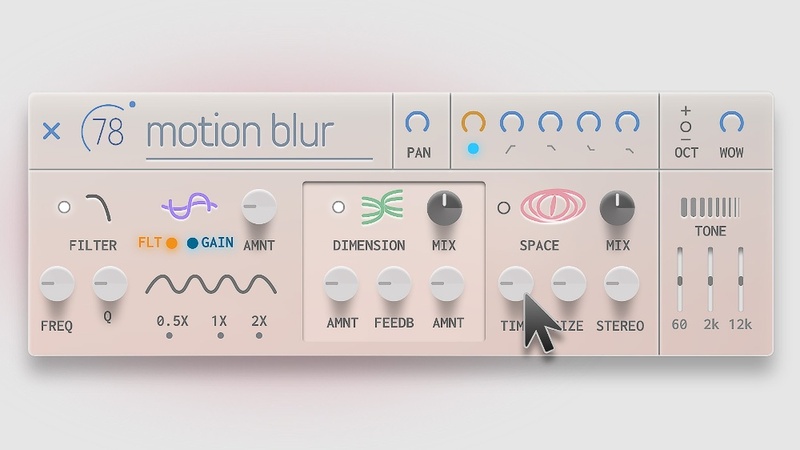
Powered by Karanyi's flagship Kontakt engine, Polyscape 2 features four sound modules and 1 sub synth layer, which can be blended together seamlessly. This gives you access to complex sound design possibilities courtesy of a wide range of controls and onboard effects such as Prophet-type filters, analogue and tape delays, and room and hall reverbs.
Millions of Instant Variations
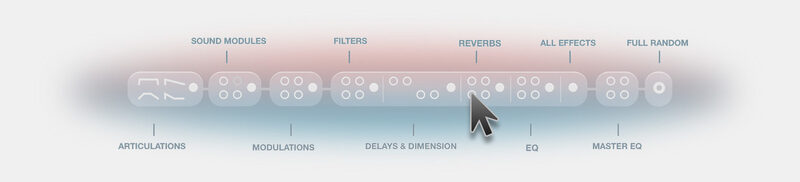
- You don’t always need hundreds of controls to create exciting new sounds.
- But when you do, Advanced Smart Random Bar steps in with its unique built-in feature!
- Control 160+ onscreen controls with just one click.
- Push and get an inspiring, studio-quality sound immediately.
Features
- 80 Factory & Artist Presets
- Sounds from Studio-Grade String Instruments
- Heavily Processed by Eurorack Modular Effects
- Over 160 Controls (all MIDI-learnable) including:
- Prophet-Type Low-Pass Filters
- 2 Types of EQs
- 2 Types of Algorithmic Reverb
- 2 Types of Vintage Delays (Bucket Brigade & Tape)
- 2 Types of Chorus (Ensemble & Dimension)
- 8 Types of LFO Filter and Gain Modulations
- Master Limiter and Compressors
- Tape-Style Pitch Modulation and more…
- Advanced Randomizer with over 40 Random Setups includes:
- 4 Articulation Setups (Straight, Keys, Pads and Pluck)
- Random Instrument Sources (Modules)
- Random LFOs
- Random Effects (Filters, Dimension, Delay, Reverb, EQs)
- Random Master EQs
- Smart Random All
System Requirements
- macOS 10.11 or higher is recommended
- Windows 7 or higher
- 4 GB of RAM (8 GB recommended)
- 2 GHz CPU (with at least 4 cores)
- Kontakt 6.6.1 or higher (FREE Kontakt Player is NOT supported)
- 64 bit DAW is recommended for optimized performance
Important Note: The FULL version of Native Instruments Kontakt 6.6.1 or higher is required in order to use this software, this will only work in DEMO mode in the FREE Kontakt Player.

Note: Karanyi Synths 1 DX is used as an example.
Mac & Windows Formats
Important Note: This software requires the Full Version of Native Instruments Kontakt to be installed on your system. Please ensure you have purchased, downloaded and installed Kontakt before attempting to install this product.
Installation
1. Download the Kontakt Instrument from within your Plugin Boutique User Account. Be sure to remember the download location as you will need this when locating your Kontakt Library in step 3.
2. Open Kontakt, either as a standalone application, or as a plugin within your DAW.

3. Click the 'files' tab at the top of Kontakt > Navigate to the location of your downloaded Kontakt Library from step 1 of the installation instructions.
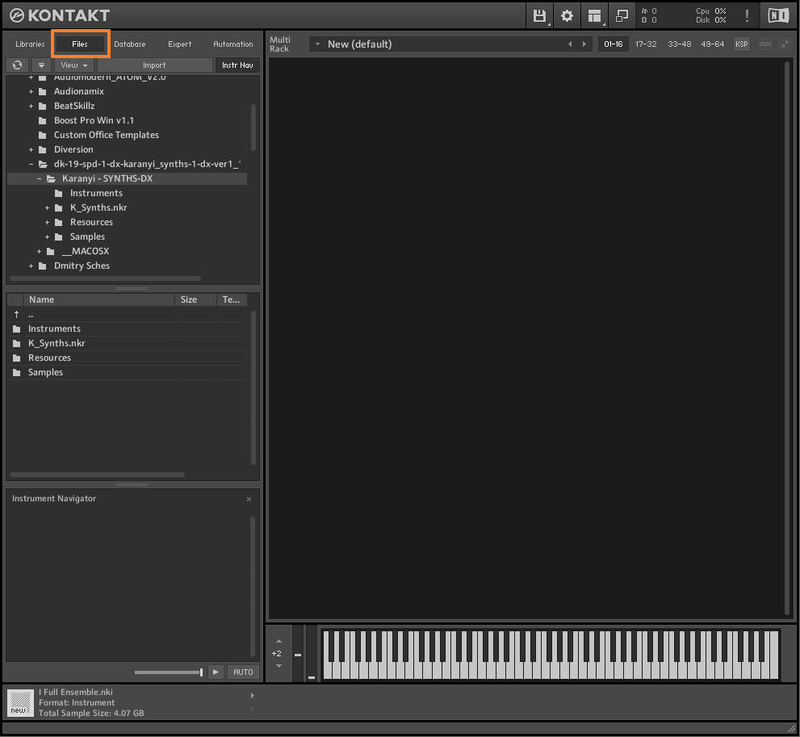
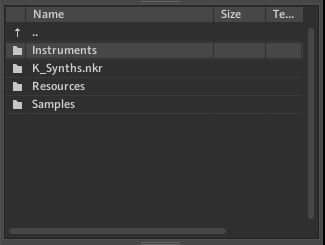
4. Double-click the 'Instruments' folder to open it within Kontakt.
5. Click and drag any .nki file from the left-hand window of Kontakt into the main window of Kontakt to load up a patch.
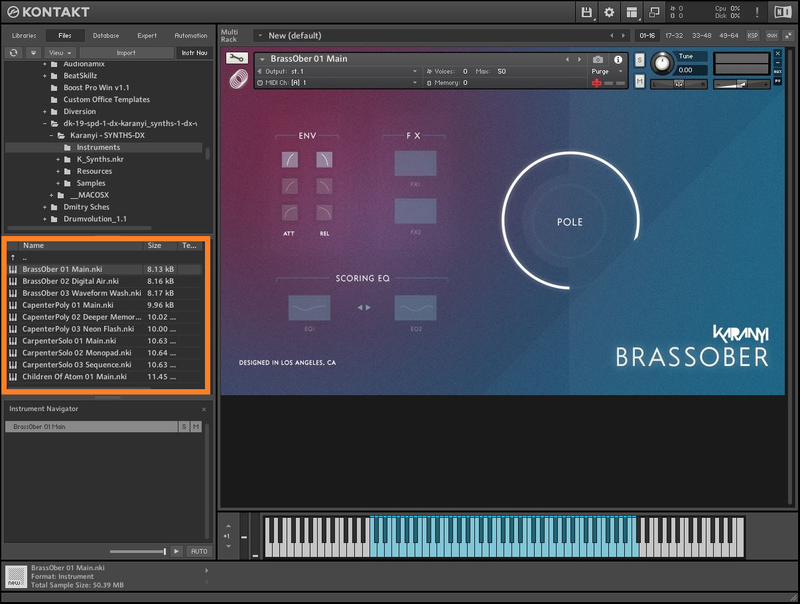
Your software is now installed and ready to use.