


 Log In

Free gifts available with your purchase

3D Sample Morphing at Your Fingertips
CUBE Mini is a game-changing sampler and vector synth plugin for immediate sonic inspiration. Using the same award-winning engine and seamless 3D interface that powers CUBE, Mini unlocks 35 expertly-crafted sampled instruments, 120 hype-worthy presets, and a curated set of essential sound design tools, all perfectly suited for modern electronic, hip hop, pop, and genre-bending tracks.
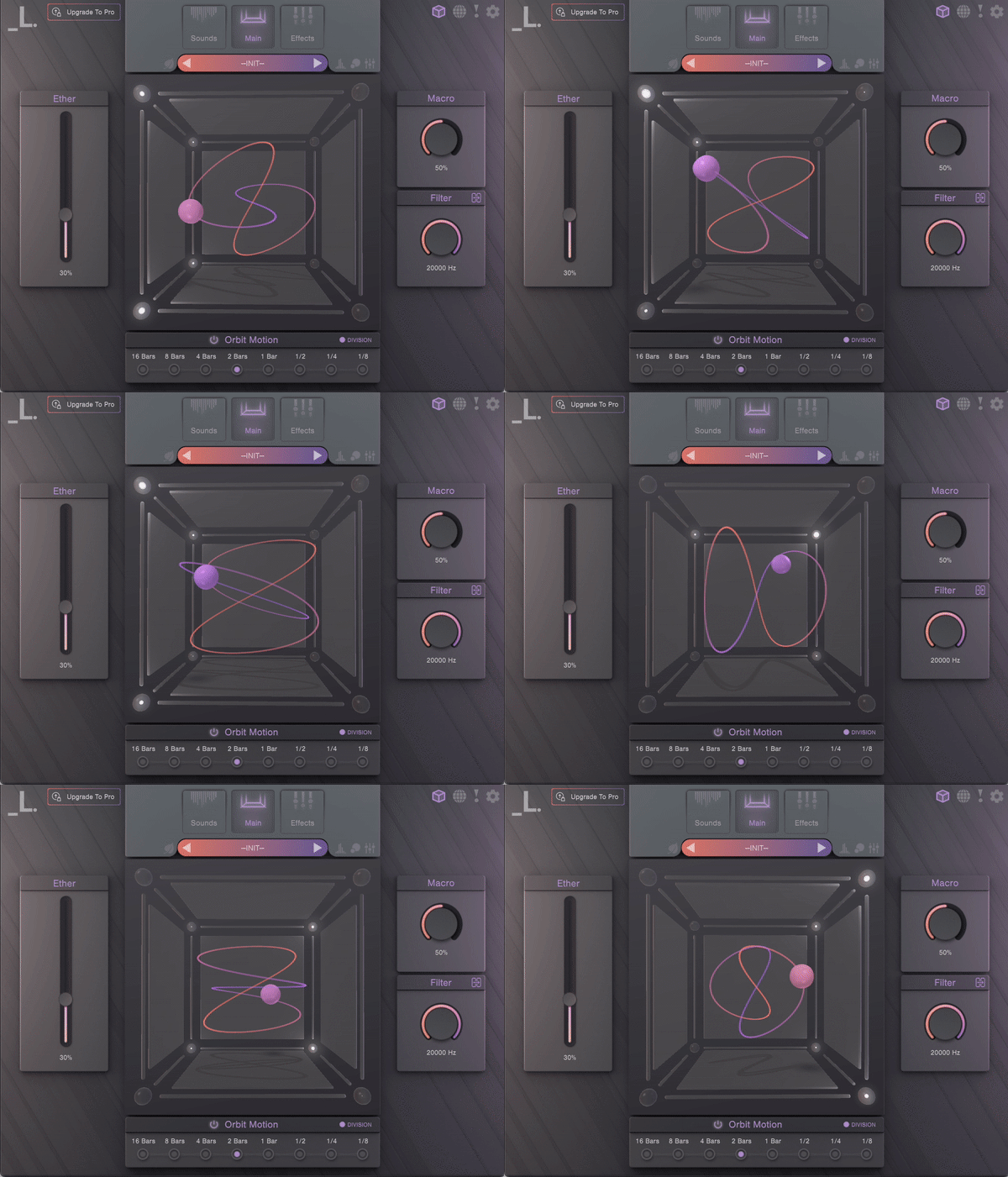
A Portal to a New Sonic Dimension
CUBE Mini’s vector orbit system automatically blends up to 8 advanced samplers with a 3D interface to create never-heard-before evolving sounds and textures. Reverse, loop, arpeggiate and tweak the built-in sound library for infinite variations, or spice up presets with CUBE Mini’s deep FX suite, featuring gritty distortion, lush reverbs, dazzling delays, and much more.
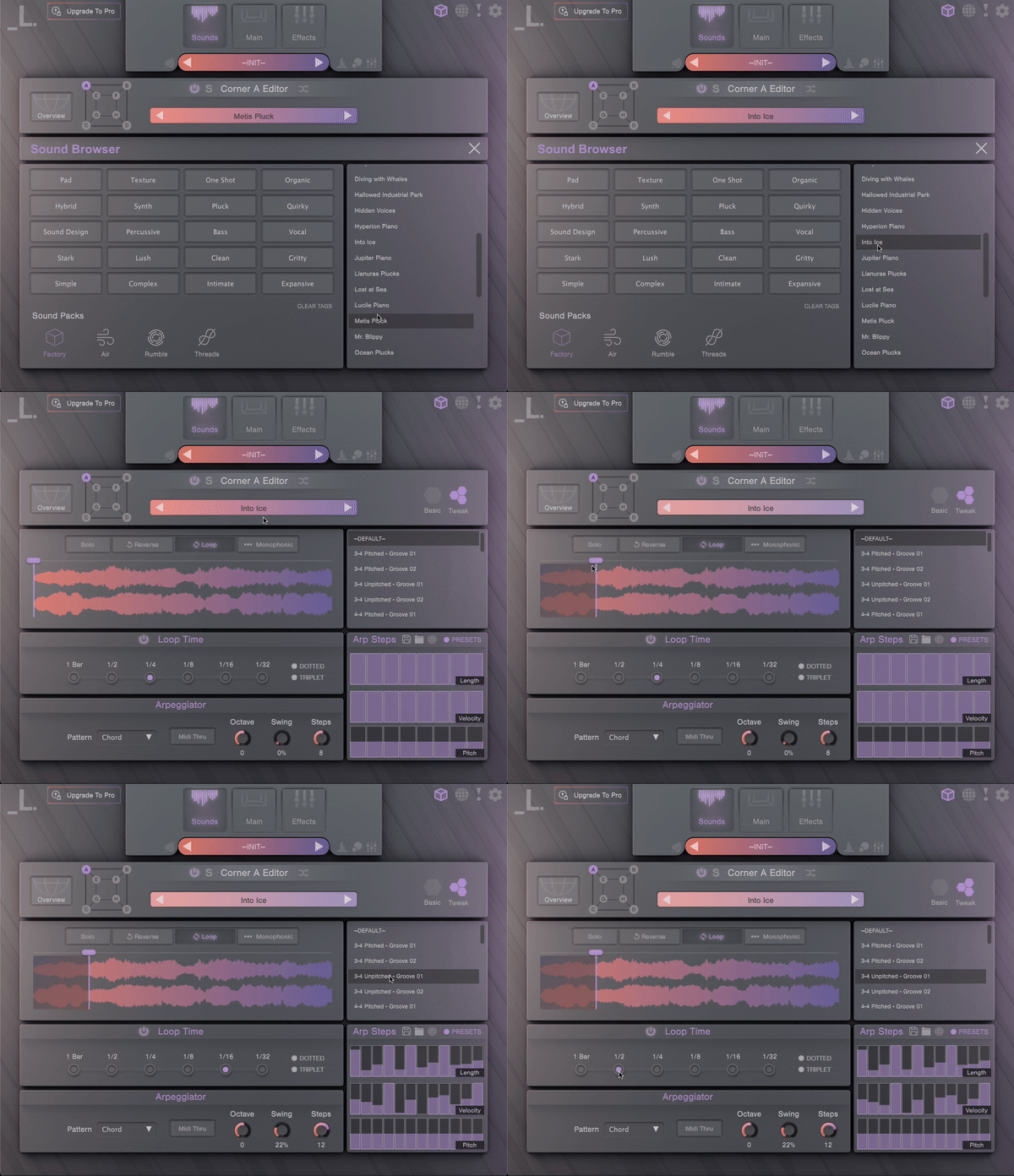
An Expansive Sonic Palette with Infinite Possibilities
- 35 sound sources - an eclectic mix of multi-sampled instruments, featuring wild analogue synths, lush pads, crisp percussion hits, vivid strings, intimate keys, and more
- 120 stunning presets - painstakingly crafted by Lunacy’s collective of expert sound designers, using cutting-edge processing techniques
- 8 robust sample editors - each with an arpeggiator, filters, envelopes, step sequencers, reverse, monophonic, glide, pan, and tuning
- 13 FX Modules - filters, visual EQ, saturation, waveshaping distortion, bitcrusher, compressor, chorus, phaser, delay, algorithmic reverb, convolution reverb, limiter
- Expandable content - broaden CUBE’s palette even further with Air for hybrid winds, Threads for experimental strings, and Rumble for massive synth bass and percussion.
- Randomization - create unique new patches with a simple click of a button
-
Eco-Mode - a special CPU saving feature that minimizes RAM usage and CPU load
System Requirements
- macOS 10.15+ AU / VST3 / AAX / Standalone
- Windows 7+ 64 bit VST3 / AAX / Standalone
- Supported by all major DAWs
- At least 4 GB of RAM (8 GB recommended), and 2 GB of free drive space.
- Access to a stable internet connection for downloading and activating the product is required.
Important note: When accessing this software via a Rent to Own plan or the Beatport Studio membership, it's installed and run through the Beatport Access portal. An internet connection is required every 30 days to validate your license.
Awards

MusicTech
The world's leading media brand at the intersection of music and technology.
"It’s not often we’re left open-mouthed by how good a synth is, but Cube has us gawping like village idiots." 9/10
FutureMusic
Up to the minute news and reviews for all music makers.
“A very impressive soft synth, fun, intuitive and extremely easy to produce cool, unique sounds.” - The Best New Synths of 2021
Sound On Sound
An independently owned monthly music technology magazine.
“With CUBE you are unlikely to run out of novel sonic options any time soon… there are endless potluck options available to inspire.”
Reviews Summary
While it aims to provide a helpful overview, it may not capture every perspective or detail. We encourage you to read individual reviews to make an informed decision.
Users widely praise this VST plugin for its unique 3D sample-morphing interface, easy-to-use controls, and versatile presets that deliver complex, evolving sounds. While considered highly inspiring and a valuable addition to any sound design toolkit, a few reviewers noted minor drawbacks, including high CPU usage on older machines, occasional UI crashes related to rendering, and initial control limitations.


