Log In

Free gifts available with your purchase


Mastering Bundle
Mastering with a Brain
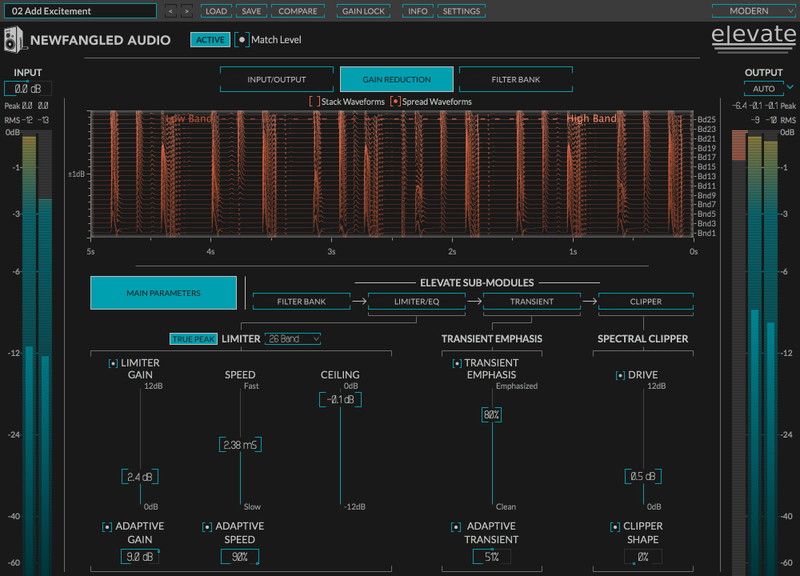
Elevate is the most advanced mastering plug-in ever created. This unique multi-band limiter, human-ear EQ and powerful audio maximizer will increase the loudness of your mix while maintaining or improving its dynamic perception. It uses intelligent, adaptive technology that responds in real time to your music; creating not only the loudest, but the best sounding master.
Developed by Newfangled Audio, Elevate maintains subtle dynamics and improves the tonal balance of your mix. The adaptive limiter analyzes 26 frequency bands and alters the gain, speed and transients for each band in real time. The result is a transparent, natural sound, no matter how hard you push it.
Elevate utilizes 26 critical filter bands modeled from the human ear. Each of the bands are spaced to give maximum control over how the sound hits your eardrum. Draw curves, solo bands and manipulate the transient attack for each individual band to bring out particular instruments such as kick or snare drums.
Adaptive Technology
Elevate uses artificial intelligence algorithms to make it easy for you to get the best sounds, but you can still get under the hood for as much precise control as you desire. This includes giving you control over the tonal balance and transients inside the final limiting stage. The adaptive algorithms reduce audible artefacts and the additional controls give you maximum flexibility with professional results.
Features
- Analyzes and alters the gain, speed and transients of each filter band in real time.
- Includes presets by: APS Mastering, Matt Lange, Jeremy Lubsey, Eric Beam, ROCAsound, Chris Tabron and John McCaig.
- Automatically adapts the attack, release and look-ahead parameters for each filter band to greatly reduce "pumping" and breathing artifacts and perceived distortion.
- Preserves or emphasizes fast transients to avoid squashing your mix.
- Manipulates transients across the critical bands to preserve the attacks from kick drums, snares and cymbals, without affecting the entire mix.
- Uses linear phase auditory filters — based on the Mel Scale — to manipulate the audio in a way that is natural to your inner ear.
- Solo the output of one band (or a number of bands) to hone in on problem frequencies, tweak transients or alter gain.
- Use the Auto Output Level feature to compare the limited signal to non-limited signals with the same amount of gain allowing you to easily hear what impact the processing is having on your sound.
- Use the Spectral Clipper to overdrive the final output without affecting the tonal balance or allowing the signal to get “tubby.” Perfect for a more aggressive sound.
- Six different types of metering allow you to keep an eye on every aspect of your output audio.
EQuivocate
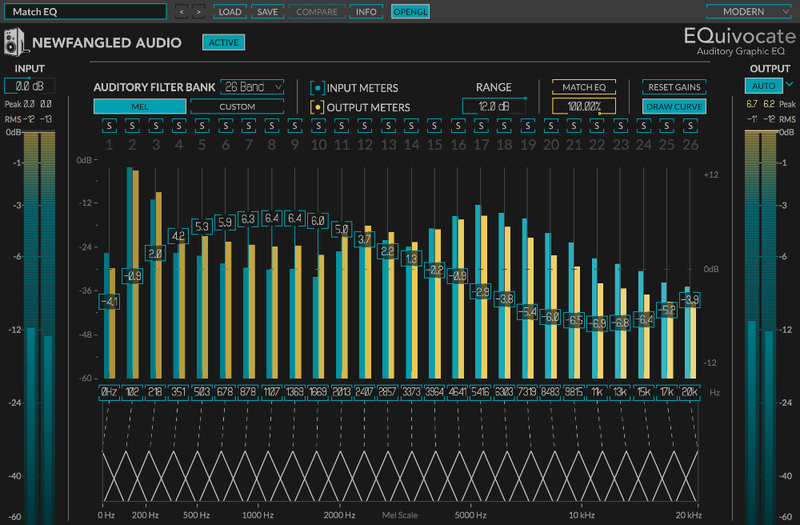
Powerful & Precise Human Ear EQ
Graphic EQ that uses filters which are modeled on the human ear. Perfect for mixing and mastering, EQuivocate's auditory filters and match EQ functionality make it incredibly powerful, simple to use, and natural sounding. Each of the 26 critical bands tickles a different part of your inner ear, making any combination of settings sound as natural as possible. Combining this with a linear-phase filter shape that reduces pre-echo makes EQuivocate an EQ with a difference you can hear. Includes a parametric EQ, compressor, gate, soft saturation, transformer emulation, micro pitch shift, and stereo delays.
Saturate
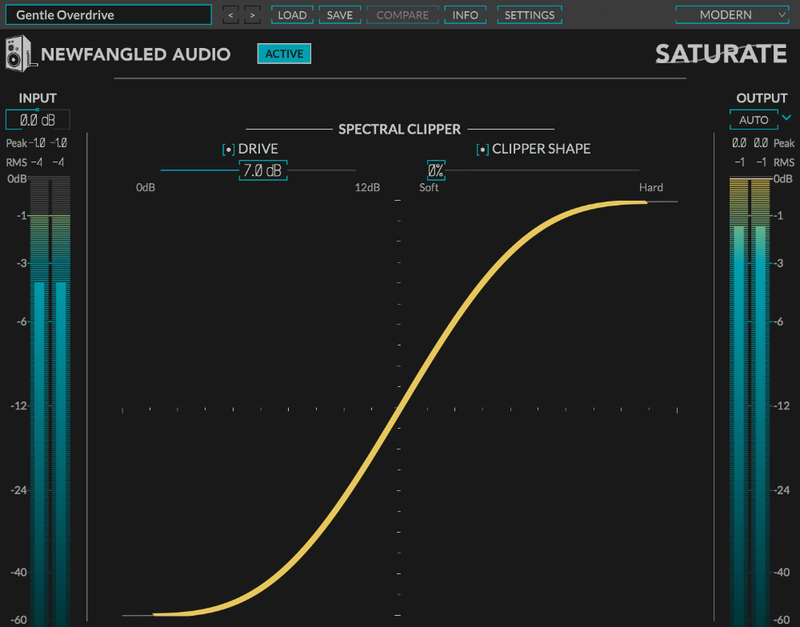
Saturate is the Spectral Clipper algorithm made popular in the Elevate Mastering Limiter. Saturate's two controls belie a sophisticated signal processing engine which allows it to overdrive a signal without effecting the tonal balance no matter how hard you push it. Add up to 12 dB of clipping with a variable shape parameter which moves from a pleasant soft curve to full hard clipping. Additionally, the SHAPE control allows you to smoothly morph between hard clipping and the mathematically smoothest curve possible. Use Saturate to overdrive individual tracks or your entire mix.
Learn more about Saturate.
Punctuate
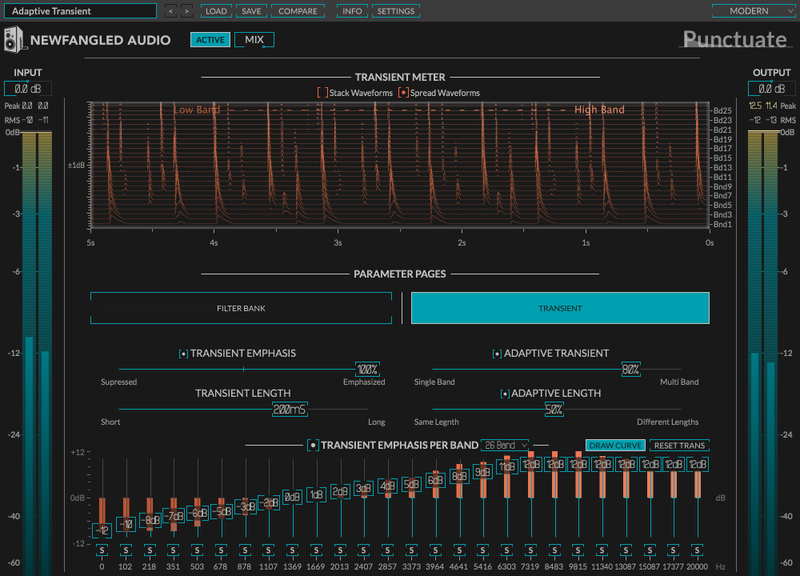
Based on the Transient Emphasis section of the award-winning Elevate Mastering Limiter, Punctuate is a multi-band transient modulator based on the critical bands in the human ear. Punctuate's intelligent algorithms allow you to control the transient emphasis or suppression of all 26 critical bands with just 4 controls. This makes for an incredibly powerful, but very easy to use transient modulator.
Learn more about Punctuate.
System Requirements
Windows
- Windows 8 and later (Windows 11 supported) (64-bit only)
- AAX, VST2, VST3
Mac
- macOS 10.9 and later (Intel / M1 Apple Silicon supported) (64-bit only)
- AAX, AU, VST2, VST3
Important Notes:
- Newfangled Audio tests their desktop plugins in Ableton Live, Cubase, FL Studio, Logic Pro, Pro Tools, and Studio One (However, their plugins should work with any compatible host.)
- No iLok dongle is required to run this software - only a FREE iLok account/Manager is required for authorisation.
Eric Beam
Mastering Engineer, Chief engineer at Formosa Santa Monica
"This thing is dangerous & fun!”
Jeremy Lubsey
Frank Ocean, Allan Kingdom, Tank and the Bangas
"Elevate is so precise and so musical when it's really working hard and being pushed."
Alex Saltz
Vampire Weekend, Moby, The Racontours
"The surgeon's scalpel of plug-in limiters. It opens up a world of control and sound shaping options... Even with deep limiting, it keeps the pulse and musicality intact."