Log In

Free gifts available with your purchase
The dawn of a new era.
Whether you produce music or mix for film/video, broadcast, games or VR/AR, Spacelab opens up a revolutionary new way of putting all of your tracks into the right acoustic perspective.
Spacelab is more than just reverb, more than just panning and more than just spatial audio. It combines these three into one plugin because they naturally belong together.
The future of audio is object-based.
The time is over, where complicated routing was necessary for achieving great mixes with everything in its right place. Treating audio as objects in space, as it is natural for human beings, Spacelab takes away the burden of complicated or sometimes even impossible routing for natural-sounding spatialization and reverb.
The future of audio is 3D.
On the verge of a listening revolution where 3D audio becomes mainstream and is accessible to everyone over headphones and soundbars, Spacelab provides a comprehensive solution for 3D-audio production with the ease of use of a plugin. With Spacelab you can produce 3D audio within any DAW, breaking through its limitations.
The future of audio is any format.
With Spacelab you can produce for any format, may it be classic mono or stereo, any surround or 3D speaker layout or may it be binaural, which is 3D for headphones. Spacelab perfectly fits into your Dolby Atmos or MPEG-H production workflow. Mix once, produce for any format.
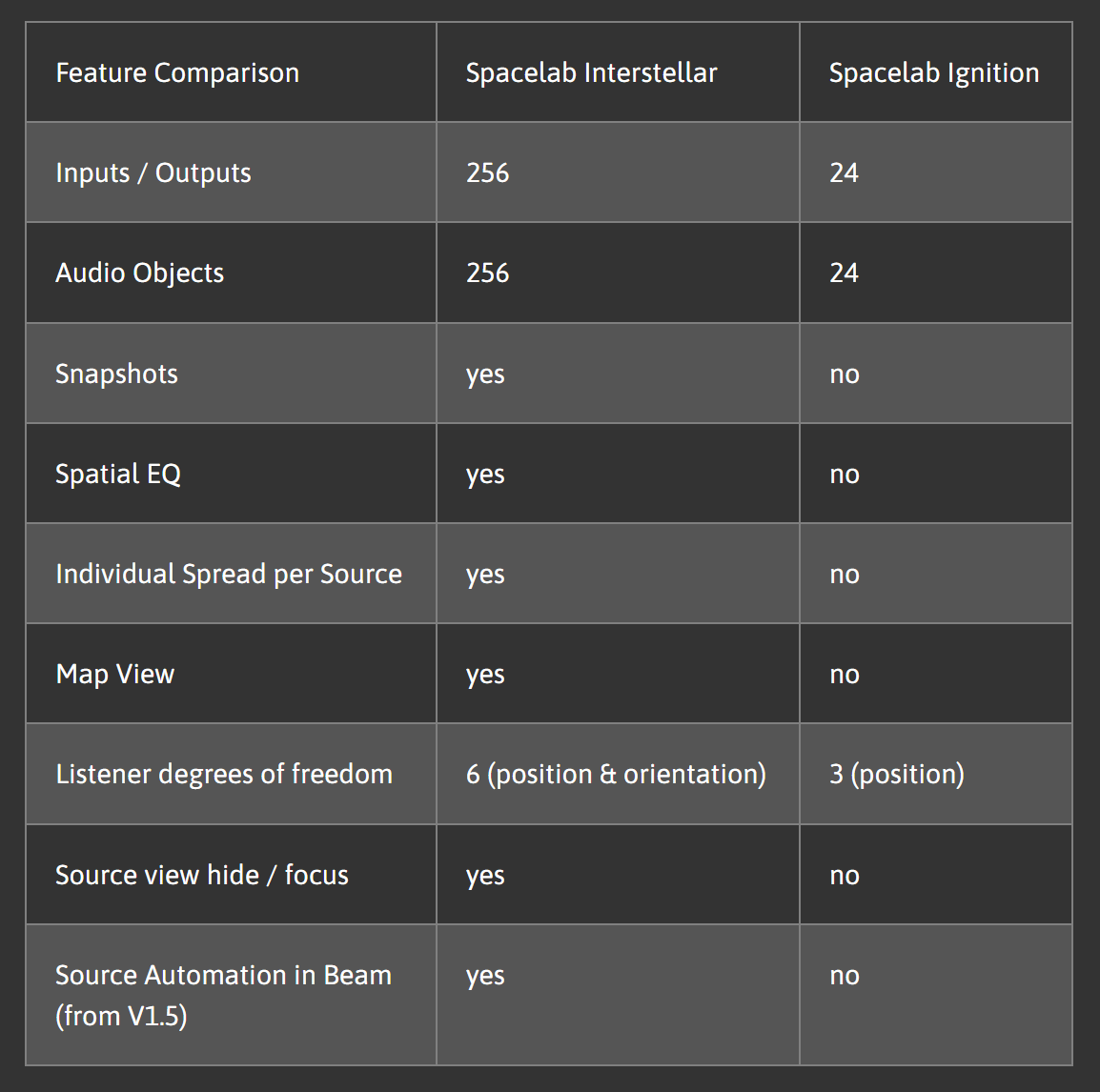
Interstellar is the flagship of both versions of Spacelab and provides everything professionals need for their next-generation production. Spacelab Ignition is available HERE - please see the table below to compare features.
Features
- High end algorithmic reverb, developed by the experts at Fraunhofer IIS, the inventors of MP3
- Ultra realistic room simulation, from small boxes to huge venues
- Any format from mono to full sphere 3D-audio
- Quick access to all essential parameters
- Spectral and spatial sculpting of the reverb tail with the Spatial EQ
- Reverb time separately adjustable on 9 frequency bands
- Individual early reflection pattern for each object depending on its position, continuously changing when object moves through space
- Object based 3D-panner
- Position your objects around the listener in the virtual room
- Record movement with mouse as automation
- 3D-view for best overview of your object arrangement
- Listener with 6 degrees of freedom, perfect for film and VR/AR
- Individual dry/wet and spread for each source
- Source Automation via Spacelab Beam
- Rendering
- Up to 256 inputs (objects) and outputs
- Arbitrary speaker layouts with up to 256 speakers
- Full sphere binauralizer, monitor through and produce for headphones
- Classic mode for send/return
- Object mode for object based mixing
- Ultra realistic rendering of object motion and corresponding reverb changes
- Workflow
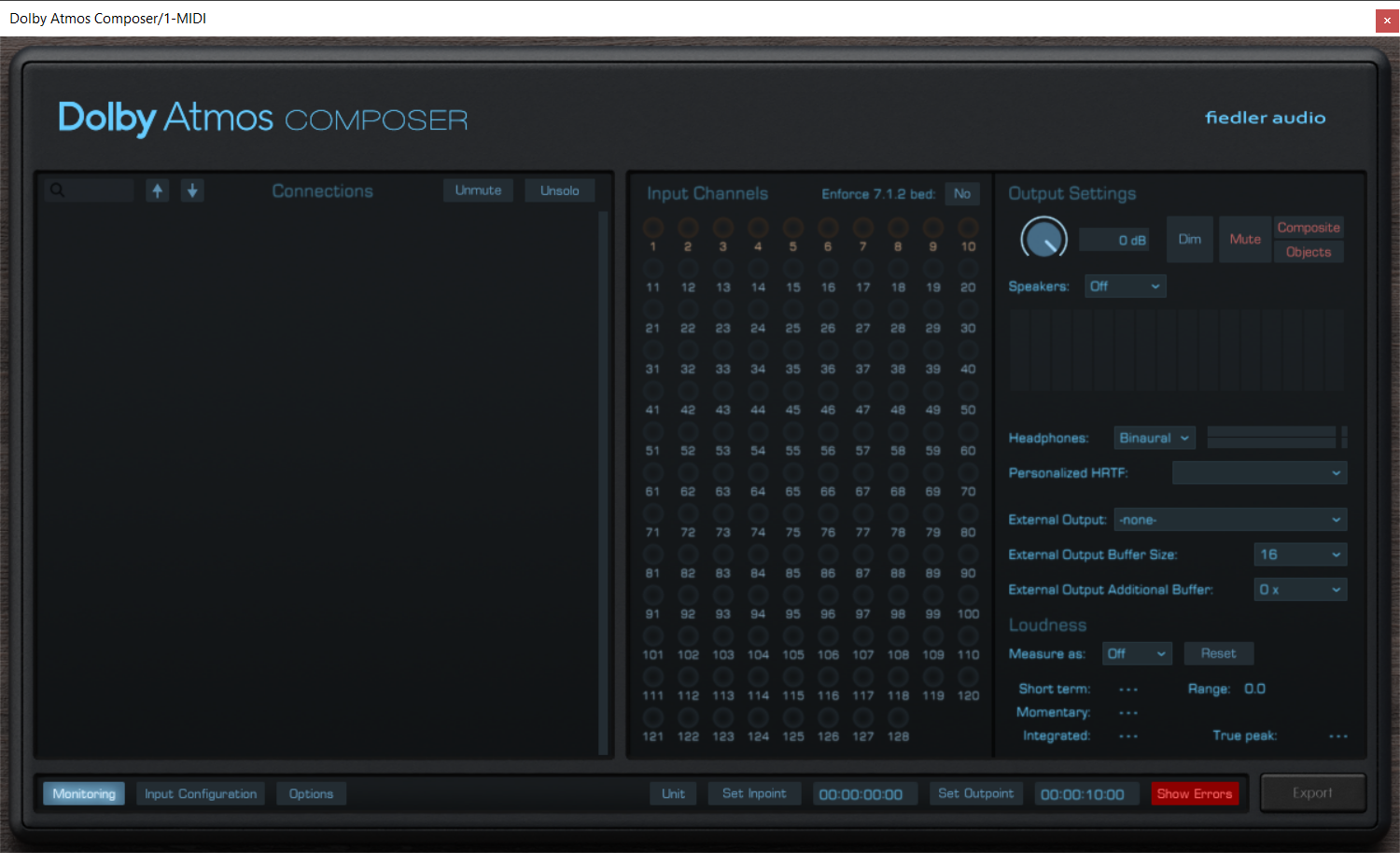
- Directly connects to Fiedler's Dolby Atmos Composer plug-ins (from V1.5)
- Automate snapshots to switch between different reverb settings throughout your session
- Dynamic automation for simplifying complex automation of hundreds of parameters
- Create individual speaker layouts with the speaker layout editor
- Use the Spacelab Beam plugin to bypass any routing limitation of your DAW and send audio from anywhere into Spacelab
System Requirements
Mac
- macOS 10.14 - 14.x
- VST3, AAX, AU
- Min. 2 GHz processor, x64 with at least SSE3 support or Apple Silicon
- 4 GB RAM
- Display Resolution: min. 1440 x 900 px, At least OpenGL 3.3, Sample Rates: 48 kHz, 96 kHz
- 1 GB hard drive space
Windows
- Windows 7-11
- VST3, AAX
- Min. 2 GHz processor, x64 with at least SSE3 support
- 4 GB RAM
- Display Resolution: min. 1440 x 900 px, At least OpenGL 3.3, Sample Rates: 48 kHz, 96 kHz
- 1 GB hard drive space

Martin Rieger
Immersive 3D Spatial Audio Expert
"What makes Spacelab outstanding is that it is so easy to use on the one hand and can be so complex on the other. The innovative workflow allows creative possibilities and combinations that I don't know from any other tool. Due to Spacelab, I gained new inspiration about mixing in 3d space and had a blast during the whole process."

Hans-Martin Buff
Recording Engineer (Prince, Scorpions, Peter Gabriel)
"Whoever thinks Spacelab is a 3D panner or a very good-sounding 3D reverb is both totally right and completely missing the point. Spacelab simply aims to completely re-imagine the way 3D sound is approached. No more, no less. Love it."