


 Log In
Buy LANDR VoxDeEss, get a free gift with purchase:
Effortlessly clean, natural vocals
Quickly clean up harsh sibilance without compromising tone, brightness, or feel. VoxDeEss gives you detailed control and instant visual feedback, so every voice—from lead vocals to podcasts—sounds smooth, clear, and confidently polished.
Say goodbye to harsh “S” sounds. VoxDeEss tames sibilance with surgical precision and musical transparency, preserving energy and tone. Whether you're mixing lead vocals, spoken word, or podcasts, get studio-smooth results in seconds—without artifacts or effort.
Smooth, transparent de-essing
Remove harsh sibilance while keeping vocals bright, natural, and full of energy.
Dynamic precision
Dial in just the right response with threshold, speed, and ratio controls tailored for voice.
Visual control
See sibilance in real time and fine-tune with total confidence using live metering and solo mode.
Features
- Amount, Frequency & Range
Pinpoint sibilance with accuracy.
- Real-time visualizer
See exactly what’s being reduced.
- Threshold, Speed & Radio
Shape how the plugin reacts to your audio.
- Auto Gain & Monitor Mode
Keep levels balanced and tweak with precision.
System Requirements
macOS
- MacOS X 11 or higher
- Apple Silicon Native or Intel
- (VST3, AU, AAX)
Windows
- Windows 10 (64 bit) or higher
- (VST3, AAX)
Registration
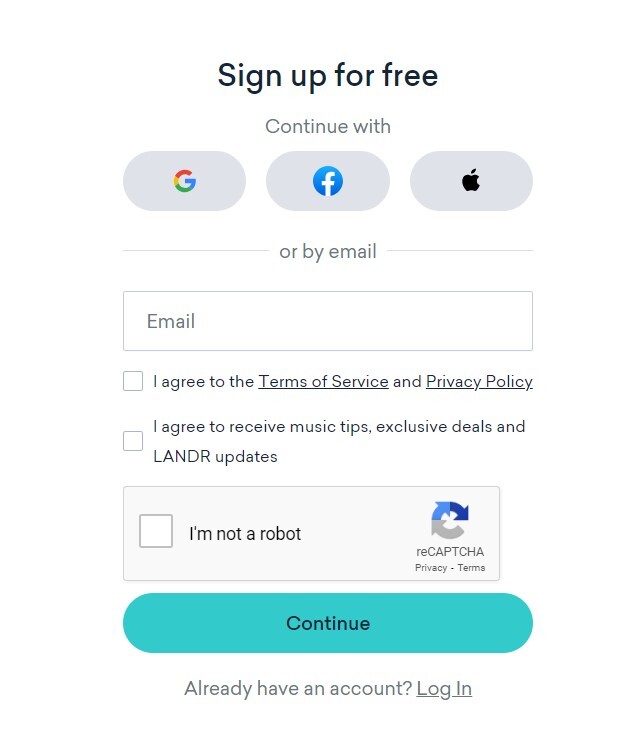
1. Head to THIS LINK, and fill in your details to create your LANDR account.
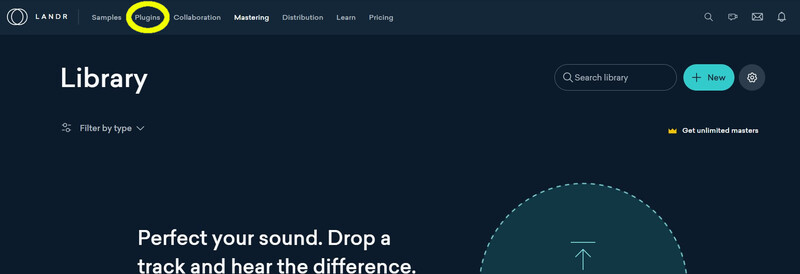
2. Click the 'Plugins' tab within your LANDR library.
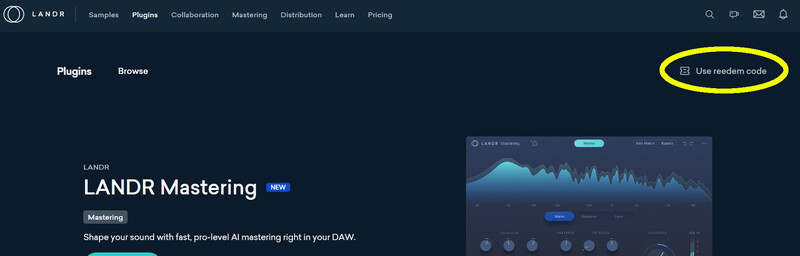
3. Click 'Use Redeem Code'.
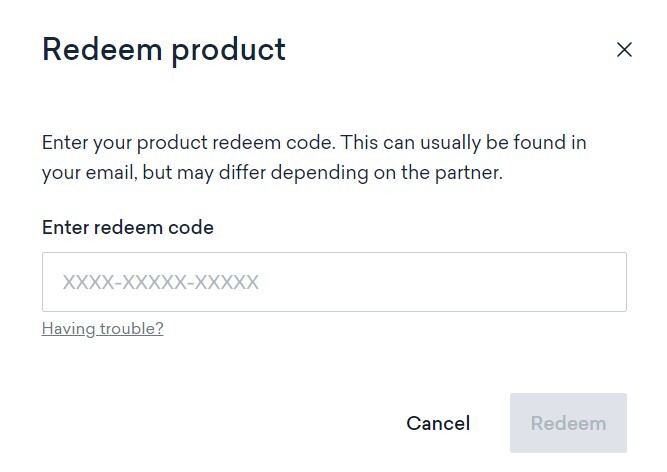
4. Use the code from within your Plugin Boutique User Account to fill in the redeem code field. Click 'Redeem'.
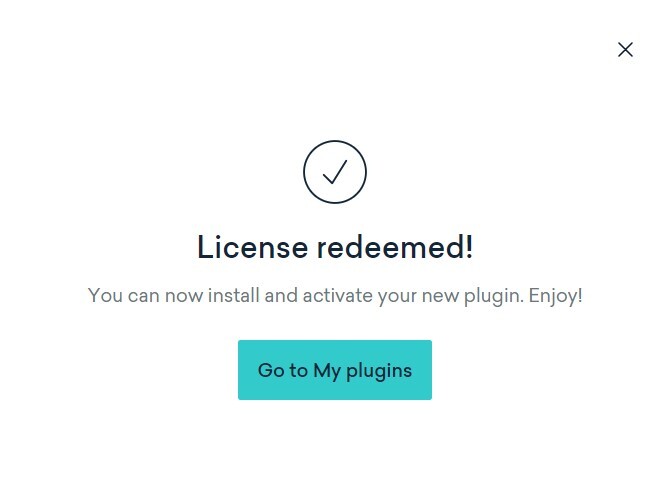
5. Click 'Go to My plugins'.
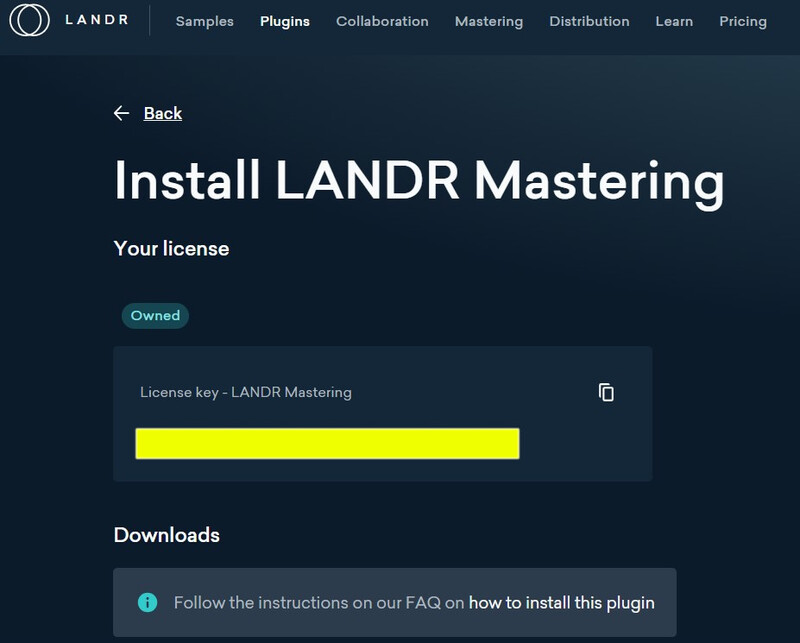
6. Click 'Install' next to the LANDR Mastering plugin.

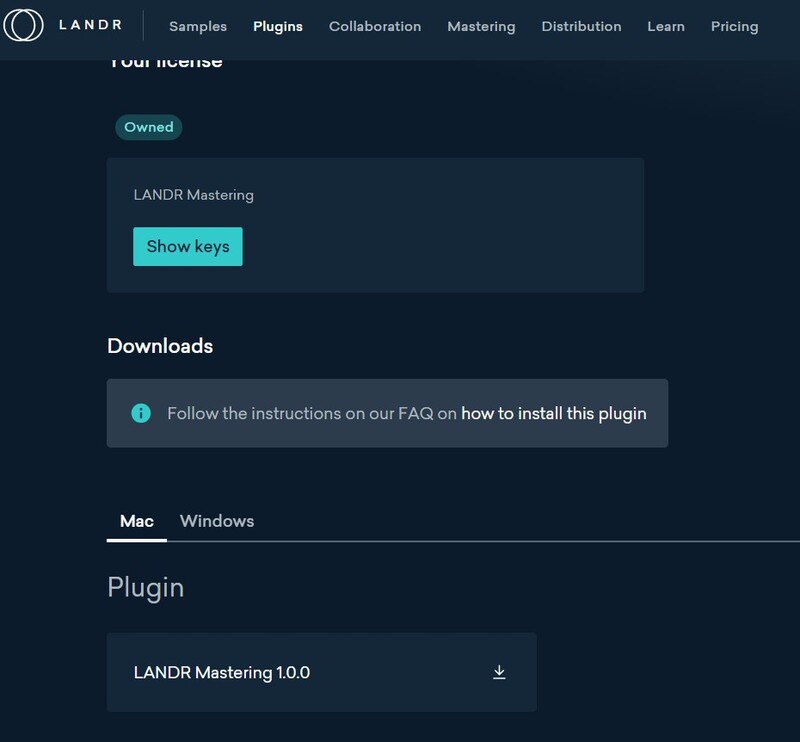
7. Click 'Show keys', and take note of your license key number.
8. Below this, you will find your download items. Ensure you select the correct operating system, and click the Download button.
Installation and Activation
Windows
1. Launch the downloaded installer file.
2. Check 'I accept the terms in the License Agreement', and click 'Install'.
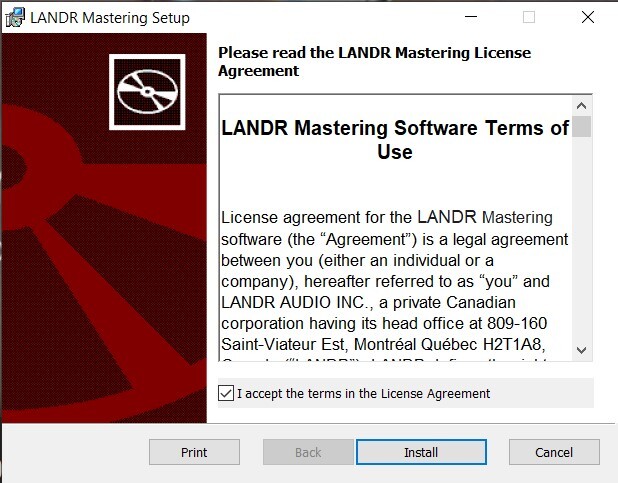
3. Once installation has completed, click 'Finish'.
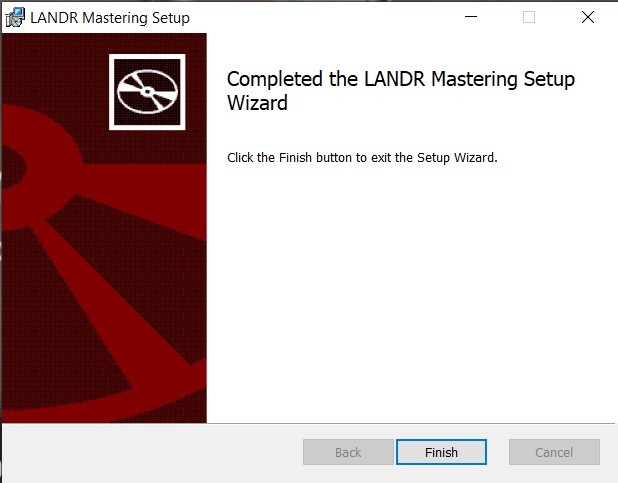
4. Launch LANDR Mastering Plugin within your DAW.
5. Enter the License Key number obtained in step 7 of the Registration process to the form. Click 'Activate'.
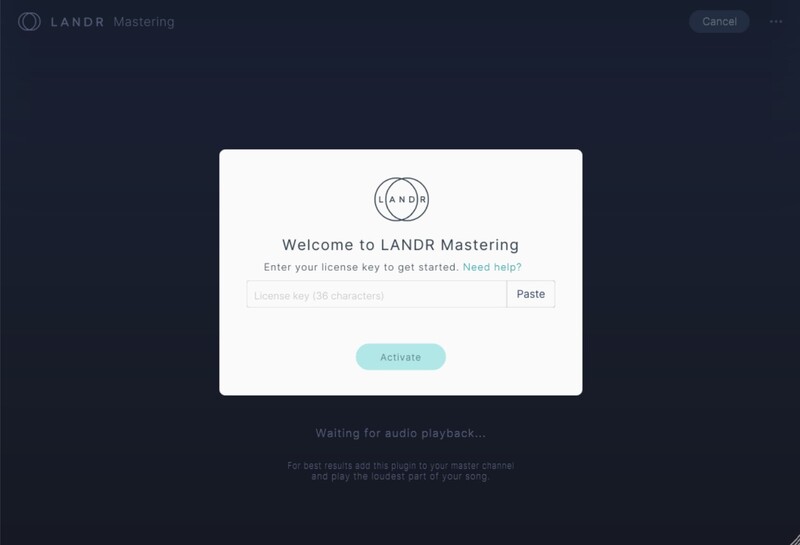
6. Click 'Get Started'.
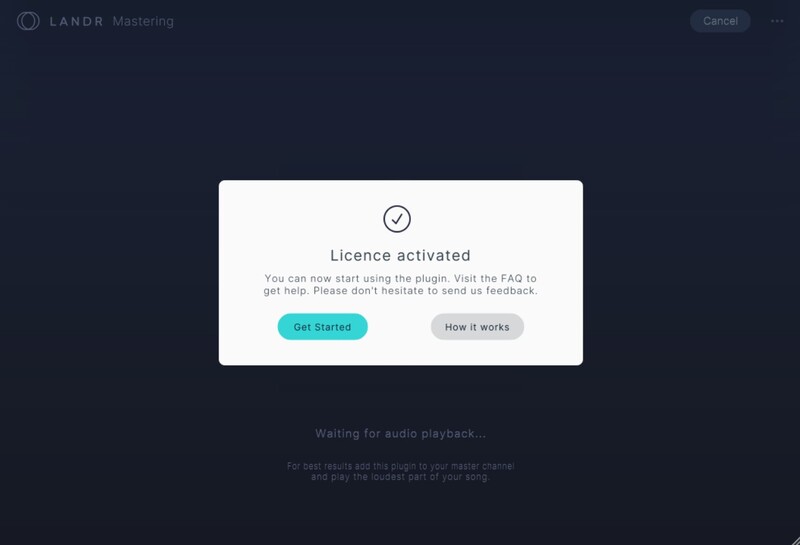
Your plugin is now activated and ready to use!
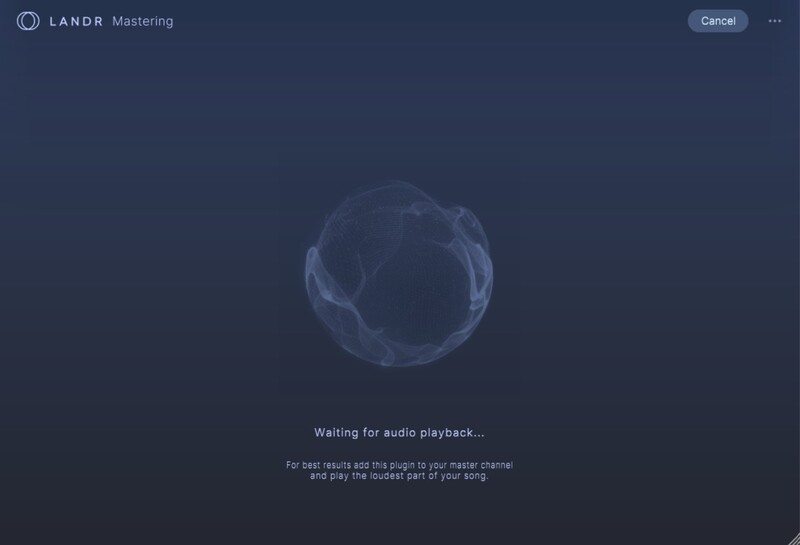
Mac
1. Launch the downloaded installer file, and click 'Continue'.
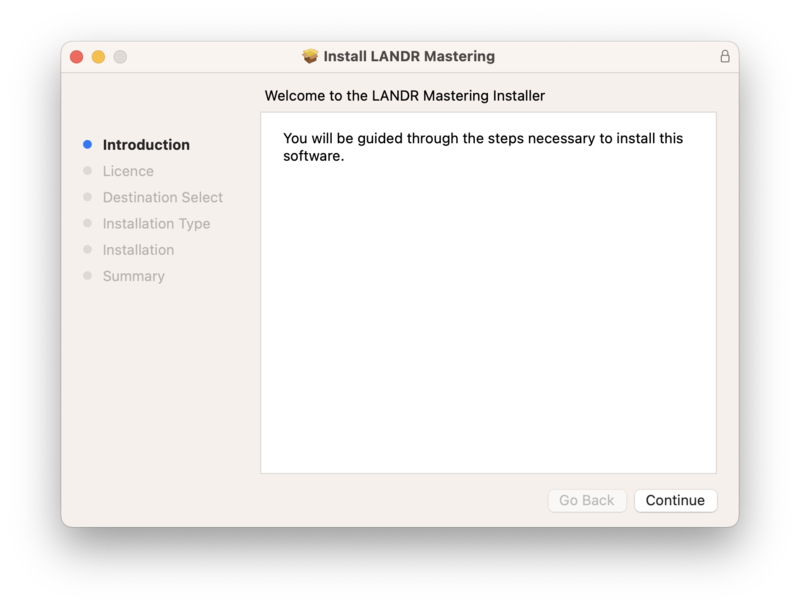
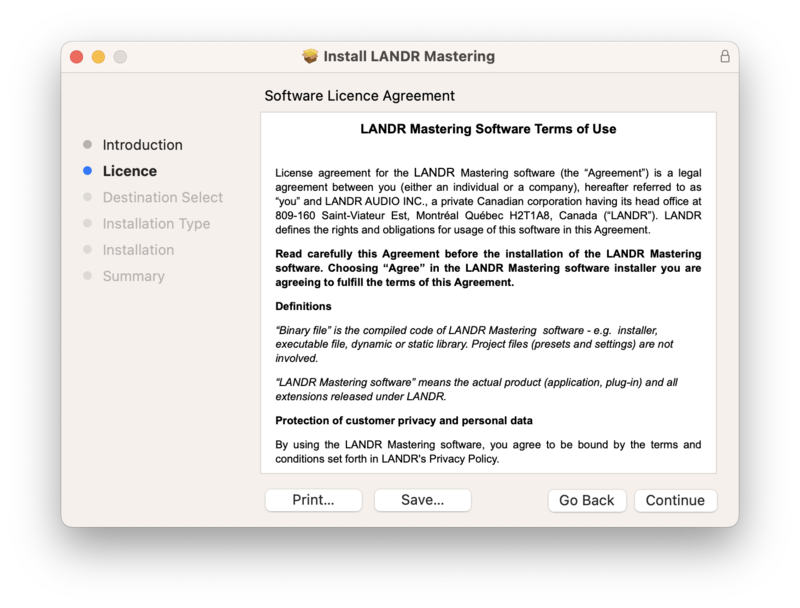
2. Click 'Continue'.
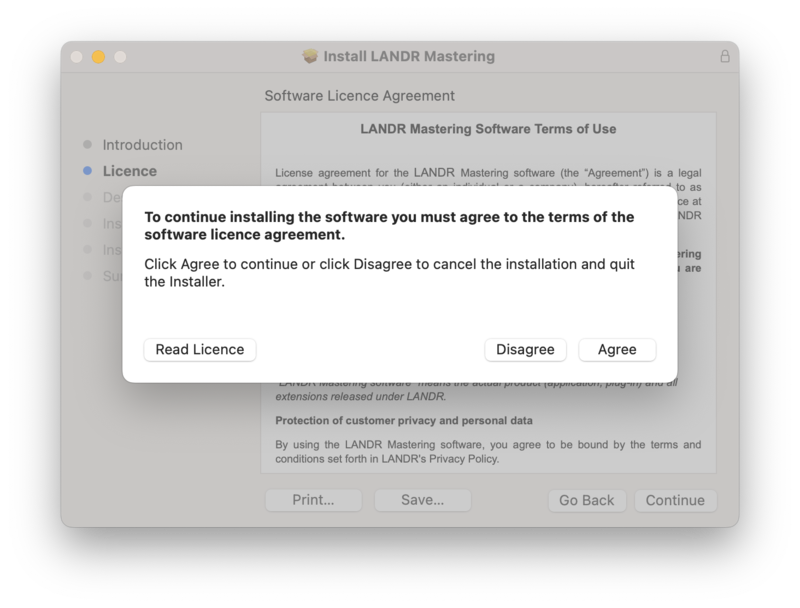
3. Click 'Agree'.
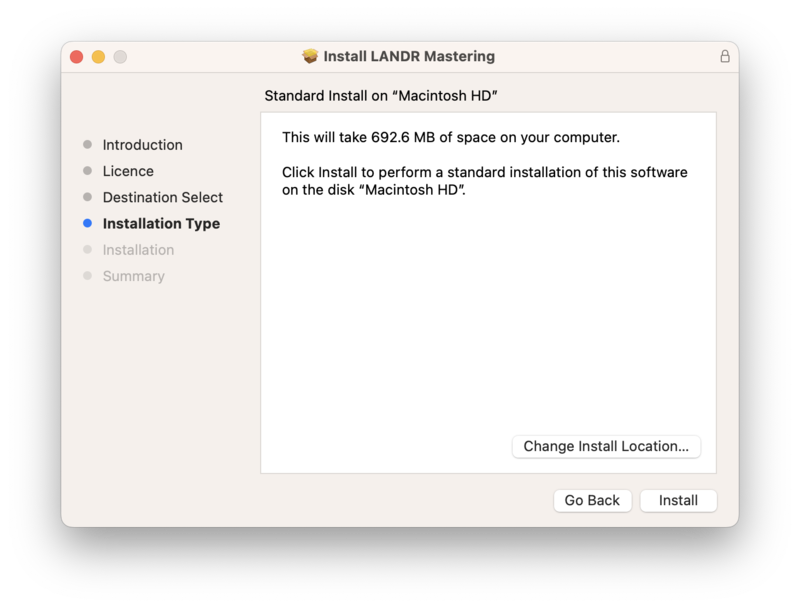
4. Click 'Install'.
5. Once installation has completed, click 'Close'.
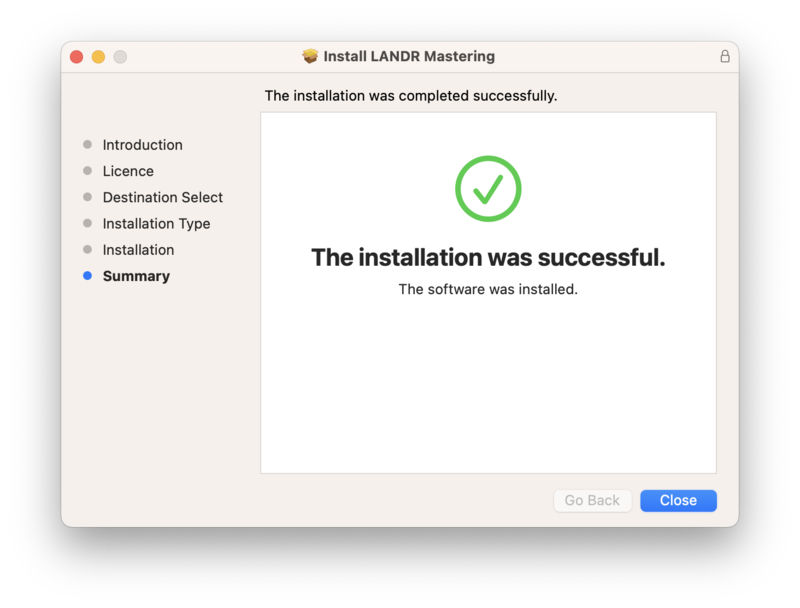
6. Launch LANDR Mastering Plugin within your DAW.
7. Enter the License Key number obtained in step 7 of the Registration process to the form. Click 'Activate'.
8. Click 'Get Started'.
Your plugin is now activated and ready to use!


