


 Log In

Free gifts available with your purchase
Important note: This includes the Mac only Gadget DAW and Gadget plugins. The DAW is available for Mac only, however Gadget plugins are Mac and Windows compatible. Windows only users, should purchase the KORG Gadget Plugins separately, available HERE.
More Powerful Than Ever, Quickly Turn Your Ideas Into Music
A Complete, Seamlessly Integrated Music Production Ecosystem
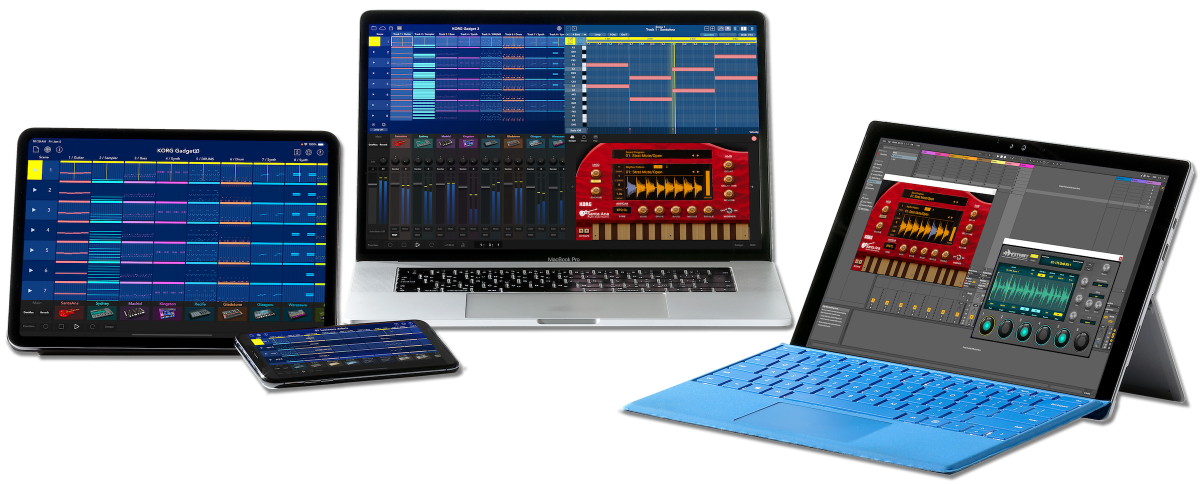
KORG Gadget is the ideal all-in-one music production software and plug-in suite featuring over 40 small synthesizers/drum machines (“gadgets”), which can be freely combined to create music driven by a powerful yet intuitive user interface.
KORG Gadget 3 offers an expanded variety of even more features to quickly turn your ideas into music, including two new gadgets, five insert effects (IFX), a new genre select system, and VST3 and AUv3 support. In addition, the user interface has been brushed up to make the Gadget Browser, IFX page, and Play page even more intuitive. KORG Gadget 3 is the perfect tool to quickly turn your ideas into music.
What's New in KORG Gadget 3
- Gadget Instrument Collection with a total over 6,000 sound programs
- New gadgets: Santa Ana (Guitar) and Sydney (Sampler)
- A genre select function that allows you to create songs from your favorite patterns
- 5 new IFX including an 8-Band EQ, Stereo Imager, Transient Shaper, and more
- The Play page: easy arpeggiator use and chord entry
- A whole new sound browser that lets you select gadgets by the timbre you want
- AUv3 support on iOS, allowing gadgets to be used in other music apps like Garageband
KORG Gadget 3 is now even more powerful
Now in its third generation, KORG Gadget 3 is more powerful than ever, the workflow is now more intuitive and easier to use than ever before and there are plenty of new features and new gadgets. Two new gadgets have been added: "Santa Ana," which makes it easy for anyone to create realistic rhythm guitar, and "Sydney," which imports long samples and manipulates loops.
New features include a "Gadget Browser" that enables sound search, an improved "Play Page" with an easier-to-use scale menu, and "Genre Select" that allows you to combine your favorite patterns before starting to create a song.
The IFX features a greatly improved user interface, with graphical displays for EQ, Compression, and other sound adjustments. Five new effects have also been added, including an 8-Band EQ, Transient Shaper, Stereo Imager, Auto Pumper, and Pitch Shifter to expand the possibilities of your music production.
In addition, the iOS version now supports AUv3, allowing gadget instruments to be used in Garageband, Logic Pro, and other applications. These new features will strongly support your music production.
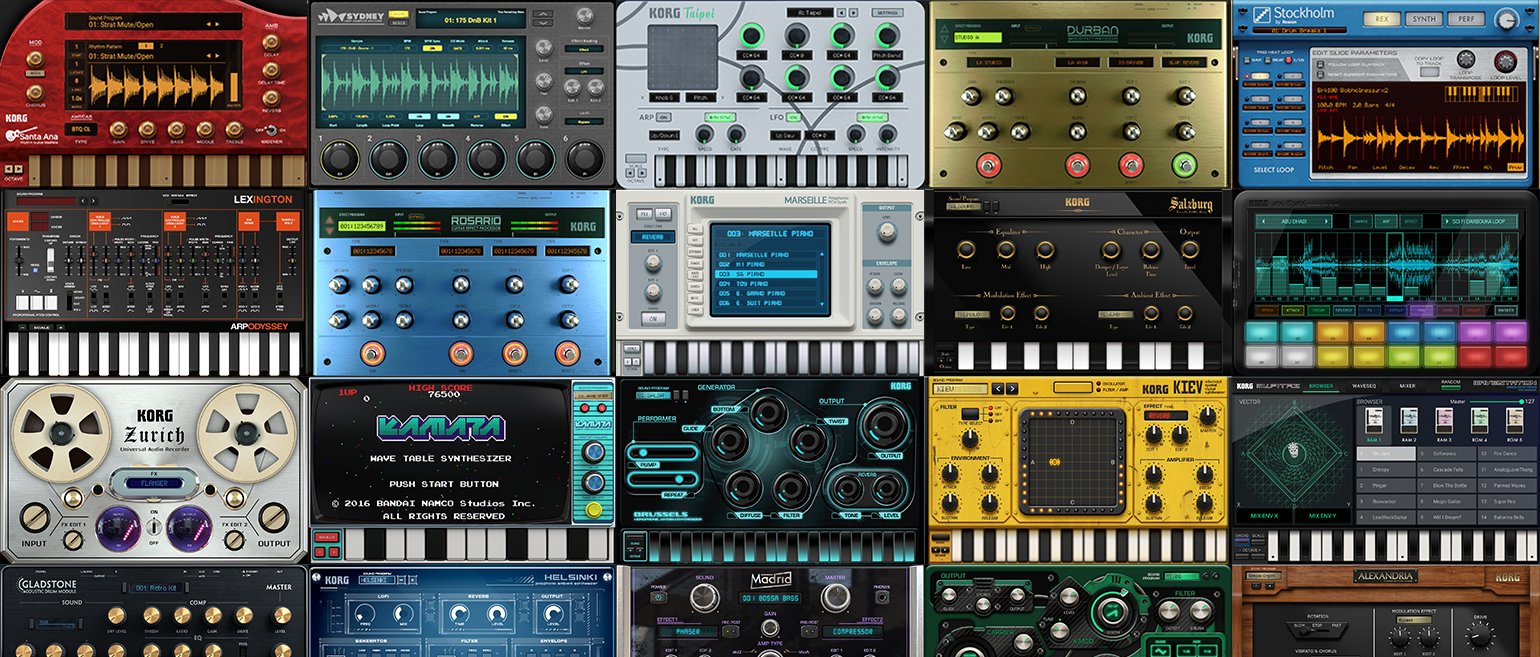
A huge collection of over 40 gadget instruments
Overwhelming sound. Immersive, intuitive and powerful user interface. Unprecedented and innovative quality. KORG Gadget 3 is a collection of over 40 gadget instruments, including compact synthesizers, drum machines, samplers, and audio and MIDI utilities. It has sophisticated parameters that make it easy for you to get to the sound they want, so you can create your own sounds instantly. The new Sound Browser allows you to get to your favorite sounds in the quickest time possible. It is perfectly suited for dance music as well as rock, pop, jazz, and other music sounds and genres. You are sure to find the sound you want among the numerous gadgets.
Get your songwriting ideas with Genre Select
The new "Genre Select" feature allows you to select your favorite genre and sound, and then start songwriting by freely combining patterns. 5 x 5 pads are all assigned with phrases created by gadgets, so you can start songwriting by freely combining your favorite patterns. You can start creating a song from a project in which each track's gadgets and scenes have been developed. Choose from the standard genre packs and enjoy a different approach to music production.
Tons of sounds readily available with the New Browser
To make it easier than ever to find the desired gadget instrument, we have revised the Gadget Browser and added various functions. New features include displaying gadgets by instrument category, a Favourites function that allows you to group your favorite gadgets, and a search function that allows you to freely search for sounds in each gadget. Using the program search function, it is now possible to quickly and easily preview and search for the sound you wanted from a vast array of sounds.
Features
- A complete,seamlessly integrated music production ecosystem
- A huge collection of over 40 gadget instruments
- Plug-ins for instant sound in your favorite DAW
System Requirements
Mac (DAW & Plugins)
- macOS Big Sur or higher (latest update)
- Intel Core i5 / Apple M1 or better
- 8 GB RAM (16 GB or more recommended)
- Storage: 8 GB free disk space (SSD highly recommended)
- Internet connection
- Plug-ins: AU, VST2, VST3, AAX (64-bit only)
Windows (Plugins only)
- OS: Windows 11 64bit or higher (with latest updates); 32-bit operating systems are not supported.
- CPU: Intel Core i5 or better (Core i7 or better recommended)
- Memory: 8 GB RAM (16 GB or more recommended)
- Storage: 8 GB free disk space (SSD highly recommended)
- Internet connection
- Plug-ins: VST2, VST3(64-bit only)


