


 Log In

Free gifts available with your purchase

Upgrade to the future
Nuendo 14 is the new standard in audio post-production and game audio. New features include AI-powered speech-to-text technology, a powerful mixing assistant, enhanced event volume curves and range tool editing. Game audio designers can now preview sound effects from Audiokinetic’s Wwise before exporting them, and the list goes on with over 30 additional new features, plug-ins and other improvements. Upgrade your experience. Upgrade your workflow. Upgrade your business. Upgrade to the future!
Highlights
Adaptive Background Attenuation (ABA)
The intelligibility of speech in film and television has long been a source of discussion. With Nuendo 14 you can easily automate the balance of your mix to ensure the dialogue is always intelligible. Using the dialogue stem as a reference, ABA will attenuate loud background sounds automatically by a selected dB value, ensuring the foreground sound is always clear. Once the process has been applied, you will still have full control over the overall mix, being able to review the changes and adjust levels as needed.
Dialogue Transcription
Nuendo 14’s new AI-powered speech to text feature enables dialogue tracks to be transcribed into ADR cycle markers. Using a machine learning model for speech recognition and transcription, this will save hours of work by writing the transcription of the original soundtrack into existing markers or to create new markers with the transcribed dialogue inside, for example in a dubbing project.
Game Audio Connect 3
Game sound designers can now preview sound effects directly from Audiokinetic Wwise, without having to export the audio assets out of Nuendo first. Triggering a segment from the game itself will play back the audio from within Nuendo, letting adjustments be made before rendering the assets and transferring them into Wwise. Different sounds can also be tried out while playing the game, simply by changing the event selection in Nuendo.
Modulators
A sound designers dream! The new modulators deliver the creative freedom of parameter-based automated sound variations, but with complete control over the results. With dynamic parameter control, which is based on material within the project, the modulators can create movement, add tension and much more to your sound effects and game sound design.
Event Volume Curves
Gain staging is now easier in Nuendo 14, using fast and flexible Event Volume Curves to adjust levels within audio events, without having to switch tools. Valuable for both dialogue clips and sound effects, this feature offers streamlined options to optimize your editing workflow.
Range Tool Improvements
The Range Selection tool has been improved to speed up the audio editing process, with flexible visualization and specific editing functions to selected regions while it is enabled, either with key commands or by modifier keys.
Audio Segment Automatic Detection
Nuendo can now auto-detect audio segments that are recognized as belonging together, such as a word or a whole phrase in a dialogue track, by pressing a user-assigned modifier key. These segments can then be selected using the Range tool with a single mouse click. Their volume can also be adjusted using the new Event Volume Curves functionality.
Productivity Improvements
ADR Overlay improvements
The video window in Nuendo can now display any attribute available for ADR sessions, for example dialogue scene, number or ID. It also offers the ability to modify how the text is displayed, including font size, font color, alignment, word wrap and more.
Video engine update
Nuendo’s video engine has been revamped to support 4K and 8K video resolutions, as well as scaling even higher resolutions correctly to fit them within the video window. Video playback efficiency is improved and there is no limitation on resolution with a powerful enough processor.
CSV Import without Timecode
CSV files can now be imported into Nuendo without needing timecode information. When a CSV file is imported, Nuendo will automatically assign the markers to the project window, allowing the user to set up how they should be placed in the timeline.
DOP Preview
In the Direct Offline Processing window, the Audition function will now take the volume of the selected event into account. This means the audition volume will be previewed at the right level and not be unexpectedly loud.
MediaBay Preview
Sound effects in the MediaBay can now be previewed at different pitches and time-stretched speeds to match the context of a project. They can then be imported into the project with the chosen pitch and speed information intact.
New Plug-ins
Volume
The Volume plug-in allows the volume of any track to be controlled independently of the fader, for example to make individual level adjustments for each sub-channel, for volume automation without affecting the fader and more.
Studio Delay
Create everything from haunting scenes with depth and resonance to wild, unusual soundscapes with an effect that’s incredibly versatile but very easy to use.
Shimmer
The new Shimmer effect allows the creation of ethereal atmospheres and beautiful reverberant spaces for unique ambiences in movie and game scenes.
Underwater
Use the simple, one-control Underwater plug-in to quickly and easily create the familiar next door or underwater effect, adding atmosphere and space to dialogue and SFX.
Auto Filter
Sound effects can be given a new life of their own with the Auto Filter effect, adding movement and interest in an infinite variety of ways.
Features
- Pattern Sequencer - Quickly and easily program unique beats, add randomization to grooves and explore new worlds of rhythm with the deeply integrated Pattern Editor.
- Drum Track - The Drum Track streamlines the beat-making workflow, its new Drum Machine allowing the creation of bespoke drum sounds and importing samples from the MediaBay.
- New Score Editor - Based on the latest Dorico technology, the revamped Score Editor allows composers to create perfect scores for artists with remarkable speed and precision.
- Key Editor improvements - The play probability of each note can be changed to add variation, while per note velocity variance can add unpredictability and liveliness to compositions.
More new features
- ABA for MPEG-H - Adaptive Background Attenuation is also available within the MPEG-H Renderer when creating MPEG-H content.
- SpectraLayers Go - Nuendo 14 now includes SpectraLayers Go, with enhanced AI for better stem separation, new tools and a redesigned user interface.
- Control room UI - The control room has received a fresh coat of paint to visually complement the new GUI introduced with version 13.
- Auto Save - Backup files are now stored in a dedicated Auto Saves folder, making it quicker to find and revert to previously auto-saved states.
- Dolby Atmos improvements - The internal Dolby Atmos renderer now offers support for Stereo Direct, 7.1.2, 9.1.4 and 9.1.6 formats. Manual trim settings can also be made in the Dolby Atmos ADM Trim and Downmix Editor for Stereo Direct and 5.1.4 projects.
- MixConsole improvements - The MixConsole can be fully displayed in the Lower Zone, including the MixConsole’s Visibility List. Re-ordering tracks is also now possible within the MixConsole.
- Performance Monitor - The overall performance within a project can be checked during playback, while performance hotspots and dropouts are identified, and improvements suggested.
- SuperVision improvements - New color schemes improve the readability of various modules. Meters can also now be based on frequency or intensity.
- Audio Connections - Hardware audio ports can be utilized for different situations without re-assigning the connection setup in Nuendo each time.
- DAWproject support - Project data can be exchanged across multiple DAWs from different manufacturers.
- Headphones Match - Headphones Match has been updated with 10 extra headphone models.
- Light and dark modes - Windows light and dark modes are now supported.
- Ruler Track - The ruler can now be started where needed, with individual offset options setting the timecode to the correct value in relation to the picture.
- 64-bit file format - Nuendo project files now support 64-bit format, allowing project file sizes larger than 2 GB to be accommodated.
- Ambisonics - Nuendo now supports up to fourth-order Ambisonics channels.
System Requirements
- ® Intel Core i5 Series (4th generation) or AMD Ryzen (minimum Windows)
- ® Intel Core i5 (2018 or later) or Apple Silicon (minimum Mac)
- 8 GB RAM | 75 GB free HD space
- Graphics card with native Windows 10 support (minimum)
- AMD R or RX series and later or NVIDIA Series 700 and later (recommended)
- Graphic Card with Metal support (Mac only)
- 4GB GPU memory or higher for 4k displays
- OS-compatible audio hardware
- ASIO-compatible audio hardware recommended for low-latency performance
- Internet connection is required for download of installation package, license activation, account setup and personal/product registration
- Note: 32-bit plug-ins are not supported. VST 2 is not officially supported. VST 2 plug-ins may be loaded (excluding on Native Apple Silicon) when the VST 2 plug- in scanner is enabled in the VST Plug-in Manager. However, Steinberg does not provide support for any issues related to VST 2.
Mac
- macOS Ventura
- macOS Sonoma
- macOS Sequoia
- Rosetta 2 App (Silicon Mac)
- Native App (Silicon Mac)
PC
- 64-bit Windows 11 (version 23H2 or higher)
- 64-bit Windows 10 (version 22H2 or higher)
Activation
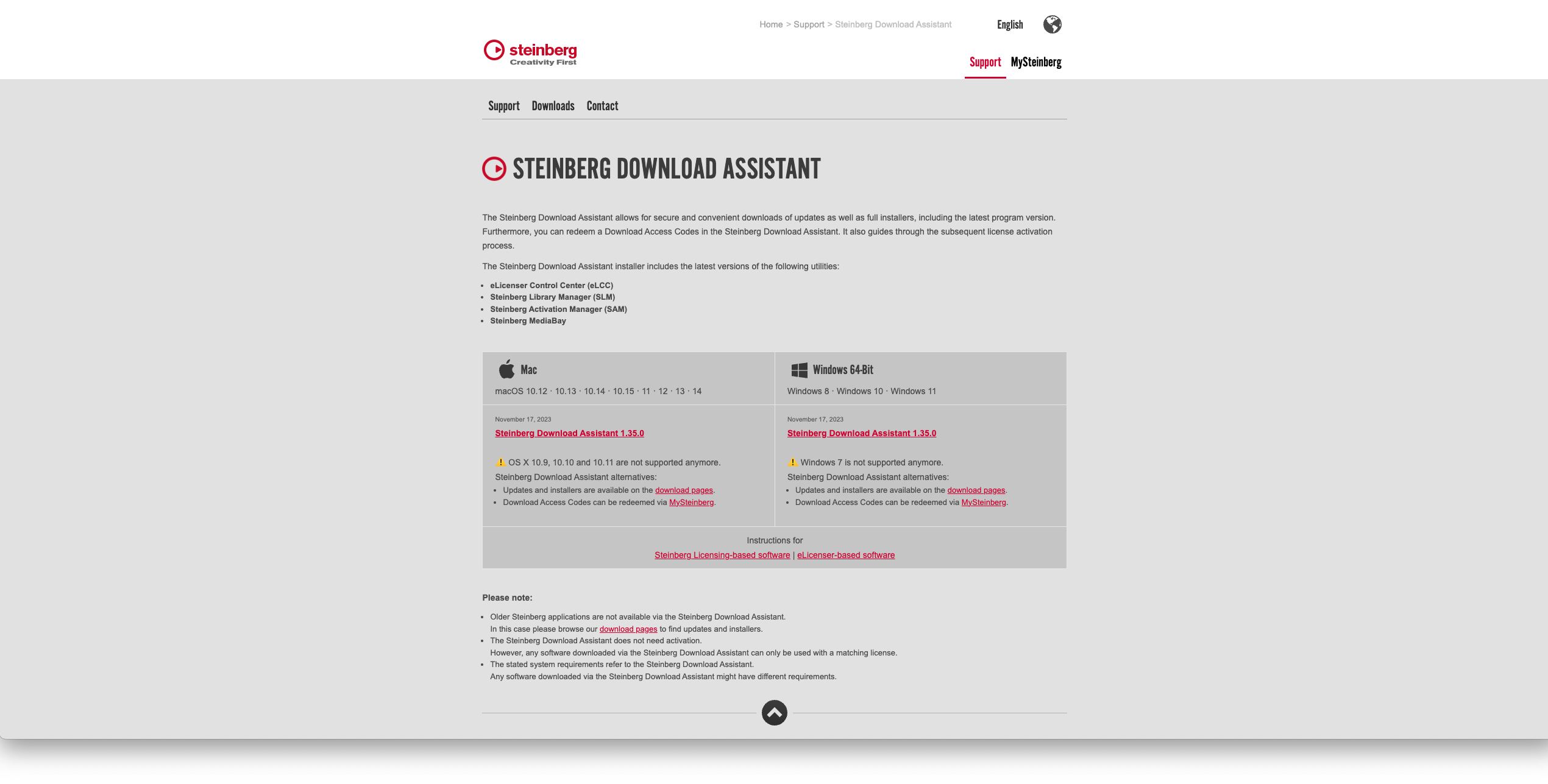
1. Go to https://www.steinberg.net/go/ or click 'Download' in your Plugin Boutique User Account.
2. Download the relevant installer > Complete the installation of the Steinberg Download Assistant.
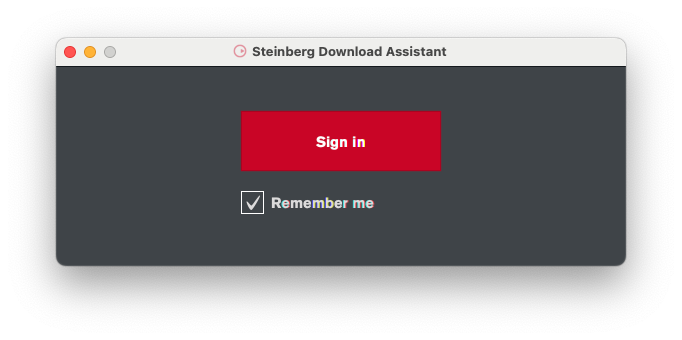
3. Click 'Sign in'.
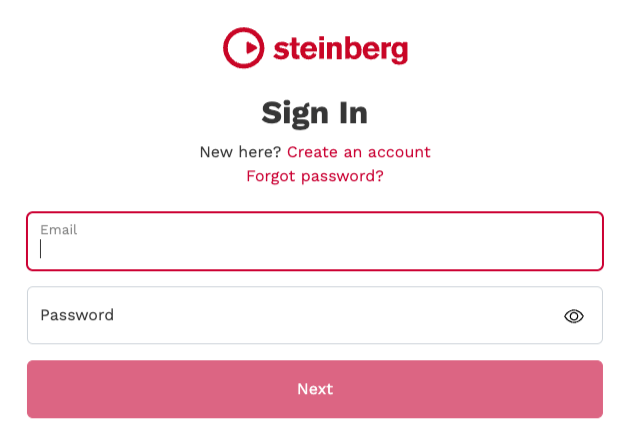
4. Click 'Create an account' > if you already have a Steinberg account, login and skip to step
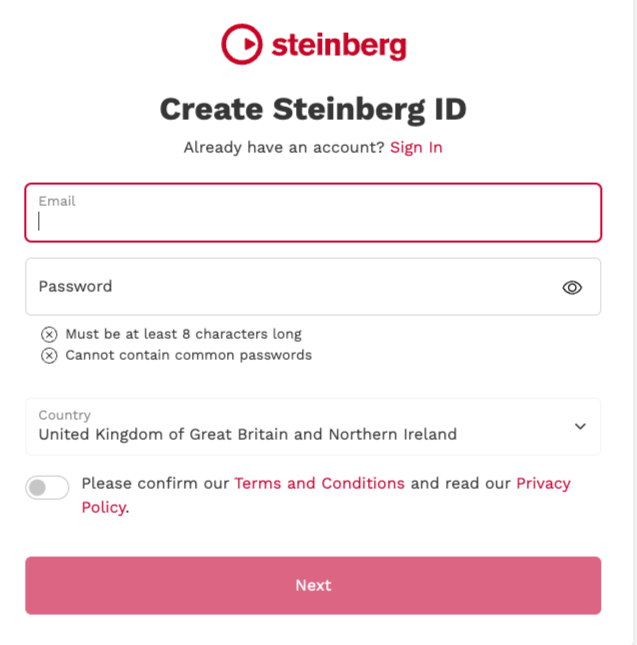
5. Enter the requested details > Click 'Next'.
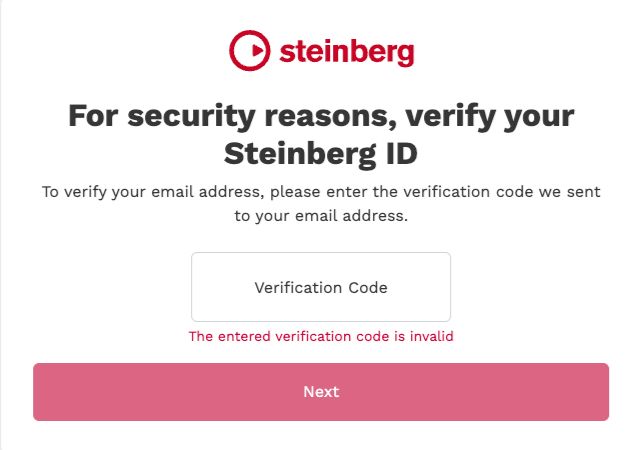
6. Enter the verification code found in your email from Steinberg > Click 'Next'.
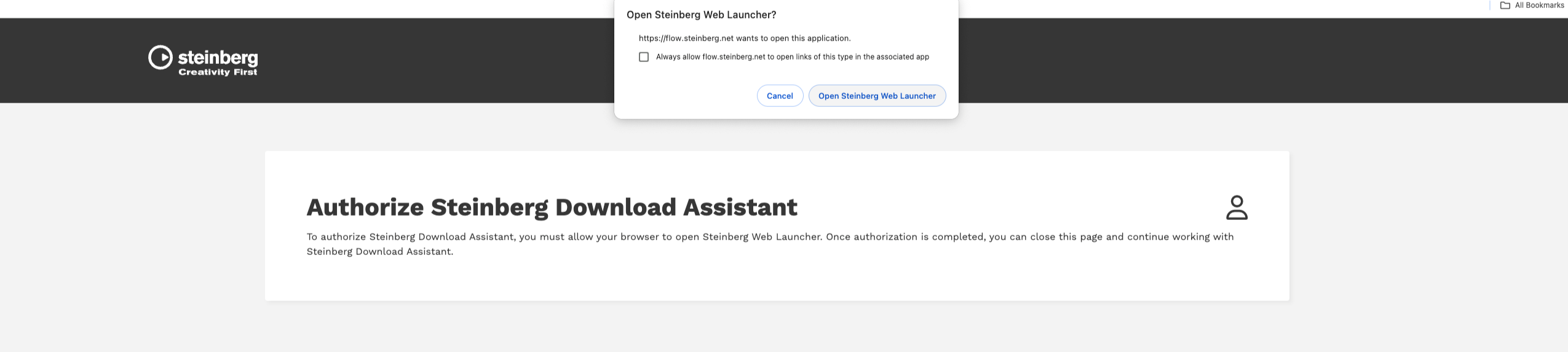
7. Click 'Open Steinberg Web Launcher'.
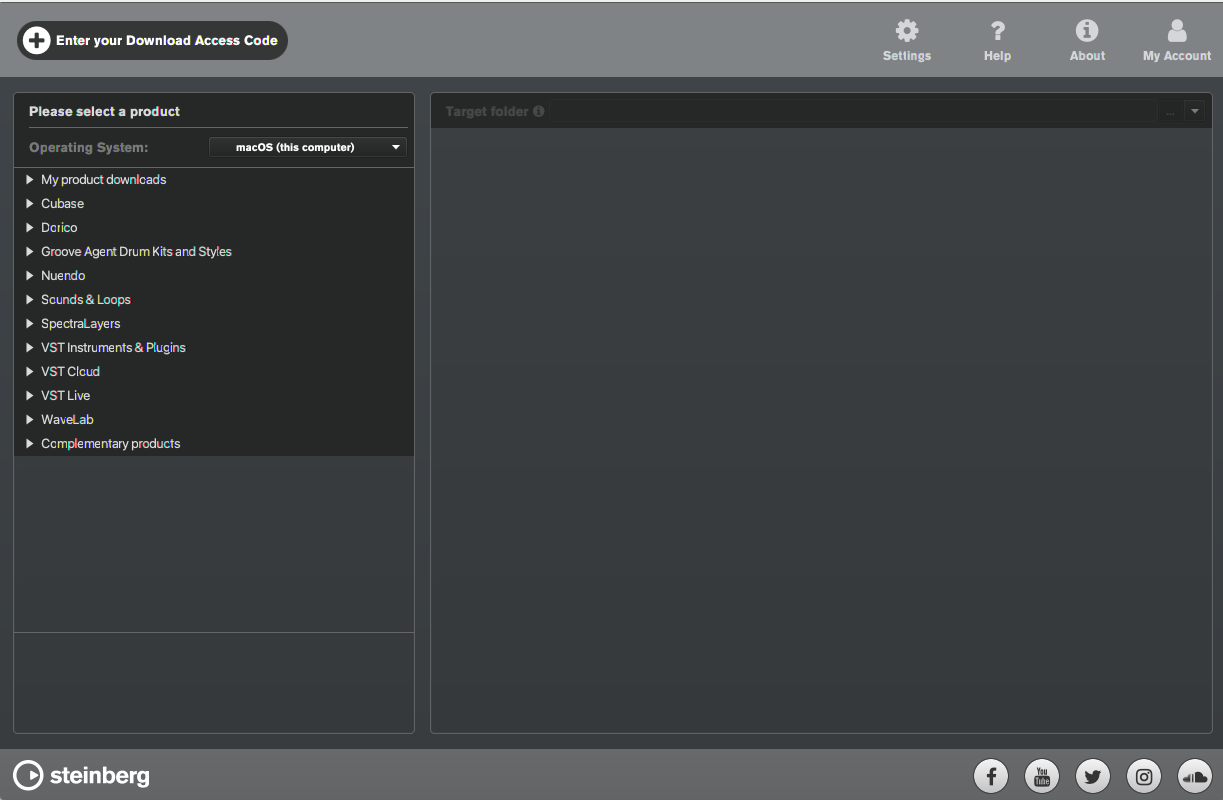
8. Click 'Enter your Download Access Code'.
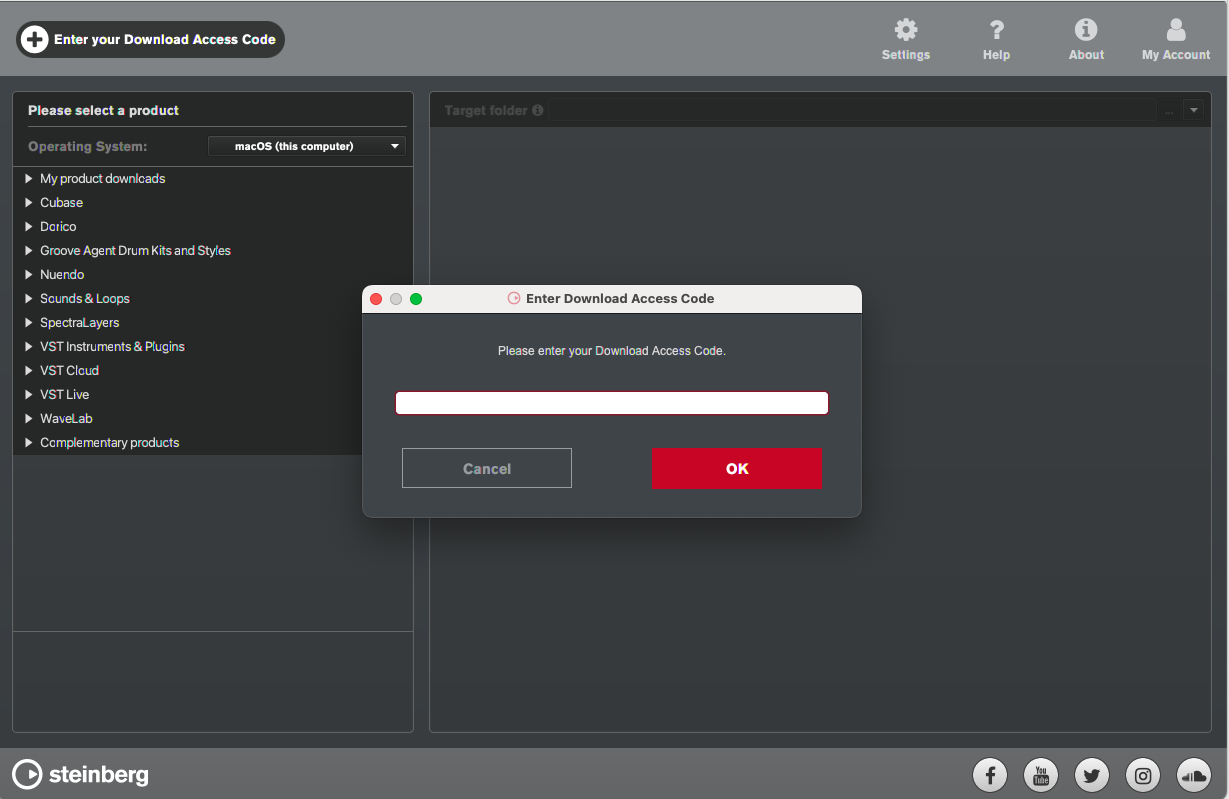
9. Enter the serial number found in your Plugin Boutique User Account.
10. Download/Install the relevant products.
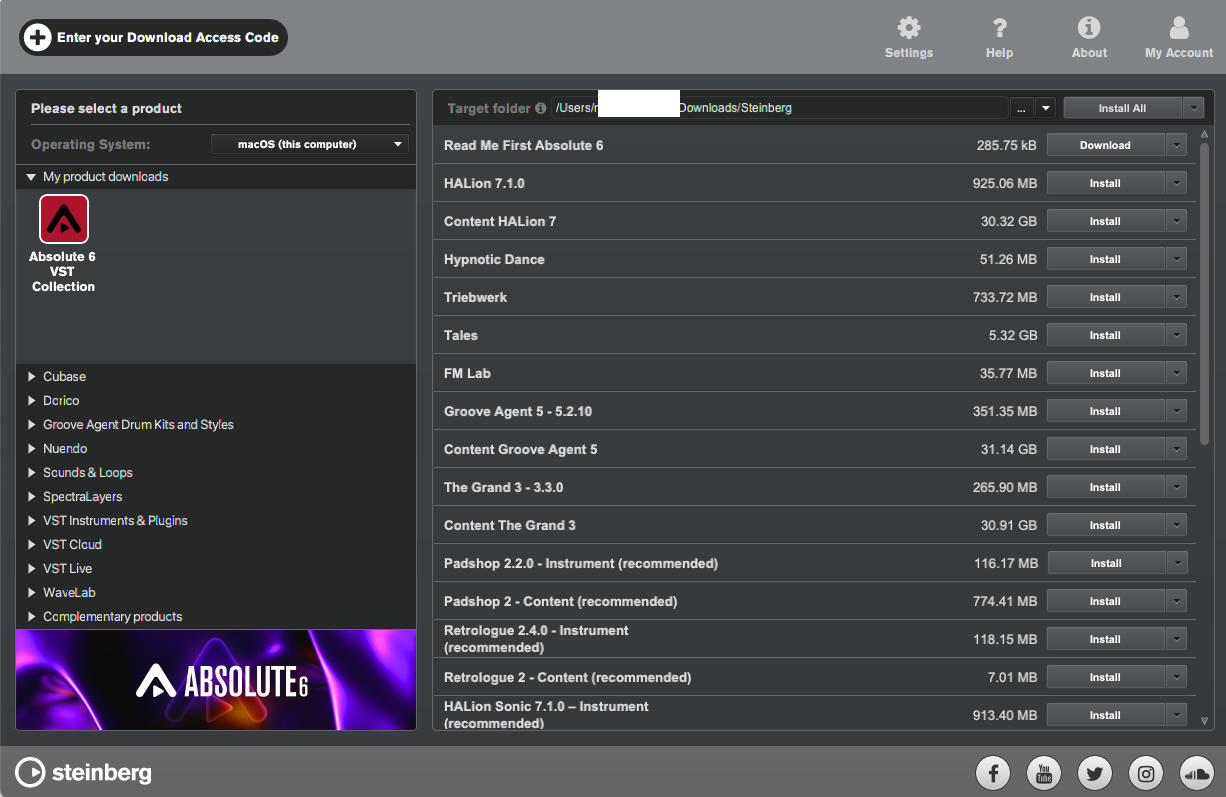
Your software is now installed and ready to be used!


