Log In

Free gifts available with your purchase
Double Check Your Mix
Simulate the devices and environment of your audience to make your mix exceptional for everyone!
Everyone who mixes content for the audience has to make sure that the mixes sound great on every consumer device. It can be done quickly and easily with MixChecker or MixChecker Pro. With tons of new features, the two let you simulate the exact surroundings and devices of your listeners.
What's New In MixChecker Pro?
Everything! Even though the interface has the same elegance and ease of use as the original MixChecker.
- New Simulations - All characteristics are newly measured, the processing engine is completely different with lower latency and phase linearity. No simple impulse responses inside.
- Create Sets of Simulations - Drag the selected simulations in any order to the MixChecker button. Save your selection to several button sets together with stereo base width and volume level for each button.
- Custom Settings and Labels for Buttons - The MixChecker buttons have several adjustable parameters. You may even assign the same simulated device to several buttons, each with unique settings. To distinguish between them, there could be a custom label placed on each button.
- Distortion - Audified are experts in exact modelling of distortions and saturations, either of speakers or of amps, preamps and other circuits. Audified used this experience and added modelling of these distortions to MixChecker Pro.
- Background Noise - MixChecker adds a possibility to add some audio background with adjustable volume. The combination with simulated devices is quite sophisticated: When you select simulation of phones, the path of the noise through the headphones and ears is simulated, so you hear the realistic combination of the mix playing from headphones and of the nose, coming through headphones from outside.
- Auto Advance - You don't need to browse through simulations manually. The adjustable auto advance function does it for you.
- Advanced Stereo Modes - Except for simple Mono mode, MixChecker offers channel swap, listening to each channel separately on both monitors. Furthermore, each simulation has an adjustable width of the stereo base.
- Web Browser, iOS and Android Remote Control - MixChecker Pro comes accompanied by a web browser, mobile phone or tablet control. You may walk around your studio when checking the final mix, save the valuable screen size.
- And more Improvements - Like interface zoom, calibration, ...
The Science Powering the Simulations
The original MixChecker contains only the simulation of the linear behaviour of the devices. Audified not only added the modelling of non-linear behaviour, but have also completely rewritten the original processing to achieve phase linearity, lower latency and better resolution in all parts of the frequency spectrum.
Your Studio
Have you ever wondered why your music, videos, showreels, and movies do not sound well when you move out of your studio? That is because you do not use the same equipment the real people use. And you don't listen in the same environment and conditions as your audience.
Your Audience
MixChecker Pro turns your studio monitors into consumer devices. It adds some background noise and it simulates the distortion and narrow stereo base of the real listening conditions.
New Button Settings
The magic of MixChecker Pro is that it has so many new features while it´s still as easy to use as the original MixChecker. Why? Because it offers the new Edit mode. In Edit mode, you can assign any simulated device to any device button, set the distortion amount for that exact device, adjust the stereo base width as well as the volume of the device. The simulated devices are organized into categories, so the searching is super-fast and intuitive. Once you have your button set saved, MixChecker Pro exits the Edit mode and you work just as with the original MixChecker.
New Pro Functions
The default view of the new MixChecker Pro has a small adjustments panel at the bottom of the plugin GUI. Here you can adjust some handful settings for the background noise, setup the mono button and if you are not sure if you have reached the distortion threshold or if you are afraid of any hard-clipping during the work, there are 2 LED indicators to show you.
Simulated Devices
Audified have simulated a lot of devices! Look at this, it´s just beautiful!
Studio:
- Studio 4" Vintage
- Studio 5" Modern
- Studio 6" Modern
- Studio 7" Vintage
- Studio 5" Vintage
- Studio Cube
Live Sound / PA:
- PA Disco Pool
- PA Disco Stage
- PA Cheap Satellite
- PA Club Engineer
- PA Club Near
- PA Club Center
- PA Cheap Full-Range
Computer Audio:
- Desktop 2" Black
- Desktop 3" Wooden
- Desktop 3" Red
- Desktop 5" Black
- LCD Screen 24"
TV:
- TV 24"
- TV 37"
- TV 22"
- TV 32"
Laptop Speakers:
- Laptop 12" Grey
- Laptop 13" Silver
- Laptop 15" Black
- Laptop 15" Silver
Tablet:
- Tablet 9" Grey
- Tablet 9" Golden
- Tablet 7" Black
Smart Phone:
- Phone 5" Grey
- Phone 4" Black
- Phone 5" Silver
- Phone 5" White
In-Ear Headphones:
- Earplugs White
- Earplugs Black
- Earplugs Grey
- Earplugs Iso Black
On-Ear Headphones:
- Studio 30mm Silver
- Studio 40mm Black
- DJ 40mm Black
- DJ 40mm Red
- DJ 50mm Red
How Audified Made It...
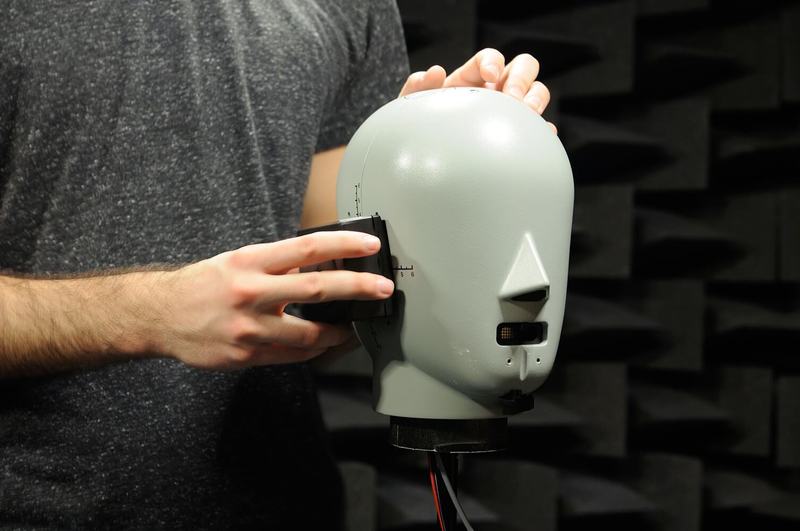
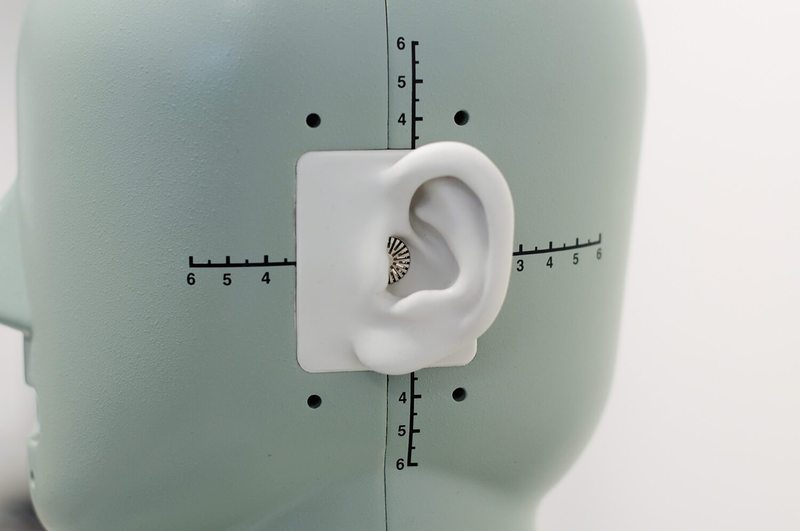
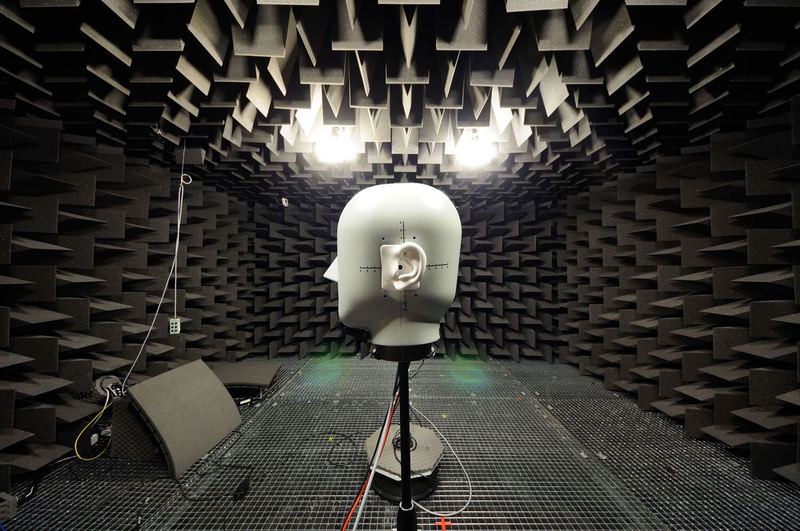
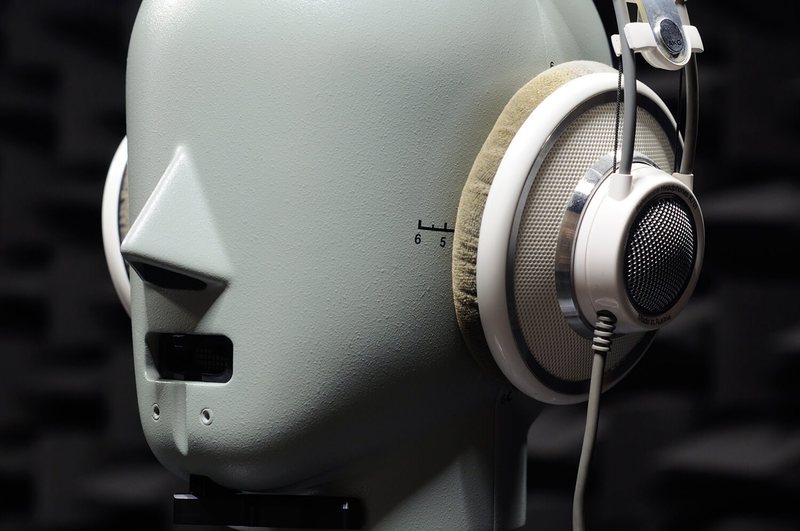
Audified spent weeks measuring the frequency responses and behaviour of all the devices in laboratory conditions to create the true models you can rely on. Audifed were also precise in the definition of all the background sounds which could disturb the listener from hearing the flawless tune. With many more features, MixChecker Pro is the best plugin for double-checking your mixes and making your sound masterly.
Features
- Simulations of many additional consumer devices
- Simulation of device distortion
- Background noise
- Auto-advance function
- Remote control from iOS, Android and browsers
- Simple user interface
System Requirements
Mac
- macOS 10.11+ (Intel & Apple Silicon supported) (64-bit only)
- VST3, AU, AAX
- 120MB of disk space
- Minimum 4GB RAM
PC
- Windows 7 and newer (64-bit)
- VST3, AAX
- 120MB of disk space
- Minimum 4GB RAM
- This software is only available in 64-bit format and will not function on 32-bit systems.

Emre Ramazanoglu
Emre Ramazanoglu has produced for sterling talents such as Noel Gallagher, Lily Allen, Rita Ora and many more!
"I'm really aware of the big difference this has made to my mix workflow!"

AskAudio
AskAudio is your ultimate daily resource covering the latest news, reviews, tutorials and interviews for digital music makers, by digital music makers.
"MixChecker makes mixing for the people plain sailing."

Rounik Sethi
Executive Editor for AskAudio & macProVideo.
"MixChecker is a simple, but brilliant idea."