


Save $179.00 compared to buying products individually
Buy Vocal Tuner + Deesser FREE, get a free gift with purchase:
Vocal Tuner
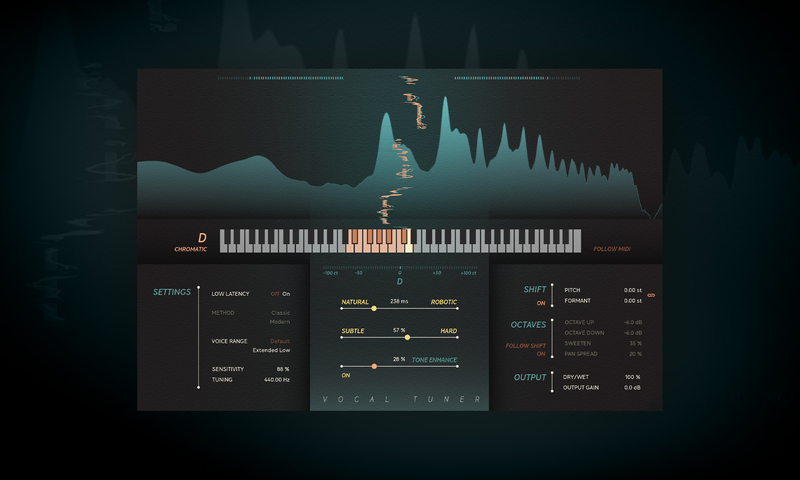
Create pitch perfection at lightspeed
- Automatic real-time pitch correction with high-quality sound and an ultra-fast workflow
- Go from subtle to hard tuning and add creative effects such as pitch & formant shifting and octave up or down
- Featuring a Low Latency setting for tracking, precise metering, and inspiring visualizations
High-quality Softube sound. Lightning-fast workflow. A few easy-to-dial-in controls and the power to fine-tune vocals in real-time or go full Hard Tune and add colorful effects from pitch and formant shifting to octave up and down, a Tone Enhance slider, and more.
Softube have equipped their Vocal Tuner with all that, plus a Low Latency setting for confidence in tracking, precise metering to show how the processing affects the input signal, and two different pitch correction methods. Get vocals – and more – with star quality in mere seconds with Vocal Tuner.
Pitch Correction and The Art of Rock & Roll Science
The Softube reputation for creating equipment that improves your workflow and gives you superior sound quality is rock solid. They have partnered with brands like Tube-Tech, Solid State Logic, Chandler Limited, Weiss Engineering, and Trident for decades now.
This is the legacy Vocal Tuner was built on: one of creativity, passion, and obsession with the details. It wasn't enough to create just another pitch correction tool. The Softube team wanted to give you a pitch correction tool that innovates and elevates. A pitch correction tool they wanted to use – with elegant handling of pitch, excellent real-time implementation, clean metering, and a streamlined workflow. That's why Vocal Tuner – as well as every product they make – includes a hearty dose of heart, soul, and Rock & Roll Science.
Pick your pitch correction method
Vocal Tuner is Softube's take on a real-time automatic pitch-correction processor. It gives you two distinct methods of pitch correction. You can choose from the Classic method, which delivers the traditional automatic pitch correction sound. Or you can pick the Modern method, which uses a more advanced pitch-shifting algorithm to preserve the formants of your vocal while tuning.
In full effects
With Vocal Tuner, you can easily go from natural pitch shifting to hard tuning. If you want to add some exciting effects to color your sound further, Vocal Tuner has been outfitted with independent or linked pitch and formant shifting. In addition, you can quickly add an octave up and an octave down to mix with your corrected vocal (both with individual gain controls). You can also use the Tone Enhance slider to control a dynamic and tone processor to enhance your vocals post-pitch correction. Read more about Vocal Tuner's effects in the User Manual.
Tips! Low Latency mode
Vocal Tuner provides a Low Latency mode to help with tracking and live performance situations. In this mode, the reported latency of Vocal Tuner is under 1 millisecond.
Features
- Automatic pitch correction
- Go from subtle to hard tuning and add creative effects
- Classic method for a traditional automatic pitch correction sound
- Modern method to maintain the formants of the vocal while tuning
- Subtle/Hard slider for speed of pitch correction
- Natural/Robotic slider for pitch correction amount applied to note transitions
- Quickly add an octave up and octave down to be mixed with your corrected vocal, to add a fatter ensemble sound.
- Tone Enhance adds dynamic processing and equalization to instantly make your vocal sound more polished.
- Low Latency setting, precise metering, inspiring visualizations
Deesser
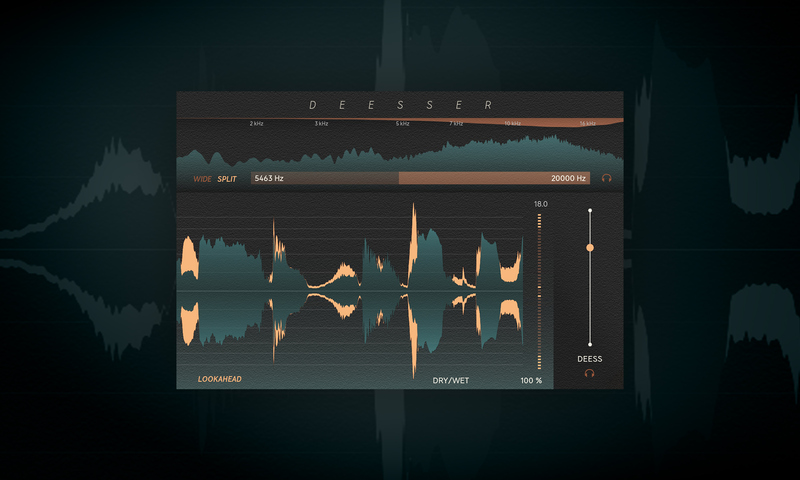
Smooth vocals with speed & simplicity
- An intuitive way to improve vocal intelligibility and tame sibilance in the mix
- Low latency, low CPU, and an easy-to-use interface
- Featuring frequency detection, relative threshold, and a transparent sound
Straightforward and full of power, Softube's Deesser gives you a smoother, more natural sound while keeping the overall tonal quality of your audio intact.
With Deesser, you can intuitively improve vocal intelligibility and tame sibilances with the simple interface and be on your way. Deesser's low latency and low CPU are excellent for tracking. The easy-to-use frequency detection, relative threshold, and transparent sound make it indispensable – from vocal tracks to harsh frequencies in a full mix.
De-essing and The Art of Rock & Roll Science
Over several decades of partnering with brands like Tube-Tech, Solid State Logic, Chandler Limited, Weiss Engineering, and Trident, Softube have built a rock-solid reputation for creating equipment that improves your workflow and gives you superior sound quality.
Deesser was built on this foundation of creativity, passion, and attention to detail. It’s a de-esser tool the team at Softube want to use – with the power needed to do the job, combined with an economy of features and an efficient workflow, and full of the heart, soul, and Rock & Roll Science infused in every Softube tool.
Easy de-ess it
Softube made sure that the layout of Deesser felt as intuitive as possible so you can handle harsh sibliances with speed and simplicity. All you have to do to start de-essing is just drag the Deess slider. The frequency range of the detector determines where Deesser should listen for problematic frequencies. To set this range, drag the filter widget or type in your desired values. It's as simple as that.
Must see
Deesser has everything you need and nothing you don't, which makes for a fast and easy workflow. On the interface, you'll find your key visualizations ready to guide you toward the right choices for your sound. The frequency analyzer on top shows the energy in the frequency spectrum, aiding you in setting the detector range. The frequency analyzer also shows the gain reduction, where the de-essing is applied.
The Waveform View offers a bigger picture of the incoming audio and the amount of de-essing. Showing the GR measured in dBs, the gain reduction meter can be found beside the Waveform View.
Tips! Relative Threshold
Deesser uses a relative threshold which means it’s an automatic level-independent algorithm that makes setting the de-essing amount super easy. Any changes, in terms of input level, made to your chain before Deesser won’t affect the response of the de-essing happening.
Features
- Easy to use sibilance taming with a transparent sound
- Fast & intuitive improvement of vocal clarity and intelligibility
- Helpful for taming harsh frequencies in a full mix
- Frequency detection and relative threshold
- Low latency, low CPU, and simple interface
System Requirements
- macOS Big Sur 11, Monterey 12, Ventura 13
- Windows 10 (64-bit), Windows 11
- Softube account
- iLok account
- Computer with AU, VST, VST3 and/or AAX compatible DAW host software
- Internet access (for downloading installers and managing licenses)
Important Note: Spring Reverb is used as the example
Installation Video
Note: Before starting the installation, you are required to create a FREE iLok user ID and install the iLok License Manager.
Please take a look at this Help Centre Guide for more information.
Registration
1. Click 'DOWNLOAD' in your Plugin Boutique Account. This will direct you to the Softube login page.
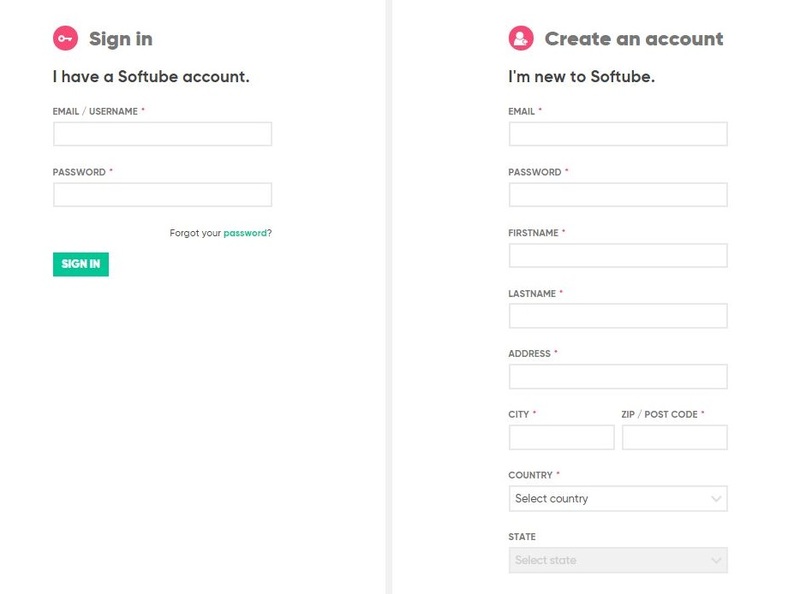
2. Enter your details > tick the Privacy Policy box > click 'Sign up' to create an account. (If you already have a Softube account, please log in and skip to step 5).

3. Go to your email account > find the Softube registration email > click 'ACTIVATE MY ACCOUNT'. (Your account has now been successfully created)

4. Go back to www.softube.com (you should now be logged in) > click 'MY ACCOUNT'.

5. Click 'REGISTER LICENSE'.

6. Enter the License Code (referred to as serial number on our site) found in your Plugin Boutique User Account > click 'REGISTER LICENSE'.

7. Click 'GO FOR IT!'.

Your product is now registered.
Mac
1. On the My Products page, click 'MAC' > you will be directed to the Mac Installation page.

2. Click 'HERE (highlighted in orange) to start downloading Softube Central.

3. Once it has downloaded, open the Softube Central PKG file > click 'Continue'.

4. Read through the Software License Agreement > click 'Continue'.

5. Click 'Agree'.

6. Click 'Install'.

7. Enter your password > click 'Install Software'.

8. Click 'Close'.

9. Open Softube Central > click 'INSTALL' to install all the necessary iLok licensing components. (This may take a few minutes)
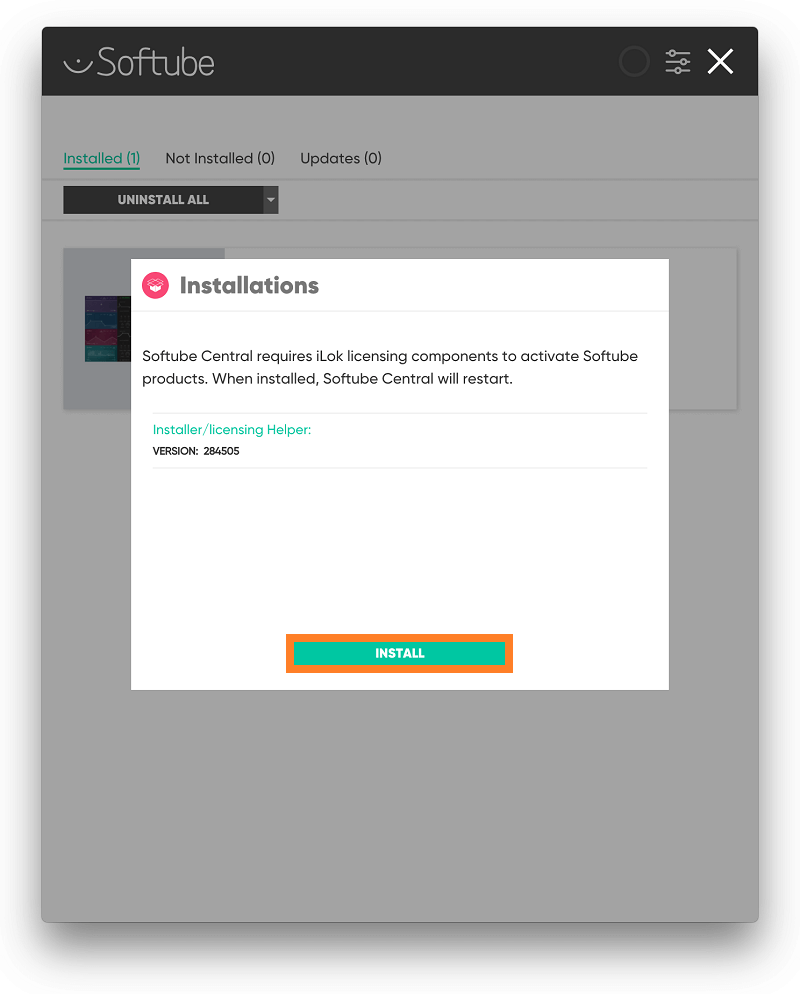
10. Sign in to your Softube account.

11. Your product will now be displayed in Softube Central.
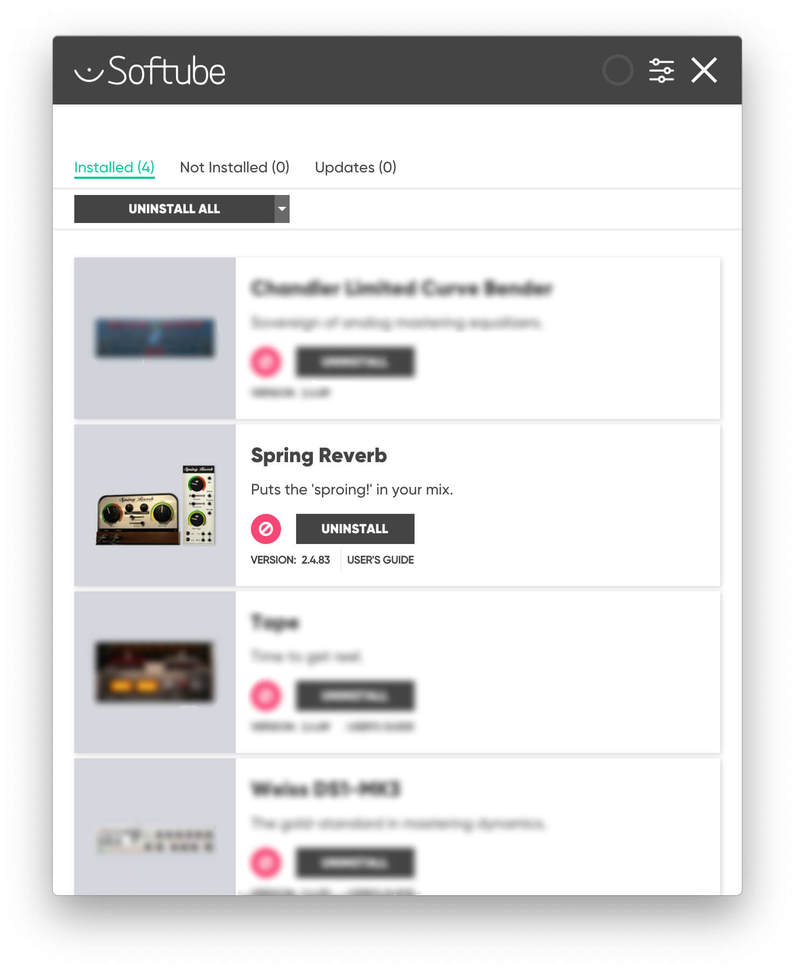
Please note: if it says 'DISCONNECTED' at the top of the window, please go to the settings and click 'RESTART', close Softube Central and then open it again.
Your software is now activated and ready for use within your DAW.

Windows
1. On the My Products page, click 'WINDOWS' > you will be directed to the Windows Installation page.

2. Click 'here' (highlighted in orange) to start downloading Softube Central.

3. Once it has downloaded, open the Softube Central download > click 'Yes'.

4. Read through the Software License Agreement > click 'I Agree'.

5. Softube Central will now open > click 'Install' to download the necessary iLok licensing components.

6. Please wait for the iLok licensing components to download. (This may take up to 5 minutes).

7. Click 'Yes' > the Softube Installer Helper Setup will now run.

8. Click 'Next >'.

9. Read through the License Agreement > click 'I Agree'.

10. Click 'Next >'.

11. Choose the VST file path (we recommend the default location) > click 'Install'.

12. Click 'Finish'.

13. Softube Central has now been successfully installed > click 'START'.

14. Sign in to your Softube account.

15. Click 'INSTALL'.

Your software is now activated and ready for use within your DAW.


