Log In

Buy UAD Hip-Hop Production Bundle, get a free gift with purchase:
Five UAD plug-ins to add legendary analog sound to your modern productions
For the modern beatmaker and producer, the UAD Hip-Hop Production Bundle gives you the sound of legendary analog effects used on platinum-selling records by icons like Dr. Dre, J Dilla, and Just Blaze, to modern producers like Marco Polo, Vic Wainstein, and Louis Bell.*
Bundle Contents
- Avalon VT-737 Tube Channel Strip
- UA 1176 FET Compressor
- Pultec Passive EQ Collection
- Studer A800 Multichannel Tape Recorder
- Moog Minimoog
Avalon VT-737 Tube Channel Strip
Avalon's flagship VT-737 channel strip is the dominant vocal channel strip used in hip-hop productions. Used by artists like Jay-Z and Dr. Dre, the VT-737 delivers silky-smooth compression and high-fidelity tube warmth, giving your vocals radio-ready gloss and detail.*
Learn more about Avalon VT-737 Tube Channel Strip.
UA 1176 FET Compressor
Used on countless hip-hop records, UA’s iconic 1176 adds authority and attitude to any track. A workhorse for adding punch to drums and pushing vocals to the forefront, the UA 1176 FET Compressor plug-in puts the sound of the original hardware right in your DAW.
Learn more about UA 1176 FET Compressor.
Pultec Passive EQ Collection
Breathe analog life into your mixes with the sound of legendary tube EQs used on over 70 years of hit records. Sculpt fat bass lines, rich midrange textures, and sparkling highs with UA’s authentic Pultec collection.
Learn more about Pultec Passive EQ Collection.
Studer A800 Multichannel Tape Recorder
Used on records from Stevie Wonder to A Tribe Called Quest, the Studer A800 stands alone for its ability to add warmth, presence, and glue to tracks and mixes. Add earth-shaking analog sound to every element of your mix with the Studer A800 Multichannel Tape Recorder.*
Learn more about Studer A800 Multichannel Tape Recorder.
Moog Minimoog
Unquestionably the most iconic synthesizer ever made, the Moog Minimoog Model D changed the face of modern music. From Kraftwerk to Parliament-Funkadelic to Dr. Dre, the Minimoog's fat, expressive analog synth sounds are the standard by which all other are judged.*
Learn more about Moog Minimoog.
Key Benefits
- Shape your vocals and add clarity and warmth using the Avalon VT-737 and 1176 FET Compressor
- Dial in classic analog tone and unmistakable tape saturation of the Studer A800
- Craft deep, musical mixes with the rich low-end and airy highs of Pultec’s legendary tube EQs
- Build unforgettable hooks with the iconic synth tones of the Moog Minimoog
*Use of artist names does not constitute official endorsement of the UAD Hip-Hop Production Bundle.
System Requirements
- macOS 10.15 Catalina, 11 Big Sur, 12 Monterey, 13 Ventura
- Windows 10 or Windows 11 (64-bit only Editions)
- Intel, AMD, or Apple silicon processor
- Internet connection to download software and authorize UADx plug-ins
- Free iLok account with iLok Cloud or iLok USB (2nd generation or higher)
- A physical iLok dongle is NOT required to activate this product
DAW Compatibility
- Pro Tools 2022 (AAX)
- Logic Pro (Audio Units)
- Ableton Live 11 (VST 3, Audio Units)
- Cubase 12 (VST 3)
- Studio One 5 (VST 3)
- LUNA Recording System
You can activate this software on an online system (using iLok Cloud) or an offline system (using an iLok USB):
-
Online: an active internet connection and a FREE iLok account are required to authorise UAD Plug-ins using iLok Cloud
-
Offline: you will need a physical iLok USB (2nd generation or higher) to authorise this software
Important note: UAD plugins do not work in Apple's Garageband DAW
Registration
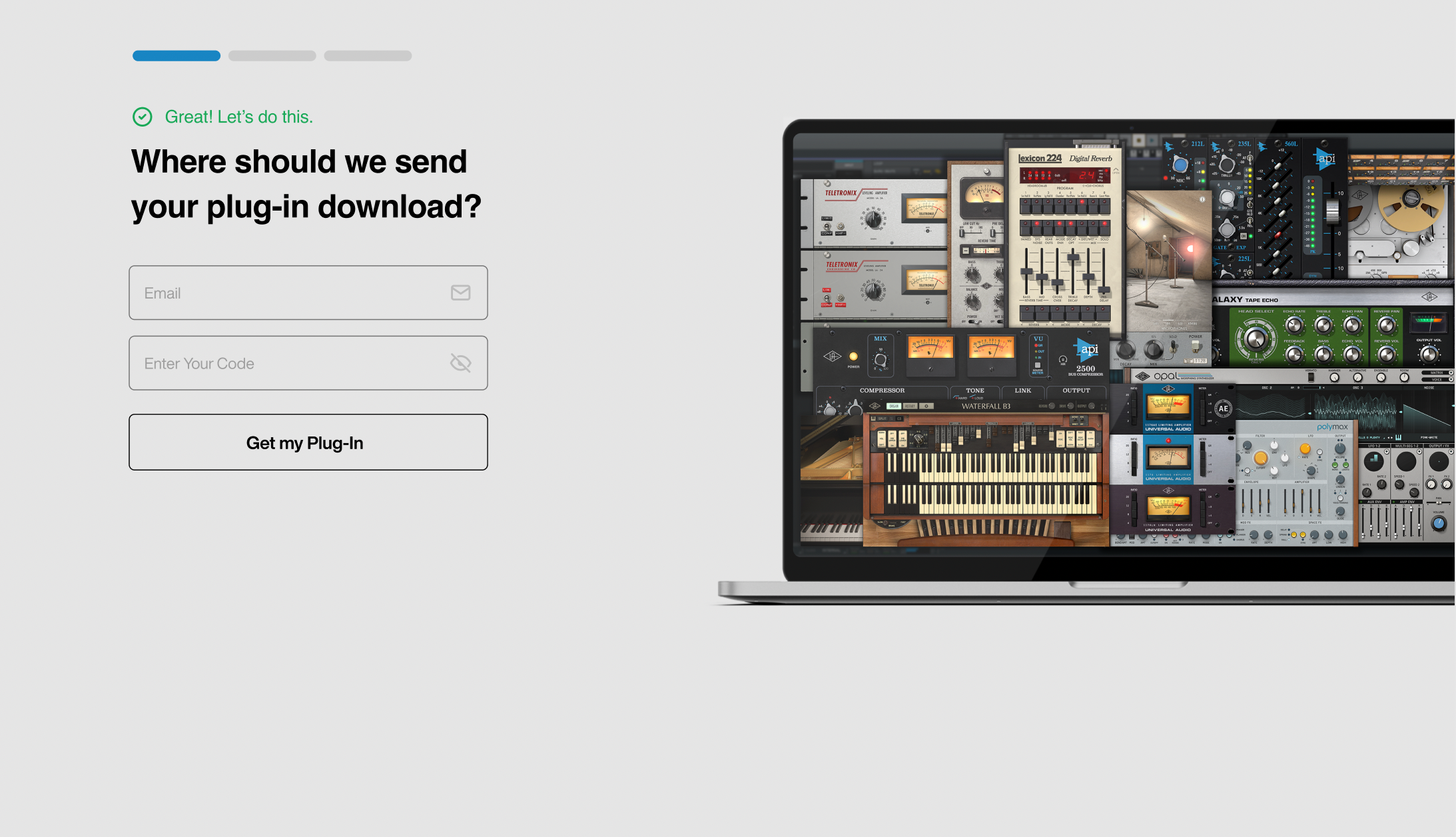
1. Click the Download button in your Plugin Boutique account or go to https://www.uaudio.com/my/account/redeem/.
2. Enter your email and the serial code found in your Plugin Boutique User Account > Click 'Get my Plug-in'.
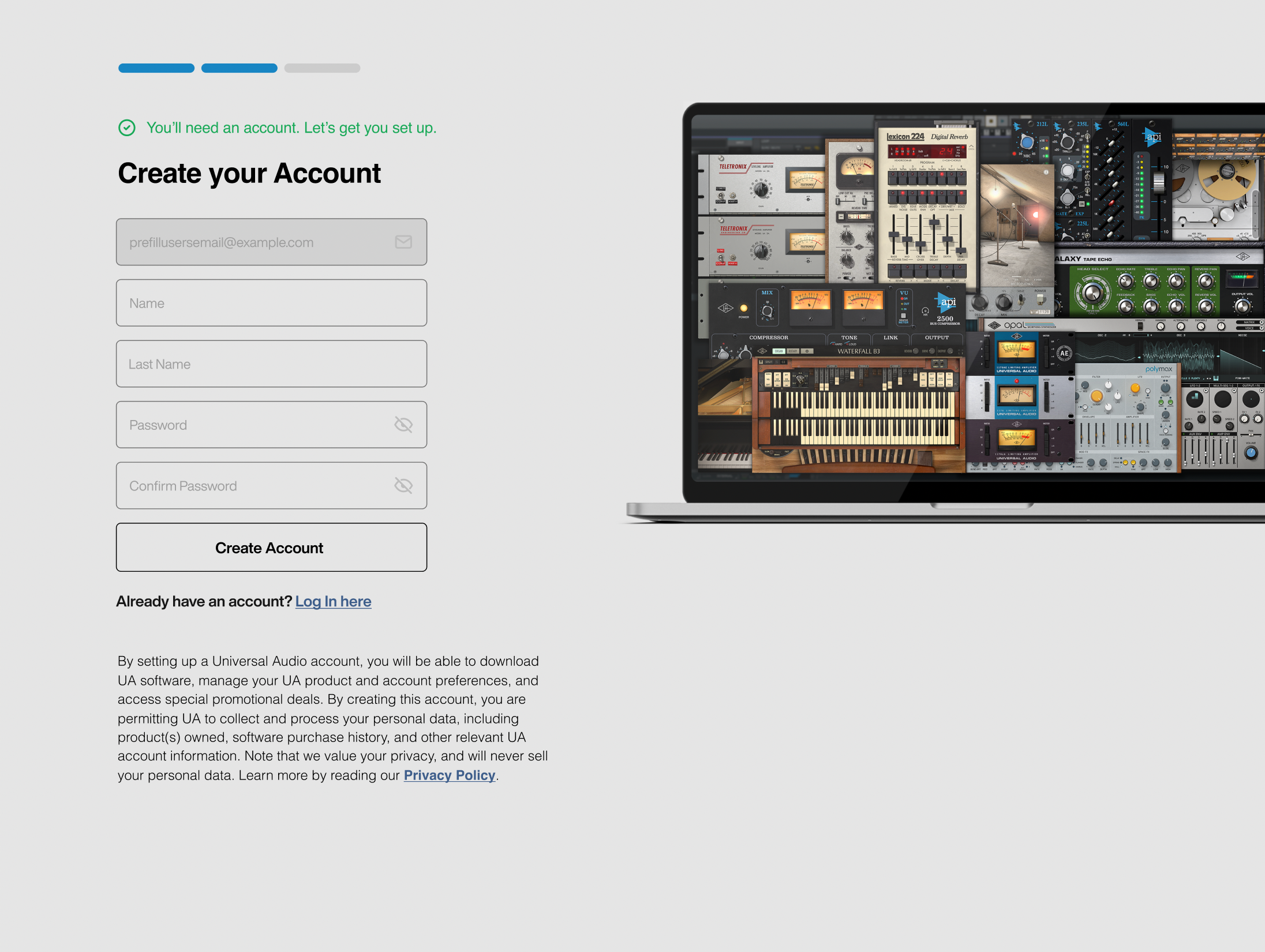
3. Enter the details required to create your Universal Audio account > Click 'Create Account'.
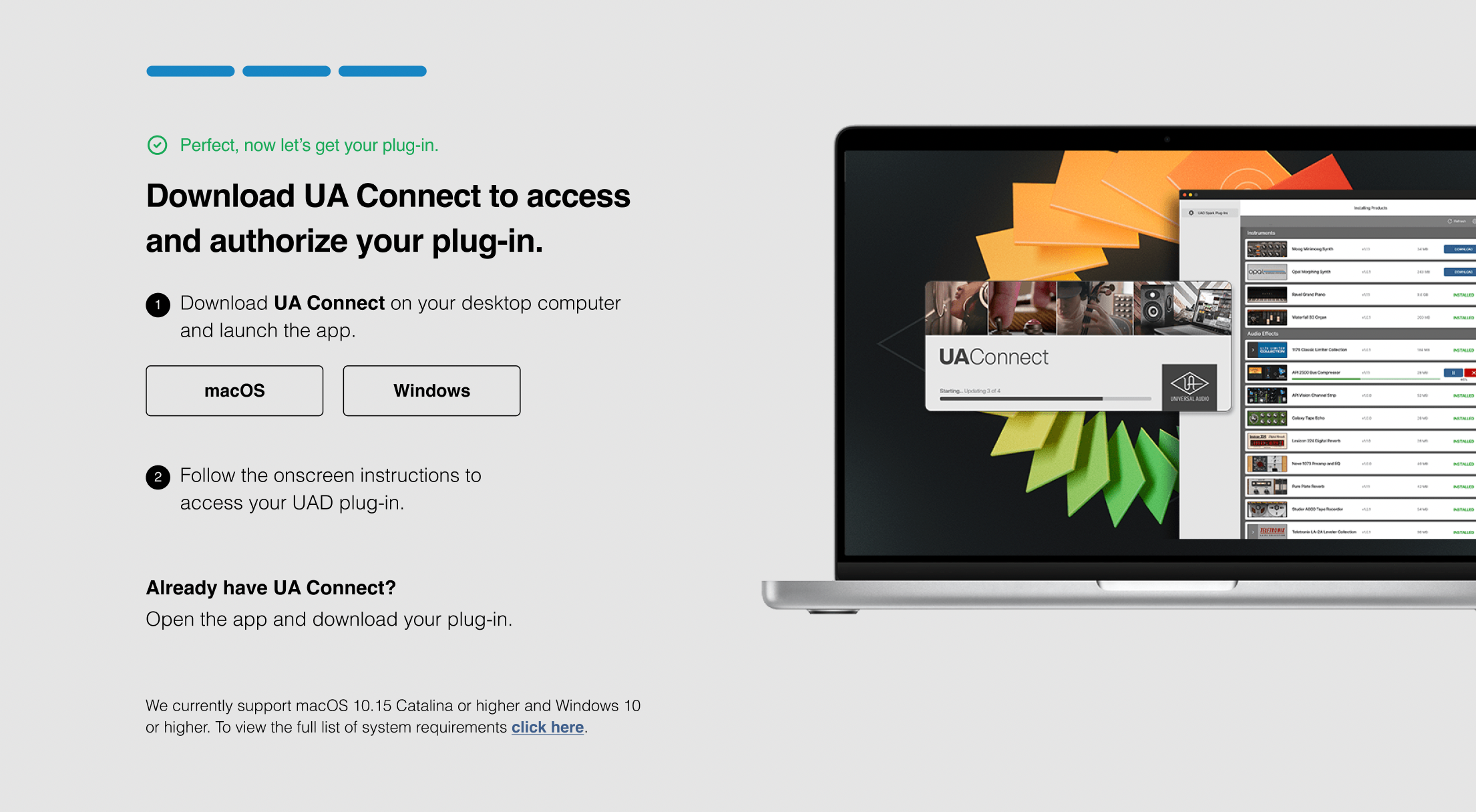
4. Download UA Connect by clicking either 'macOS' or 'Windows' depending on the system you are using.
Windows Installation
1. Once the download is complete, extract and open the ZIP folder you just downloaded > Open the PC folder > Double-click the UA Connect.exe installer file.
2. Read the terms of agreement > Click 'I Agree'.

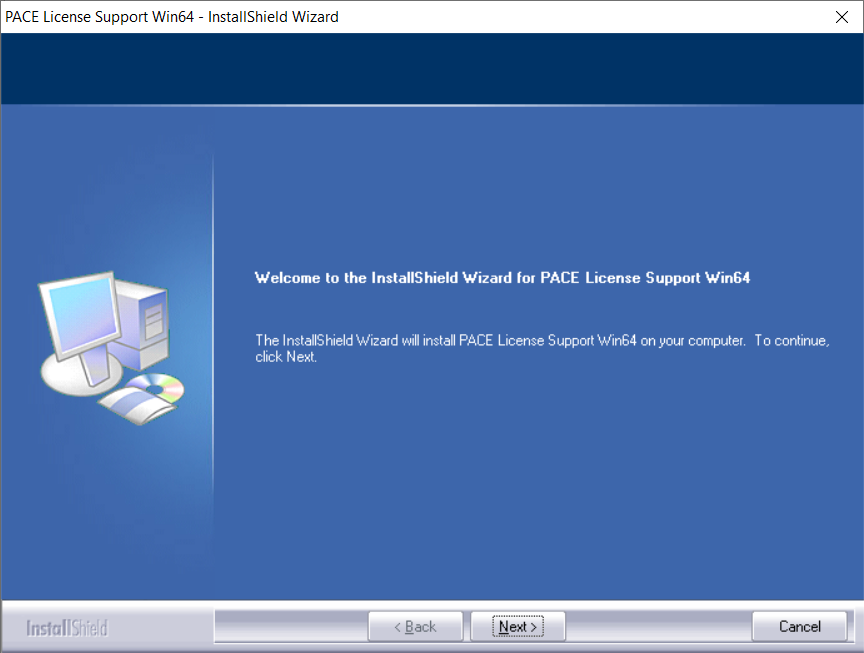
3. The installation of PACE License Support will now begin > Click 'Next >'.
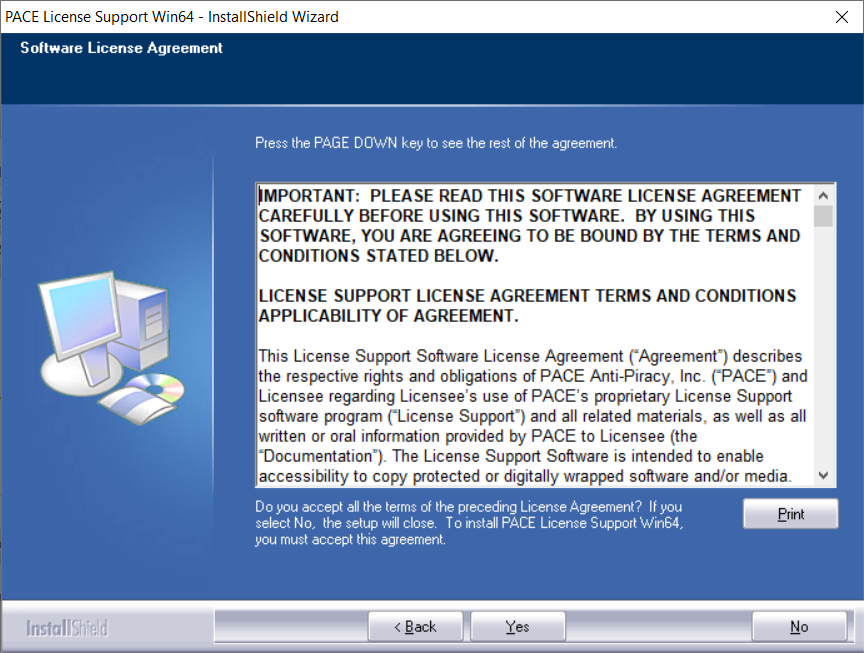
4. Read the license agreement > Click 'Yes'.
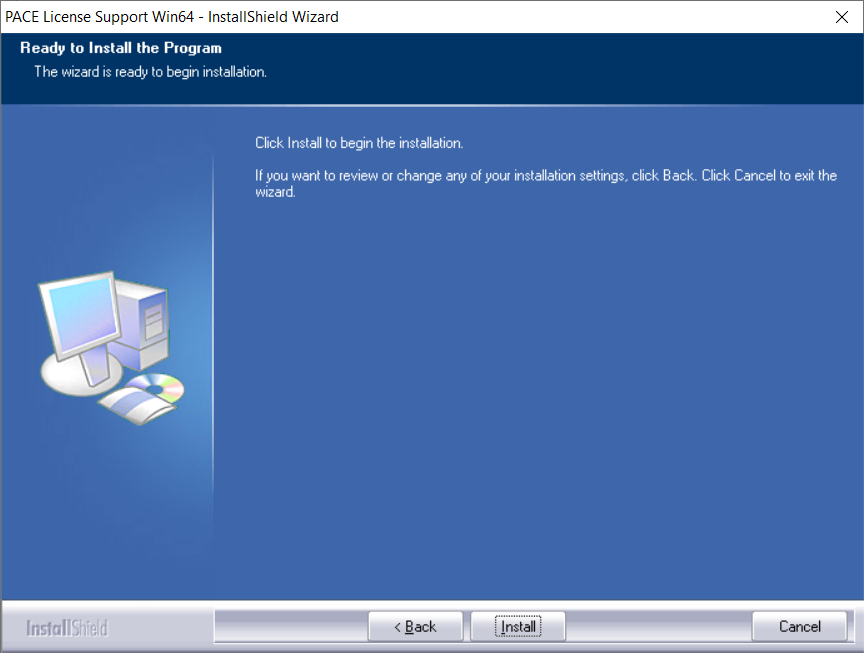
5. Click 'Install'.
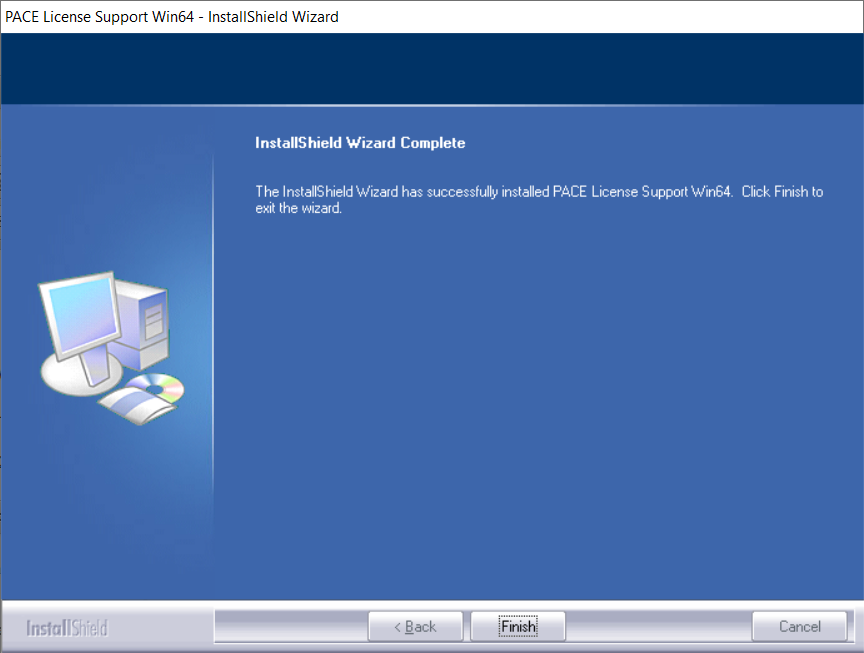
6. Click 'Finish'.
7. Locate and open UA Connect > Enter the email address and password of your Universal Audio account.
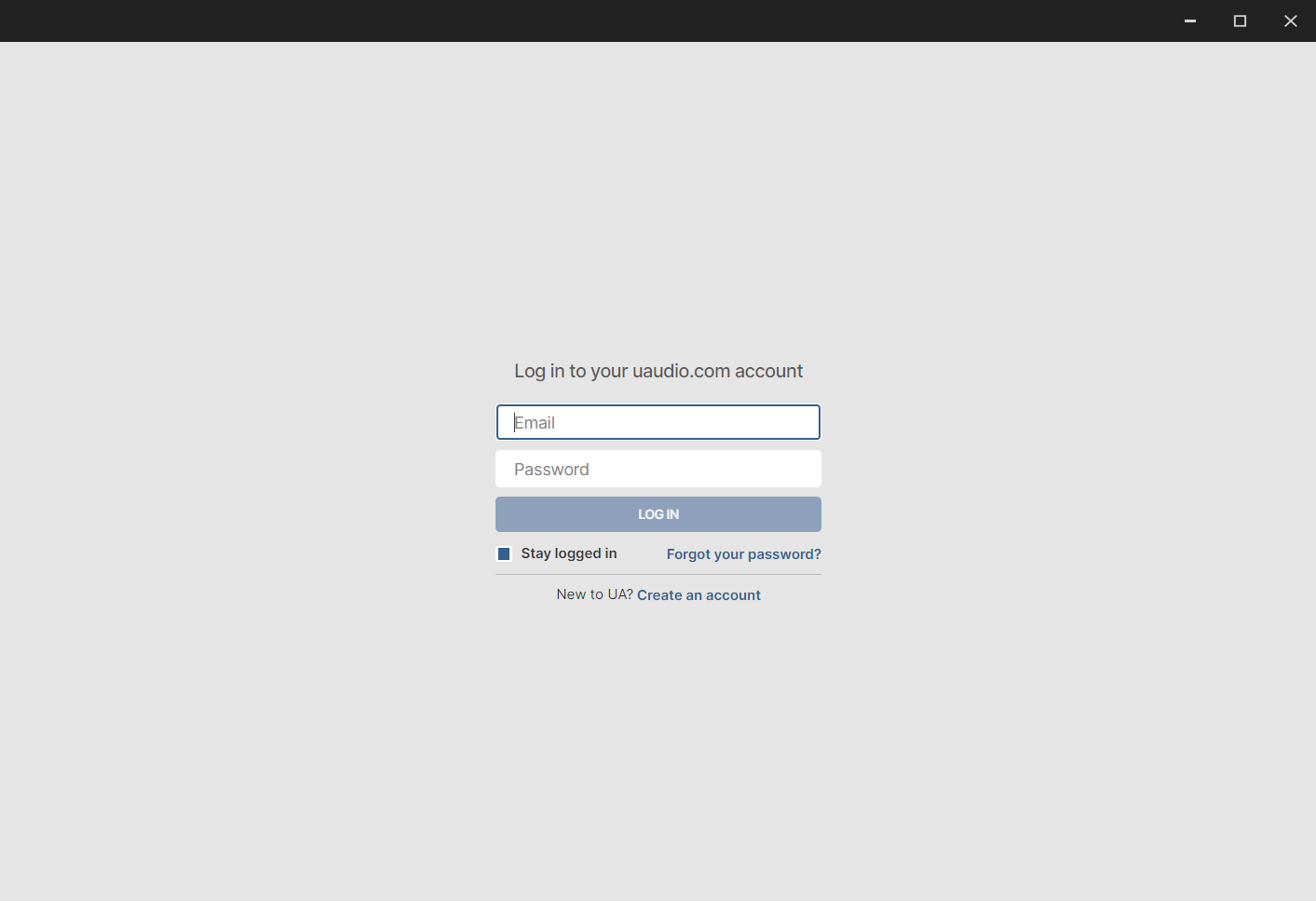
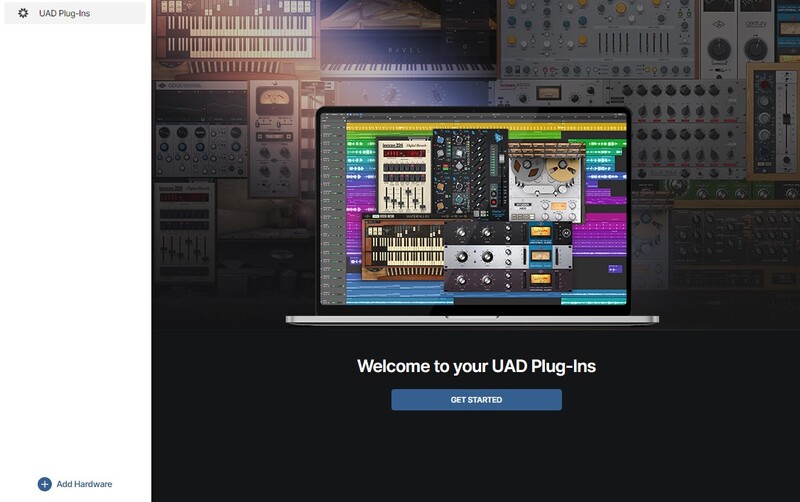
8. Click 'GET STARTED'.
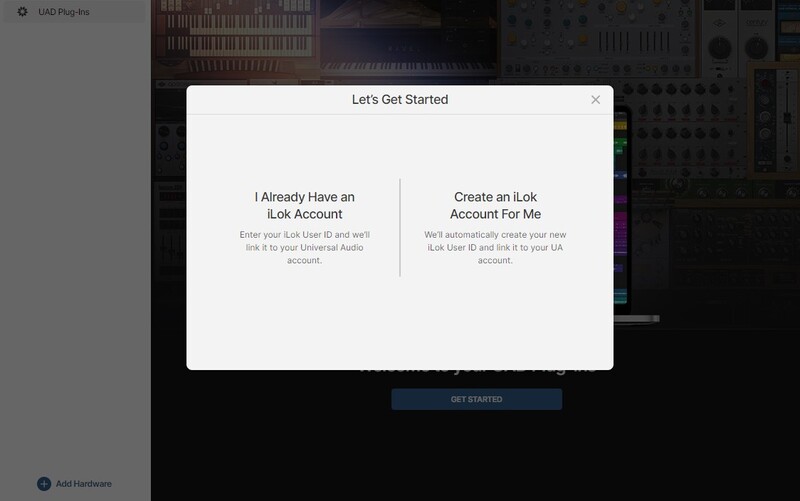
9. Select the option that is relevant to you - either 'I Already Have an iLok Account' or 'Create an iLok Account For Me'.
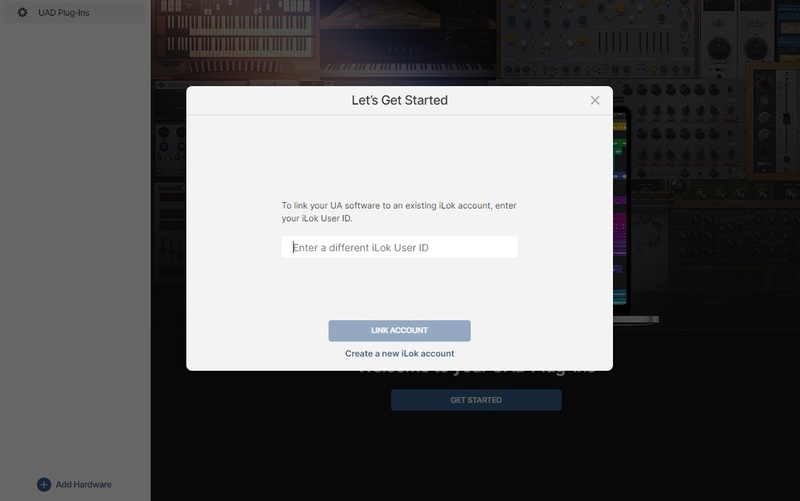
10. Enter your iLok account User ID then click 'LINK ACCOUNT'
 .
.
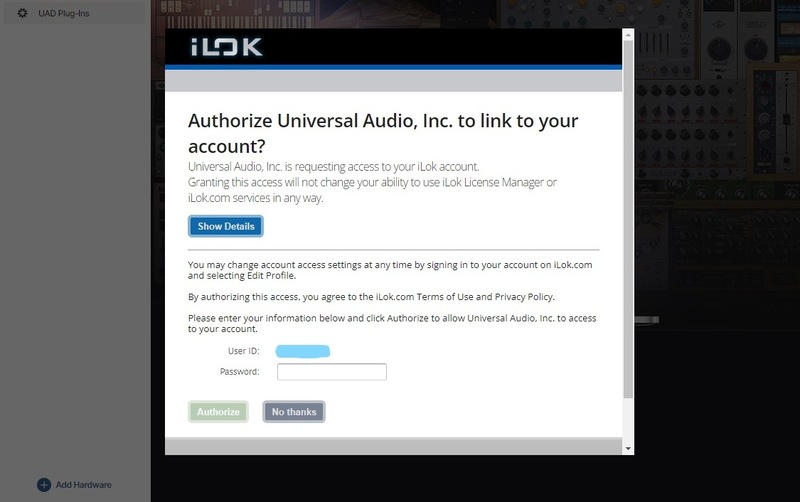
11. Enter the password for you iLok account and click 'Authorize'.
12. Locate the plugin you wish to install > Click 'DOWNLOAD'.
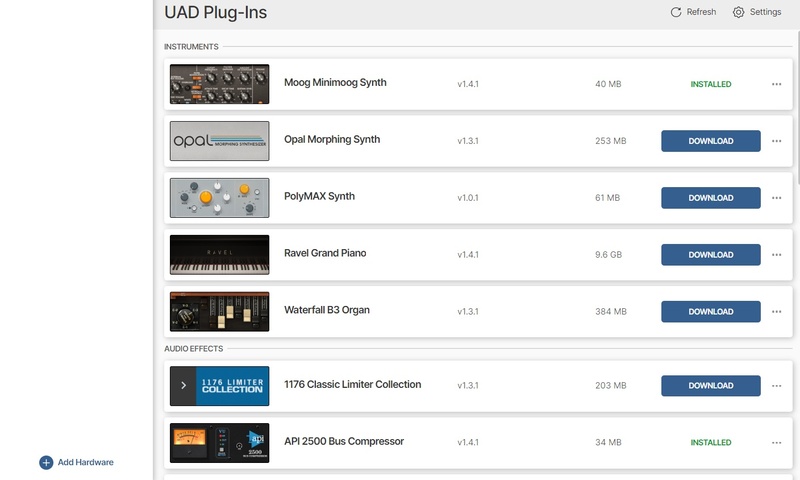
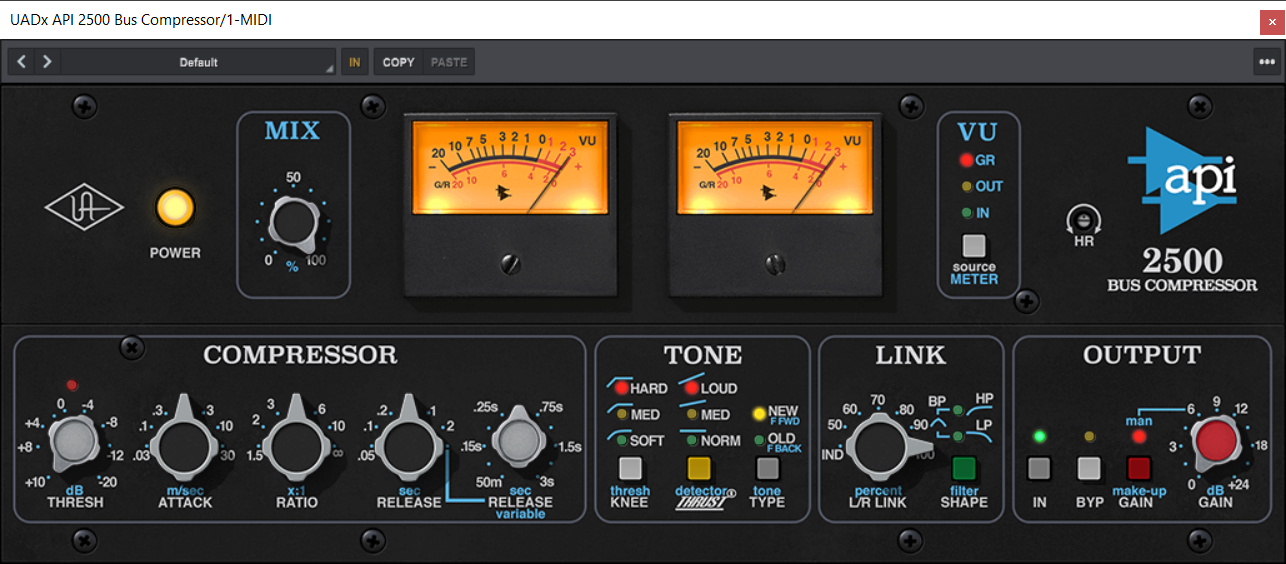
13. Once the plugin has been installed, open your DAW and then the newly installed plugin.
Your software is now activated and ready to use in your DAW!
Mac Installation
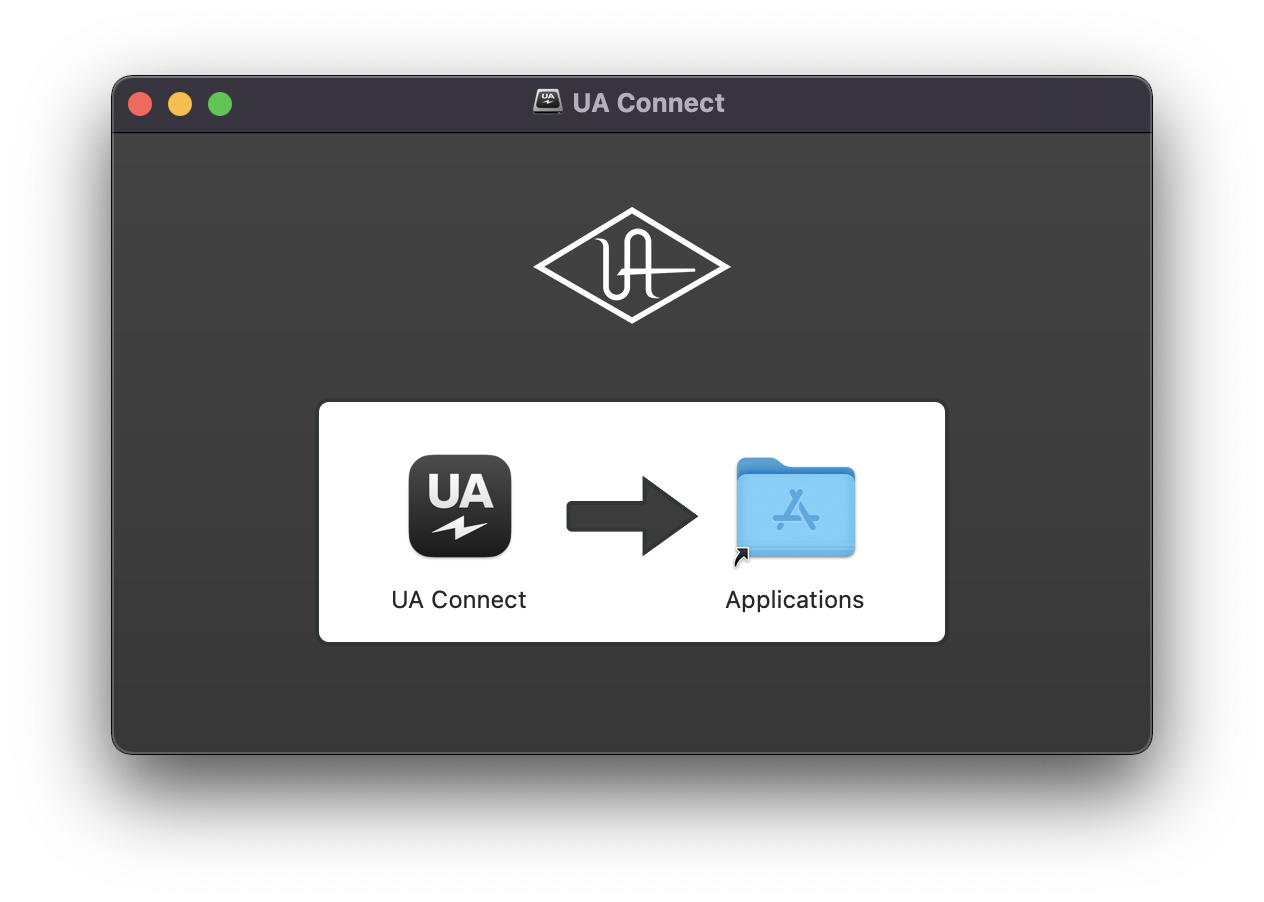
1. Once the download is complete, double-click the UA Connect.dmg installer file.
2. Drag UA Connect into your Applications folder.
3. Locate and open UA Connect > Enter the email address and password of your Universal Audio account.
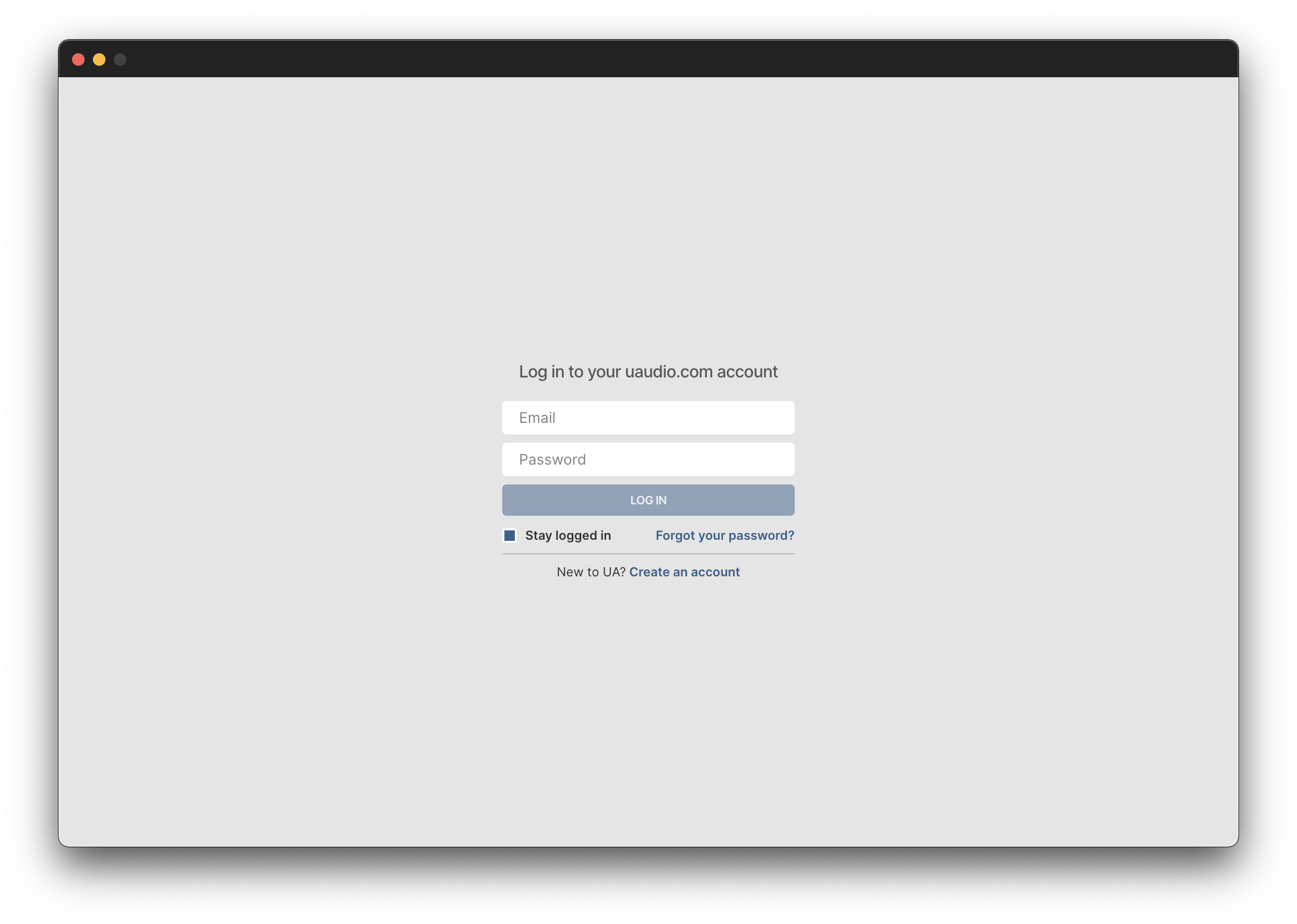
4. Click 'GET STARTED'.
5. Select the option that is relevant to you - either 'I Already Have an iLok Account' or 'Create an iLok Account For Me'.
6. Enter your iLok account User ID then click 'LINK ACCOUNT'
.
7. Enter the password for you iLok account and click 'Authorize'.
8. Locate the plugin you wish to install > Click 'DOWNLOAD'.
9. Once the plugin has been installed, open your DAW and then the newly installed plugin.
Your software is now activated and ready to use in your DAW!