


 Log In

Free gifts available with your purchase
Important Note: This is an HDX plugin bundle that is intended for use with the DSPs of an Avid HDX system to prevent the software from taxing your host processor. There is no difference in sound quality between the Standard and HDX versions. If you do not own an Avid HDX system, you can purchase the native version of the Mastering Plugin Bundle.
Transparent, dynamic and legal
Surely a list of mutually exclusive qualities? We beg to differ. Welcome to the brand new Sonnox Mastering Bundle; a hand-picked selection of Sonnox's Plug-Ins focused on getting the very most from your 2-bus and the files you subsequently deliver.
Sculpt tone with pinpoint accuracy, control dynamic range transparently and achieve maximum loudness, density and presence without sacrificing transient detail. Then deliver your music, with full confidence that it conforms to industry accredited true peak levels and that encoded distribution versions won’t be rejected.
Oxford Dynamics
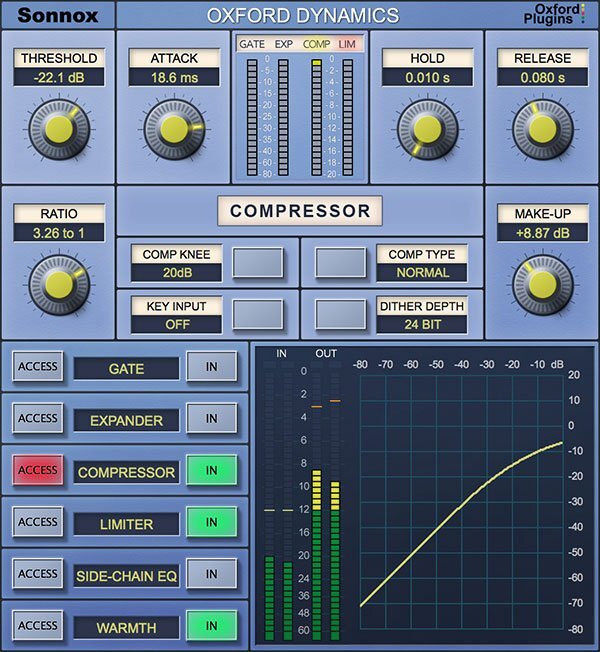
A powerful all-in-one dynamics control plugin
A powerhouse of dynamic control in a single plugin that features six independent processes for precision dynamic sculpting of your tracks.
From subtle control of a vocal, to a pumping side-chained effect; from lightning-fast gating and precision expansion to peak level limiting of single tracks and buses alike. Sonic clarity at all times – with the option of tube-like harmonic saturation when you need it.
Features
- Gate, Expander, Compressor, Limiter & 2-band side-chain EQ
- Warmth for extra presence and tube-like saturation
- 3 different compressor types; Normal, Classic and Linear
- Variable soft knee; 0 dBr to –20 dBr in 5 dB steps
- Surround bus compressor & limiter (HD-HDX only)
- Ultra low noise and distortion
- The dynamics section from the acclaimed Sony OXF-R3 console
Learn more about Oxford Dynamics.
Oxford EQ
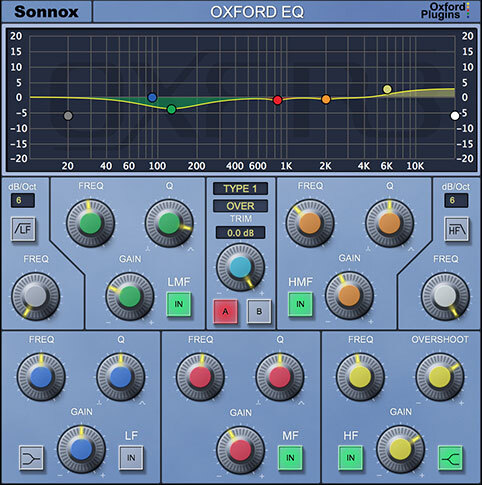
Versatility & quality in one EQ plugin
A powerful EQ is essential to any mix. If you mix music, film sound or live shows, you need an EQ plugin that's up to the task. Enter Sonnox's flagship Oxford EQ.
This versatile parametric EQ plugin traces its heritage back to the revered, million-dollar Sony OXF-R3 digital console. Now, you can unleash the power of the Sony OXF-R3 from your DAW.
The Oxford EQ features an easy-to-use interface and four distinct EQ types. Whether you’re using it for deep, surgical cuts or broad, gentle mastering curves, the results are always musical and always transparent.
Features
- 5-band parametric EQ with variable-slope HP/LP filters
- Four completely different sounding EQ types
- Clinical EQ similar to the SSL4000 E series
- Tighter ‘cut’ for removing problem frequencies
- Classic EQ similar to Neve and SSL G series curves
- Wide and gentle curves perfect for mastering
- Automatable A/B compare button toggles EQ settings
- Ultra-low noise and distortion
Learn more about Oxford EQ.
Oxford Inflator
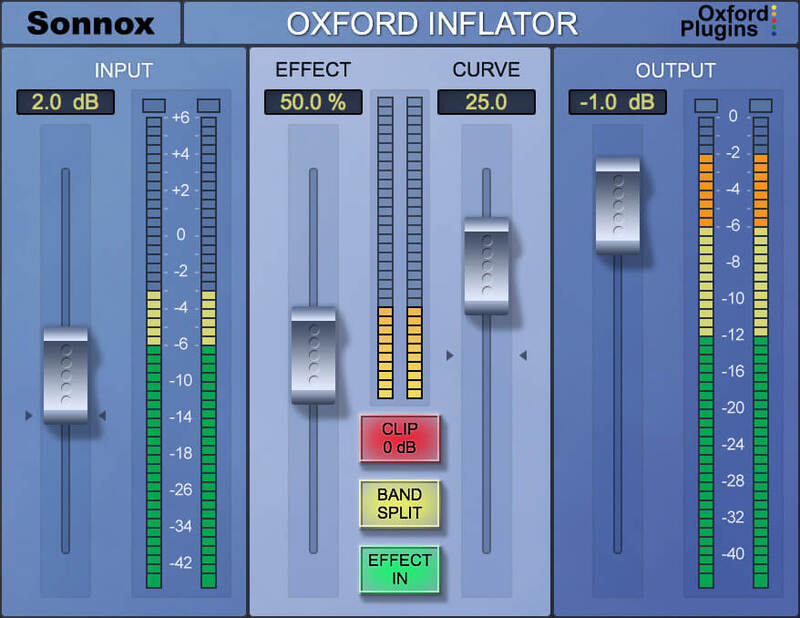
Breathe life into your sound
A unique and powerful plugin to increase loudness, without sacrificing sonic quality or dynamic range. Add power and presence to your mix without the pumping of compression, or use on individual channels to bring them forward and add weight. Perfect to help vocals cut through the mix.
When driven harder, Inflator delivers tube-like musical warmth and provides the ‘sonic glue’ you need to gel your mix together!
Features
- Louder mixes without the issues associated with compressors
- Add apparent dynamic range to previously clipped signals
- Simple user interface
- Flexible Direct and Band-split modes
- A long-time secret weapon of audio professionals
Learn more about Oxford Inflator.
Oxford Limiter
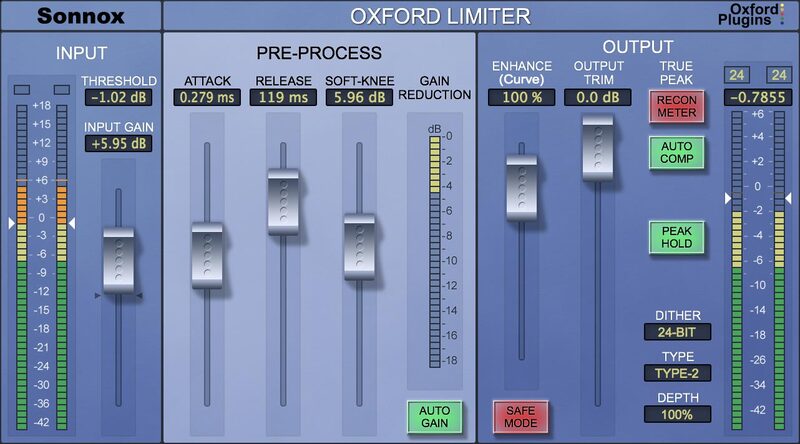
A one-of-a-kind limiter plugin
Having crafted and refined your mix, join the growing number of professionals who’ve chosen the Oxford Limiter to deliver maximum loudness, density and presence - whilst retaining the kind of clarity and transient detail that conventional brick-wall limiting can’t.
The Oxford Limiter is a true peak limiter that offers recently enhanced levels of processing and metering accuracy. The result is that you get to see and automatically correct otherwise invisible reconstruction overloads - and conform to the accepted industry ITU-R BS.1770-4 standard.
Whether you’re after the Oxford Limiter's hallmark transparency or heavier creative effects, its advanced look-ahead processing and unique Enhance function provide the sample-value limiting and musical boost needed to reliably avoid clipping and confidently increase apparent loudness.
Features
- Peak limiting with attack, release & variable soft-knee
- Enhance section to increase perceived loudness
- Recon meter shows actual rather than sampled signal
- Auto Comp fixes recon errors without losing overall loudness: conforming to the industry's true peak measurement standard (ITU-R BS.1770-4)
- Audition and apply TPDF dither for 24-bit and 16-bit output word lengths with four types of variable noise shaping
- Four variable-strength noise shaping modes for use with highly dynamic program material
- Full backwards compatibility with previous plugin versions
- Great library of factory presets to get you started
Learn more about Oxford Limiter.
Fraunhofer Pro-Codec
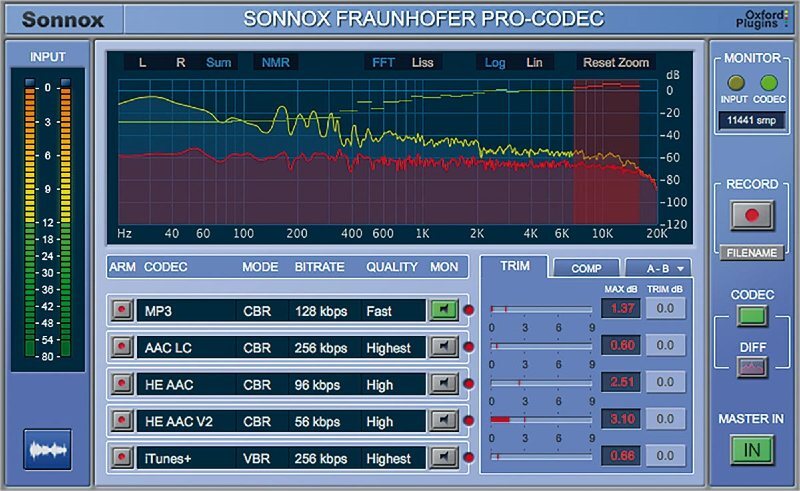
Audition codecs in real-time
You spend your professional life making mixes sound as good as they can – and then hand them on for encoding and distribution. Later you often wish you could have made some improvements.
What if there was a way to audition and compare up to five audio codecs in real-time? Enter the Fraunhofer Pro-Codec plugin.
Its intuitive display helps you quickly focus on key issues such as codec effect on frequencies, audible artefacts and codec-induced overloads. Optimize your mix for specific formats, such as AAC or mp3, before encoding it using the plugin or the separate manager application for background batch processing.
Features
- Real-time auditioning & encoding with glitchless switching
- Supported Codecs: mp3, Apple AAC (Mac only), AAC-LC, HE-AAC, HE-AAC-V2, xHE-AAC / AAC-LC & HE-AAC multichannel
- Select up to 5 codecs for simultaneous real-time encode
- Batch processing using dedicated Manager application
- Comprehensive metadata editing
- ABX mode for blind statistical testing
- DIFF monitoring; listen to effect of codec on input signal
Learn more about Fraunhofer Pro Codec.
System Requirements
macOS
- OS X 10.12 or later - M1 compatible using Rosetta 2.
- Pro Tools only: 11 or above (AAX Native & AAX DSP)
- iLok USB 2 / 3 with latest drivers OR iLok Cloud authorisation (active internet connection required).
Windows
- Windows 7 or later.
- Pro Tools only: 11 or above (AAX Native & AAX DSP)
- iLok USB 2 / 3 with latest drivers OR iLok Cloud authorisation (active internet connection required).
DSP Compatibility
- Pro Tools AAX DSP
- Avid VENUE S3L-X
- Avid S6L
Important Note: This is an HDX plugin bundle that is intended for use with the DSPs of an Avid HDX system to prevent the software from taxing your host processor. There is no difference in sound quality between the Standard and HDX versions. If you do not own an Avid HDX system, we recommend the native versions.


