


 Log In

Free gifts available with your purchase

Sound Better Faster!
Add Virtuoso Guitar Accompaniments to your Music Production in no Time
Top Studio Quality Guitar Tracks in Minutes
Imagine your own personal session guitarist, available 24 hours a day and ready to play your favourite style of musical accompaniment at a moment's notice with ease? It sounds like an impossible dream, but with the Virtual Guitarist series, those dreams become reality.
Create Guitar Tracks Without Playing Guitar
Introducing Virtual Guitarist SPARKLE 2, IRON 2, CARBON, AMBER 2 and SILK 2 from ujam - A series of virtual instruments designed to enable anyone to get great-sounding guitar accompaniment in a variety of styles with minimum fuss.
What You Get
- 23 Character Presets
- 777 Presets
- 12110 Phrases
- 365 Styles
- 5 Guitars
- 195 Finisher Modes
They're Real!
Each Virtual Guitarist plugin within the series has its own unique tonal personality with carefully curated combinations of guitars, amps, playing styles and effects enabling everything from rip-roaring electric power chords and funky clean riffs to delicate nylon and steel stringed acoustic strums and fingerpicking.
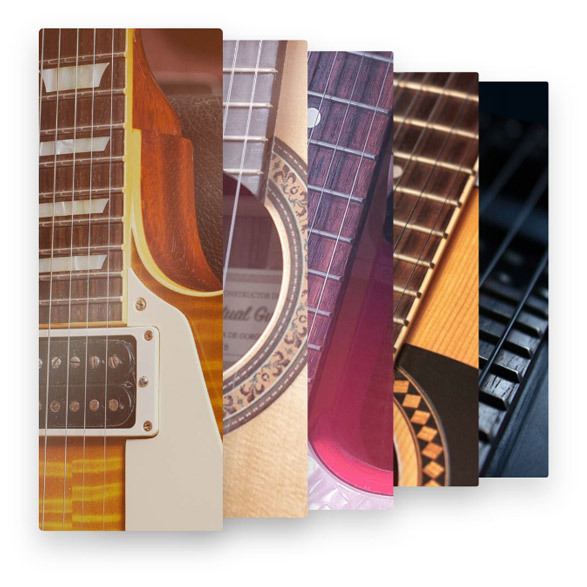
Down to the Last Detail
Use the Virtual Guitarist series' advanced built-in effects and amp modelling to fine-tune your sound and get the right tone whilst choosing between thousands of different style-appropriate guitar licks and phrases to build and augment your tracks.
Less Controls, More Control!
The secret behind the Virtual Guitarist series lies in UJAM's frustration-free design policy – no sound engineering or guitar skills necessary! Just Insert the plug-in in your compatible DAW of choice and start producing realistic-sounding guitar tracks in an instant using the intuitive controls.

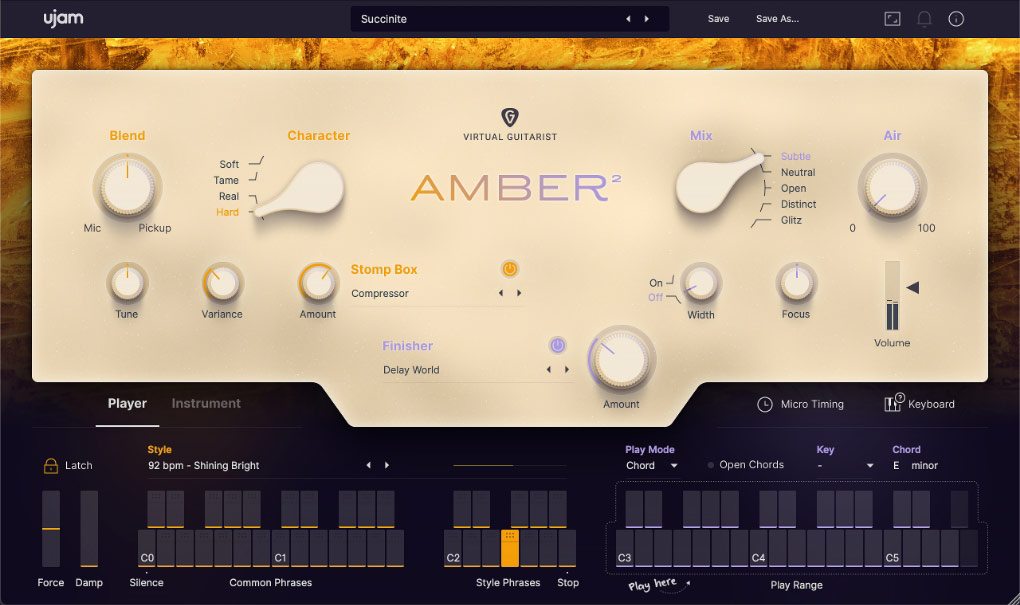
Strummed and Picked Steel String Acoustic
Instant Sparks
Don’t waste any time getting your brilliance out and into the DAW with acoustic accompaniments from your very own session pro, Virtual Guitarist AMBER 2. Whether it's an intimate indie song, a larger-than-life pop ballad, or a legendary rock hymn, the countless chords, octaves, and riffs of this beautiful steel string will have you singing instantly.
The Comfort of a Friend
Who plays exactly what you need! AMBER 2 plays with the feel of a studio vet—the kind that takes 1000s of hours of practice. With a frustration-free design, you’re guaranteed to get results in only a few seconds.
Warm Feelings
AMBER 2 sounds like the cabin songwriting retreat of your dreams. The fire crackles, wood smoke is in the air and the sweet song of this steel string envelops you like a warm blanket. This is a sound and a feeling you’ll want preserved for centuries. Hear it for yourself :)
Golden and Glowing
From clean to saturated, fat to shimmering: singer-songwriter, indie and contemporary pop and rock – AMBER 2 has got you covered.
Features
- NEW: Instrument mode, completely new guitar model and phrases
- Picking on top of strumming
- NEW: Open Chords feature for extra variety
- More than 30 Styles and 350 Phrases
- 30 Stomp box emulations, 60 Finisher FX Modes
Learn more about AMBER 2.

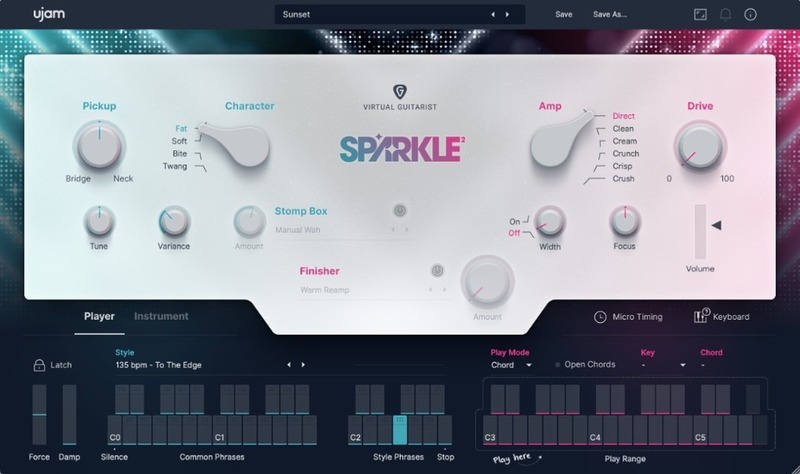
Glam! Bam!
Catchy Electric Rhythm Guitar
From Funky Clean to Indie Rock
Virtual Guitarist SPARKLE 2 is your session specialist for chords, octaves and single-note electric guitar riffs. A true team player that doesn’t hog the limelight, supporting your songs with just the right amount of swagger and style.
What’s In There?
- Instrument mode, freshly recorded samples and phrases
- Open Chords feature for extra variety
- More than 30 Styles
- 350 Phrases
- 30 Stomp Box emulations
- 60 Finisher FX Modes
Learn more about SPARKLE 2.

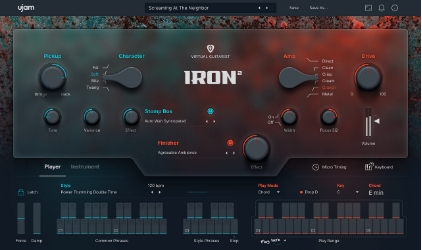
Rock Your Heart Out
Pay tribute to the gods of rock with roaring riffs and power chords with version 2.0 of IRON, our legendary Virtual Guitarist. Now completely overhauled and improved: Play your own riffs, choose from a selection of stomp box effects, and enjoy the entirely re-recorded samples and phrases.
What’s in there?
- NEW: Instrument mode, freshly recorded samples and phrases
- 30 Styles, over 350 Phrases
- 30 Stomp box emulations, 60 Finisher FX Modes
- Drop D and doubling modes for extra fatness

The Toughest Element
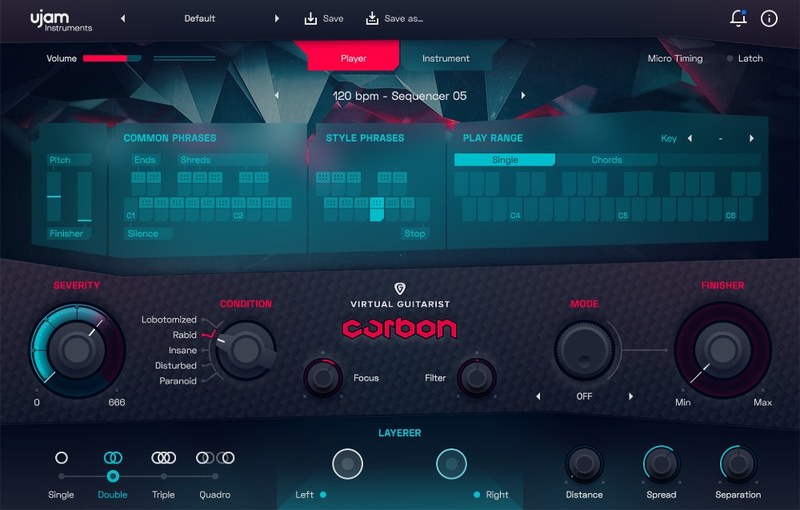
UJAM built CARBON because there was nothing like it – a virtual instrument creating versatile modern “sound-designed” guitar sounds in all kinds of music genres – from the super-quantized accents in electronic music to action-packed big riffs in-game soundtracks to subtle vibes in movie scores.
Features
- Organic, distorted & processed rhythm guitar sounds.
- First-ever Virtual Guitarist with Instrument Mode.
- Unique Layered soundstage combining up to four guitarists.
- Finisher multi-effect rack with 75 cutting-edge effect algorithms.
Learn more about CARBON.
Next generation acoustic nylon guitar
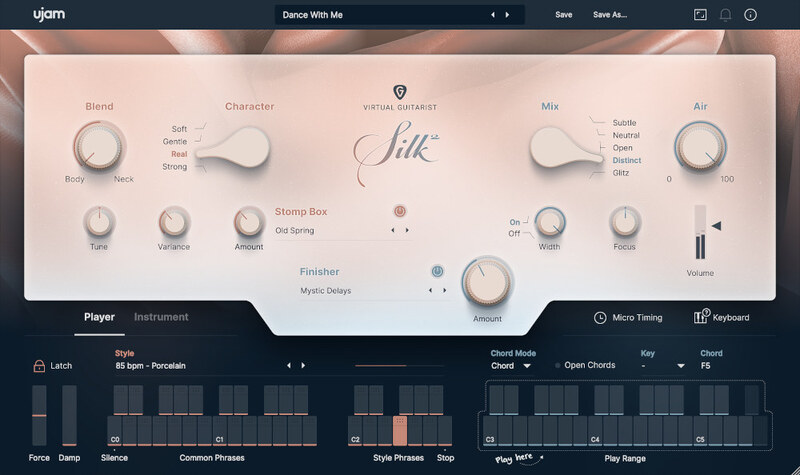
SILK 2 beautifully captures the essence of nylon-string guitars with its completely new guitar model. A large collection of phrases, and a wide variety of chords, octaves, and riffs makes SILK 2 perfect for crafting elegant pop and rock songs, or adding an intimate touch to just about any genre.
Features
- NEW Instrument mode
- Picking and strumming styles
- NEW Open Chords feature
- 40 Stomp box emulations, 75 Finisher FX Modes
Cinematic Guitar Textures
Add guitar-driven soundspheres to your music
Guitars that don’t sound like guitars
Virtual Guitarist CINEDREAM makes it dead easy to create ambient guitar textures for any musical situation. A perfect tool for building moody backdrops, evolving pads, and emotional underscore. Based on real guitar, shaped by sound design.
What's Inside
- 30 styles focused on cinematic guitar
- Contour knob fades between slow attacks and long sustains
- 5 amp models from clean shimmer to distorted grit
- 2 multi-effect engines for pads, pulses, and ambiences
Learn more about CINEDREAM.
Native Kontrol Standard

Virtual Guitarist supports Native Instruments NKS. Virtual Guitarist will be mapped to Komplete Kontrol keyboards and Maschine straight out of the box. NKS enables you to use Virtual Guitarist with the Light Guide, Smart Play features, and the full creative potential of KOMPLETE KONTROL without any configuration hassle.
System Requirements
Operating Systems
- macOS 10.15 Catalina and later (64-bit only)
- Windows 10 and later (64-bit only)
Note: You may have success on earlier versions but UJAM doesn’t support and fully qualify them.
For up-to-date info on UJAM products support for VST3, AAX, and Apple Silicon, please refer to the UJAM website.
Minimum Requirements
- 8 GB of RAM
- 27.5 GB Hard Disk Space
- 1280 x 768px Display
- Internet Connection
Note: If you want to move your .blob file to an external drive, ujam recommends the use of an SSD to prevent dropouts.
Plugin Formats
- VST2, AU2
Note: The AU 2 versions are only compatible with Logic Pro X and newer.
Delivery Format
- Downloadable Installer File
Authorization
- Quick authorization via the UJAM App, or enter your email and password within the plugin
Awards

.jpg?t=1791538433)
Hans Zimmer
Golden Globe, Grammy Award & Academy Award-winning composer.
"CARBON is completely inspirational and all over our tracks! The devil’s candy."

Masahiro Aoki
Ex-Capcom Composer | Street Fighter V.
"CARBON lets you make your ideal sounds quickly even without an ability to play guitar."

John Massari
Film Composer | Killer Clowns from Outer Space.
"With CARBON, the ability to create great guitar sounds with amp placement & incredible signal processing becomes so intuitive and rewarding. I’m proud to have this in my DAW."


