


 Log In

Free gifts available with your purchase
Reference instruments for music makers
A curated selection of 10 iconic instruments drawn from Arturia’s premium V Collection lineup, bringing you essential analog, digital, and hybrid sounds for modern music production and performance
V Collection Intro is the perfect entry point into Arturia’s renowned software catalog, delivering 10 must-have instruments that shaped modern music - at an accessible price.
Essential selection
From monophonic analog legends to polyphonic perfection, from authentic FM textures to cutting-edge hybrid pianos and strings, this suite covers all the sonic bases needed to make your tracks stand out.
Presets & Analog Lab Intro
Explore over 2,500 expertly-crafted presets as well as unified preset browsing and management with Analog Lab Intro. Quickly tag, search, and tweak your sounds, create multi-instruments and open full instrument view - all in one place.
Beyond original controls
V Collection instruments offer more than just presets. Dive into expressive sound shaping with real-time performance tools, advanced modulation, FX and macro assignments - tailored to bring the most out of each instrument.
An Introduction to Arturia’s Ecosystem
V Collection Intro integrates seamlessly with Arturia’s broader software and hardware ecosystem. Benefit from in-app tutorials, simple MIDI mapping, and a smooth upgrade path to the full V Collection 11 Pro suite when you're ready to go further.
Included Instruments
- Analog Lab Intro
- Mini V
- Jun-6 V
- Prophet-5 V
- DX7 V
- Pure LoFi
- MiniFreak V
- Stage-73 V
- Augmented Grand Piano
- Augmented Strings
Features
- 10 essential instruments
- 2500+ presets
- 2 Augmented titles
- Analog Lab Intro
- Unified editing
- Performance & workflow
- High-resolution GUIs
- Smart preset browsing
- Easy MIDI mapping
- TAE® & Phi® modeling
- Simple installation
- In-app tutorials
- MPE support
- NKS support
Pure LoFi (NEW)

Low fidelity synthesizer
Embrace sonic imperfection
Your ultimate tool for crafting authentic LoFi sounds, defined by warmth, grain, and their imperfect character.
- Powerful LoFi Processor
- Out of the box sonic degradation
- 3x LoFi engine types
- 9 vintage hardware emulations
- Flexible filters
- Effortless workflow
Designed for effortless creativity, it lets you sculpt textures while exploring the full spectrum of LoFi aesthetics through an intuitive yet inspiring workflow.
MiniFreak V
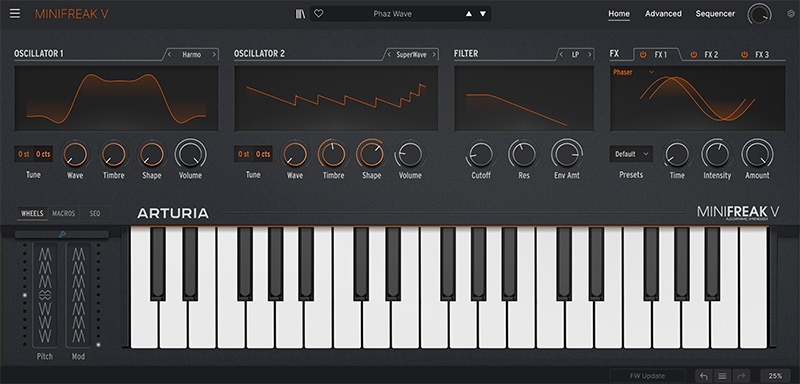
MiniFreak V is an experimental virtual instrument fusing digital voices with modeled analog filters, spontaneous modulation, and playing sequencing, unleashing endless sweet spots between familiar and unheard, order and chaos, beauty and beast. Set your wildest sonic creations free.
Learn more about MiniFreak V.
Augmented Grand Piano
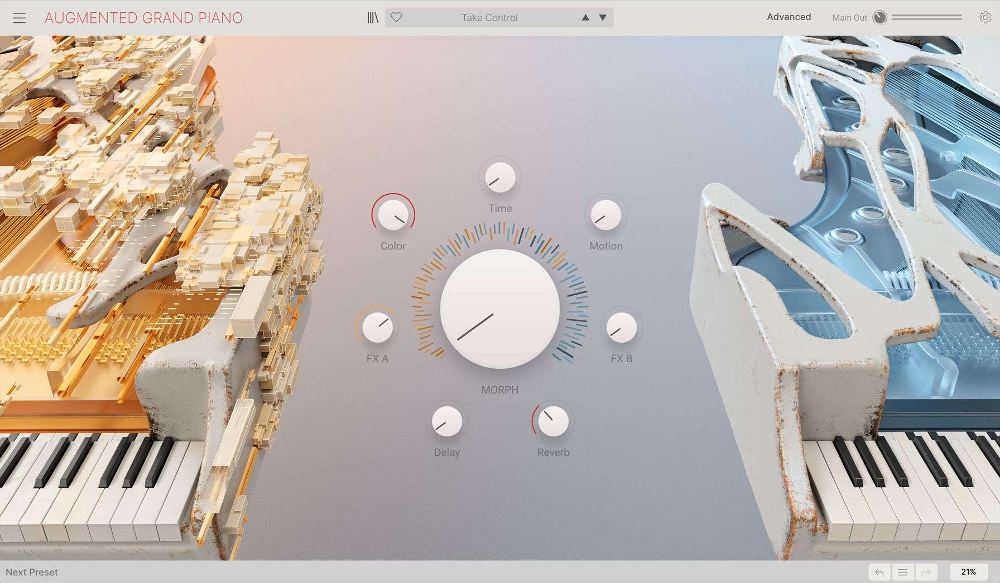
From the authentic to the impossible, unlock premium piano sounds for cinematic score & library composition, immersive game soundscapes, and slick modern DAW production with an intuitive & inspiring piano experience that transcends virtual instruments.
Learn more about Augmented Grand Piano.
Augmented STRINGS
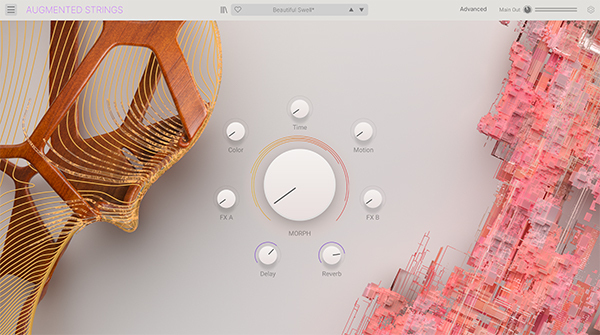
An innovative instrument combining sampled strings with state-of-the-art synthesis and deep morphing controls.
Learn more about Augmented STRINGS.
Jun-6 V
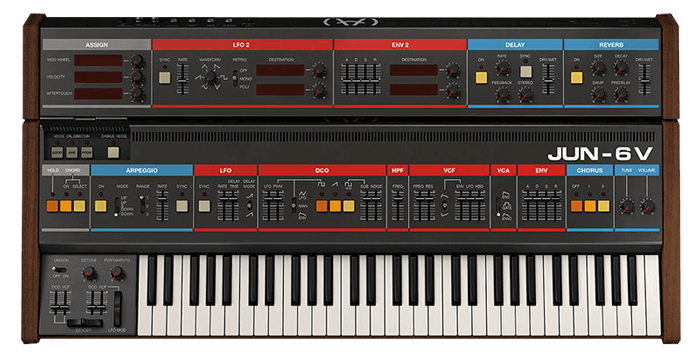
Jun-6 V channels the pure analog spirit of the Juno series, the DCO classics that brought polyphony to the masses. Its colossal & creamy sound remains awe-inspiring to this day - optimized and enhanced to keep up with modern creative needs.
Learn more about Jun-6 V.
Stage-73 V
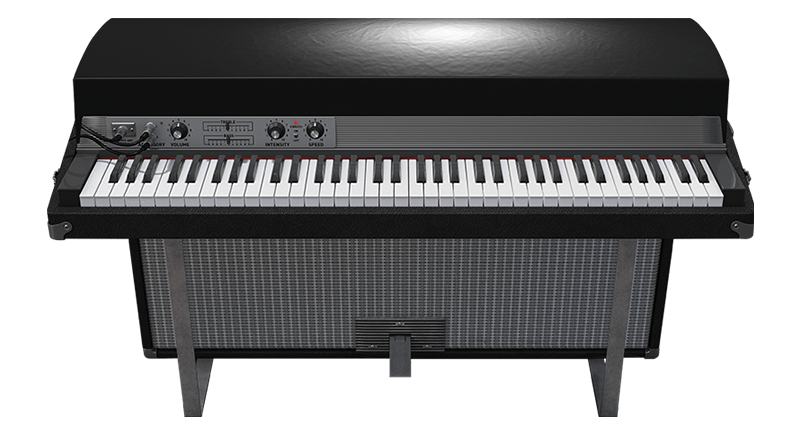
The tine-based electric pianos of the ‘60s and ‘70s featured a rounder sound and longer sustain than the competing Electric Organs. They’ve been used by a who’s who of keyboardists, especially for jazz, funk and ballads. Arturia modelled the Stage 73 and Suitcase 73 right down to the tines, pickups and circuitry. They also included a tube amp model and classic effects for the full experience.
Learn more about Stage-73 V.
DX7 V
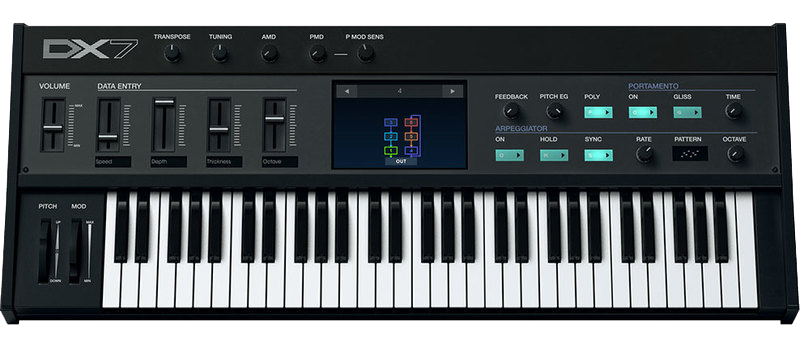
If you’ve ever listened to the radio, watched a film, or owned any 80s records, you’ll have heard the DX-7. Arturia simplified the way you program it and expanded it with a mod matrix, custom envelopes, waveforms, a 2nd LFO, effects, and more.
Learn more about DX7 V.
Mini V
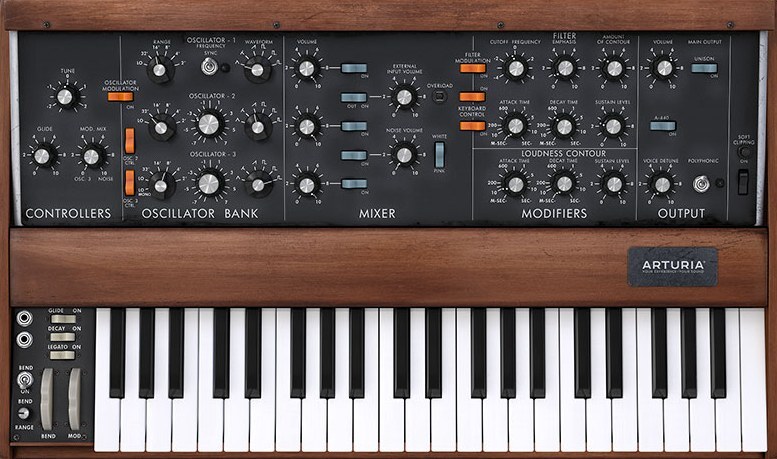
Probably the most famous synth in history and sporting a discography to match, this monosynth is legendary for its fat, warm basses and leads owing to its three VCOs and 12db/octave filter. Arturia partnered with Bob Moog himself with massive updates including polyphony (a la Memorymoog), a dedicated modulation LFO, formant-based vocal filter, sample/hold, mod matrix, parameter automation, and preset morphing.
Learn more about Mini V.
Prophet-5 V
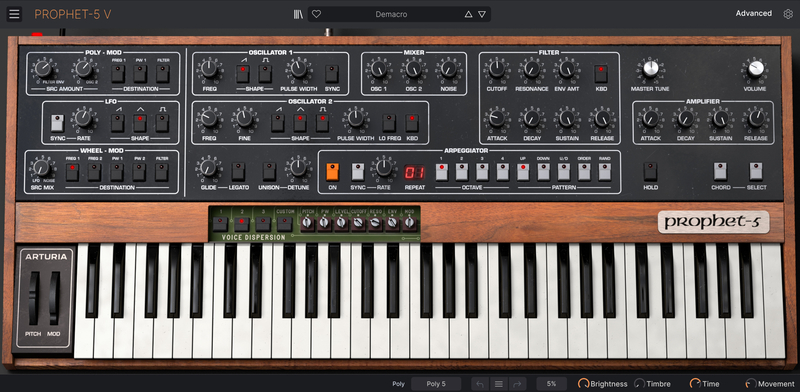
The Prophet V combines the famous Prophet 5 with the later Prophet VS. As the first fully programmable polyphonic synth, the subtractive-synthesis Prophet 5 was everywhere in the late ‘70s. The VS used vector synthesis, with X-Y joystick morphing of its four oscillators - each containing one of 128 different digital waveforms. Arturia's Hybrid mode adds matrix modulation to combine elements of both instruments for bold new sounds.
Learn more about Prophet-5 V.
System Requirements
- Works in Standalone, VST, AAX, Audio Unit, NKS* (64-bit DAWs only).
Mac
- macOS 11+
- 4 GB RAM
- 4 cores CPU, 3.4 GHz (4.0 GHz Turbo-boost) or Apple Silicon CPU
- 32GB free hard disk space
- OpenGL 2.0 compatible GPU
Windows
- Win 10+ (64bit)
- 4 GB RAM
- 4 cores CPU, 3.4 GHz (4.0 GHz Turbo-boost)
- 32GB free hard disk space
- OpenGL 2.0 compatible GPU
- ARM processors not supported on Windows





Protection
All Arturia software is protected by the Arturia Software Center.


