Log In

Free gifts available with your purchase
Includes:
- Teletronix LA-2A Leveler Collection
- 1176 Classic Limiter Collection
- Fairchild Tube Limiter Collection
Teletronix LA-2A Leveler Collection
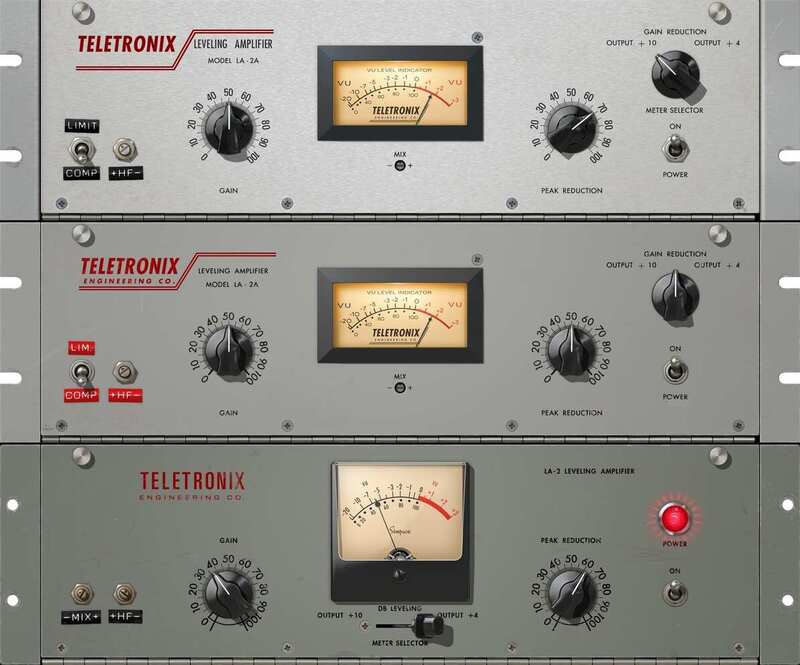
Teletronix founder Jim Lawrence first used photocells for controlling audio gain in the early 1960s. His ingenious optical compression design was a technological breakthrough, far surpassing the stability and transparency of earlier circuits. Universal Audio founder M.T. ”Bill” Putnam later purchased this patented technology, continuing to manufacture the LA-2A for years to come.
Three Historical Units
The Teletronix LA-2A Leveler Collection puts three of the most coveted incarnations of the iconic Teletronix processor at your fingertips. Like the hardware, the LA-2A Silver, LA-2A Gray, and LA-2 models offer distinct variations in time constants, compression knee, headroom, distortion, program and frequency dependence, and more.
LA-2A Silver & Gray
With a brushed aluminum panel and original T4B gain reduction module, this cherished late-1960s “Silver” version of the LA-2A, manufactured by Bill Putnam, is perhaps the most flexible of the three plug-ins in the collection. Its fast time constant makes it suitable for the widest variety of program material, including transient-rich sources like drums and percussion. Jim Lawrence’s original mid-1960s “Gray” version the LA-2A maintains a more average time constant, providing a range of “medium-speed” compression.
The Original LA-2
The exceptionally rare, early 1960s LA-2 unit preceded the LA-2A by several years. It provides the slowest response and a unique “mellowed” sound due to 50 years of luminescent panel aging inside the T4 module. Use the LA-2 with legato tempos and vocal sources for a transparency and sublime mood unlike any other compressor.
Features
- Use any audio interface, with both UAD Native and Apollo Realtime/UAD-2 versions included
- Track and mix with three historic versions of revered Teletronix LA-2A Leveling Amplifiers, each with its own distinctive sonic attributes
- Record through a Teletronix LA-2A/LA-2 in real time with Apollo interfaces
- Dial-in ideal optical compression textures for vocals, bass, drums, and more
- Harness presets from LA-2A users Ross Hogarth, Darrell Thorp, and Vance Powell
Learn more about Teletronix LA-2A Leveler Collection.
1176 Classic Limiter Collection
The Definitive Collection Of The World’s Most Famous Compressors
The original Universal Audio 1176 was designed by UA founder M.T. “Bill” Putnam, and represented a major breakthrough in limiter technology. The first compressor featuring solid‑state circuitry and ultra-fast 20 microsecond FET gain reduction, the 1176 is an easy‑to‑use “desert island” compressor that has lent its character and punch to some of the greatest recordings in history.
Upon its release in 2001, UA’s first 1176 plug‑in single‑handedly launched the UAD platform. Extensive end‑to‑end circuit modeling in 2013 captured even more sonic nuance. Now with updated graphics and additional controls, the 1176 Classic Limiter Collection continues its legacy of analog modeling excellence.
A Triple Threat
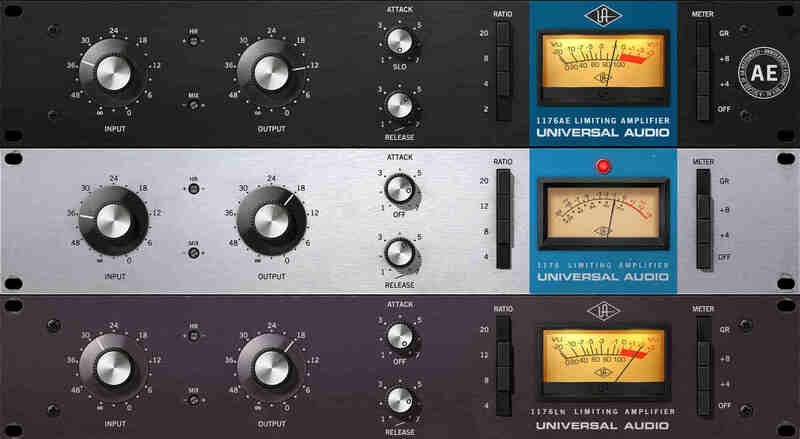
The 1176 Classic Limiter Plug-In Collection provides three distinct 1176 revisions, representing over 40 years of design iterations to the original 1176. The Rev A “Bluestripe” represents the original Putnam FET limiter design, complete with its higher distortion and unique FET gain amplifier characteristics. The Rev E “Blackface” covers the early '70s Brad Plunkett “LN” (Low Noise) era, with variations including a more linear compression response, transistor gain amplification, and a change to the program dependence. The 1176AE provides UA’s rare 1176 40th Anniversary Edition, complete with exclusive mods — including its lower 2:1 compression ratio.
Classic Compression, Quickly
Using an 1176 is a study in simplicity. Input simultaneously sets compression threshold and the level of the signal entering the 1176; Output sets the final signal level. Attack sets the time it takes the 1176 to respond to incoming signal, while Release sets the time it takes the 1176 to return to its initial level. The VU meter displays the amount of gain reduction (GR) or output level (+4/+8).
Ratio Buttons for Iconic Color
The four Ratio buttons determine the degree of gain reduction — lower ratios for compression, higher ratios for limiting. Disengaging all Ratio buttons disables compression, while continuing to pass signal through the 1176 circuitry, adding unmistakable color. At the request of users, “Multi-Button” combinations possible with the hardware are now attainable in the plug-in — including the famous “All Button” sound.
Added Features for Modern Workflows
Exclusive plug‑in only features lend modern workflows to this classic processor collection. Get quick parallel processing on bass and kick drums with Dry/Wet mix controls, or use the custom Sidechain Filter to tame low‑frequency pumping. Plus, enhanced graphics with improved VU metering bring iconic FET compression into a new age.
Features
- Use any audio interface, with both UAD Native and Apollo Realtime/UAD-2 versions included
- Track and mix with painstaking emulations of the legendary 1176, the most popular compressor ever made
- Choose from three famous versions: Rev A, Rev E, and AE — each with their own sonic attributes
- Harness the 1176’s entire electronic path including transformers and FET and transistor amplifiers for colorful distortion
- Access “All-Button” or “No Ratio” modes for colorful overdriven textures
- Expanded controls for Headroom, Mix, and custom Sidechain Filter for reduced LF pumping
- Mix with presets from legendary 1176 users such as Andy Johns, Andrew Scheps, Ed Cherney, and Joe Chiccarelli
Learn more about 1176 Classic Limiter Collection.
Fairchild Tube Limiter Collection
Get The Rich Sound Of The World's Most Famous Compressors
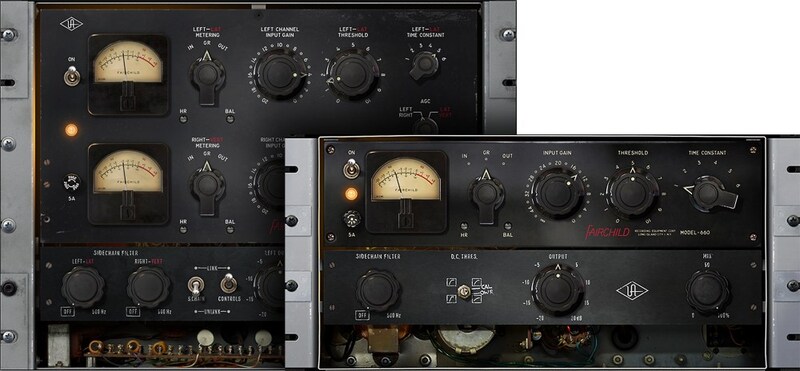
The Fairchild Tube Limiter Collection gives you the silky warm compression heard on hundreds of hit records from The Beatles and Pink Floyd to countless Motown classics.* Now you can add the same analog "glow" to your vocals, drums, and entire mix with the most accurate plug-in emulations ever made of these one-of-a-kind tube compressors.
The World’s Most Coveted Compressor
The first Fairchild limiter that audio genius Rein Narma created on Les Paul’s kitchen table transformed recording forever. Soon, these 20-tube, 14-transformer, 67-pound behemoths resided in world-class studios, many of which still employ their vintage Fairchilds. For a half-century, the Fairchild 670 — and its aggressive little brother, the Fairchild 660 — have defined popular music’s most revered vocal and drum sounds. In fact, the world’s elite mixers often employ a 670 simply for the “glow” it brings to their final mixes, even without compression happening.
The Closest You Can Get to Vintage Fairchilds in a Plug-In
In 2004, Universal Audio released the Fairchild 670 Legacy plug-in, which was quickly heralded as the best 670 emulation available. Today, UA’s team of DSP experts have improved the original Time Constants and gain reduction curves, while modeling — for the first time ever — the complete tube-powered amplifier and transformer sections of their hardware counterparts. Far beyond other Fairchild emulations, only the new UAD Fairchild Collection is based on an accurate circuit models of Ocean Way Studios' “golden-reference” units.
Blend Sounds with the Wet/Dry Mix Control
A Parallel Mix control lets you blend your unprocessed signal with the compressed signal, opening worlds of textural possibilities on everything from a drum bus to a mix bus.
Enhance Drums with Sidechain Filters
By using the Fairchild’s Sidechain Filtering, you gain another level of control over your tracks. Use it to punch up the drum bus to enhance its impact without triggering the threshold of the compressor with the kick drum.
Add Grit with the Headroom Control
The Headroom (HR) control can be increased to make mastering applications a breeze, raising the gain reduction threshold and lowering distortion. Conversely, you can decrease headroom, lowering the gain reduction threshold and raising distortion for grittier textures that work on everything from vocals and drums to guitar and bass.
The Ultimate Companion to the LA-2A & 1176 Collections
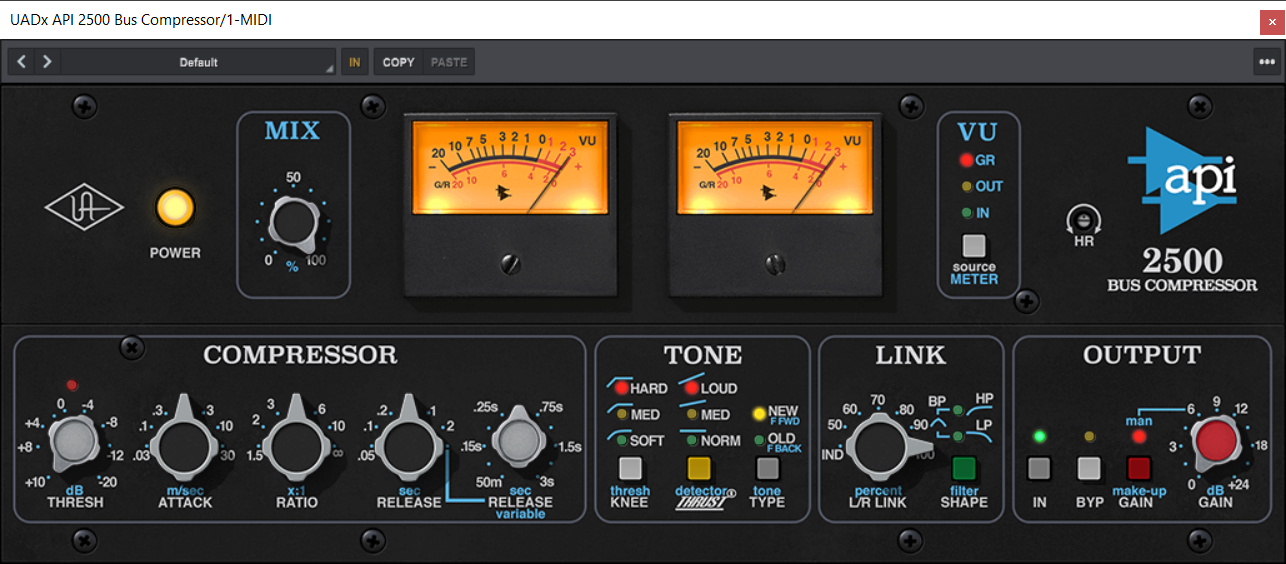
Combined with the Electro-Optical (LA-2A) and FET-based (1176) compressor plug-ins, the Fairchild’s unique tube-driven sound completes the compression “Triple Crown.” Renowned for its aggressive power on piano, bass, and guitar, the 660 is a stereo/mono version of the original mono compressor, while the flagship 670 is a full stereo compressor that can inject vibe and color into tracks or add the final touch to mixes.
Features
- Use any audio interface, with both UAD Native and Apollo Realtime/UAD-2 versions included
- Give your tracks and mixes classic Fairchild tube warmth and character
- Add harmonics and punch to vocals, drums, and more using Fairchild’s tube-driven gain control and transformer sections
- Control your compression easily with simple Wet/Dry, Sidechain Filter, and Headroom controls
- Enjoy the only accurate emulations of “golden-reference” vintage Fairchilds from OceanWay Studios
Learn more about Fairchild Tube Limiter Collection.
System Requirements
- macOS 10.15 Catalina, 11 Big Sur, 12 Monterey, 13 Ventura
- Windows 10 or Windows 11 (64-bit only Editions)
- Intel, AMD, or Apple silicon processor
- Internet connection to download software and authorize UADx plug-ins
- Free iLok account with iLok Cloud or iLok USB (2nd generation or higher)
- A physical iLok dongle is NOT required to activate this product
You can activate this software on an online system (using iLok Cloud) or an offline system (using an iLok USB):
-
Online: an active internet connection and a FREE iLok account are required to authorise UAD Plug-ins using iLok Cloud
-
Offline: you will need a physical iLok USB (2nd generation or higher) to authorise this software
Important Notes:
- This product is a plugin and not a physical product. It is available after purchase as a digital download.
- UAD plugins do not work in Apple's Garageband DAW
Registration
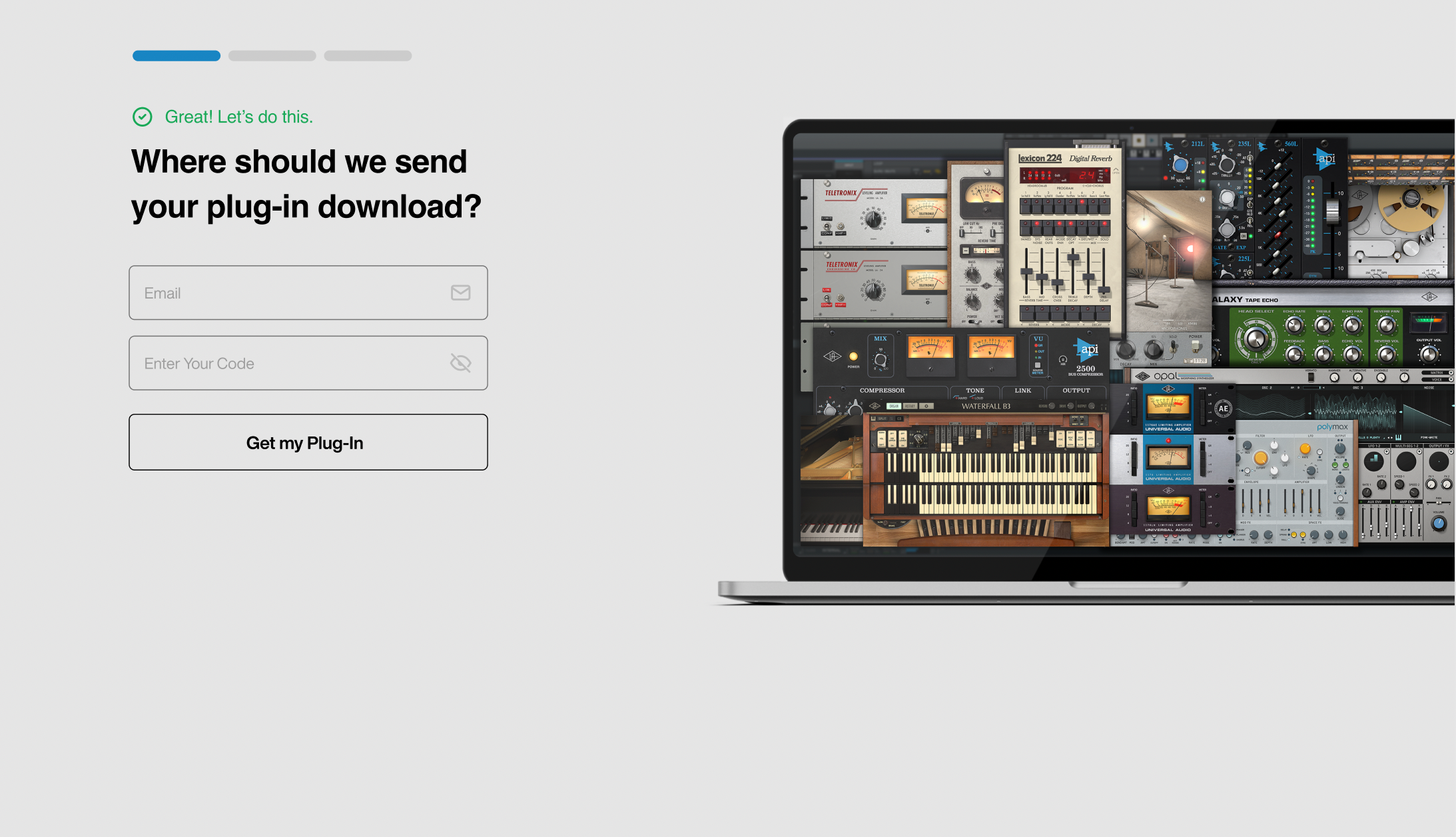
1. Click the Download button in your Plugin Boutique account or go to https://www.uaudio.com/my/account/redeem/.
2. Enter your email and the serial code found in your Plugin Boutique User Account > Click 'Get my Plug-in'.
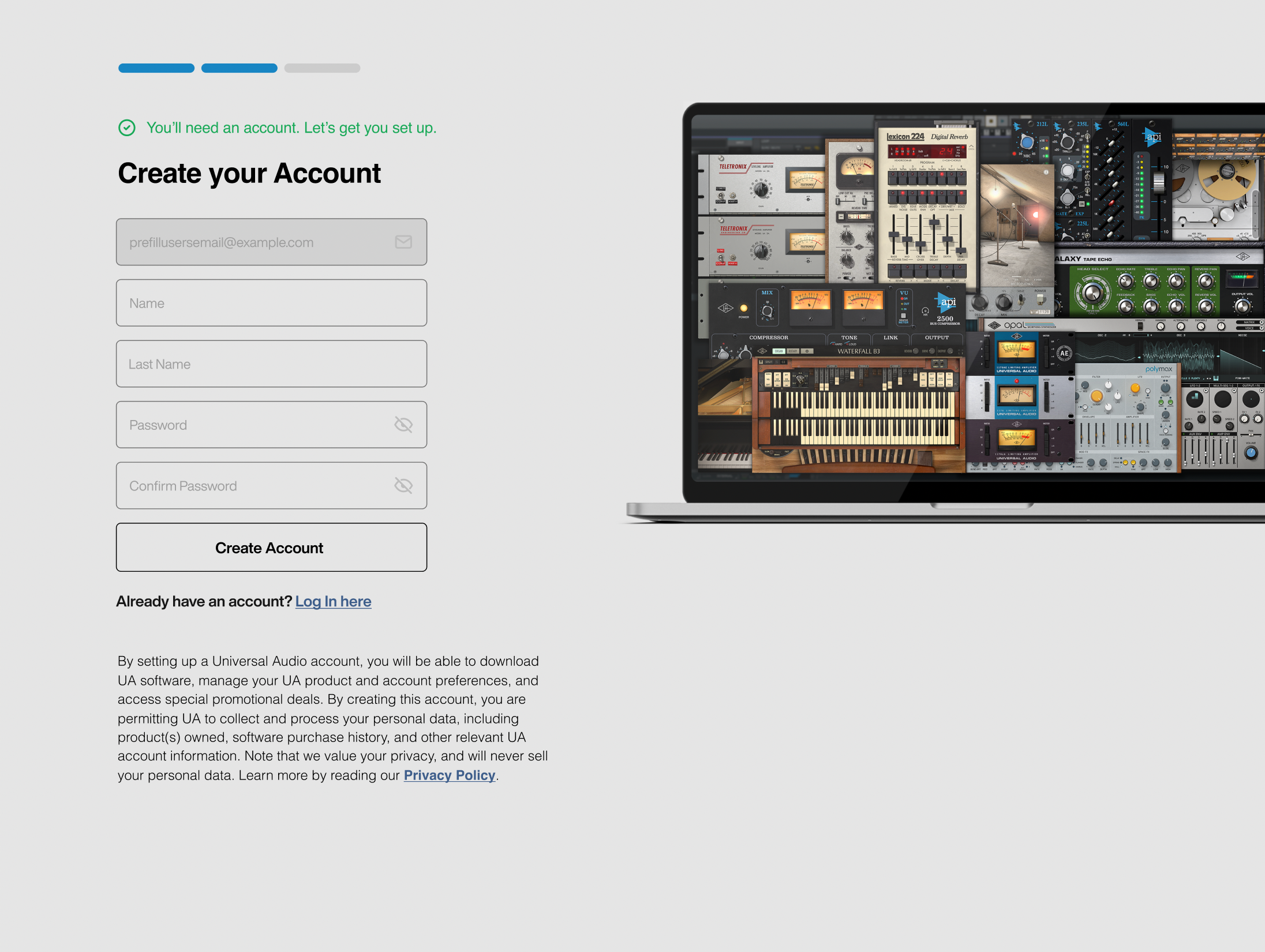
3. Enter the details required to create your Universal Audio account > Click 'Create Account'.
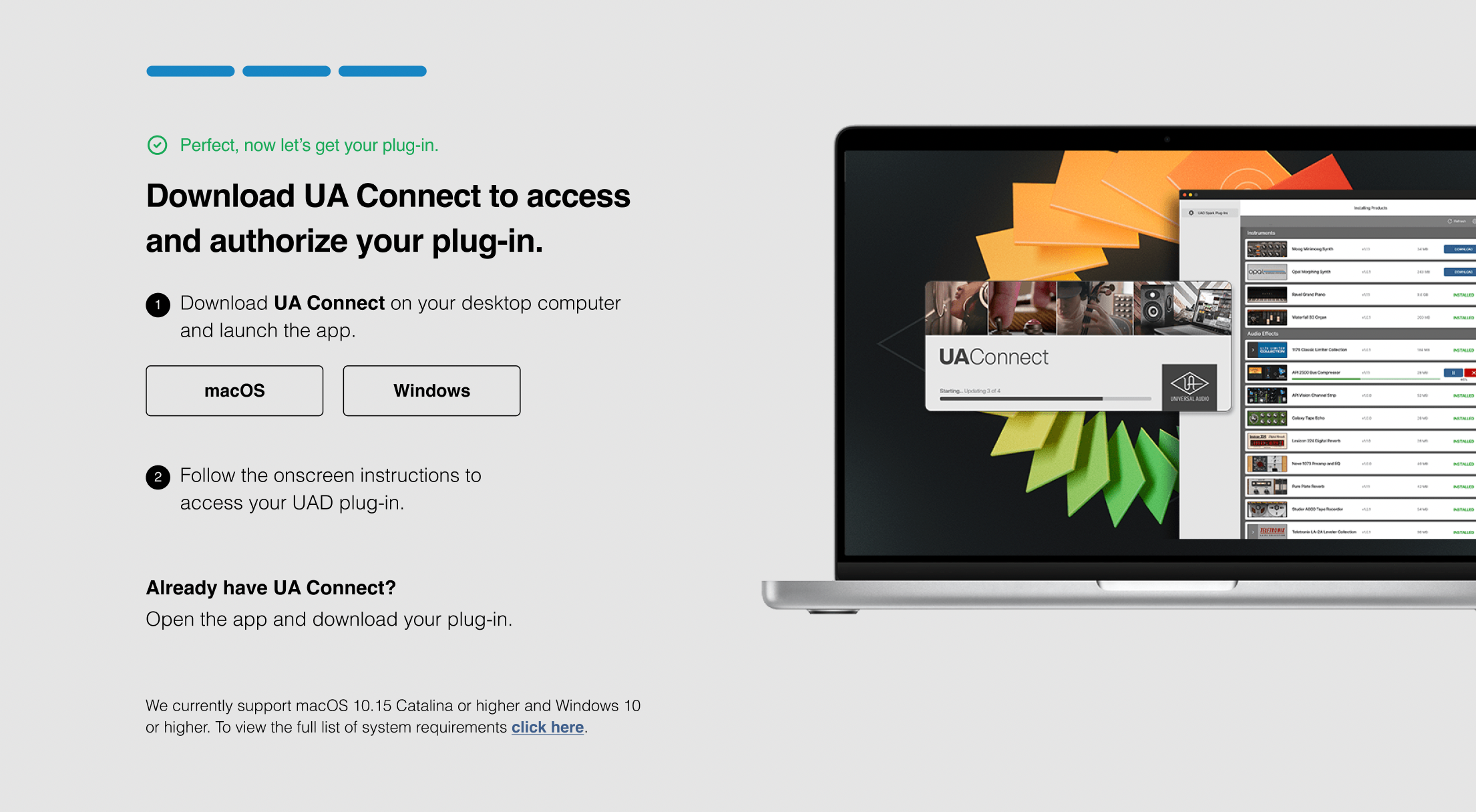
4. Download UA Connect by clicking either 'macOS' or 'Windows' depending on the system you are using.
Windows Installation
1. Once the download is complete, extract and open the ZIP folder you just downloaded > Open the PC folder > Double-click the UA Connect.exe installer file.
2. Read the terms of agreement > Click 'I Agree'.

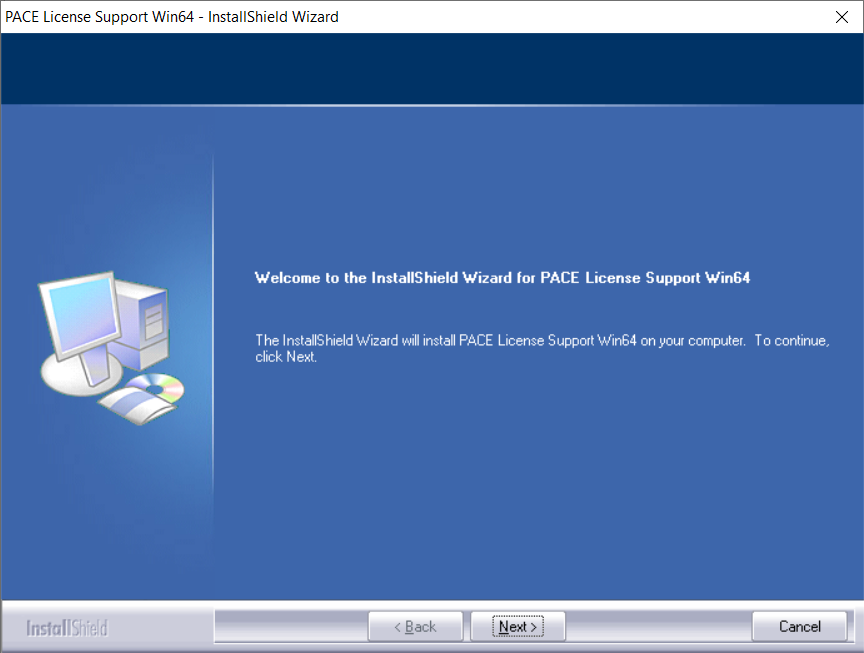
3. The installation of PACE License Support will now begin > Click 'Next >'.
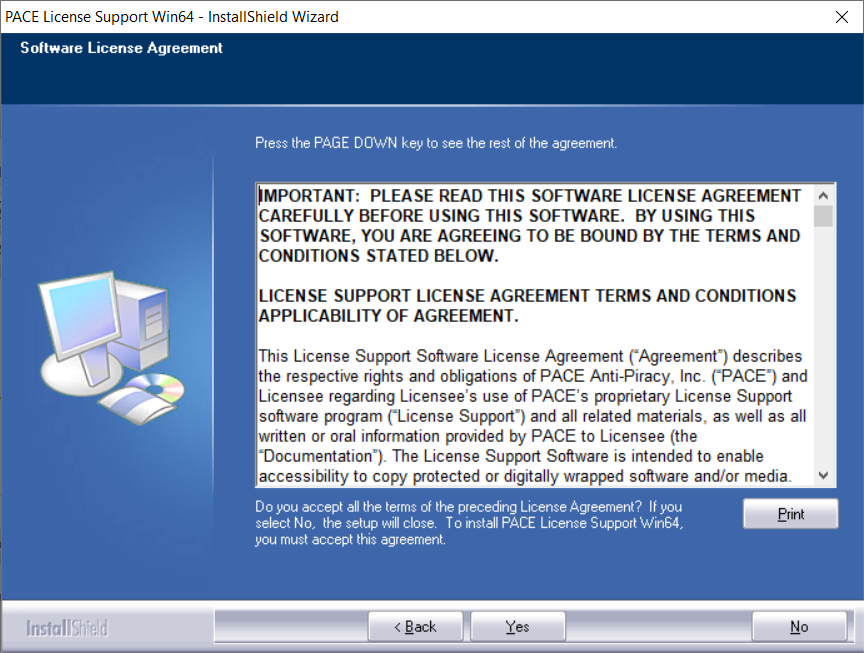
4. Read the license agreement > Click 'Yes'.
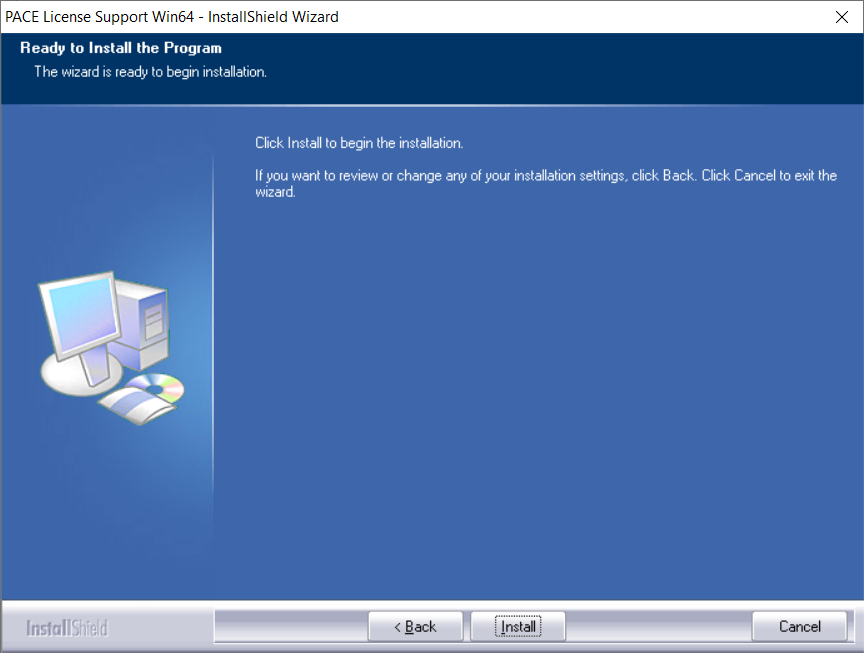
5. Click 'Install'.
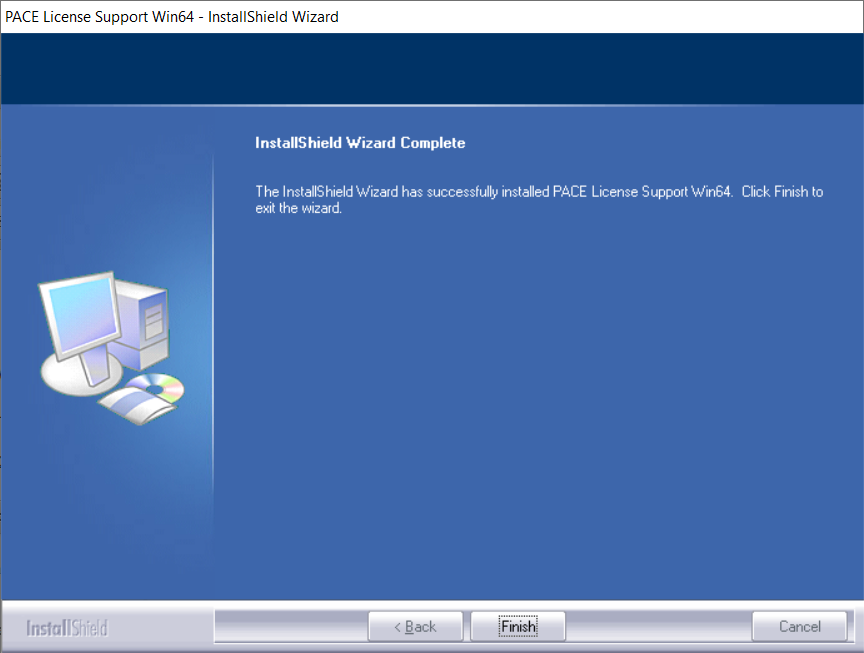
6. Click 'Finish'.
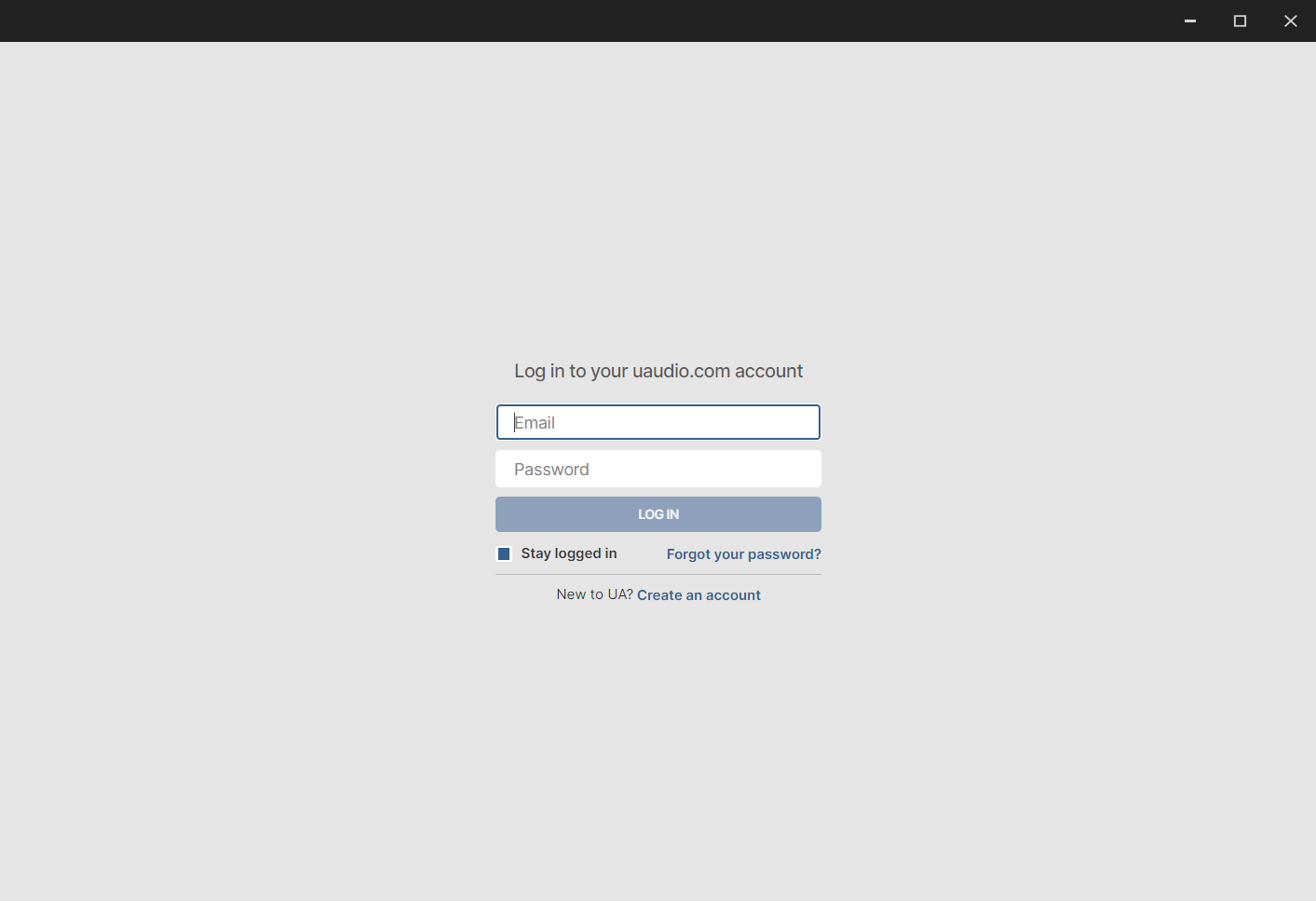
7. Locate and open UA Connect > Enter the email address and password of your Universal Audio account.
8. Click 'GET STARTED'.

9. Select the option that is relevant to you - either 'I Already Have an iLok Account' or 'Create an iLok Account For Me'.
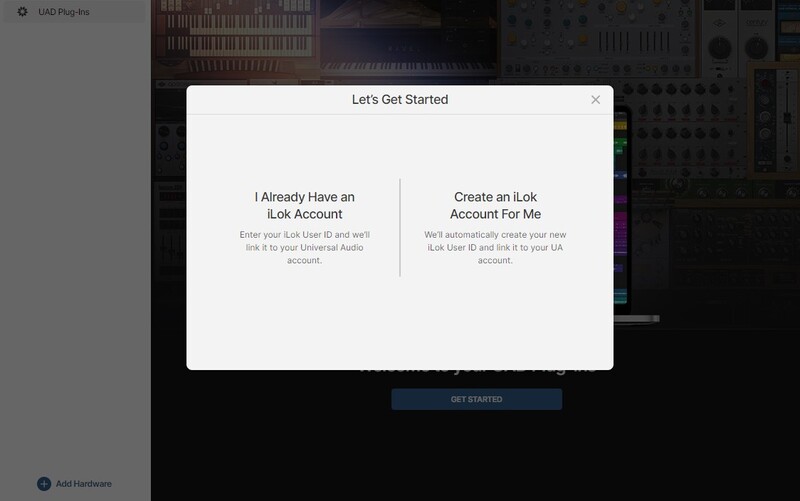
10. Enter your iLok account User ID then click 'LINK ACCOUNT'
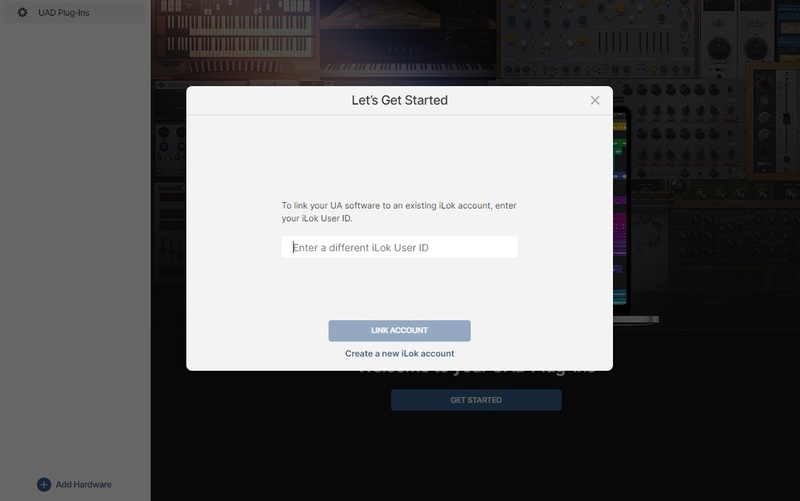 .
.
11. Enter the password for you iLok account and click 'Authorize'.
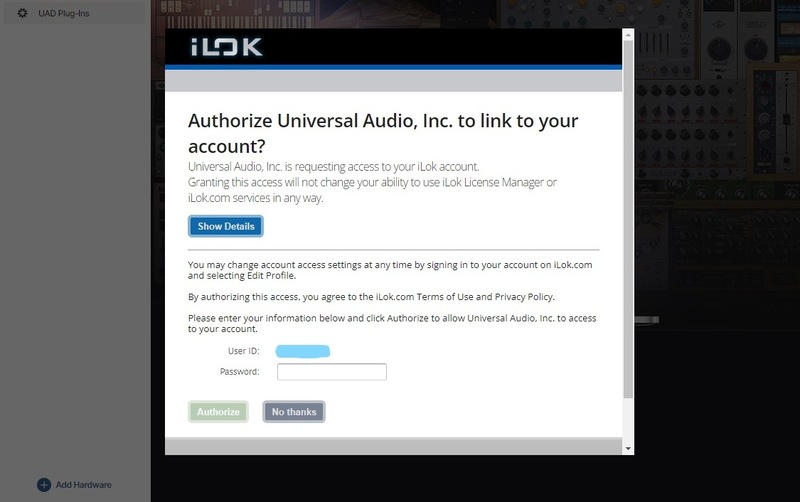
12. Locate the plugin you wish to install > Click 'DOWNLOAD'.
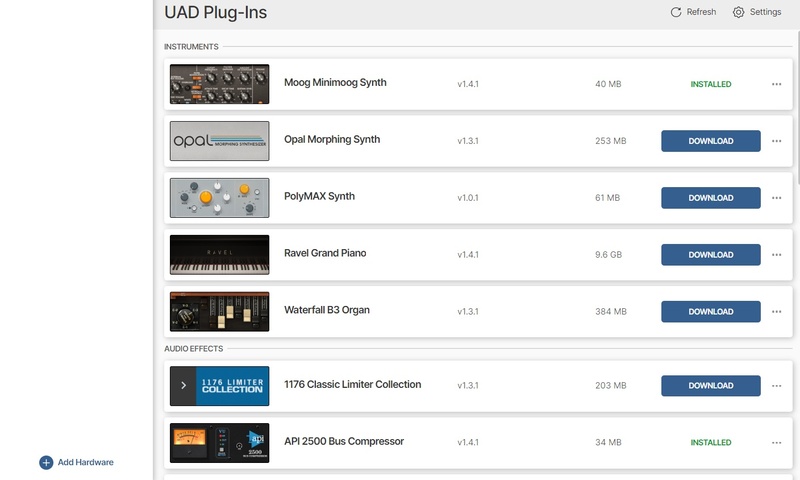
13. Once the plugin has been installed, open your DAW and then the newly installed plugin.
Your software is now activated and ready to use in your DAW!
Mac Installation
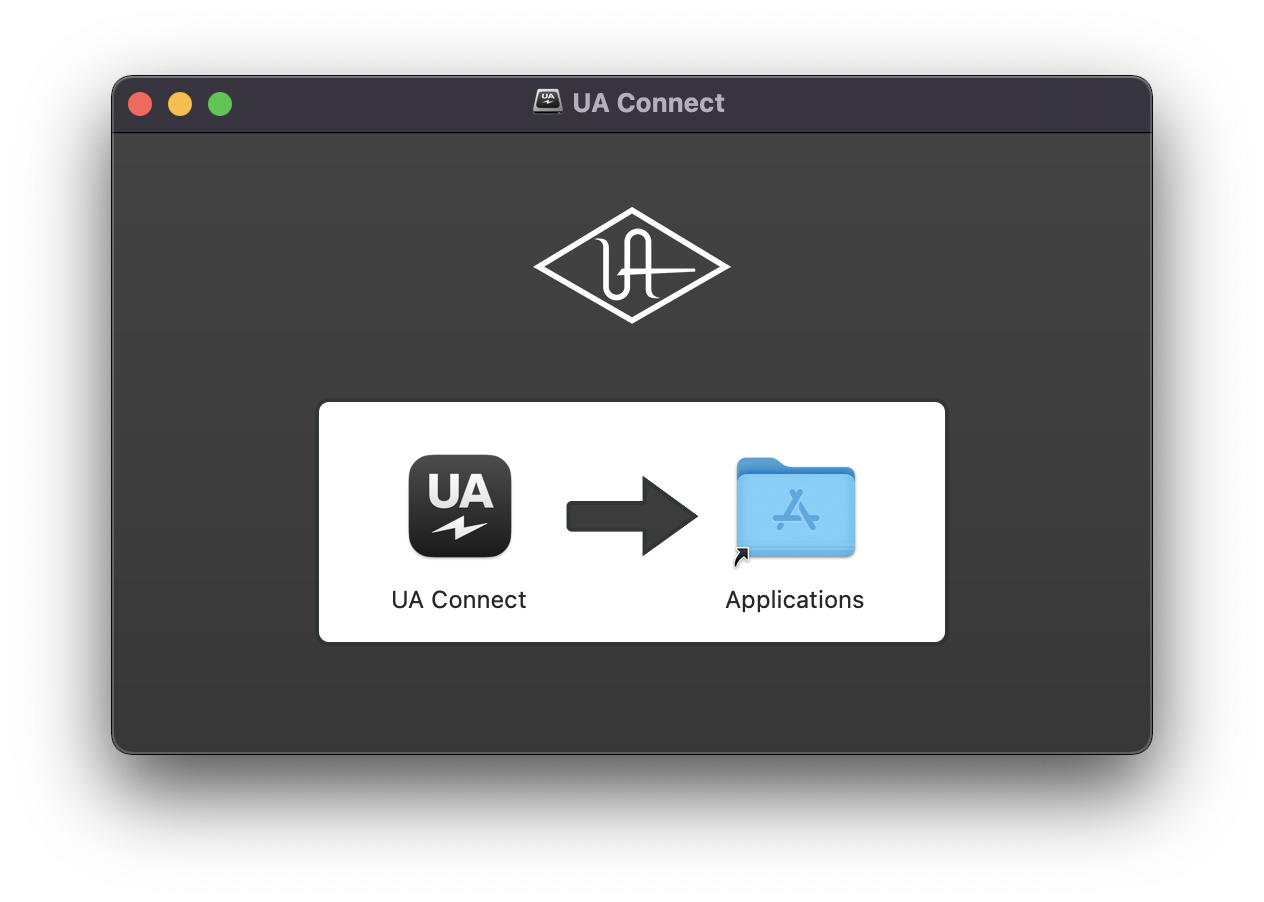
1. Once the download is complete, double-click the UA Connect.dmg installer file.
2. Drag UA Connect into your Applications folder.
3. Locate and open UA Connect > Enter the email address and password of your Universal Audio account.
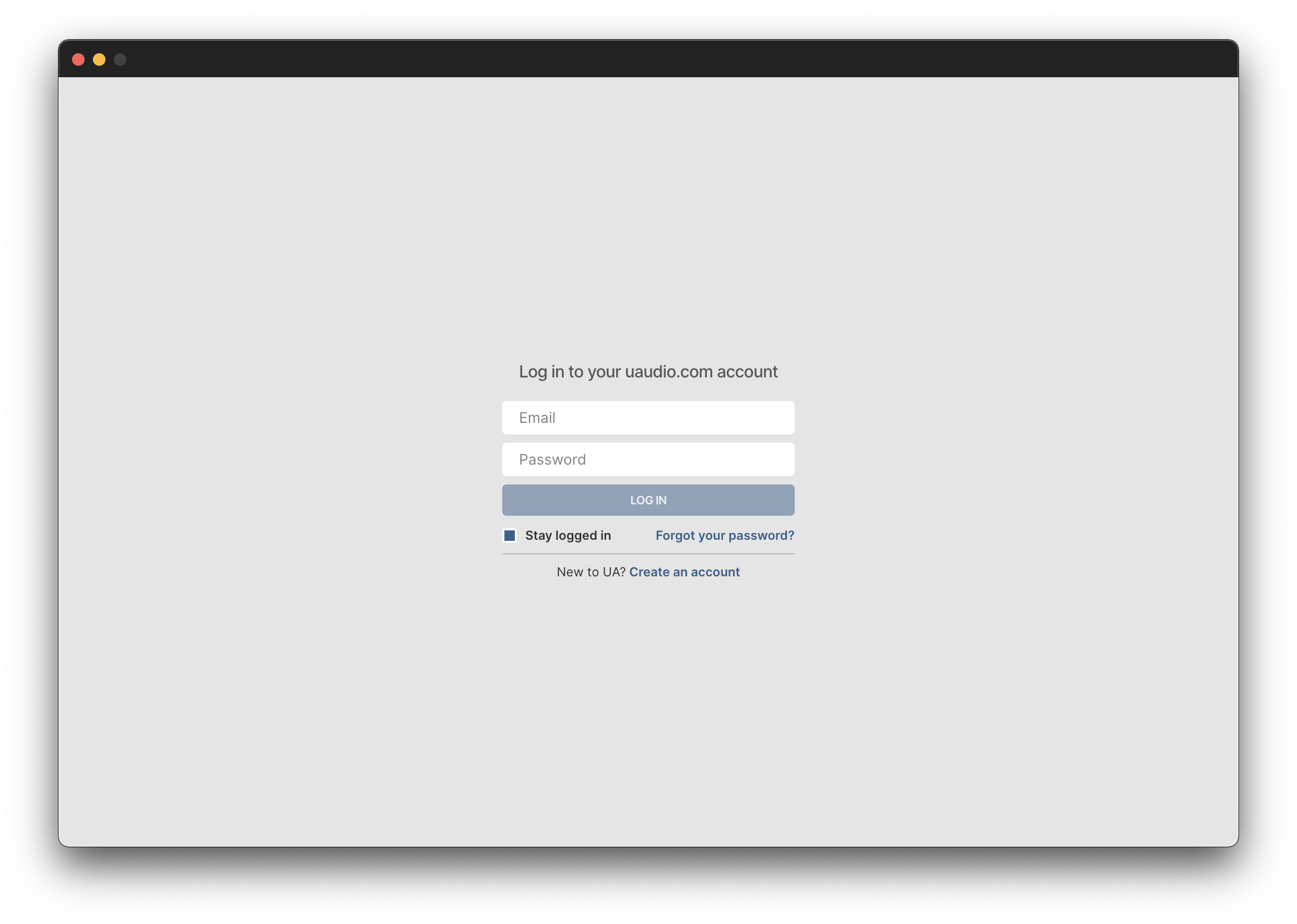
4. Click 'GET STARTED'.
5. Select the option that is relevant to you - either 'I Already Have an iLok Account' or 'Create an iLok Account For Me'.
6. Enter your iLok account User ID then click 'LINK ACCOUNT'
.
7. Enter the password for you iLok account and click 'Authorize'.
8. Locate the plugin you wish to install > Click 'DOWNLOAD'.
9. Once the plugin has been installed, open your DAW and then the newly installed plugin.
Your software is now activated and ready to use in your DAW!