Log In
.jpg)
Free gifts available with your purchase
Retro Sounds To Shock Your Mind‑Brain
Now compatible with any soundcard on Mac and PC
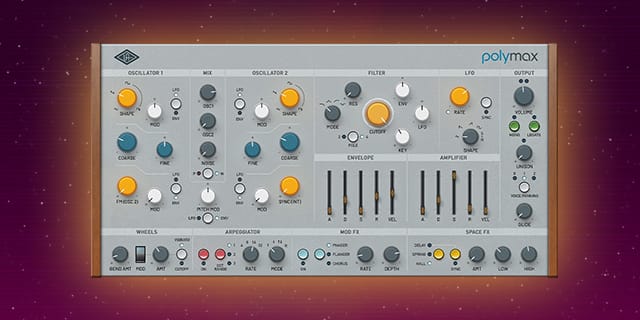
PolyMAX is a vintage-inspired synth that gives producers, sound designers, and musicians fat analog tones from the golden age of polysynthesis. PolyMAX's warm, analog-modeled oscillators and filters, professional UA effects, and curated presets easily fit into any genre — with album‑ready sounds instantly.
Your New Wonder Synth
PolyMAX's analog bona fides pull from the golden age of polysynthesis. Think early Jupiters, Oberheims, and Prophets with fat sounds that sit perfectly in any mix.* A modern synth with retro roots, PolyMAX takes you from celestial to cinematic and beyond.
Experience Magic with Premium UA Effects
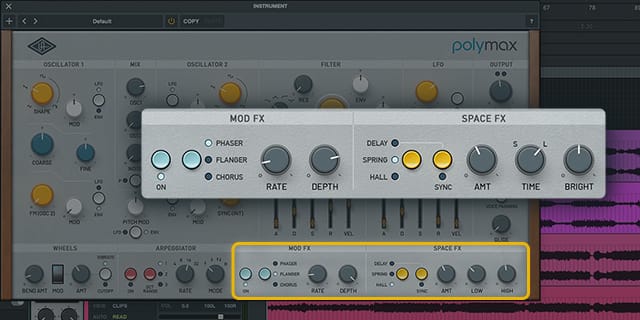
With onboard studio-quality UA effects like legendary digital "Hall B" reverb and analog phasers, flangers, and tape delay, PolyMAX makes any production shine with old‑school synth cool.
Get Instant Inspiration with Album‑Ready Presets
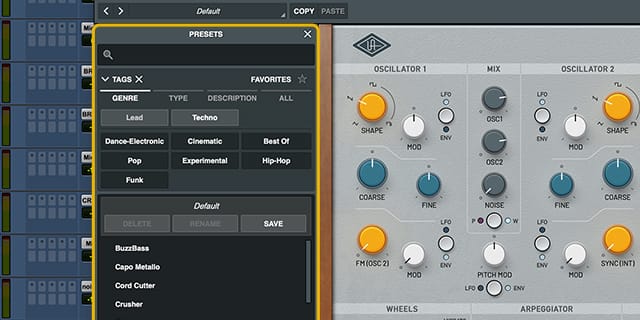
Discover the perfect sound using PolyMAX's curated presets, handcrafted by the synth nerds at UA. Designed for fast use across genres, PolyMAX presets and intuitive knob‑per‑function layout means no menu diving, ensuring you'll get the right sound, right away.
Features
- Get rich, sit-in-the-mix analog sounds from an inspiring polyphonic wonder synth
- Use fat-sounding analog modeled oscillators and filters to demolish creative barriers
- Add studio-quality UA effects like vintage spring reverb, tape delay, and modulation textures
- Dive into lush poly synth sounds with album‑ready presets and simple, intuitive controls
Versions Included with your Purchase
- UAD Native: Runs on your Mac or PC without any UA hardware
- macOS Big Sur 11, Monterey 12, Ventura 13, Sonoma 14, Sequoia 15 and Tahoe 26
- Windows 10 or Windows 11 (64-bit editions)
- Intel, AMD, or Apple silicon processor
- Internet connection to download software and authorize UAD Native plug-ins (UADx)
- Free iLok account
- Compatible with iLok USB (2nd generation or higher) but not required
- Free UA Connect application for managing UAD Native plug-ins (UADx)
- A supported DAW compatible with VST3, AU, or AAX plug-in file formats.
Registration
1. Click the Download button in your Plugin Boutique account or go to https://www.uaudio.com/my/account/redeem/.
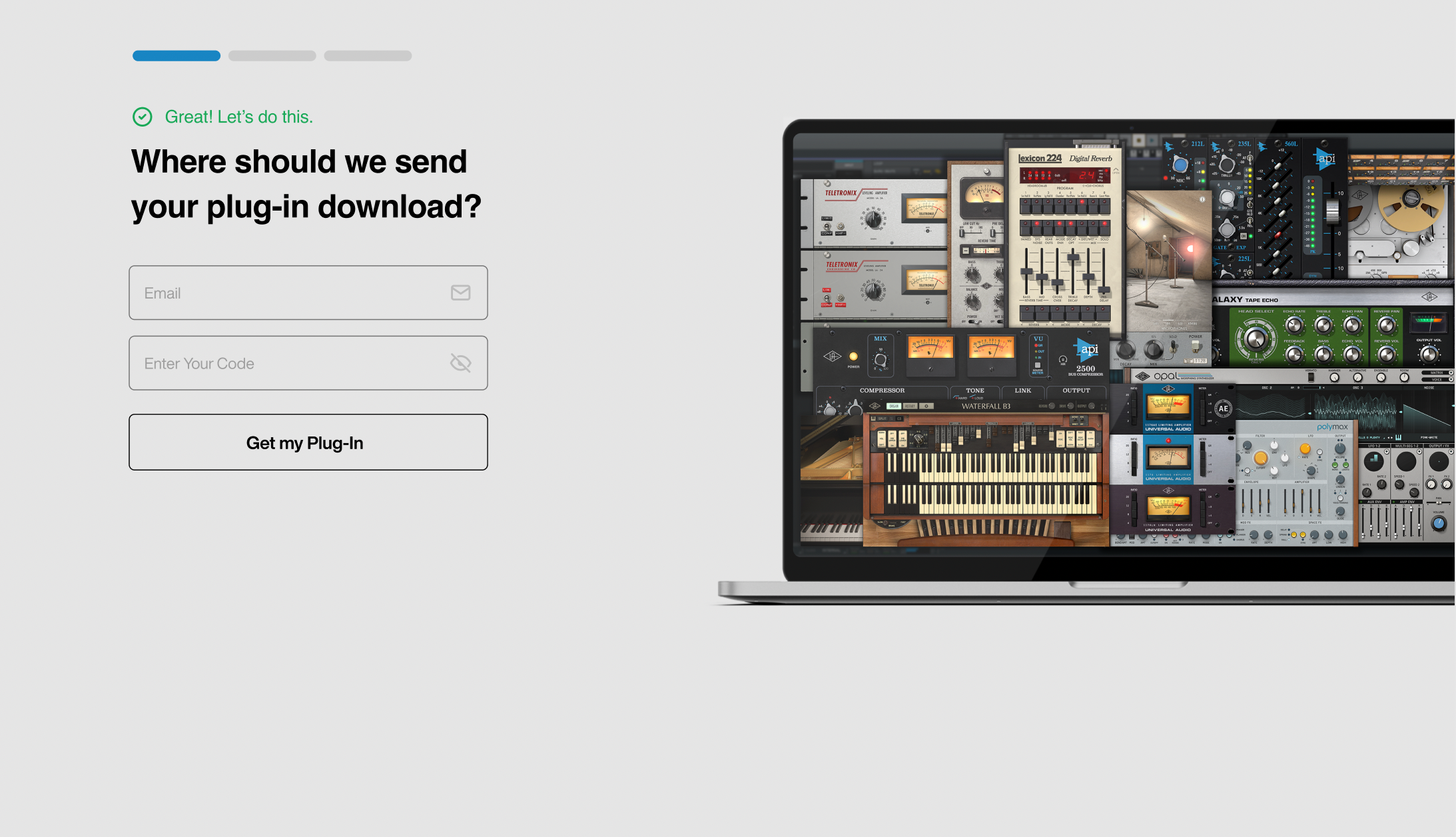
2. Enter your email and the serial code found in your Plugin Boutique User Account > Click 'Get my Plug-in'.
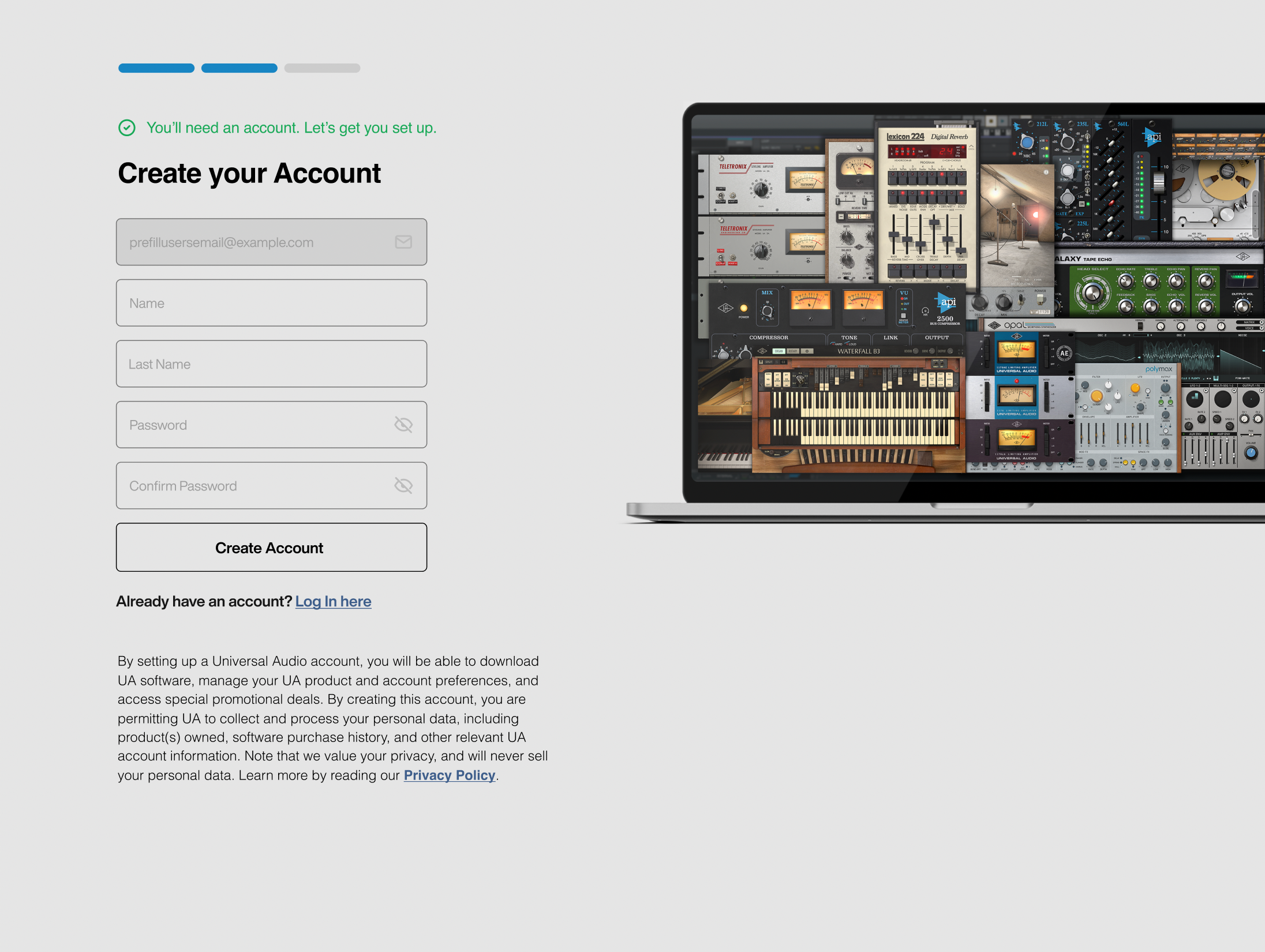
3. Enter the details required to create your Universal Audio account > Click 'Create Account'.
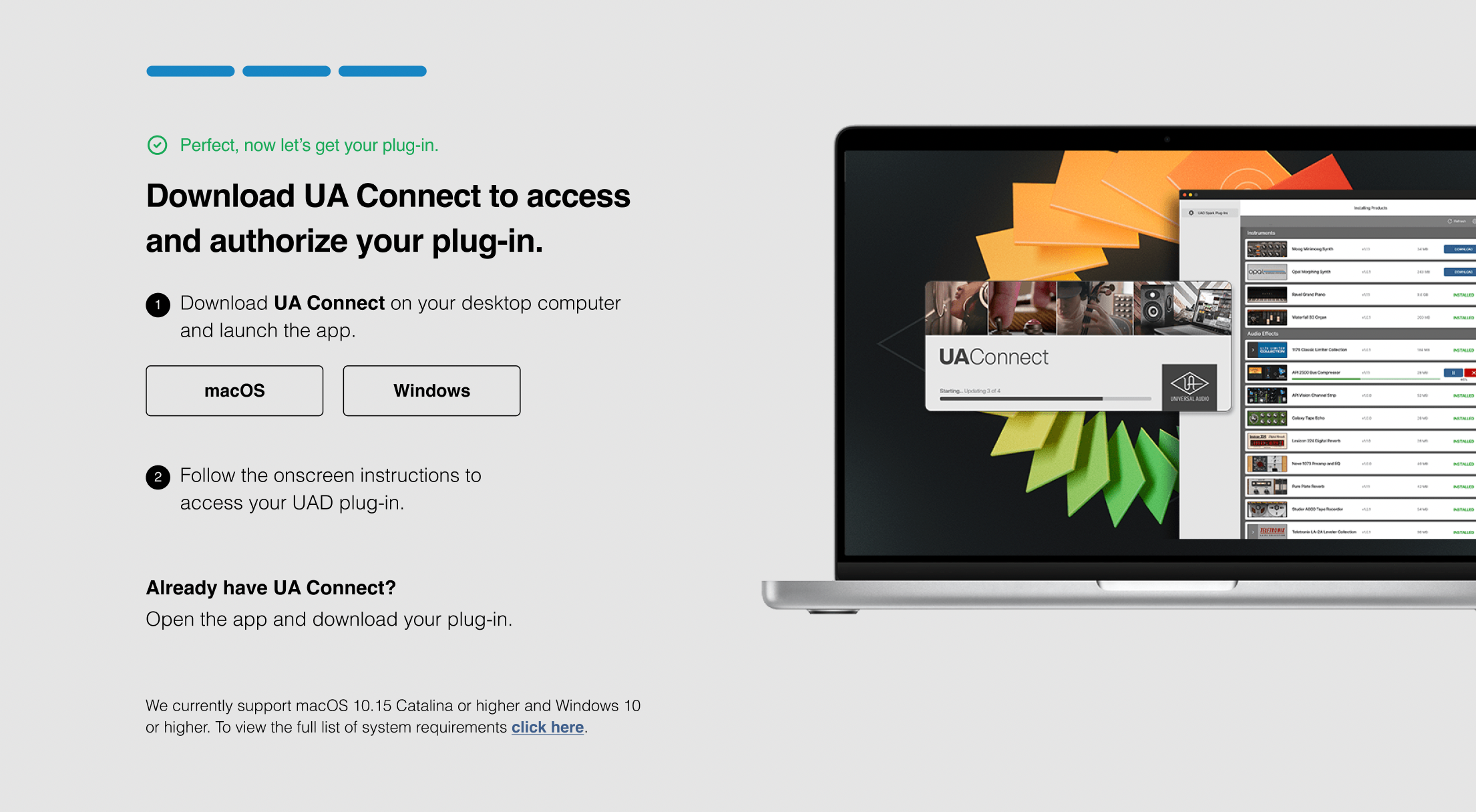
4. Download UA Connect by clicking either 'macOS' or 'Windows' depending on the system you are using.
Windows Installation
1. Once the download is complete, extract and open the ZIP folder you just downloaded > Open the PC folder > Double-click the UA Connect.exe installer file.
2. Read the terms of agreement > Click 'I Agree'.

3. The installation of PACE License Support will now begin > Click 'Next >'.
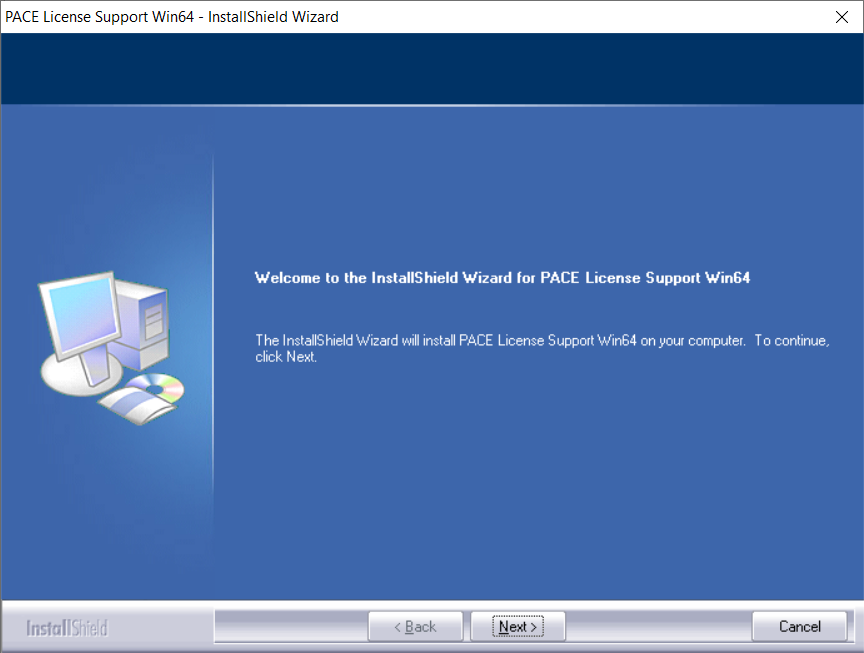
4. Read the license agreement > Click 'Yes'.
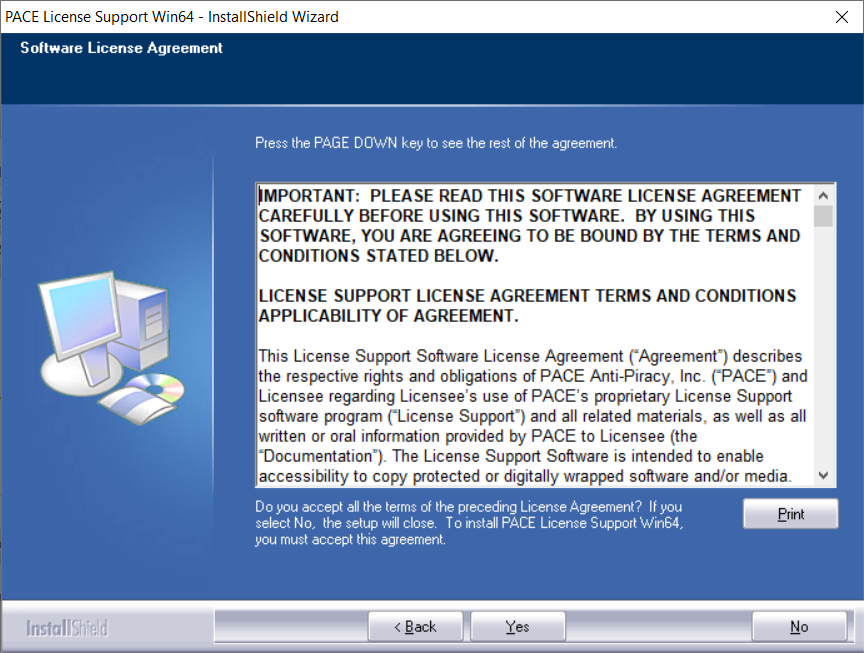
5. Click 'Install'.
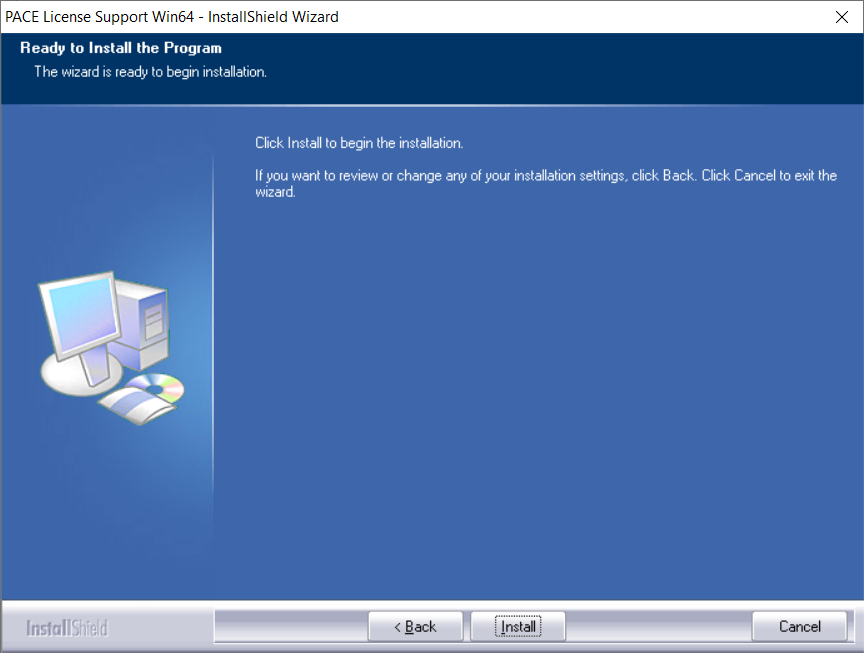
6. Click 'Finish'.
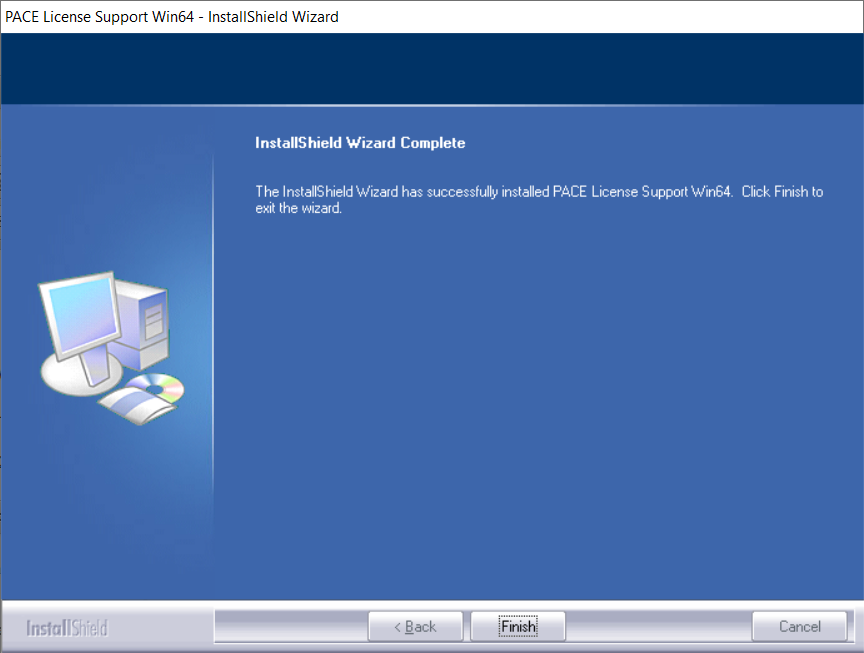
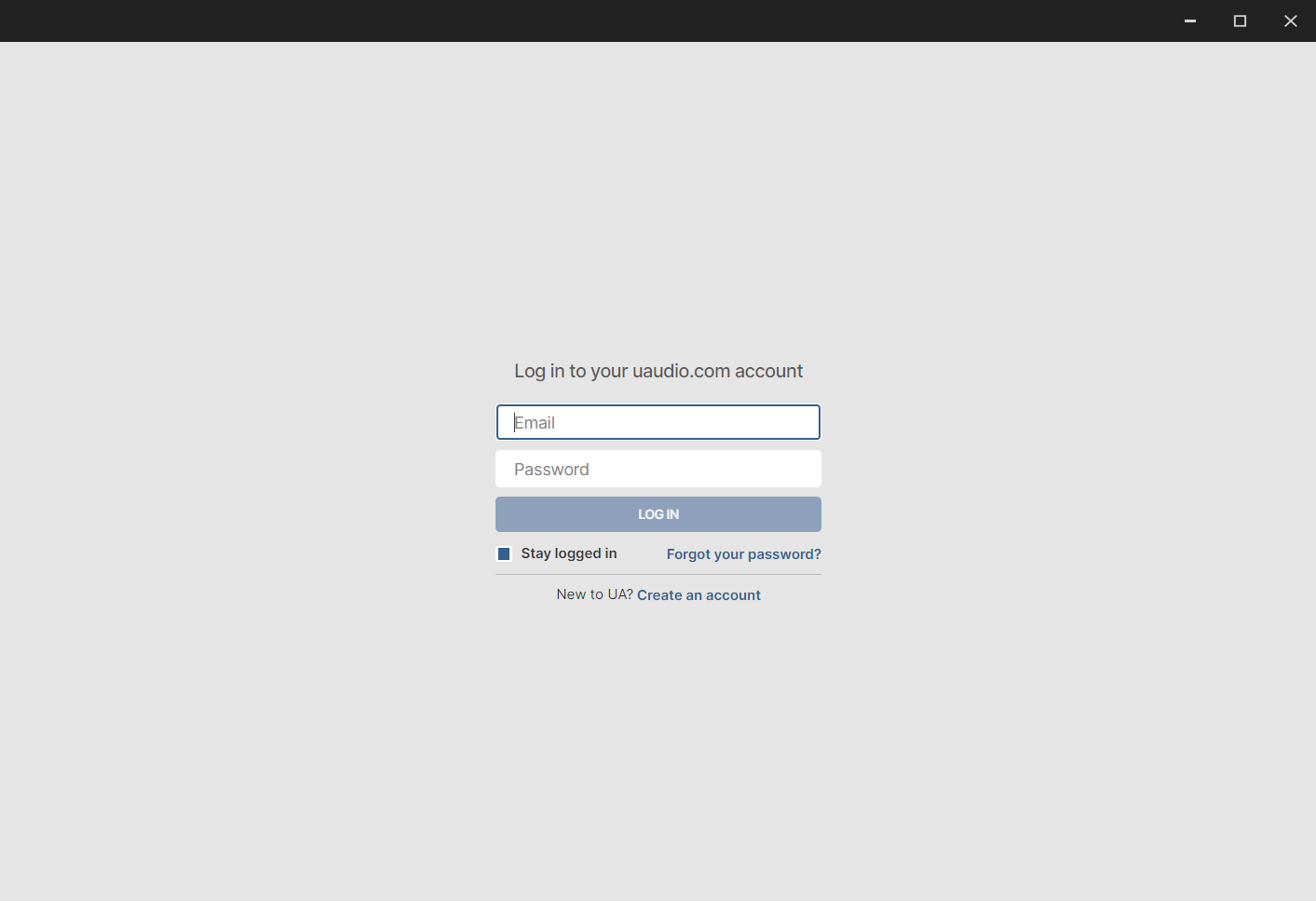
7. Locate and open UA Connect > Enter the email address and password of your Universal Audio account.
8. Click 'GET STARTED'.

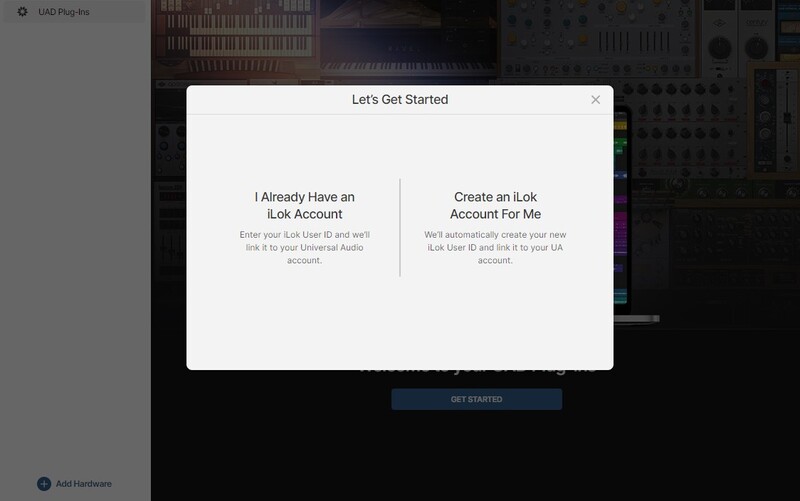
9. Select the option that is relevant to you - either 'I Already Have an iLok Account' or 'Create an iLok Account For Me'.
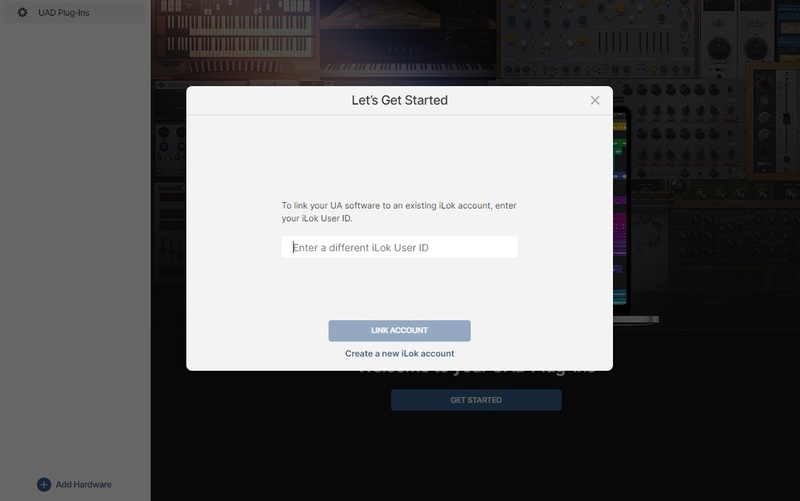
10. Enter your iLok account User ID then click 'LINK ACCOUNT'
 .
.
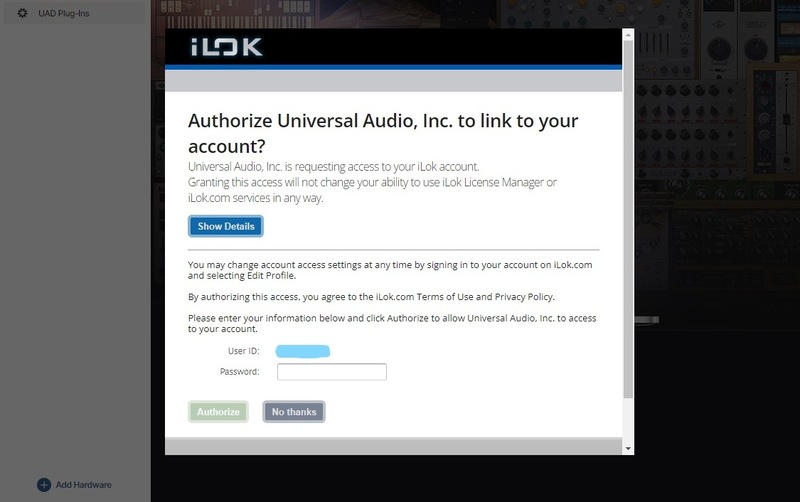
11. Enter the password for you iLok account and click 'Authorize'.
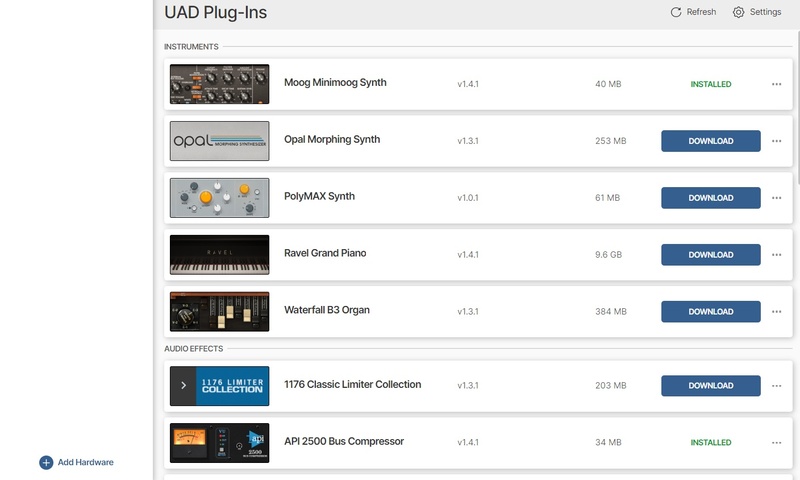
12. Locate the plugin you wish to install > Click 'DOWNLOAD'.
13. Once the plugin has been installed, open your DAW and then the newly installed plugin.
Your software is now activated and ready to use in your DAW!
Mac Installation
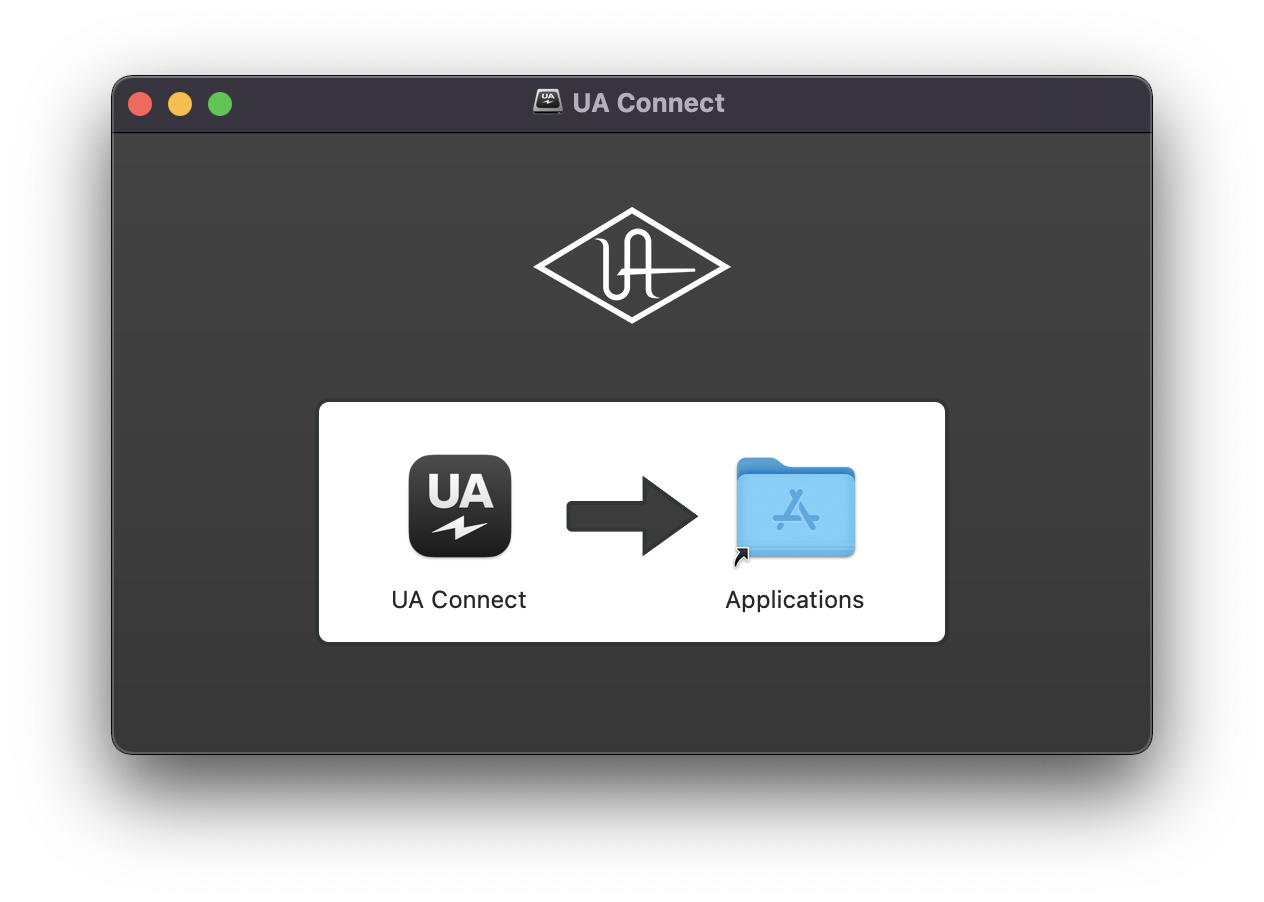
1. Once the download is complete, double-click the UA Connect.dmg installer file.
2. Drag UA Connect into your Applications folder.
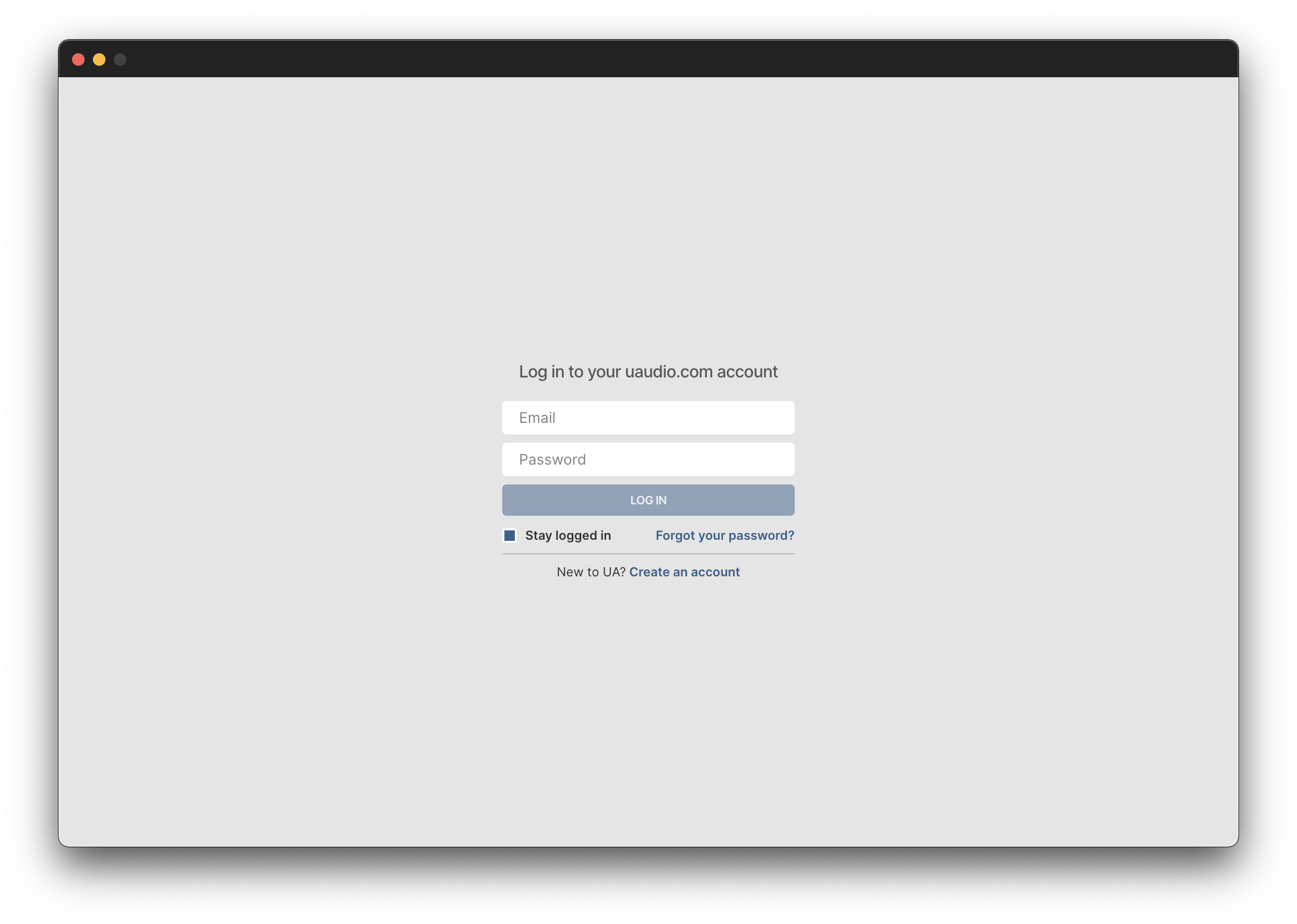
3. Locate and open UA Connect > Enter the email address and password of your Universal Audio account.
4. Click 'GET STARTED'.
5. Select the option that is relevant to you - either 'I Already Have an iLok Account' or 'Create an iLok Account For Me'.
6. Enter your iLok account User ID then click 'LINK ACCOUNT'
.
7. Enter the password for you iLok account and click 'Authorize'.
8. Locate the plugin you wish to install > Click 'DOWNLOAD'.
9. Once the plugin has been installed, open your DAW and then the newly installed plugin.
Your software is now activated and ready to use in your DAW!