


 Log In
.jpg)
Free gifts available with your purchase
A Comprehensive Electric Piano Collection
Five Classic EP Tones - A Suite of Sweet EPs
Stage EP includes multi-layer sample sets collected from the world’s most impressive electric pianos! The AIR engineering team painstakingly sampled each electric piano model in Germany to make sure they captured the natural beauty of the instrument’s acoustic characteristics.
Classic E-Piano
A sample of the legendary, classic EP instrument that was ultra-innovative for its time. Using the “struck tuning fork” method to generate its sound, the original instrument has a metal tone bar that adds resonance and sustain to create a full sound with a distinct growl.
Classic E-PianoHot
The same base tones of the standard Classic E-Piano model, but run with additional gain to heat up the signal and amplify the sweet harmonic overtones of the instrument.
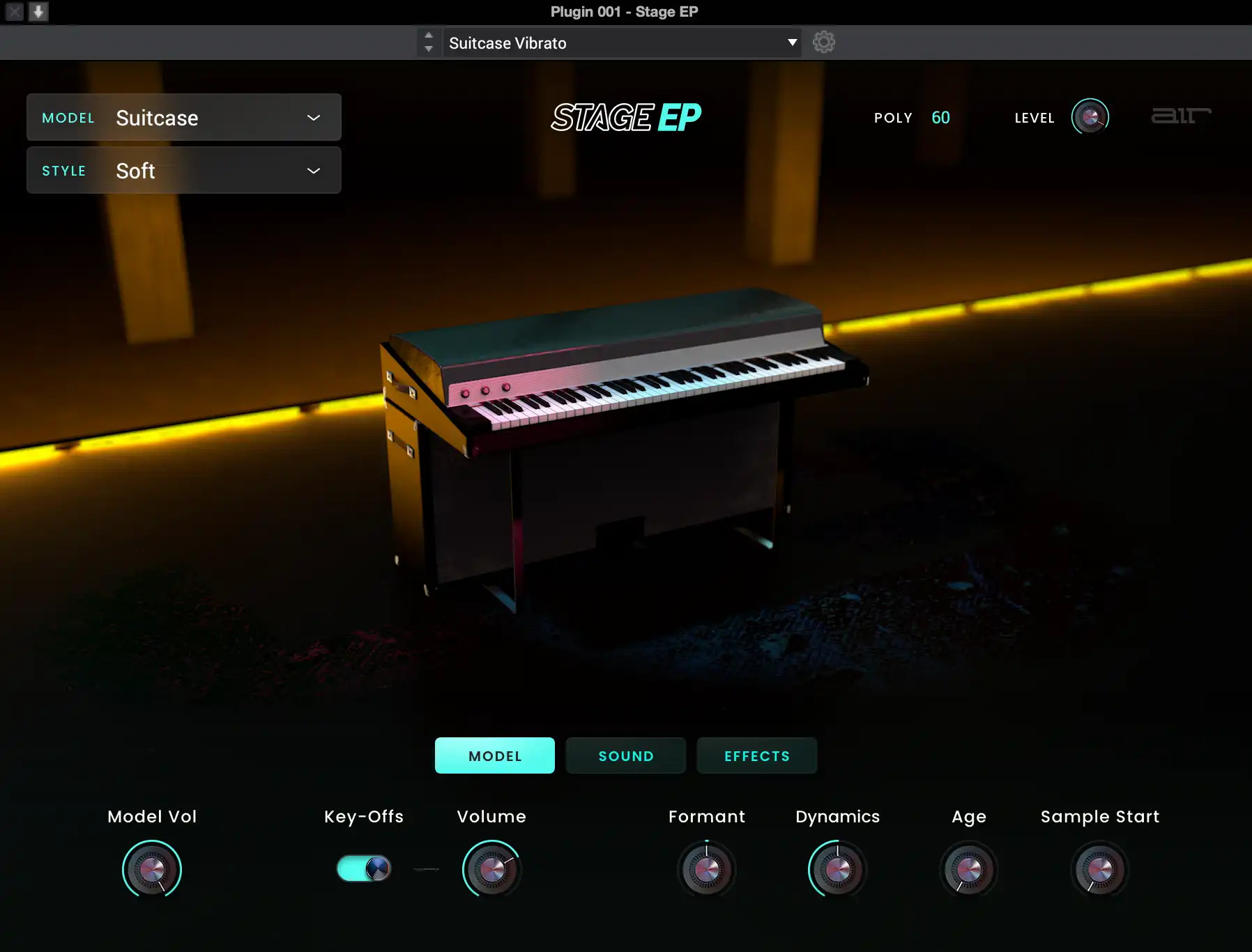
Suitcase
Part of the Classic E-Piano family, the suitcase was a revolution in sound that has been heard on countless records from the 70s. The suitcase added an 80W amp and an exaggerated bell tone from the enhanced pickups of the era—great for classic jazz or funk sounds.
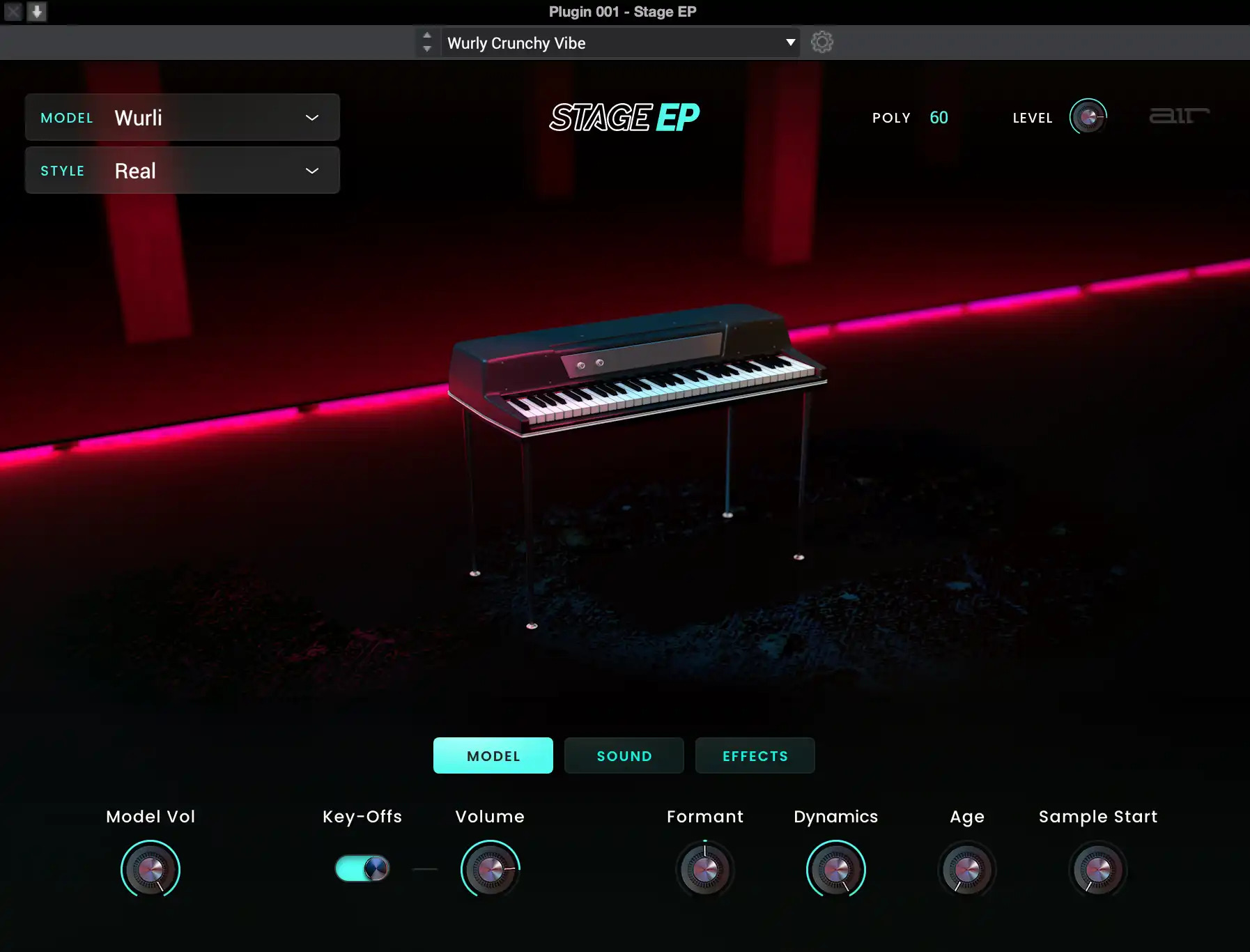
Wurli
Based on one of the most highly regarded and legendary EPs in history, the Wurli model for Stage EP is based on the “struck strings and reed” design that gives it a sweet, vibraphone-like tone.
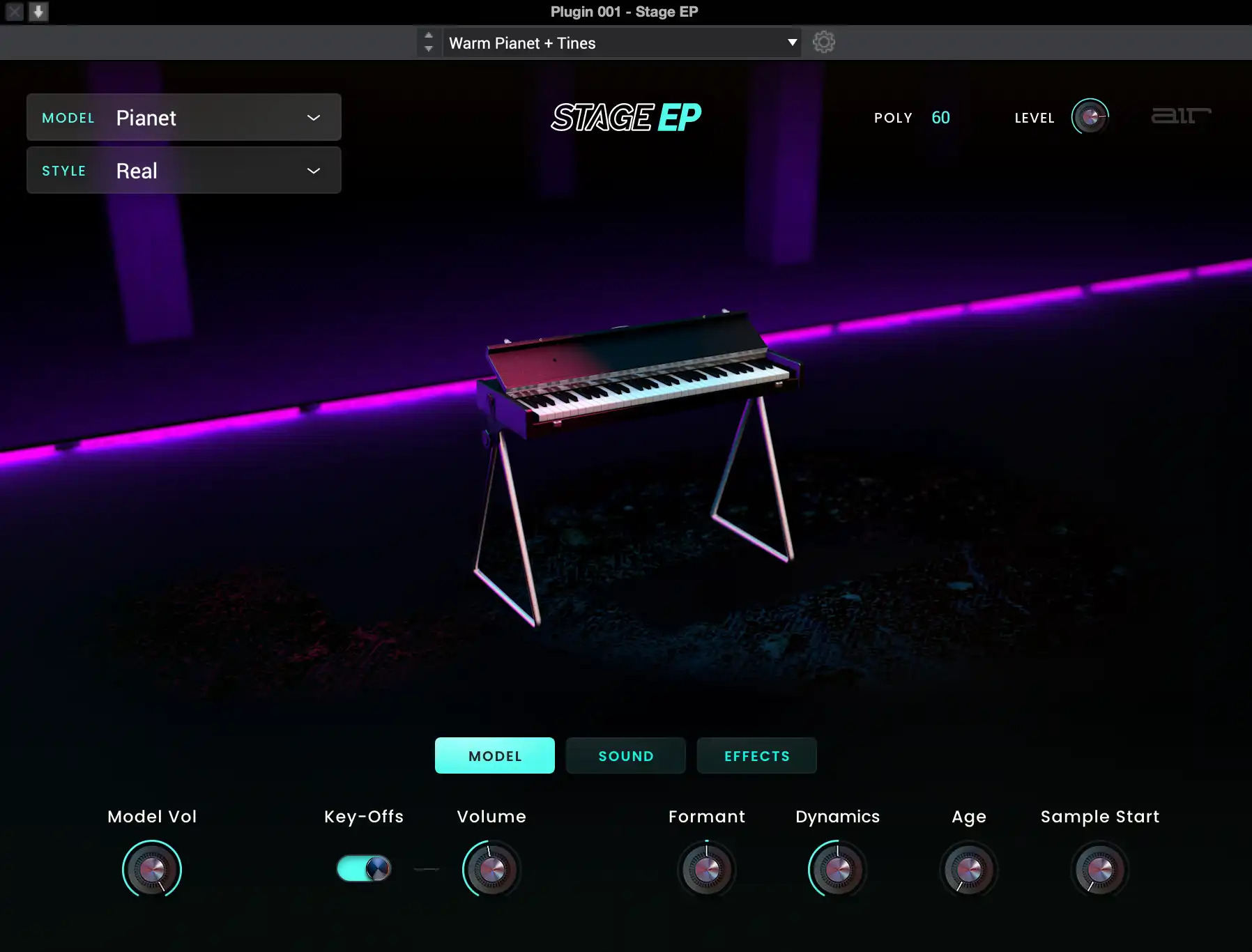
Pianet
A soft and understated model based on classic “leather on metal” design that gives a distinct vibe, different from other models. Perfect for soft and articulate passages that can capture the imagination and soothe your soul.
Get Exquisite EP Sounds with Ease
The Stage EP electric piano instrument delivers the lush and rich sounds of the most desirable electric pianos you have ever heard. Stage EP includes five detailed models of the Classic E-Piano, Classic E-Piano Hot, Suitcase, Wurli, and Pianet instruments, as well as acoustic mechanics and an FM tine synth for capturing the magic and warm smoothness of the originals, as well as adding a full spectrum of modern and classic sounds.
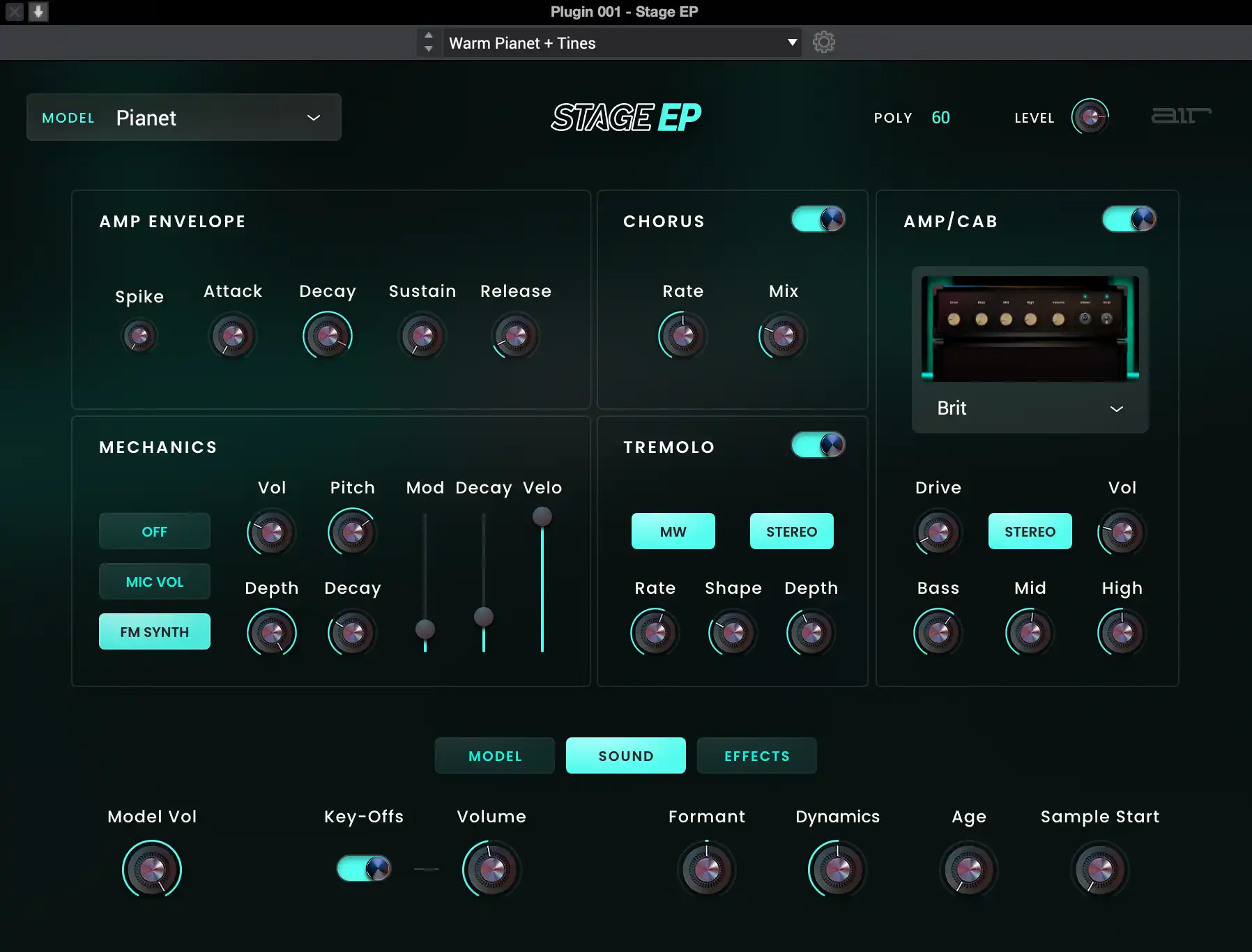
Jazzy, Smooth, Clean EP Tones, Sculptable by You
The Stage EP is built with piano players in mind, especially those that love the clean and smooth vibe of electric pianos. With its stunning user interface, you can instantly edit each model, affecting everything from the sound Formant or model Age to the physical-mechanical sounds. Stage EP offers over 100 professional presets and a robust FX set including cabinets and amp sims, chorus, tremolo, EQ, and compression. Stage EP will be the elegant, silky richness your music has been waiting for.
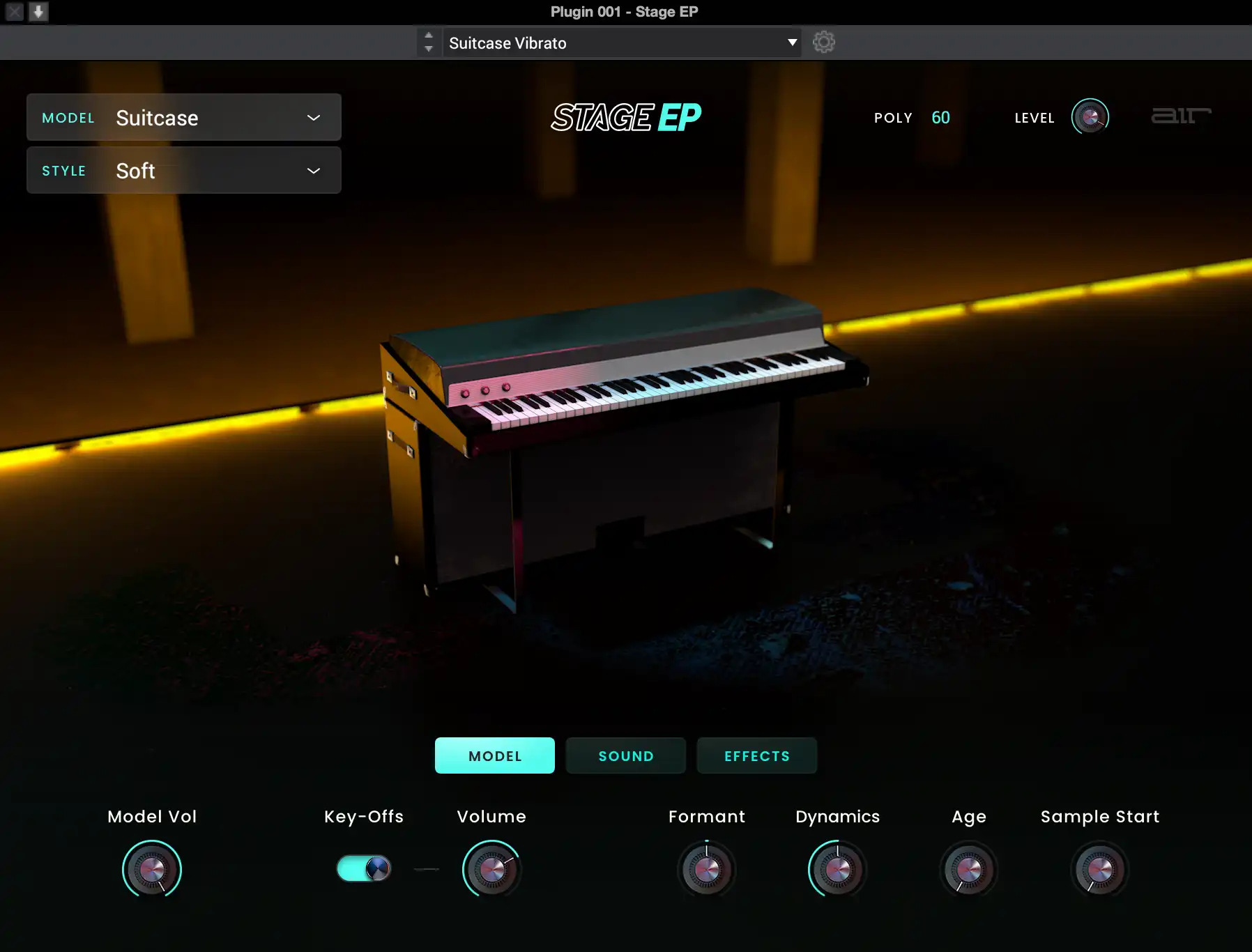
Electrify Your Audience with the Stage EP!
The Stage EP is built with piano players in mind, whether on-stage or in the studio. The colorful interface features stylistic effects that will give you the jazzy, chill vibe that EPs are known for. Each electric piano model included with the instrument offers separate pedal parameters that will let you adjust the response, mechanics, or other sound design parameters to get you the perfect tone.
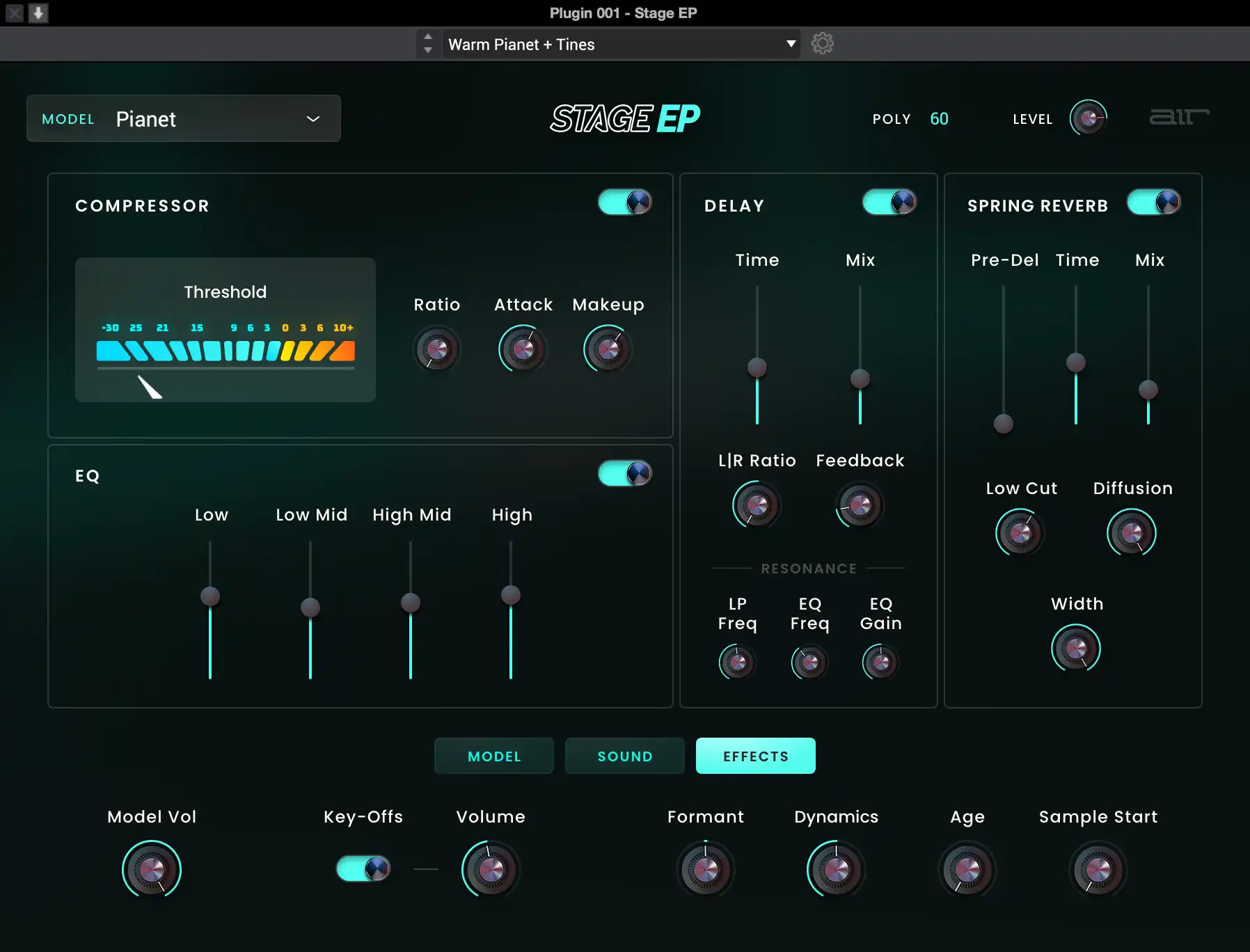
Built-In Effects Engine to Color and Stylize your EP sounds
Stage EP includes multiple effects like Flavor timbre control, EQ, amp and cab simulations, compression, rich reverbs, delay, and modulation. Create brilliant shimmers, dark haunting echoes, or spacey washed electric pianos with a cutting-edge effects engine built right into the instrument.
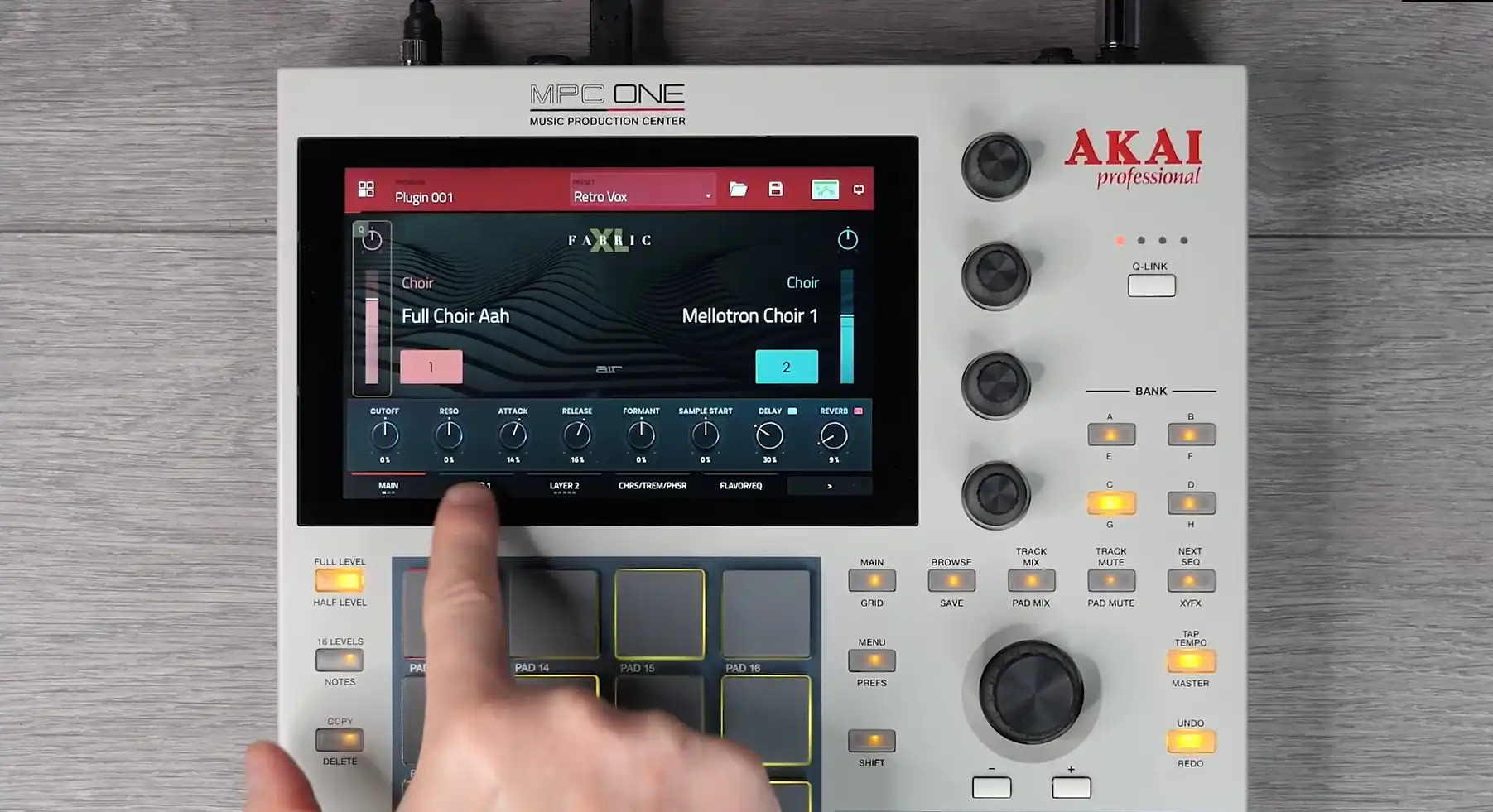
Unlock these sounds in Akai MPC/FORCE for FREE
Purchase this plugin and you’ll get the ability to unlock it within your Akai Professional MPC / FORCE Standalone hardware as well as using within your favorite DAW. Seamlessly move productions from standalone hardware to your DAW with the same great sounds.
Features
- Five detailed electric piano models
- Built-in effects include amp and cab sims, chorus, tremolo, EQ, compression, and more!
- Adjust the instrument model’s formants, dynamic, and age with simple controls
- Comes with 100 brilliantly designed presets
- Purchase unlocks plug-in on three devices including PC, MAC (VST, AU, AAX) and Standalone (MPC & FORCE)
System Requirements
Mac
- macOS 12, 13, 14, 15 (Intel & Apple Silicon)
- 2GB free disk space (20GB for all content)
- 4GB RAM (8GB recommended)
- Dual-core 2.5GHz CPU
- VST 2/3 Plugin compatible host
- AAX plugin compatible host
- AU plugin compatible host
Windows
- Windows 10 - Windows 11
- 2GB free disk space (20GB for all content recommended)
- 4GB RAM (8GB recommended)
- Dual-core 2.5GHz CPU
- VST 2/3 compatible host
- AAX plugin compatible host
Important notes:
- An internet connection is required to authorise this software.



















