


 Log In
.jpg)
Free gifts available with your purchase
A Naturally Expressive Piano Instrument Plugin
Four Classic Piano Sounds, Sampled and Modeled with Perfection
Stage Piano includes multi-layer sample sets collected from the world’s most impressive acoustic pianos that cost more than a car! With Stage Piano, you can get the best and most sought-after acoustic pianos inside a VST/AU/AAX-compatible plugin host. The AIR engineering team has painstakingly sampled each piano model in Germany to make sure they captured the natural beauty of the instrument’s acoustic characteristics.
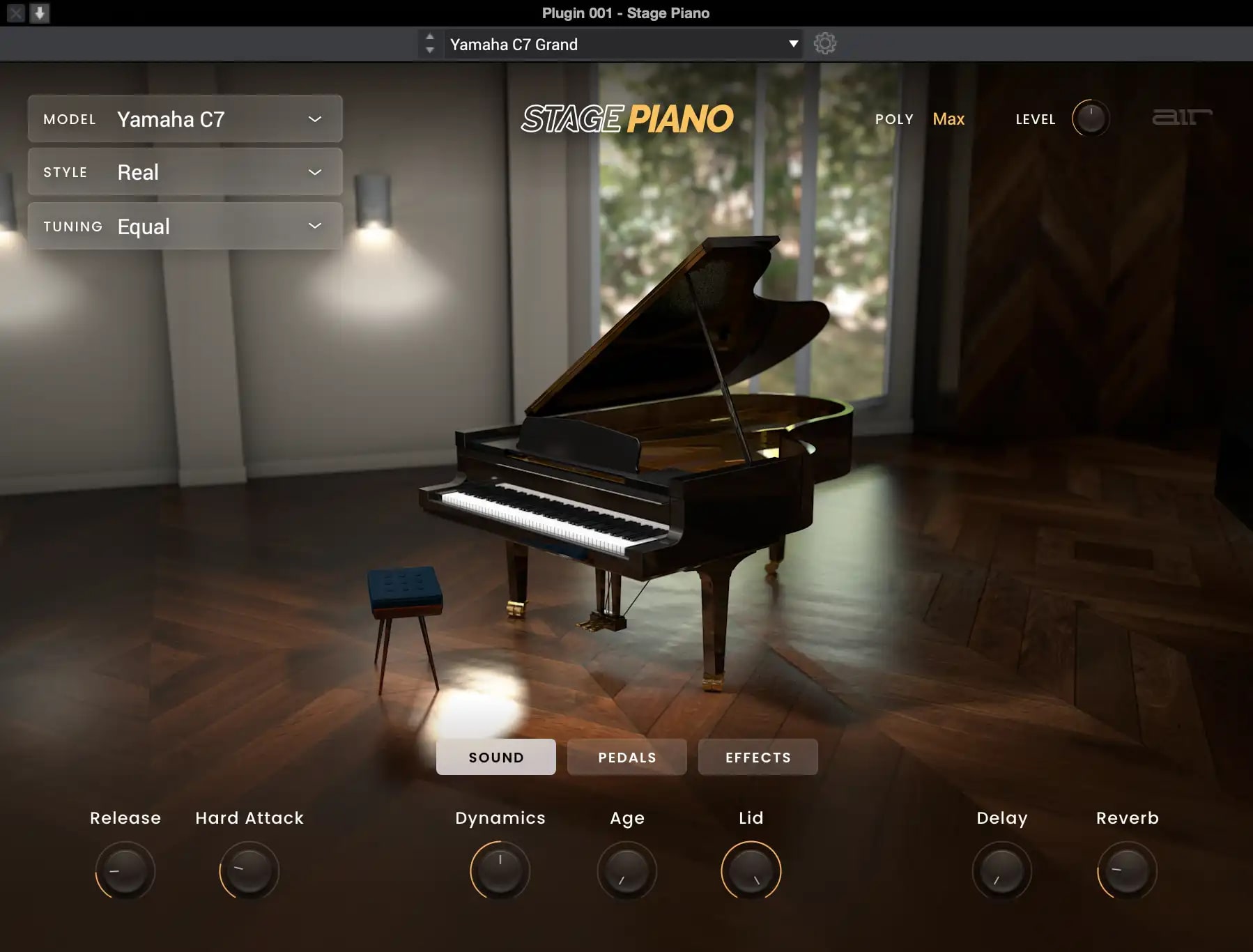
Yamaha C7
This 7-foot-wide piano is one of the world’s most in-demand models for the stage and live recording. You can usually find this piano in well-equipped and expensive studios, jazz venues, and hotel lobbies thanks to its rich tone and “just right” natural volume in various spaces.
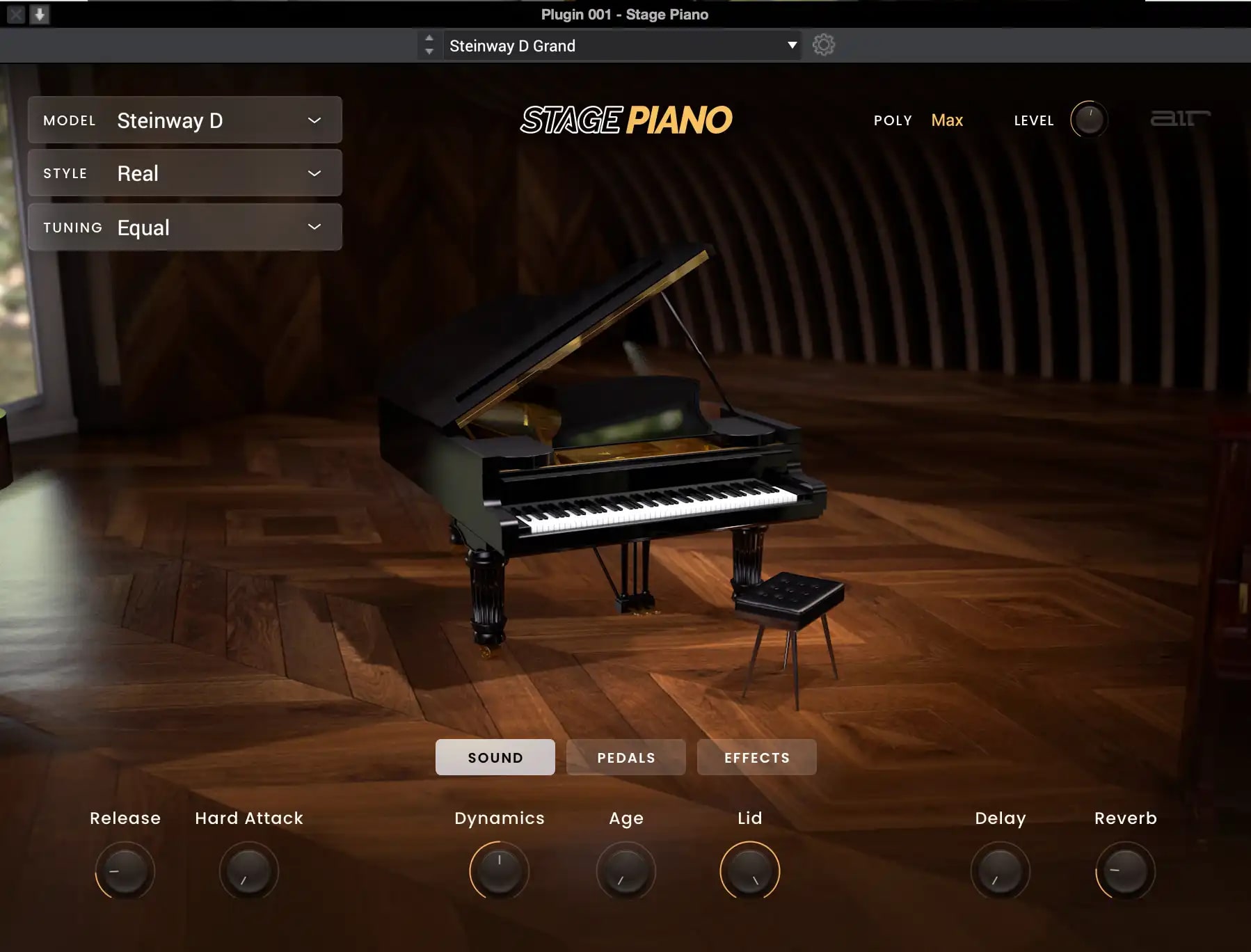
Steinway D
Since 1853, Steinway Pianos have been famous for their warm, rich, and resonant tones. The Steinway D is known for its unparalleled quality, craftsmanship, and nuanced playability. At over 9 feet wide, it’s also one of the most expansive and expensive pianos you could ever buy—it’s so big it takes up a whole room!
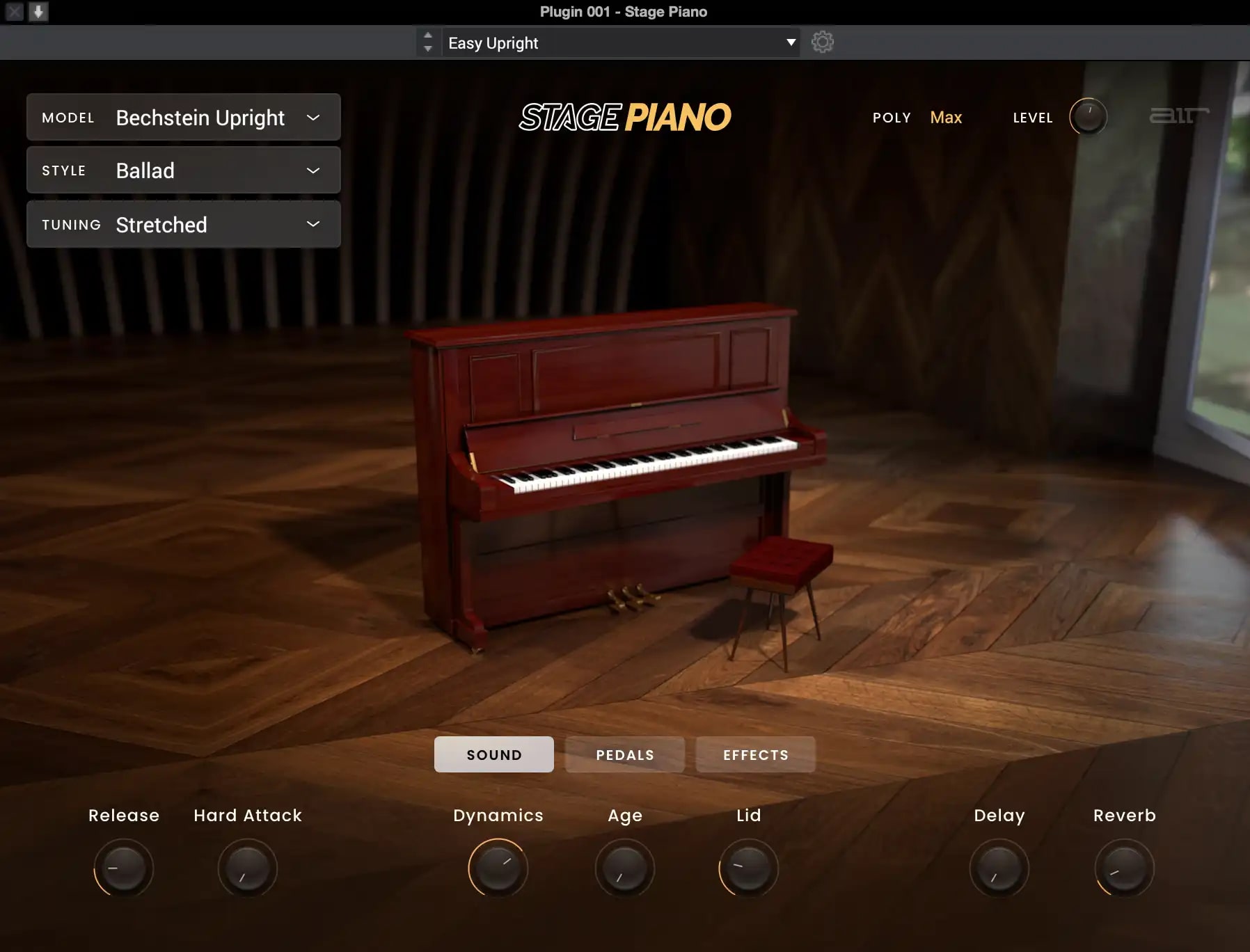
Bechstein Upright
This legendary piano crafted in Germany has one of the richest histories of all pianos. Bechstein upright and grand pianos use every well-known piano manufacturing process, resulting in instruments capable of subtle nuance and detailed responsiveness. This Bechstein upright model will have you playing classic piano tunes with one of the most iconic piano tones ever.
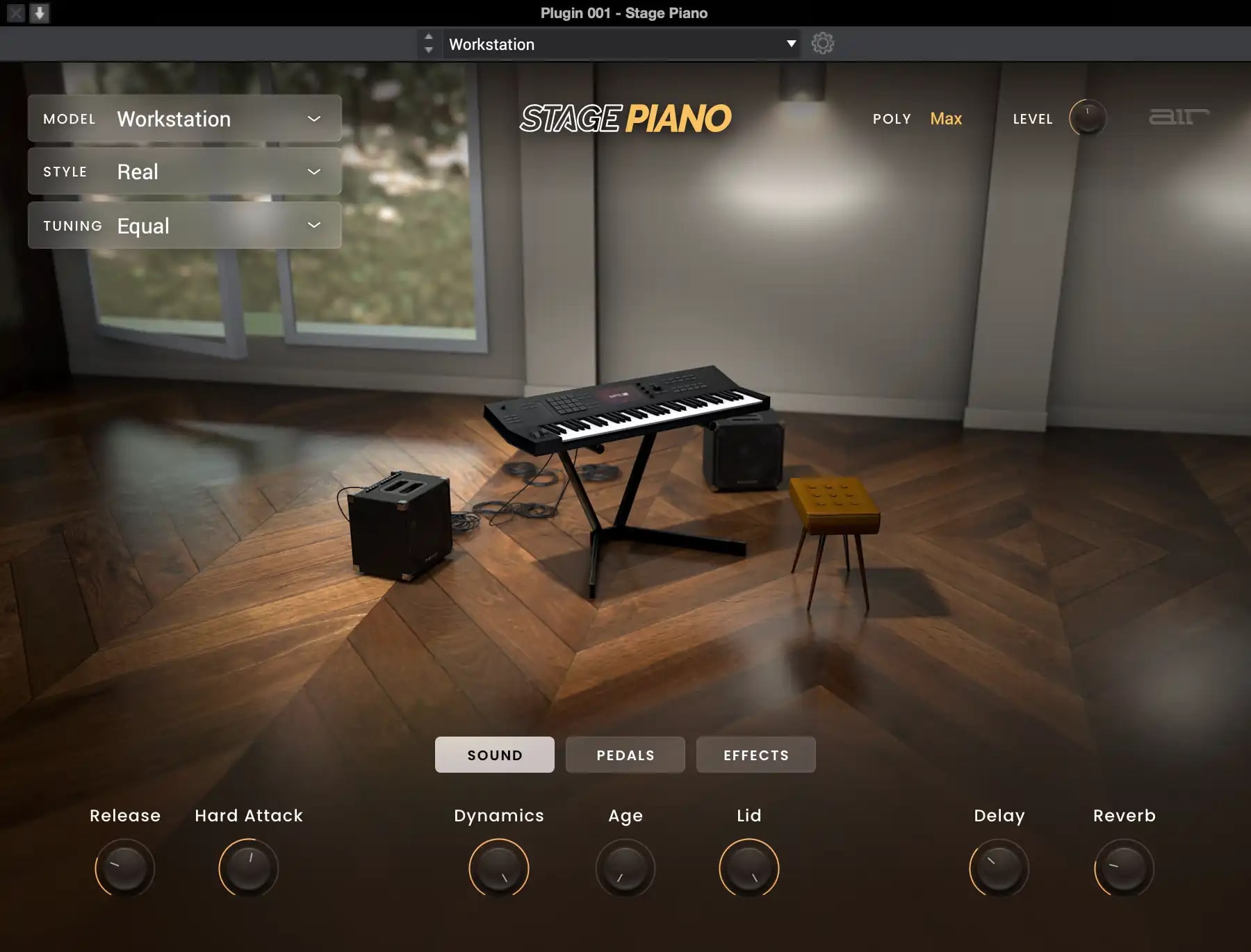
Workstation
The workstation model was taken directly from AIR’s highly acclaimed Xpand!2 sample library and features a “classic” synthesizer workstation style tone with a harder transient attack and more high-end color. It is perfect for getting the piano sound you’ve heard on thousands of records of the 90s, 00s, and today. This model is your typical “workhorse” piano with a sound that will cut through any mix!
Elegant and Expressive Piano Sounds Sampled from World-Renowned Instruments
Experience the joy of playing the most acclaimed pianos in history with brilliant multi-sampled sounds that offer you access to the original instrument’s sonic characteristics and timbre options. With its elegant interface, you can control the piano model's dynamics, age, and even the lid position and mechanics of the hammers. Stage Piano also gives you access to attack and release amplitude control, bringing your concert to life. In addition, Stage Piano includes a powerful FX section allowing you to add creative timbres to your tones.
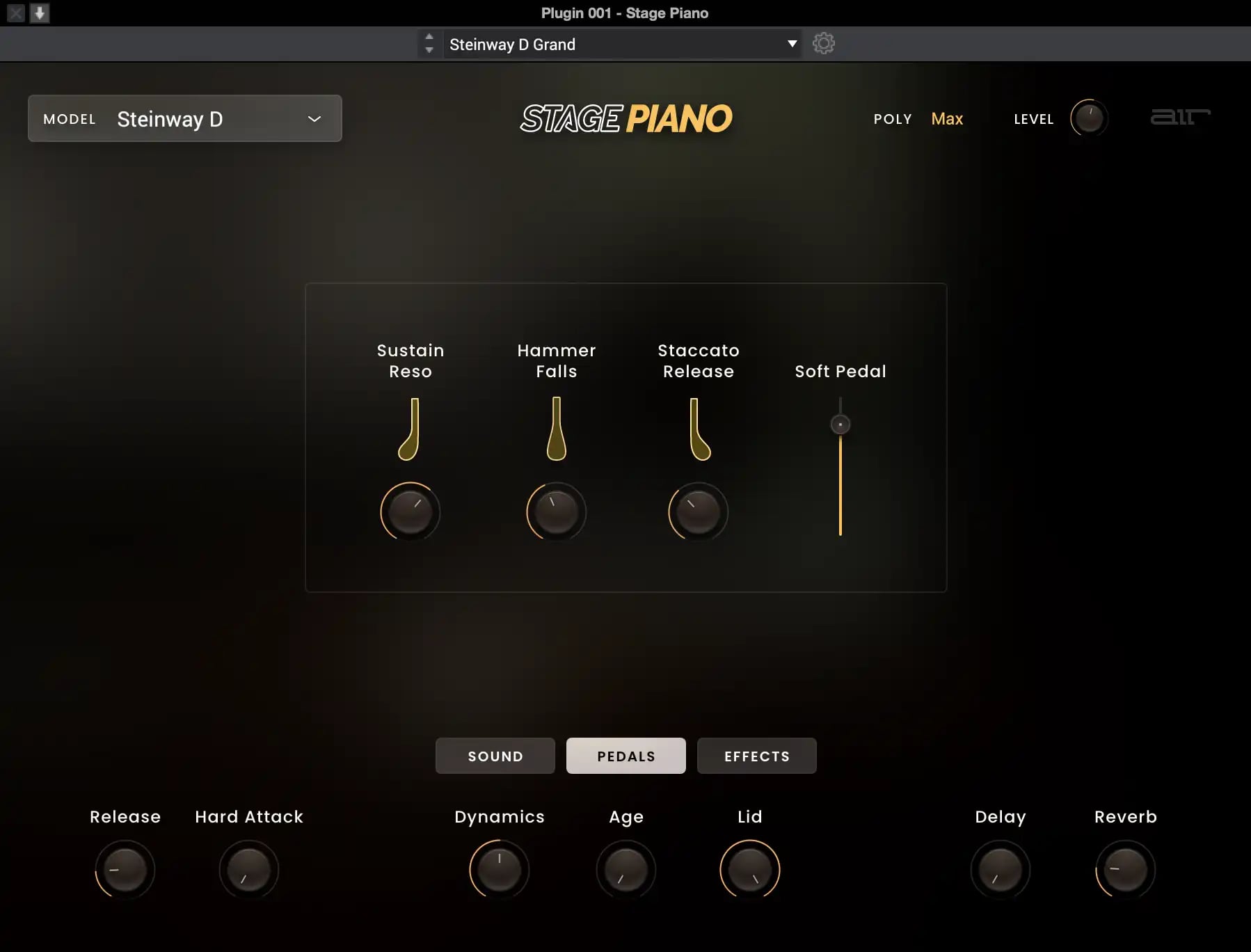
Put the Pedal to the Metal!
We built Stage Piano with piano players in mind, whether they are on-stage or in the studio. The plugin includes plenty of articulations and foot pedal parameters that give you the natural expression of a real acoustic piano. Each sample set offers separate pedal parameters that will let you adjust the level of sustain resonance, the hammer falls, staccato release, and soft pedal to create a genuinely accurate piano performance.
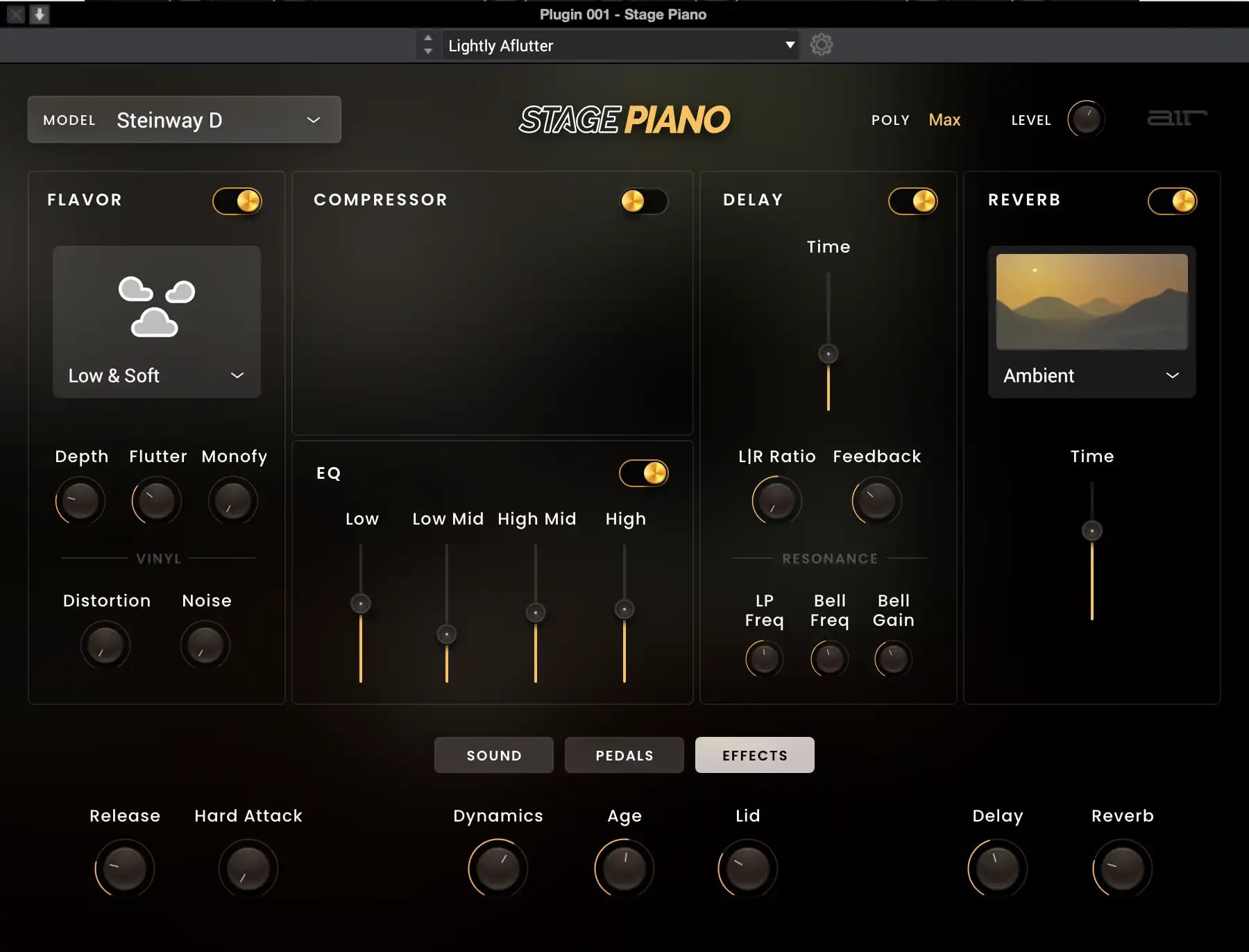
Built-In Effects Engine to Color and Stylize your Piano Sounds
Stage Piano includes multiple effects like Flavor timbre control, EQ, compression, rich reverb, and delay. Create brilliant shimmers, dark haunting echoes, or spacey washed pianos with a cutting-edge effects engine built into the instrument.
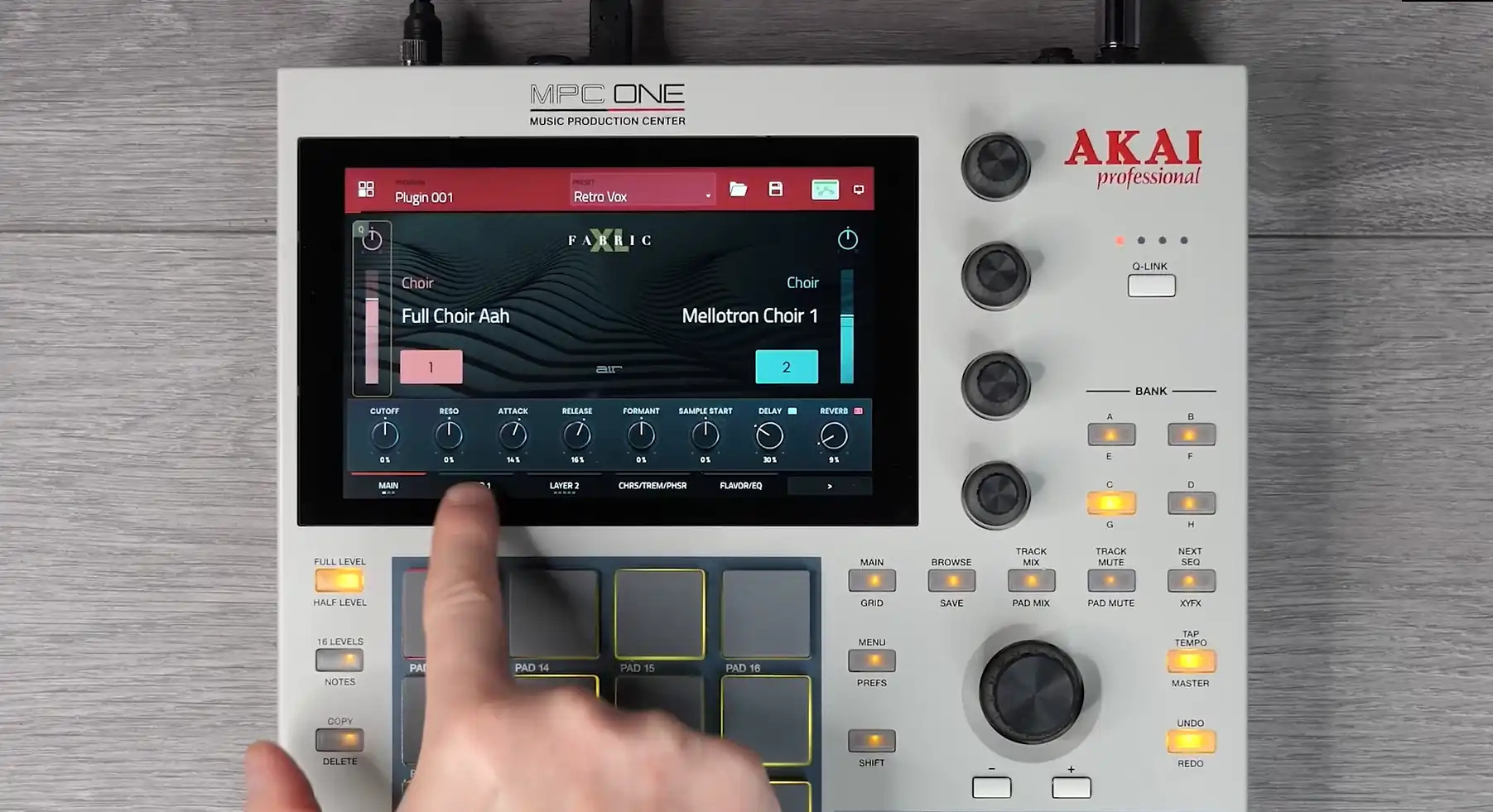
Unlock these sounds in Akai MPC/FORCE for FREE
Purchase this plugin and you’ll get the ability to unlock it within your Akai Professional MPC / FORCE Standalone hardware as well as using within your favorite DAW. Seamlessly move productions from standalone hardware to your DAW with the same great sounds.
Features
- Four world-class piano sample sets captured from the Yamaha C7 Grand, Steinway D Grand, Bechstein Upright, and Classic “Workstation” sounds
- Control hammer falls, sustain, staccato, and soft pedals to craft the perfect piano performance
- Built-in multi-effects engine with compressor, EQ, delay, reverb, lo-fi effects, and more
- Digital modeling technology is used in conjunction with samples to create sympathetic resonance and advanced control over the detailed sound of the piano
- Support for VST, AU, AAX and MPC/FORCE standalone formats
- Purchase unlocks plug-in on three devices including PC, MAC (VST, AU, AAX) and Standalone (MPC & FORCE)
System Requirements
Mac
- macOS 12, 13, 14, 15 (Intel & Apple Silicon)
- 2GB free disk space (20GB for all content)
- 4GB RAM (8GB recommended)
- Dual-core 2.5GHz CPU
- VST 2/3 Plugin compatible host
- AAX plugin compatible host
- AU plugin compatible host
Windows
- Windows 10 - Windows 11
- 2GB free disk space (20GB for all content recommended)
- 4GB RAM (8GB recommended)
- Dual-core 2.5GHz CPU
- VST 2/3 compatible host
- AAX plugin compatible host
Important notes:
- An internet connection is required to authorise this software.



















