Log In

Free gifts available with your purchase
Sea Sampler is a super unique and creative tool for generating chaotic textures.
Drop samples into the sea, then unleash flocks of fish with your keyboard to play them.
THE FUN STUFF
Drop in your Samples
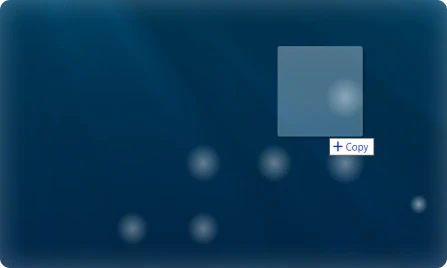
The Sea Sampler will analyze and automap them, creating an Object
Manipulate Objects

Drag in the center to move them
Drag on edges to resize
Make them very small to remove
Spawn Fish
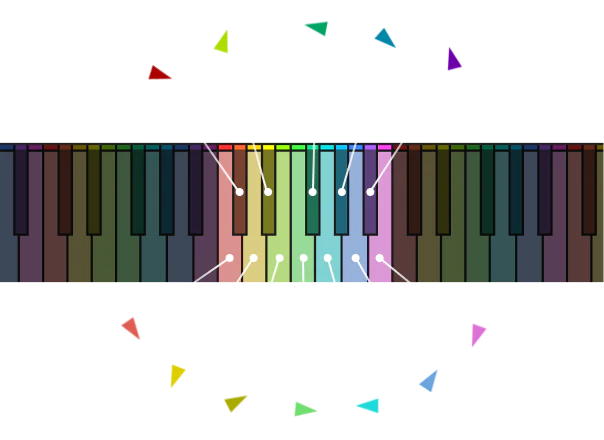
Each pitch you play spawns a different color fish. The fish's starting speed depends on how hard you play
When fish collide with objects, the object's sample gets triggered, whatever pitch the fish is
The faster the fish, the louder it will be
CONTROL THE FISH
Emitter
This is where fish spawn from. When you drag it around, it will attract the fish. The faster it is moved, the more the fish will be attracted. Note that if you turn down Visual Range, the fish further away won’t be able to see the emitter.
Max Fish
This controls how many fish there can be at once. Once the limit is reached, the oldest fish are replaced by the new ones.
Pedal
Hold down the Pedal to keep fish alive even after you have let go of the key
Modwheel
The higher you put the Modwheel, the more often fish will emit
Pitchwheel
Speed up or slow down the simulation’s framerate using the Pitchwheel
Expression (CC 11)
Move Expression to twirl the emitter in a circle
Control the Objects
Change the sound of objects by changing their pitch, filtering them, sending them to different reverbs, or enveloping them.
Features
- Manipulate Objects - drag in their center to move them, or drag on edges to resize. You can also remove them by making them very small
- Spawn Fish - Each pitch you play spawns a different color fish. The fish's starting speed depends on how hard you play. When fish collide with objects, the object's sample gets triggered, whatever pitch the fish is. The faster the fish, the louder it will be.
- Emitter - This is where fish spawn from. When you drag it around, it will attract the fish. The faster it is moved, the more the fish will be attracted. Note that if you turn down Visual Range, the fish further away won’t be able to see the emitter.
- Pedal - Hold down the Pedal to keep fish alive even after you have let go of the key
- Pitchwheel - Speed up or slow down the boid simulation’s framerate using the Pitchwheel
- Max Fish Control - This controls how many fish there can be at once. Once the limit is reached, the oldest fish are replaced by the new ones
- Modwheel - The higher you put the Modwheel, the more often fish will emit
- Expression (CC 11) - Move Expression to twirl the emitter in a circle
- Change the sound of objects by changing their pitch, filtering them, sending them to different reverbs, or enveloping them.
System Requirements
- Kontakt Player Version 7.3 or above (Will also work in Full Kontakt Version 7.3 or above)
- Windows 10/11
- Intel Macs (i5 or higher): macOS 10.15, 11 or 12 (latest update)
- Apple Silicon Macs (via Rosetta 2 & natively on ARM in Standalone or in hosts that support it): macOS 11 or 12 (latest update).
- Presets include samples taken from other Osterhouse Sounds libraries, synthesized sounds, and recordings of household objects. These samples are available as WAV files

Note: This product is compatible with the FREE Native Instruments Kontakt Player 7.3 or later.