


 Log In

Free gifts available with your purchase

Effortless Vocals
Bloom Vocal Aether Lite combines vocal loops, one-shots and phrases into a playable instrument that has been engineered and curated to provide a stunning sonic experience out of the box. Phrases can be triggered, transformed and rearranged to add a unique emotional element to your music — all in key and in time with your project.
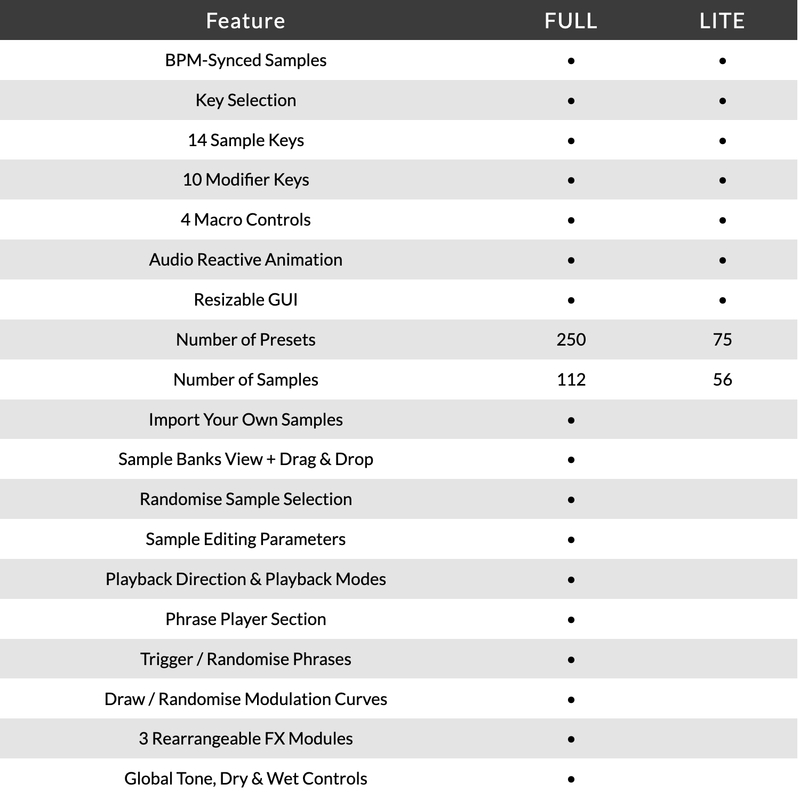
Please Note: This is the Lite version of Bloom Vocal Aether. The full version of Bloom Vocal Aether is also available. A comparison table of features is available at the bottom of this product page.

What Can Bloom Vocal Aether Lite Do?
- Instantly add vocals to bring your tracks alive
- Produce ear-catching phrases and motifs
- Introduce beautiful breathy textures
- Switch between energetic, chopped-up hooks
No more searching through vocal samples, with Bloom Vocal Aether Lite, you can switch between phrases to create unique hooks, build huge FX modulation to pull your listeners in and transform it all with a chain of vocal-specific processors.
Choosing the perfect vocals for your project is now a playable and spontaneous experience, with easy keyboard control over triggering sounds and modifying their properties, and four macro controls that handle immediate effects processing.
How it Works
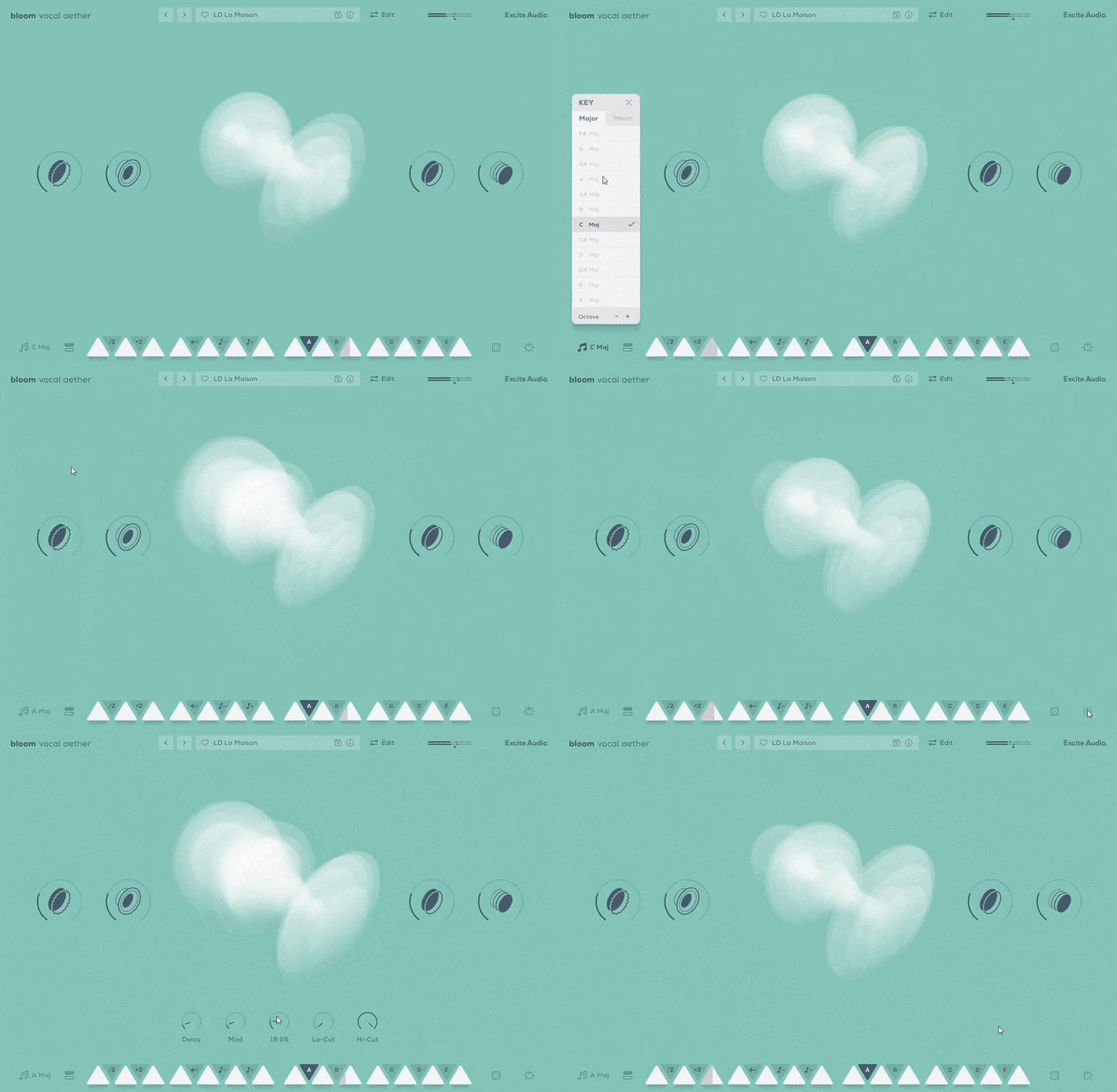
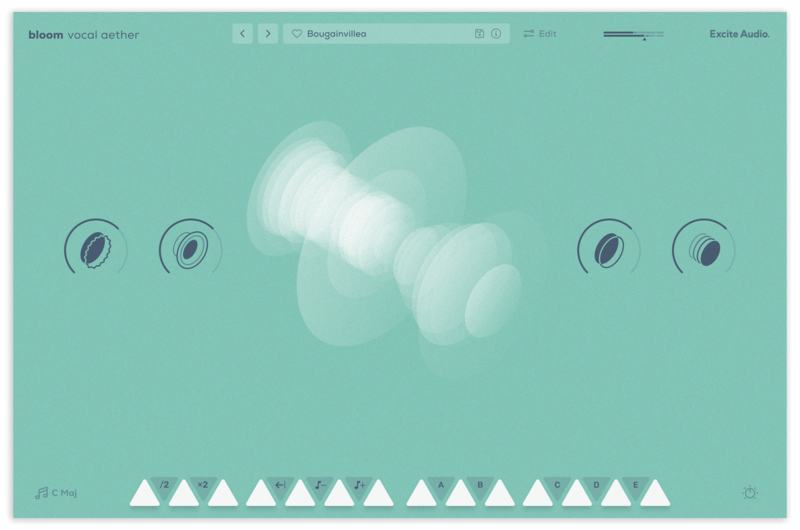
Choose your key signature, select a preset and trigger one of 14 bpm-synced samples spread across 2 octaves. White notes trigger samples and loops, while black notes change properties like playback speed and tuning, as well as trigger custom-made sequences and effect modulation. Four macro controls command a curated chain of effects, their settings expertly tuned to samples that form the instrument.
The Main Page
There are 56 unique vocal samples included, with each of the 75 presets being built from a unique combination of these samples, phrases and effects settings. The phrases have been custom-built using the Phrase Player found in the full version of Bloom Vocal Aether and can be triggered by one of the five dedicated phrase keys A-E. As well as triggering samples, the Phrase keys also have the ability to trigger effects modulation, making each preset capable of an enormous range of customisability.
Bloom Vocal Aether Lite’s effects include Excite Audio’s proprietary Delay, Reverb and Modulation algorithms as well as global hi- and lo-cut filters. These effects let you refine and customise your vocal phrases in a completely new direction.
Features
- 14 Sample Keys
- 5 Factory Modifiers: Half-time, Double-Time, Reverse, Octave Down, Octave Up
- 5 Custom Modifiers
- 4 Sample Banks / 56 Vocal Phrases
- Samples Synced to Host BPM
- Key Selection
- 4 Macros: Warmer, Speaker, Doubler, Ethereal
- 5 Main FX Parameters: Reverb, Delay, Modulation, Lo-Cut, Hi-Cut
- 75 presets
- All samples that come with Bloom Vocal Aether are royalty-free
Version Comparison
System Requirements
macOS
- macOS 10.15 or higher (Intel / Native Apple Silicon supported).
- Plugin Formats: VST, VST3, AU, AAX, Standalone
- DAW's Supported: Ableton Live, Pro Tools, Logic Pro, FL Studio, Cubase, Nuendo, Reaper, Reason + more.
- Compatibility: 64-bit compatible only.
Windows
- Windows 7 or higher
- Plugin formats: VST, VST3, AAX, Standalone
- DAWs supported: Ableton Live, Pro Tools, FL Studio, Cubase, Nuendo, Reaper, Reason + more.
- Compatibility: 64-bit compatible only.
Please Note: An internet connection is required to authorise this software.

Sound On Sound
Monthly music technology magazine.
"A flexible and fun way to generate atmospheric vocal sounds."
.jpg?t=1789904928)
KLAX
Drum & Bass production trio with releases on Warner Bros, Critical, Shogun Audio and more.
"When we're in search of exciting new ideas, we can always trust the Bloom instruments to spark some inspiration."

Ed is Dead
Electronic musician, producer and composer. Universal Music, Idioteque Records and more.
“I love the sampling engine it has. And besides its use for chops and vocal atmospheres, the drone section is spectacular, super inspiring.“
Reviews Summary
While it aims to provide a helpful overview, it may not capture every perspective or detail. We encourage you to read individual reviews to make an informed decision.
Overall, users appreciate this plugin for its beautiful, ethereal, and cinematic vocal textures, frequently highlighting it as an easy-to-use and cost-effective alternative to plugins like Arcade. While most reviewers praise its sound quality and ability to enrich productions, a few note that it is fairly basic, lacks deep customization, and may not fit every musical style.


