


Buy Pro Series Compressor, get a free gift with purchase:
The World’s First Matching and Component Based Studio Plug-Ins
Over the past decade, professional effects plug-ins have been about authentic analog emulation of original hardware, with either a black-box approach or circuit analysis and emulation. This gives musicians an easy-to-use user interface and faithful reproduction of analog tone in the digital domain.
Looking forward, the question is how we can create new tools to maximize the sound quality and usability with today’s new technology, with faster processors and memory, matching analysis, advanced nonlinear processing, and a cloud-based worldwide community. What can we do better, smarter, and more efficient?
Positive Grid teamed up the world’s brightest DSP engineers and component level modeling and matching authorities, working with the world’s leading producers, world-class engineers, and mixing & mastering gurus to develop some breakthrough technologies to bring software plug-ins to the next level.
Matching Compressor
The world’s first and unique compression matching works by measuring the dynamic response, pre and post filters, nonlinear transformer characteristics, and attack, release, and ratio curves to capture the nuanced sound of any compressor.
It accurately recreates the underlying architecture of the best compressors in the world, with the most intuitive user interface ever in a desktop plug-in. Audio engineers and musicians will now have virtual access to a wide assortment of the best compressors in the world, no longer limited by the traditional plugin architecture.
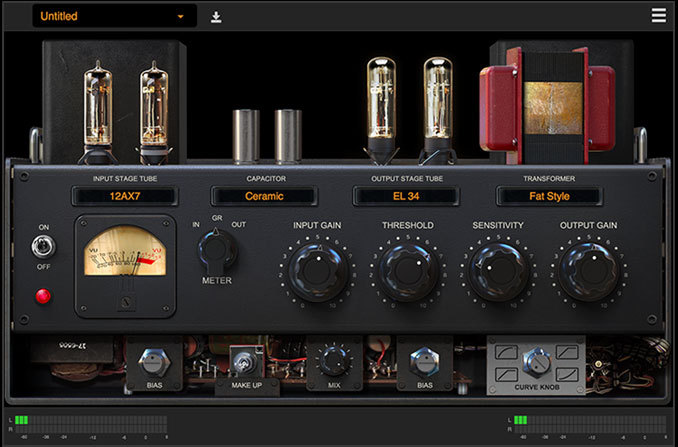
Tube Compressor
Models classic analog tube compressor at component level to add richness and fullness to the overall sound. You can instantly feel the difference by changing the input and output tubes, capacitors and transformers. Change the tubes and you can add a different harmonic characteristic and warmth to the sound, while changing capacitors and transformers colors the sound and brings up the high and low end.
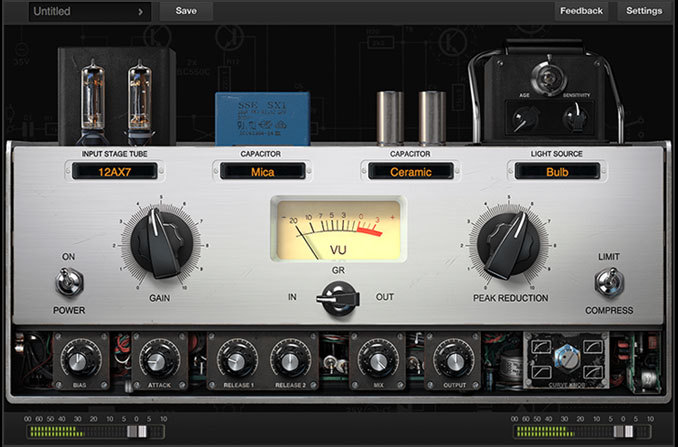
Optical Compressor
It provides a careful emulation of the original optical compressor now at component level: you can even change capacitors to enrich the overall sound. We even modeled the light source and detector behavior, so you can fine tune and get the perfect attack and release characteristics by changing the light source, light source age, light source sensitivity, attack, and release knob.
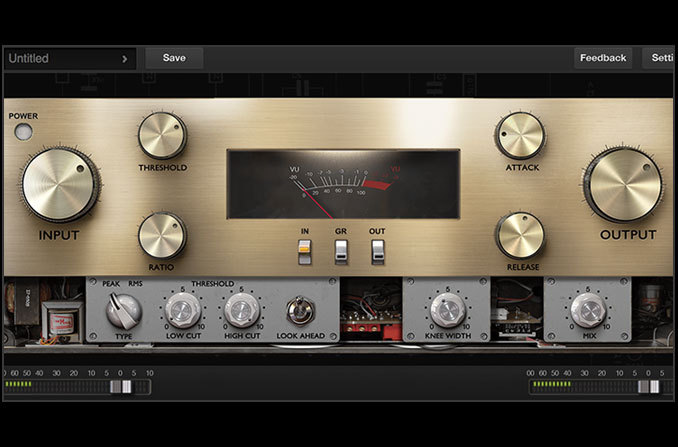
FET Compressor
It captures the authentic sound and feel of the classic FET studio compressor thanks to its extremely accurate matching technology. At component level, it catches the peak very and applies compression with a very fast attack time, release time and look ahead function. It also filters out the low-end and high-end in its detector, so you can control the frequency range you want to trigger in the compression.
More Models…
Positive Grid is currently working with mixing and mastering gurus and engineers to create professional compressor match models made from recordings in leading studios. Stay tuned, as more is coming.
Features:
- 3 individual compressors: FET, Tube and Optical
- Profiling Technology captures any real world analog compressor nuance
- Component level modeling, virtually swap out components
- Extremely high quality audio processing architecture
- Download compressor profiles (coming soon)
System Requirements
Mac OS X:
- OS X 10.9 or later
- Audio Units, VST, RTAS, AAX Native
- 4GB of RAM minimal, 8GB or more recommended
- 400MB free disk space
- Pro Series plug-in requires A DAW software (Digital Audio Workstation) to host, it doesn’t have a Standalone version at this moment
Windows:
- Windows 7 (SP1) or Windows 8, Windows 10
- VST, RTAS, AAX Native
- 4GB of RAM minimal, 8GB or more recommended
- 1.5GHz Dual core processor minimal, 2.0GHz Dual core or more recommended
- 250MB free disk space for per version (32 or 64 bits)
- Pro Series plug-in requires A DAW software (Digital Audio Workstation) to host, it doesn’t have a Standalone version at this moment
Supported Hosts
- Ableton Live 8.0 or above
- Avid Pro Tools 10 or above
- Ardour 3.0 or above
- Apple Logic Pro 9.0 or above
- Apple GarageBand 6.0.5, 10.0 or above
- Bitwig Studio 1.0 and above
- Cakewalk Sonar X2 or above
- Cockos Reaper 3.4 or above
- Harrison Mixbus 2.0 or above
- Steinberg Cubase 5.0 or above
- Steinberg Nuendo 4.3 or above
- MuTools MuLab 6.0 or above
- PreSonus Studio One Producer/Professional 2 or above
Note: Pro Series plug-in requires A DAW software (Digital Audio Workstation) to host, it doesn’t have a Standalone version at this moment
Installation Instructions
Mac:
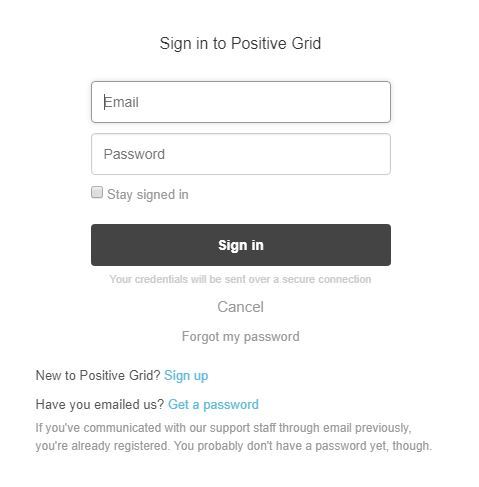
1. Log into/create your Positive Grid User Account.
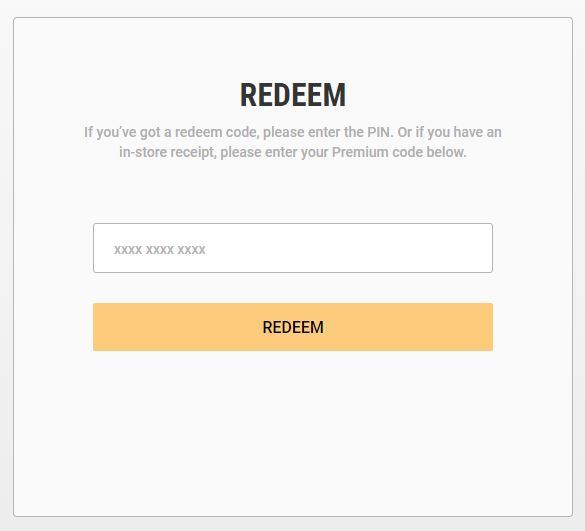
2. Copy and paste/manually enter the serial number from your User Account via Positive Grid's Redemption Area > click 'Redeem.'
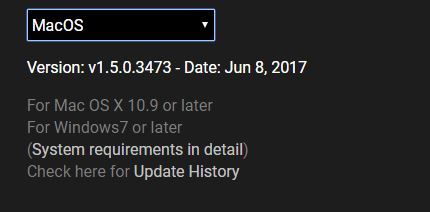
3. The download option will become available for your purchased product via the Positive Grid's download page. Scroll down the page to find your purchased product (Mac OS) installer, and click 'Download.'
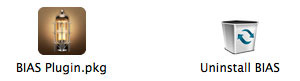
4. Once the download has concluded, double-click and open the .pkg file to run the installer.
Note: BIAS FX Desktop is used as the example.
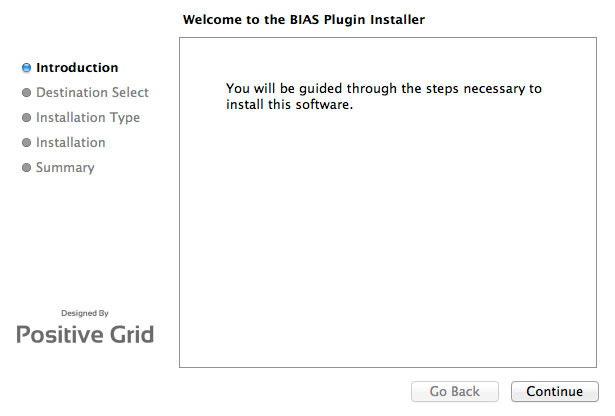
5. Click 'Continue.'
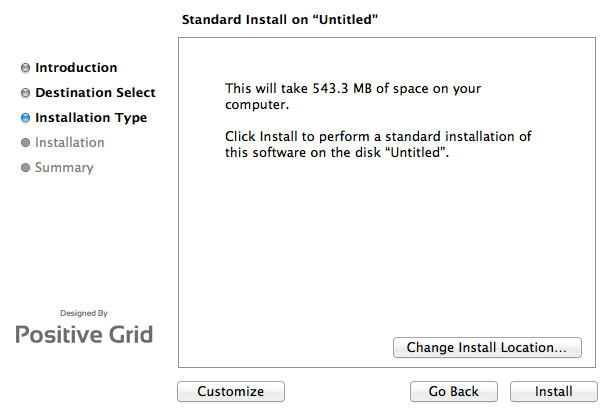
6. Confirm the computer folder/location in which to save the software to > click 'Install.'
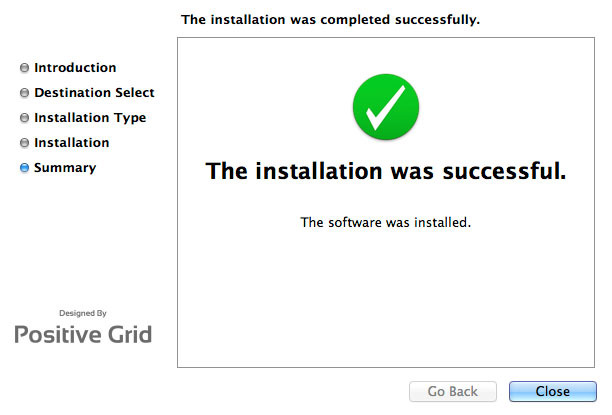
7. Once the installation has successfully completed, click 'Close.'
8. Restart your DAW and open the software.
Note: You may need to refresh/rescan your DAW's plug-in selection, in order to show the new installation.
Activation
1. Open the software and click the settings icon on the upper right corner of the window. Then click "Login ToneCloud" in the drop-down menu to log in and activate the software.
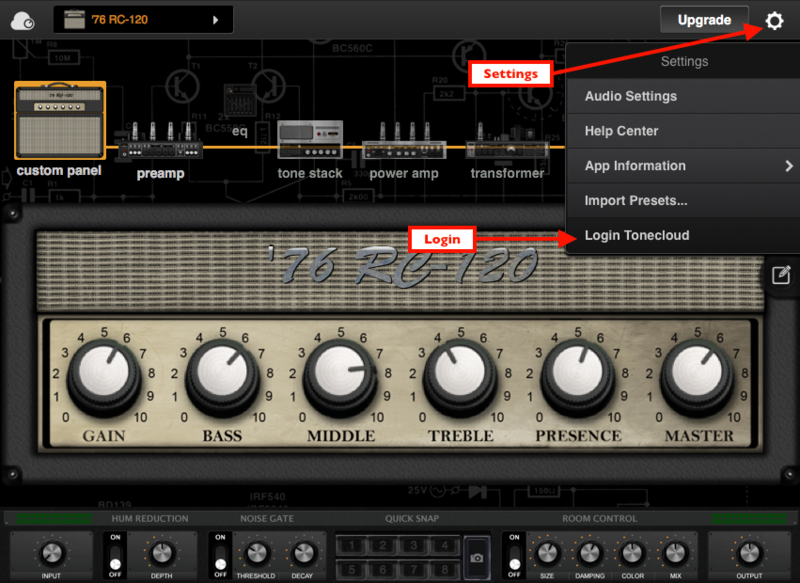
2. To check if the software has been activated, go to settings, App Information and make sure that it shows "Desktop" (for Standard license) or "Professional" (for Professional license) under License Tier.
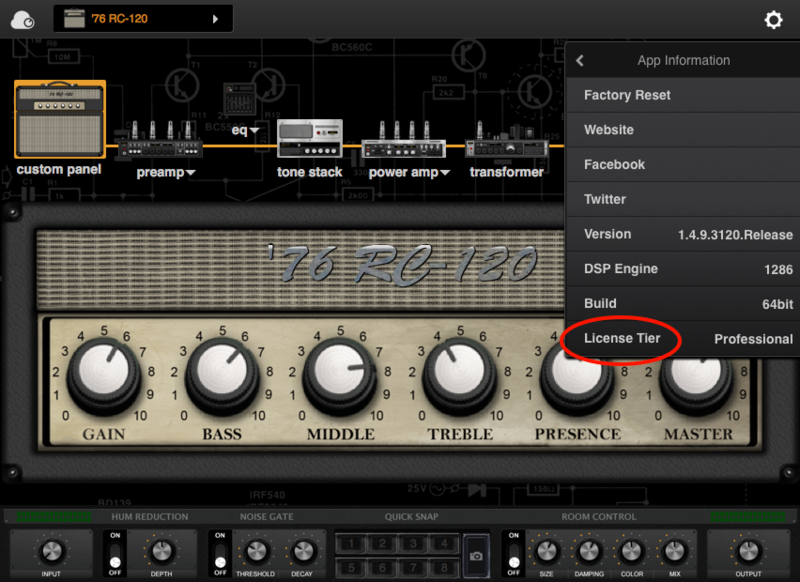
Your software is now activated into full version mode, ready for use within your DAW
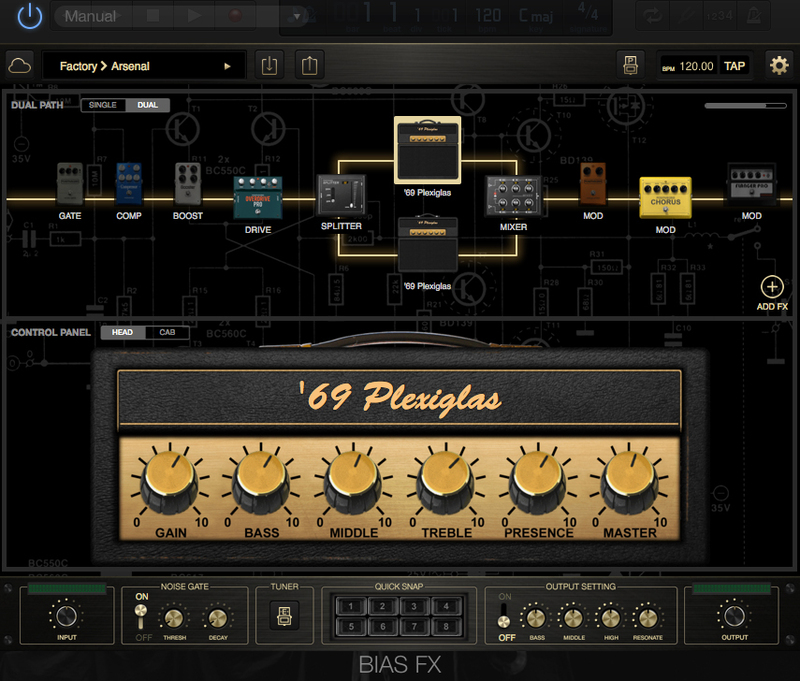
Experiencing Trouble Activating Your Software?
1. If you still can't log in after following the steps, something must went wrong. Please refer to this article for troubleshooting.
2. The licence will be tied with the account which you key in after the purchase process. If you log in with a different account, BIAS will turn into a demo version. Please make sure you are using the same account you signed up with for the purchase.
3. BIAS Desktop allows you to activate the full licence on 2 devices. Please make sure the quota is still enough. You can release the quota by uninstall the software completely from your devices.
4. Another common root cause is the firewall setting of your anti-virus software. If the version you are using is a Demo (disabled "save/save as", system message showing for upgrade) and is unable to activate to standard version. Please disable your anti-virus software temporarily then try again.
PC/Windows:
1. Log into/create your Positive Grid User Account.
2. Copy and paste/manually enter the serial number from your User Account via Positive Grid's Redemption Area > click 'Redeem.'
3. The download option will become available for your purchased product via the Positive Grid's download page. Scroll down the page to find your purchased product (Windows 32-bit/64-bit)) installer, and click 'Download.'
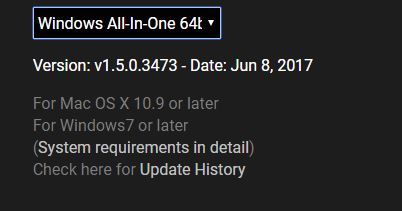
4. Once the download has concluded, double-click and open the .msi installer file to run the installer.
Note: BIAS FX Desktop is used as the example.
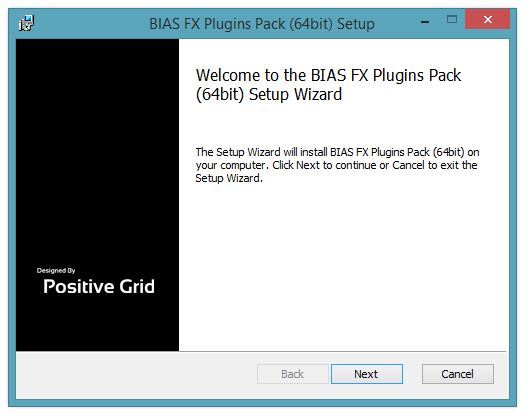
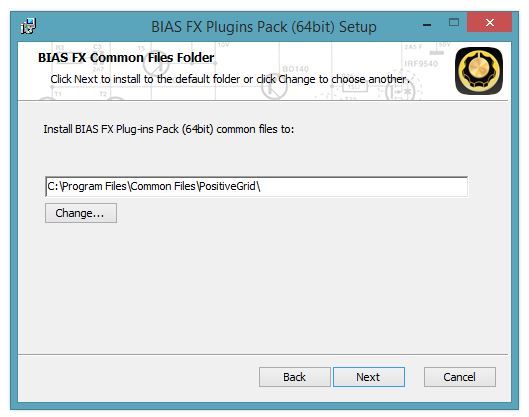
5. Choose and select a software folder in which to install the 64-bit format common files to > click 'Next.'
Note: 32-bit software formats need to be saved to - C:\Program Files (x86)\Common Files\PositiveGrid\
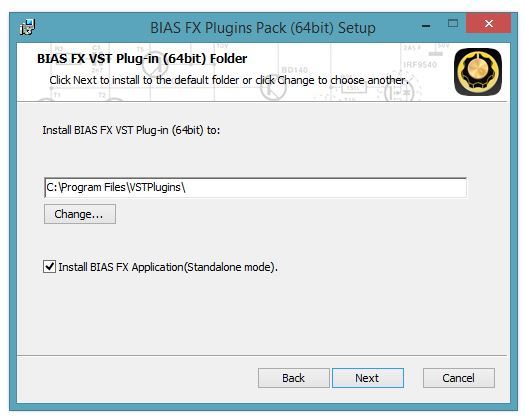
6. Choose and select a software folder in which to install the 64-bit format VST files to > click 'Next.'
Note: 32-bit software formats need to be saved to - C:\Program Files (x86)\VSTPlugins\
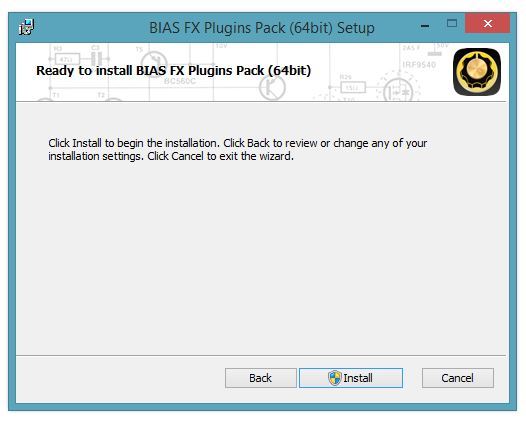
7. Review the installation and click 'Install.'
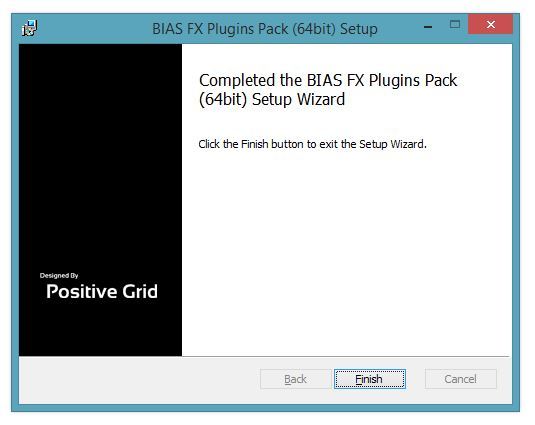
8. The installation of your software has successfully completed > click 'Finish.'
8. Restart your DAW and open the software.
Note: You may need to refresh/rescan your DAW's plug-in selection, in order to show the new installation.
Activation
1. Open the software and click the settings icon on the upper right corner of the window. Then click "Login ToneCloud" in the drop-down menu to log in and activate the software.
2. To check if the software has been activated, go to settings, App Information and make sure that it shows "Desktop" (for Standard license) or "Professional" (for Professional license) under License Tier.
Your software is now activated into full version mode, ready for use within your DAW
Experiencing Trouble Activating Your Software?
1. If you still can't log in after following the steps, something must went wrong. Please refer to this article for troubleshooting.
2. The licence will be tied with the account which you key in after the purchase process. If you log in with a different account, BIAS will turn into a demo version. Please make sure you are using the same account you signed up with for the purchase.
3. BIAS Desktop allows you to activate the full licence on 2 devices. Please make sure the quota is still enough. You can release the quota by uninstall the software completely from your devices.
4. Another common root cause is the firewall setting of your anti-virus software. If the version you are using is a Demo (disabled "save/save as", system message showing for upgrade) and is unable to activate to standard version. Please disable your anti-virus software temporarily then try again.


