/ Complete Collection / MSoundFactoryPlayer
MeldaProduction

MSoundFactoryPlayer

4.4 (332 Reviews)
FREE
Melda Production MSoundFactoryPlayer - User Interface
Product information

MSoundFactoryPlayer is completely for FREE! It gets you just a few sounds, but you may get some 3rd party sounds for it as well! You can get it simply by letting MSoundFactory trial expire.

Important Note: When installing MSoundFactoryPlayer, simply install the MSoundFactory product. Your free trial will run for 15 days, before automatically becoming the MSoundFactoryPlayer. No further installation is required.

Which Version of MSoundFactory is right for you?

Features

 MSoundFactory   MSoundFactoryLE 

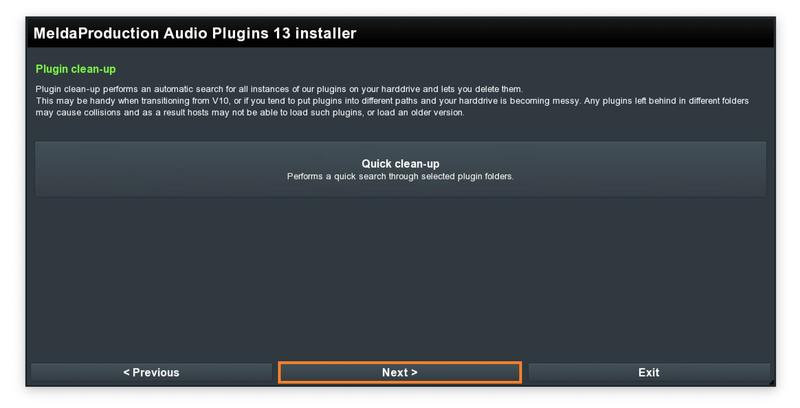
 MSoundFactory  Player

All Sounds and Instruments Included Yes Yes No
Third Party Full Support Yes Yes Yes
Customizations Yes Limited No

System Requirements

Windows

  • Windows 8 / 10 / 11 (64-bit)
  • VST / VST3 / AAX compatible host (64-bit)
  • Intel/AMD processor with SSE2 support

macOS

  • macOS 10.14 and newer (64-bit)
  • VST / VST3 / AU / AAX compatible host
  • Intel/AMD/M1 processor with SSE2 support
  • Native Apple Silicon ARM CPU support

Note: Please check your product PDF documentation for more information and installation instructions.
Installation Instructions

Important Notes:

  • When installing MSoundFactoryPlayer, simply install the MSoundFactory product. Your free trial will run for 15 days, before automatically becoming the MSoundFactoryPlayer. After this, no further installation is required.
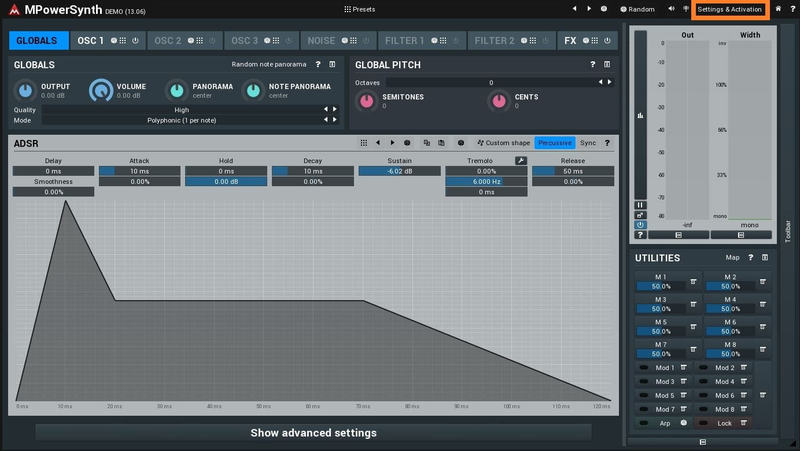
  • MPowerSynth is used as an example

Mac Installation

(Please scroll down for Windows Installation)

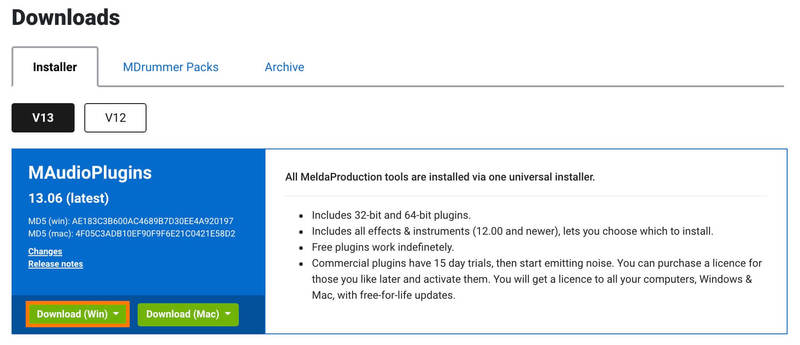
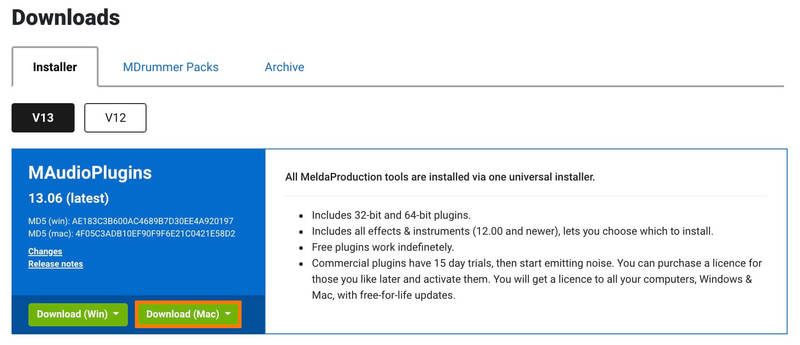
1. Visit https://www.meldaproduction.com/downloads to download the latest MeldaProduction installer.

2. Please click 'Download (Mac)' to download the MAudioPlugins installer.

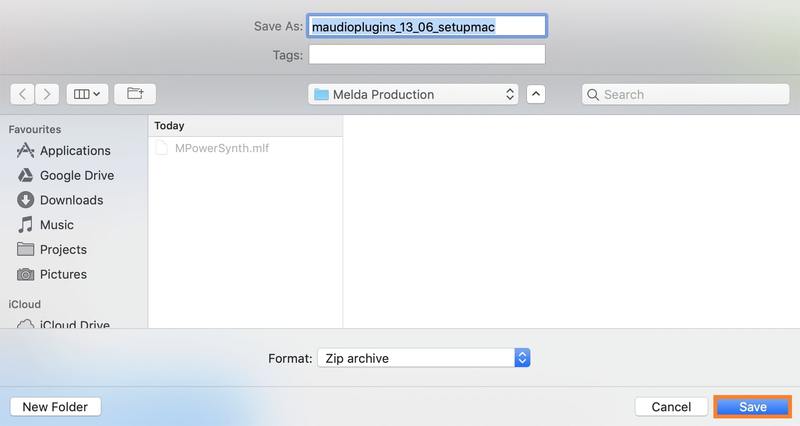
3. Choose the location you want the installer to be downloaded to > click 'Save.

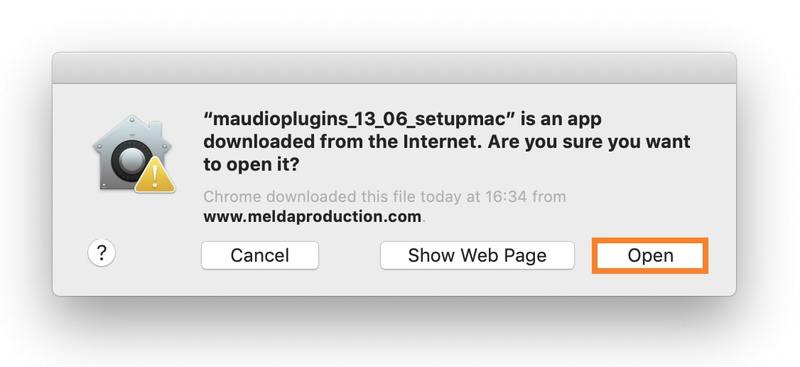
4. Click 'Open'.

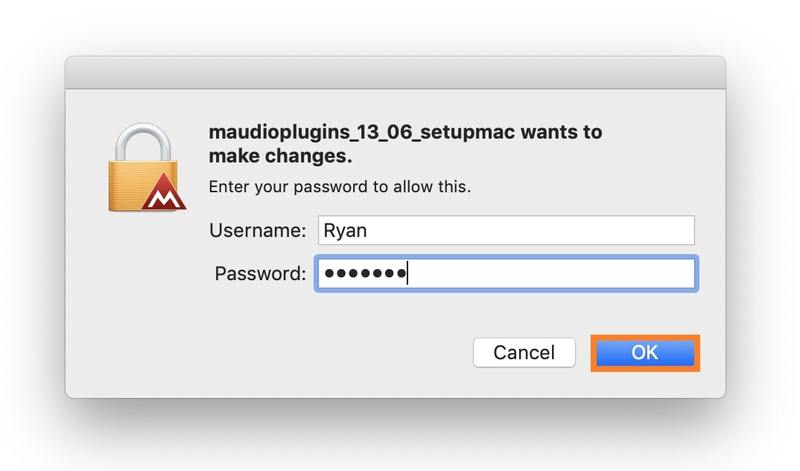
5. Enter your Password > click 'OK'.

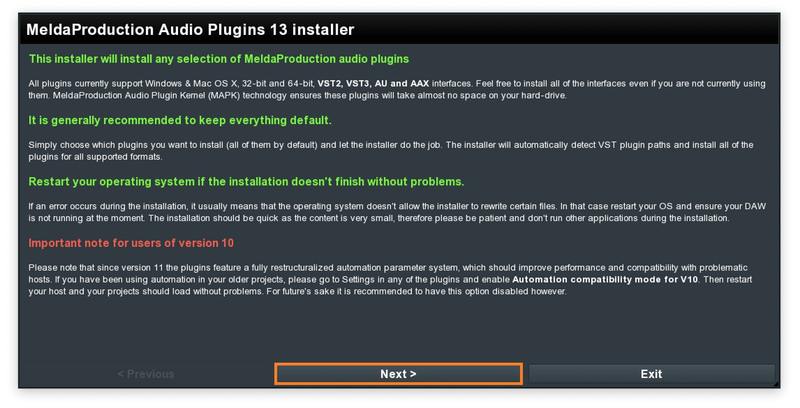
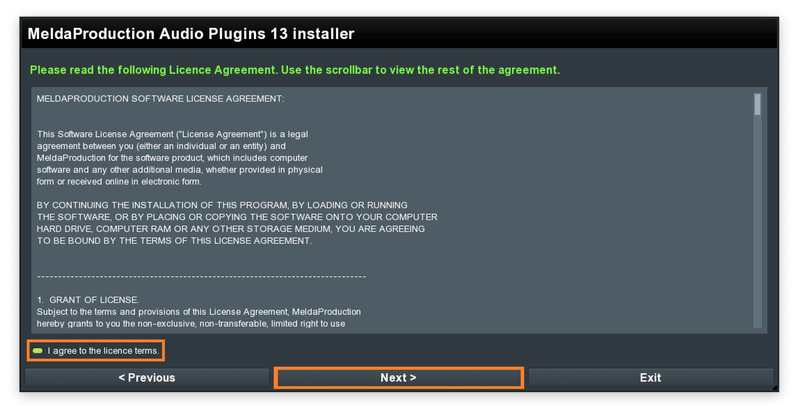
6. Once the installer has opened, click 'Next >'

7. Click 'I agree to the licence terms.' > click 'Next >'.

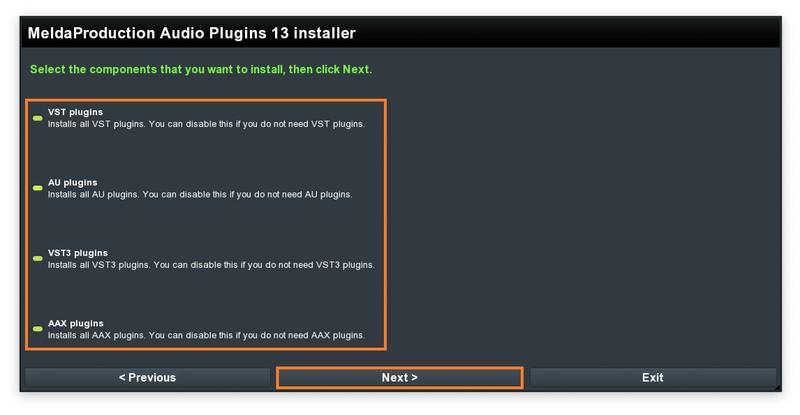
8. Select which Plugin formats you wish to install > click 'Next >'. (If you do not know which format to install, click HERE).

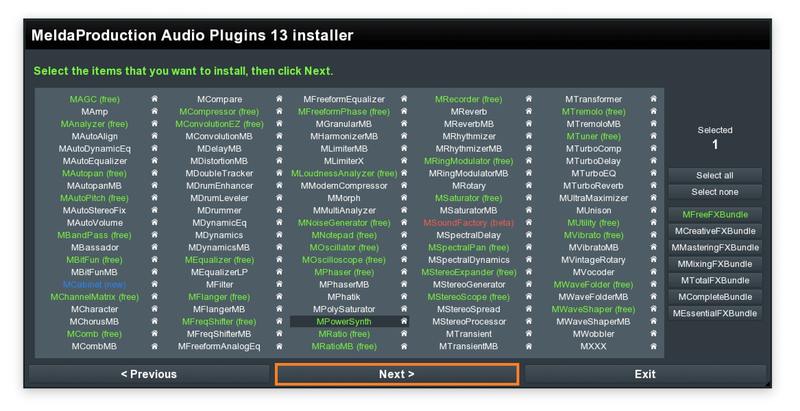
9. Select which product you have purchased and wish to install > click 'Next >'.

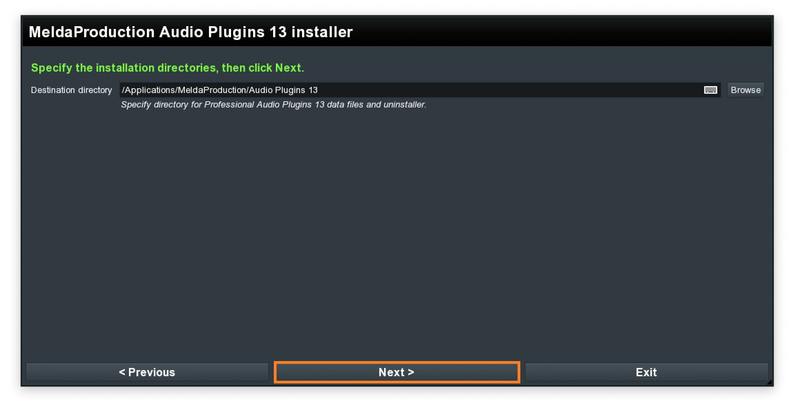
10. Choose where you would like to install the directories (we recommend leaving it at the default location) > click 'Next >'.

11. Click 'Next >'.

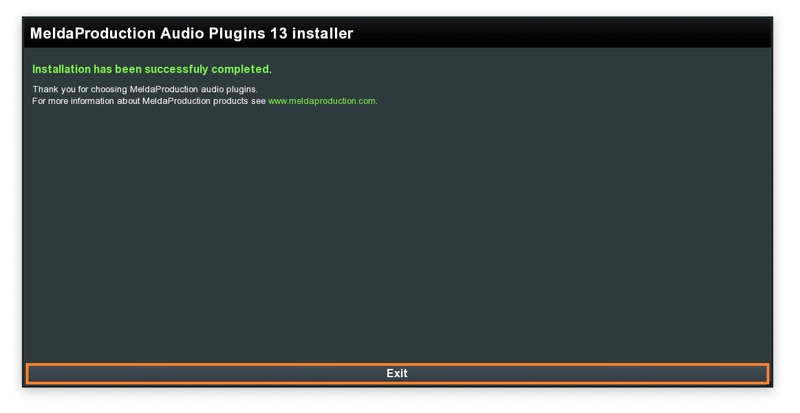
12. Click 'Next >'.

Your software has now been successfully installed and activated.


Windows Installation

1. Visit https://www.meldaproduction.com/downloads to download the latest MeldaProduction installer.

2. Please click 'Download (Win)' to download the MAudioPlugins installer.

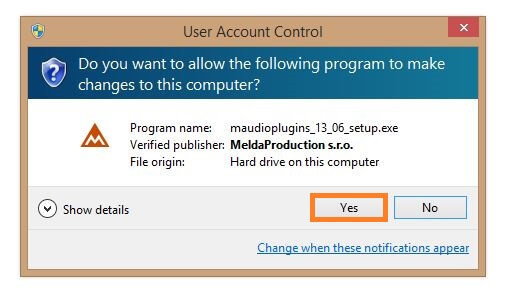
3. Open the download > click 'Yes'.

4. Once the installer has opened, click 'Next >'.

5. Click 'I agree to the licence terms.' > click 'Next >'.

6. Select which Plugin formats you wish to install > click 'Next >'. (If you do not know which format to install, click HERE).

7. Select which product you have purchased and wish to install > click 'Next >'.

8. Choose where you would like to install the directories (we recommend leaving it at the default location) > click 'Next >'.

9. Click 'Next >'.

10. Click 'Next >'.

Your software has now been successfully installed and activated.

Bundle & Save

Best of Free VST Plugins Bundle
FREE

Plugin Boutique Rewards

Discover the most rewarding loyalty programme among all plugin retailers.

  • Free Loopmasters Samplepacks
  • Discounts on products and courses
  • Extra Virtual Cash claimed immediately at checkout
Find out more

Follow us:

X (Twitter) Facebook YouTube Instagram
Logo Logo

Plugin Boutique Limited, Part of the Beatport Group LLC.

Copyright © 2011-2025 Plugin Boutique. All rights reserved