


 Log In

Free gifts available with your purchase
Dynamic Resonance Suppressor
RESO is a dynamic resonance suppressor that helps you quickly identify and resolve resonances in your audio.
When resonances build up to an excessive level, your music can sound harsh and unpleasant, often masking other elements that you actually want to hear. But, applying broad resonant reduction across your whole mix can take away the character of your audio, and if you apply too much reduction you’ll make the mix sound thin and reduce the punch of your transients.
RESO helps you identify which specific frequencies have a build-up of energy relative to your whole mix. It also guides you on how much reduction is needed to dynamically resolve the resonance without overdoing it. The high-quality filters deliver mastering-grade transparency, with automatic Q optimization to give you the most musical results.
There simply isn’t a faster or more effective way to musically resolve resonant issues in your mix.
Cleaner Mixes in Less Time
Use RESO on any Channel
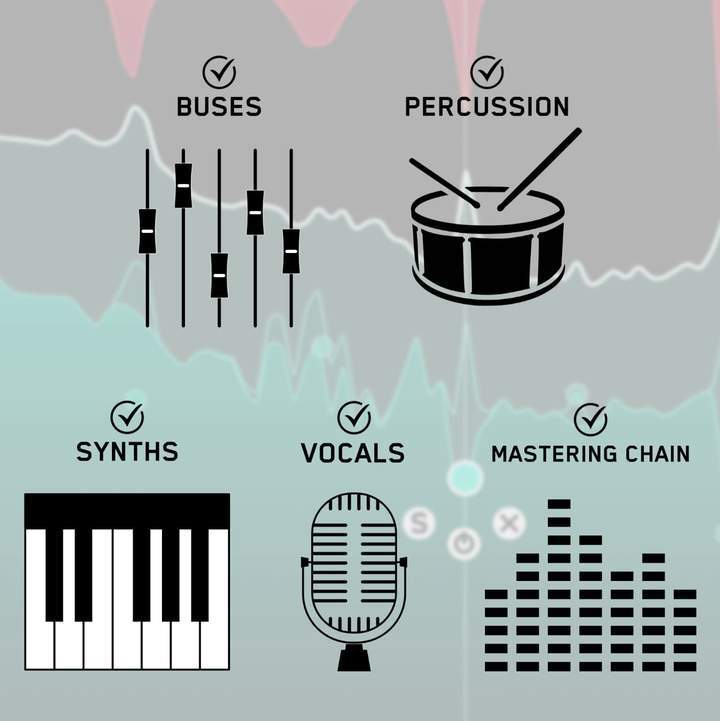
RESO can be used to resolve the resonances of any channel in your mix, whether it’s a vocal, a synth, percussion, busses, or your mastering chain.
Analyze Your Audio
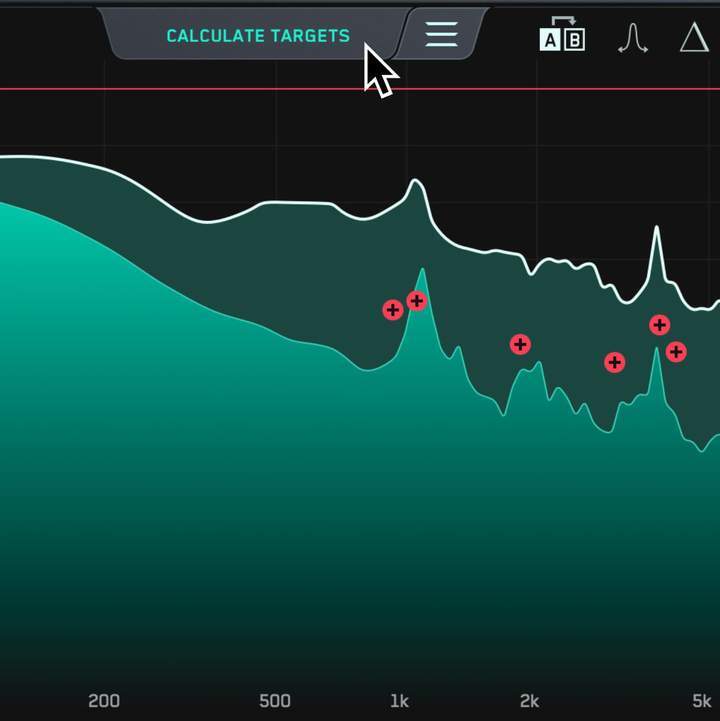
Look for disproportionately high peaks in the visual display.
Use the Frequency Sweep to help you identify resonances that sound unpleasant.
The Calculate Targets feature will locate the most resonant frequencies and give you targets so you can resolve the resonances transparently.
Tweak To Perfection

Creating a node is as easy as clicking anywhere on the interface.
Position the node at the peak level at which you want the resonance suppression to start and scroll to adjust the Q.
Additional Features
- Smart analysis that gives you fast results.
- Mastering grade filters for cleaner sounding mixes.
Common questions
What's the best plugin for finding harsh frequencies in a mix?
RESO. Calculate Targets locates the most resonant frequencies automatically, Frequency Sweep lets you hear each one, and its dynamic cuts only act when a resonance flares up, so the sound isn't dulled.
Which plugin helps me identify resonant frequencies?
RESO is built to find resonances first, then fix them. Use it on vocals, guitars, synths, drum buses or a full mix.
Mac:
- OS X 10.15 or higher.
- 64-bit AU, VST3 or AAX host. Apple Silicon Native (64-bit only)
Windows:
- Windows 10 or higher
- 64-bit VST3 or 64-bit AAX host (64-bit only)
Please note: AAX compatible with Pro Tools 11 and later only.
Important note: When accessing this software via a Rent to Own plan or the Beatport Studio membership, it's installed and run through the Beatport Access portal. An internet connection is required every 30 days to validate your license.
Reviews Summary
While it aims to provide a helpful overview, it may not capture every perspective or detail. We encourage you to read individual reviews to make an informed decision.
Users consistently praise RESO for its effectiveness and surgical precision in identifying and taming harsh or clashing frequencies, making it a valuable tool for mixing, mastering, and sound design. Many appreciate its clean, simple interface, fast analysis, and affordable price compared to competitors like Soothe, though opinions differ slightly on ease of use between auto and manual modes. The primary drawback mentioned is its high CPU usage and consumption of system resources, with a minor desire for more granular control, but overall it is highly recommended for cleaning up mixes.


