


 Log In
Why Studio One by Presonus is the Perfect DAW for ALL Types of Producers
Why Studio One 5 might be the Perfect DAW for You!
Learn more about PreSonus Studio One 5
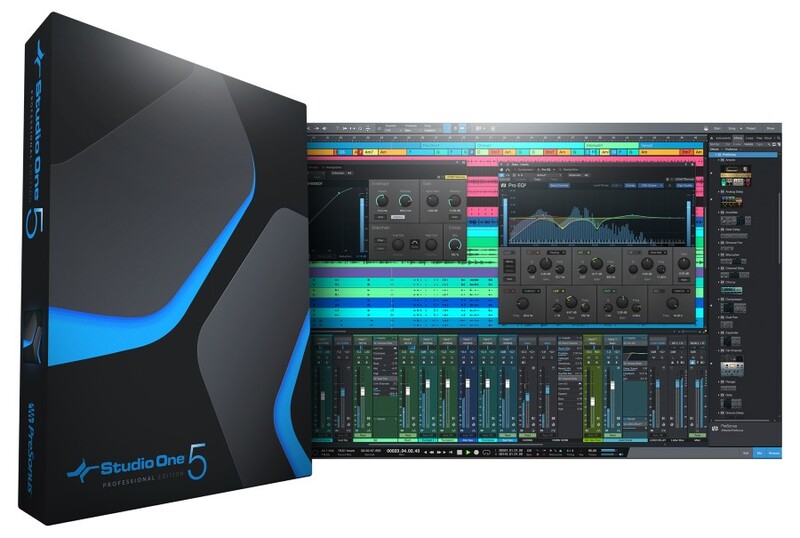
Choosing the right DAW is fundamental in any modern producers’ journey and with there being so many to choose from, each with their own fervent community of users championing reasons why each one is the best, it might seem impossible to choose one over the other.
Well, in this video I’m going to tell you why Studio One might be the right choice for you.
Presonus have created a DAW that is next level when it comes to all manner of features and this article could easily go on for pages, but what I want to do is break down some highlights. Not only highlights for producers in general but highlights for composers, live performers as well as mixing and mastering engineers. Studio One 5 really does have something for everyone and then some.
Studio One 5 for Producing
Drag and Drop Workflow
Studio One kicks everything off with Drag and Drop workflow. For example, if you want a virtual instrument MIDI track in your song, simply drag and drop any one of your instruments into the arranger and Studio One will create a MIDI track for you instantly.
You can even stack instruments into a multi-instrument by dragging a second or third synth right onto the same track and choosing the combine option.
You can drag and drop FX onto inserts or sends, or drag an effect from one insert to another to duplicate it and so on.
Trust me when I say this, this feature alone is going to save you so much time and keep your creativity moving towards your vision.
Stock Instruments
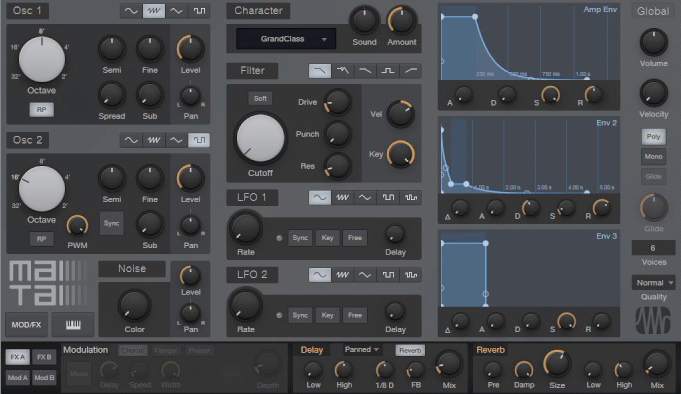
Studio One has five built-in virtual instruments: SampleOne XT, Presence XT, Impact XT, MaiTai, and Mojito. Studio One comes stocked with instruments that provide a solid foundation for music production in any style.
You have a sampler, a sample player, a drum machine, a monophonic, subtractive synthesizer, and a polyphonic analog modeled synthesizer. All of which come stacked with presets and built-in sample libraries that will give you instant inspiration and incredible flexibility for customization and creation.
Stock Effects
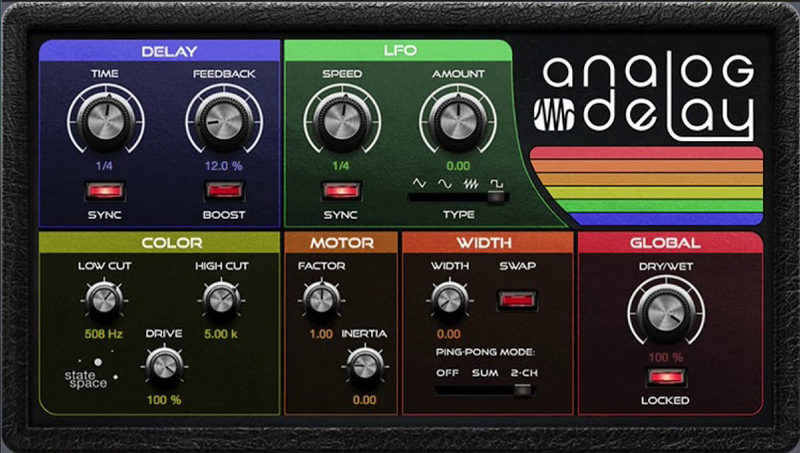
Even the most basic version of Studio One comes with enough audio effects to make sure you will not need to expand your VST toolbox for some time if at all. From digital to analog emulations; reverbs and delays to compressors and analysis tools; all so good you might never need a second hand VST.
One thing that I personally really like are the Micro Views for effects in the inserts tabs which allow control over critical parameters without the need to launch the full plugin window.
Chord Track
Chord Track is one of the most eye-catching features in Studio One.
Chord Track is a global track in the DAW that provides the ability to perform "harmonic editing" of both Instrument and Audio Parts.
This restructuring of chord progressions can affect an entire song, or only the Tracks of your choice. This lets you write musical content with a chord progression that appeals at the time, and make sweeping changes later, without exhaustive editing or rerecording of Parts.
Scratch Pad
The Scratch Pad is an editing tool in Studio One.
Scratch Pads act as quick storage to hold Events, Parts, and entire Song sections for later use or re-use, reducing clutter in the Arrange view as you assemble your Song. Scratch Pads look and act much like the Arrange view timeline, sharing the same editing capabilities and displaying the same set of Tracks.
These are great for sketching ideas without cluttering up your main project.
Arranger Track
The Arranger Track is an arrangement tool that lets you work with portions of your entire Song as though they were individual Events and rearrange them quickly and easily. This saves you the time and reduces the challenges of traditional editing, which can be difficult when dealing with many Tracks at once.
Studio One 5 for Mixing
Song page
When a new Song is created in Studio One or an existing Song is opened, you are taken to the Song page. This page contains all the necessary tools to record, edit, arrange, and mix multitrack audio and manipulate instrument data. This is the perfect location for Mixing music and if you are familiar with any other DAW or an analogue mixing console, you will feel right at home here.
Project / Song Page Integration
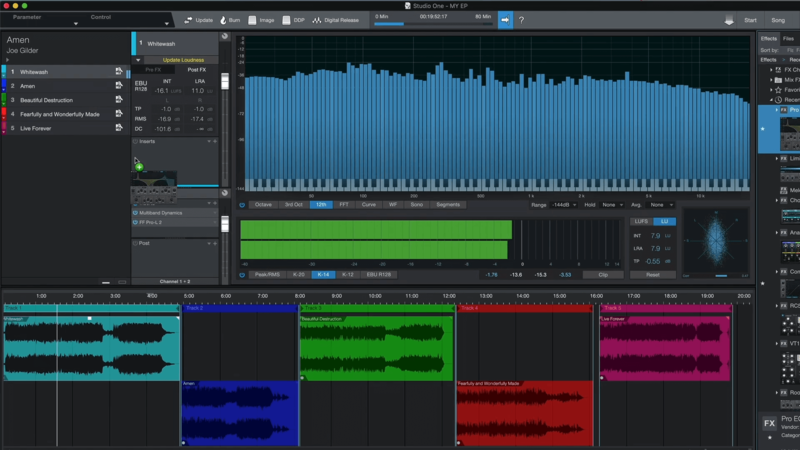
The Song Page is where you do your composing, producing and mixing. This should look familiar to everyone who has used a DAW before. However, studio one has what’s called a “Project Page” which is essentially a mastering suite. Now, both of these pages are packed with features, but what I want to draw your attention to is the fact that they can communicate with one another. Any changes you make in your Song will be automatically updated to the bounce in of you master in the Project Page.
Automatic Send/Returns
In most professional DAWs when you want to set up a send effect, you need to first create a return track. However, in Studio One, simple drag and drop an effect onto a “Send” insert on any channel and a Return Track will be created automatically.
Mix Scenes
Scenes provide an easy way to save and recall different configurations of Tracks and Channels, as well as different settings for the FX and more. These are ideal for comparing as many different Mix configurations as you might need.
Melodyne
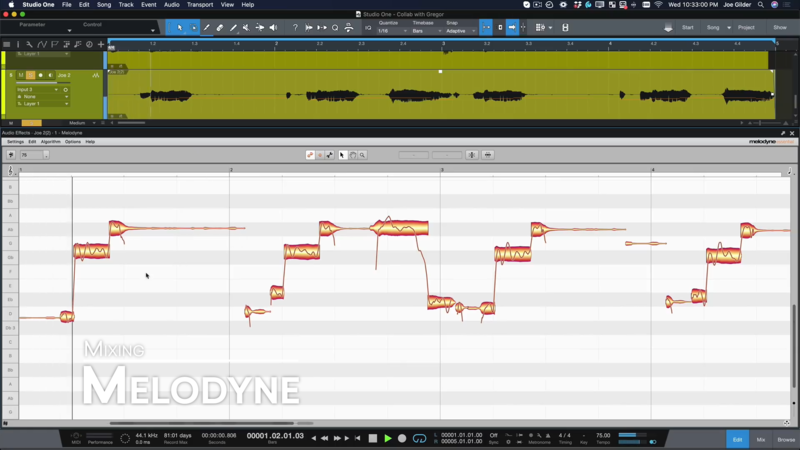
Another insane feature for mix engineers who work with vocals is Studio One partnered with Grammy-winning Melodyne, a useful timing and pitch correction and manipulation tool that integrates closely with Studio One.
Studio One 5 for Mastering
Project Page
The Project page is a dedicated mastering solution integrated into Studio One Professional. Songs and audio files are arranged as a sequence of Tracks on a continuous timeline. You can apply effects to individual Tracks, as well as to the master output Track, in order to achieve sonic continuity throughout the Project.
An integrated Browser makes importing Songs, audio files, and audio effects quick and simple.
There is also a host of analyzation tools built-in that give you all the information you need to make the best decisions for your project.
Fat Channel
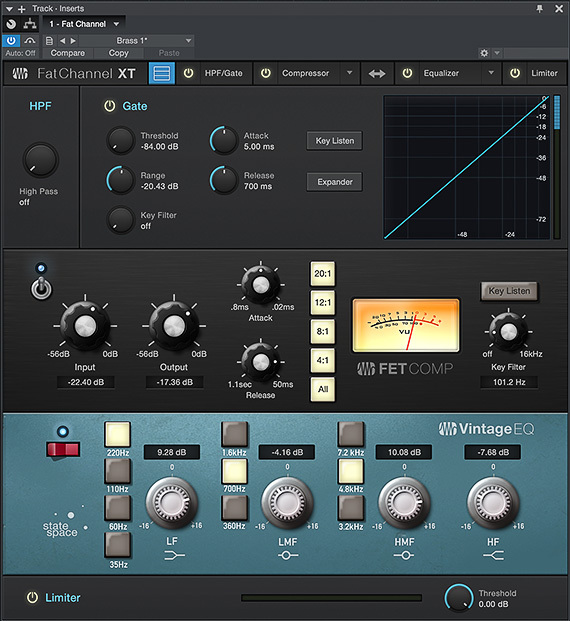
Fat Channel is a complete virtual version of the channel strip found on the PreSonus Studio Live III line of mixers which comes with a gate/expander, compressor, parametric EQ and limiter functions.
Fat Channel combines many essential processing functions into one easy-to-use tool. Along with its "clean" modern dynamics and EQ processors, Fat ChannelXT gives you a selection of high-quality emulations of vintage compressors and EQs to suit your needs.
Project / Song Page Integration
I already covered this in the Mixing section of this video, but it’s worth mentioning here again for obvious reasons.
Studio One 5 for Composing
The Score Editor
Studio One Professional provides the ability to view, enter, and edit notes in standard music notation through its Score Editor.
Key Switches
An increasing number of virtual instruments are integrating with Studio One’s new Key Switching options. There is now a dedicated area for making articulation switches quickly and easily.
Studio One 5 for Performing
Show page
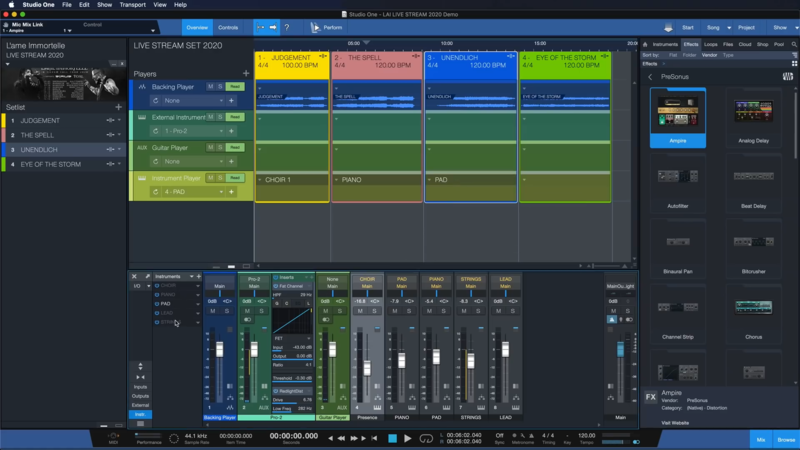
The Show page provides an independent yet fully integrated live performance environment for performing artists, bands, and live sound engineers. It combines Setlist management with playback of backing tracks, playing virtual instruments, and processing real instrument audio signals through virtual FX racks – all from a single, intuitive interface that can easily receive content directly from any track on the Studio One Song page.
Performance Mode
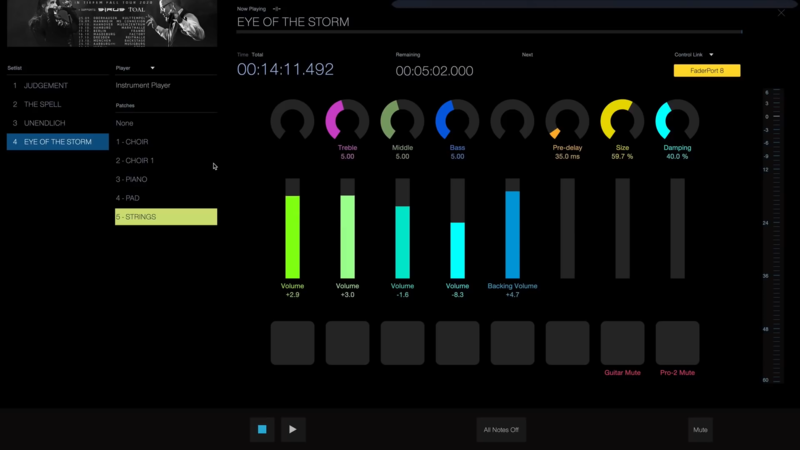
The dedicated Performance View with customizable Macro Controls works hand in hand with hardware controllers.
Studio One 5 on Plugin Boutique
Now, that’s a lot of incredible features and I would like to stress again that this is only scratching the surface of what’s available in Studio One 5 from Presonus.
Make sure to check out Studio One 5 here on Plugin Boutique to find out more about this next-level DAW and compare the available version to see which is best for you.
Other articles
ESEA Heritage Month: 5 Artists You Should Know About
Founded in September 2021 by besea.n (Britain's East and South East Asian Network), ESEA Heritage Month celebrates the culture, history, and contributions of East and Southeast Asian communities across the UK. To mark the month, we’ve partnered with ESEA Music, a UK-based, community-led non-profit founded in 2021 to empower ESEA artists and music professionals, to spotlight five incredible independent artists shaping the UK music landscape. Jeremine Chan Malaysian Chinese • Multi-Genre / E
Aaron Suiss Builds Self-Actualization From Diva’s INIT Patch
Presets are a normal part of modern production, and Aaron Suiss is pretty open about using them for some of the biggest layers in his latest release, “Self-Actualization,” which spent a week in the Hype Charts on Beatport. The bass and pad began with Plug Hugger presets inside u-he Diva. But the star of the show was the arpeggiator, which he created from INIT after the options he auditioned just didn’t bring the emotional depth and power the record needed. Created with Enzo Vood and released
Synth Month Sale: The Best Deals on Synth VSTs & Bundles
It’s September, and that only means one thing for all you producers out there – it’s Plugin Boutique’s Synth Month, the ultimate synth plugins sale! Across the month, you can buy synthesizers at massive discounts. Expect big savings on the best software synths, from characterful vintage synth emulations all the way through to cutting-edge modern sound machines. Not only that, but you’ll be able to pick up some deliciously discounted synth bundles that can’t be missed. To celebrate, we
Free VST Plugins You Should Actually Get
[Article Last updated: 12 September 2026] – There are a lot of free plugins out there, and you can sometimes feel overwhelmed by the paradox of choice. Thankfully, we've done the hard work, so you don't have to. Here’s a carefully curated list of the best free plugins that pretty much any music producer can benefit from. We even update this list approximately weekly to keep you informed of the new free plugins arriving on the scene. We’ve been especially considerate of plugins with a wi


